












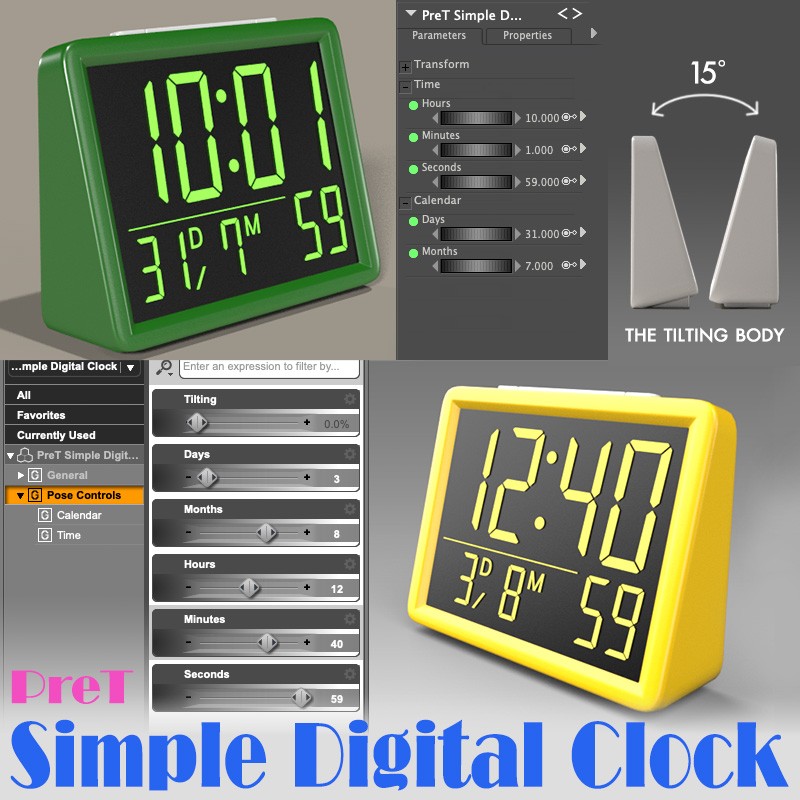
Simple Digital Clock
Softwares: Poser Pro 11, DAZ Studio 4 With IRAY, Poser 12
License: This is licensed for commercial or non-commercial use.
Product Notes
Commercial renders are ok, contents are not for redistribution.
You can find some lovely simple digital clocks to searching this free stuff area. But this model I created can display also the date. And, you can change the digital characters color without using any paint program.
This doesn't have a texture map, the Runtime folder is not needed in DAZ Studio. The Props and data folders are also not needed in Poser. This is a Unimesh model. It will likely fail to load in Poser 9 or earlier versions. And, this only includes Iray materials, so the compatible DAZ Studio version is 4 or later.
On-Sale Items in the Marketplace


Comments
such a cool little prop! still trying to figure out just how you did the numbers trick. very innovative!
Thank you all for your comments! I’d be happy if you could just keep this lying around in a corner of your render :)
Many thanks for this sweet prop freebie.
great !
Oooh! I was looking for a clock for a story I'm doing and this will be PERFECT!! Thank you so much for your work and for sharing it!
Thank you very much. Really love your clock!
TYVM :D
Thank you for the comments :) Making these dials was a simple yet tedious task. Even so, I am satisfied with the result. I hope you all like this simple prop.
Thank you!
Looks Great! Nice to include dials to change the numbers. Thank You!

Thank you for commenting :) Watch The WP Guru's movie on YouTube, "Adding multiple Poses to a custom slider with Keyed Properties in DAZ Studio". In my blog, I wrote about creating the digital display for last year's a DAZ Christmas freebie. In Poser uses a dependency editor. The only difference is whether you convert the timeline animation keys to a dial or set each morphs directly on the dial; both DAZ Studio's and Poser's methods are the same.