

















Daz Packager
Operating System(s): Windows 10, Windows 11
Softwares: Daz Studio 4
License: This is licensed for non-commercial use only.
Product Notes
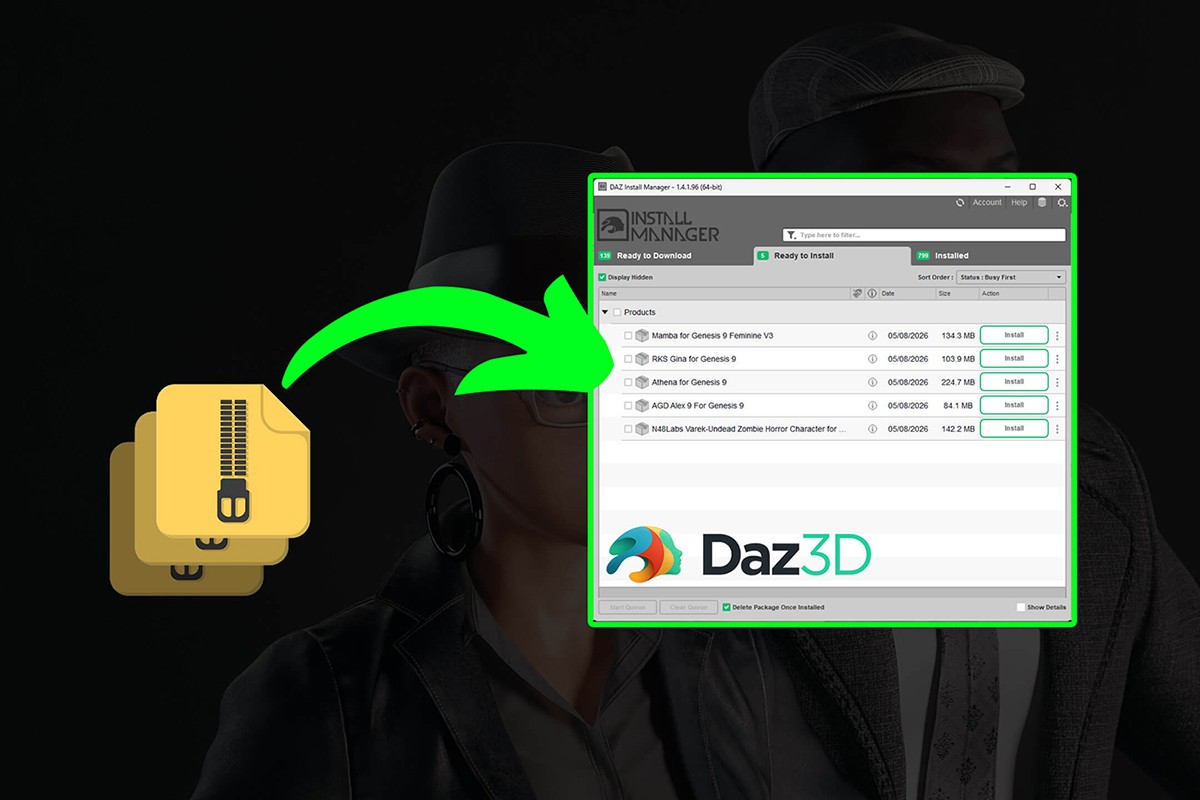
All your Daz content now compatible with Daz Install Manager.
Bought a product outside the official store and had to dig through folders instead of using Install Manager? DazPackager fixes that.
Drop your .zip (or extracted folder) onto DazPackager, and it generates the Manifest.dsx and Supplement.dsx files DIM needs.
For customers: turn any purchase into a DIM-installable package in seconds.
For creators: give your buyers a smooth Install Manager experience.
Features: auto-detects structure (works without a Content/ folder), batch mode, drag & drop.
v1.3.0: fixed a rare detection bug, folder scanning now matches zip scanning, dropping a zip-filled folder now auto-batches.
v1.3.1: package file names are now always DIM-safe (symbols removed, accents converted), and folder names containing a dot are no longer cut short.
On-Sale Items in the Marketplace


Comments
Works fine now!! Net8 Runtime was missing on my system... Thank you very much - this little prog is indeed a game changer (and a big time saver as well!) :-))
Thank you very much, Raph4 and speculoos - but following your advice the brief flashing of the dos panel is the only thing that happens for me. Can`t find the extracted files anywhere...
Thank you for the link. I see it was possible to create a topic in the forum. :)
Support here: https://www.renderosity.com/forums/threads/3002804/daz-packager "If you have any questions or run into any issues"
Honestly, Daz Packager is the best and easiest Daz Studio content packager I have ever used. Once again, a very BIG thank you. :)
You are welcome, Raph4. :) I don't see where you can open a topic about Daz Packager because there is no specific forum dedicated to such subjects. It's probably possible though...
If needed, I can open a topic on the forum, but I don't know exactly in which forums / sub-forums for helping & support. note: and thanks to speculoos for their interest.
Also check if .NET 8 Runtime is installed on your system.
Automatic translation in Spanish: No es necesario instalar el software, ya que está listo para usarse. - Coloca el archivo DazPackager.exe extraído en tu escritorio (por ejemplo). - Toma el archivo ZIP (o la carpeta de contenido) que contenga los archivos que deseas convertir a DIM y arrástralo sobre el icono del programa en el escritorio. - Verás brevemente una ventana de consola (similar a la de Windows); el archivo compatible con DIM se generará y quedará listo para su instalación. - Coloca el archivo en la carpeta a la que DIM pueda acceder; es esta: (Letra de tu disco duro):\Users\Public\Documents\DAZ 3D\InstallManager\Downloads - Inicia DIM e instala el archivo. Espero que esto te sirva de ayuda.
It's not necessary to install the software because it's ready to use. - Put the extracted DazPackager.exe file your desktop (for example). - Take your zip file (OR the content folder) with the files you want to convert to DIM and drag and drop it on the software icon on the desktop. - you will briefly see a kind of console (like the Windows console) and your DIM-ready file will be generated and ready to be installed - Put the file in the folder where DIM can access it It's this one: (Your HDD Letter):\Users\Public\Documents\DAZ 3D\InstallManager\Downloads - Start DIM and install the file. Hope this helps.
No me funciona, no hace nada ni se instala. ¿Como funciona en daz4d?
I had the same problem in the beginning because I was double-clicking the executable and nothing was happening. You just have to drag and drop your archive or the content folder on the executable (or on the icon if you created a link on your desktop). That's what I did and then everything went fine. Hope this helps (unless it would be a different problem). :)
Brilliant idea - but unfortunately doesn`t work for me. Accessing the exe file nothing happens..
Thank you very much.
This utility is extremely useful and extremely easy to use. All you need is a zip file with your content in the right folders and the software does everything for you. No questions or references required. And then, you get a zip file ready for DIM that can be installed and completely uninstalled without any problems. Thank you very much for this brilliant utility! :)

Thank you!