











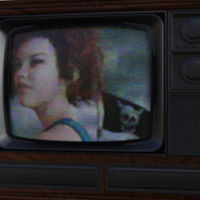





Finding the right pose for your Daz scene has never been easier!
Operating System(s): Windows 8, Mac OS X, Windows 10
Softwares: Daz Studio 4
Base Figures: Genesis 8 Female, Genesis 8 Male, Genesis 8.1 Female, Genesis 8.1 Male
License: This is licensed for commercial or non-commercial use.
Product Notes
As a groundbreaking pose finder for Daz Studio™, Pose Swissknife was already a must-have plug-in.
With v.0.93 you can now also create the mirrored version of any pose, including those created with pose controls/utilities.
Main plug-in functions:
- view all poses installed by directly applying them to a figure
- find pose by type (sitting, standing, laying etc)
- browse any pose as partial (e.g, preserve the pose of a hand holding a weapon)
To install on Windows, unzip the PoseSwissknife.dll file into the 'plugins' folder on your computer, typically in
C:/Program Files/DAZ 3D/DAZStudio4/plugins.
To install on Mac, unzip the PoseSwissknife.dylib file into the 'plugins' folder on your computer, usually in
Applications -> Daz3D/DAZStudio4 64-bit/plugins.
After restarting Daz Studio, find the plugin under Window -> Panes (Tabs).
Find out more (tips, updates...) at https://www.atrilliongames.com/poseswissknife/index.htm
Best Selling Marketplace Items by This Vendor
Comments
Cool.....thanks for the update.
Oh my! There is already an upgrade to this awesome plugin? Fantastical!
It's so generous ! thanks much.
Many thanks can't wait to try it

Ty, any hope for a Genesis 3 version?