
Renderosity Forums / Carrara
Welcome to the Carrara Forum
Forum Coordinators: Kalypso, Anim8dtoon
Carrara F.A.Q (Last Updated: 2026 Jul 11 2:50 am)
Visit the Carrara Gallery here.

Subject: How do you animate and is there Open GL support?


Attached Link: http://www.eovia.com/resources/carrara_tutorials/carrara_tutorials.asp
How to animate, first don't even try the storyboard room. Stay in the assemble room. How did you import the poser scene file was it via Native import or Transposer import? You will only see the morphtargets, clothing, Poses when using native import and you can access them by first selecting your chracter and than look in the properties tray on the rightside of the screen for your poser stuff. Yes Carrara 5 has an excellent OpenGL support. How to select it. When you have a scene open. See the small icons at the upper right side of the working screen? Click on the arrow Icon and this will open the interactive renderer settings. How do you animate? Eovia as a new tutorial section check it out and you will find some useful information. Have fun. http://www.eovia.com/resources/carrara_tutorials/carrara_tutorials.asp Ringo It's my understanding that when using Transposer to import a Poser animation, you do not have the ability to control that animated scene from within Carrara. Basically, Carrara is acting as a host platform for the Poser PZ3, allowing you to add objects, lights, and otherwise render the scene, but not pose, animate, or adjust morphs. If you want to change something, you have to go back into Poser and do it, then resave the file, and load it again in Carrara. Native import rigs the characters using Carrara bones, and imports the morphs, etc. If you want to be able to animate from within Carrara, then you need to import using that option. I agree about reading the manual. All too often, people just assume they can just hop in and instantly learn a new app, which is not really the case here. Carrara can be very easy to learn, but it's still far more complex than Poser.
Ringo, thanks for responding. I had already attempted to change things in interactive rendering, but no satisfactory results, all the way down to wire. When you have a medium complex scene in place, is the timeline reset slow for you? Just trying to get some user perspective. Bluegone, The tutorials on animating are not very strong; I had already looked in on them. I am not attempting to actually learn Carrara at this point. I am trying to evaluate it as a replacement for Poser's renderer and to see if I would still animate in Poser, or instead use Carrara's animation tools. Meanwhile, I am discovering that no matter what interactive render settings I choose, my first imported scene (medium-high complexity) chokes the slider on the animation time line. It takes at least 2.5-6 seconds to reset, and you can't drag the slider around. So, I created a simpler scene in poser, with a low res James, no clothing props and no strand hair, and an EJ with one piece of clothing and no hair. No ground, room or anything. That improved things some. The slider is more responsive, and you can slide it along. It remains to be seen if it was just that first scene that had something too heavy in it, or if instead the Carrara OpenGL implementation gets bogged down beyond a certain poly count. There is no doubt is more lethargy-prone than Poser's. But it may prove to be not a deal killer. More on that later. Meanwhile....I don't get it. If you import with native, you get the morphs, but thru Transposer you don't? I guess if all you are doing is rendering, you don't need morphing, animating, etc. But if you intend to engage Carrara's animation workings, how can a Transporter import be useful? ::::: Opera :::::
Jimbo, I was composing my last post when you were posting.... thank you for clarifying about native/transposer. It does seem like that is the situation. Glad to have that clarity. Now I need to determine if I want to animate in Carrara. I'll need to find out if native brings enough over. On the other hand, I might just want carrara as the render platform, as you said, and would use transporter. Again, I am not attempting to learn the entire application; for one thing, I will not be modelling. Thank you for your responses. ::::: Opera :::::
Opera, about the timeline slider.. In my experience so far, and it depends on your puter specs as well, the timeline does lag a bit when there are multiple animated objects in the scene with higher polygon counts. This seems especially true when importing a Poser animation through Transposer. I'm not sure if it has to do with the fact that Carrara is "hosting" the pz3 file, which puts some added burden on the processor, or what is actually happening, but I do see the same thing you do. On the other hand, if I load a lot of animated figures in Poser, and use the textured display, I also get a lag. It's helped by the fact that Poser allows you to "skip" frames when scrubbing through the timeline, but if you disable that option, then it does tend to lag as well, although not quite as much as Carrara. If it's of any use, I saw the same thing when using the Reiss Bodystudio plugin for 3dsmax and Maya. I don't personally own either of those apps, but my co-worker has both, and we tried importing a Poser animation using Bodystudio, and the timeline on both platforms lagged really badly when scrubbing through. The solution there was to use automatic bounding box display mode on the Poser elements when scrubbing over the timeline, which works fine if all you are doing is matching up a camera to the imported scene, or animating additional native elements, like particles, into your imported PZ3 animation. So far, I don't see any way that Carrara can automatically switch viewing styles when moving the timeline slider like you can in those other apps, so you'd have to manually switch view modes.
I am working along, but I HAVE noticed that the slider works better when imported thru Native. Thanks for your insight jimbo. My specs are in post1 and are pretty high. tunsey, I get the lag on typing in a frame number. Also, I could NOT be without the ability to slide the slider back and forth to get immediate real-time motion. More this afternoon. ::og::
Attached Link: http://www.3dlabs.com/products/product.asp?prod=273
Keep us updated, Operaguy. I'm interested in this too. I have never been pleased with rendering directly in Poser, and I can't afford more expensive apps, although I have used some of them before. I purchased Carrara with animation in mind.Just remember, if you decide to use Transposer, you can perfect the animation itself in Poser, and do all the scrubbing and motion proofing you want in there, then just add cameras, new materails, and lights in Carrara to render. You wouldn't need to scrub the timeline much anyway if you go with that workflow.
A note about your specs: Your video card is a little weak on RAM. I'd see about getting 512mb minimum if possible. Also, if you're looking for realtime feedback in the viewport on high poly scenes, you might be out of luck with Carrara, unless it supports the drivers for something really highend, like the 3dlabs Wildcat or Oxygen series ($1000+). Those cards are geared toward maximum polygon redraw rates, specifically for 3d applications. There's also the mid-range card, 3dlabs Realizm, which is blazingly fast with Maya. Maybe Carrara can support these cards, I don't know.
Message edited on: 01/30/2006 13:42
Scrubbing the slider when animating definitely helps in evaluating the motion as you go. Otherwise, you're stuck having to endlessly render the shot, evaluate, make changes, then re-render. Pain in the butt. Without a high-end video card designed for maximum polygon redraw, most 3D apps will lag in this area. Even Maya or 3dsmax. I'd consider investing in the 3dlabs Wildcat 4 for serious work, but then again, I don't know if it will work with Carrara.
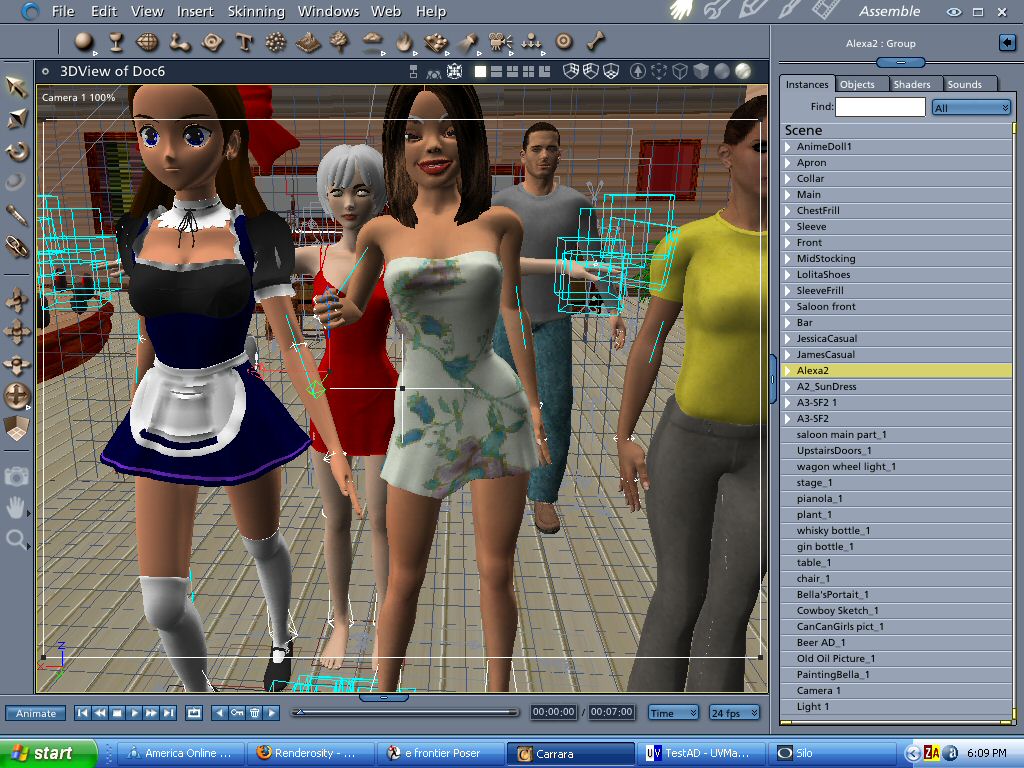


" How does it scrub in box mode?" ...lousy. hehe. Don't forget though, it has an awful lot of keys in it and it's a very busy scene. Posers walk designer creates 3 keys for every figure element for every frame. That's one of the things I want to test in the next few days. You could create an almost identical walk cycle with probably less than one percent the amount of keys Poser generates. To quote Martin Hash of Animation Master: "The fewer key frames an animation has the more elegant it is." Well. Posers walk designer ain't elegant ;)
Let's call a spade a spade. Poser's walk designer sucks. It should do what it's supposed to, and I suppose it does to a point, but you're always having to fight with the graph editor to keep the knees on most characters from bending awkwardly out of joint, or to keep the feet from skating across the floor, when it's walking along a path.
In fact, I find most of the animation tools in Poser grossly lacking. BVH import is almost always a disaster, requiring LOTS of time to fix messed up motion, and you can really never get rid of the floaty feet on a figure after a BVH is applied. I see it all the time in Poser animations. Feet going through the floor, or floating as if magically over the ground. It's not entirely the fault of the animators, because these issues are not easily fixed in Poser when dealing with BVH.
I've invested some money in animated poses for specific figures that STILL had these problems (although not as bad as a raw BVH), so it's obviously inherant of the software.
I think Carrara's tools might do better, but I'm not sure yet. Apps like AnimationMaster and Maya have tools to take care of these things easily. I've also teased myself by playing with the demo of 3dsmax 8, and CharacterStudio seemed very good for character animation also, but I'll never afford any of those apps. The only positive thing I can say about animating in Poser is that the morph structure is very easy to use for animation. Other than that, it's a fight. IK on? IK off? Please, give us the ability to use both IK and FK together. Other apps have it that way!
Message edited on: 01/30/2006 21:41
I usually get around the bvh and the walk designer thing both in the same way: Start out by deleting big blocks of keys, or just save the 'important' poses they generate. Same result either way. bvh and walk designer both give us way too many keys which amount to nothing but clutter and cause problems. In fact, by creating keys at every frame they both completely eliminate the smooth tweening that your computer is capable of. Keep the important poses they generate and delete the unnecessary ones in between. For example, a walk cycle only needs two poses plus their 'mirrors' for a total of four. A lot of the time I just save two poses generated by walk designer to the pose dots, delete all frames and make the walk cycle from that. Only takes a few minutes. Usually very little clean up to do and no more jerkiness.

...well. I did another little test. Saved 3 versions of file with 5 figures, trimmed down to 30 frames. One version with all the keys generated by walk designer, another version with 90 percent of the keys edited out and a third version with no keys. I did this to make sure I wasn't fooling myself with expectations from the first tests, not to mention possibly bad observations from memory issues that could have been created by using Poser or other apps first and not rebooting in one test or the other previously. Anyway, on my system there appears to be no noticable difference between them for scrubbing purposes. It's still good policy to knock out unneeded keys, of course, but doesn't look like it's worth doing if your only aim is to improve scrubbing. I'd like to see the same tests done with a higher end graphics card though.
tunesy, I was about 99% sure you were going to find that out. I'm glad you did it anyway, and so precisely. The number of keys does not matter, it is the load of geometry the slider is pulling around, I am pretty sure. I will be headed into my next Carrara session during this afternoon, and first must find out why I can't load with Native. Then, I can do apples/apples load tests Transposer vs Native with the same scene and see if effects the slider responsiveness. After that, I am going to be in pursuit of various lighting/shading/rendering options including those suggested above, going for realism on my baseline pz3 in less than 80 seconds. Meanwhile, I still have one floating question..... We all know that my chief problem is that I insist on dynamic hair. Several people have cited, in particular, poser-imported hair as the problem, and some have suggested growing hair in Carrara with Anything Grows. But is it POSER strand hair specifically? Is there something intrinsically burdensome with Poser hair? Or is it simply, and understandably, dynamic/strand hair in general that impacts render time, especially under raytrace? If so, if I grew hair in Carrara back to the density and quality of the imported Poser hair, it's likely it would have equal impact on rendertime. Thank you for continued interest in this thread. My turn to dig in and contribute more, now. ::::: Opera :::::
Well, I can't get anything complex to load via Native. I don't know what the problem is. I've uninstalled and reinstalled twice. I have to leave off experimentation with Native import for the moment, and concentrate on seeing if I can get realism with good render time with strand hair. I'll be reporting on that in the other thread I started. Thanks all ::::: Opera :::::
"But is it POSER strand hair specifically? Is there something intrinsically burdensome with Poser hair? Or is it simply, and understandably, dynamic/strand hair in general that impacts render time, especially under raytrace?" Operaguy, the problem is specifically Poser hair. Sort of. Here's what I mean: Poser hair is basically splines that are interpolated from "guide" splines at rendertime by Poser. Storing and manipulating millions of dynamic spline hairs is VERY demanding on today's technology. Therefore, just as standard 3D graphics uses boundaries such as "surfaces" to describe solid objects, dynamic hair uses guides to describe the basic shape and behavior of the splines. It's designed specifically so that rendering the dynamic hair WITHIN POSER is not something that typically boggs down your system to the point that it's unusable. Now, when you export a PZ3 containing dynamic hair to another application, the hair is not interpreted by the native renderer as efficiently as it is in Poser's native renderer, so you ends up putting more strain on the render engine, and slowing down the render in general. Applications that have their own version of dynamic hair (like Maya, 3dsmax, Cinema4D, Lightwave, and others) all use features that make the process much more efficient WITHIN that application. Otherwise, if you were rendering thousands of splines as simple geometry that ANY 3D app can read and utilize the same, then you'd have mostly unusable hair that boggs down just about any system. Each application must interpolate the hair using it's own unique method, or else it's not going to be very efficient. See what I'm saying?
Furthermore, the bridge between Carrara and Poser (in this case Transposer) needs to tell Carrara what to do with the dynamic hair first, then Carrara has to figure out how to handle that information at rendertime. Sounds simple enough, but without certain "efficiency" factors in place that only Poser has for it's dynamic hair, it takes a longer time for Carrara to figure out. If Carrara had it's own dynamic hair system, then it could impliment it's own set of efficiency factors to speed up the process (like instancing, or whatever). It's that translation bridge between Poser and Carrara that slows things down. And unlike dynamic cloth, which are usually "solid" mesh objects, dynamic hair consists of thousands of interpolated splines. That's probably also why it won't come in via the native rigging import.
That's probably also why it won't come in via the native rigging import. >>> It's definitely the hair, becuase I made a test pz3 with six James, but no strand hair, and that file imported via Native totally intact with all morphs, lights, etc.! It's the hair. Thank you for your extensive explanation of why it's poser hair in specific. So....if Carrara is still going to be an option for me, I'll have to either only use it for scenes in which dynamic hair is not needed, or find a Carrara-native hair solution. ::::: Opera :::::
So....if Carrara is still going to be an option for me, I'll have to either only use it for scenes in which dynamic hair is not needed, or find a Carrara-native hair solution.>>>> Yep, I'm affraid so. Unfortunately, there's no Carrara-native hair solution that I know of, other than possibly Anything Grows. Again, I don't think that has the styling tools you'd need though. I'd hate to steer you away from Carrara, but I can't resist mentioning C4D's fabulous new hair module. From what I've seen and heard, it's a real advancement in dynamic hair, especially since it renders extremely fast within C4D, and looks great. Since C4D does have Poser import ability, that might be another route. There's certainly much more expensive alternatives too. Like I said earlier, both Maya and 3dsmax have excellent hair modules. In fact, 3dsmax has SEVERAL different plugins as well as a native hair solution, each with their own strengths. Some of the most realistic dynamic hair I've seen in animations have been done with 3dsMax. Lightwave also has a much revered hair solution. You could import your PZ3 character with an empty skullcap, and then use one of these solutions to populate it with hair, but now you're talking a serious financial investment. Oh... there's also a cheaper solution that might be worth mentioning. Using softbody dynamics on prop hair. I've seen this done before, and it doesn't look bad. Not cloth dynamics, but softbody/flex dynamics. You get secondary motions, but without the overhead of strand hair. Of course, if you need hair that blows in the wind or falls about the shoulders like real hair, then strand-based is the only real solution there.

jimbo90125 wrote, "Using softbody dynamics on prop hair. I've seen this done before, and it doesn't look bad. Not cloth dynamics, but softbody/flex dynamics. You get secondary motions, but without the overhead of strand hair." Do you have a link that shows this. I'm interested in doing hair now after trying James with messy hair in Carrara and not being impressed.
www.youtube.com/user/ShawnDriscollCG
Just to finish with one last word....I am still high on Carrara, because I have some projects that don't need dynamic hair. The idea of having a Carrara "Superworkstation" with Dual core or Dual Processors as a render platform for certain poser animations is highly desireable, especially because of the ease of moving Poser pz3 directly into Carrara so seamlessly. ::::: Opera :::::
We all are hoping for these things...I am sure they are coming. Eovia at least has a fairly short dev cycle for commercial sw.Between the rendering and sort of all-in-one tools carrara still comes in very handy. BTW opera guy. There is a wishlist located at the yahoo list and I am sure an address to submit these...maybe on the site. Letting them know what you want is important.
No need to think outside the box....
Just make it
invisible.
I don't know what application the softbody dynamics I saw were created in, and I have searched for the animation again without luck. However, justpatrick may be correct. It was a character that had pigtails, and the pigtails were animated using softbody dynamics, and moved realisticly with the character's head movements. Looked convincing when combined with a good trans/texture map.
I don't know if this is the same thing....but in Poser circles at least, some people have experimented by taking prop hair and its groups and "clothifying" it, then running cloth dynamics simulation. The computing power to control perhaps 10 groups on prop hair vs 20,000 strands of dynamic hair.....you can see the thinking. I have not tried this yet. How well does cloth dynamics work in Carrara? ::::: Opera :::::
Operaguy, I know what you're saying about the clothifying in Poser experiments. That could work for some types of prop hair, but again, it would be for hair that is in a ponytail or pigtails style, more than complex layered hair styles. The problem with clothifying most hair in Poser would probably be in the way the hair is modelled. Collisions would be a very big problem when dealing with transmapped hair that is layered in closely-modelled groups. Each "group" or layer would need to be sufficiently spaced to begin with so that no polygons were touching or overlapping in order for the simulation to run properly. Softbody dynamics works very similar to cloth dynamics, so I guess it's possible for someone to tweak cloth settings to react like a "flex" dynamic rather than a cloth. Again, the big problem will definitely be in the collisions, and finding the right settings. Best kind of prop hair to use for this kind of thing is going to be a style that contains minimal groups or layers. Remember, prop hair definitely won't look as realistic in it's motion as strand-based hair, especially if you needed it blowing in the wind, or wanted to show individual wisps blowing around, but it can definitely look good if used right. By the way, Carrara doesn't have it's own native cloth dynamics.

Privacy Notice
This site uses cookies to deliver the best experience. Our own cookies make user accounts and other features possible. Third-party cookies are used to display relevant ads and to analyze how Renderosity is used. By using our site, you acknowledge that you have read and understood our Terms of Service, including our Cookie Policy and our Privacy Policy.
Hi, I just downloaded the trial version of CP5 and imported a Poser scene with a 100-frame animation. My next goal is to see how to get GI going, but.....
How do you animate? I see a graph editor, I see a storyboard view (but when I clicked on it, it took like 45 seconds to build 12 boards.)
Funny, but I can't find any of the morphs from Poser, nor dials/sliders for morphs, nor figure out how to grab a body part and reposition it. When I was importing, there was a question on the dialog for 'native' that asked 'import morphs?' but when I instead clicked to Trasposer, there was no indication of morph import option.
Obviously, I am way new. Any beginner's tutorials on the fundamentals of animation in Carrara5?
ALSO: While render seems stupendously fast compared to Poser, moving the slider back and forth is DEAD SLOW. For instance when I type a frame number in the little frame number box, or when I double-click on the timeline to indicate I want to jump, it takes aprox 6 seconds for the pointer to snap to a new location with texture shading, 3.5 seconds for gourand and 2.5 for wire. Is that normal? Is there someplace I need to engage OpenGL?
AMD 3500+
4GIGRam
WIN XP Pro
Twin Raptor HDs
NVIDIA GeForce FX5600, 256MB
Thank you for any guidance for a newbie.
::::: Opera :::::
Message edited on: 01/30/2006 01:32
Message edited on: 01/30/2006 01:32