
Renderosity Forums / Poser 14

Subject: Poser 14 - I have questions.


Y-Phil posted at 5:40 PM Thu, 27 November 2025 - #4501730
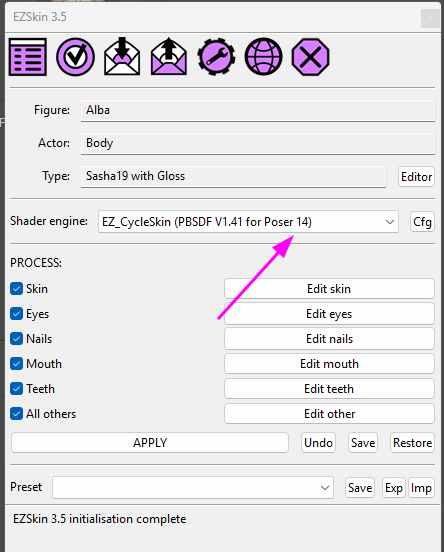
Excellent! I will test it out at the first opportunity. However, at first glance, I would relabel the Specular to Specular tint as per the PrincipleBsdf Node. It would be easier to find the channel going from EZSkin to the actual node.In case you would like to test EZSkin on Poser 14, here is a first version that is able to distinguish Poser 12 + 13 from Poser 14. It's now displayed on EZSkin's main screen:
I have not encountered errors but it's better to keep the previous version. So here are the download links:The new V1.41 to be used with Poser 12, 13 & 14:
https://kdrive.digital-paradize.com/app/share/116364/a2e8abb9-70c8-4085-82c7-49f2a084e444The previous version (the V1.35), not adapted to Poser 14:
https://kdrive.digital-paradize.com/app/share/116364/01b62cbf-7efd-4a04-a7e5-aa5398c55e85Be sure to use EZSkin 3.5:
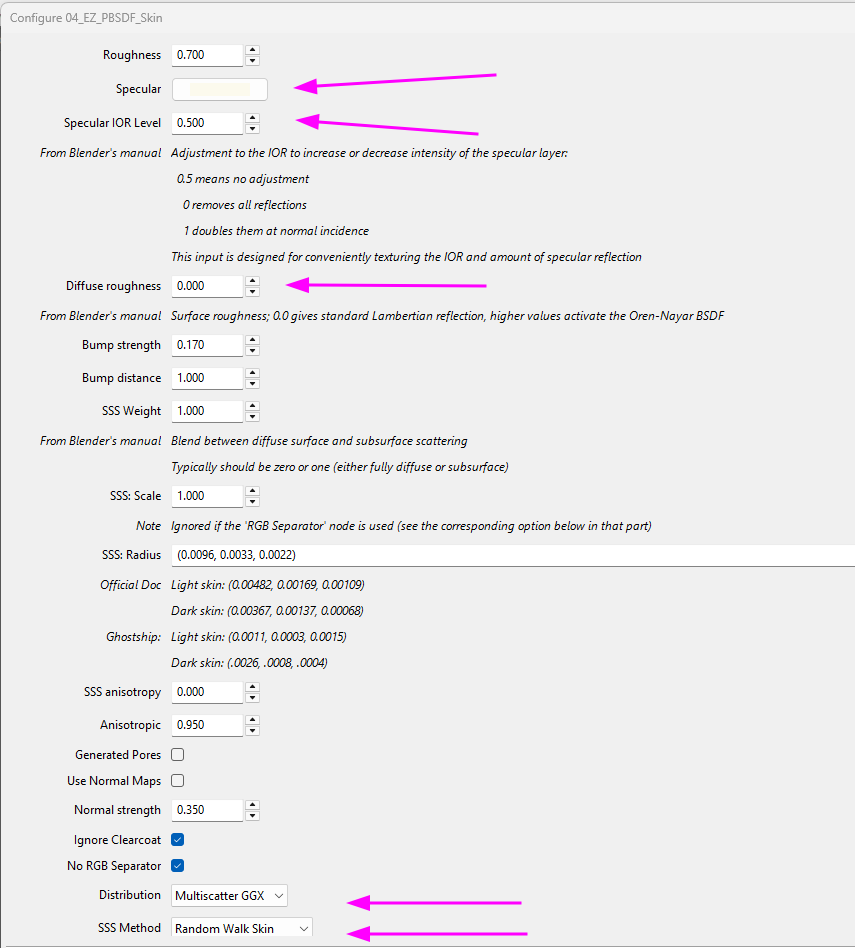
https://kdrive.digital-paradize.com/app/share/116364/ae7a51aa-8f4f-4792-99ff-abdd1b2a863bThis new plugin has some more parameters. I don't know if they are useful or not, I have just reproduced some, with their default values. The explanations come from Blender's online manual:
This dialog is of course different on Poser 12 & 13, from the Poser 14 version.
What's new among other details:
- on Poser 14, the Specular is a color, before it's still a value (0 -> 1)
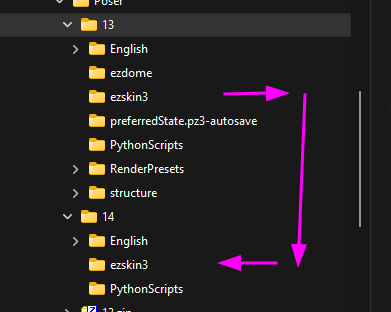
- you have the possibility to select the distribution and the SSS method. For the latter, there are new values: Poser 13's 'Random Walk Fixed Radius' choice is now replaced by two new ones: 'Random Walk Skin' and 'Random Walk Legacy'If you want to easily install EZSkin for Poser 14, simply copy the ezskin3 folder from "Poser->13" in your profile into the "14" version:
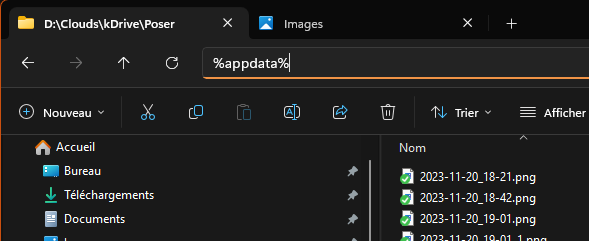
All these folders in %appdata%:
Happy EZSkin-ning
I will continue my tests tomorrow, time to go to bed for me


My recommendation to anyone upgrading to Poser 14 and having questions about the new Cycles PrincipleBsdf node is to refer to the online Blender 5 guide.

Glad you guys are testing, no doubt this will be a great help in converting old asset textures to the new version.
However, it strikes me as odd the least that, leaving everything else aside, for a new version of several nodes ( let alone such a crucial one as the Principled BsdF) the creators of the software failed to include explanations?
Yup, yet another reason im not rushing to buy 14. Another lost sale.You are correct, Rhia. The manual, in certain instances, does not provide enough information and examples to its users. Although there is a wealth of information elsewhere, it is not readily available to us through conventional methods. ATM, there isn't an online Poser 14 manual available yet,

Excellent! I will test it out at the first opportunity. However, at first glance, I would relabel the Specular to Specular tint as per the PrincipleBsdf Node. It would be easier to find the channel going from EZSkin to the actual node.
You are absolutely right. You may re-download from the same URL: th eV1.41.2 is updated with this detail in mind:
https://kdrive.digital-paradize.com/app/share/116364/a2e8abb9-70c8-4085-82c7-49f2a084e444

𝒫𝒽𝓎𝓁
(っ◔◡◔)っ
👿 Win11 on i9-13900K@5GHz, 64GB, RoG Strix B760F Gaming, Asus Tuf Gaming RTX 4070 OC Edition, 1+2 TB SSD's, 6+4TB HD
👿 Mac Mini M2, Tahoe 26.5, 16GB, 500GB SSD
👿 Nas 10TB
👿 Poser 13 and 14 ❤️

I have purchased every version since Poser5.Still Almost exclusively still use
version 11 and see no reason to buy 14 as Renderosity no longer sells Poser figure content.
Still use Victoria 4, seems like renderosity banned V4 content and what little content they
sell is for le femme 1 or 2 which to me are just ugly and a giant step back from even
Victoria 3

They do still sell Poser content.I have purchased every version since Poser5.Still Almost exclusively still use
version 11 and see no reason to buy 14 as Renderosity no longer sells Poser figure content.
Still use Victoria 4, seems like renderosity banned V4 content and what little content they
sell is for le femme 1 or 2 which to me are just ugly and a giant step back from even
Victoria 3
"It's not that I don't understand, it's just that the world changes too fast."

This... I still get my most v4 content from Daz3D. Renderocity is worse than today's AI startups...I have purchased every version since Poser5.Still Almost exclusively still use
version 11 and see no reason to buy 14 as Renderosity no longer sells Poser figure content.
Still use Victoria 4, seems like renderosity banned V4 content and what little content they
sell is for le femme 1 or 2 which to me are just ugly and a giant step back from even
Victoria 3

Guess I will look into it, no choice :) I never used the Cloth room, Conforming is more productive, that is what I think. That the Simple material room is back is a positive feature, for Poser creators it is the better option.
I hope that the new version will support my models in a smooth way. About the comments that there are no more creators for Poser: there still are, it is not just the issue about the creators but also about the support they get. I make now Models for Poser and DS, twice the work, but almost no one is getting the poser version on RH, if it is free jup then it goes over 1k but only a minority is willing to pay for Poser models now day's ....
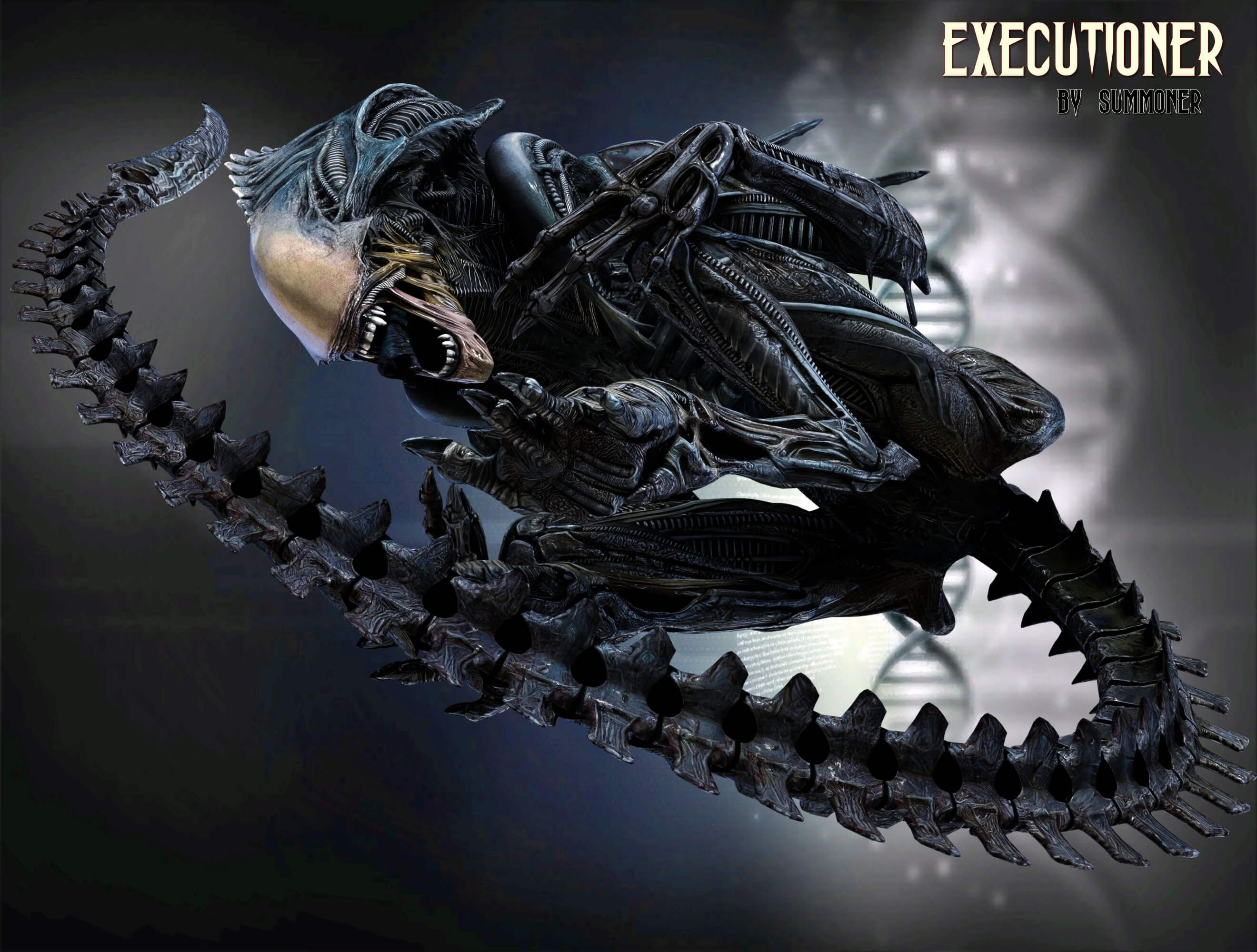
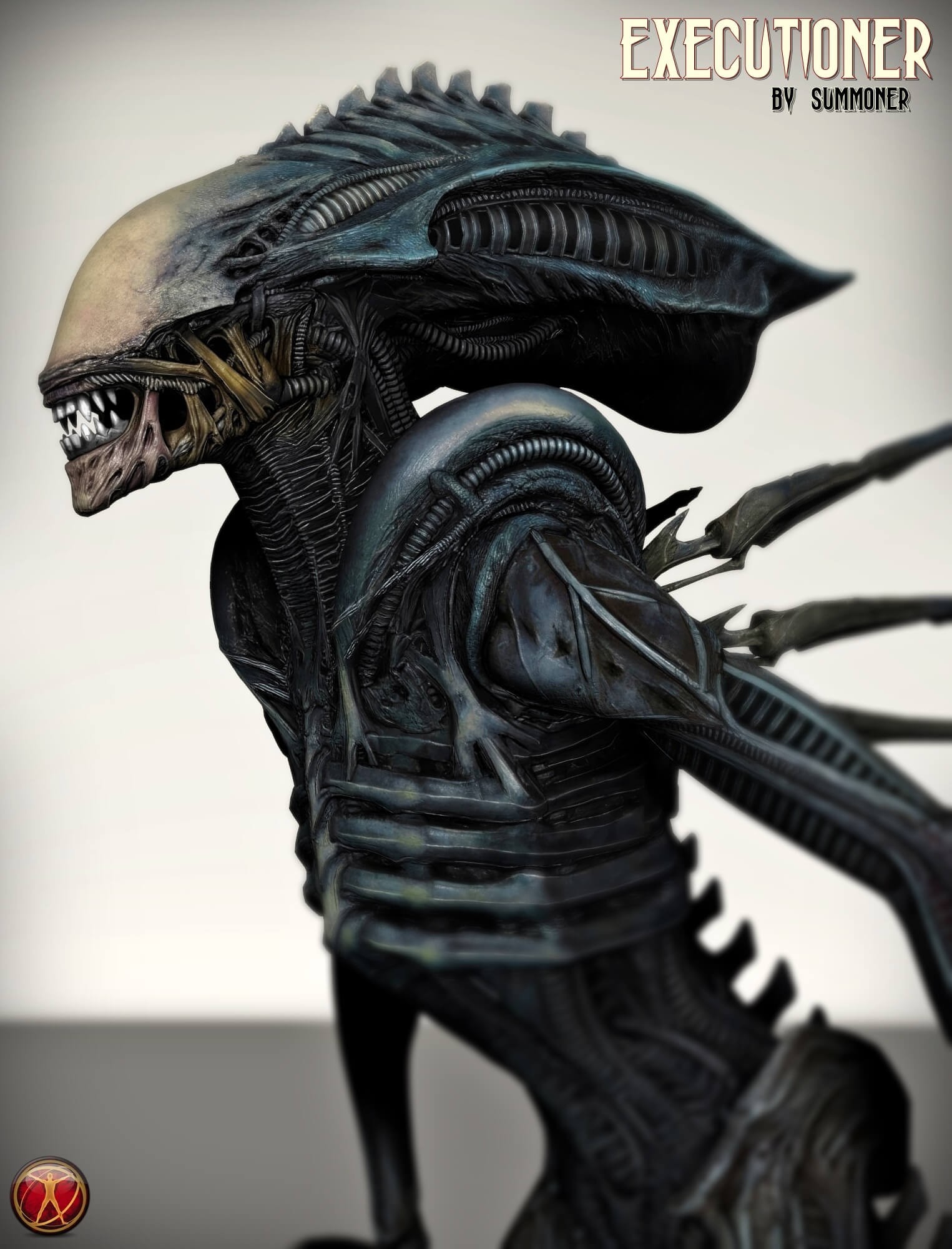
This is a WIP upgrade that will be for Poser and DS, if I get the time I will test it in 14 ....
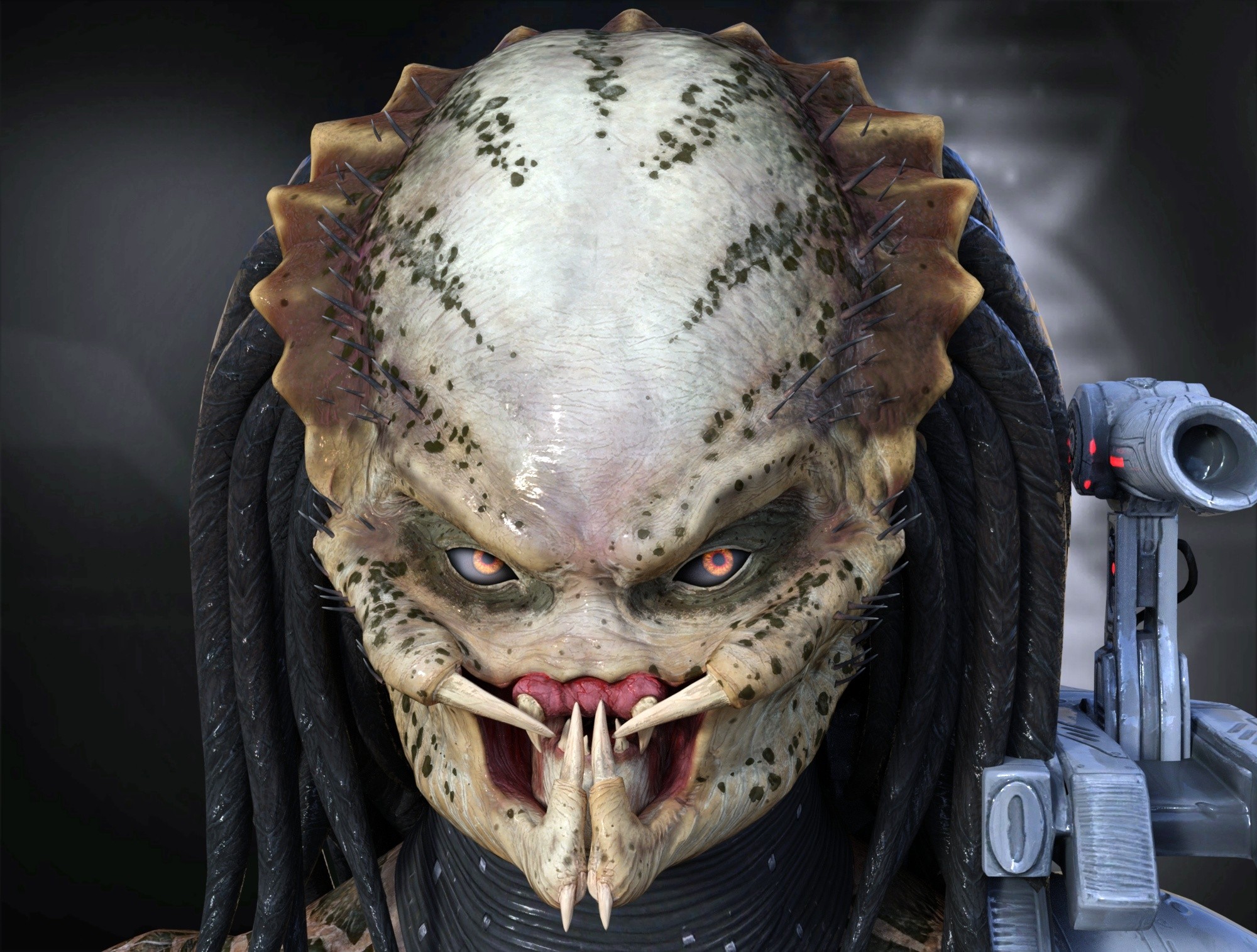
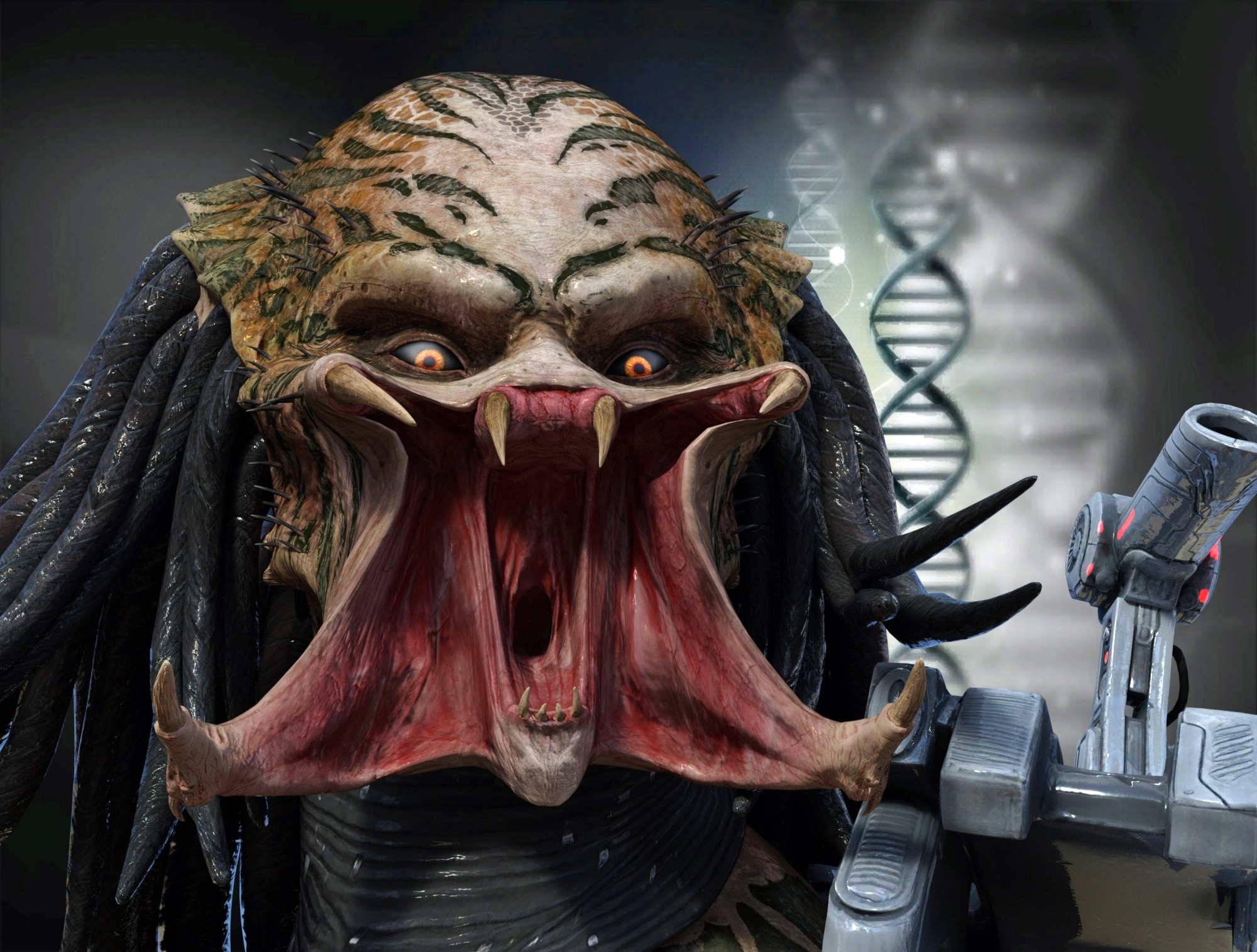
This is a Poser/DS model released a few weeks ago .... So will see how it works in the new Poser. Poser still has a great potential and "without Poser" it would almost not be possible making such standalones in Daz Studio with huge efforts, even that Poser An DS do not officially support each other anymore. With a little motivation allot of poser users could be creators again :)
vince5 posted at 4:15 AM Sat, 29 November 2025 - #4501798
The Advantage is that Poser is kept alive, sure there are some older users that have there collections, as for new users these can not make any comparisons with Poser 7 to Poser 11 anymore, they make a start with 13, 14 . The older Py are forgotten as these are not sold or supported.Who can advertise Poser14, without any tricks, using native content to showcase the advantages of Poser14?
So actually it should be looked at the aspect that the main advantage is that Poser is still here and not compare with older versions that the new generations will never have access to. Just Imagine a newbie installing PP14 with the big Aha, Flash is down!
There are not much Oldies willing to make new Poser Content so it is up to getting new ones, young ones, with new creative Ideas. These will not compare with the older versions, these will just use the tools of new releases.

Content Advisory! This message contains nudity
I think LaFemme2 is just as beautiful as Victoria4
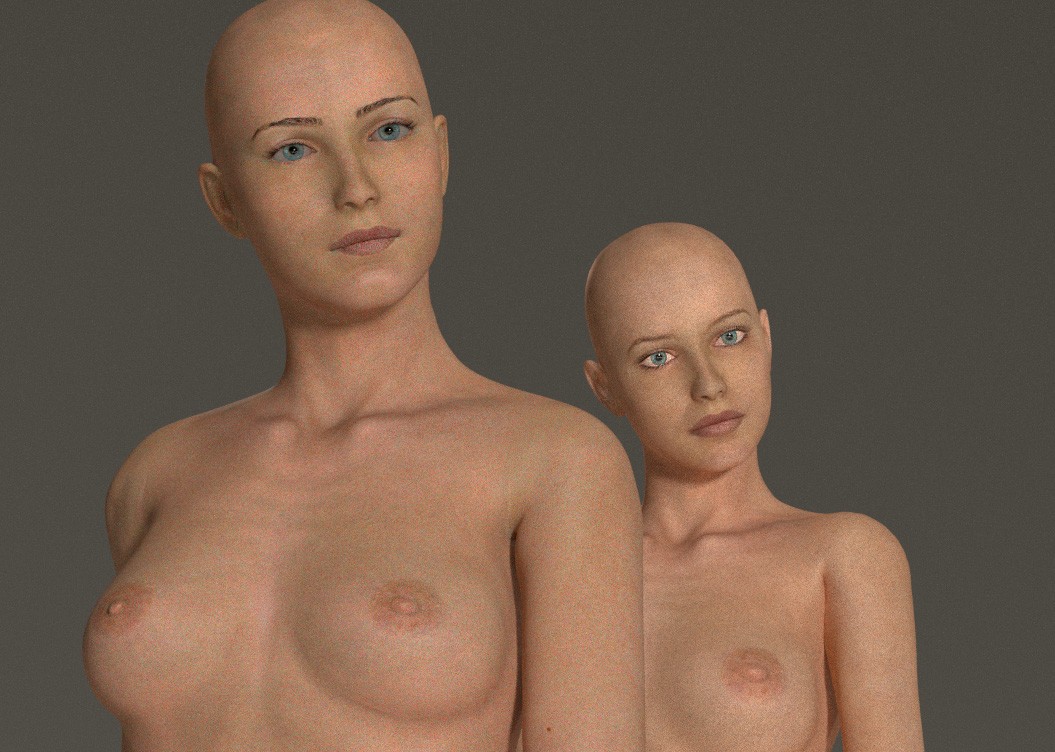
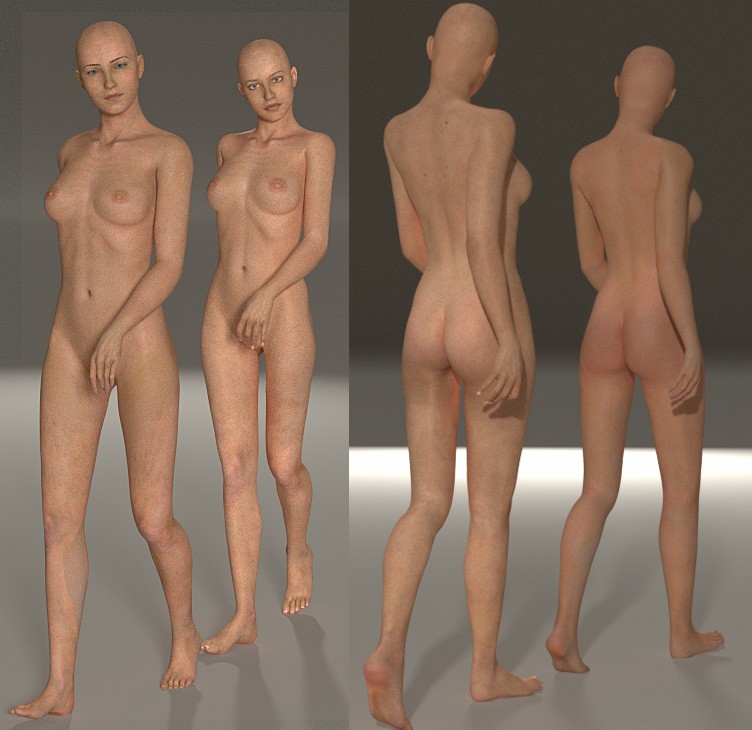
All the joints are complicated in LF2, and the problem gets worse with modifications, especially since I know nothing about rigging and I'm only working on basic shapes (my computer isn't powerful enough). My question is: which poseable characters have the best joints for the shoulders, elbows, hips, knees, etc.?
uff ... I tried it and Optix is dead :( might be something I did wrong but getting just a gray render !
after running Poser it somehow turned on the win Indexing and my HD, it started to run Hot, passed over an hour to turn of the Indexing of my 20 tb drive, finally worked by removing the Index. Somehow Poser forced a Win Indexing even that I excluded the Runtimes. This can be a real Drive killer and should not force a win feature that was disabled.
Now got to figure out why Optix is not working ! I Have a "Dual-RTX3060" would be a pity if it were not supported. Used the GPU option but got hard shadow results and could not render the model correctly. Someone might be able to give Info about this issue.
And yes somehow Poser is losing one panel after an other, I tried the simple material room but this one somehow just removed all the textures of the model Instead of keeping these to alter, so it quiet was a unexpected behavior.

uff ... I tried it and Optix is dead :( might be something I did wrong but getting just a gray render !
Update your GPU drivers to the newest drivers. Optix in Superfly requires fairly recent drivers.
Some things are easy to explain, other things are not........ <- Store -> <-Freebies->

I've used Poser for well over 25 years, starting with Poser 4 up to Poser 13 now. I will pass on Poser 14. Like so many others have commented, dropping the cloth room without any replacement is ridiculous. I'm a havy user of dynamic clothing so going to Poser 14 would be a downgrade costing $ 99. From a marketing standpoint I can’t understand what they are thinking, disappointing/alienating current users, especially with the fast developing AI capabilities.
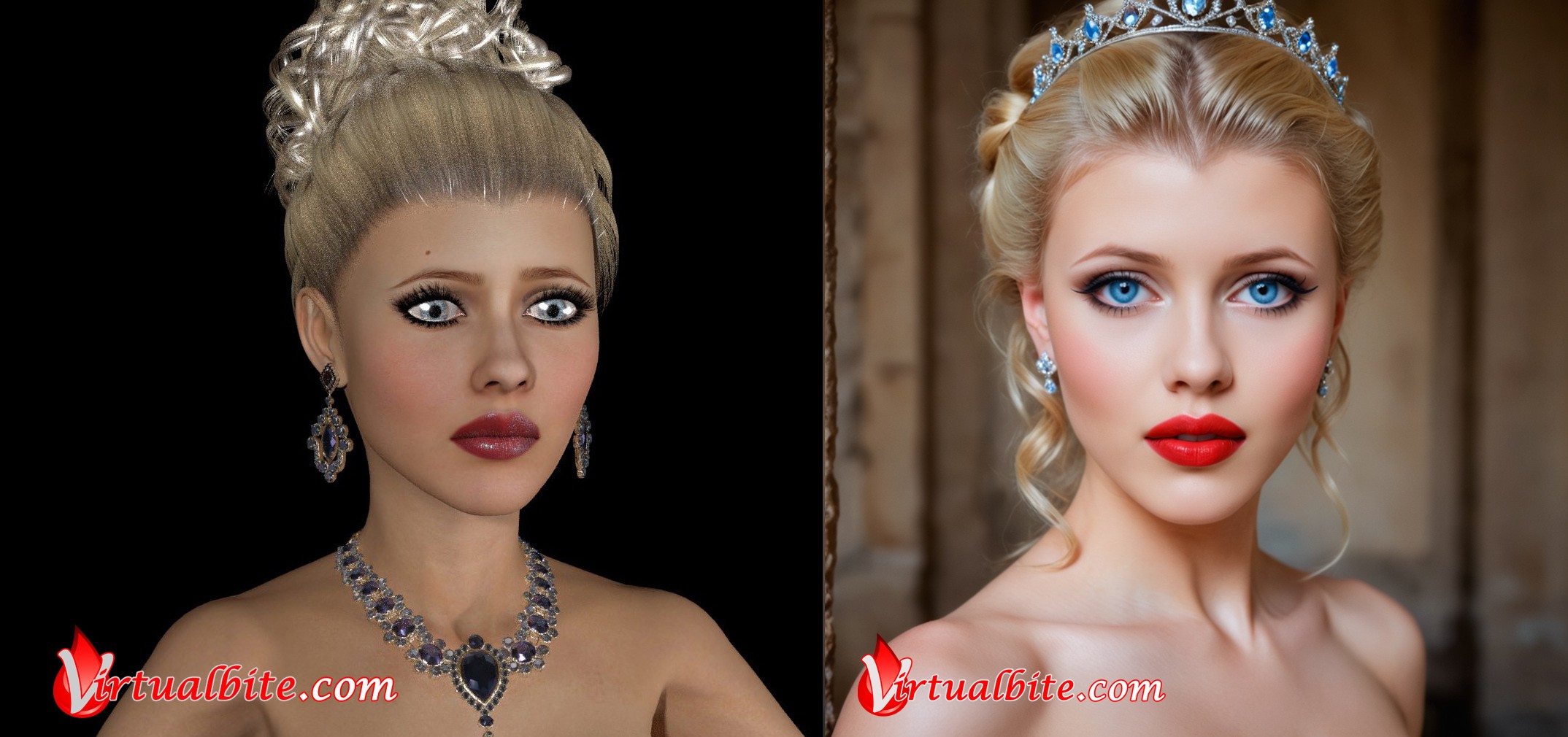
Speaking of AI: I’m no software developer, but being able to render Poser scenes in AI would be cool I think! I’ve been experimenting with AI capabilities for some time using ComfyUI and trying different workflows and models. So far the process is frustrating, because there is a randomness in AI and it takes a lot of patience to re-create the picture I have in my head. In Poser I can manipulate the scene in every detail I want.
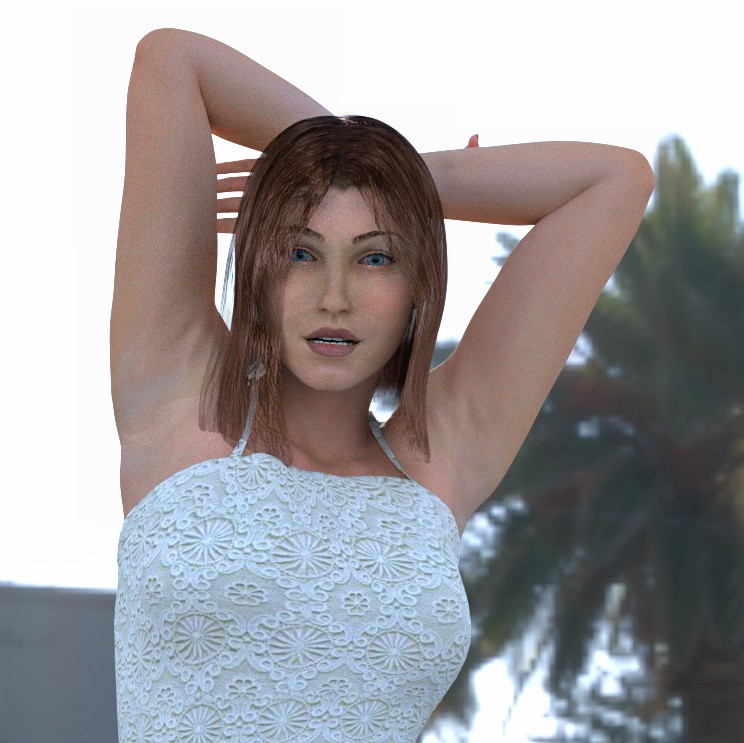
But I managed to bring good old Victoria 4 to life in a consistent character using just a quick low resolution render:
Virtualbite.com - Creating the best vampire art you can imagine!
Follow me on Patreon @virtualbite
www.instagram.com/virtualbite_
Versum posted at 12:59 PM Sat, 29 November 2025 - #4501822Thank you that done the trick, Had not updated the drivers for quiet a while :)uff ... I tried it and Optix is dead :( might be something I did wrong but getting just a gray render !
Update your GPU drivers to the newest drivers. Optix in Superfly requires fairly recent drivers.
I made a render test using the simple mat room. well that one is making sense and is quiet usable ( I like it so far )
the render time is ultra fast almost making me worried if it really does render, will have to play a little with it .
something I do not understand, there was always the Import Background feature, asking if you want to fit the window to the imported background, " It is Gone " took me a while to figure out that I need to use the simple material room! but the window will not automatically fit to the imported background, so this is a disadvantage when trying different backgrounds for sure and a big loss of time. But I might just not of found that Import background button jet, who knows !
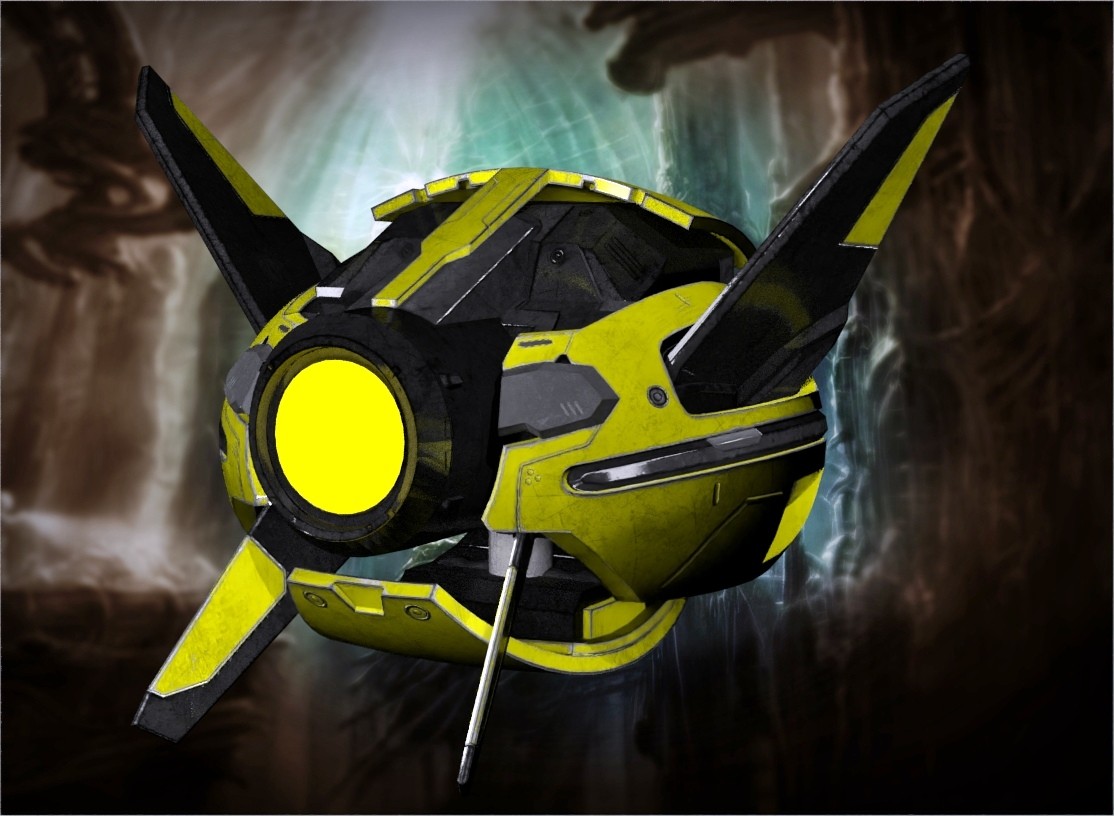
Here a little render test with a simple drone Prop after applying the textures via simple room, lost most of the time getting that background right !
Thank you, just noticed while trying to set the skins on the Predator female , Huuh ! Also used wrong render settings for the Optix , now it does not jump stopping the render, so not much has changed there from P13, getting a little the impression that more has been taken away then added ! Well my main interest was if my General Weight models are still working and they do, so all good . Rest is to wait up what they will come up with in the coming updates, there were allot of talks about surprising new things in P14 so see what is going to happen.The simple mat room is convenient to generate PBR images with the Physical Surface node in Superfly. For Cycles, you still need to use the advanced material room to tweak the different nodes. Also, the simple mat room does not provide the means of generating subsurface scatter for organic models.

The simple material room is meant as a fast way to apply textures to models. It is meant for the novice or someone who does not want to enter the advance material room (Edit). It works in two different ways. 1 is for the background and with the background selected you can move between simple and edit with no problems. 2 is for everything else. In #2 you have to select the material that you want to change (such as La Femme Skinhead) and then press the Create Simple material. This activates the simple material and applies it to the part you are working on. You can NOT enter the edit area (for that material group) once you start a simple material UNTIL you either A) Reset Material or B) Create Advanced Material, at which point the simple material tab reverts to waiting for you to press the Create Simple Material again. Again, this for those who do not like to enter the Edit area (Advanced) of the material room.
Poser 5, 6, 7, 8, Poser Pro 9 (2012), 10 (2014), 11, 12, 13, 14
In addition, the simple material room does not distinguish between a diffuse/albedo map and greyscale/normal/transparency maps, so you still need to set the gamma values in the texture manager panel. The Texture Manager window can be opened by left clicking on the image map and selecting 'Use Gamma value from render settings' for Diffuse or 'Custom Gamma value' = 1 for all other maps. Also, the percentage amount of each map needs to be manually dialed in to activate the channel; the only exception is the Normal map which already has its value set to 100%
This gamma setting thing.... "Use gamma value from render settings", is that looking at the gamma correction setting in the Firefly settings? Because there isn't a gamma setting in the Superfly settings but it still clearly is not 1.00. Seems odd that a Firefly setting would be controlling in a Superfly render.
Interesting question, for which I do not have an answer. It would seem that it is a holdover from the Firefly render engine because the Superfly image texture nodes have their own settings built in to control gamma settings. This is a good point, and it is worth pursuing; I would hate to think that everyone using Superfly and the Poser default nodes has been rendering incorrectly all this time.
The cycles updates are trivial. They added RGB ramp, MX Closure weight, Vector displacement and and Displacement. Still way behind Blender, and no live preview or micro facet displacement.Honestly, if I were planning to use Poser again any time soon, I'd happily dish out the 99 bucks just for the Cycles update. I don't even know which version they're upgrading to and what the specific changes are, but the work the Blender folks have been doing in the past years has been outstanding, and I'd simply trust that it would be worth it for me. I might focus on nudes for a while, go back to draping my clothes in MD and importing them or maybe even import draped clothes from P13.
Obviously, that's not worth a thing for anyone who prefers Firefly.
This a is a superb example of Poser AI Virtual, and I tend to find that the simpler the input image, the better the result. However, the tendency to simply hallucinate new details (backgrounds, and clothing items in particular) greatly limits its usability to me.I’ve been experimenting with AI capabilities for some time
odf posted at 4:02 PM Thu, 27 November 2025 - #4501726Those updates you mention were introduced in Poser 13. Poser 14 has a completely revamped PrincipleBsdf Node, a modified Principle Hair node, and a corrected RGBramp node. They are now falling in line what Blender 5 has to offer.The cycles updates are trivial. They added RGB ramp, MX Closure weight, Vector displacement and and Displacement. Still way behind Blender, and no live preview or micro facet displacement.Honestly, if I were planning to use Poser again any time soon, I'd happily dish out the 99 bucks just for the Cycles update. I don't even know which version they're upgrading to and what the specific changes are, but the work the Blender folks have been doing in the past years has been outstanding, and I'd simply trust that it would be worth it for me. I might focus on nudes for a while, go back to draping my clothes in MD and importing them or maybe even import draped clothes from P13.
Obviously, that's not worth a thing for anyone who prefers Firefly.

drages posted at 7:54 AM Thu, 27 November 2025 - #4501707
Ah, so YOU'RE the guy who makes that stuff. Ummm, errrr, I've heard about it. :-)I got my very specific reasons to use Poser right now, and I use Poser 11, pre-renderocity version. It works for it and I am using it for about 20 years, and even I am probably the youngest of the Poser Cult, I am still old and changing stuff is painful. Still that day will come.
I am in the adult animation industry, and I can still earn some income from what I do with Poser. I probably can do it for a few more years. So I got my unique reason to use Poser, but why do other people still use this, I don't have an idea. I know somehow that some very old people do some stuff at their retirement basement, we don't hear or see and this weirds me out for real. I am not using the word "cult" for joking.
Not to kick the horse when it's stumbled, but the feature which keeps me with Poser is the Comic Book Preview. Daz Studio doesn't have anything like it (and their anemic lines from their toon shaders are just awful), but if they ever do get it (or someone makes a plug-in that duplicates it), I'll have to jump ship for many of the reasons mentioned above: Modern features and more content. There just aren't enough assets to make it feasible to switch to La Femme or her dude. I need poses, expressions and costumes. Those are in short supply, TBH.
Unless Poser 14 gets some new features (like bring back the face room for Michael 4, Vicky 4 and La Femme, etc.), I will be skipping this release. And add some more memory dots, please.
- - - - - - - - - -
System: Lenovo Legion Pro 7 16IRX9H Laptop | Windows 11 Professional | 32GB RAM | 14th Gen Intel® Core™ i9-14900HX | Nvidia RTX 4090 Laptop GPU 16GB 9728 CUDA Cores
mikemitchellonline.blogspot.com | Poser Noir Comics Tutorial | Illustrations Honored by Renderosity

R_Hatch posted at 9:10 PM Tue, 2 December 2025 - #4501924
Poser 14 will definitely be more appealing to those that:Poser 14 is basically Poser 13 minus the cloth room.
- Prefer the Simple Materials/Background UI additions
- Appreciate the SuperFly/Cycles update (basically matching Blender 4.5 LTS Cycles version)
- Are upgrading from Poser 11 or 12 and want the accumulated fixes/improvements delivered during Poser 13 active development
vince5 posted at 5:04 PM Tue, 2 December 2025 - #4501921
Tutorials? From official renderocity? Herecy!!! The last tutorials are more than 5 years old, and my god, so basic that you can already figure it out by randomly button-bashing for 5 minutes. And the poser cult does not want to create any video but write pages of technical words, only they can understand. There is a reason we are in a forum but not a Discord server right now...Does Poser14 include lighting and shaders that support the new features? Will there be tutorials and promotional materials for these new features?
I have been animating with Poser for 20+ years, and the only tutorial I know is a 2-minute video with only hand moves. I learned what I know all by myself. I ask for some technical details on this forum, but mostly I don't get any answers, and I figure it out myself if I am lucky. I know there are many magic tricks out there you can do with poser, most of them with some orthodox ways. Still, nobody would tell that today because everyone here learn what they already knew 2-3 decades ago, and even the ancient forum-website tutorials are gone. There is no way to know what you can do, and even if you see something, there is no way to learn how to do it.
I can't imagine a worse treatment for a program, and it's 175$ pay-walled. Try to defend it as much as you want, but the time has changed. A decade ago.

Je ne suis pas forcément sur le bon fil, et même si je suis d'accord sur beaucoup de chose que dit JoePublic sur elle, je trouve que c'est le personnage le plus facilement manipulable et qu'au lieu de demander de nouveau personnage on devrait l'améliorer.
I'm not necessarily on the right track, and even though I agree with many things JoePublic says about her, I think she's the most easily manipulated character and instead of asking for a new character we should improve her.
The two import items from the file menu have been moved into the Material room along with the rest of the items that deal with the background. This is to clean up the interface to remove the bugs that have been in Poser for a very long time. Most of these you would never notice if you only used a select few. However, they have caused problems in that you could select one option on one of the menus and Poser would work with that choice which is mostly good. However, if you went into the material room you would not see the connections between the nodes and if you tried to make the connections weird things would sometimes happen. Or the reverse would happen in that you could make a network connection and then use one of the menu items and when you went back into the material room find that the connections were still in place but not working. And if you did not remember doing the menu option it would confuse you.
Now everything is located in the material room and is very easy to access. See Below:
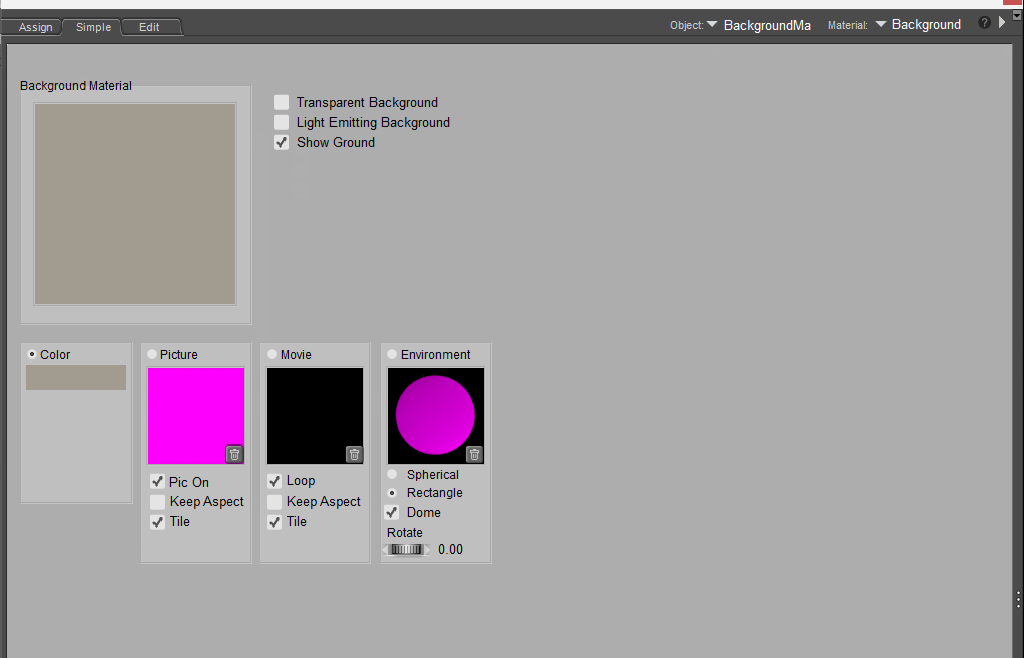
This is the Simple material for the background. Here you can click on the Picture or Movie square and it will pop up the import dialog box. Much like you would have found on the File Import option. And below is the Edit version of the material room for the background material
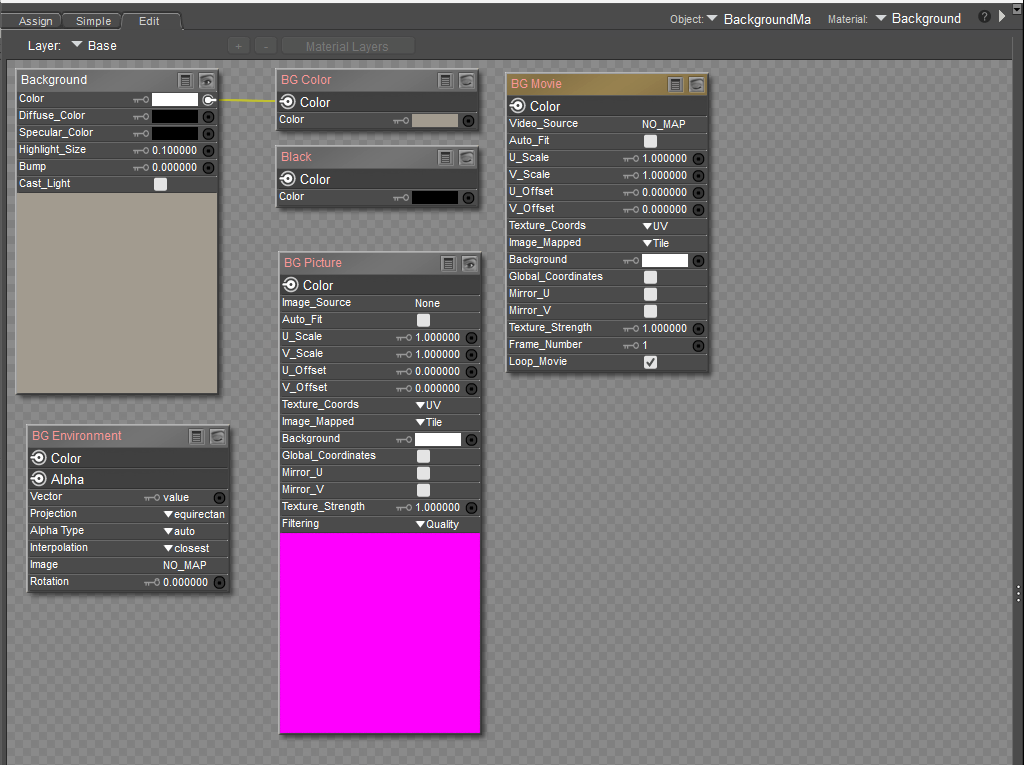
With Poser 14 you now have all the options that used to be spread across multiple menu entries now are all located in one place and will make it much easier to work with and all the proper connections are being shown as connected as the case may be.
In the examples above the BG Color is selected and you see a filled in circle in Simple and a connection line from the Root to BG Color in the Edit tab. Click a circle in easy and the connection is made in Edit. Make the connection in Edit and the circle is checked in Simple. Also, the BG nodes have their names in Orange to highlight them so it is easy to find. And if you make up your own node network to connect to the Root then Simple won't have any of the circles checked.
Poser 5, 6, 7, 8, Poser Pro 9 (2012), 10 (2014), 11, 12, 13, 14
The other thing is when you do import a picture make sure to check the "auto fit" or "keep aspect" check boxes or the image will be made into a square. By having those checked and the render dimensions in the same aspect ratio then the imported image will fill the background. And if the render dimensions are not the same then under the Windows Menu ---> Document Window Size (only works for a floating window) click the Match Background to make it the proper aspect.
Poser 5, 6, 7, 8, Poser Pro 9 (2012), 10 (2014), 11, 12, 13, 14
Great, this is exactly what I was searching for as the import features are gone :)The other thing is when you do import a picture make sure to check the "auto fit" or "keep aspect" check boxes or the image will be made into a square. By having those checked and the render dimensions in the same aspect ratio then the imported image will fill the background. And if the render dimensions are not the same then under the Windows Menu ---> Document Window Size (only works for a floating window) click the Match Background to make it the proper aspect.

After a long break – about two years – I decided not to just throw away all those years of Poser. Since I've been a Linux user for many years and Poser 13 no longer ran on my old installation (even after days of trying), I didn't even attempt to revive Poser until yesterday. Blender and Stable Diffusion (mostly SD rather than Blender lately) took up all my free time. But I kept checking the forum and noticed that Poser was suffering from a significant loss of users. I also noticed that many of the remaining users were not happy with Poser 14.
Long story short: @odf mentioned in a post that he has Poser running on Linux (Ubuntu). Since I know that Windows graphics applications don't necessarily run equally well on every Linux installation, I didn't have much hope. At first, the expected failure occurred. Poser started, but then crashed immediately. This piqued my ambition and took me almost a whole day to finally get it working (the reason was actually simple, you just have to figure it out).
I've now spent a few hours playing around with Poser14 and I have to say: it's good! I was never a fan of the “Cloth Room” because I found it too cumbersome and imprecise. I always made model adjustments in Blender (previously Cinema4D). That's why the lack of Cloth Room isn't an issue for me (and I think for some others too, because they do it differently anyway or only use purchased stuff).
I really like the adaptation to Cycles! The render quality has improved significantly, not to mention the speed.
Background: I installed Poser14 on a “mini PC” without a powerful graphics card (AMD Ryzen 7 7735HS with built-in Radeon 680M, 32 GB DDR5, built in 2024). Poser recognizes the processor and graphics and seems to use them. I can let Poser render in the background and do other things in the foreground.
I stumbled a bit when I loaded old models (pz3). Anything that used HDR images as the environment (almost everything for me) didn't work. A while later, I found the reason: no more complicated fiddling around, just follow the (UNFORTUNATELY NOT CLEARLY DESCRIBED) path now provided for this. Then you can also see the HDRI in the preview window.
My opinion: Documentation is urgently needed! For newcomers as well as for those switching over. This is more important than a Cloth Room, which very few people actually use successfully anyway.
My opinion: Documentation is urgently needed! For newcomers as well as for those switching to the new version. This is more important than a Cloth Room, which very few people actually use successfully anyway.
I'm going to wait a few days to see if any unexpected problems arise. If not, I'll buy Poser 14.
Or in short: I'm back. Let's see how much I've forgotten about Poser Python :)
Online documentation was released today. However, the Cloth Room was not omitted from the manual. For me, the Cloth Room, along with the Fitting Room, was a critical workflow to refit clothing between different figures. ATM, that is temporarily interrupted where Poser 14 is concerned. There are also problems with the Bullet Physics that I hope can be corrected soon.

Privacy Notice
This site uses cookies to deliver the best experience. Our own cookies make user accounts and other features possible. Third-party cookies are used to display relevant ads and to analyze how Renderosity is used. By using our site, you acknowledge that you have read and understood our Terms of Service, including our Cookie Policy and our Privacy Policy.
Rhia474 posted at 2:57 PM Thu, 27 November 2025 - #4501724
I feel like, in principle, it would be easier to automate turning dforce items into dynamic clothing. In that case the simulation does the work.Obviously that requires bringing back the cloth room. Given that the newer figures are pretty much only supplied with dynamic clothing, I can't imagine that not being a priority.
Making rigging easy (or even automated) seems like it would be a much bigger challenge.