
ssgbryan opened this issue on Nov 26, 2025 · 113 posts
Richard60 posted Thu, 04 December 2025 at 10:26 PM
The two import items from the file menu have been moved into the Material room along with the rest of the items that deal with the background. This is to clean up the interface to remove the bugs that have been in Poser for a very long time. Most of these you would never notice if you only used a select few. However, they have caused problems in that you could select one option on one of the menus and Poser would work with that choice which is mostly good. However, if you went into the material room you would not see the connections between the nodes and if you tried to make the connections weird things would sometimes happen. Or the reverse would happen in that you could make a network connection and then use one of the menu items and when you went back into the material room find that the connections were still in place but not working. And if you did not remember doing the menu option it would confuse you.
Now everything is located in the material room and is very easy to access. See Below:
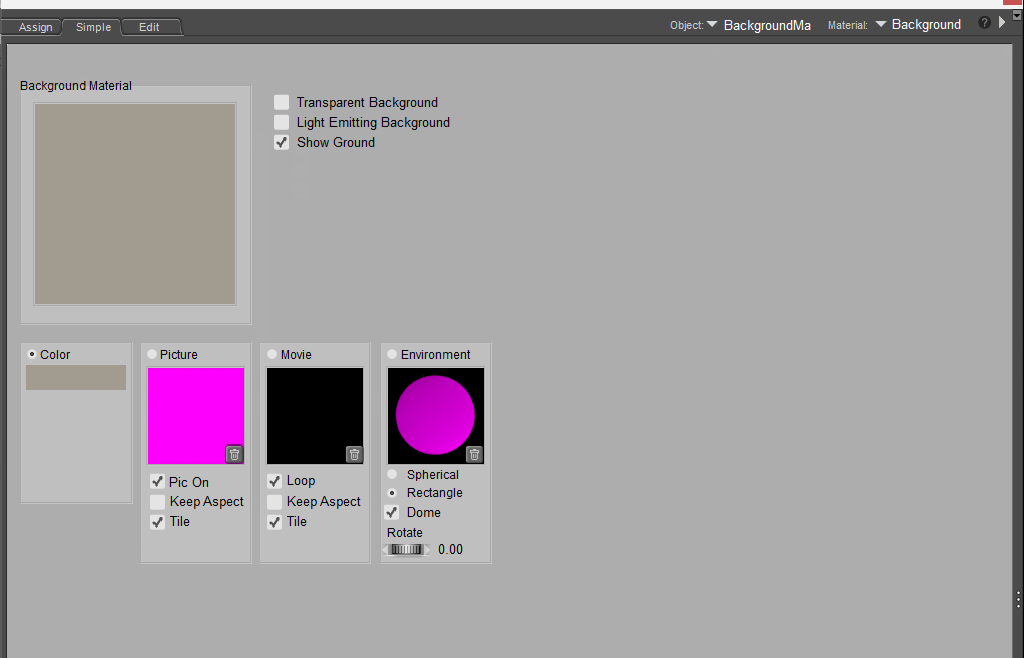
This is the Simple material for the background. Here you can click on the Picture or Movie square and it will pop up the import dialog box. Much like you would have found on the File Import option. And below is the Edit version of the material room for the background material
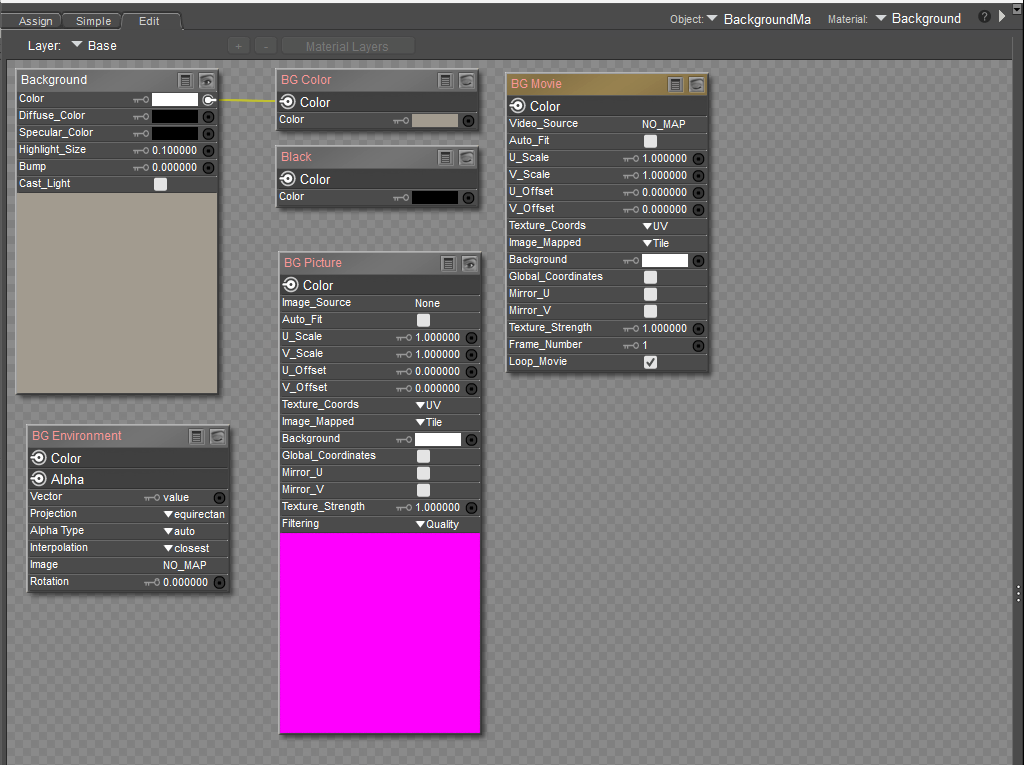
With Poser 14 you now have all the options that used to be spread across multiple menu entries now are all located in one place and will make it much easier to work with and all the proper connections are being shown as connected as the case may be.
In the examples above the BG Color is selected and you see a filled in circle in Simple and a connection line from the Root to BG Color in the Edit tab. Click a circle in easy and the connection is made in Edit. Make the connection in Edit and the circle is checked in Simple. Also, the BG nodes have their names in Orange to highlight them so it is easy to find. And if you make up your own node network to connect to the Root then Simple won't have any of the circles checked.
Poser 5, 6, 7, 8, Poser Pro 9 (2012), 10 (2014), 11, 12, 13, 14