ssgbryan opened this issue on Nov 26, 2025 · 113 posts
hborre posted Thu, 27 November 2025 at 8:17 PM
Y-Phil posted at 5:40 PM Thu, 27 November 2025 - #4501730
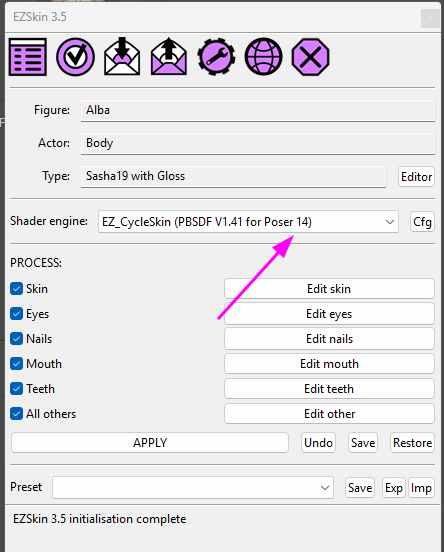
Excellent! I will test it out at the first opportunity. However, at first glance, I would relabel the Specular to Specular tint as per the PrincipleBsdf Node. It would be easier to find the channel going from EZSkin to the actual node.In case you would like to test EZSkin on Poser 14, here is a first version that is able to distinguish Poser 12 + 13 from Poser 14. It's now displayed on EZSkin's main screen:
I have not encountered errors but it's better to keep the previous version. So here are the download links:The new V1.41 to be used with Poser 12, 13 & 14:
https://kdrive.digital-paradize.com/app/share/116364/a2e8abb9-70c8-4085-82c7-49f2a084e444The previous version (the V1.35), not adapted to Poser 14:
https://kdrive.digital-paradize.com/app/share/116364/01b62cbf-7efd-4a04-a7e5-aa5398c55e85Be sure to use EZSkin 3.5:
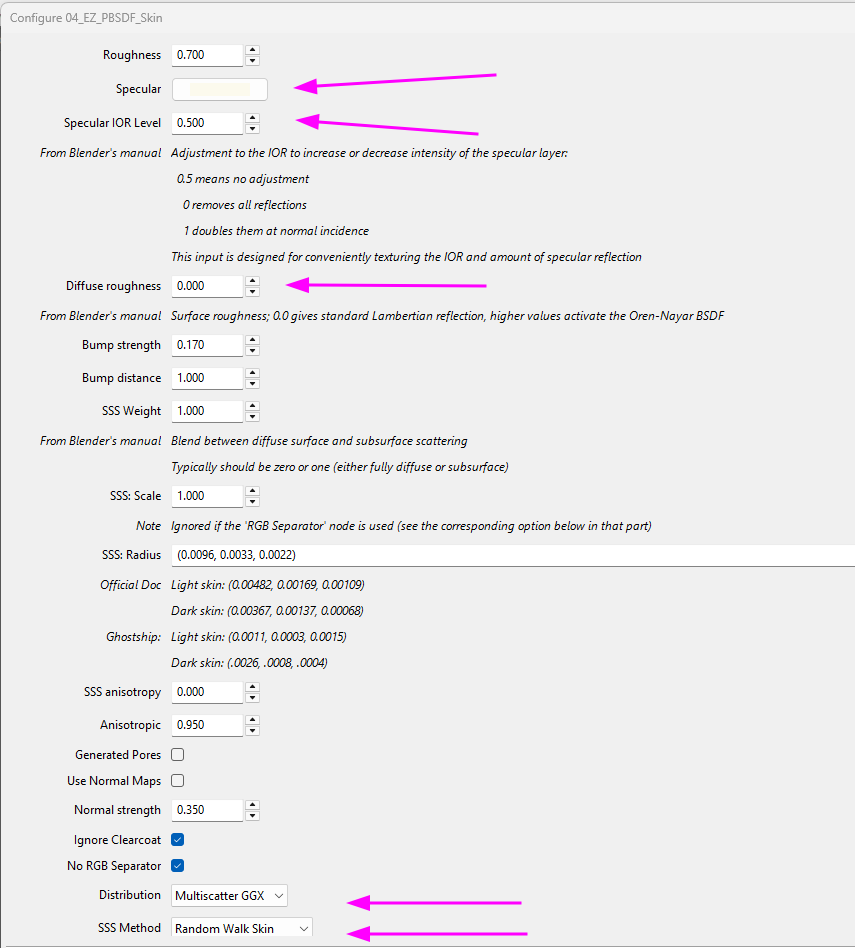
https://kdrive.digital-paradize.com/app/share/116364/ae7a51aa-8f4f-4792-99ff-abdd1b2a863bThis new plugin has some more parameters. I don't know if they are useful or not, I have just reproduced some, with their default values. The explanations come from Blender's online manual:
This dialog is of course different on Poser 12 & 13, from the Poser 14 version.
What's new among other details:
- on Poser 14, the Specular is a color, before it's still a value (0 -> 1)
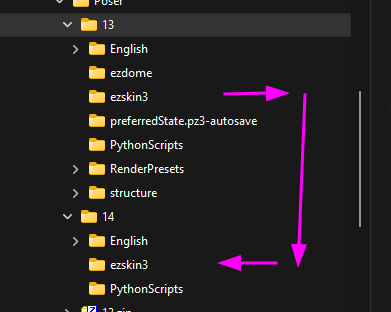
- you have the possibility to select the distribution and the SSS method. For the latter, there are new values: Poser 13's 'Random Walk Fixed Radius' choice is now replaced by two new ones: 'Random Walk Skin' and 'Random Walk Legacy'If you want to easily install EZSkin for Poser 14, simply copy the ezskin3 folder from "Poser->13" in your profile into the "14" version:
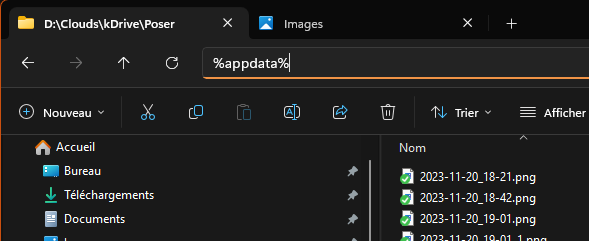
All these folders in %appdata%:
Happy EZSkin-ning
I will continue my tests tomorrow, time to go to bed for me
My recommendation to anyone upgrading to Poser 14 and having questions about the new Cycles PrincipleBsdf node is to refer to the online Blender 5 guide.