
Renderosity Forums / Poser - OFFICIAL
Welcome to the Poser - OFFICIAL Forum
Forum Moderators: RedPhantom Forum Coordinators: Anim8dtoon
Poser - OFFICIAL F.A.Q (Last Updated: 2026 Aug 27 2:41 pm)

Subject: Antonia - Opinions?

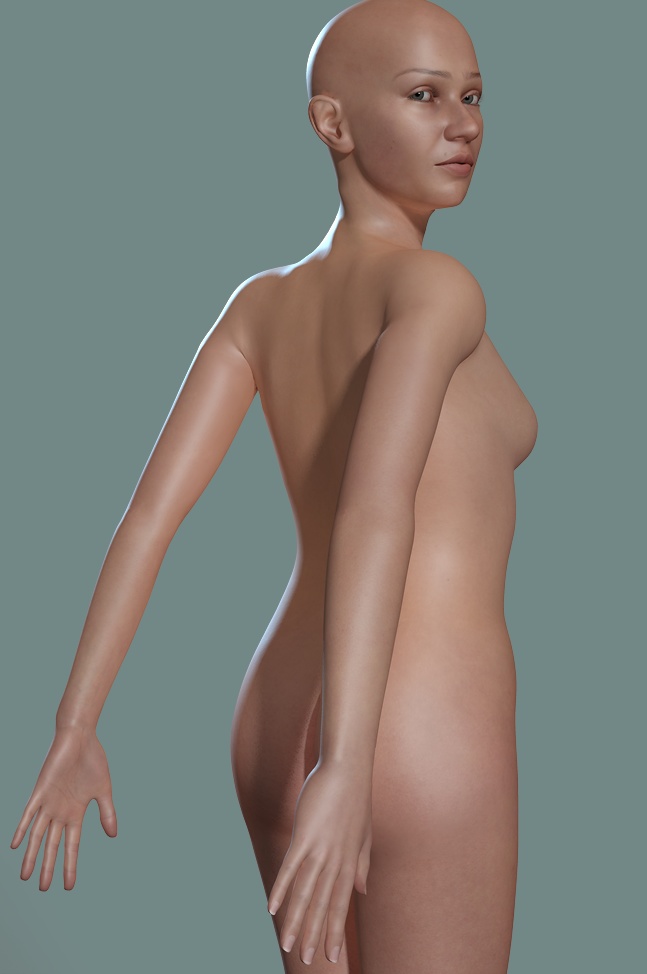
Quote - I thought I'd read that one should use collar Twist, rather than shoulder Swing, in order to avoid unsightly creases in the upper arm region. If I try to pull the arms back, however, using the Twist rather than the Swing, the upper part of the shoulder, at the back, collapses. This isn't as pronounced with Swing in use. So I'm wondering if there is a posing "rule" for area.
Maybe I just misunderstood the rule about avoiding Bend + Swing > 90?
No, that's a good point actually, and precisely why I was looking for testers. (@lesbentley: basically, see if you can find any poses that you'd expect to look decent in a well-rigged figure, but that don't. If you don't have much time, just going through the ones you remember had problems in the past will help, too. I'm hopelessly unorganized and just keep forgetting stuff.)
I've noticed earlier that pulling the arms back is a bit problematic, but forgot about that. I'll have to see if there's a good way to get that pose as is, or otherwise revise some of the JCMs in that area.
-- I'm not mad at you, just Westphalian.
Quote -
I'm a bit confused as to the ToeCurl morphs. In the Toe actors they affect the toe and toecap, but in the BigToe and BigToe2 they only seem to affect the toecap, is it meant to be that way?
Yes, it's meant that way. The toe curl morph is only meant to affect the four little toes, but in order to make the toecap deform accordingly, parts of it that belong to the big toe actors had to be moved as well. I should probably add that I'm not completely happy with the way the toecap deforms when the big toe is posed, but decided that at this point it's not worth the time to eliminate every little poke-through in every imaginable situation. I guess if someone's really keen on having a fully posable, bestockinged foot, they'll probably end up making their own morphs soon or later.
I forget to add something to my reply to Cage: the 'swing + bend < 90' rule I mentioned was just a shot from the hip. What I was trying to express was that there would have to be some rules of that kind that would take more than one channel, possibly in more than one actor, into account. Or even shorter: it would be more complicated than just setting some individual limits.
I think it would be really cool if I could come up with formulas for those and maybe even provide a pose file that would establish some ERC magic to set the limits for, say, the shoulder bend channel, as a function of the current values of all the other channels. But that's pretty much a pipe dream at this point.
-- I'm not mad at you, just Westphalian.

Quote -
I think it would be really cool if I could come up with formulas for those and maybe even provide a pose file that would establish some ERC magic to set the limits for, say, the shoulder bend channel, as a function of the current values of all the other channels. But that's pretty much a pipe dream at this point.
Been thinking about the same, but concluded it would need to be in the form of 'posing by command'. The parameter space you are looking at is likely concave in some areas, and 'posing by dial' would fail because users do not know the perimeters of the allowable parameter space.
Posing by command ('left arm forward', 'lift shoulder') would probably be a way to solve that.
But it would be certainly beyond my reach.
bagoas: I'm not sure I understand correctly what you mean, but what I take from it is the idea to introduce something like 'macro-channels' that can perform what from a user's point of view is an elementary movement such as 'shrug', 'arm forward' or 'leg up', but which may, if done realistically and with the limits of the mesh and rig in mind, require some combination of channels, possibly involving more than one actor.
That's sounds like a great idea, and not dissimilar from what I had in mind for her expressions.
(Please excuse that tape-worm sentence up there! I'm German, I can't help myself. :laugh:)
-- I'm not mad at you, just Westphalian.

I can't remember what the feature was called, or how to set it up, but Poser 7 introduced a new infrastructure for linking parameters in a way that would allow full animations to be controlled by a single dial. I think the P7 native figures have some examples embedded in them, and Ockham released a script, IIRC, which can set them up.
But use of that would break backwards compatibility for Poser 6 and earlier versions. Which is I suppose why no one seems to use the feature....
===========================sigline======================================================
Cage can be an opinionated jerk who posts without thinking. He apologizes for this. He's honestly not trying to be a turkeyhead.
Cage had some freebies, compatible with Poser 11 and below. His Python scripts were saved at archive.org, along with the rest of the Morphography site, where they were hosted.
Content Advisory! This message contains nudity
-- I'm not mad at you, just Westphalian.
Content Advisory! This message contains nudity
-- I'm not mad at you, just Westphalian.

Quote - bagoas: I'm not sure I understand correctly what you mean, but what I take from it is the idea to introduce something like 'macro-channels' that can perform what from a user's point of view is an elementary movement such as 'shrug', 'arm forward' or 'leg up', but which may, if done realistically and with the limits of the mesh and rig in mind, require some combination of channels, possibly involving more than one actor.
Exactly. I would say usually involving more than one actor. I am not sure dials or sliders will be the best choice as a control mechanism, hence the suggestion of commands, maybe as low-tech as a command line interface, working incrementally.
The terms used would be very much what one would use to pose a live model, so not new or unfamiliar to the user, and hence ideal for command line control, or who knows voice control.
Quote -
That's sounds like a great idea, and not dissimilar from what I had in mind for her expressions.
Thanks.
Quote -
(Please excuse that tape-worm sentence up there! I'm German, I can't help myself. :laugh:)
No prob. I'm Dutch; just as bad there. LOL
Quote - I can't remember what the feature was called, or how to set it up, but Poser 7 introduced a new infrastructure for linking parameters in a way that would allow full animations to be controlled by a single dial. I think the P7 native figures have some examples embedded in them, and Ockham released a script, IIRC, which can set them up.
But use of that would break backwards compatibility for Poser 6 and earlier versions. Which is I suppose why no one seems to use the feature....
Guess you mean the ABC's (Advanced Body Controls). Victoria 4 has also some of those in the morphs++ package, the 'Morphforms'. Those are just cascading parameters and have no further correlation of limits etc. The idea is the same, but what is discussed here is more advanced and realistic, and results in 'real' poses that can be saved and used for other figures.
One must ask oneself how much backwards compatibility one must support. We have moved forward 2 versions since Poser6, and if you do not make use of the new features why bother having them.
Poser Pro (and 8?) now have the 'teaching' facility which probably does what Ockham's script did.
Quote - Cage, is this the kind of pose you had in mind?
That's basically it, but the pose I was testing was more extreme (a pose by Davo from that other site with "Render" in the name, if you follow...).
In the first render you've posted of the pose, there seems to be just a bit of the squinching, at the very top & back of the shoulder. (Visible here on the figure's right, but presumably present on both sides.) The upper tricep region is just starting to collapse at the edge of its bend zone in that pose, and will get worse if the pose is taken any further.
Given that the problem is worst in extreme poses, it's certainly not a joint parameter crisis. If one can envision such a crisis. :lol: But it is a greater tendency with collar Twist than with shoulder Swing, so the desirable handling for those two parameters is apparently more complex than has been determined in this thread in the past. 
I'd say the pose you've posted here is good for any natural pose, free from contortion, that a figure might be expected to handle. I can put my own arms in slightly more extreme positions behind my back, but they're not very comfortable and are presumably fairly unnatural positions.
===========================sigline======================================================
Cage can be an opinionated jerk who posts without thinking. He apologizes for this. He's honestly not trying to be a turkeyhead.
Cage had some freebies, compatible with Poser 11 and below. His Python scripts were saved at archive.org, along with the rest of the Morphography site, where they were hosted.
Here's a recipe for pulling the right arm straight back: Twist 10, Front-Back -20 on the collar and Swing -70 on the shoulder.
You are right about the collar twist: it is only good for small adjustments, because one gets distortions at higher values. Maybe my rule for the collar should be something like this: use it sparingly, but don't forget that it's there.
-- I'm not mad at you, just Westphalian.
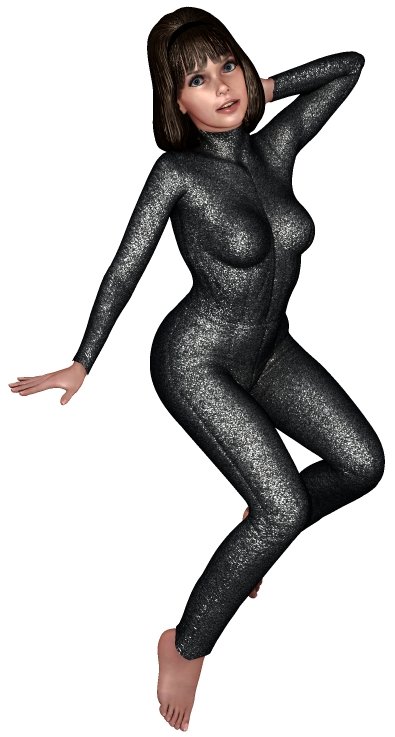
I'm slowly zeroing in on another character. :laugh: And hoping that doesn't count as off-topic for the thread, as I know that's been a concern.  At any rate, I think I'm about ready to start getting the clothing together.
===========================sigline======================================================
Cage can be an opinionated jerk who posts without thinking. He apologizes for this. He's honestly not trying to be a turkeyhead.
Cage had some freebies, compatible with Poser 11 and below. His Python scripts were saved at archive.org, along with the rest of the Morphography site, where they were hosted.
Cage, that's a neat trick for posing the arms. I'm not sure how useful IK chains for the torso or head would be, but it seems worth a try. Another thing I found useful is pointing the head at something (either a camera or some dummy object) and then working on the chest and neck until the pose looks relaxed.
-- I'm not mad at you, just Westphalian.
I hadn't thought of using the "point at" feature for that sort of thing. (Can you delete the point at parm dial within Poser?) I'll have to try it. :laugh: I've been doing that with eyeballs on other figures, as is common practice, I believe.
===========================sigline======================================================
Cage can be an opinionated jerk who posts without thinking. He apologizes for this. He's honestly not trying to be a turkeyhead.
Cage had some freebies, compatible with Poser 11 and below. His Python scripts were saved at archive.org, along with the rest of the Morphography site, where they were hosted.


Quote - I hadn't thought of using the "point at" feature for that sort of thing. (Can you delete the point at parm dial within Poser?) I'll have to try it.
When you use the "None" button in the Point At "Chose Actor" dialogue, the dial is removed automatically, though you may need to select a different actor to force a refresh of the palette.
On the subject of Point At, grab semidieu's "EyesPointAt.zip.TXT". You won't regret it I promise! It adds a point at target and points the eyes at that target in one operation. Very convenient and a huge time saver.
Quote - I hadn't thought of using the "point at" feature for that sort of thing. (Can you delete the point at parm dial within Poser?) I'll have to try it. :laugh: I've been doing that with eyeballs on other figures, as is common practice, I believe.
Well, in every Poser figure I can think of except Antonia, when you point the head at something, you actually point the top of the head instead of the face. That can still be useful, but it means you can't simply point at a camera or make the figure look at something. So it's not surprising if you never thought of this as a possibility in Antonia.
-- I'm not mad at you, just Westphalian.

Quote - (click image for larger view)
odf,
OK, if your changing the foot shape, here are my thoughts, not that anyone asked for them, but then this thread is called "Antonia - Opinions?".
Just a small detail, but I have been doing a lot of poses recently and its really started to bug me.The big toe seems to sit higher of the ground than the other toes when the foot is flat on the floor. I think it should be moved down, and flattened a bit on the bottom. I know I could just bend the big toe down 1.3° or so, but I don't want the hassle of doing that every pose. If it was just for my own use I'd bake the change into the cr2, but I want to be able to share the poses.
I think the foot looks a bit deep towards the ankle. My idea of what it should look like is in the image above, with the outline being the default shape.
Cage,
Bat Girl, drool, drool, drooool!

I haven't been following this thread for a while...death in family has kept me away but I was curious if there are any toe mts for the feet ("perfect toe" resize, big toe up and down and sideways, small toe reposition, deeper foot arch for pointed toes pose and hi heels foot reshapes for glamorous hi heels adaptions etc)? Would like to see some of the above toe mts and movement morphs and perhaps a smaller bunion reshape for the feet too (if these are not already part of the figure).
Quote - > Quote - So, what do people think is the preferable configuration? What are your experiences with existing figures that use the individual toe rigging? Is it worth trying? I'll probably experiment a bit with both options, but some opinions are always good.
My initial reaction, without having given it much thought, is leave the toe hierarchy as is, or at most add a Toe2 actor. Most of the time, all the added functionality of extra toe actors would probably be wasted on all but a few dedicated foot fetishists, who will undoubtedly enjoy spending countless hours making foot morphs (no offence meant). One thought tough, what if you leave Toe as one actor, but divide it into separate groups. That would make it easy to make morphs for individual toes in Poser, should anyone ever desire to do so. On the other hand, adding extra individual actors for each toe joint would mean making morphs would become excruciatingly tedious in Poser.
Hey Les!
I am one of those wacky foot fetishists. When I first started working with V2...back in the stone age!...someone made available a big bunch of toe mts for her for each toe. not only size and reshape bot also pose files. These were set up as .obj based mt targets. I think that would be a great way to make so many toe mt functional changes available on the small. It decreases the size of the main character and allows only those morphs freaks lime me really need as needed just by simply loading a morph target as needed.
Quote - > Quote - I like individually rigged toes.
Myself, I can take a handkerchief from the floor with my toes.
When walking barefooted my toes are spreading apart when the toepart of the foot is the only thing touching the ground.
In short: toes are moving individually.
(Sorry for my bad english)Yeah, I've seen that argument, but how many would actually use individually rigged toes? I don't mean to be contrary. I'm just trying to figure out whether the extra flexibility would outweigh the morphing problems that Les mentioned.
Not sure actual rigging is necessary for my uses anyway, as is allowing morphs to be added to simulate those movements as needed. I too look carefully at foot and toe movements and since I do a lot of nude rendering that part of the anatomy takes on a more important significance so having thos shape and positional morphs available puts a big grin on my face.! :)
shante, have a look at the latest version if you like. I ended up adding two morphs for the toe actor - one for spreading, and one for curling. That's not much, but combined with the fully posable big toe and the fact that Antonia's foot really comes in three posable parts - foot, instep and toe - I think it already makes her more versatile that most figures. As you said, additional morphs could be added quite easily to fulfill more special requirements.
-- I'm not mad at you, just Westphalian.
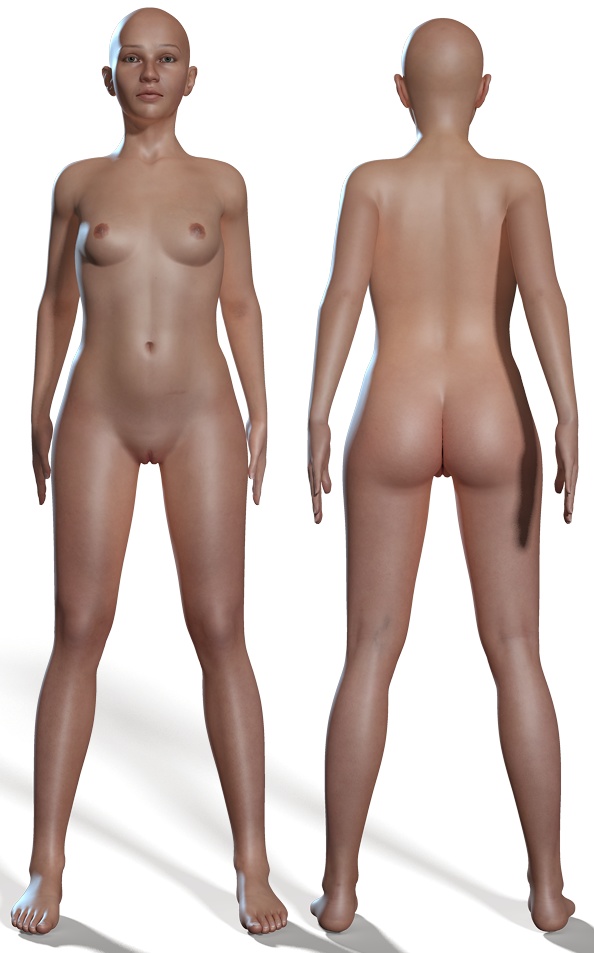
Silly question: I've been writing a script to create a control channel for each of Antonia's JCMs that didn't have one already. That had to go through a few iteration until I got it just right, but I think it's working nicely now. The JCMs work as before, I don't seem to get any crosstalk, and the limits are set the way I want them.
But it so happens that all the new control channels are now visible in the BODY actor. Fixing that is dead easy, but it occurred to me to ask people what they think should be the default: hide those channels and maybe provide a pz2 to show and group them nicely for people who like to play around with the JCM settings, are show them by default and add a pz2 to hide them for pre-P6 users and such who can't simply hide the respective group in the parameter widget?
-- I'm not mad at you, just Westphalian.

Quote -
SONOFA.....That's 3 pages I've missed due lack of e-bots! Thankfully I didn't miss anything important, but that isn't the point really!
Keep it up folks!
CHEERS!
I've had the same problem here and elsewhere. So what I have learned to do is to actually post a question or comment from time to time and that seems to placate the dumb bot....as well as to keep me better informed of the proceeds of the thread! :)
Quote - But it so happens that all the new control channels are now visible in the BODY actor. Fixing that is dead easy, but it occurred to me to ask people what they think should be the default: hide those channels and maybe provide a pz2 to show and group them nicely for people who like to play around with the JCM settings, are show them by default and add a pz2 to hide them for pre-P6 users and such who can't simply hide the respective group in the parameter widget?
I think I would probably hide them but include both hide and show poses for the dials with the figure. Generally I think the voice of the tinkerers who might fiddle with JCM settings is overrepresented in this, a development thread. I assume the average user would find it simpler if such things were hidden and couldn't confuse matters up front.
But I'd be happy with it either way. This is the change which will get rid of the vanishing ERC problem, right? Oboyoboyoboy! :laugh:
===========================sigline======================================================
Cage can be an opinionated jerk who posts without thinking. He apologizes for this. He's honestly not trying to be a turkeyhead.
Cage had some freebies, compatible with Poser 11 and below. His Python scripts were saved at archive.org, along with the rest of the Morphography site, where they were hosted.
Missed my editing deadline.
If you're going to distribute poses which modify the parameter groups, I think that part should be separate from any other function of the pose. It seems that grouping poses don't insert new groups into the parameter dials so much as overwrite any existing ones, in the affected actors. So a combination hide/show and grouping pose would be useless to anyone who's already customized the parameter groups for Body.
Unless there's some way around that problem that I can't imagine. (Les? Anyone? Ever worked with parameter group injection poses?)
===========================sigline======================================================
Cage can be an opinionated jerk who posts without thinking. He apologizes for this. He's honestly not trying to be a turkeyhead.
Cage had some freebies, compatible with Poser 11 and below. His Python scripts were saved at archive.org, along with the rest of the Morphography site, where they were hosted.
Quote - Would a parameter group injection pose be where you just select specific parts, like the head for instance?
Well, any pose can be restricted to just certain actors, either by using the selection options when saving the pose or by editing the pose after saving (or creating the entire pose manually).
A parameter group injection pose would be one which inserts parameter dial groups into those actors included in the pose. Such a pose would be a hack, created manually or derived from an existing file. Poser will not generate such poses natively.
To make one, open a .cr2 containing parameter groups and delete everything except the version statement and the listings for actors you want to modify. Delete everything from these actor listings except the groups section in the channels. Upon applying the pose, the groups present in the pose will replace any existing groups in the appropriate actors.
The point being that such poses seem to overwrite all existing groups, rather than just insert new groups.
Edit: One could ostensibly insert geometry groups into actors, using a pose, and that type of pose could conceivably be discussed as a group injection pose, although these would be more effectively described as geometry insertion poses as they insert a completely new geometry into an actor. Such poses shouldn't be confused with those I describe above.
===========================sigline======================================================
Cage can be an opinionated jerk who posts without thinking. He apologizes for this. He's honestly not trying to be a turkeyhead.
Cage had some freebies, compatible with Poser 11 and below. His Python scripts were saved at archive.org, along with the rest of the Morphography site, where they were hosted.
Cage, good point about the grouping! And I agree that it's probably best to keep the JCM dials hidden by default. It's just that sometimes people complain (not to me, so far, but I've heard the general sentiment) about too many things being hidden in figures, which is why I asked.
Yes, this modification will hopefully solve your vanishing ERC problem.
-- I'm not mad at you, just Westphalian.

It's a spammer, Rogerbee1 ;) I'm removing its posts right now.
Sitemail | Freestuff | Craftythings | Youtube|
Knowledge is knowing a tomato is a fruit. Wisdom is not putting it
into a fruit salad.
:) Glad to have helped!
Sitemail | Freestuff | Craftythings | Youtube|
Knowledge is knowing a tomato is a fruit. Wisdom is not putting it
into a fruit salad.
:) You're welcome!
Sitemail | Freestuff | Craftythings | Youtube|
Knowledge is knowing a tomato is a fruit. Wisdom is not putting it
into a fruit salad.

Hello all!! Thanks for thinking about me - I should really be back now. We are moving to a new apartment (not the most clever time but what be must be). Despite what I wrote some weeks before it took me longer than I thought to get back on my feet, I had some broken ribs and now understand what is meant with "It only hurts when I laugh" - so I had to stay away from all the fun here 
I really hope that I am able to catch up with everything as fast as possible! Leo wants me to tell you that he found some boo-boo on the freebie page (there was an error in the Java script that made uploads disapear from their categories) and since we are back online now he was able to fix the code. This made Antonia slip into data-Nirvana, he's very sorry but put her (and everything else) back into her place now.
I'm not always right, but my mistakes are more interesting!
And I am not strange, I am Limited Edition!
Are you ready for Antonia? Get her textures here:
The Home Of The Living Dolls
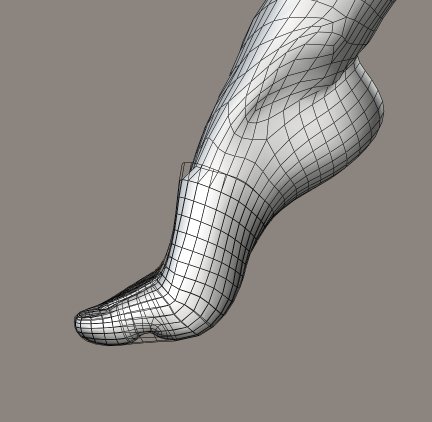
I'm not sure whether this is meant to be one of the "unrealistic posing" exceptions. I suspect one should favor shin Twist over foot Swing, but the latter can be important for pose tweaking, like hand Twist or head rotations in addition to neck rotations.
Also, I'm glad you're feeling better SaintFox! :D
===========================sigline======================================================
Cage can be an opinionated jerk who posts without thinking. He apologizes for this. He's honestly not trying to be a turkeyhead.
Cage had some freebies, compatible with Poser 11 and below. His Python scripts were saved at archive.org, along with the rest of the Morphography site, where they were hosted.
Drat. Missed the deadline again.
The situation I depicted above is apparently more complicated than I'd thought. Swing doesn't create too many problems unless used together with Bend and Twist. Twist creates the greatest problems. The three parameters don't seem to cooperate very well right now. The Twist parameter is actually stretching and squashing the ankles significantly, which shouldn't happen, given that ankles are hard, bony bits. I think both Swing and Twist on the feet could use some falloff zones.
Dunno why, but my fingers seem to want to type "twsit" today. Huh. :lol:
===========================sigline======================================================
Cage can be an opinionated jerk who posts without thinking. He apologizes for this. He's honestly not trying to be a turkeyhead.
Cage had some freebies, compatible with Poser 11 and below. His Python scripts were saved at archive.org, along with the rest of the Morphography site, where they were hosted.
Re the JMC dials. I'd suggest visible, but in a rolled up group (collapsed 1). Unless something has changed in recent versions of Poser, reading the deltas in a targetGeom channel when the figure loads will force the dial to show, even with a normal 'hidden 1'. You can partially get round that by by placing 'hidden 1' after the deltas, but it won't survive a save and reload.
Quote - Les? Anyone? Ever worked with parameter group injection poses?
Everyone says they are destructive, overwriting any existing groups, and I have no information to the contrary.
I agree with what Cage says about the foot, and think the the foot is probably weakest part of Antonia's rig at the moment. With a bend of -30, the ankle has an obvious crease. There are also some problems at the foot/instep boundary, where there seems to be a complicated interaction between JPs and JCM. Moving the joint centre up seems to help a lot at the foot/instep boundary, but as that also affects the way the foot bends at the ankle, I'm not sure which is worse the disease, or the cure.
I have a plea: When working with the morph I've made a while ago ("Anna", can be found on the freebie-site) I found that a: The body-morph seems to overwrite the headmorph and that b: weird things happen when tweaking this morph by hand. For instance if you dial it by hand or, worse, re-inject the head-morph you get totally exaggerated results like a monster-nose or a breast shape I've never created (I swear!!). This was the first time I wrote injections with the spawn-morphs tool and I am sure that I did something wrong.
As said: This was the first time I did not work with Injection Magic and it seems that I did something totally wrong. Maybe one of the cracks (Les?!) can point me into the right direction.
I'm not always right, but my mistakes are more interesting!
And I am not strange, I am Limited Edition!
Are you ready for Antonia? Get her textures here:
The Home Of The Living Dolls
Content Advisory! This message contains nudity
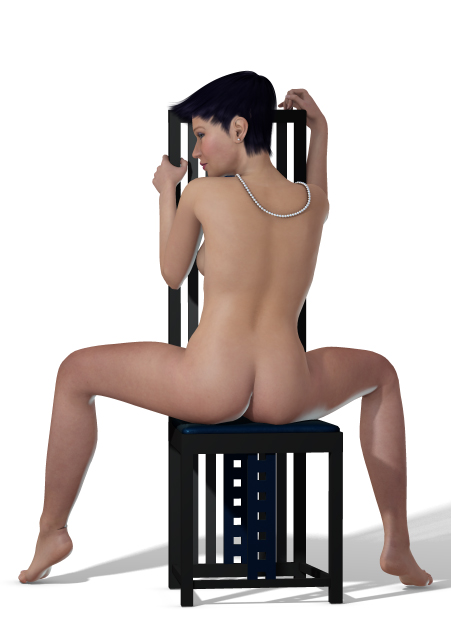
I'm not always right, but my mistakes are more interesting!
And I am not strange, I am Limited Edition!
Are you ready for Antonia? Get her textures here:
The Home Of The Living Dolls

Privacy Notice
This site uses cookies to deliver the best experience. Our own cookies make user accounts and other features possible. Third-party cookies are used to display relevant ads and to analyze how Renderosity is used. By using our site, you acknowledge that you have read and understood our Terms of Service, including our Cookie Policy and our Privacy Policy.
odf,
I'm a bit confused as to the ToeCurl morphs. In the Toe actors they affect the toe and toecap, but in the BigToe and BigToe2 they only seem to affect the toecap, is it meant to be that way?
Can you give us a clue as to what kind of vigorous testing you have in mind? Please note that this does not constitute volunteering, it's just an inquiry.