
Renderosity Forums / Poser 13
Welcome to the Poser 13 Forum
Forum Moderators: nerd, RedPhantom
(Last Updated: 2026 Nov 02 7:07 pm)

Subject: Show your Poser 13 renders!


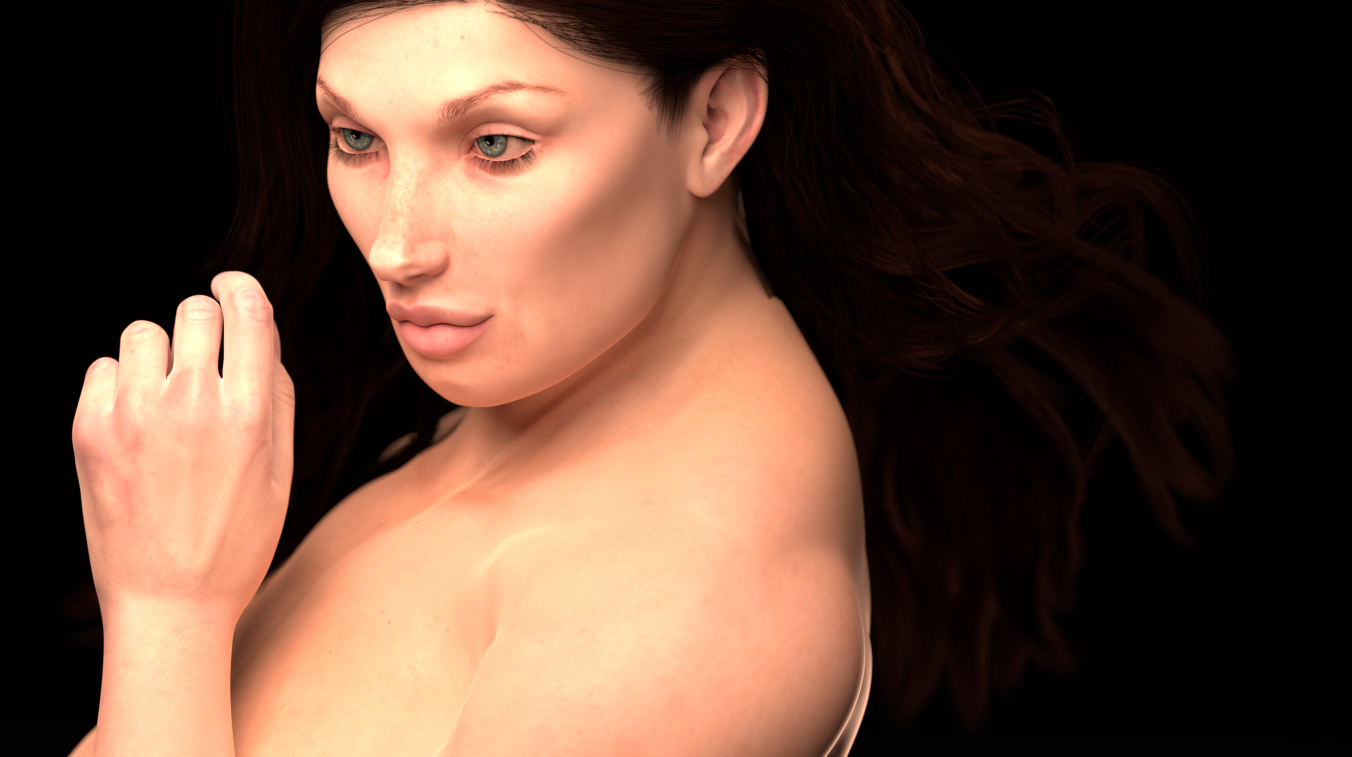

Nice 
𝒫𝒽𝓎𝓁
(っ◔◡◔)っ
👿 Win11 on i9-13900K@5GHz, 64GB, RoG Strix B760F Gaming, Asus Tuf Gaming RTX 4070 OC Edition, 1+2 TB SSD's, 6+4TB HD
👿 Mac Mini M2, 27 Golden Gate, 16GB, 500GB SSD
👿 Nas 10TB
👿 Poser 13 and 14 ❤️

I have been experimenting with ambient occlusion since the P13 RGBColor ramp node was introduced into the material room. It makes a huge difference when exaggerating additional shadows into crevices and into areas where objects meet. Vary the settings and colors, and you can create dirt and grunge on the surface.
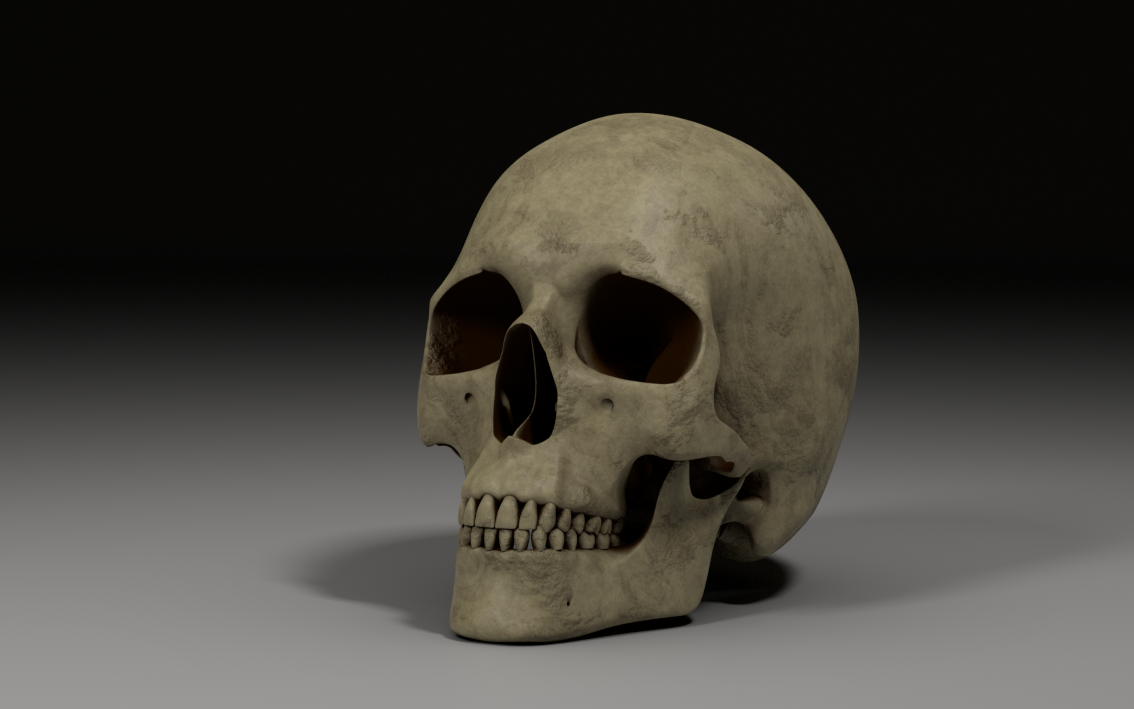
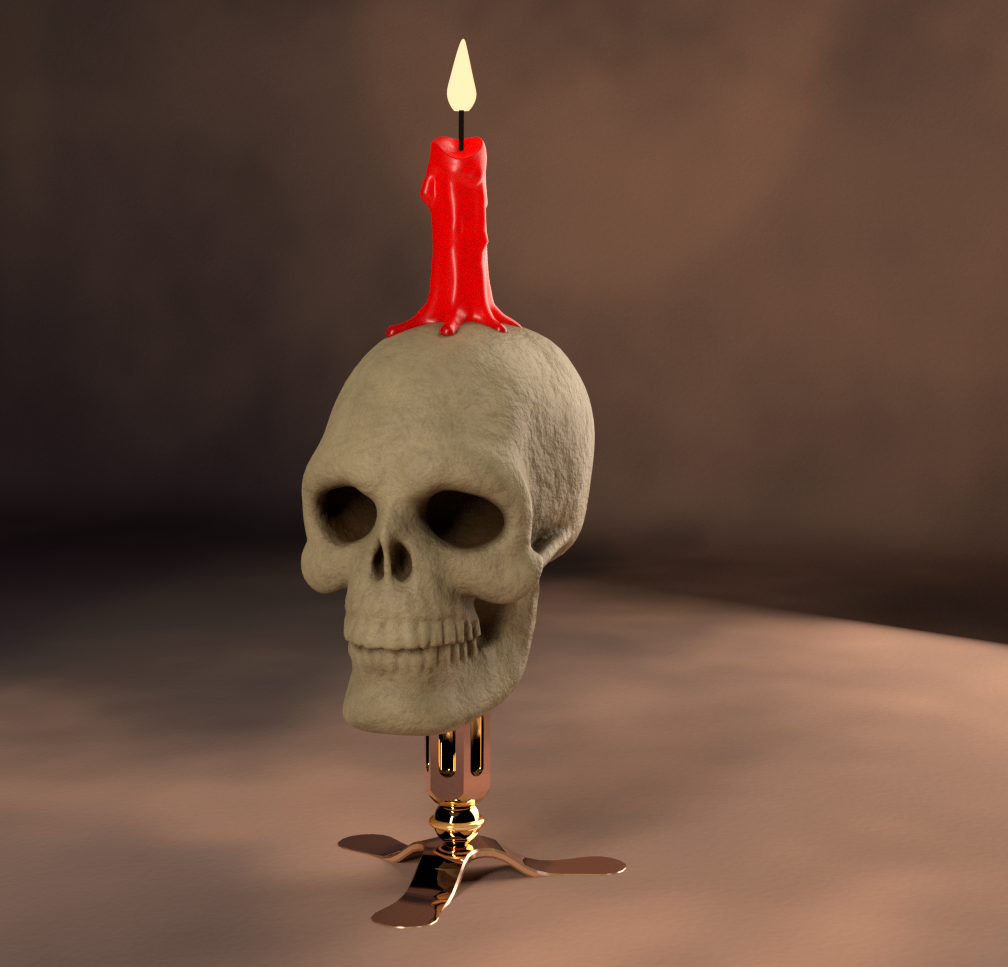
This is a procedural bone texture in Poser 13.
Indeed, it would be cool to learn how, because the result is awesome.
𝒫𝒽𝓎𝓁
(っ◔◡◔)っ
👿 Win11 on i9-13900K@5GHz, 64GB, RoG Strix B760F Gaming, Asus Tuf Gaming RTX 4070 OC Edition, 1+2 TB SSD's, 6+4TB HD
👿 Mac Mini M2, 27 Golden Gate, 16GB, 500GB SSD
👿 Nas 10TB
👿 Poser 13 and 14 ❤️
Before I post the actual procedural bone shader, I will show you the ambient occlusion shader node setup for your material. I recreated the shader from Blender tutorials with Cycle nodes recently introduced into Poser; otherwise, it would be almost impossible to reproduce. Below is the setup:
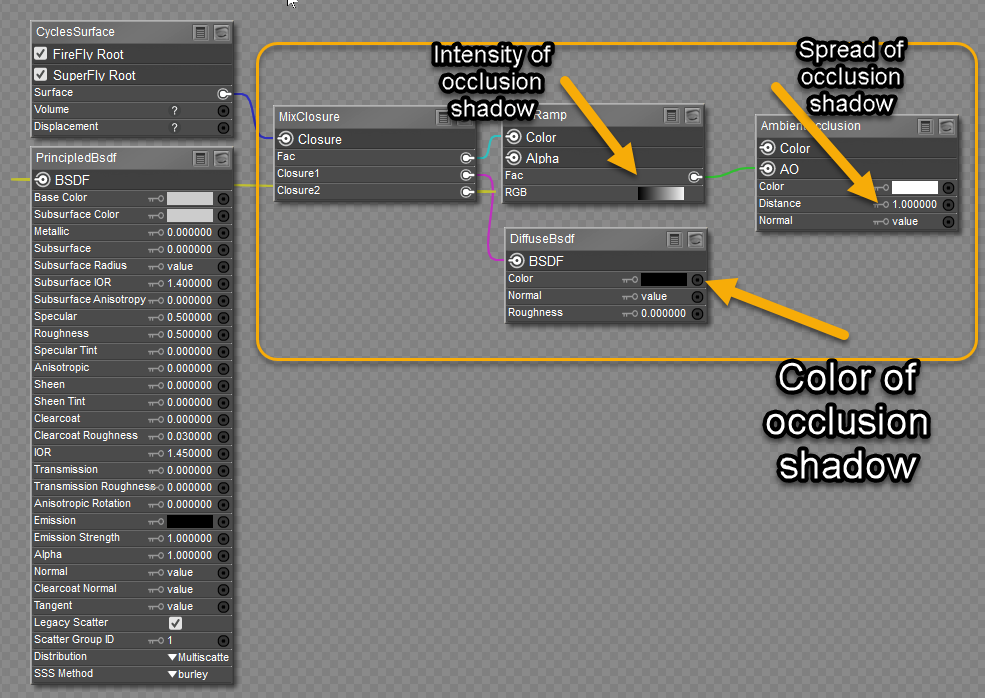
This arrangement is becoming part of my standard setup for all my shader reconstructions. It is self-explanatory, but if you have questions, please ask.
This is the bone shader I created:
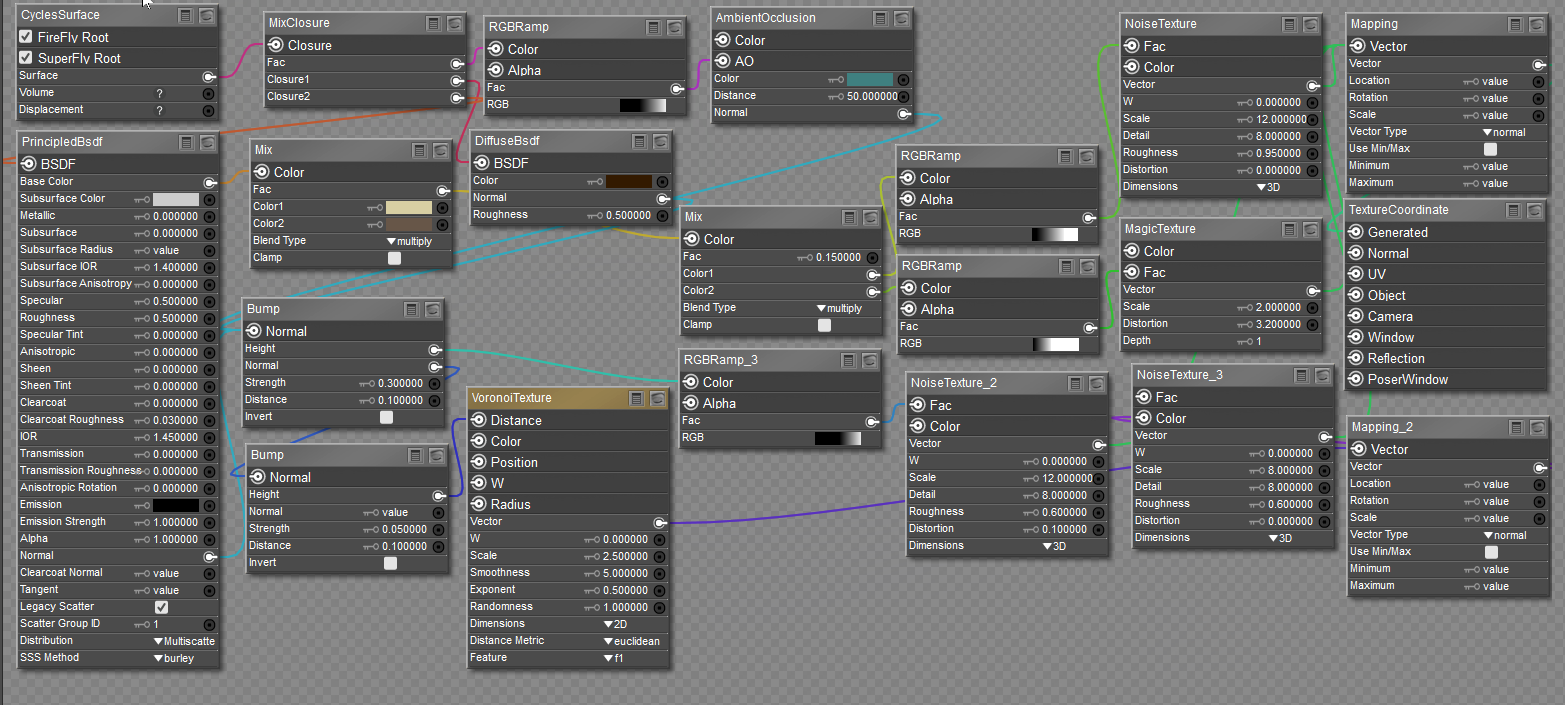
The Diffuse node that is part of the AO setup has a dark brown color chip to simulate dirt in cracks & crevices, as well as the deep recesses of the object. The Ambient Occlusion node Distance channel is set high to capture more shadow detail away from the surface, almost simulating a remnant of skin tissue. Its color chip was set to green to also enhance details, but any color would do. Throughout the shader, the RGBRamps control the intensities and details from their associated texture nodes.
Wow... thank you hborre. This skull has never looked so cool

𝒫𝒽𝓎𝓁
(っ◔◡◔)っ
👿 Win11 on i9-13900K@5GHz, 64GB, RoG Strix B760F Gaming, Asus Tuf Gaming RTX 4070 OC Edition, 1+2 TB SSD's, 6+4TB HD
👿 Mac Mini M2, 27 Golden Gate, 16GB, 500GB SSD
👿 Nas 10TB
👿 Poser 13 and 14 ❤️

Thanks for sharing.This is the bone shader I created:
The Diffuse node that is part of the AO setup has a dark brown color chip to simulate dirt in cracks & crevices, as well as the deep recesses of the object. The Ambient Occlusion node Distance channel is set high to capture more shadow detail away from the surface, almost simulating a remnant of skin tissue. Its color chip was set to green to also enhance details, but any color would do. Throughout the shader, the RGBRamps control the intensities and details from their associated texture nodes.
Available on Amazon for the Kindle E-Reader Monster of the North and The Shimmering Mage
Today I break my own personal record for the number of days for being alive.
Check out my store here or my free stuff here
I use Poser 14 and Windows 11
That looks greatWow... thank you hborre. This skull has never looked so cool
Available on Amazon for the Kindle E-Reader Monster of the North and The Shimmering Mage
Today I break my own personal record for the number of days for being alive.
Check out my store here or my free stuff here
I use Poser 14 and Windows 11
I'm loving it 
𝒫𝒽𝓎𝓁
(っ◔◡◔)っ
👿 Win11 on i9-13900K@5GHz, 64GB, RoG Strix B760F Gaming, Asus Tuf Gaming RTX 4070 OC Edition, 1+2 TB SSD's, 6+4TB HD
👿 Mac Mini M2, 27 Golden Gate, 16GB, 500GB SSD
👿 Nas 10TB
👿 Poser 13 and 14 ❤️
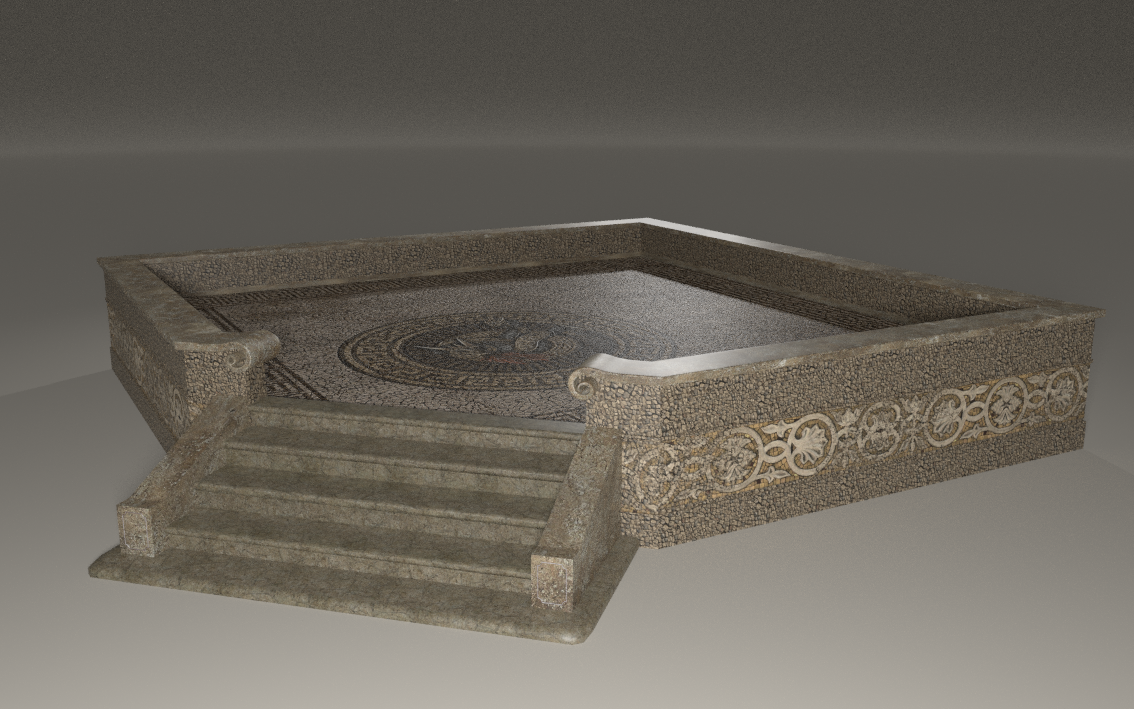
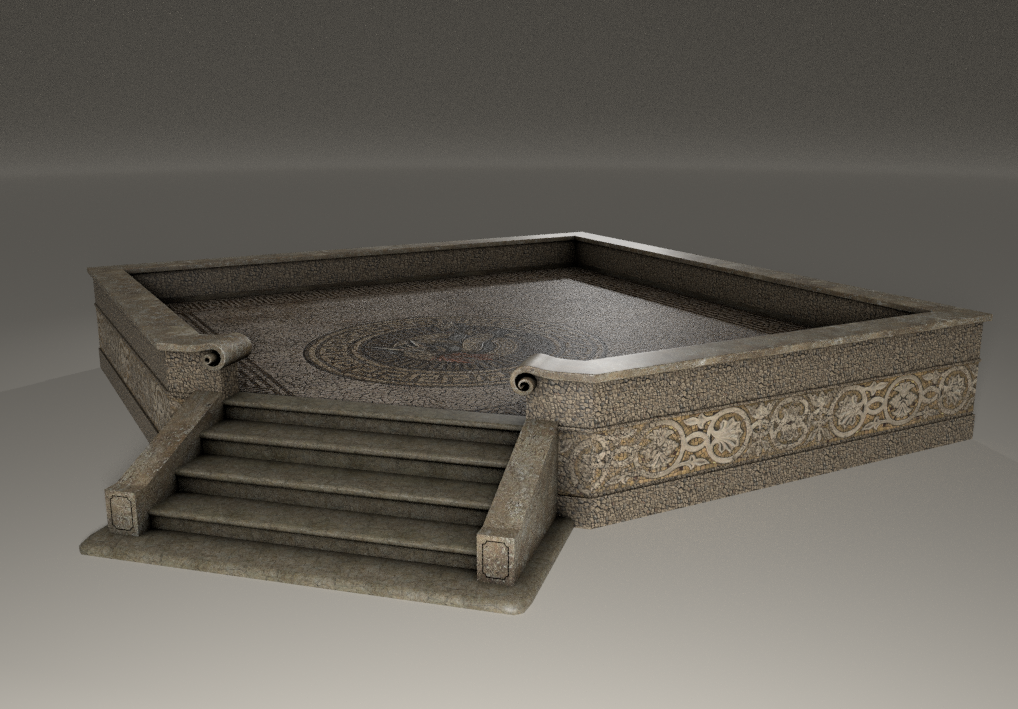
I have been experimenting with ambient occlusion in P13, rendering with the Superfly engine and using Cycles to enhance the shader textures. With the addition of the RGBRamp node, the process has become easier to apply to all different types of textures. The images below illustrate how adding AO makes the render appear more realistic with shadows filling in the corners, crevices, and between closely placed objects that are lacking with multiple lights and HDR lighting. This is perhaps the most annoying thing I see in many gallery renders: characters floating above the ground.
No ambient occlusion
With Ambient Occlusion
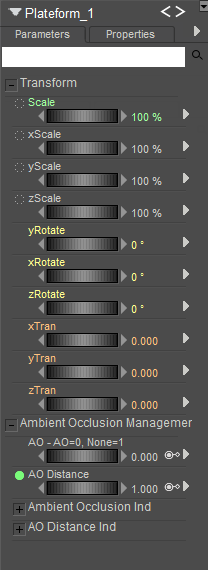
I have also worked out creating a master dial in the Parameters panel to switch AO on and off for multiple material zones. It's more work to animate all the necessary dials, but it saves work switching between the Pose and Material Room.

I have been experimenting with ambient occlusion in P13, rendering with the Superfly engine and using Cycles to enhance the shader textures. With the addition of the RGBRamp node, the process has become easier to apply to all different types of textures. The images below illustrate how adding AO makes the render appear more realistic with shadows filling in the corners, crevices, and between closely placed objects that are lacking with multiple lights and HDR lighting. This is perhaps the most annoying thing I see in many gallery renders: characters floating above the ground.
I know what you mean. I once teased a friend, saying that his ninjas were so stealthy, they didn't even cast a shadow. Beautiful work!
There's a useful tool!I have also worked out creating a master dial in the Parameters panel to switch AO on and off for multiple material zones. It's more work to animate all the necessary dials, but it saves work switching between the Pose and Material Room.
I have been experimenting with ambient occlusion in P13, rendering with the Superfly engine and using Cycles to enhance the shader textures. With the addition of the RGBRamp node, the process has become easier to apply to all different types of textures. The images below illustrate how adding AO makes the render appear more realistic with shadows filling in the corners, crevices, and between closely placed objects that are lacking with multiple lights and HDR lighting. This is perhaps the most annoying thing I see in many gallery renders: characters floating above the ground.
Impressive, wow.
𝒫𝒽𝓎𝓁
(っ◔◡◔)っ
👿 Win11 on i9-13900K@5GHz, 64GB, RoG Strix B760F Gaming, Asus Tuf Gaming RTX 4070 OC Edition, 1+2 TB SSD's, 6+4TB HD
👿 Mac Mini M2, 27 Golden Gate, 16GB, 500GB SSD
👿 Nas 10TB
👿 Poser 13 and 14 ❤️

How is this different from using the Color output of the AO node, with the PrincipledBSDF node plugged into the AO's input? I understand you are mixing with black to a degree specified by the AO output, but isn't that what AO's color output already does?Before I post the actual procedural bone shader, I will show you the ambient occlusion shader node setup for your material. I recreated the shader from Blender tutorials with Cycle nodes recently introduced into Poser; otherwise, it would be almost impossible to reproduce. Below is the setup:
This arrangement is becoming part of my standard setup for all my shader reconstructions. It is self-explanatory, but if you have questions, please ask.
Yes, but by adding the Diffuse node, you can connect grunge maps to that chip, as well as changing the color of the occlusion. For example, you have a figure covered in mud; change the chip color to brown, or whatever color the mud is. That occlusion will no longer be black. If you look closely at my skull render, the occlusion is dark brown with the deepest recesses of the model shadowed in black, where light is not entering, but the shallow areas show brown.
I've recently completed this rendered scene with props obtained from RenderHub and Poly Haven. The morphing skull is from DAZ. PBR textures were used throughout all the items, which includes ambient occlusion that I have been experimenting with for some time. I used Poser's Superfly Paramount lights, which I converted to Blackbody, 4100 degrees Kelvin.

Just... magic! 
𝒫𝒽𝓎𝓁
(っ◔◡◔)っ
👿 Win11 on i9-13900K@5GHz, 64GB, RoG Strix B760F Gaming, Asus Tuf Gaming RTX 4070 OC Edition, 1+2 TB SSD's, 6+4TB HD
👿 Mac Mini M2, 27 Golden Gate, 16GB, 500GB SSD
👿 Nas 10TB
👿 Poser 13 and 14 ❤️
This looks awesomeI've recently completed this rendered scene with props obtained from RenderHub and Poly Haven. The morphing skull is from DAZ. PBR textures were used throughout all the items, which includes ambient occlusion that I have been experimenting with for some time. I used Poser's Superfly Paramount lights, which I converted to Blackbody, 4100 degrees Kelvin.
Available on Amazon for the Kindle E-Reader Monster of the North and The Shimmering Mage
Today I break my own personal record for the number of days for being alive.
Check out my store here or my free stuff here
I use Poser 14 and Windows 11
I had to try it myself.
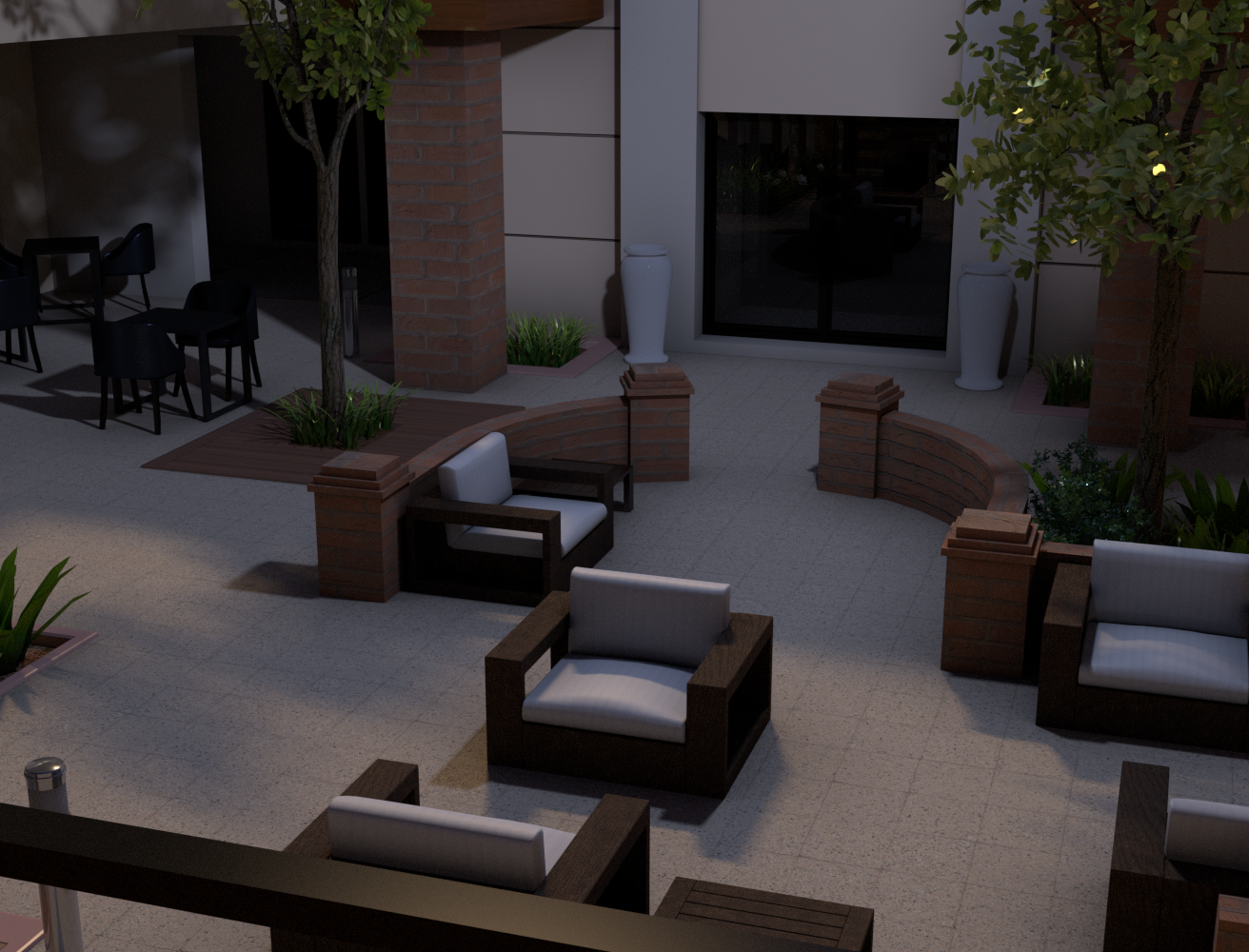
Now to populate it. And maybe fix the leaves in the one tree so they don't look like they're glowing
Available on Amazon for the Kindle E-Reader Monster of the North and The Shimmering Mage
Today I break my own personal record for the number of days for being alive.
Check out my store here or my free stuff here
I use Poser 14 and Windows 11
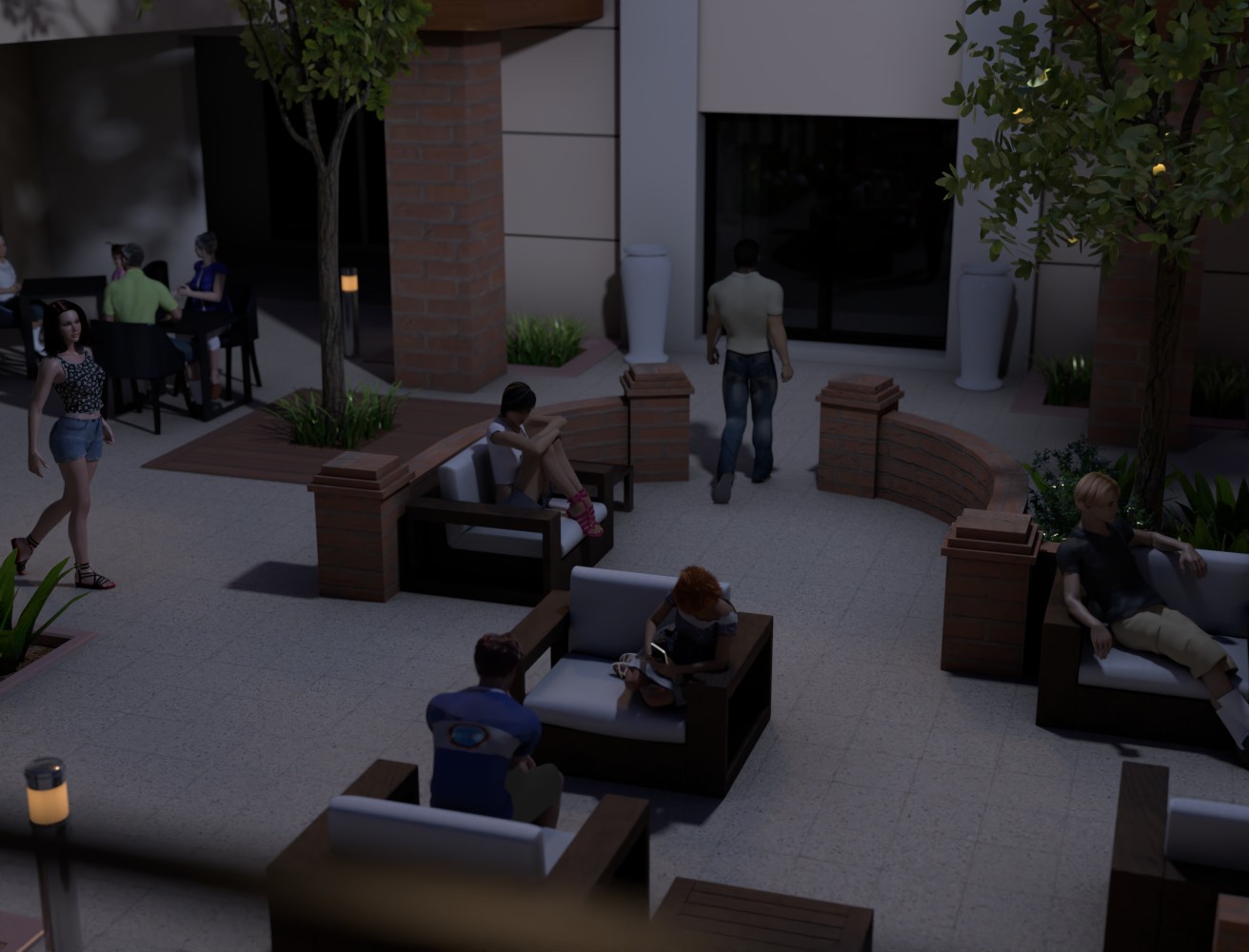
So here it is with some people.
Available on Amazon for the Kindle E-Reader Monster of the North and The Shimmering Mage
Today I break my own personal record for the number of days for being alive.
Check out my store here or my free stuff here
I use Poser 14 and Windows 11
It looks cool, indeed.
And for the leaves, a few year ago, Caisson published a thread concerning the PrincipledBSDF node.
And here https://www.renderosity.com/forums/comments/4405027/permalink hs starts with the flowers, the leaves, and the trunk.
Just in case.
𝒫𝒽𝓎𝓁
(っ◔◡◔)っ
👿 Win11 on i9-13900K@5GHz, 64GB, RoG Strix B760F Gaming, Asus Tuf Gaming RTX 4070 OC Edition, 1+2 TB SSD's, 6+4TB HD
👿 Mac Mini M2, 27 Golden Gate, 16GB, 500GB SSD
👿 Nas 10TB
👿 Poser 13 and 14 ❤️
I must say that the use of the Ambient Occlusion node leaves me speechless.
I'm still experimenting but I'm finding the result surprisingly interesting:
With the AO node on the skin on the left, without on the right:
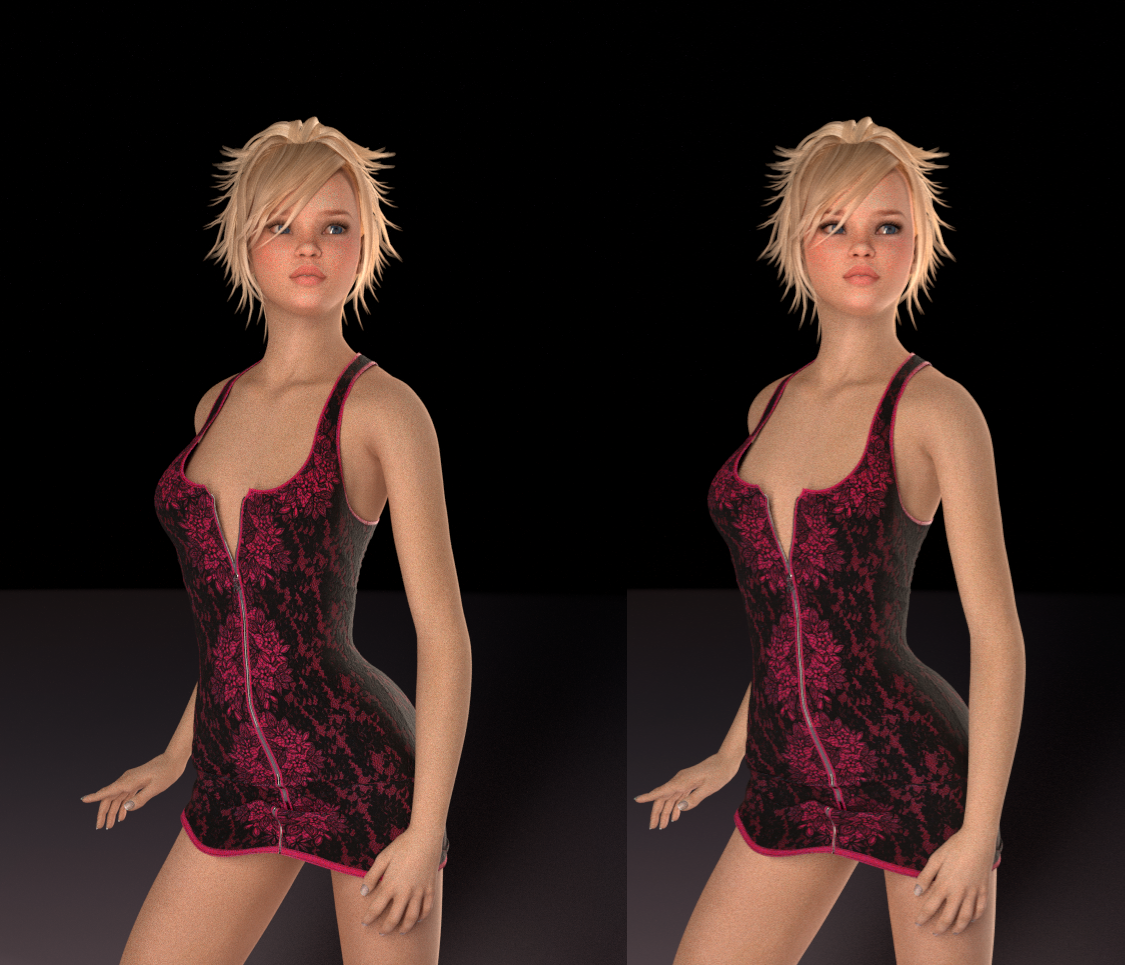
Ignore the material of the dress: I shouldn't have changed it for the comparison 
𝒫𝒽𝓎𝓁
(っ◔◡◔)っ
👿 Win11 on i9-13900K@5GHz, 64GB, RoG Strix B760F Gaming, Asus Tuf Gaming RTX 4070 OC Edition, 1+2 TB SSD's, 6+4TB HD
👿 Mac Mini M2, 27 Golden Gate, 16GB, 500GB SSD
👿 Nas 10TB
👿 Poser 13 and 14 ❤️
This is the image I posted above. The basic Cycles node arrangement is highlighted within the yellow box.
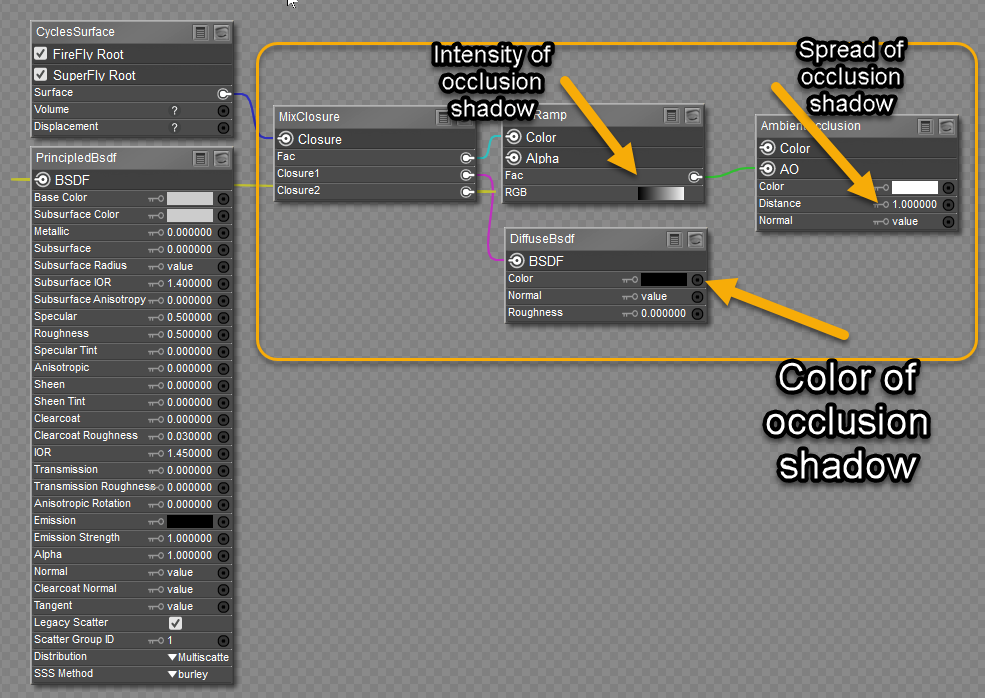
The PrincipledBsdf node is the most convenient way to set up using Cycles, although the conventional Cycles without it still works fine. This is a set of additional nodes to introduce ambient occlusion, not a separate layer. I copied this straight from Blender and reproduced it in Poser. If you only use Cycles without the PoserSurface or PhysicalSurface nodes present and connected to an image map, the preview will appear black because of the ambient occlusion node. It will render fine in Superfly. I introduced an on/off switch in one of my setups, but it didn't affect the preview display; everything remained black. My suggestion: set up your scene without ambient occlusion connected, then activate it afterwards. Otherwise, keep the PoserSurface root node with an image map connected in the materials and activate the Cycles Superfly root when ready to render. If you have any questions or problems, let me know.
I get it. It has taken me countless Blender YouTube tutorials to understand the Cycles node structure and arrangements so that I may apply it to Poser. The PhysicalSurface node is just a better replacement for the PoserSurface node, except it is simplified and better suited to handle both Firefly and Superfly render engines. You would be better off using the PhysicalSurface root for everything; however, there is no convenient way to convert them automatically from the PoserSurface node. Honestly, the original PoserSurface node has outlived its purpose; it is time for individuals to gravitate to the PhysicalSurface node, which is better suited for physically based rendering.
Before I post a mini-tutorial on Cycles AO, I am running some tests with the PhysicalSurface and Cycles Ambient Occlusion nodes to verify their functionality in Superfly. This puzzled me for some time, but I think I am having some success with the outcomes. I'll be posting in a few.
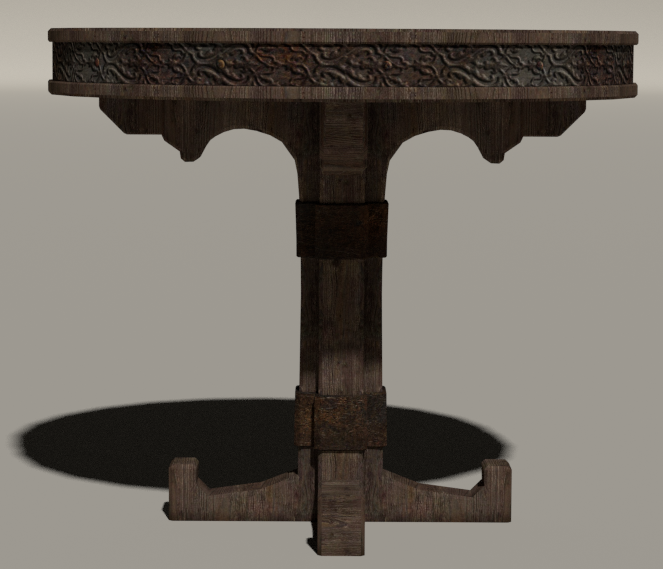
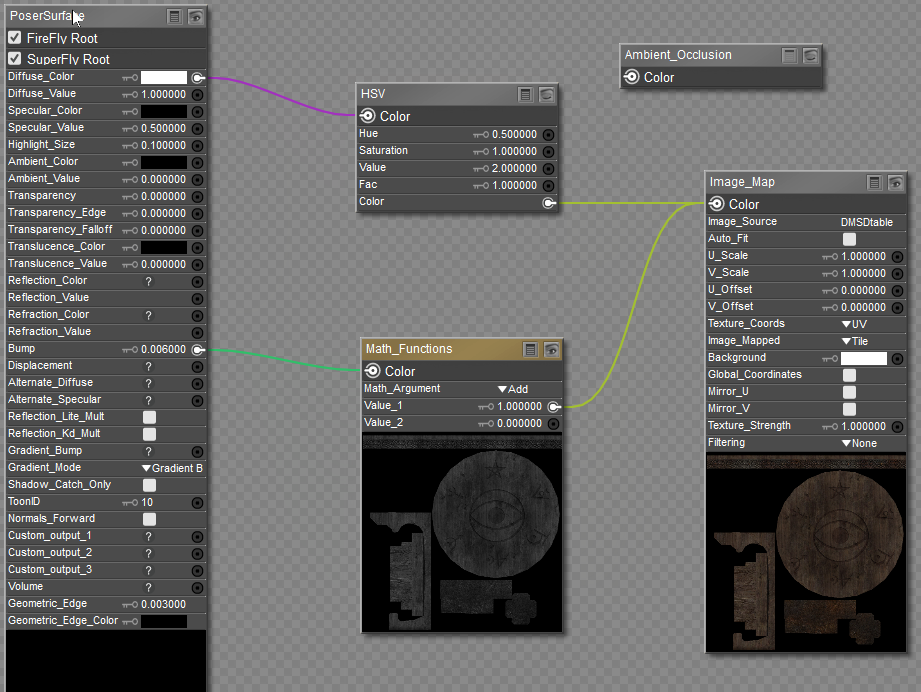
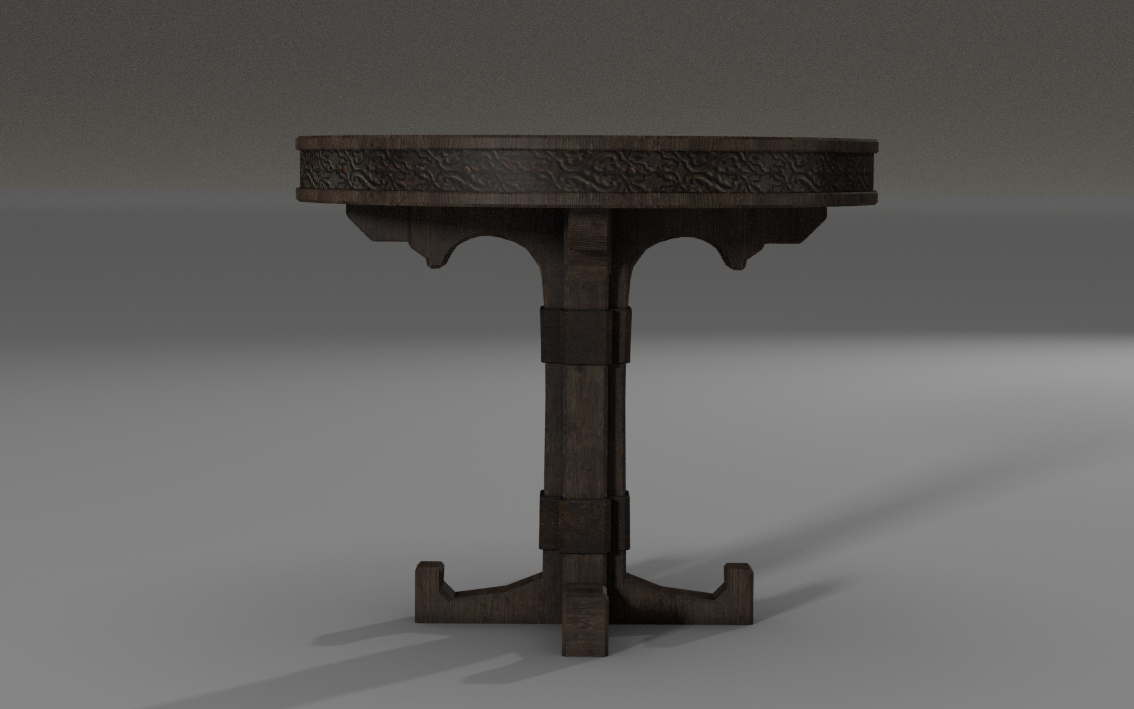
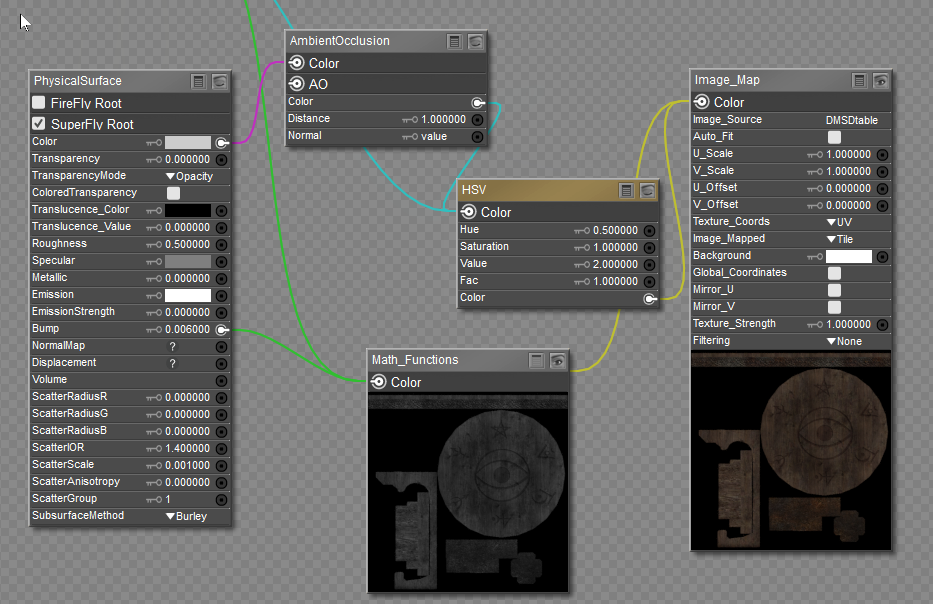
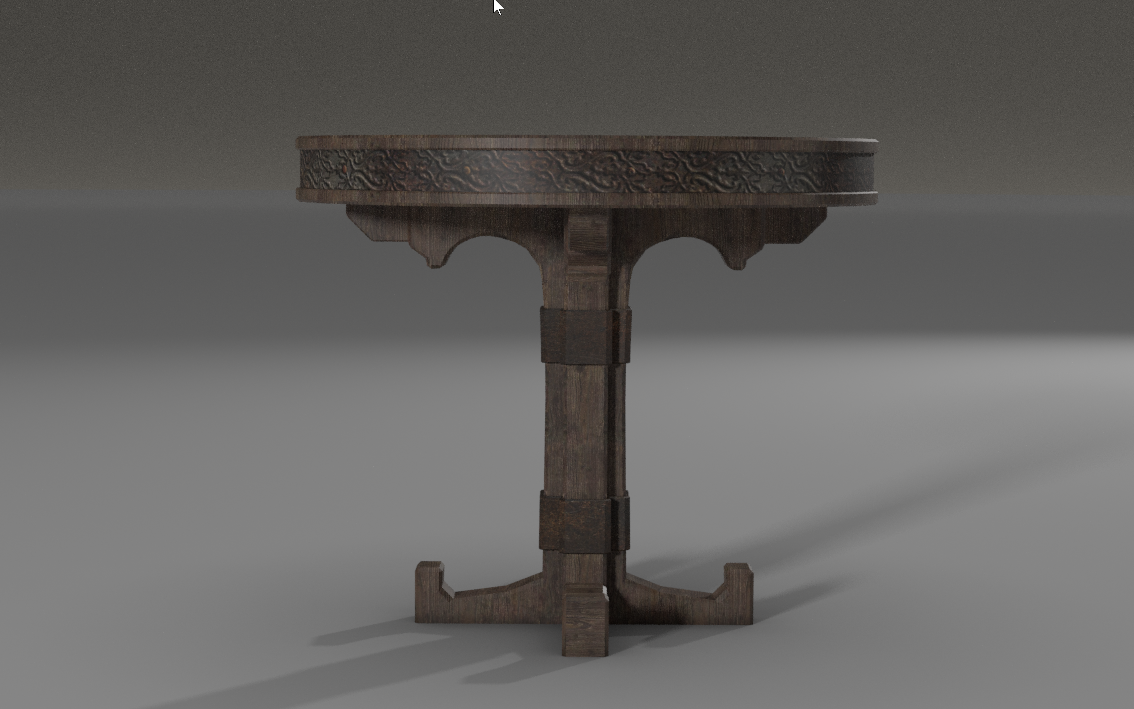
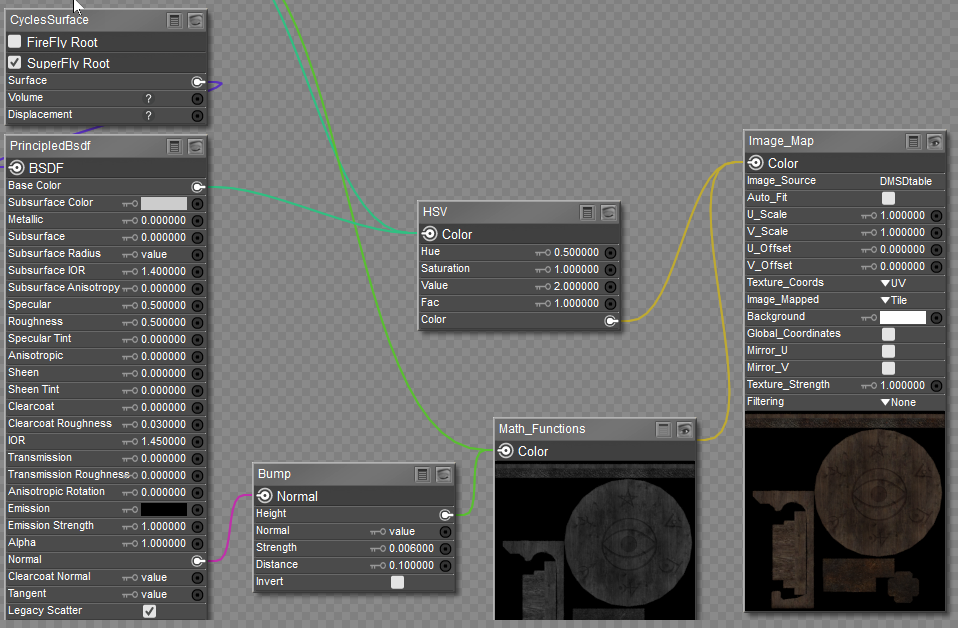
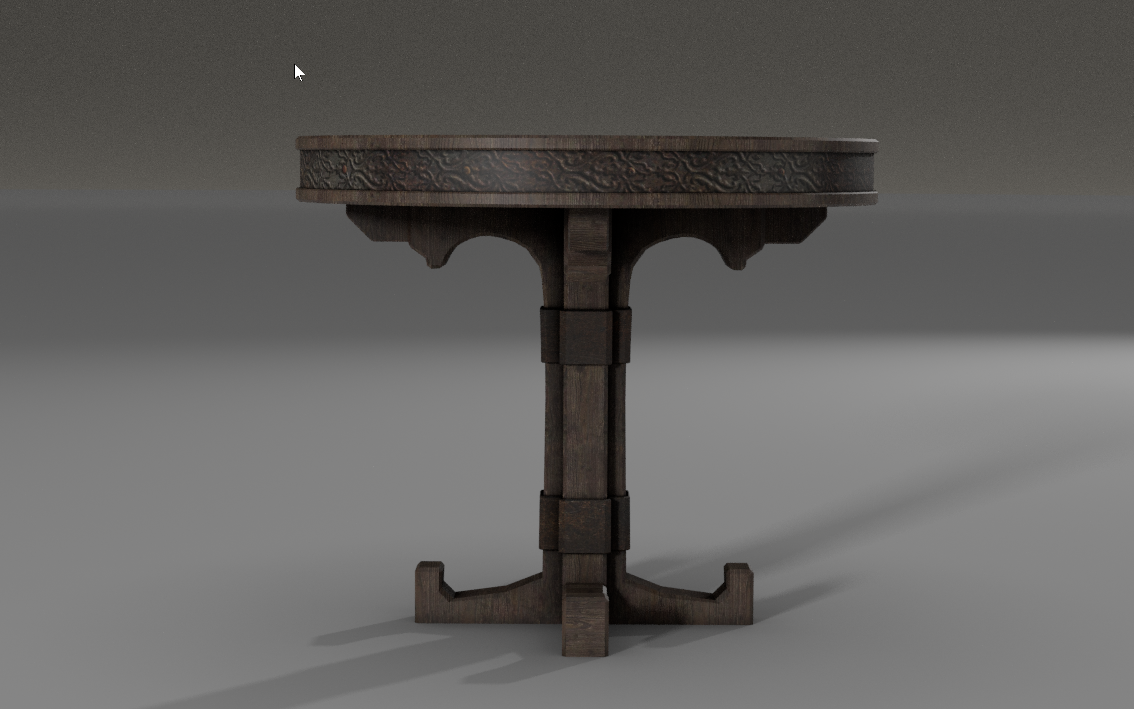
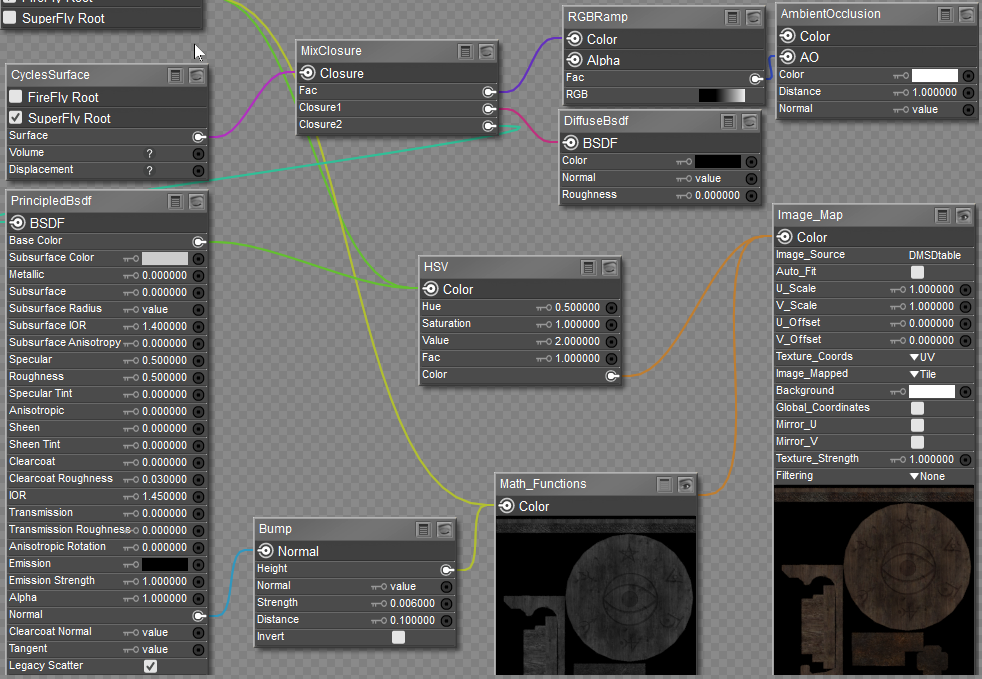
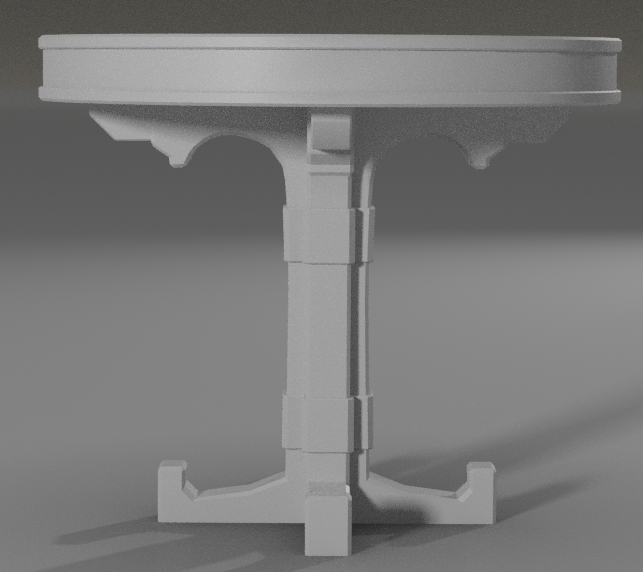
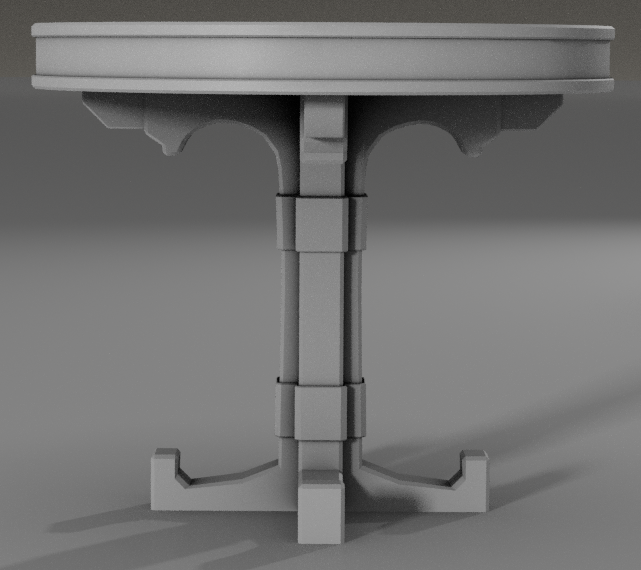
For demonstration purposes, I will be posting a series of images that will include Superfly renders and their corresponding material room node arrangements. I will cover all three root nodes, PoserSurface, PhysicalSurface, and Cycles nodes, although the PoserSurface node is not well suited for Superfly rendering. The model I am using is a table from DM's Dark Shrine set, and I added an HSV node to brighten the textures.
Superfly render, without AO, traditional arrangement.
Material Room
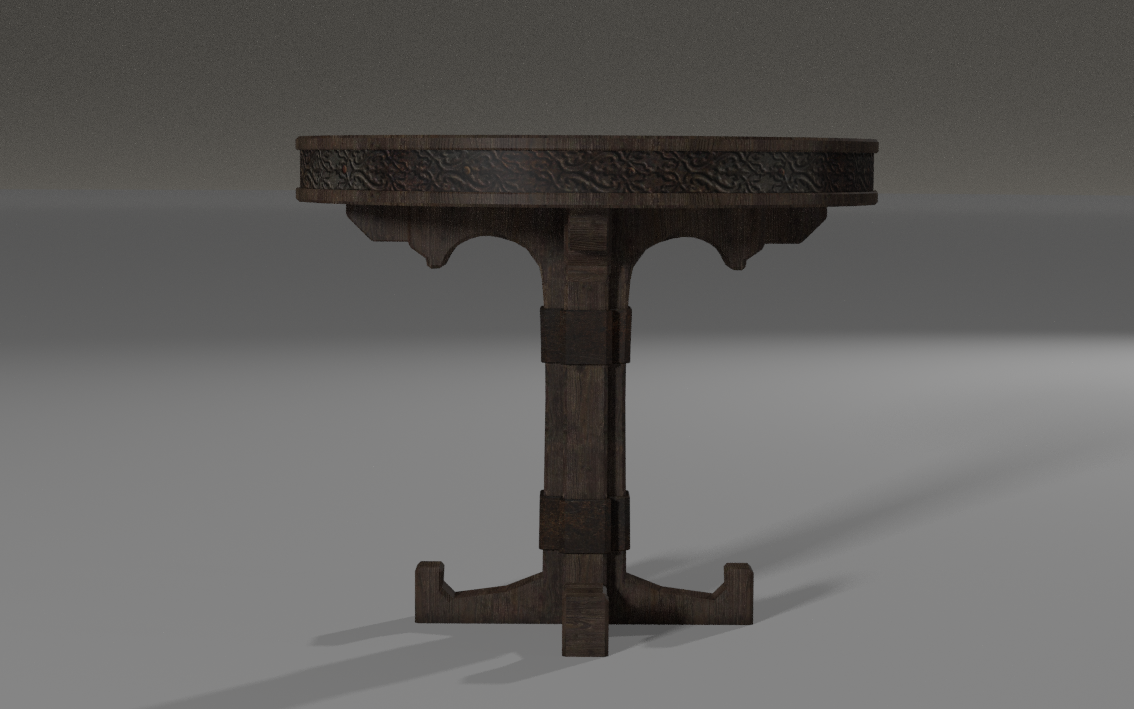
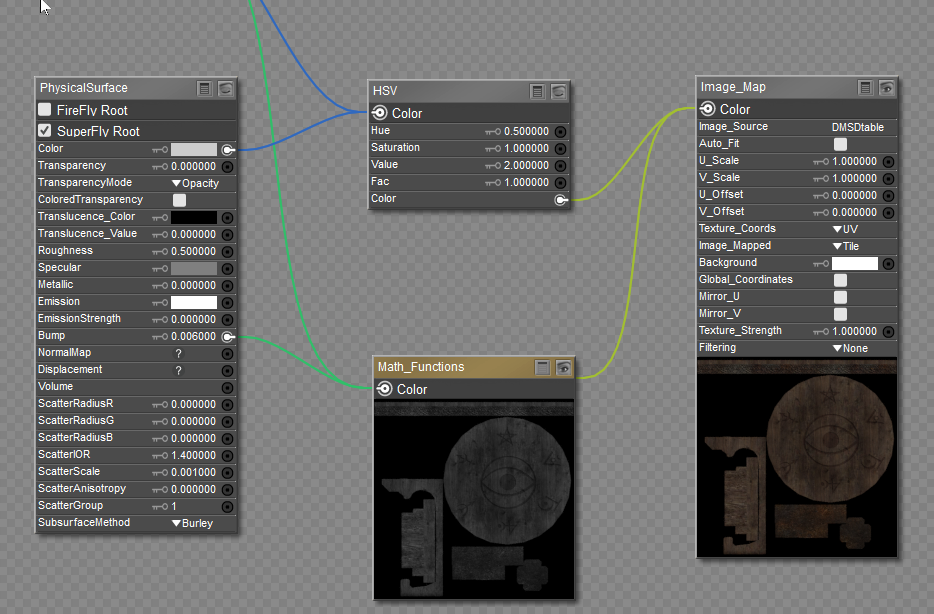
The next set of images demonstrates ambient occlusion with the PhysicalSurface root node. Observe, there is texture surface and shadow darkening, which is why I applied an HSV node to elevate texture brightness. Please note the point where the table intersects the ground plane, deeper shadows, simulating the area light doesn't reach. If you increase the Distance dial on the AO node, you should be able to extend the shadows.
Also note, any changes applied to the table were also applied to the ground plane.
Interesting, thank you hborre.
𝒫𝒽𝓎𝓁
(っ◔◡◔)っ
👿 Win11 on i9-13900K@5GHz, 64GB, RoG Strix B760F Gaming, Asus Tuf Gaming RTX 4070 OC Edition, 1+2 TB SSD's, 6+4TB HD
👿 Mac Mini M2, 27 Golden Gate, 16GB, 500GB SSD
👿 Nas 10TB
👿 Poser 13 and 14 ❤️
Fascinating! May I ask you what is your scene setup? Background, lights etc? Have you tested it with different backgrounds and lights? I can see how it helps with the Physical Surface with a simple object where there is only two, maybe two materials but for an end user it is just way too much work without some sort of automated application for the AO setup.
I wish there were a way to automate the entire process to add the nodes to all content within a scene, but alas! Although it is time-consuming, I tend to work on my sets a piece at a time, saving each one after completion as a partial scene and then importing them back into Poser for the final render. It helps to save chunks of nodes in the Materials tab for easy application and build on those with the different texture maps. Everything becomes routine after that.
Since I only render in Superfly and use PBR/procedural textures, I've modified all my lighting to use the Blackbody node. By adjusting the Kelvin temperature on that node, I can simulate any natural lighting condition.
In testing the ambient occlusion node with the PhysicalSurface node, I found that there are limitations to the effect. I can't make the shadows grow beyond a certain, and trying to use the RGBramp node with it is next to impossible. There are some problems with the RGBramp node, which I reported to tech support. Under certain conditions, the color slider would shift randomly for no apparent reason. More annoying.
Content Advisory! This message contains nudity
Below are 2 images I created. The first is the original render, the second is the enhancement with AO introduced to all the content in the scene.
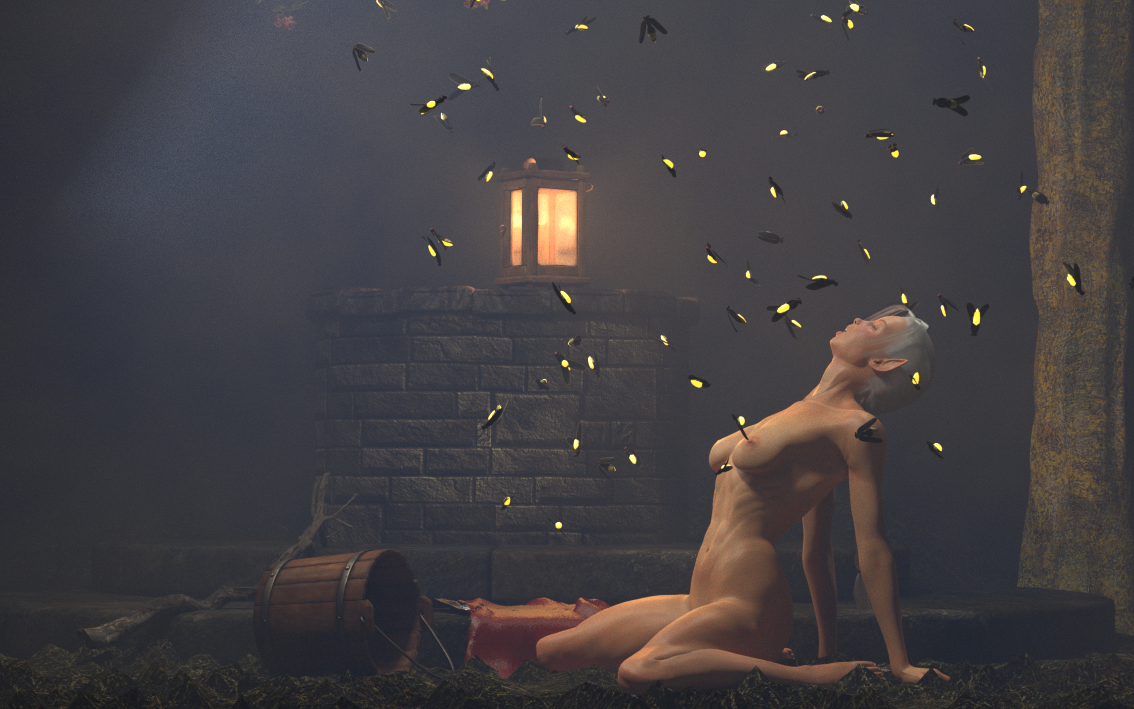
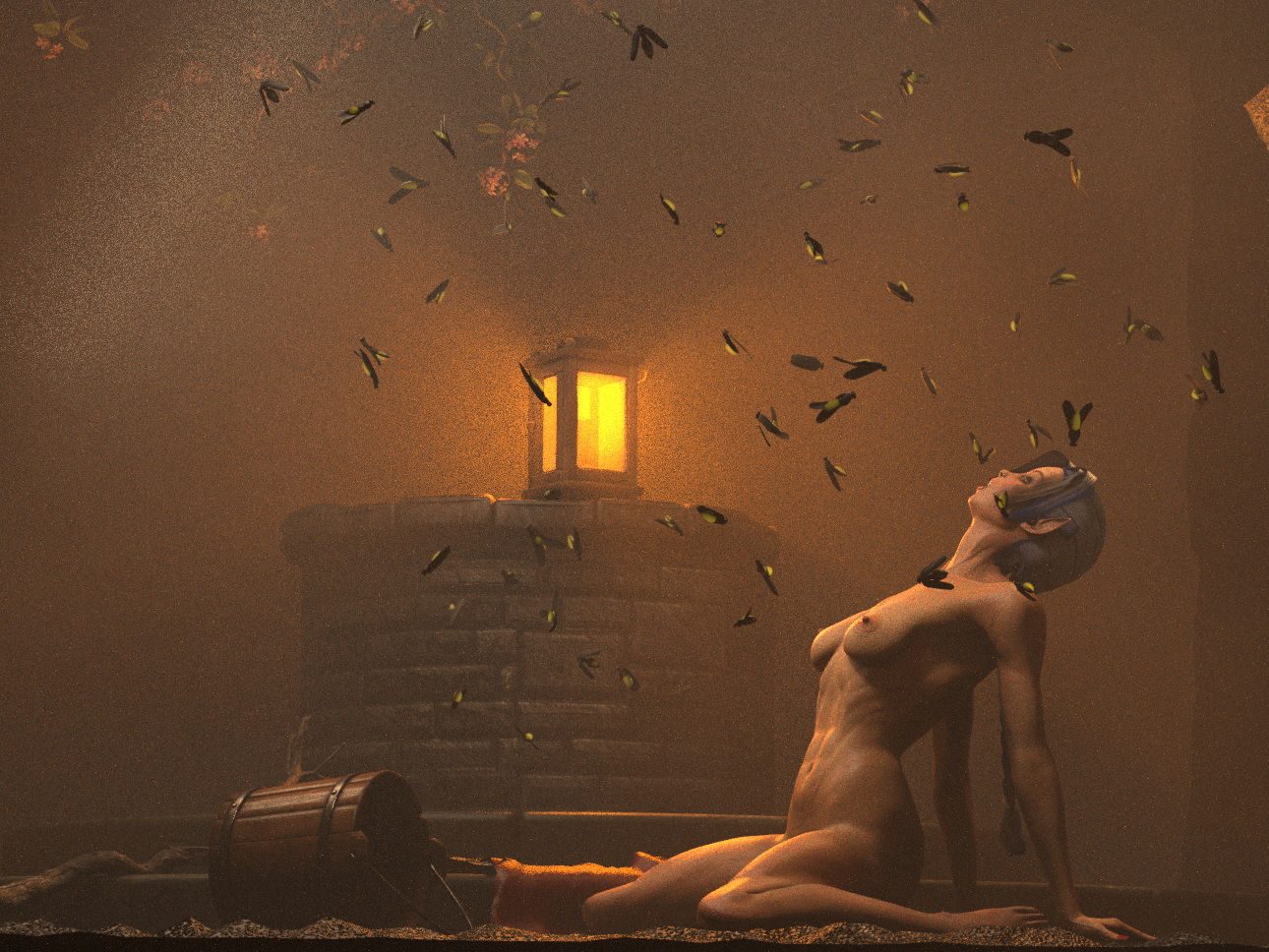
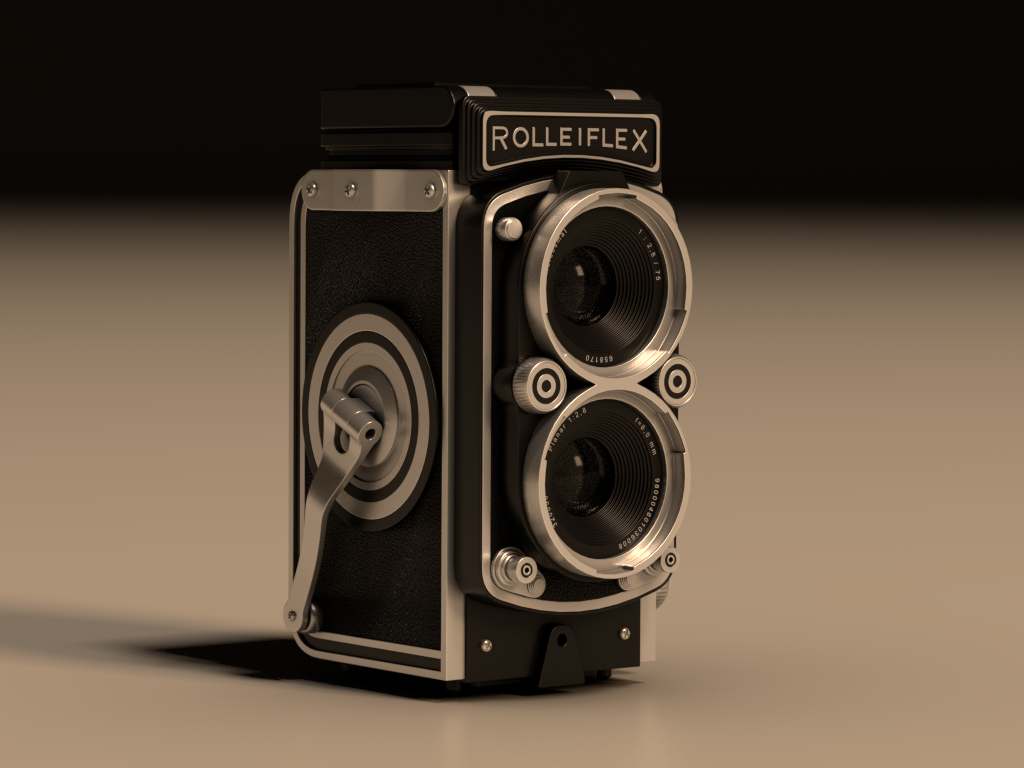
This is a WIP. The FBX model was obtained from CGAxis.com, imported into Poser 13, and converted to an OBJ, welding all the separate parts into one file. This is a Cycles/Superfly render with all original textures optimized for PBR. Two Blackbody lights illuminate the stage. Again, this is a WIP with more content to be added later.
Wow... and Wow

𝒫𝒽𝓎𝓁
(っ◔◡◔)っ
👿 Win11 on i9-13900K@5GHz, 64GB, RoG Strix B760F Gaming, Asus Tuf Gaming RTX 4070 OC Edition, 1+2 TB SSD's, 6+4TB HD
👿 Mac Mini M2, 27 Golden Gate, 16GB, 500GB SSD
👿 Nas 10TB
👿 Poser 13 and 14 ❤️
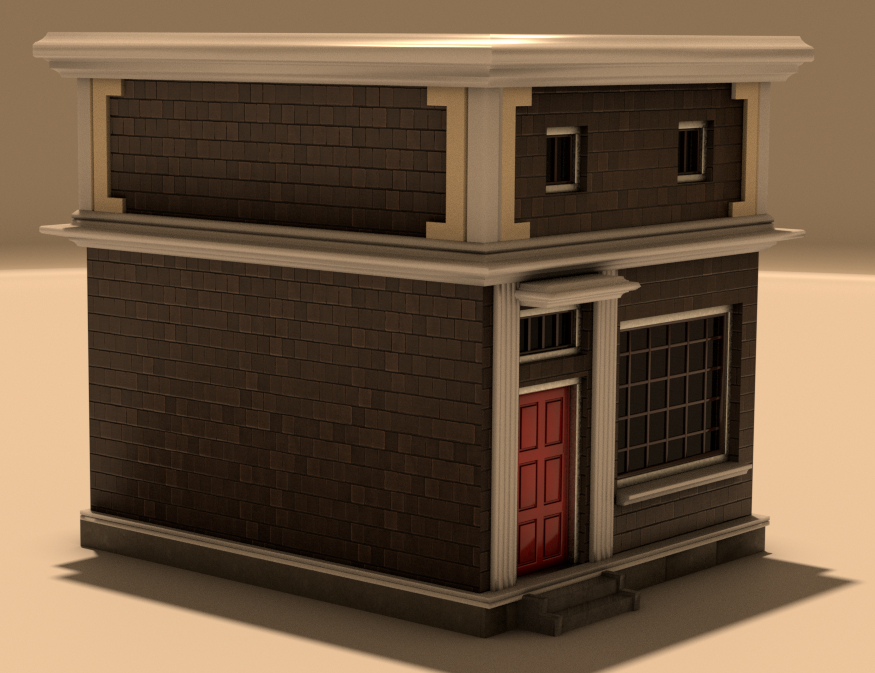
I found some untextured free models at Renderhub and I decided to download a few of them to test my hand at PBR texturing in Poser. The image below is an FBX model imported into Poser and using the grouping tool, I applied procedural textures and rendered it in Superfly. I will be converting it into a prop for Poser. Next, I need to amass a vast collection of architectural PBR textures and accessories to customize the models.
𝒫𝒽𝓎𝓁
(っ◔◡◔)っ
👿 Win11 on i9-13900K@5GHz, 64GB, RoG Strix B760F Gaming, Asus Tuf Gaming RTX 4070 OC Edition, 1+2 TB SSD's, 6+4TB HD
👿 Mac Mini M2, 27 Golden Gate, 16GB, 500GB SSD
👿 Nas 10TB
👿 Poser 13 and 14 ❤️
That looks very good
Available on Amazon for the Kindle E-Reader Monster of the North and The Shimmering Mage
Today I break my own personal record for the number of days for being alive.
Check out my store here or my free stuff here
I use Poser 14 and Windows 11

Privacy Notice
This site uses cookies to deliver the best experience. Our own cookies make user accounts and other features possible. Third-party cookies are used to display relevant ads and to analyze how Renderosity is used. By using our site, you acknowledge that you have read and understood our Terms of Service, including our Cookie Policy and our Privacy Policy.
I never use those pores either.
𝒫𝒽𝓎𝓁
(っ◔◡◔)っ
👿 Win11 on i9-13900K@5GHz, 64GB, RoG Strix B760F Gaming, Asus Tuf Gaming RTX 4070 OC Edition, 1+2 TB SSD's, 6+4TB HD
👿 Mac Mini M2, 27 Golden Gate, 16GB, 500GB SSD
👿 Nas 10TB
👿 Poser 13 and 14 ❤️
𝑀𝓎 𝒢𝒶𝓁𝓁𝑒𝓇𝓎