Filter: Safe | Wed, Jul 29, 4:10 PM CDT

Renderosity Forums / Carrara


Welcome to the Carrara Forum

Forum Coordinators: Kalypso, Anim8dtoon

Carrara F.A.Q (Last Updated: 2026 Jul 29 12:42 pm)


Visit the Carrara Gallery here.

Carrara Free Stuff here.

 
Visit the Renderosity MarketPlace - Your source for digital art content!


Subject: Clip Terrain


wheatpenny ( ) posted Mon, 31 July 2006 at 6:23 PM · edited Wed, 29 July 2026 at 1:00 PM

I need to know if Carrara has a way to clip a terrain made from an imported texture. I'm doing a terrain of some mountains on a flat surface, and I want to remove the flat part at the bottom and have onlt the  mountains.


Jeff

Hablo español

Ich spreche Deutsch

Je parle français

Mi parolas Esperanton. Ĉu vi?


bwtr ( ) posted Mon, 31 July 2006 at 10:10 PM

To my old mind I have no clue at what you are asking?-------clip a terrain from a texture!!!!--not in my world.  Hope someone understands.

bwtr


wheatpenny ( ) posted Mon, 31 July 2006 at 10:41 PM

file_349705.jpg

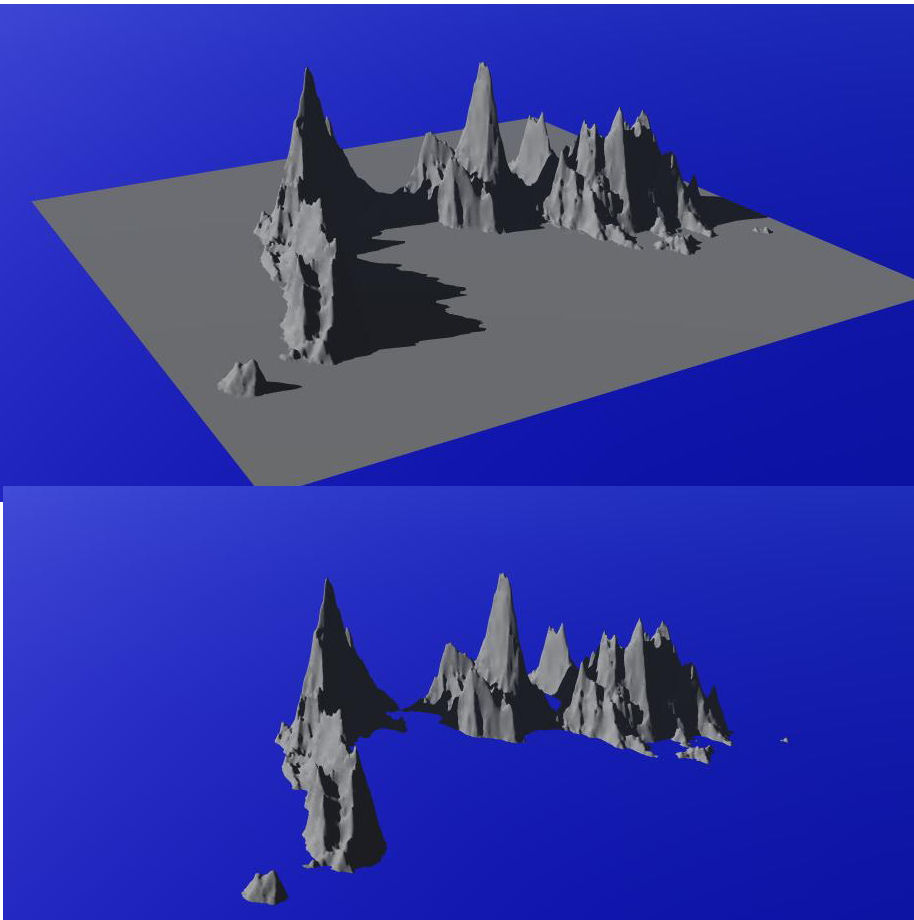
This is what I mean (this one was done in Bryce,; Vue also has the ability to do this)


Jeff

Hablo español

Ich spreche Deutsch

Je parle français

Mi parolas Esperanton. Ĉu vi?


bwtr ( ) posted Tue, 01 August 2006 at 12:28 AM

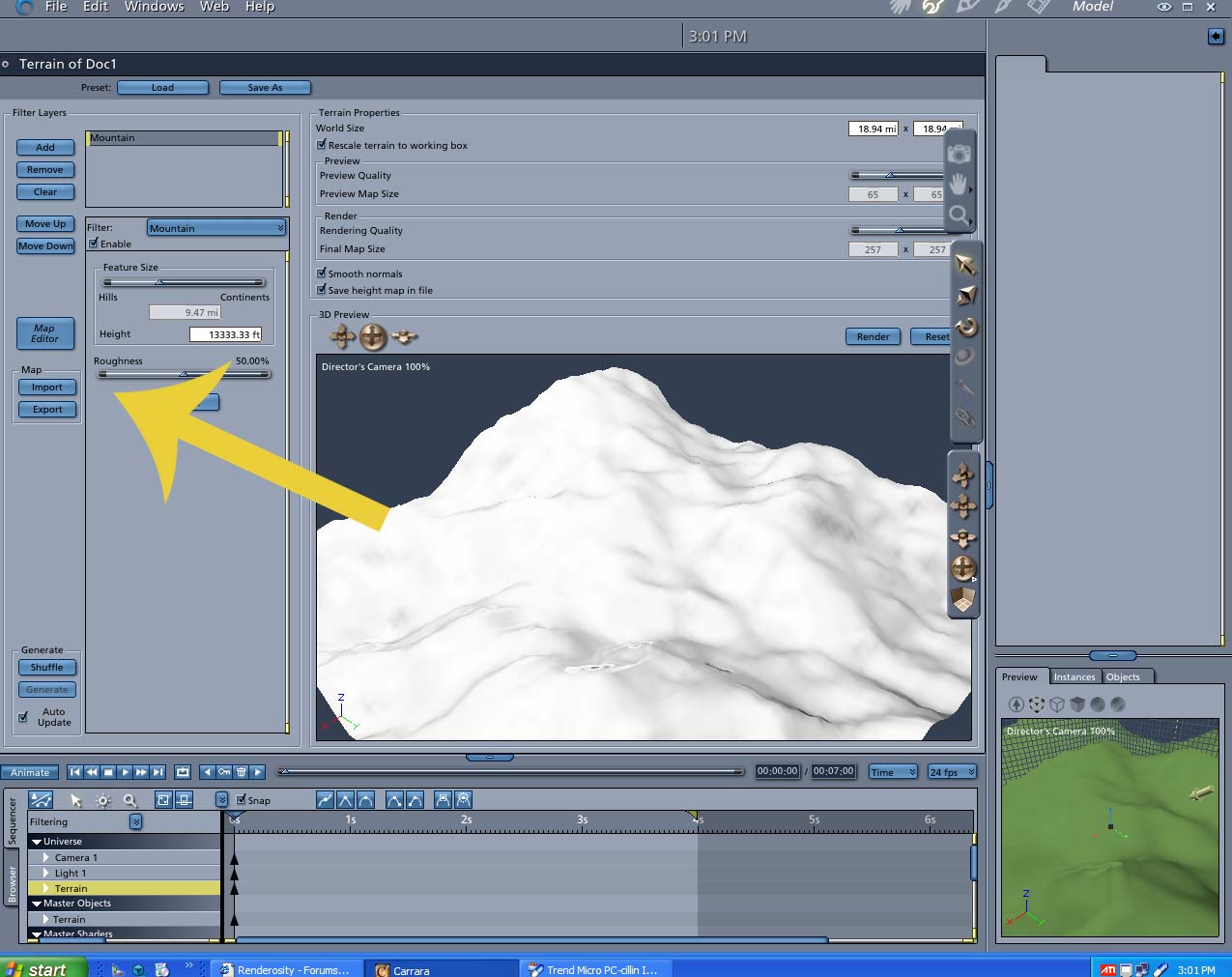
Carrara will create a terrain utilising a texture map if thats what you mean.

bwtr


bwtr ( ) posted Tue, 01 August 2006 at 12:37 AM

file_349713.jpg

See attachment

bwtr


wheatpenny ( ) posted Tue, 01 August 2006 at 12:50 AM

What Iwant is to get rid of the flat area on the bottom.


Jeff

Hablo español

Ich spreche Deutsch

Je parle français

Mi parolas Esperanton. Ĉu vi?


bwtr ( ) posted Tue, 01 August 2006 at 1:04 AM

file_349715.jpg

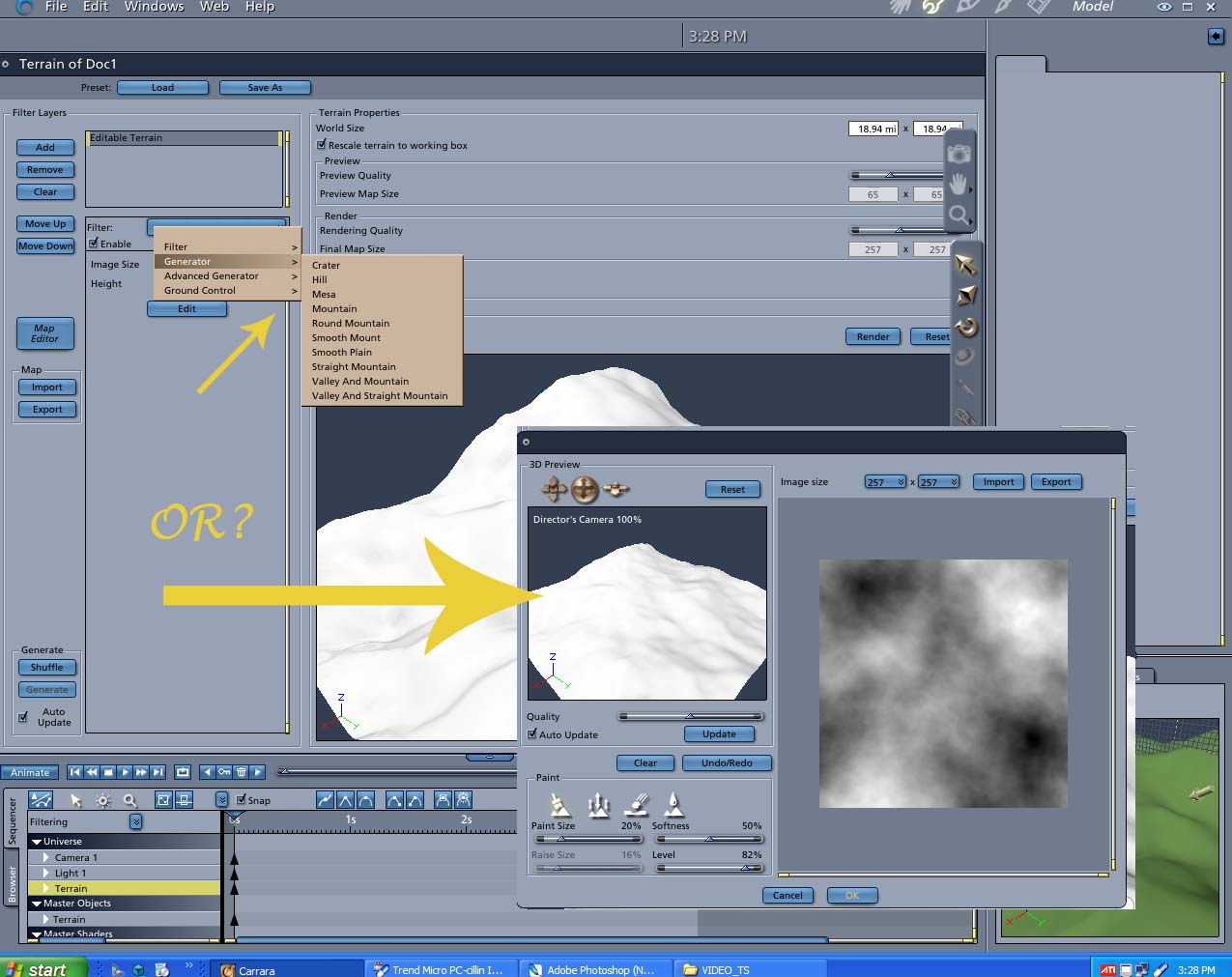
Many choices--see attached also.

bwtr


bwtr ( ) posted Tue, 01 August 2006 at 1:28 AM · edited Tue, 01 August 2006 at 1:42 AM

I think our wires crossed. Will have to accurately check out. Good one!

Sorry I did not grasp you question in the beginning--I am getting a bit worried about the way my brain is working the last few days, Must visit my doctor.Just feeling very old!

I am sure there was a zero edges that did what you want in Carrara 4--but does not seem to be working anywhere near the same in Carrara5. Easily done by taking into photoshop but must be away.

bwtr

bwtr ( ) posted Tue, 01 August 2006 at 2:05 AM · edited Tue, 01 August 2006 at 2:18 AM

file_349717.jpg

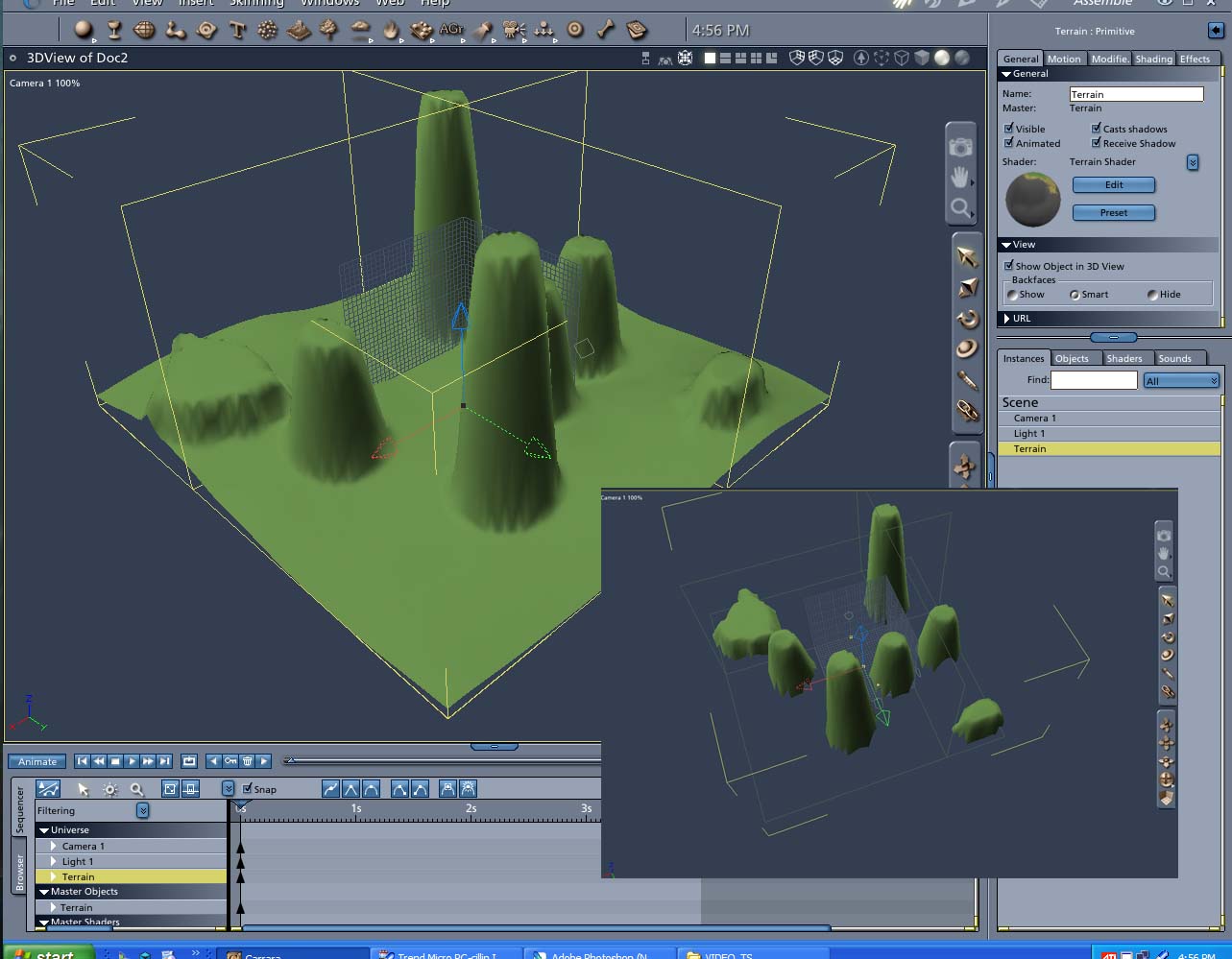
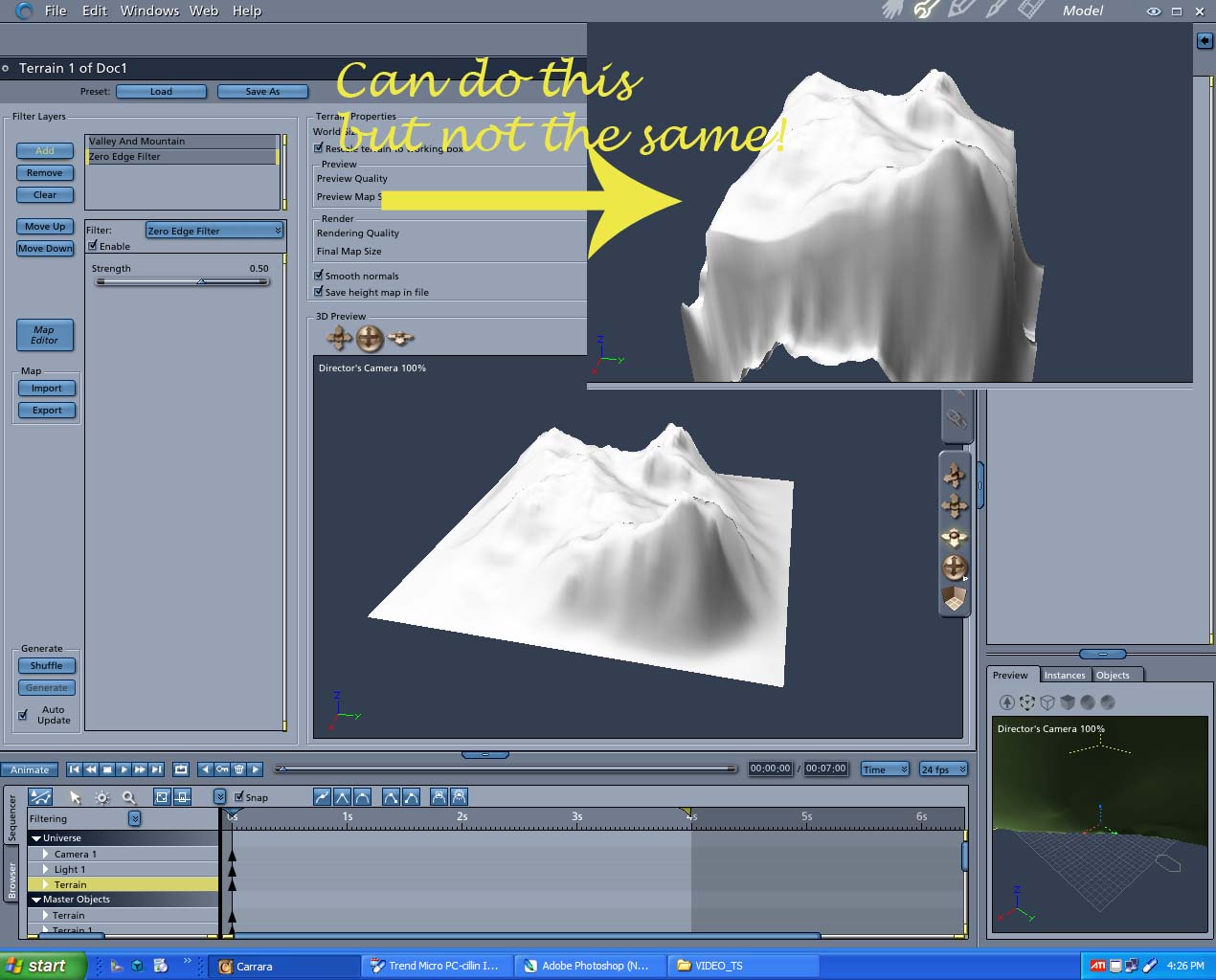
It wasa piece of cake in Photoshop. But this, at the moment, is the best I could do in Carrara.

Not good enough I guess.

I just took the terrain and converted into a Vertex object and in the Vertex room deleted whatever as required!   Always a way!

bwtr


bwtr ( ) posted Tue, 01 August 2006 at 2:34 AM

file_349720.jpg

Just a rough  check of the Vertex idea. Pretty fast and easy I suggest.

bwtr


Patrick_210 ( ) posted Tue, 01 August 2006 at 9:03 AM

file_349750.jpg

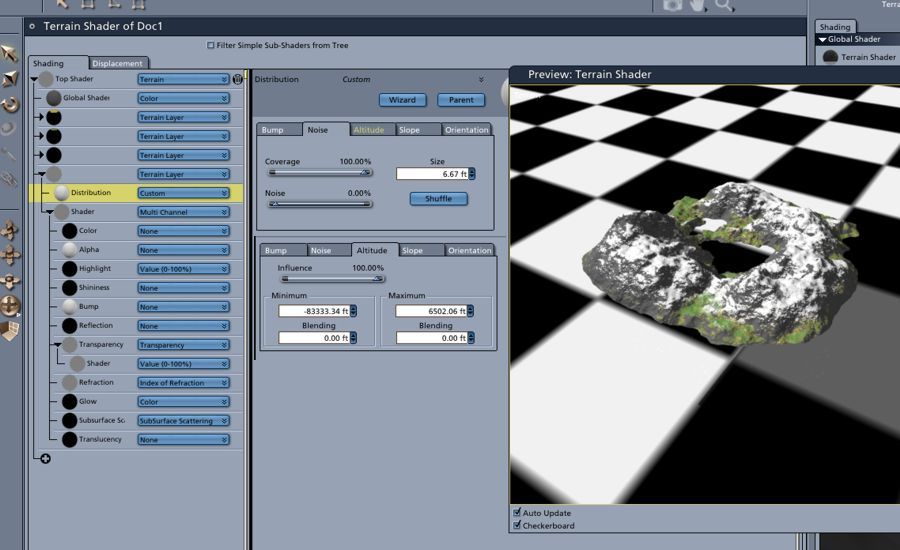
The easiest way is to use a shader. Add a new custom terrain layer and use the transparency channel. I'm showing the height settings for the new layer's transpaency channel. Basically you are telling the terrain to be transparent up to a certain height.


bwtr ( ) posted Tue, 01 August 2006 at 8:27 PM

Thanks Patrick. I get a lot of learning by trying to solve some of these queries. Appreciate Carrara more and more with each one.

bwtr


wheatpenny ( ) posted Tue, 01 August 2006 at 8:52 PM

I've been using Vue and Bryce for several years. I bought carrara 4 or 5 months ago and I'm just now getting around to trying to learn how to do soem things that I usually use bryce and Vue for.


Jeff

Hablo español

Ich spreche Deutsch

Je parle français

Mi parolas Esperanton. Ĉu vi?


bwtr ( ) posted Tue, 01 August 2006 at 9:48 PM

I have had Bryce from ?2--where I started in 3D. I have 5 but , since Starting with Carrara2--now 5 I have just never wanted to use Bryce--it feels like a toy every time I go back to it.

bwtr


bwtr ( ) posted Wed, 02 August 2006 at 1:21 AM · edited Wed, 02 August 2006 at 1:33 AM

Patrick--Please.

I have tried out your idea on the defaul Terrain.  While I have a feeling for the suggestions, what I think should work wont!

Any chance of a work through step by step--on the default Terrain please.

Surprised I can not change the minimum altitude? for a start.

bwtr


bwtr ( ) posted Wed, 02 August 2006 at 1:35 AM · edited Wed, 02 August 2006 at 1:47 AM

Here is the zip of the .car file I have at this stage.

The .zip is not accepted!!!!! I am about to give Renderosity away. Fed up.

Heres another try if it works!

bwtr


Patrick_210 ( ) posted Wed, 02 August 2006 at 8:42 AM

The attached screenshot is for a default terrain. Just add a custom layer, set up a multi channel for the shaderand use the screnshot  settings for the distribution,  in the transparency channel set  transparency to 100% and no light interaction when completely transparent. Minimum altitude doesn't need to change anyway, just maximum.


nomuse ( ) posted Wed, 02 August 2006 at 2:55 PM

That's an elegant solution, Patrick. Another idea would be to convert to vertex model, and knife off the bottom by making a boolean with a large cube. And another possible work-around....Anything Grooves includes a "zero is empty" checkbox. So you could set up the terrain in the Terrain Modeler, export the grayscale, apply that as texture to an Anything Grooves object, and turn on the clipping. I also came through Bryce, via more of a roundabout way, and I wasted a bunch of time looking for that oh-so-useful "clip" button in Carrara. Of course, Bryce had adjustable top and bottom clipping (even better!)


bwtr ( ) posted Wed, 02 August 2006 at 7:15 PM

Thanks Patrick. I had it nearly right--but I was trying to work from the bottom rather than the top!


Brian

bwtr


Privacy Notice

This site uses cookies to deliver the best experience. Our own cookies make user accounts and other features possible. Third-party cookies are used to display relevant ads and to analyze how Renderosity is used. By using our site, you acknowledge that you have read and understood our Terms of Service, including our Cookie Policy and our Privacy Policy.