
Renderosity Forums / La Femme 2
Welcome to the La Femme 2 Forum
Forum Moderators: Kalypso, msansing Forum Coordinators: Anim8dtoon, Digitell
(Last Updated: 2026 May 21 9:27 am)

Subject: Show us your La Femme 2 renders featuring elleque's Petite and Mini morphs!

- 1
- 2

Thank you to Elleque for these free items; they have improved my work and made posing much easier.
The clothing I use is often older versions and conforme, I then adjust it using the morphing tool.
Merci à elleque pour ces freestuff, ils ont amélioré les miens et facilité beaucoup de problème de poses.
Les vêtements que j'utilise sont souvent anciens et conformes, puis je l'adapte avec le morphing tool.
Robe K4
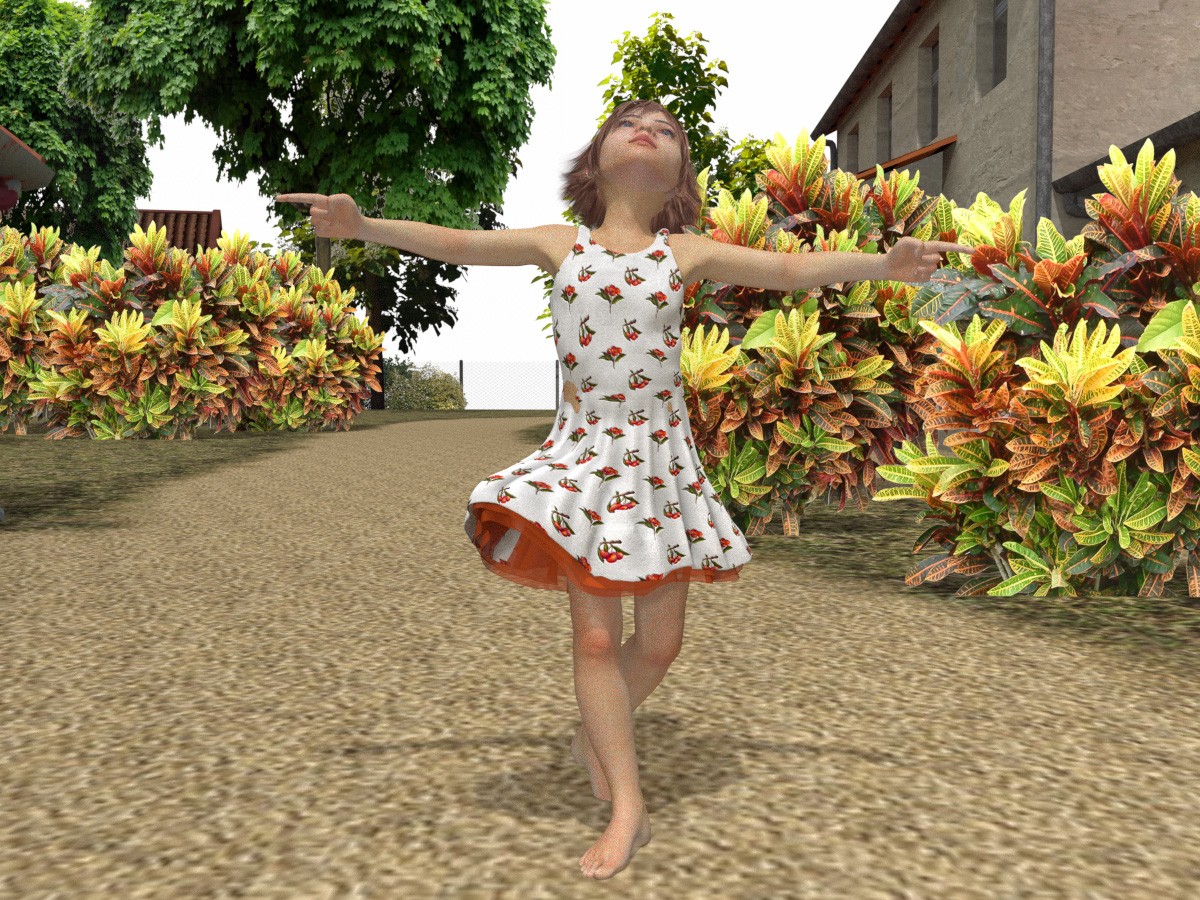
Vince5, that is a LOVELY render! Is this using elleque's Petite or Mini morph?Thank you to Elleque for these free items; they have improved my work and made posing much easier.
The clothing I use is often older versions and conforme, I then adjust it using the morphing tool.
Merci à elleque pour ces freestuff, ils ont amélioré les miens et facilité beaucoup de problème de poses.
Les vêtements que j'utilise sont souvent anciens et conformes, puis je l'adapte avec le morphing tool.Robe K4


here are mine so far & at least 2 more in the pipeline:
https://www.renderosity.com/gallery/items/3216652/bedtime-buds
https://www.renderosity.com/gallery/items/3216059/stop-smell-the-roses
used a mix of both petite & mini & some additional morphs.
these morphs are fun!
still lost in the wilderness
Poser 13 Superfly pretty much only these days

I love this image! She looks like such a free spirit.Thank you to Elleque for these free items; they have improved my work and made posing much easier.
The clothing I use is often older versions and conforme, I then adjust it using the morphing tool.
Merci à elleque pour ces freestuff, ils ont amélioré les miens et facilité beaucoup de problème de poses.
Les vêtements que j'utilise sont souvent anciens et conformes, puis je l'adapte avec le morphing tool.Robe K4
here are mine so far & at least 2 more in the pipeline:
https://www.renderosity.com/gallery/items/3216652/bedtime-buds
https://www.renderosity.com/gallery/items/3216059/stop-smell-the-roses
used a mix of both petite & mini & some additional morphs.
these morphs are fun!
Both of your renders are lovely, Jan! Both very different, yet touching and reminiscent of one's childhood!

the more i use the morphs, the more i like them. and slowly figuring out clothing; dynamic works best so far but i have managed to get some shoes on them too.
here's one i haven't posted to the gallery yet
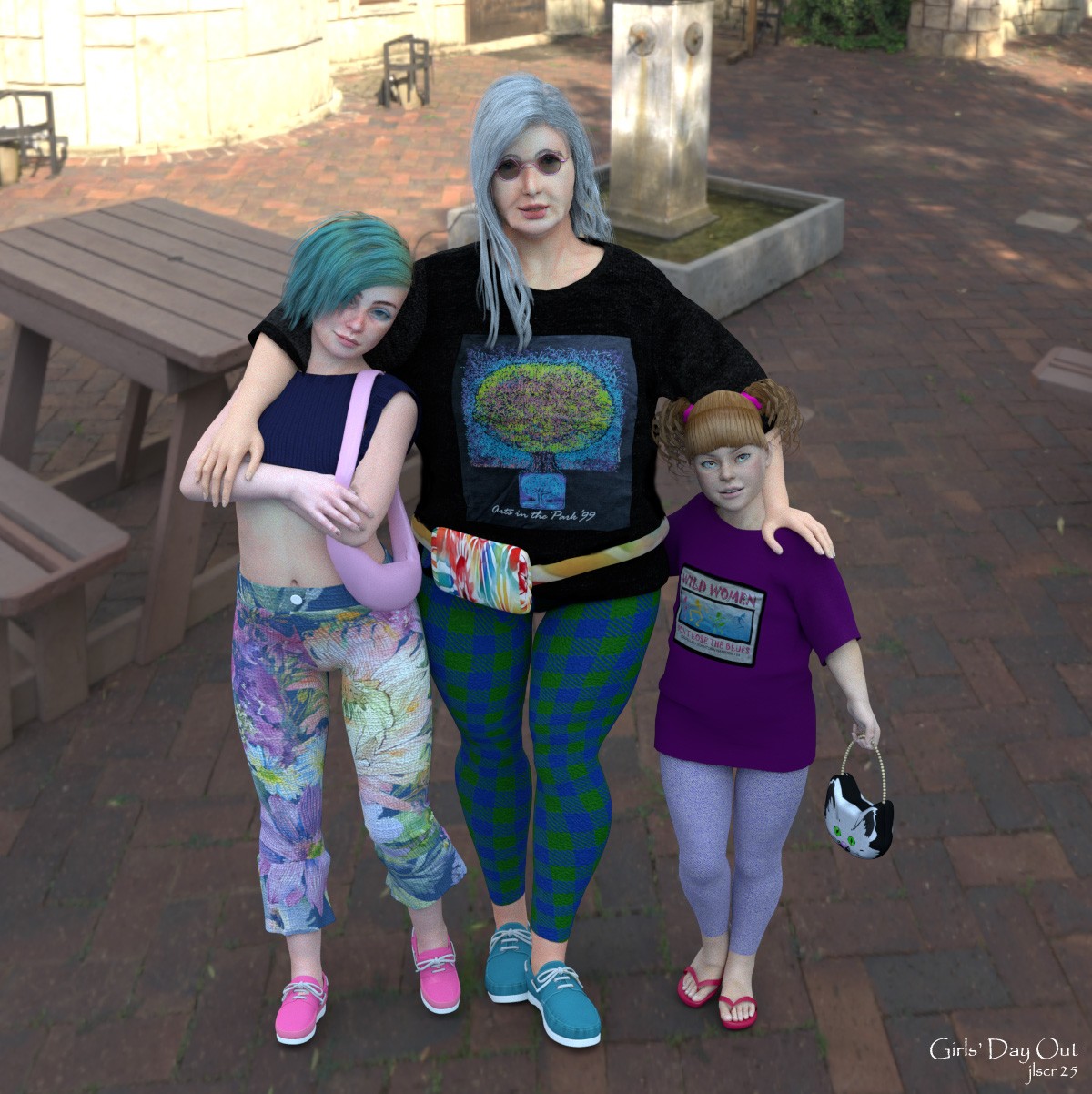
still lost in the wilderness
Poser 13 Superfly pretty much only these days
Oh, the little LaFemme2 is wearing the dress well in the all renders!
Anim8dtoon, vince5 and jancory, Thank you for the wonderful renders!
I was feeling disheartened because the morph's download numbers weren't increasing, but this thread has lifted my spirits!
Elleque, you're very welcome! I'm glad that we were able to lift your spirits. Have you thought about creating similar morphs for L'Homme 2? There needs to be a little boy/teen in the family!
jancory, it is awesome! Cool family! Is that the true state of that elegant Grammie? You've simulated dynamic clothing on the miniature human shape. I had to think for a while about why it didn't work out the way I wanted it to. Their shoes also seem to have been made for them.
It's pity that L'Homme doesn't have many items since the first version. Anim8dtoon, are you asking me to make a child shape from that muscul bomber body? I'm not interested in him, yet. Why don't vendors make his items more?

Have you considered L'homme 1? He's much less muscular.
Available on Amazon for the Kindle E-Reader Monster of the North and The Shimmering Mage
Today I break my own personal record for the number of days for being alive.
Check out my store here or my free stuff here
I use Poser 13 and win 10
for dynamics on the little ones, you need to add some x, y, & z scaling to the sim; experimenting essential!
and LH2 will actually take your morphs but the results are, well, let's say unsatisfying
still lost in the wilderness
Poser 13 Superfly pretty much only these days
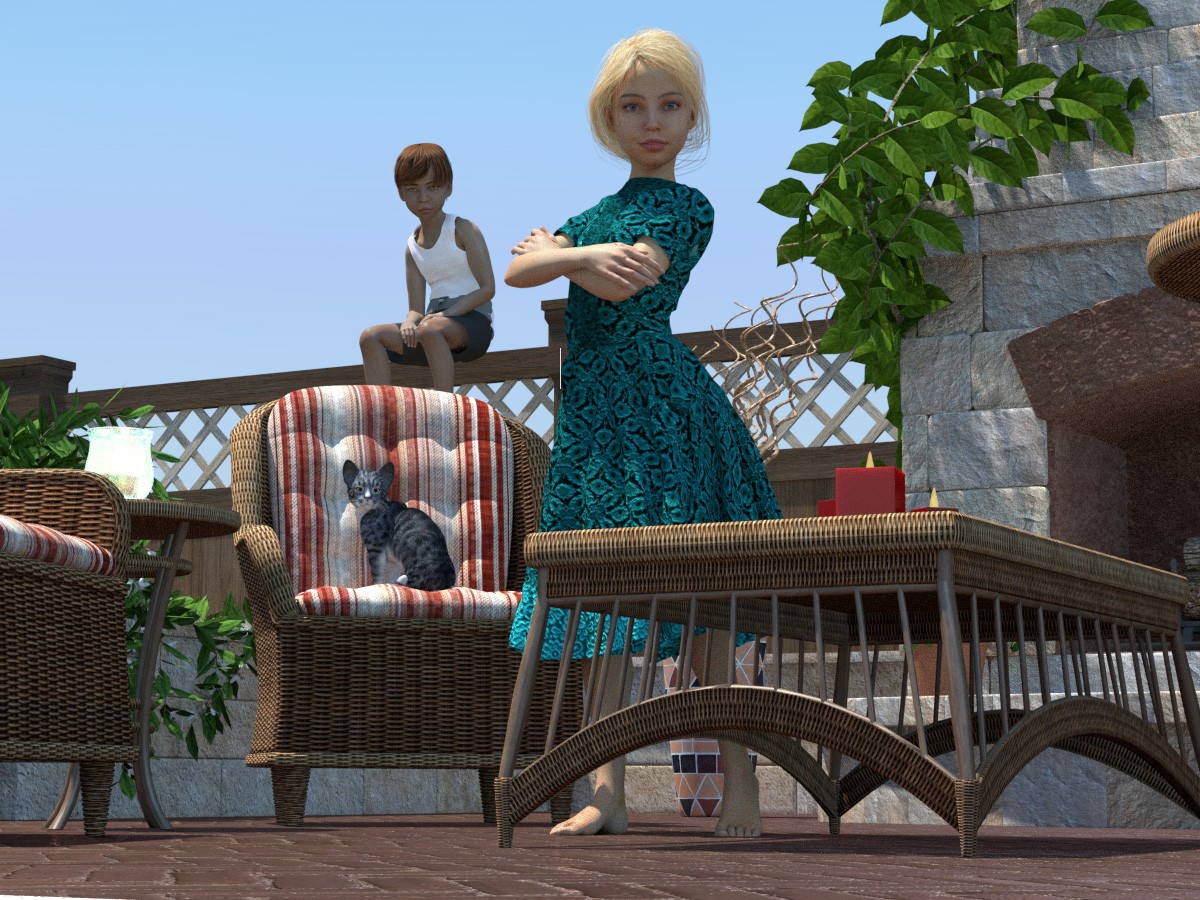
Amazing cool kids! The little LaFemme2 wears the dress beautifully. L'Homme2 uses LaFemme2's morphs??? I don't know what's going on.
Apparently shrinking the clothing by xyz scaling will not destroy its vertices as much as copying the morph.
Not everyone can handle clothes as well as vince5 and jancory, so something tool or tutorial is needed.
I have no motivation for L'Homme things, unless Poser has a feature like Daz Studio's EMC Freeze. That would make me more depressed. I had to look at hundreds of parameters in the original figure, calculate the difference values between the ones I changed, and set dependencies for each one. I can't make stuff like this often.
1 A partir de ma référence, je pars de la hanche et je remonte vers la tête sur l'axe des X, puis sur l'axe des Y.
Je fais pareil des hanches aux pieds.
Cette première partie est facilitée depuis que j'ai les versions pro et les mrophs FX et d'elleque et pour LF1 Mixas, mais ce ne sont plus mes morphs.
A ce stade je ne réduit pas la taille (je reste à 100%), j'alterne le Figure style de la version wireframe à textureshade par rapport à ma référence.
La tête est aussi mise à l'échelle suivant les axes,puis dans les grandes proportions avec les aimants et le morphing tool que je maîtrise de mieux en mieux.
Enfin je test cette première partie avec les différentes poses de visage et de corps. (J'ai arrêter LF1 et LH1car dès que je touchait la bouche au morphingtool cela devenait un désastre, seul les aimants marchent.)
Cette première partie me sert de base
Je peux la transformer en objet que j'importe comme morph.
Il faut recommencer le jeu des poses et utilisé Match centers to morph, le moins possible car cela peut creuser la morph lors des poses.
Mes limites, je ne connais pas le rigging.
Je ne peux travailler qu'en subdivision level 1 car mon ordinateur n'est pas assez puissant (donc les vielles figurines dont la topologie suivait les formes du corps était plus faciles à travailler)
Je fais mes rendus en plusieurs fois.
Regarding XYZ scaling, I mentioned jancory's costume fitting method. But I could hear a lot of interesting tips from vins5. "Match Centers to Morph"!, I had forgotten about it as useless. Maybe I tried it at the wrong situation. This time, when I tried it, the settings that had taken me half a day to create were completed in an instant!!! With this function there, why hasn't anyone tried to make little people characters? Does posing a figure disable morphs? As far as I can see, the exported INJ file is almost the same as the one I created. The light blue bikini one is mine.
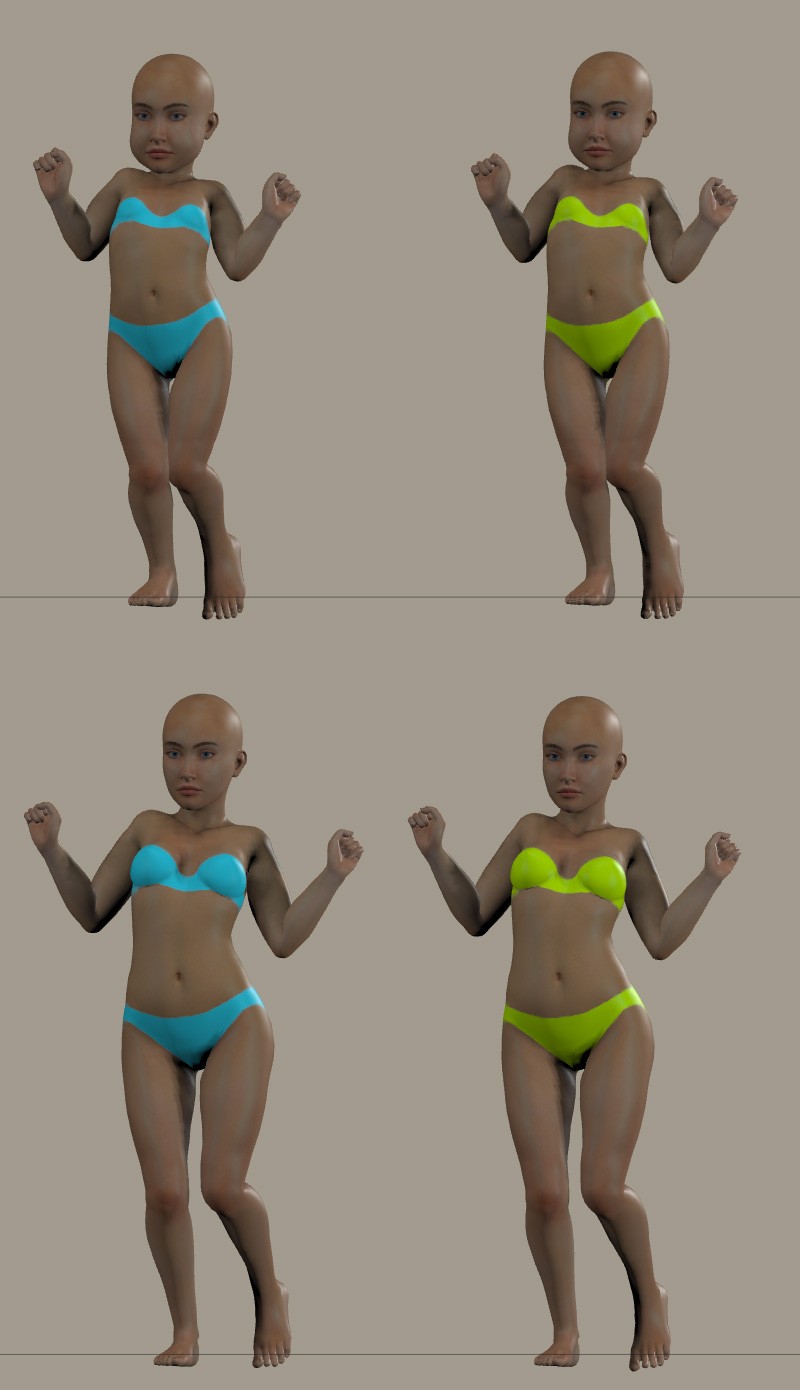
It seems I can create a rough base shape using XYZ scaling and magnets? I work on an old PC (mac), too. It only has a meager graphics card. I only use my noisy Windows PC when I have to use Poser13 or the latest Daz Studio.
If I were just making a shape I might consider L'Homme's. But if I were to make one, it would be a fat dwarf, not the slender boy most people expect. Who wants a fat dwarf?
match centers to morphs is a magic setting!! works for conforming clothes too (well, mostly)
still lost in the wilderness
Poser 13 Superfly pretty much only these days

You are so creative :D great characters :D
Thank you Elleque for the morphs :) I love them, especially the eye morph. The eyes are mostly the reason I am not using LF2. Would you be able to make this morph also for LH2? XD
Finally I can show mine. Clothing is a bodysuit from ODF for LF2, simulation started when LF2 was 100% and as she was shrinking, I was hoping that the bodysuit is shrinking too, well, it did not but the outcome was food for my brain :D
Beautiful scene! Sometimes, unexpected and fun ideas come to mind. Maybe that's the special joy of using 3D programs.
I've written the steps on my blog because it's a long steps. Are external links permitted here?
Another way to fit dynamic cloths for small characters.
Are this steps correct? I created a morph INJ file for the dress, but this way requires some tedious way.
users would do the similar steps using a morph for a dress which I made. Instead of deforming the dress by scaling or translating it. Please reset all dress' changed values.
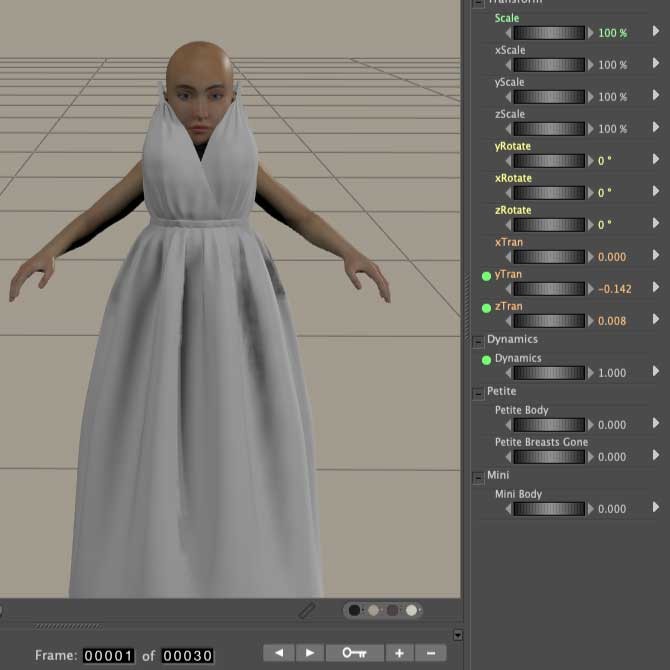
If users are using Mini_Proportion morph, the dress will not be positioned correctly on the figure. This is because Mini_Proportion changes the position of the figure's hips.
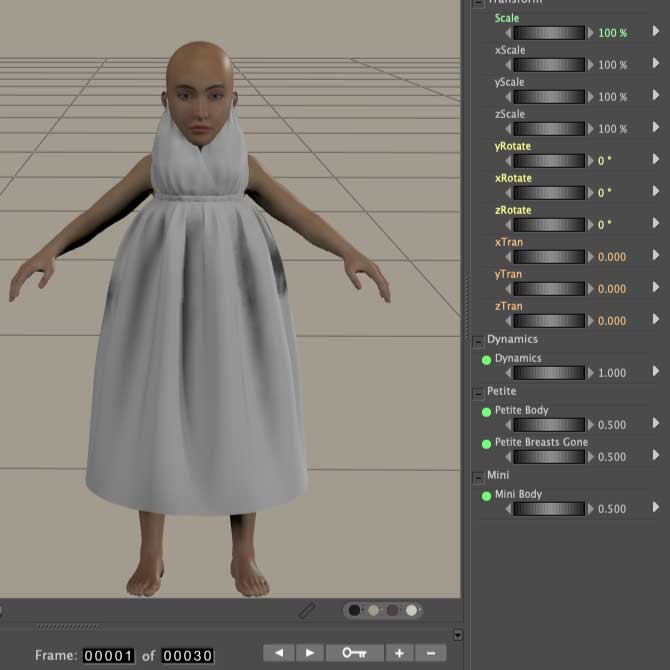
To fix the problem, users need to parent the dress to the figure's hip. This is where jancory's free poses come in handy.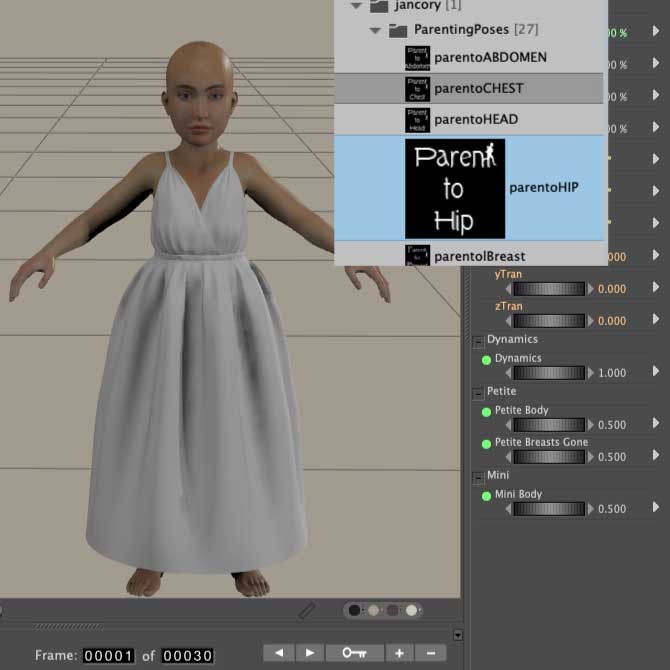
The results will be strange.
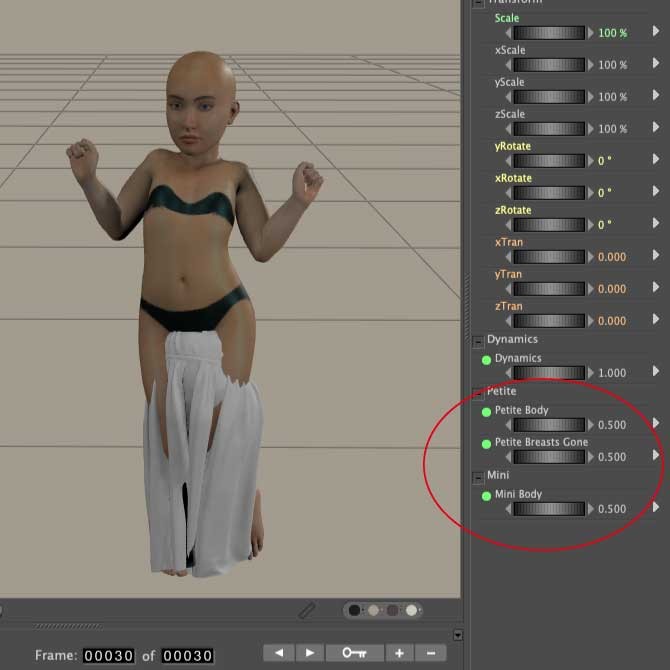
This is because the morphs are included in the dynamics and therefore overlaps with the settings. This makes the user to reset all of the dress morphs.
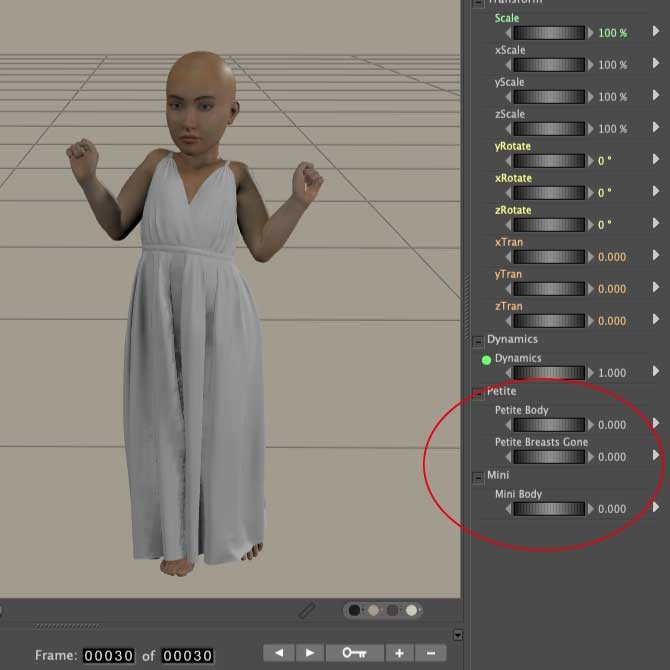
I find it easier to deform the dress by scaling. What do you think about this?
Of course, I had to play because it's something new. The dress was converted to LF2 from Sydney, and then the skirt (hip) was draped. There were some issues I had with the morphs not playing well with the draping, so I ended up turning them off for the hip and needed smoothing with the morph brush. I wasn't able to get the underskirt smoothed fully. I think I'll need to convert dresses to fully dynamic and fitted to her if I'm going to use her regularly.
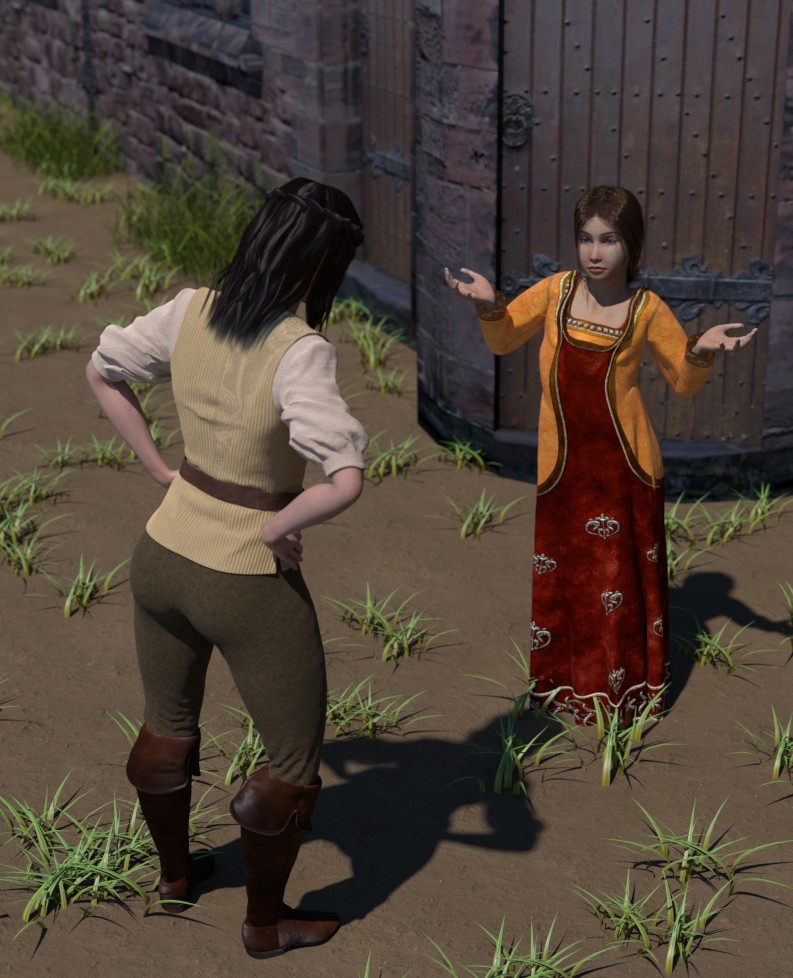
Available on Amazon for the Kindle E-Reader Monster of the North and The Shimmering Mage
Today I break my own personal record for the number of days for being alive.
Check out my store here or my free stuff here
I use Poser 13 and win 10
Could LaFemme2 wear Sydney's dress???
I didn't think about using other clothing that wasn't specifically for the figure. I'm amazed at how well you guys have used clothing from other figures, or clothing that doesn't support the new morphs.
Apparently dynamic clothing in particular does not require new morphs.
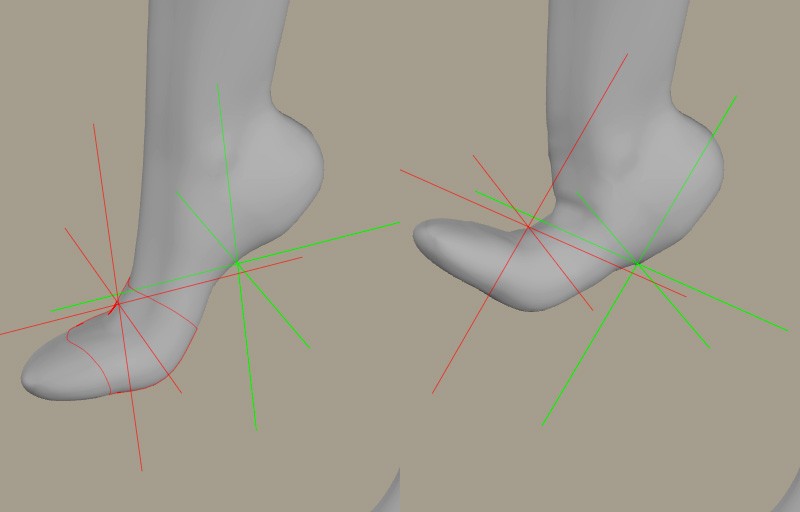
"Match Centers to Morph" wasn't perfect. I expected to get values of the foot parts' origin values for high heels by that function. This is a result on the metatarsal. I can't understand why this was considered as the morph's center. This may be one of the causes for the hollowing out of morphs that vince5 said. If I have deformed the shape greatly, I should be careful to use this function. I want a function to create dependencies on the joint positions I set rather than having the center of the morph automatically.
The dress was converted to Lafemme 2 in the fitting room. I convert a lot of clothing to give all my figures a much larger wardrobe than I can afford.
Available on Amazon for the Kindle E-Reader Monster of the North and The Shimmering Mage
Today I break my own personal record for the number of days for being alive.
Check out my store here or my free stuff here
I use Poser 13 and win 10
The fitting room is ok. I usually fit the clothing to the figure first using scaling, posing, and the morph brush, and then use the fitting room to create the new figure.If anyone is interested, I'll post my workflow.
Available on Amazon for the Kindle E-Reader Monster of the North and The Shimmering Mage
Today I break my own personal record for the number of days for being alive.
Check out my store here or my free stuff here
I use Poser 13 and win 10
No, I don't use the default lights. To start with, I use an HDRI called white room. It's a room with white walls, a window, a door, and a shelf. It adds a little to reflect without affecting color much. I also have a point light in there to add a little extra specular. For final renders, I light them depending on the scene. If it's a portrait, I'll use the same HDRI and some 3-point studio lighting. The image I posted above was an outdoor HDRI of a sunny day, and I used a point light with a blackbody of 6500 to mimic the sun itself to give better shadows.
Available on Amazon for the Kindle E-Reader Monster of the North and The Shimmering Mage
Today I break my own personal record for the number of days for being alive.
Check out my store here or my free stuff here
I use Poser 13 and win 10
Content Advisory! This message contains nudity
I don't remember where I got the HDRI I use as my base, but Polyhaven has a number for free.
This is how I convert clothing using the fitting room. There may be other ways, but this works for me.
1.
Load figure. Turn off IKs. Use Figure>zero figure. (For L’Homme, make sure the L’Homme size dial is set to zero.) Hide posing
chips/control handles.

2. Load clothing
3. Move and resize the clothing so it is close to fitting your figure. You might also use the pose dials or scales for individual body parts of the clothing.

4. Make sure your figure isn’t subdivided. With the clothing selected, open the morph tool and don’t panic. (there’s always undo) Create a new morph and call it something unique, like custom_morph. It really doesn’t matter what it’s called. It’s a temporary morph.
5. Select the Loosen fit brush and set the goal to your figure. If you don’t see your figure listed, then you probably have it selected and are working with the wrong thing.
6. Set the magnitude to .1 or .05. The loosen brush is very sensitive, and this is the strength of the brush, so you want it low. The size is your choice. I usually find the default too small. Use whatever you're comfortable with.
7. Working from the edges of the poke-through inward, stroke the brush over the poke-through. Work only on one side. Later, you can mirror the morph. Be patient as you work. Higher poly garments are slower to work with.
8. Once there are no more poke-throughs, go to display>figure style> wireframe (or press Ctrl-Alt 3) to check for places where the clothing is too far from the figure

9. If you find places that need to be fixed, use the tighten fit brush. Set the Pokethrough margin to about .001or so. The smaller the number, the closer to the figure the clothing will get. .5 is good for the magnitude and your choice of brush sizes.
10. Stroke the places you want closer.
11. For tight areas, like between the legs, you can hide the body parts that are in the way.

12. Make sure no parts are touching other parts, like in between the legs. The fitting room may get confused and mix up polys.
13. Use the smoothing tool for any place the polys are bunching. You may need to use the loosen brush
14. At the bottom of the morph tool click on mirror and copy the morph from the side you were working on to the other.
15. Go to display>figure style>use document style (ctrl.alt 0) and look for areas that need touch ups.
16. When you don’t have any more. close the morph pallet
17. Save your work. You don’t want to go through that again.
18. Go into the fitting room and create a new session. For the object choose the clothing you are converting. Make sure the zero figure is NOT checked. Choose your figure for the goal. The zero figure can be checked here.
19. Ignore all the fitting tools because they don’t work right and the clothing is already shaped how you want it.
20. Hit create figure button
21. A window will pop up with a chance to name the clothing. You can use the suggested name or another. Click okay
22. In the transfer figure popup window, click on the checkbox to deselect everything and then select only the body parts you need. You don’t have to select every part individually. You can select the extremities (neck, forearm, shin, or foot) and everything between that and body will be selected.
23. Click on select to choose which morphs you want to copy.
24. If the grouping is similar, you can choose to try to use the original grouping of the body parts, if they are different (such as having other parts) check auto group
25. Click okay and go back to the pose room
26. Hide the original clothing and select the new clothing
27. Go to figures>copy joint zones from and choose the figure you are fitting it to.
28. Conform and test
29. Save file
30. Save the new clothing to the library
Available on Amazon for the Kindle E-Reader Monster of the North and The Shimmering Mage
Today I break my own personal record for the number of days for being alive.
Check out my store here or my free stuff here
I use Poser 13 and win 10

I use much the same work flow as Red Phantom although rather than use a zeroed copy of the figure (such as L'Homme in Red Phantom's example) I use the Developer's rigs where they have been provided. For older figures and for new figures where DEV rigs haven't been provided I use Red Phantom's work flow exactly. So... there are two of use that can make that work, Elleque! Good luck with your own use of it. I would add that I love the content that you've shared! <3
Molly
RedPhantom, Thank you! Most older figures have their arms horizontal in the T-stance. Your method makes it easy to deform their clothes.
MollyFootman, the Developer's rig do you mean something like LaFemme2's DEVTools? O.K. I use it.
As a test, I tried deforming the LaFemme1 pants I made. First I changed the pose of the pants' legs and used the morph tool.
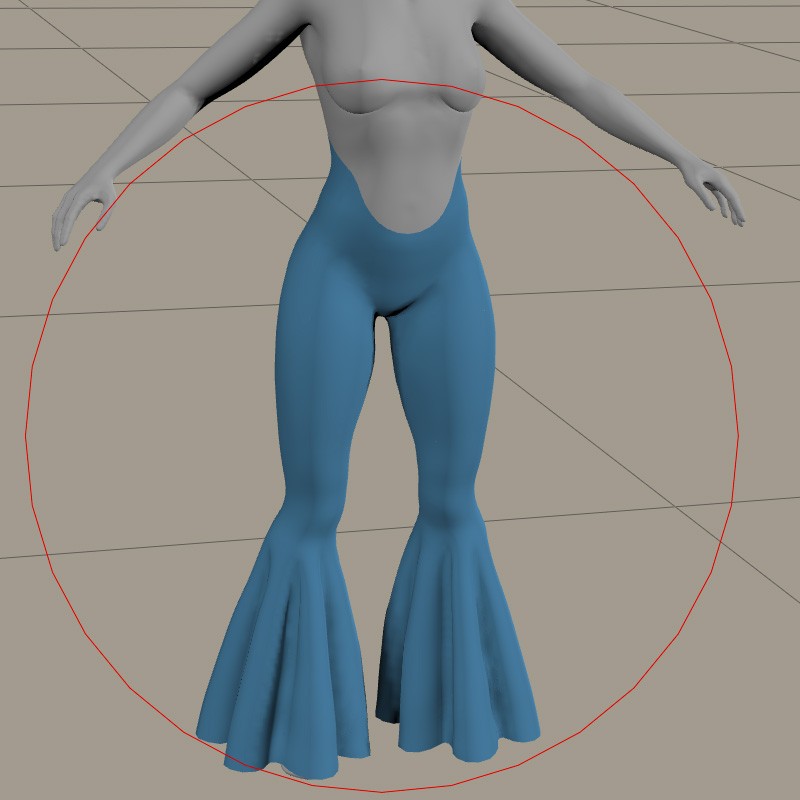
"Fit" function in Fitting Room made bad result somehow, so I just made the pants a figure as it is.
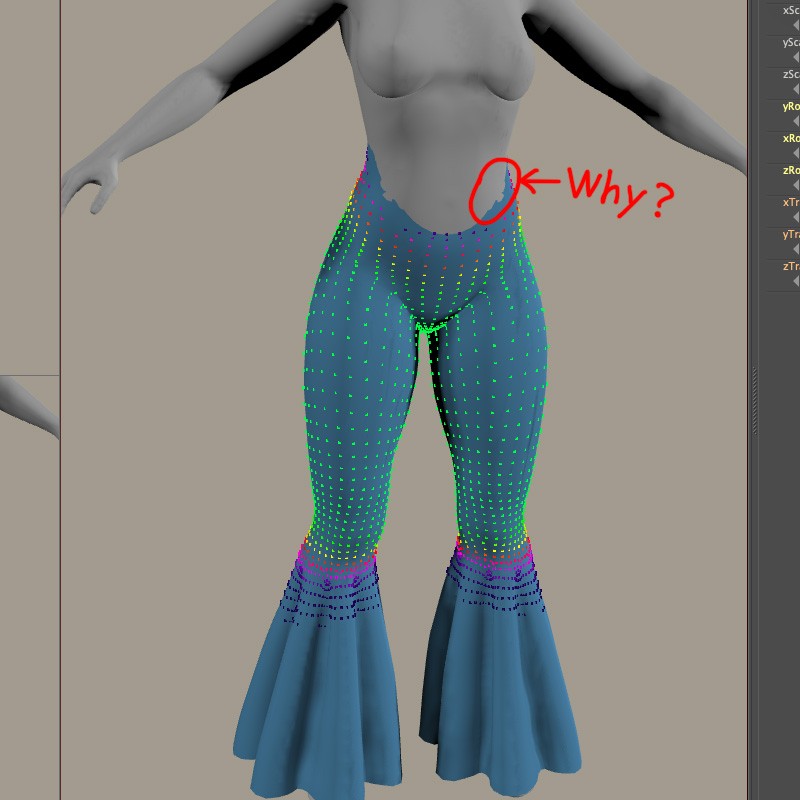
I had to modify the weight maps of the pant legs. No problem, I'm used to this kind of work.
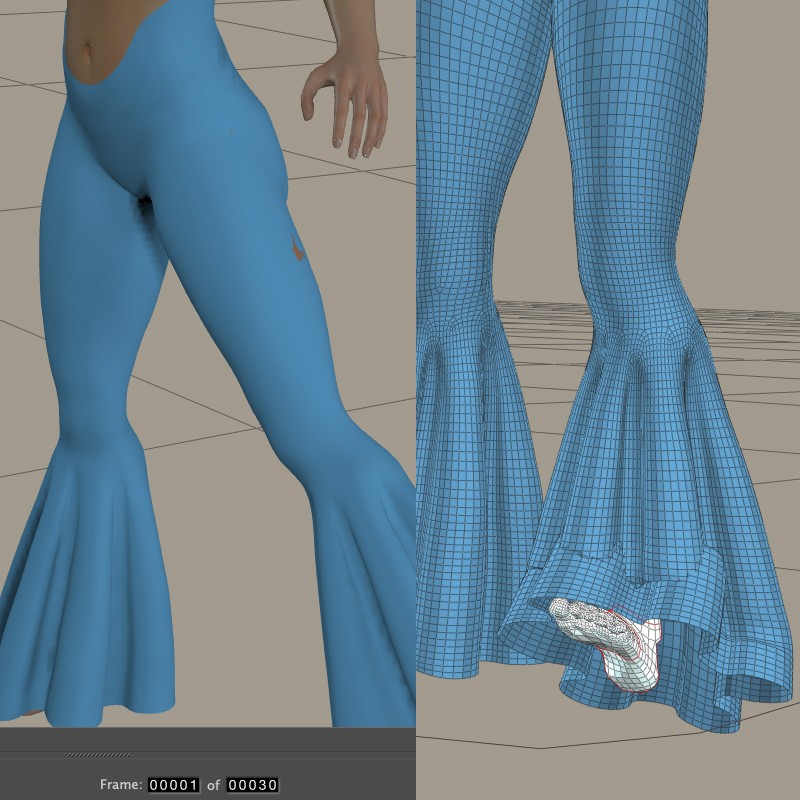
I copied the Petite and Mini morphs from the figure.
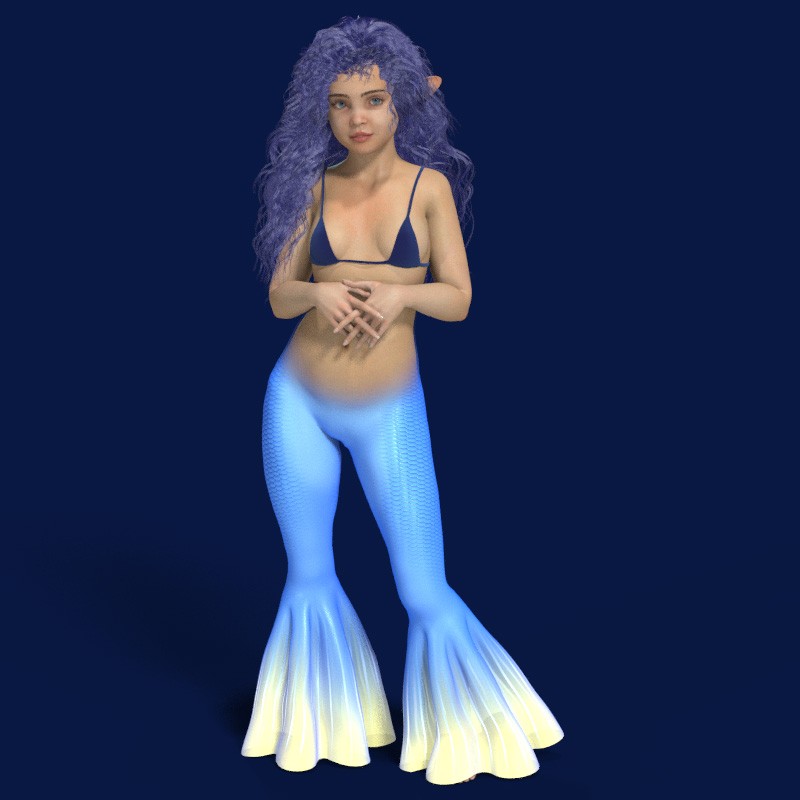
This method allows users to more easily deform old figure's clothes that do not need to fit perfectly to LaFemme2's body. And, I wonder if an item like tube top can be deformed only "Fit" function? I'll try it later.
Wow! That looks great, Elleque! I rarely use the fit function in the Fitting Room but just go with the work I did in the Pose room to manually fit the piece I want to use in the fitting room. When I do use the fit function, I often have to fool with the poke through margin or I get a result like the one that you were troubled with. Another thought about the issue with the weight map is that the content really did not need a Rfoot and Lfoot to work well and you might have stopped at Rshin and LShin and rendered and got a very acceptable result.
On the other hand, I think your result is wonderful! =)
Molly
Following the steps I was taught, I've almost finished it. I tried ignoring a few of the precautions, and every single one ended in failure. And, in most cases, the bulge maps in the joints did not port over into the clothing successfully. So, to achieve a better finish, it was necessary to use the joint editor. I hope the “Fit” function proves excellent for beginners. I was too busy today to try it. Well, as Molly says, it doesn't seem likely to generate very good results, though.
Thank you for all the tipps with clothing.
I think LF2 is the only Person in my Runtime who has much less clothes than the others. :)
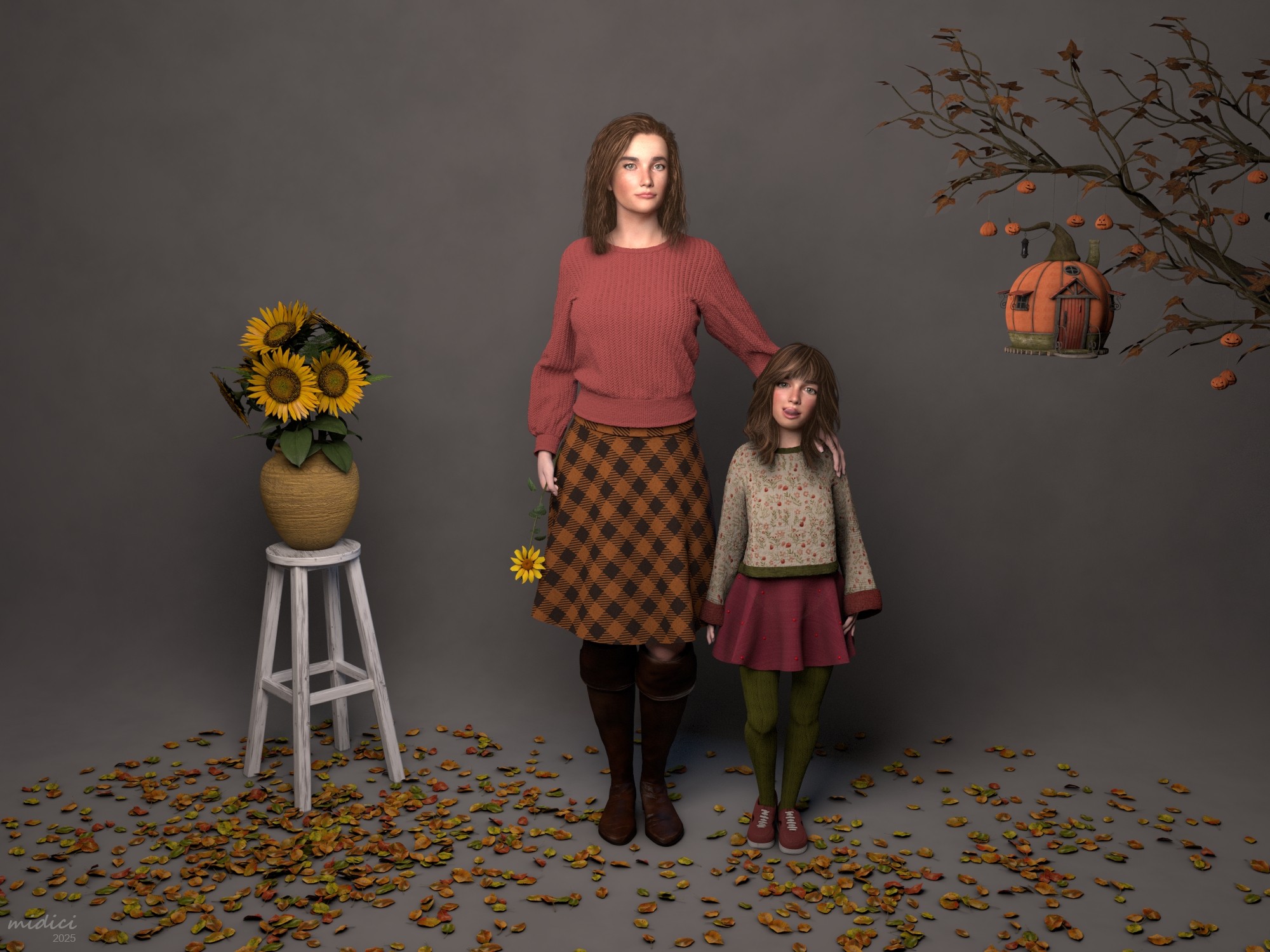
Just finished my Shooting with Mother and Daughter.
Clothes for the girl were only scaled down. btw, the skirt is your Too High Waist Skirt @elleque :) really cute with the gems on it :D
Because of the draping problems with clothing when it comes to tights, I just copied the whole girl and made everything invisible but the legs and set them a nice material.
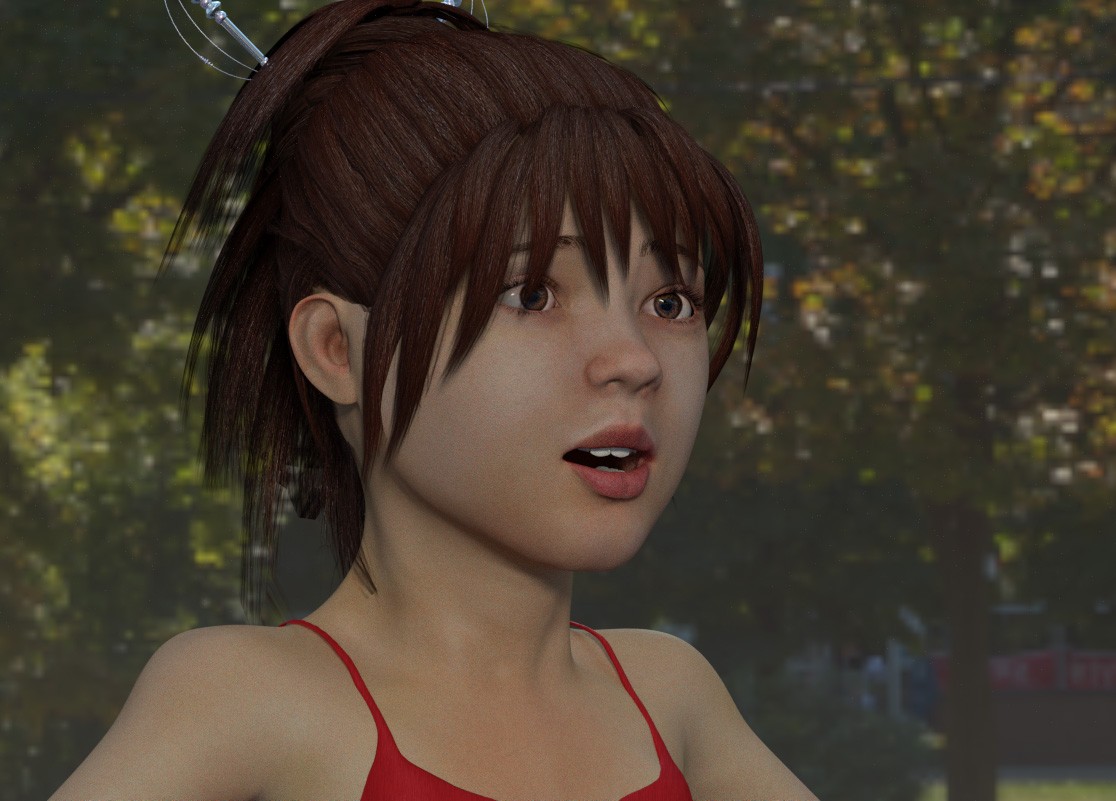
I noticed something while using Fitting Room. Older content may be divided into multiple sections. It is a technique used to create sharp edges at seams and other points on clothes. If the clothing has such sections, Somooth or Smooth Fit option may cause the clothing to come apart.
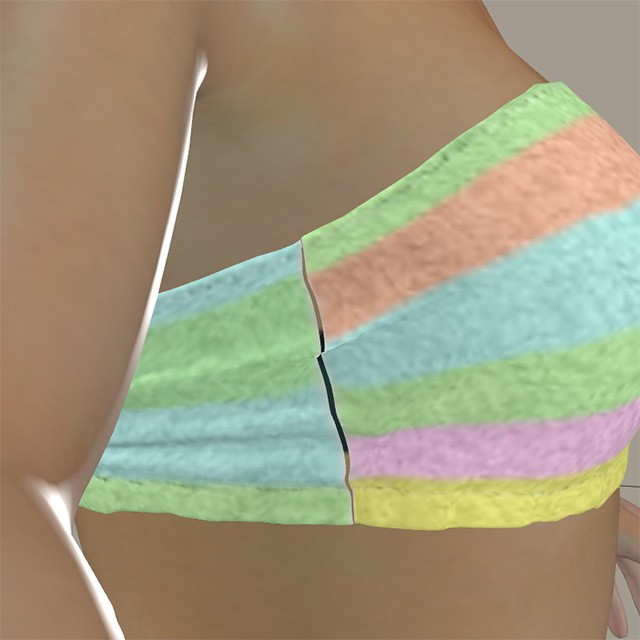
So that, such seams must be excluded from weight map painting.
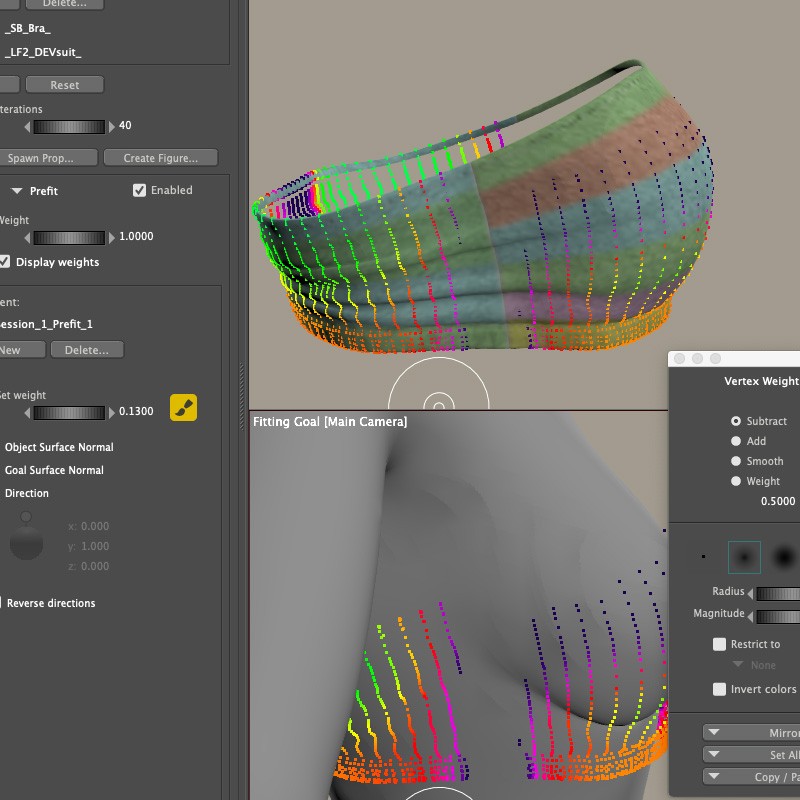
And, I had to draw a complicated map even in Fitting Room after all. Simply adjusting Prefit and Tighten or other values was not enough to properly fit clothing from different figures to LaFemme2.
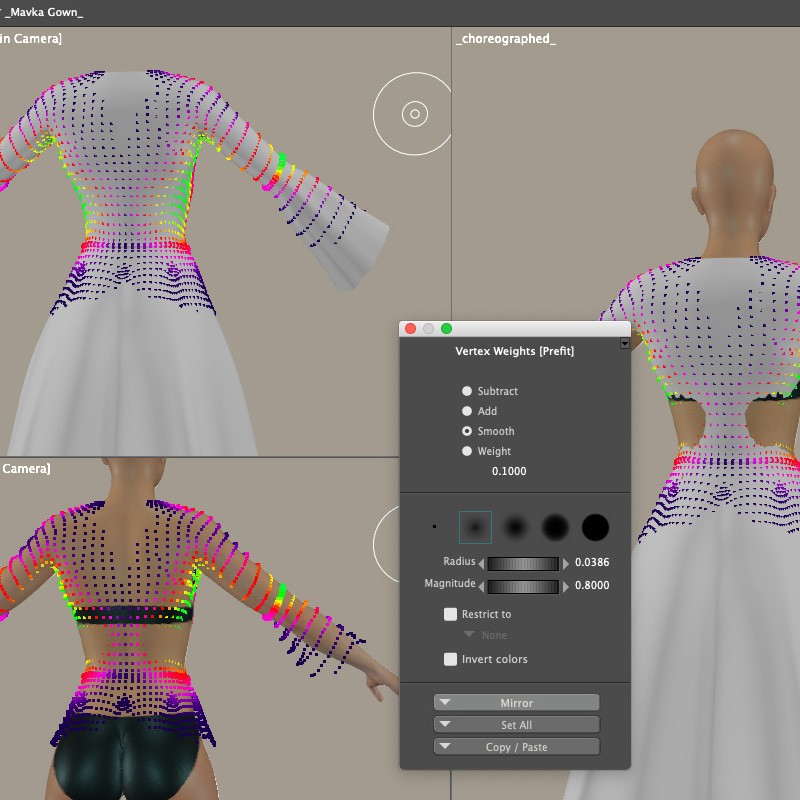
Fitting Room screen frequently freezes (on my old Mac), and users can't check the status of the deform unless clicking Fit button. I won't use Fitting Room until it can convert clothes with a single touch using AI or something.
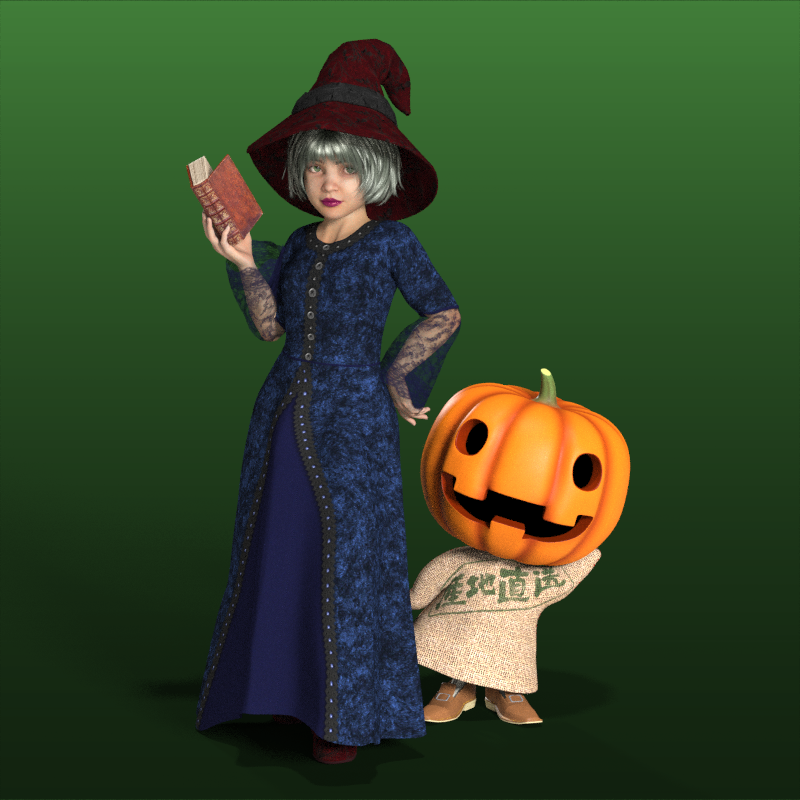
At any rate, it's useful how users can deform clothes with Scaling, Posing, Morph tool and Magnets. Possibly, dress-up doll plays aren't fun unless users can choose from variety outfits. I hope users will enjoy creating content by hand, like a craft, using this method.
I tried deforming this costume again using only Poser without my 3D modeler. Little Wizard Outfit for Mavka by Porthos (No longer available)
Next, I may try learning about HDRI and the ambient occlusion shader in Poser.

There are some hacks in using HDRIs to illuminate a scene, but they are easy to use. Ambient occlusion will enhance shadows and improve a scene, if used properly. The biggest issue I have found in applying AO to La Femme and L'Homme figures is the eyebrow material zone. Its relative proximity to the face creates very heavy shadows when applying the AO node with a high distance value. Dropping that value to a distance of 0.001 negates the shadow affect, so ATM, there isn't a solution yet for its application. An AO map might be the solution, but you will need to create it independtly with a 3rd party program or online service.
- 1
- 2

Privacy Notice
This site uses cookies to deliver the best experience. Our own cookies make user accounts and other features possible. Third-party cookies are used to display relevant ads and to analyze how Renderosity is used. By using our site, you acknowledge that you have read and understood our Terms of Service, including our Cookie Policy and our Privacy Policy.
Poser peeps,
LF2 has long needed morphs that turned her into a petite or mini figure, which elleque very graciously created for the freestuff area recently and which are just fabulous! The biggest challenge, as I see it, is clothing that will fit either one of those morphs, so I'd love to see what you come up with. Please post your renders here, and feel free to use vendors' or freestuff contributors' head and body morphs to make her a truly unique character. Just be mindful of Renderosity's guidelines on child nudity if you're using just the morphs for the mini version, which turn her into a child. The link to those guidelines are at this link: Renderosity Terms of Service .
That being said, let's have fun -- bring on those renders and be creative!
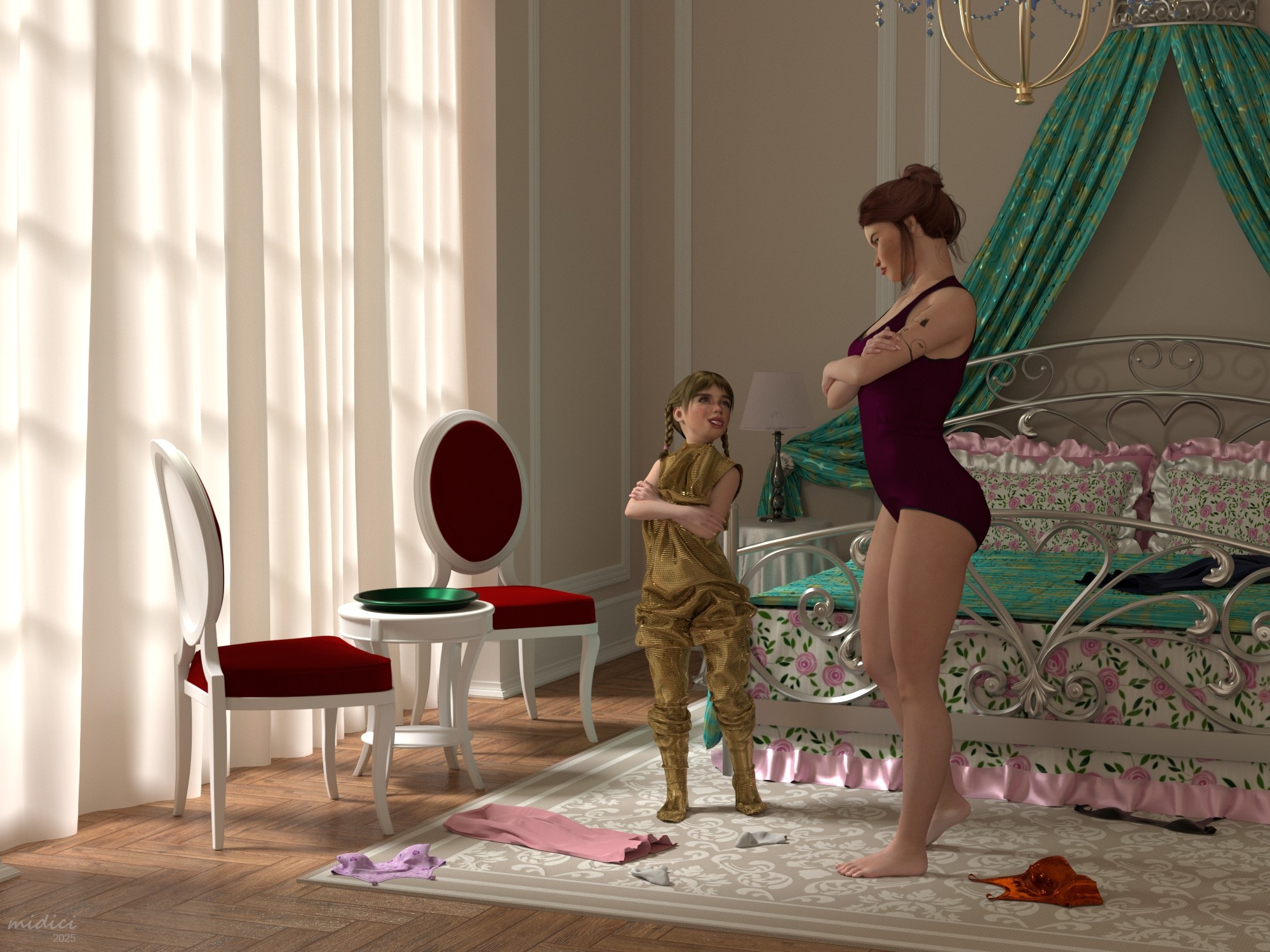
I'll start off with my own recent render, "Little Sis Ain't Amused" which uses the Petite morph~
Little Sis Ain't Amused