
Renderosity Forums / Poser - OFFICIAL
Welcome to the Poser - OFFICIAL Forum
Forum Moderators: RedPhantom Forum Coordinators: Anim8dtoon
Poser - OFFICIAL F.A.Q (Last Updated: 2026 Oct 24 10:06 am)

Subject: Antonia - Opinions?


OK, got her!
Now will this be the official version or will there be more changes to come?
As soon as I finish an M4 set, a Mil-horse texture set and a Mil-Cat texture set, with props, I'll be back to devoting my time to Toni. :)
There are a few ideas floating around in my head for texture/character sets I want to do for her.
The props for the MC will be the time thief.
I have a doghouse prop that I want to put on pedestal and use as a kitty hotel and I want to try to make some kitty toy props.
And since I'm not experienced at prop making, it will take time, blood, sweat and tears. lol.
Let me introduce you to my multiple personalities. :)
BluEcho...Faery_Light...Faery_Souls.

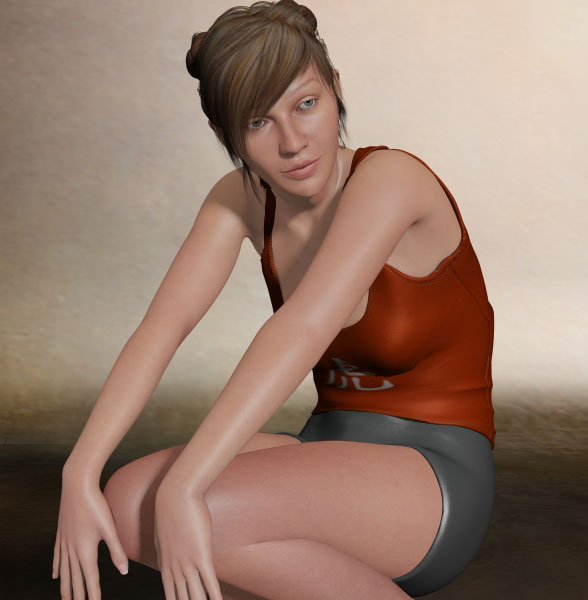
She's a joy to work with and just look at those joints, she looks entirely natural no matter what pose she's in. Even her breasts look right in this pose. It also shows how well the tank-top and shorts work. I'll try some of V4's dynamic clothes on her soon.
As far as I'm aware, this still isn't the definitive version, but, if this is anything to go by, that will be amazing. Be afraid Daz, be very afraid!
CHEERS!

I would think, going by Olaf's counting measure--there will not be any "Official" release until we reach version 1.
I cannot save the world. Only my little piece of it. If we all act
together, we can save the world.--Nelson Mandela
An inconsistent hobgoblin is
the fool of little minds
Taking "Just do it" to a whole new level!


Quote -
It looks like you want to calculate the deltas between your exported object and your modified object. I don't see any problem with your process, but it may be more complex than is necessary. I think a more common approach for deriving the deltas is to import the object you exported back into Poser, then load as a morph target the modified version you exported from Blender. If you save this to your props library, you can just copy over the deltas in the prop's morphs to your .cr2. Poser can do all of the math for you.
Cage, yes, the process looks complicated. That's why I think there must be another "easy" way. Therefore, I asked about it.
Quote -
I'm not sure why you wanted to have the joint vertex weights, earlier. How does that fit into your process? I believe those could actually be obtained using PoserPython, now that I think about it, but I'm not sure what else to say about that unless I know what you're trying to do.
In my first attempt, the JCM is created by using the clothing object exported when original clothing figure is having lThigh Kick at -60. Then, I scrupted the object to cover Antonia with lThigh Kick set at -60; export the result object and make a morph based on it with the original clothing figure at zero pose. See the result (TestJCM-1):

I tried to made a morph based on the result object with the original clothing figure posed with lThigh Kick at -60 yielded the same result.
From the picture (TestJCM-1), I noticed that the created JCM moved the back of the clothing object to the front more than it should be, therefore, I guessed that I have to take the transformation of the clothing object due to the rotation of the lThigh into account. This is the reason of why I'm asking for the information of joint vertex weights. After reading your reply, I don't think I need it.
Quote -
Also, I think I should verify that by "deltas", in your recent post, you're referring to morph deltas. Is that what you need, the morph deltas?
That's right. I'm referring to the morph deltas.
Quote -
If so and you've created your modified .obj in Blender, there shouldn't be any need for a trial-and-error approach.
The "trial-and-error approach" I am referring to is the process to make the JCM works for the range of angles.
Quote -
Can you clarify what you need right now? Has any of my response been helpful?
Your reply is really helpful. Thank you. After reading your reply, I redo the JCM.
Now, the JCM is created by calculate the differences (deltas) between the original clothing object exported when the lThigh Kick at -60 and the scrupted of it to cover Antonia with lThigh Kick set at -60.
It works well with lThigh Kick value between -60 and 0, but not below -60 or above 0.
These pictures show the results of lThigh Kick set to values below -60 or above 0.
TestJCM-2-n90 (lThigh Kick = -90)

TestJCM-2-p30 (lThigh Kick = 30)

How can I make it to work with the lThigh Kick value below -60 or above 0? I would like to make it work from -105 to 45, i.e., 45 degree more on each side.
Should I start a new thread about making conforming clothing for Antonia?

Quote - coughcough
Err, don't let me interrupt you or anything. It's just that apparently there's a new version of Antonia (0.9.122 this time) up at the usual place. Get it while it's buggy, or something.
Oh, hooray! :woot: :woot: Happy day!
Must... keep... scripting. Resist... urge... to test... new Antonia. :laugh:
Thank you, odf!
===========================sigline======================================================
Cage can be an opinionated jerk who posts without thinking. He apologizes for this. He's honestly not trying to be a turkeyhead.
Cage had some freebies, compatible with Poser 11 and below. His Python scripts were saved at archive.org, along with the rest of the Morphography site, where they were hosted.
**amy_aimei: ** It looks like I misunderstood your recent posts a bit. I apologize for that. I think I understand now.
Quote - Should I start a new thread about making conforming clothing for Antonia?
I think that's a good idea! There's a lot going on in this thread, and information can get lost. If we have a separate thread, we can all try to put our heads together there and work out a good process for making clothes for Antonia.
I think Ian Porter has been having difficulties similar to your own, with development of his shorts. I'm rather amazed that mine worked, now. :lol: Poser has the gremlins, and they come out when JCM's are being developed, I've found. :lol:
I'll let you start a new thread and join you there, and we can continue trying to sort out the JCM's.
===========================sigline======================================================
Cage can be an opinionated jerk who posts without thinking. He apologizes for this. He's honestly not trying to be a turkeyhead.
Cage had some freebies, compatible with Poser 11 and below. His Python scripts were saved at archive.org, along with the rest of the Morphography site, where they were hosted.
I agree that it's probably time to spawn (or spin, rather, I guess) some new threads...
As for how official/final Antonia 0.9.122 is: she is my candidate for the official version of the "core" body. By that I mean everything from the hip outward to the wrists, ankles and neck, or in other words, everything except the hands, feet and head. So I'm still listening to suggestions at this point, but do not have any plans for further changes myself.
From the next release on, the core body (that is, the shape and rig) will be fixed, and any further changes or improvements will have to come in the form of add-ons. That means that clothes made to work with that version (except of course gloves and shoes) will continue to work in future releases up to the official 1.0. As for shoes, I'm not planning to change the base shape of the feet, but I might work on the rigging of the toes. So shoes should be save as well, as long as they are made to work with the default toe pose.
That said, I might still add features that would not affect the existing ones. For example, if someone came up with an irresistible setup for breast handles that didn't break anything else, that might still be included into the base figure at any time prior to version 1.0. But an ERC setup to make the breasts follow the shoulder movements would not be included, because that would create poke-throughs in clothes that didn't support those new breast handles.
The next item on my agenda are expression morphs. I've really been aching to start working on these, so if anyone harbours the ambition to distract me from that, they better come up with something intriguing. :laugh:
-- I'm not mad at you, just Westphalian.
Quote -
I think that's a good idea! There's a lot going on in this thread, and information can get lost. If we have a separate thread, we can all try to put our heads together there and work out a good process for making clothes for Antonia.I think Ian Porter has been having difficulties similar to your own, with development of his shorts. I'm rather amazed that mine worked, now. :lol: Poser has the gremlins, and they come out when JCM's are being developed, I've found. :lol:
I'll let you start a new thread and join you there, and we can continue trying to sort out the JCM's.
Hi all,
I've started a new thread for this topic.
See http://www.renderosity.com/mod/forumpro/showthread.php?thread_id=2795918

*Get it while it's buggy
Who could resist such an offer?! * We've mirrored this version on our site to protet your bandwidth. *
About the different eyebrow colors: Is it of any help if I offer the layer containing the eyebrows as a psd for those who want to experiment?
I'm not always right, but my mistakes are more interesting!
And I am not strange, I am Limited Edition!
Are you ready for Antonia? Get her textures here:
The Home Of The Living Dolls

Content Advisory! This message contains nudity
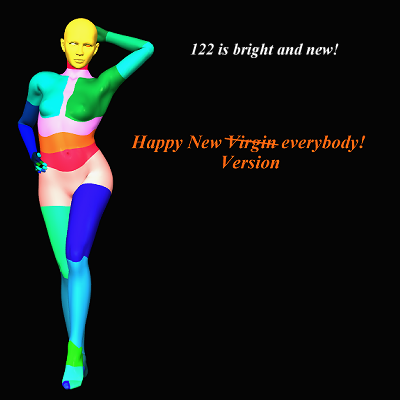
Quote - From the next release on, the core body (that is, the shape and rig) will be fixed, and any further changes or improvements will have to come in the form of add-ons... The next item on my agenda are expression morphs. I've really been aching to start working on these, so if anyone harbours the ambition to distract me from that, they better come up with something intriguing.
I approve of priority going to expression morphs... But... DUCKS FOR COVER ... There is an issue with the tongue, I think I mentioned this before, but perhaps I only thought I mentioned it. Rotating tongue1 also rotates the jawLower actor. this seems to be caused by JPs in the jaw that refer to 'otherActor tongue1'. Setting 'bend' off in the jawLower seems to work as a quick fix, though of course removing the offending JPs would be even better.
Apart from that I think the whole tongue needs revisiting, but that can wait until after the expression morphs.
Personally I have shunned more challenging things for the moment, and am working on some utility poses for Antonia. Lock actors, hide actors, that sort of thing. Any requests?


Quote - Question. Will there be a version where the body isn't subdivided into 20-ish separate material zones? It's one of the major reasons I don't use the later versions of Vicky.
That's a curious thing to say.
First, if you used my free VSS, you could deal with 10,000 material zones as easily as 1.
Second, if you prefer that Vicky's mat zones be combined, why don't you combine them? It's easy to do using Poser's grouping tool. For example, if you think (as I do) that lip and face should be just one zone, then make it so.
Renderosity forum reply notifications are wonky. If I read a follow-up in a thread, but I don't myself reply, then notifications no longer happen AT ALL on that thread. So if I seem to be ignoring a question, that's why. (Updated September 23, 2019)


really? i find the benefits are far outweighed by the difficulties in practice. i have literally never once used a zone for lips or nipples.i've only very rarely seen them used, and used effectively even less frequently. and i've been around here for a pretty long time. i really rarely see people use zones at all for clothing options, and i can't think of once when those were used with bump and displacement done by zone rather than UV. i have seen lots of 2nd skins, but again by UV not mat zone. and pretty much every single time i've adjusted anything on a figure, i've had to find a way to propagate it through several zones that take the same material. no biggie, but no benefit either.
VSS is a really good option, but imho, it's pretty poor usability if someone has to learn to use a whole new tool just to do something pretty basic to 99.9 % of usage, where simply doing it differently would only affect 0.1% of usage. and even then just affect, not prohibit. it's really easy to make masks for regions like arms or legs (the most common use i've seen for materials by zone). you can do it if you can use any image editor at all. learning to use the grouping tool, in my experience, is not so easy. not that i've spent more than a few hours messing around with it, but i've personally had less trouble with the cloth room and scripting materials, which is beyond many Poser users. and learning to do the same thing in Blender, which many people find prohibitively difficult.
Hello,
I downloaded Antonia and so far I like the character. Antonia's default pose was just begging for a render like this. I just moved and rotated the figure for the render. This was rendered in DS3A without postwork.
I changed to ubersurface and threw in some rough shader values on some of Antonia's surfaces. One thing I noticed that did not come over were the specular maps so I set them manually.
The dynamic jeans almost work but the legs are too long. The long sleeve version of the teeshirt had the ends hanging down through the arms. The short sleeve works better.
I used LongHair Evolution but could not conform it to the figure. I parented it to the head instead and after a few adjustments it seemed to fit okay.

Regards Eric
EricCBoston: Welcome aboard! Glad you like Antonia. I see the poor girl got caught by Spa Police for being overdressed. :laugh:
cobaltdream: Good to read you! It's been a while. When I saw people advocate lots of material zones, I thought by myself "hmm, Cobalt would have to say something about that".
I just checked. The "old UVs" version of Antonia has four material zones for skin: skinBody, skinScalp, skinFace and lips. The new version by MikeJ has five: skin_ARMS, skin_LEGS, skin_BODY, skin_HEAD and lips. Because of overlays, the best we could do to bring that down is two zones for the old UVs and four for the new ones. Since there are both advocates for lots of zones and for as few as possible, I think I've found a bearable compromise.
MikeJ was planning to do another UV mapping without any overlays. That would have been ideal for minimizing the number of zones. But I haven't heard from him in quite some time, so I don't know what happened to that project. There's also the V3 compatible mapping that dphoadley made. It's not released yet AFAIK, but I'm sure if someone asked nicely, he'd let them have a look.
For those who find VSS too awkward to use, maybe someone versed in Poser Python could make a "copy materials" script? If such a thing doesn't already exist.
-- I'm not mad at you, just Westphalian.
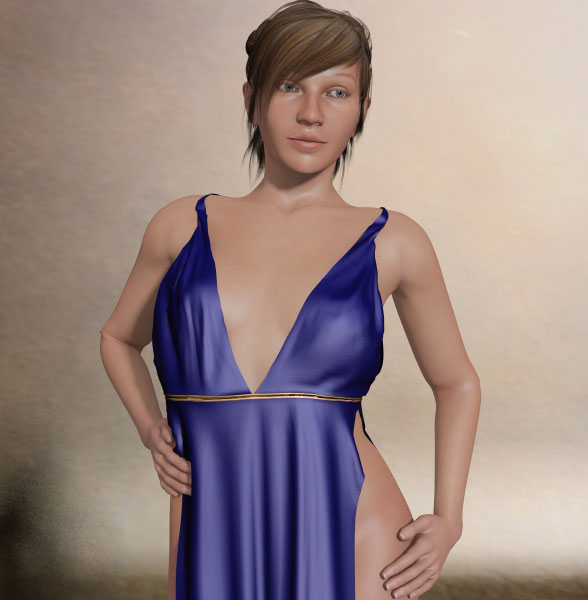
This is the kind of clothing I'd like to see made for her
CHEERS!

I guess it all depends on workflow. I find VSS almost ridiculously easy to use, but that sense of usability came after trying to frequently update 29 material zones, of which 15 are skin or skin-related zones.
However, in terms of lips, I have to use masks and for nipples, same thing. So those zones are more of a pain that helpful. I'd say 99% of Poser developers would disagree with me (based on what's in the marketplace) . I use masks a lot, and find it all very intuitive. So I guess it boils down to workflow.
Mine is complicated. Since I put makeup in a data .py file, I have to:
- modify my make-up data file
- make a small edit to my main script, just so that it needs to be saved
- save both
- matmatic compile
- distribute mt5 files to VSS zones
- run Ockham's Texture Filter script
- synchronise
Yes, I don't mind doing all that... it is still a fair bit faster than the other way. So, since I'm fairly used to taking lots of steps to achieve my goals, using VSS is just another step.
Monterey/Mint21.x/Win10 - Blender3.x - PP11.3(cm) - Musescore3.6.2
Wir sind gewohnt, daß die Menschen verhöhnen was sie nicht verstehen
[it is clear that humans have contempt for that which they do not understand]
I've updated The Toni Polygon textures to fix a problem that altered the brow's appearance (I am talking about the brow geometry here) when choosing a specific eye mat and I added three face textures (the three painted-on brow options) that match the tattoo. So far choosing the tattoo and for instance the no-brows face deleted the upper part of the back texture.
Please download the texture-set again and allow your zip-program to overwrite everything you have so far.
...and about material zones: As I like to work with procedural materials I can say the more the merrier when it comes to clothes. I remember that I once bought a well modelled and very detailed clothing set with lots of buckles, laces, seams, hems and so on - and then I was very disapointed to find only two material zones (metal and leather or something like this) so that I ended up using a texture set to seperate the laces from the cloth and the buckles from buttons where I initially wanted to use procedurals only to create leather, vinyl, metal and plastic...
When working with VSS I like ShaderSpider a lot: I am able to create groups that contain all material zones that will get the same material settings and then I just add the desired settings to one zones and copy these to the group I just made.
I'm not always right, but my mistakes are more interesting!
And I am not strange, I am Limited Edition!
Are you ready for Antonia? Get her textures here:
The Home Of The Living Dolls
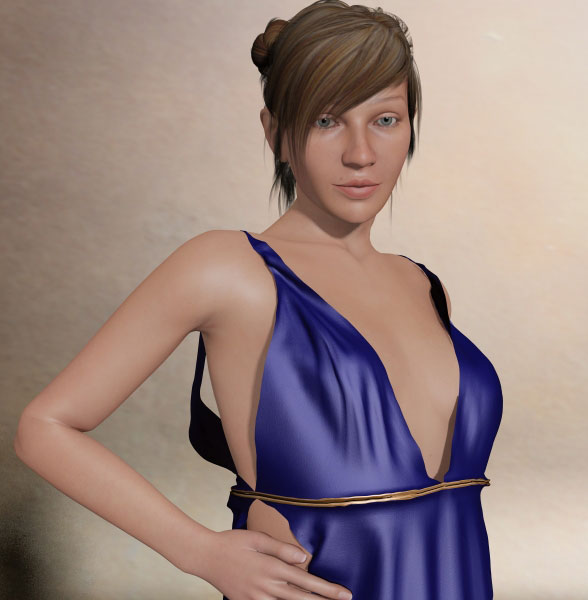
Thanks for the texture update SF, can we expect some MU's from you too?
CHEERS!

Oh! almost missed the new Antonia :) Super, I see she is comming along nicely.
Cheers.
Mike.
Quote - In case my image a few posts back gave the wrong impression, those differently coloured regions are NOT material zones. They are mesh groups.
I was just playing around seeing if I could get a pose file to show the boundaries between the actors, and I kind of worked.
Oops. My bad. I read the image wrong. Sorry. :blushing:
My brain is just a toy box filled with weird things
Of course you can - but as some others around here I have first to do something to fill my purse in April  Or maybe I have some spare time, then I invite Antonia in my little beauty corner after hours...
I definitly will upload the psd-layers with the brows and bumps for those who want to experiment a bit.
I'm not always right, but my mistakes are more interesting!
And I am not strange, I am Limited Edition!
Are you ready for Antonia? Get her textures here:
The Home Of The Living Dolls
odf - that does sound like a very good solution. and i've still been following everything, just quietly. ;D.
ok, let me say 3 things, just to clarify:
-
i'm not sure if i was clear, but just in case i wasn't, i didn't mean UV islands. i meant zones. like how you have about 7 different UV zones for version 4 DAZ figures, but about 2 to 5 or 6 material zones per UV zone (or map, or whatever you want to call it). since about every single material for V4 and M4 ignores the material zone to go by the UV zone, and only a miniscule amount of them take advantage of actual zones, it would make more sense to design for the general usage than the very rare usage.
-
VSS and Shader Spider make the whole task easier, but not as easy as not having to deal with zones that are almost always given the same material.
-
i'm totally for sections that need to exist. hard edges should mean a new zone. separate pieces should mean a new zone. if they're already on their own UV zone or island, then it's not a big deal because new materials are necessary for most usages. the actual usage is key. you're talking a very different use pattern. lots of people use different materials for zippers, buttons, ribbons, belts, etc. conversely, in about a decade or so of using Poser i literally have never once used a different material on the lips than the face. i don't think i even have any mat poses like that, except maybe some no texture defaults.
i have hundreds of "characters" in my runtimes, both free and bought. and a few material collections i've made myself. combined, that's a whole lot of time wasted applying the same material to multiple zones. i've had tools to help with that, as i'm sure some of the creators have. some of those tools, like Shader Spider and VSS, have broken in part (no clue why), but they're still very useful. but why make them so necessary?
in the time it would take me (personally) to figure out how to make VSS work with an Antonia with zones like V4's, i could have made lip, nipple, glove, body suit and stocking masks. and then i could use any of those masks to generate other masks, like lace and other patterns.
really, the only reason for random zones, like the A3 "knee" zone, is to try to guess at what people will try to do to make clothes out of a figure's skin. it's bad usability to guess, or even look at what people say they want, when you have vast amounts of actual user data like the Rendo galleries and store.
Content Advisory! This message contains nudity
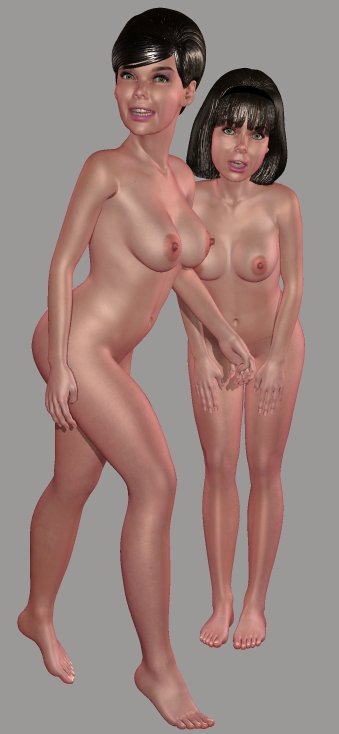
Edit: Almost forgot. Odf, I just noticed that the face and body morphs which shipped with Antonia-118 aren't included with 122, and I guess they weren't with 121, either. Have these been withdrawn? Are they still out there anywhere for the general public? I mainly ask because a TDMT head comparison for Antonia works best if the mouth is opened slightly, but that morph isn't available with the latest versions.
===========================sigline======================================================
Cage can be an opinionated jerk who posts without thinking. He apologizes for this. He's honestly not trying to be a turkeyhead.
Cage had some freebies, compatible with Poser 11 and below. His Python scripts were saved at archive.org, along with the rest of the Morphography site, where they were hosted.
Cage: I've decided that morphs that I haven't made should be maintained and distributed by their creators. That's no malice on my part. I just don't have the time to make sure they all still work. Also, it's easier for everyone when the main package and any add-ons can be updated separately.
I'll put links up on Antonia's page if and when I get asked to do so by the creators.
It should also be noted that the face morphs that used to be in the old Antonia distribution are unfortunately seriously buggy, as they deform the whole head. Those are great morphs, but I don't see any way to save them other than use them as blueprints for a new set of morphs made from scratch.
I'll start to work on expression morphs fairly soon, and the "open mouth" one will be the first on the list. There's also an open mouth morph by MikeJ that might be useful. You could contact him and see if he's willing to make it public.
-- I'm not mad at you, just Westphalian.
Okay. That makes sense. Thank you. I'll contact MikeJ. Do you know how I can reach JGL? The old mouth open morph does move the face slightly, but not enough to cause problems for the purposes of comparing the geometries.
You can have blanket permission to link to anything I create or have created for Antonia, if or when you ever want to link to such things. Not that I think anything I make would be particularly deserving. I just want to give permission. :D
===========================sigline======================================================
Cage can be an opinionated jerk who posts without thinking. He apologizes for this. He's honestly not trying to be a turkeyhead.
Cage had some freebies, compatible with Poser 11 and below. His Python scripts were saved at archive.org, along with the rest of the Morphography site, where they were hosted.
Quote - Still tinkering with my characters. I built some improved hair and worked on the face shaping for the one who's supposed to end up resembling Yvonne Craig, but she's not quite there yet. The figures are wearing some expression morphs ported over from Vicky 1.
Edit: Almost forgot. Odf, I just noticed that the face and body morphs which shipped with Antonia-118 aren't included with 122, and I guess they weren't with 121, either. Have these been withdrawn? Are they still out there anywhere for the general public? I mainly ask because a TDMT head comparison for Antonia works best if the mouth is opened slightly, but that morph isn't available with the latest versions.
Those characters are great! Once we get to the final version I'll definitely see who I can turn her into. I think you should develop some more hair for her then we can have some that is totally hers.
CHEERS!
Quote - Of course you can - but as some others around here I have first to do something to fill my purse in April
I definitly will upload the psd-layers with the brows and bumps for those who want to experiment a bit.
Yay!
That's good to know, as I say to the others, just do what you can when you can. Less pressure= Less mistakes (Hopefully!)
CHEERS!
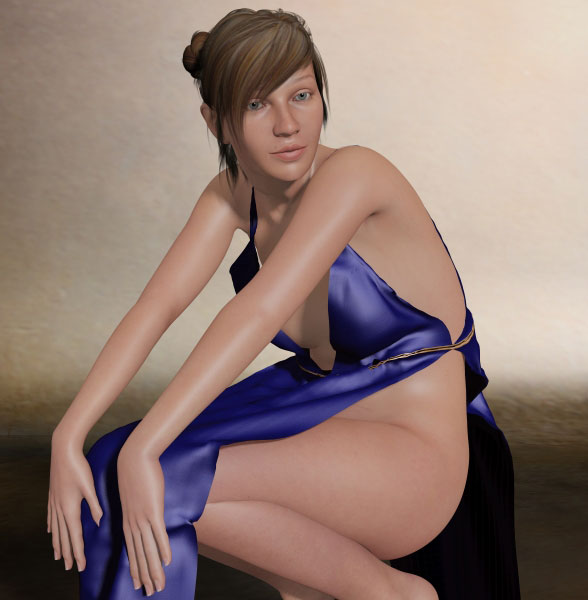
Quote - As you can see, I've been busy in the Cloth Room. The dress is by Grappo and I think you get it from ShareCG. It took a few go's to get it right and it still isn't perfect at the back. However, for the purposes of this render it works just fine.
This is the kind of clothing I'd like to see made for her
CHEERS!
by "kind" do you mean classical draped or just dynamic? because i'm trying to make some dynamic clothes now and i could at least fit it to Antonia. but neither piece that would be appropriate are that style.
hmmm. well, which would you prefer then? because i was waiting until the full version release to get into making clothes for her, and then i'd make them for her, not fit. and since everyone seemed more interested in conforming, it was no big deal. but if you'd really like dynamic, it's something i can at least try to complete (i'm fine at starting stuff, lousy at finishing) after March 22nd.
I like the idea of dynamic at the moment as the conforming stuff is falling short. Once the dynamic cloth is draped you can get it into the pose you want and don't seem to need to make that many corrections.
I liked the jeans and t-shirt that Eric Boston's is wearing so something like that would be ideal.
CHEERS!

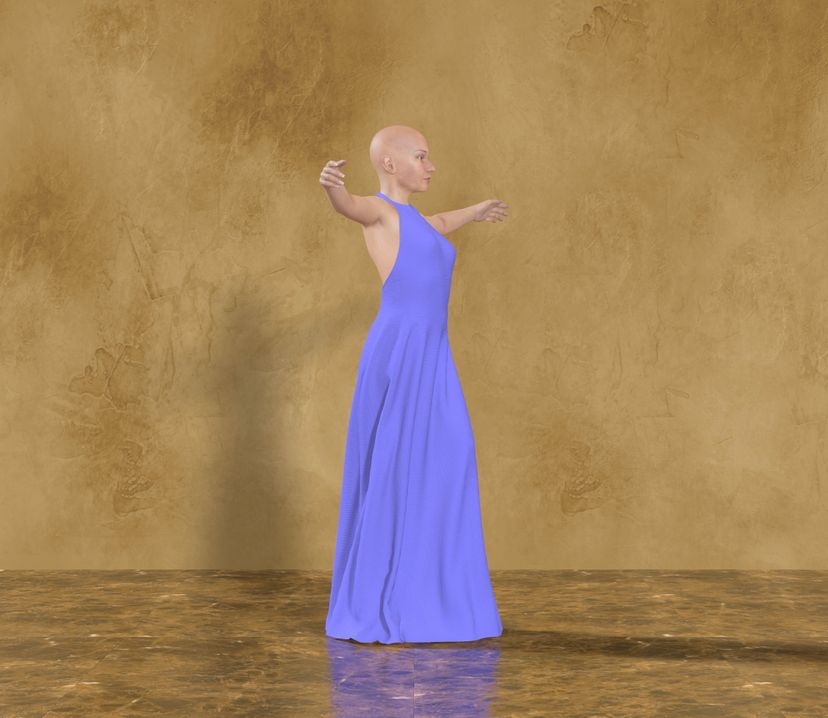
The basic blush overlays have been uploaded here:
www.sharecg.com/v/40000/2D-Resources/Antonia-Blush-Overlays
I did a bad thing yesterday and watched Olympic hockey and closing ceremonies instead of working on overlays and doing my homework. ;P I will get to the rest of them as soon as time permits.
CHEERS!
Content Advisory! This message contains nudity
Attached Link: Glynis for Antonia
My [ **Glynis**](http://www.sharecg.com/v/39864/Poser/Glynis-for-Antonia) body shape for Antonia has now been fixed, and is again available for download from sharecg. The current zip is "**Antonia-Glynis_C.zip**", and was posted today the 01/03/2010. If you have a version downloaded prior to today please download the new file and reinstall.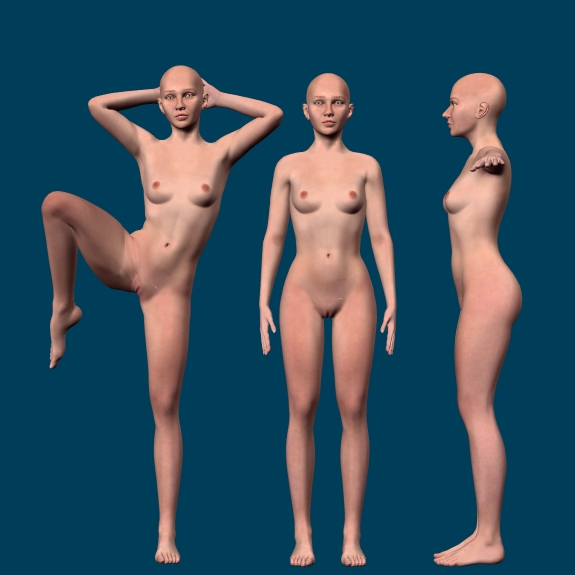
The previous versions had a bug where the scaling component of Glynis was not properly deactivated when the REM file was applied.

Privacy Notice
This site uses cookies to deliver the best experience. Our own cookies make user accounts and other features possible. Third-party cookies are used to display relevant ads and to analyze how Renderosity is used. By using our site, you acknowledge that you have read and understood our Terms of Service, including our Cookie Policy and our Privacy Policy.
There's a version control thingy (a plugin for Rails, if I remember correctly) called Vestal Version.
-- I'm not mad at you, just Westphalian.