
Renderosity Forums / Carrara
Welcome to the Carrara Forum
Forum Coordinators: Kalypso, Anim8dtoon
Carrara F.A.Q (Last Updated: 2026 Jul 30 8:26 pm)
Visit the Carrara Gallery here.

Subject: antoine clappier's gemstone render - lighting?


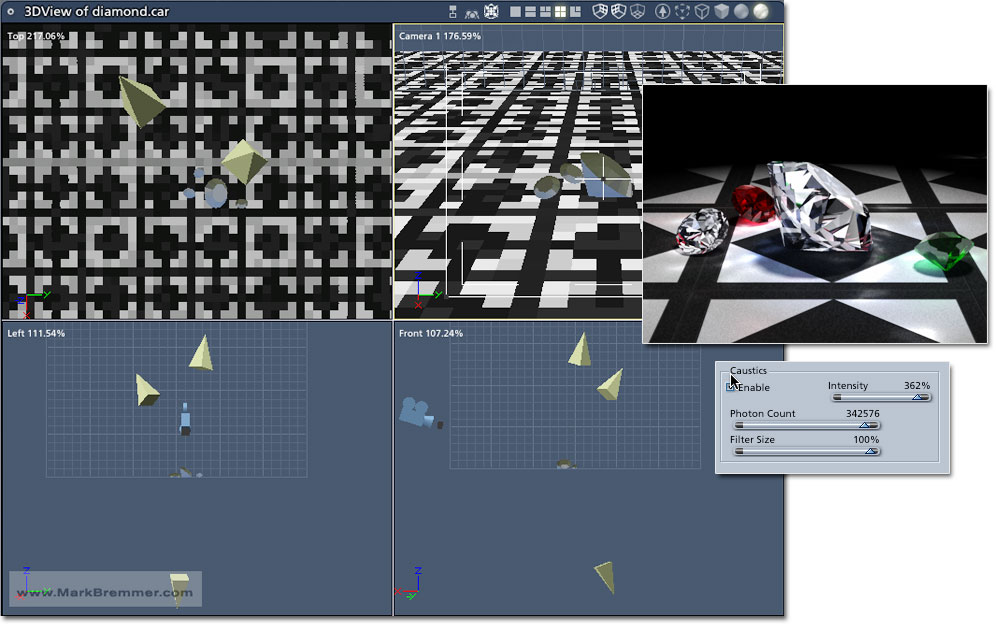
I've found that part of the process is getting the right gemstone cut, and importing it into carrara using the correct settings. carrara is surprisingly sensitive to small variations in the cut of the stone. I started with a new poser diamond file that was just posted here, and it gave a pool of caustics under the gem, but no brilliance nor fire. the latter (splitting white light into a spectrum) is likely beyond carrara's capabilities. however, using a brilliant-cut poser model from the lapidary site gave reasonable results for reflected caustics, but not for refracted caustics that are displayed in the above image. hence, I daresay, unless antoine pops into this forum on occasion, I'll hafta ask him directly. did he remain with the firm after daz bought eovia?
o.k., thanks, mark. i was using one spot and one bulb, which gave bad shadows, so I killed the bulb, which wasn't present in the default carrara caustics scene. scene background/backdrop also made it look wacky, so I killed that. it worked better with the default ambient than with no ambient. had caustics at 100, but found varying photon count and filter size (whatever that is) didn't affect the caustics much. the gems in my case were all pretty big, ranging from 2 inches to 5 inches, which of course is absurd, but all of 'em did reflected caustics, actually better than in yer example, but it seemed as if only the emerald refr. index did refracted caustics, which were poor compared to antoine's example above. I also jacked up reflection/refraction raytracing to 8 or 16, but it didn't help much, except to slow down rendering.

Quote - ... and filter size (whatever that is)...
controls the 'blurriness' of the edges of the caustic emmissions. Higher numbers make blurrier caustic patterns.
I can't render caustics, because C5 crashes every time I try... so I couldn't give any advice about what might be a good place to start for filter size.
Friends don't let friends use booleans.
yes, dv, just to concur with ya. I found that a filter setting of 0 gives a blotchy-looking caustic, and a setting of 100 gives a caustic that is blurred to the point of roundness. so the default setting (around 30%) works well. in my case it doesn't crash when trying to do 'em. the "filter" setting appears analogous to something like "photon exposure" (the inverse of ambient occlusion), and increasing photon count increases the sharpness of the caustic edge, as noted by mark in the msg above. I also tried an rgb spotlite, but there was no birefringence. although lowering the filter setting caused colour separation in the caustics, it was in blotches, and not in accord with the laws of optics. antoine is easy enuff to locate, but I daresay he would consider intrusive any questions about a render he did years ago, using software with which he is no longer involved. e.g. a google search using his name, and limited to domain www.daz3d.com, gives no results.
Were you using the anisotropic lighting model?
Since Birefringence is often caused by a distortion in an otherwise isotropic material (an extreme bend in a fiberoptic line, for example), The anistropic effect might yield something similar; though I'm not sure that Carrara has the ability to simulate the prismatic dispersion.
Also, I have been able to get birefringent refractions by using: Operaters -> Overlay, in the refraction slot, and using two different indices of refractions. It shows up as a dual refractive image through the transparency in question, but I couldn't sat what effect that would have on the caustic emmissions, if any.
Friends don't let friends use booleans.
oops! my misteak! I used the term wrong. birefringence is two indices of refraction along certain axes, but (as ya noted) with diamonds the term I shoulda used is called dispersion - the ability to split up white light into its components. I see how your method should work, but i was hoping for a spectrum-type effect. dunno how to do it in carrara. although I also dunno how to apply anisotropic lighting, the term applies to a material that reflects light differently from sources at different angles. I reckon it also applies to materials that refract light in different directions, e.g. birefringent materials. I dunno if diamonds or other gems have that property.
Applying anisotropy:
Top Shader -> Lighting Models -> Anisotropic Model
clcik the little double downward pointing arrow beside the trash can looking icon.
Yes, most singular crystal cut stones should have optical anisotropy, especially in the refraction (more so than the reflections, which are simple surface reflections). Specular anisotropy may or may not be present. Most also have at least some birefringence. Observing anisitropic reactions to light is one of the main ways to distinguish between glass (isotropic) and real crystal (anisotropic). Polycrystals either have no anisotropy or a lot of it, depending on the structure of the crystalline grains.
Still don't have an answer for you about prism effect. Sorry.
Friends don't let friends use booleans.

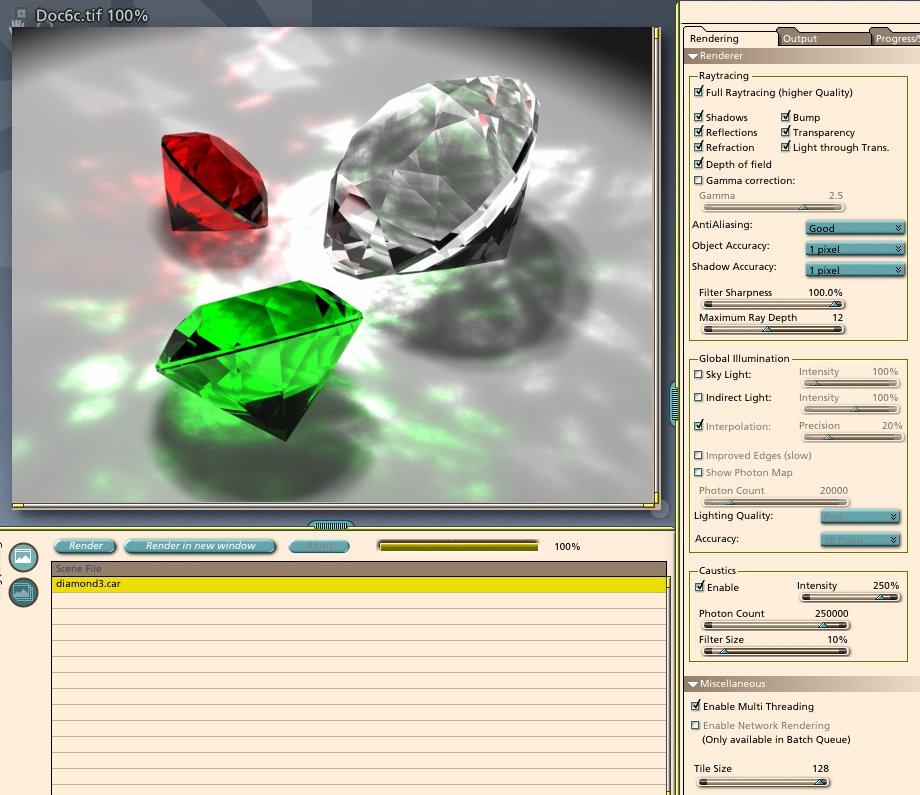

for the effect of "fire" (the prism effect) carrara has the ability, but not "out of the box" so to speak. if someone programs a plugin to do this in 1 step, and change refraction values and calculate more beams of light, then it'll be easier, but until then, to get the effect that is most realistically what happens, is make multiple renders.
remember the lighting you used, and refraction values, then turn off all light values except for red, (ie you have 3 lights, RGB 255/200/200, change to 255/0/0 ) and render.
then switch to green channel of your lightiing, and change refraction just a bit (forgot exact values, you can play with a straight 3 sided prism and 1 light to see these effects) and render. then do this step for blue channel as well.
put the 3 color channel renders together in some paint program, and you're done.
if you want more exact pictures, split the color changes a bit and use red, yellow, green, cyan, blue, violet, or even more if you want to put the time into it, and understand how to add layers together.
this is one of the main reasons i moved to carrara in the first place, you can do it in poser, but no direct way for getting caustics. poser can fake caustics i'm sure if someone spends months to find how, but carrara is more direct. and be aware that if your material is a perfect red, or perfect green, that it get rid of the rainbow, but there are multiple shades of red in the world, so the idea still applies.

Privacy Notice
This site uses cookies to deliver the best experience. Our own cookies make user accounts and other features possible. Third-party cookies are used to display relevant ads and to analyze how Renderosity is used. By using our site, you acknowledge that you have read and understood our Terms of Service, including our Cookie Policy and our Privacy Policy.
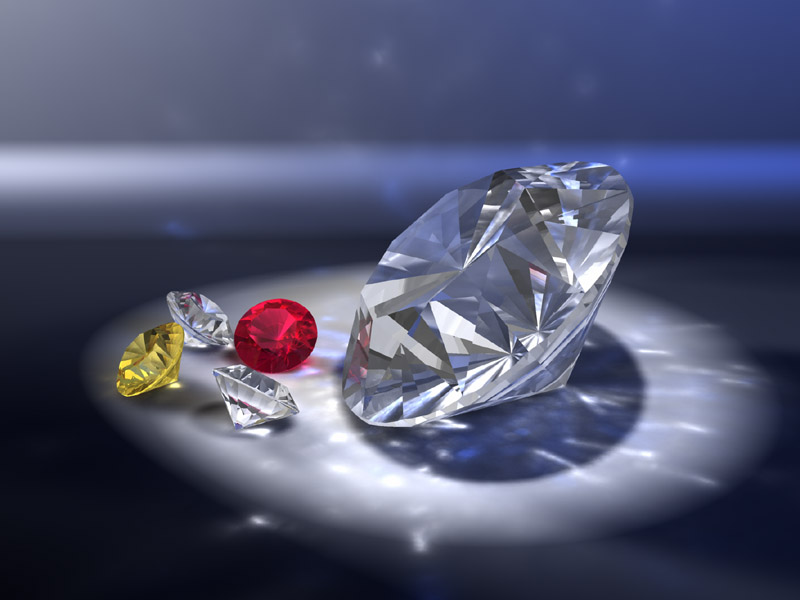
in regard to antoine clappier's gemstone render (see attached). my question is: how to light the scene to get the same brilliance - the little spots and lines of caustics. I know where to get cut stones, what general settings to use in refraction and transparency. all those are covered in previous threads here. however, I wasn't able to find a thread that describes the lighting. there are at least two refs to antoine's gem tutorial, but I believe that's about how to model the gem. when I try the render, I get pools of caustics under the gems, but not the lines and spots as in the attached. p.s. I tried it in poser first, as somebody said it could handle caustics thru some means, but I found it was hopelessly slow in any case.