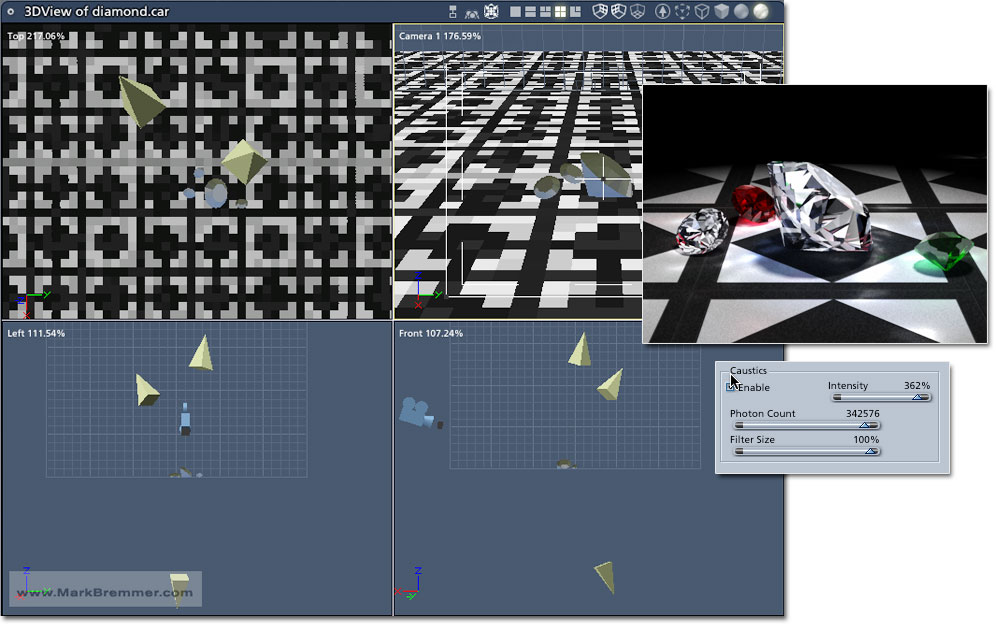
Hi Miss Nancy, Lighting gemstones is always a tough one - whether it's 3D or with an actual camera. I've got some hastily modeled ones in my example that aren't "real" cuts. That means that they don't actually reflect the way true cuts are supposed to. I believe Antoine's version is modeled after a true, reflective cut To start with, the scale of the stone needs to be larger rather than smaller as compared to the light. Notice even Antoine's image has only pools of caustics under the small stones. As you can see, I have three lights in my scene. I'm not quite sure how Antoine did his but you can tell that there is multiple lights based on the color of the caustics in the shadow areas (blue). Only one light is allowed to cast shadows in my scene - the main white light. The blue fill light and light under the scene have shadows turned off. Caustics need to be pretty much maxed out. Additionally, experiement with various Refraction settings - this will make a huge difference. Mine uses, duh, diamond. However, other settings may create something you'll like better. I'd play some more but I don't have the time today... :-/
