Filter: Safe | Thu, Jul 16, 2:47 PM CDT

Renderosity Forums / Carrara


Welcome to the Carrara Forum

Forum Coordinators: Kalypso, Anim8dtoon

Carrara F.A.Q (Last Updated: 2026 Jul 11 2:50 am)


Visit the Carrara Gallery here.

Carrara Free Stuff here.

 
Visit the Renderosity MarketPlace - Your source for digital art content!


Subject: Another "after the war" image


brycetech ( ) posted Fri, 13 January 2006 at 11:31 PM · edited Thu, 16 July 2026 at 9:19 AM

file_318405.jpg

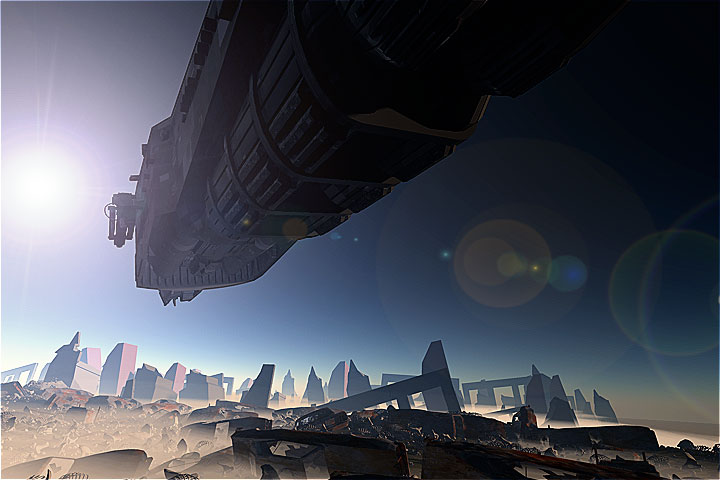
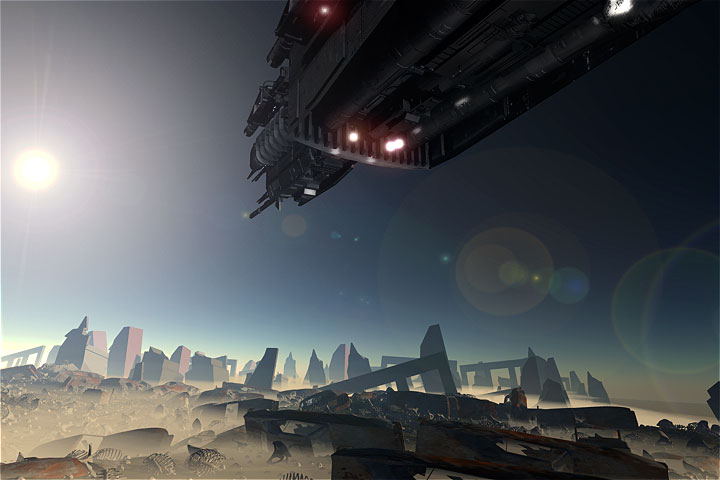
Here is another image from the dvd animation. This one is from After Effects...after image color correction and a new lens flare. again, all of the debris in the images Ive been showing is created by the replicator. :) BT


ShawnDriscoll ( ) posted Sat, 14 January 2006 at 1:32 AM

All the skulls are facing upward. Is there a way to fix that?

www.youtube.com/user/ShawnDriscollCG


hdaggers ( ) posted Sat, 14 January 2006 at 11:08 AM

That's cause everybody died standing while looking in the same direction (presumably the killing spaceship). Then physics just plopped them down on the ground. Besides, If the empty sockets weren't facing the camera they'd just appear to be be white rocks.... ;^P Great image BT!


steama ( ) posted Sat, 14 January 2006 at 12:08 PM

Wow, I like that image. Very cool BT.


brycetech ( ) posted Sat, 14 January 2006 at 6:42 PM

file_318406.jpg

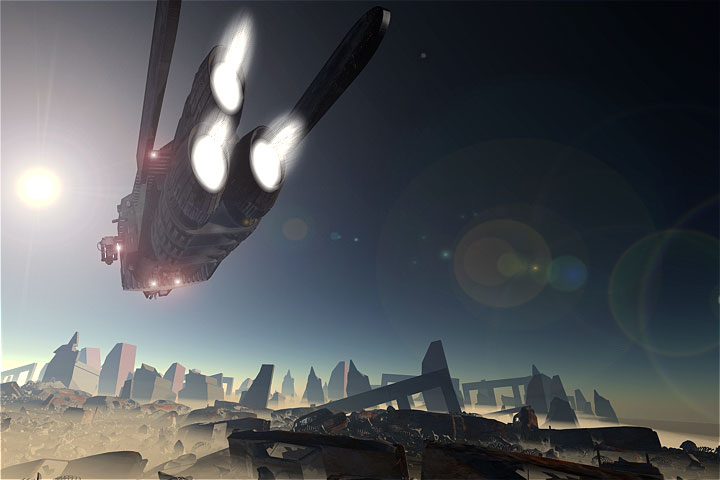
lol @ hdaggers...thats a good explanation and I'll use it..heh still rendering images for compositing. I have the "beauty" pass made now..and am working on the highlight pass. here is an image with the "beauty" pass... highlights and shadows next. :) BT


ShawnDriscoll ( ) posted Sat, 14 January 2006 at 7:57 PM

Are there two stars for this planet? There seems to be light coming from the right side.

www.youtube.com/user/ShawnDriscollCG


ren_mem ( ) posted Sat, 14 January 2006 at 9:48 PM

Very cool Brycetech. We'd all love to see how you did it(hint hint)I actually find the cartoony vs real sky interesting.

No need to think outside the box....
    Just make it invisible.


brycetech ( ) posted Sat, 14 January 2006 at 10:24 PM

that should be reduced in the shadow pass shonner :)..if not...shrug... there will also be a "lighting" pass where lights on the ship will be rendered and composited in. That'll either help (or hurt) the current lighting setup. I hope the shadows dont remove too much detail from the ship which is why there are lights around the ship to show the detail. In C's original render (at the top) you cant see any of the very extreme detail of the spaceship. As this finishes, that should be visible and also the extra things be there as well. :) I'll reduce the saturation in the final image after everything is done to reduce the "cartoonish" look of the sky. Interestingly enough, this is a default "realistic sky" that comes with C5 pro. Not too realistic, but interesing... this is all part of an experiment. Ive read about about the multiple passes for renders that are then composited because this gives greater control of the final image at the end. A default render, a beauty pass (all the textures), a shadow(a gray model with bright lights) , a highlight (a gray model with bright lights), and a lighting pass. All composited together in a video editor where you can vary the opacity easily of each pass and also mask out other things. It interesting to see the control that this method offers and I can see why some studios do it this way. :) more coming soon BT

brycetech ( ) posted Sat, 14 January 2006 at 11:23 PM

file_318407.jpg

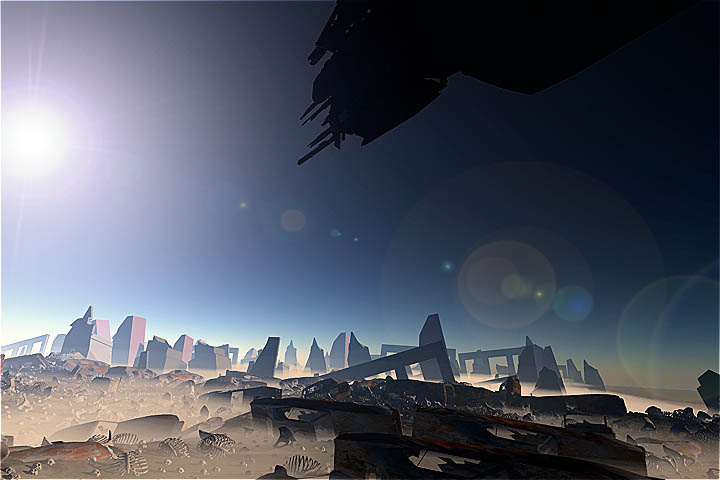
Heres one with the shadows and highlights composited... now to set up the lighting render for lights on the ship itself. That one is a bit trickier and Im not really sure how to do it so that I can only get the lights from the render and not get any other info. Im goint to try making the ship black with no highlights or reflections and rendering that way and hope that I can alpha out shades of black and only leave the lights. :) BT


bwtr ( ) posted Sun, 15 January 2006 at 12:39 AM

Brycetech I find this all very intruiging but way out of my league. I hope you will follow through with a movie of the final results--including these steps you are showing--through to the end. Please!

bwtr


ShawnDriscoll ( ) posted Sun, 15 January 2006 at 12:49 AM

Ok. I thought the images had all their render passes combined already.

www.youtube.com/user/ShawnDriscollCG

ren_mem ( ) posted Sun, 15 January 2006 at 11:04 AM

Are you using Baker? Actually, I was referring to the fact that the sky looks more realistic than the ground objects.Sounds like a good project. You might have to try camera tracking next :D

No need to think outside the box....
    Just make it invisible.


brycetech ( ) posted Sun, 15 January 2006 at 11:20 PM

file_318409.jpg

This is a "Final" render after compositing in After Effects all the various render passes. the only other thing I may do is to render a displacement map to give the illusion of heat coming from the ship's engines :) BT


Kixum ( ) posted Mon, 16 January 2006 at 7:28 AM

It looks really great! What a fanstastic "experiment"! -Kix

-Kix


brycetech ( ) posted Mon, 16 January 2006 at 1:07 PM

file_318410.jpg

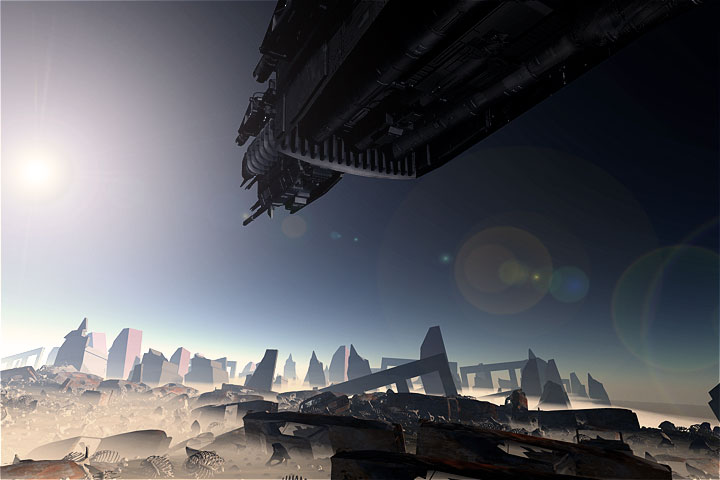
got to be a little bit nutz to do this kix..heh but its coming out very well... another image, with some dust over the ship..not sure if it will show as well as it does in the animation. it pours down the sides as a result of the ship flying thru the sand storm :) btw I encounted a bug while doing this thats getting on my nerves..C5P wont save the "named file" for the render location...it wants to render in the eovia tmp directory or in my documents (ie the default). I have to manually set the location in the batch renders or reset it again whenever I reopen the files. I notified support.


ren_mem ( ) posted Mon, 16 January 2006 at 2:40 PM

I have noticed a problem with naming the file in BQ if it already exists also. Hadn't got a chance to check it again yet.

No need to think outside the box....
    Just make it invisible.


cjd ( ) posted Tue, 17 January 2006 at 5:00 AM

brycetech, So if the "stones" are skulls, then the "slinkies" must be ribs? :) You mentioned this is part of an animation going to DVD. Can you comment on what the DVD will be? (Sorry if you mentioned this already, but I may have missed it.) Superb work, hope we all get to see the finished animation. Chris


Privacy Notice

This site uses cookies to deliver the best experience. Our own cookies make user accounts and other features possible. Third-party cookies are used to display relevant ads and to analyze how Renderosity is used. By using our site, you acknowledge that you have read and understood our Terms of Service, including our Cookie Policy and our Privacy Policy.