
Renderosity Forums / Poser - OFFICIAL
Welcome to the Poser - OFFICIAL Forum
Forum Moderators: RedPhantom Forum Coordinators: Anim8dtoon
Poser - OFFICIAL F.A.Q (Last Updated: 2026 Aug 11 7:57 am)

Subject: Want to "mirror" a "pie wedge" into a full "disc" in the Material Room


How do you plan to use the final image? Many ways to shrink image without losing detail. In the example below I did not shrink anything.
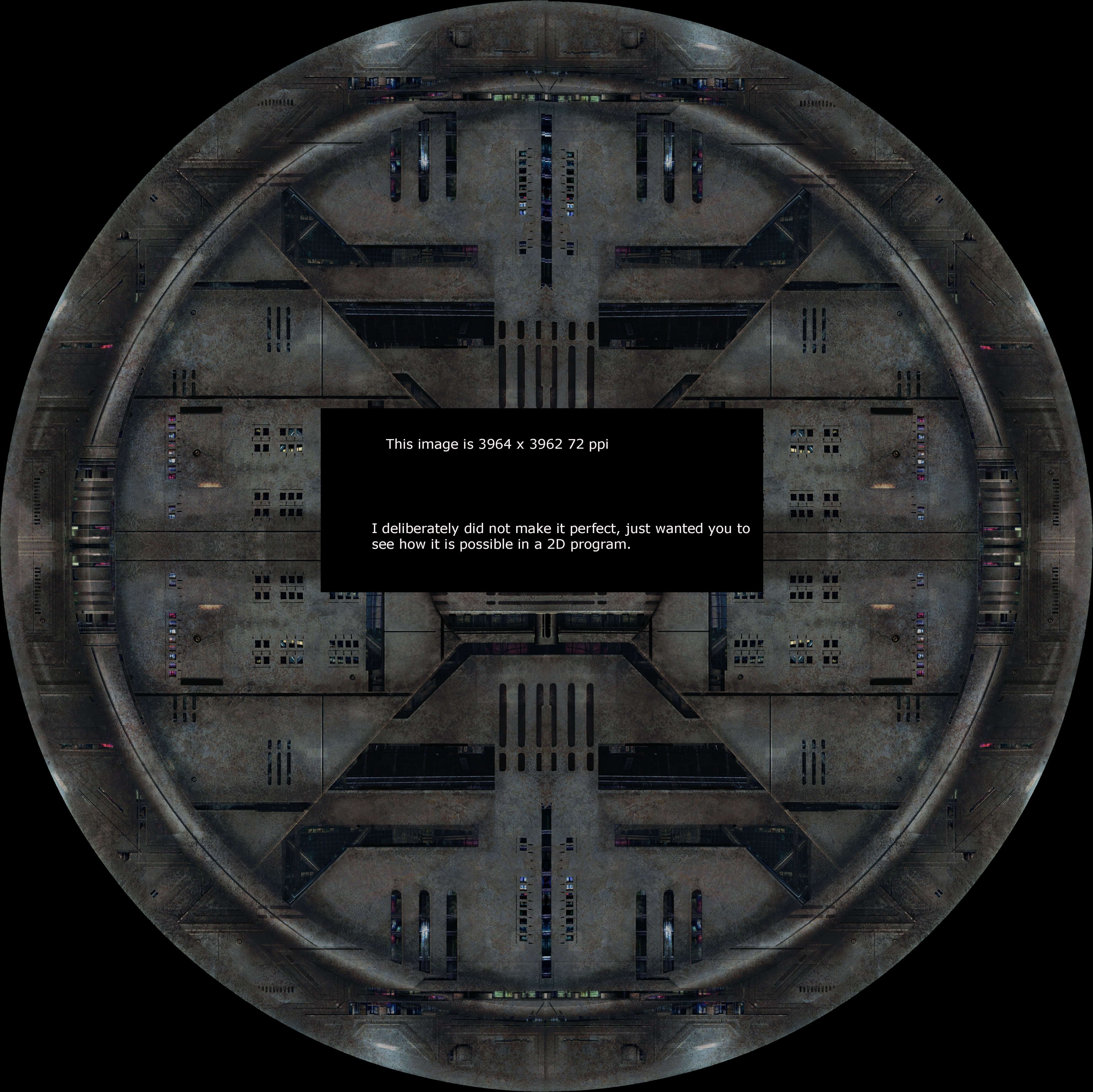
I addressed the 2D solution, to me that is the simplest way to do it.
Neat demonstration. I presented the same question upon a small private forum I also haunt and while I was away, a friend stitched together the image as you did (just without the "watermark") making my request kinda' pointless.
Still, thank you for taking the effort to demonstrate the 2D approach is the most straightforward solution.
*** *** ***
Tempt the Hand of Fate and it'll give you the "finger"!

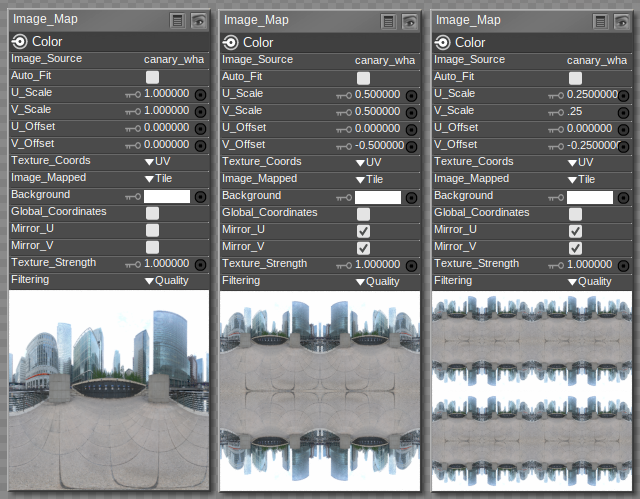
For future reference, here is how you can do it with the traditional Image_Map node. With the Cycles ImageTexture node, one has much more freedom to wrangle the texture coordinates as desired, but on the downside one does indeed have to figure out the formulas oneself.
-- I'm not mad at you, just Westphalian.

The Image_Map node that ODF used should work fine with Firefly in Poser Pro 2014. ODF mentioned the Superfly Image Texture node as being a bit more difficult to use but that's not what the demonstration is.... Hmm. I'm not sure I made any sense there. Anyway, the demonstration should work in Poser Pro 2014. =)
Teh Mollz
P.S. I'll be using it myself! XD
So, I've figured out how to do fancy texture manipulations with just the traditional material nodes, no newfangled Cycles stuff. Once again, that does not necessarily mean this will work in Poser Pro 2014 because the workings of those nodes may have been changed in the meantime. But at least there's a chance...
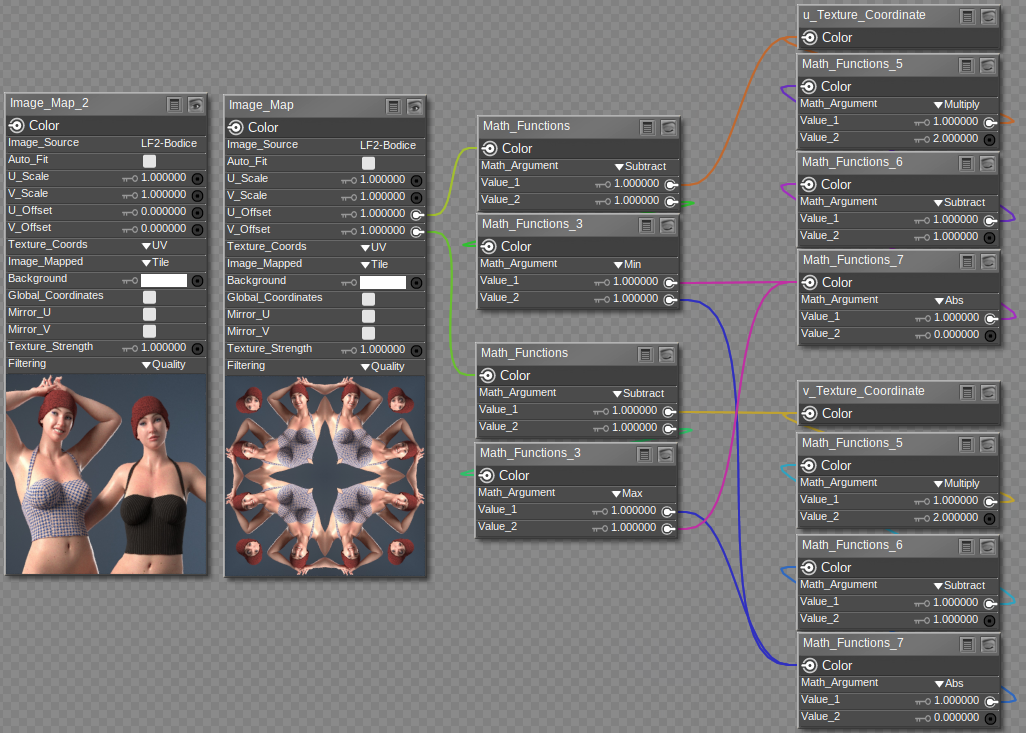
(Kaleidofemme, lol!)
-- I'm not mad at you, just Westphalian.
Is it weird that Antonia is wearing La Femme 2 as a dress pattern?
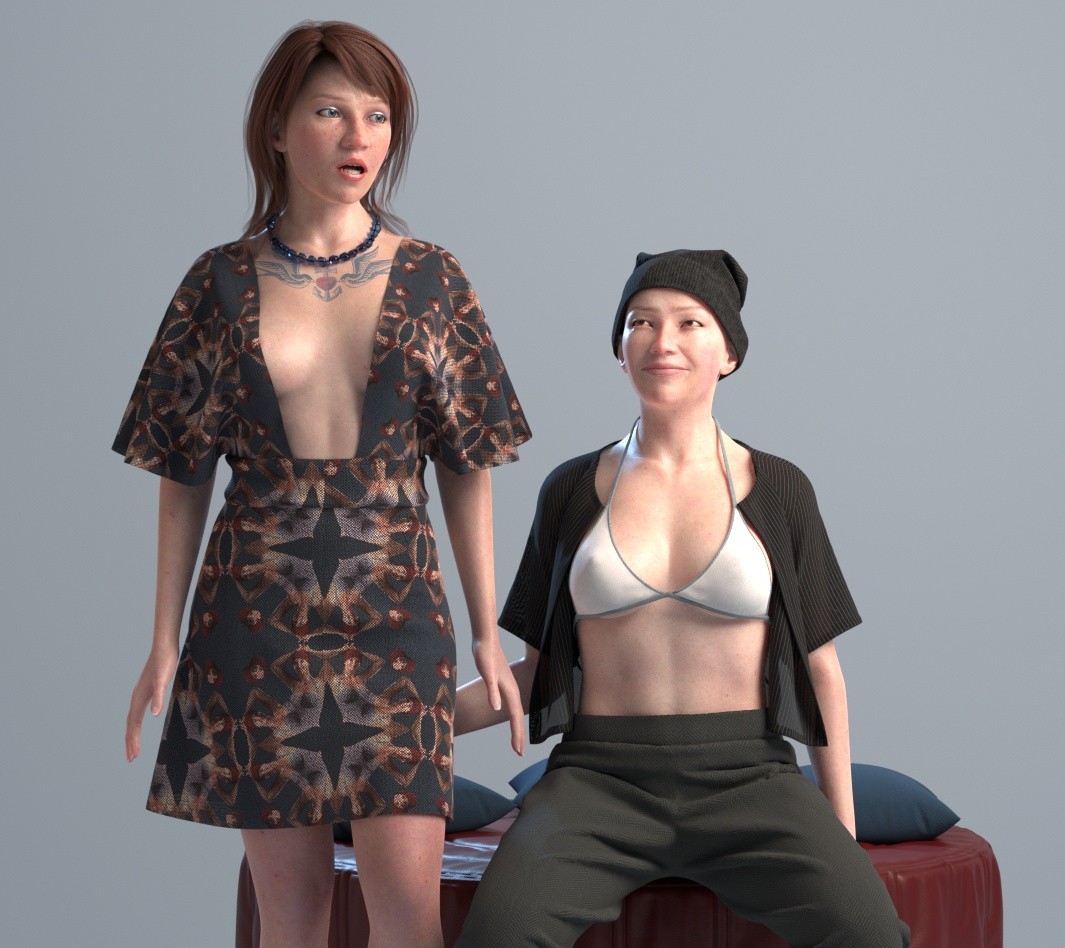
-- I'm not mad at you, just Westphalian.
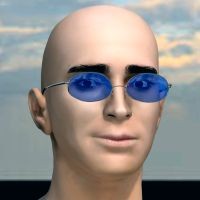
Kaleidofemme makes me happy, and I don't know why. :D
Just so everyone knows, odf's kaleidoscope works in Poser 6 - the earliest version I have available which has Firefly.
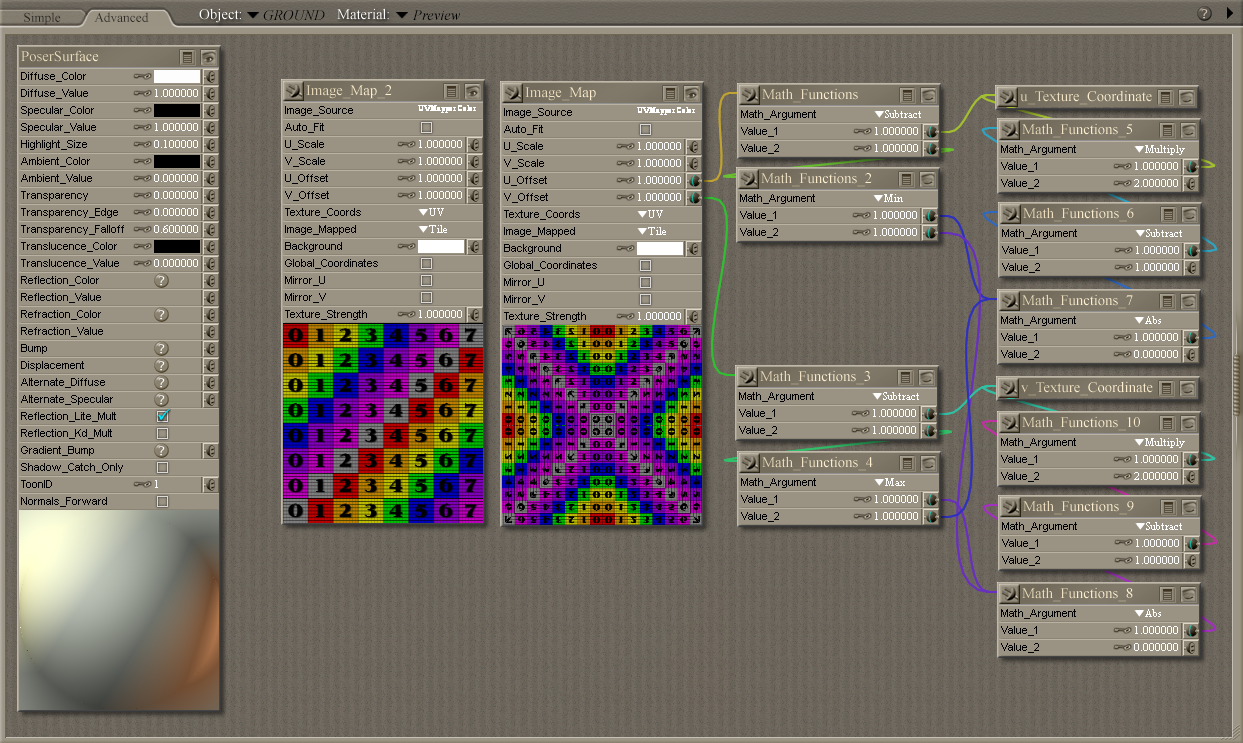
I'd also like it to be known that I have no intention of reinstalling Poser 5 just for the sake of this. I'll leave that to some other obsessive. :)
Edited to correct the screenshot image - which was semi-transparent for some reason which I'm trying hard to resist investigating...

Privacy Notice
This site uses cookies to deliver the best experience. Our own cookies make user accounts and other features possible. Third-party cookies are used to display relevant ads and to analyze how Renderosity is used. By using our site, you acknowledge that you have read and understood our Terms of Service, including our Cookie Policy and our Privacy Policy.
Okay, I found this resource image...
https://www.deviantart.com/llexandro/art/Sci-Fi-Texture-246-777543120
That I would like apply to a surface, the final effect looking like a full disc. I would think there's a way to link some nodes in the "Material Room" to create this effect, but I can't solve the formula. True, I could also do this in an image editor like PaintShop Pro, but the final image would be 8000 by 8000 pixels unless i shrink it and I'd rather not lose the detail.
Any clever "wizards" willing to share the secret?
*** *** ***
Tempt the Hand of Fate and it'll give you the "finger"!