-
Marketplace
-
Free Stuff
-
Galleries
-
Community
Forums General
- News
- Deals
- Poser
- Contact
Renderosity Forums / Poser 13
Welcome to the Poser 13 Forum
Forum Moderators: nerd, RedPhantom Forum Coordinators: Digitell
(Last Updated: 2026 Mar 15 4:04 am)

Subject: Render not matching camera view

Report Post

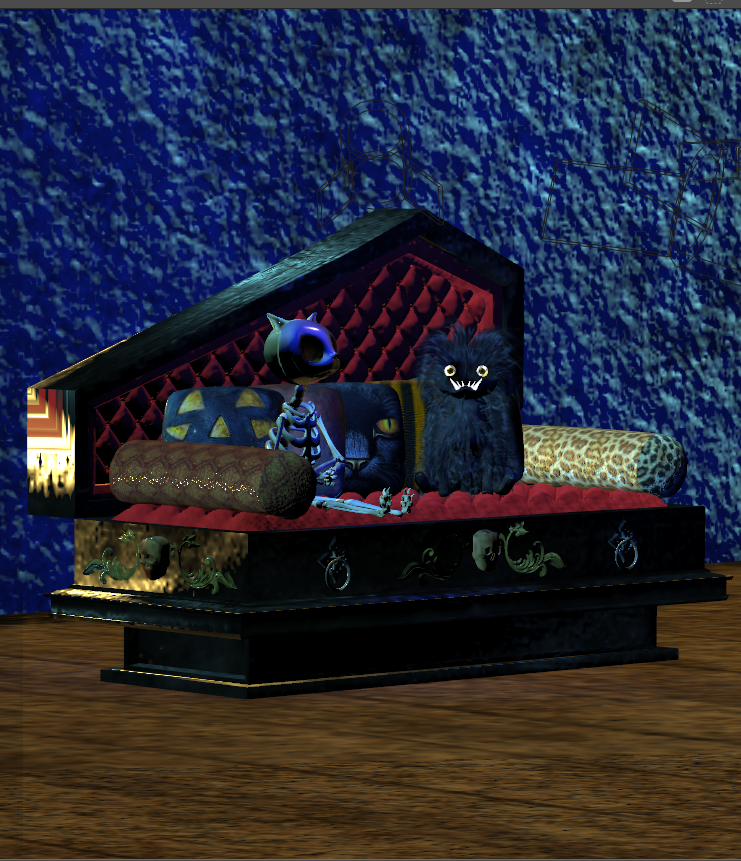
It looks like you have a wall that isn't showing. Either the wall is set to wireframe or outline, or it's one-sided, and you have to remove backfacing polys checked.
Another possibility is that you have a displacement on the wall that is set too high, and it's moving the wall.
Available on Amazon for the Kindle E-Reader Monster of the North and The Shimmering Mage
Today I break my own personal record for the number of days for being alive.
Check out my store here or my free stuff here
I use Poser 13 and win 10

Something you can do also, if you're not sure where your render cam (generally the Main one):
- Switch to the top camera
- in the hierarchy window: turn on the cameras
- make your camera visible (this will select the camera at the same time)
- menu: Display > Object > Cartoon (it's an example)
And you'll get something like this:
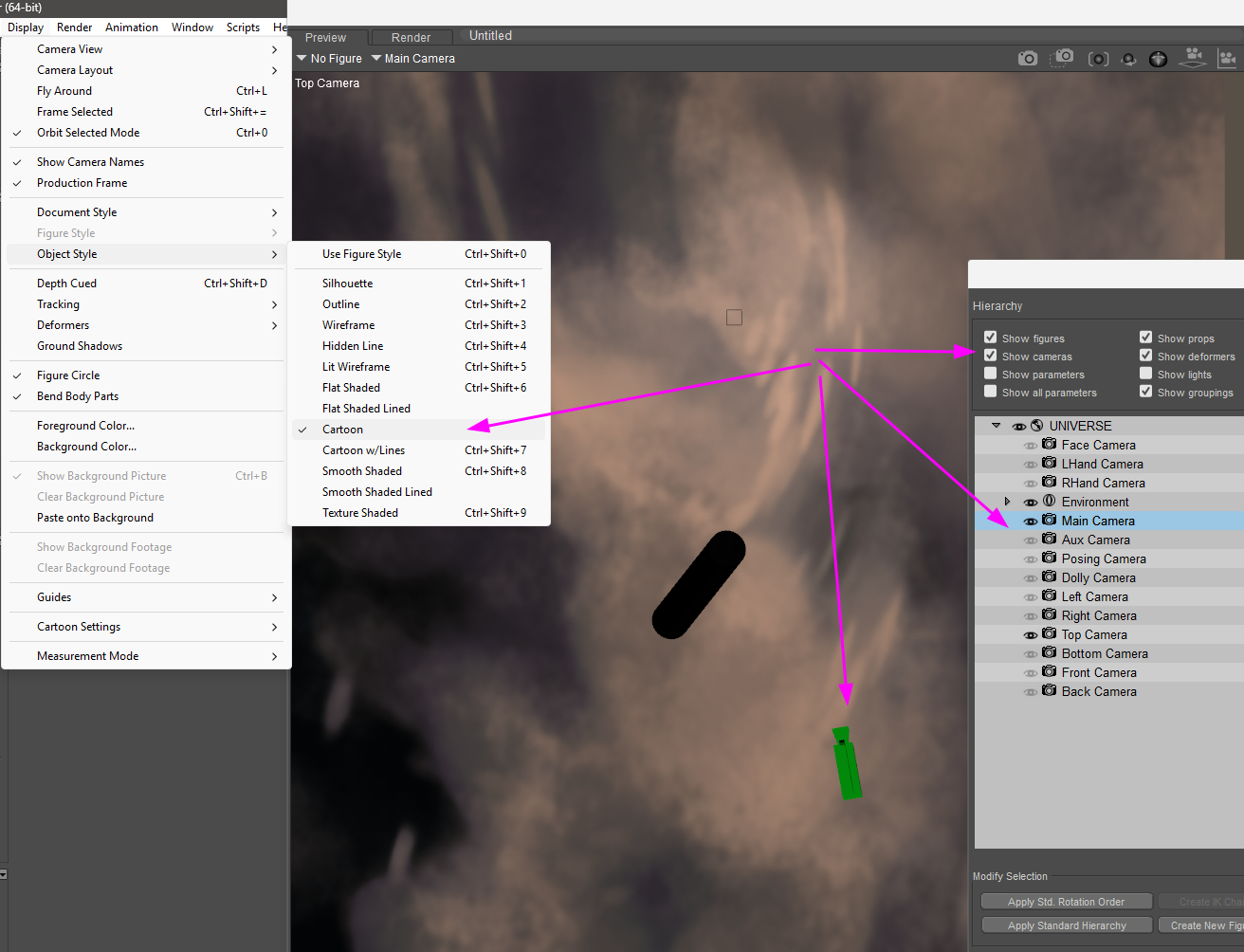
And it will ease the process to position correctly the said camera, when there are walls or any object not visible in the preview.
Then with the camera still selected, use the Translate/Pull tool to move it 
𝒫𝒽𝓎𝓁
(っ◔◡◔)っ
👿 Win11 on i9-13900K@5GHz, 64GB, RoG Strix B760F Gaming, Asus Tuf Gaming RTX 4070 OC Edition, 1+2 TB SSD's, 6+4TB HD
👿 Mac Mini M2, Sequoia 15.5, 16GB, 500GB SSD
👿 Nas 10TB
👿 Poser 13 and 14 ❤️
-
- Renderosity Page
- Renderosity Communities
- Blender 3D
- iClone
- Poser Users
- Poser Software
- Become an Affiliate
- Memorials
-
About
- About Us
- Contact Us
- Team
- Policies
- Terms of Service
- Copyright Policy
- Refund Policy
- Licenses
- Standard License
- Extended License

Privacy Notice
This site uses cookies to deliver the best experience. Our own cookies make user accounts and other features possible. Third-party cookies are used to display relevant ads and to analyze how Renderosity is used. By using our site, you acknowledge that you have read and understood our Terms of Service, including our Cookie Policy and our Privacy Policy.
This happened in Poser 13 and 12. Help please.