
Renderosity Forums / Carrara
Welcome to the Carrara Forum
Forum Coordinators: Kalypso, Anim8dtoon
Carrara F.A.Q (Last Updated: 2026 Sep 09 4:39 am)
Visit the Carrara Gallery here.

Subject: carrara 5.0 modelling question


Not really.
Manipulation of objects in the modelling room does have tools to move things so that they line up (ctrl +k will open up the align dialogue box).
You can turn on the snap to grid in the snap to grid in the assembly and modeling rooms but I don't think Carrara has what you're looking for in terms of how Amapi hooks stuff up.
-Kix
There are a couple of optiions. You can bring each piece into the modeling room separate, copy each one and paste them together. For example, open piece one, type ctrl-a to select all, ctrl c to copy it. Then open up piece 2, and paste piece 1 in with it. D the same for the third piece. There is another option which is to select two pieces and do a Boolean addition but be careful when you do that. You can then perform a second Boolean join to get tthe third piece in. So there's a couple of options for you.
-Kix
another question...
I was able to group the objects.. i then welded the object so that i can insert bones for animation.
The problem is i havent shaded the model yet. When i click the uv editor in the model area it doesnt display any options.
was it a bad idea to join and weld before shading?
(sweat beading on forehead)
=))

yes i have.
I clicked on it in the modeling area after i welded the feet and head to the torso.
normally i have two option.. i choose custom.. planar etc etc... for some reason when i click on uv model a texture name apears next to an arrow like in the scene manager where the instances appear. when i click on the name the arrow collapses and there is nothing else in the tree..
the uv modeller doesnt open up...
I found the problem.. i had some bad polygons... i converted it to 3ds... than closed carrara and opened carrara then loaded the 3ds model. double clicked the model into the model area and carrara does an automatic polygon search when importing... it found the bad polys and fixed them for me...
thanks for the help...
modeling in carrara isnt that bad..
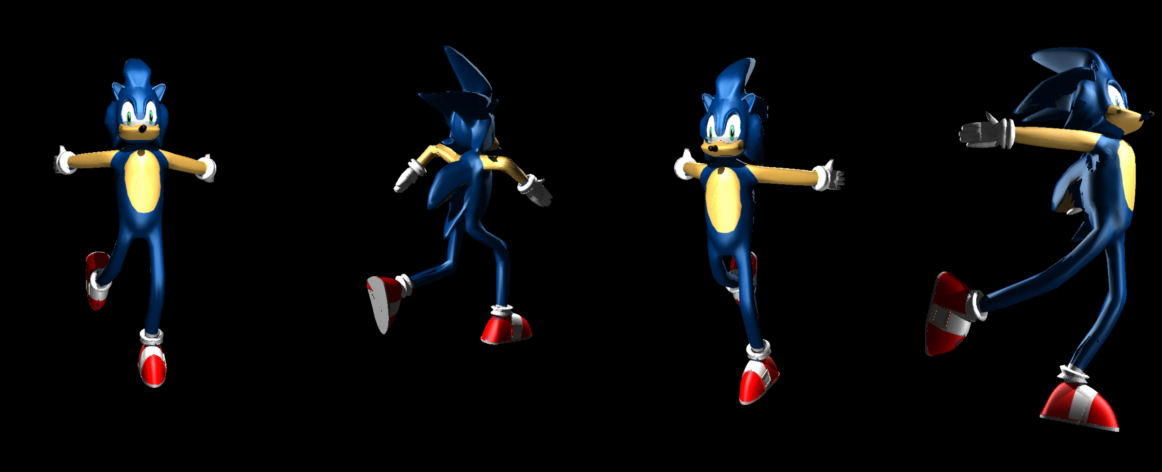
when doing a character model you add bones to the one piece character model and the bones are used to move and pose the model after they are merged.
What about something like a robot or a mech. The mech has more than one piece. Is there a way to connect a leg to a hip and then adjust the constraint settings for movement? I wouldnt import all the pieces into the modeling area until the robot is all one piece then add bones? It seems like that would make the parts morph out of shape....
is there a command that allowes me to connect multiple parts then set the contraints like bones?

Privacy Notice
This site uses cookies to deliver the best experience. Our own cookies make user accounts and other features possible. Third-party cookies are used to display relevant ads and to analyze how Renderosity is used. By using our site, you acknowledge that you have read and understood our Terms of Service, including our Cookie Policy and our Privacy Policy.
I have a beginner level carrara modelling question. In amapi when you model you have the option of holding shift and snapping objects together. Does carrara have a keyboard hot key that lets you do this? Ive been using the universal manipulator. It works fine it just slows me down a bit.