
Renderosity Forums / Carrara
Welcome to the Carrara Forum
Forum Coordinators: Kalypso, Anim8dtoon
Carrara F.A.Q (Last Updated: 2026 Sep 09 4:39 am)
Visit the Carrara Gallery here.

Subject: Modeling from a 2D Reference?


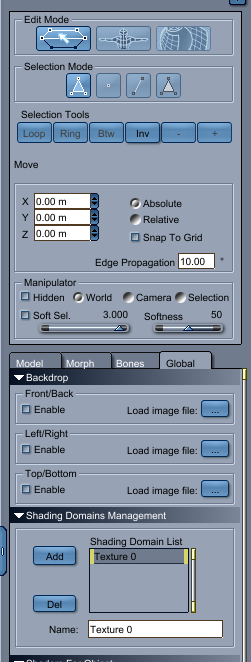
Thanks to Brians help above, I was able to fumble my way and figure out how model something fairly simple. Since I dont fully understand how vertex modeling works, I find I wreck the model quite easily and tend to undo a lot or worse case scenario start over again.
Now the model I created I'm almost happy with. The problem is once I rendered it I noticed that the fidelity on it is not the greatest. I read through the manual and noticed in the Spline Editor there is a Geometry setting which allows you to increase fidelity.
I need to increase Fidelity. Right now I have
Polymeshes: 3
Polygons: 56
Edges: 150
Vertices: 100
Now I did the same shapes in another app and imported into Carrara and the counts are much higher.
Polymeshes: 1
Polygons: 105976
Edges: 160554
Vertices: 54584
I dont need the counts to be that high, but I need them to be better than they are now.
I figured out the Decimate function reduced the fidelty.
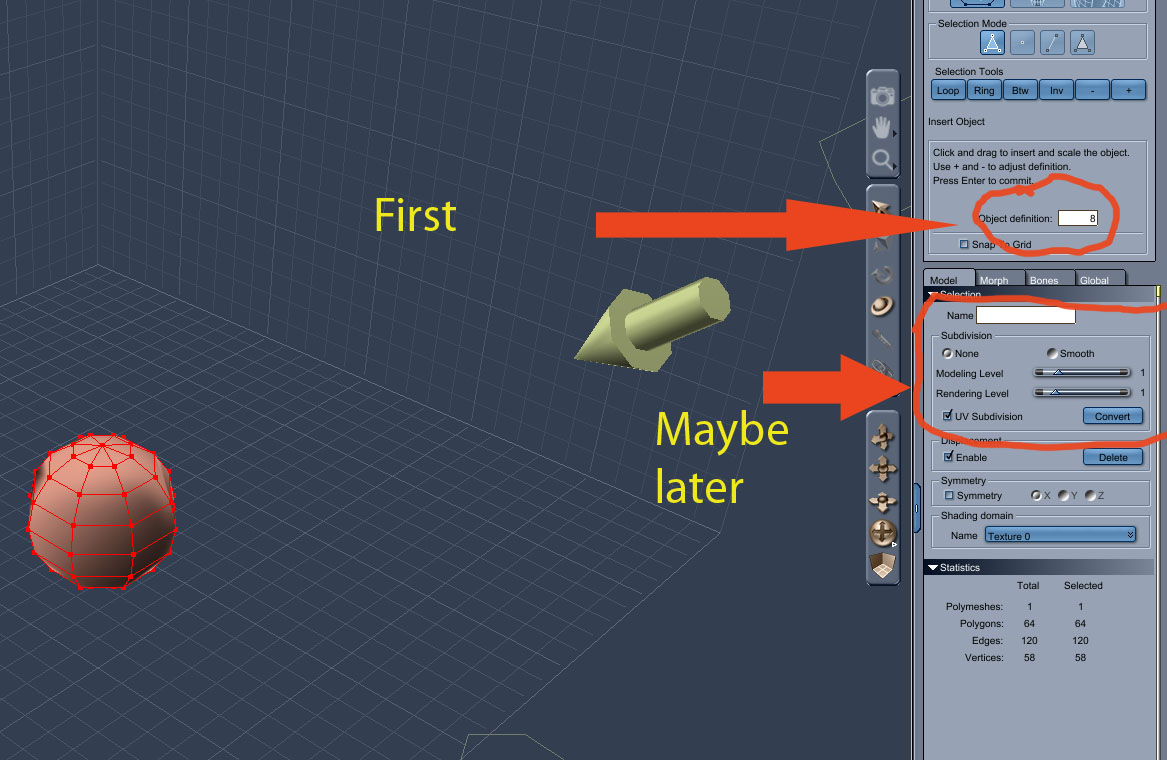
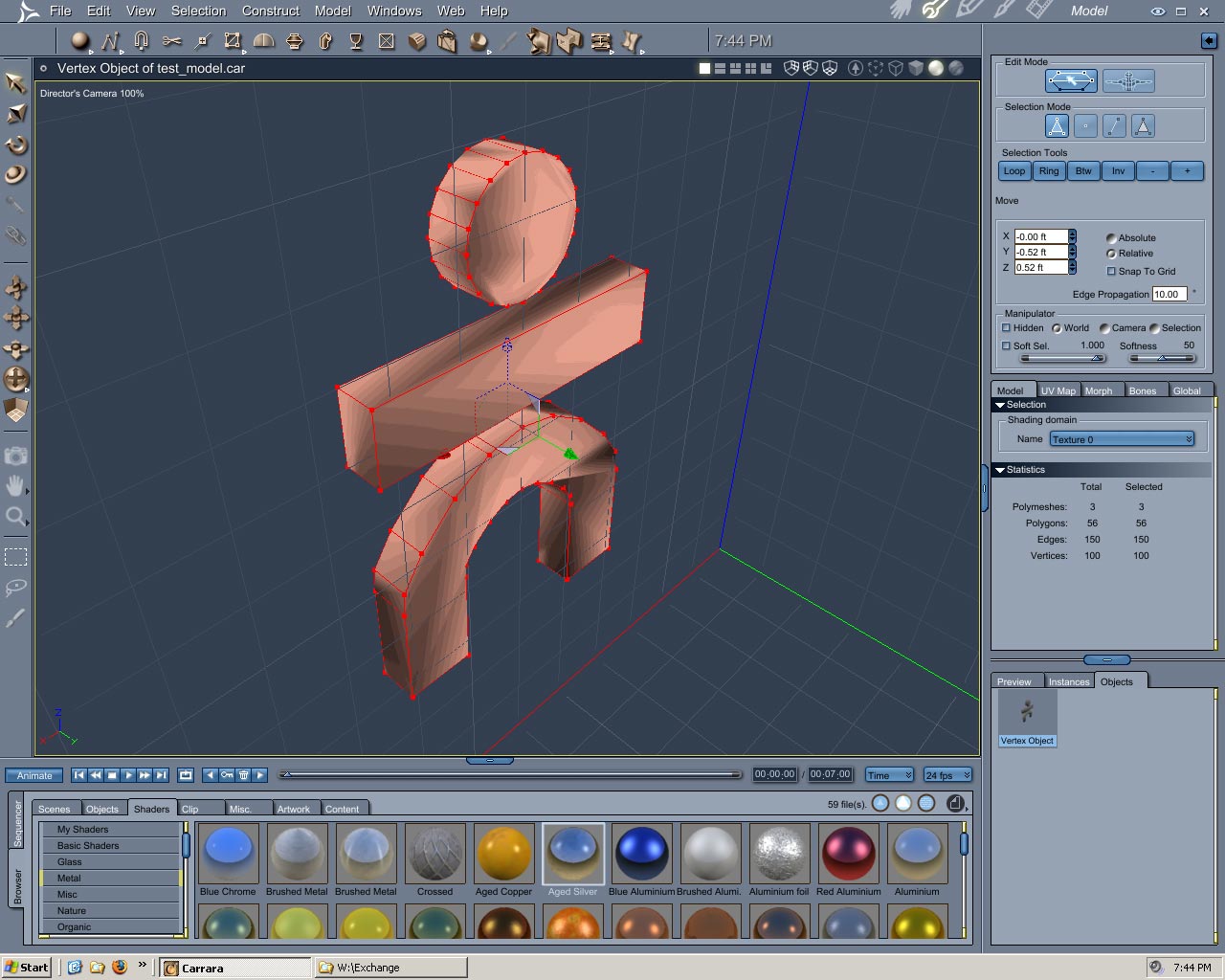
So here is what the model looks like in the Vertex Modeler and you will notice I do not have the same options as you, and I'm not sure why.
Please do note this is my first attempt at modeling.
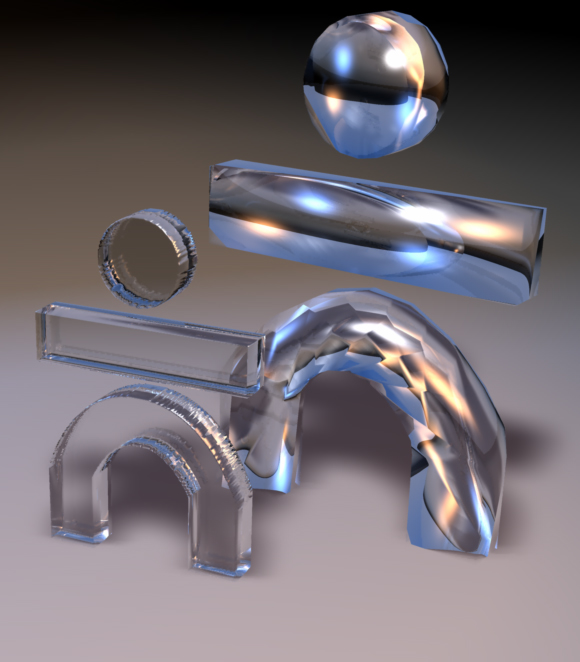
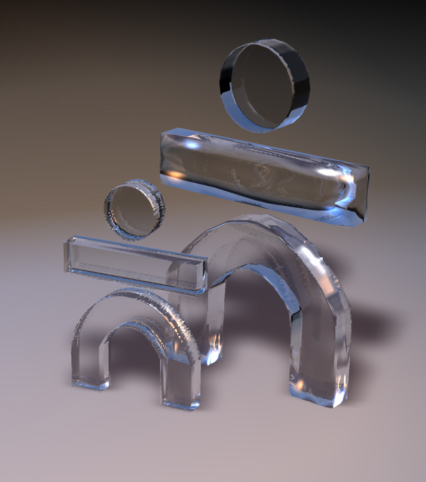
Now the smaller model on the left, was done in another app and imported into Cararra, the problem with the smaller model on the left is, that it has too many polygons, as stated previously. I plan to have more objects in the scene and animate them, so I need the scene to be more compact and less polygons, but yet look more decent than it does now.
Especially the middle rectangular object, you notice it looks more defined in the smaller model and looks more rounded in the Vertex Model.
I have C7Pro so the UI differences may apply to which version you are using.
The more smoothing you want the bigger the file sizes---you will eventually have to compromise.
(You can decimate those big file size importations--see under the Model tab))
How well have you studied the Help Manual?
Have you studied all the FREE tutes--many are the free introductions to the Pay for version---from Marks site?
Brian
bwtr
Vertex modelling--poly modelling--is so basic to 3D that it really need to become second nature to work with.
Two things are basic to all learning from my 77year perspective.
In Computers/3D
One is to work with (fiddle/explore) all the things one can click on on the UI
Two, is to really take time to read the Help. I mean read from page one to the end as if it was a novel.
I think the Carrara 6 Help is fairly good--Vertex Modelling P174 onwards.
Set up the Search function to find information from the Help pdf----its amazing the list of reference items that so regularly get listed!
(I use the Search many times, every day)
Brian
bwtr

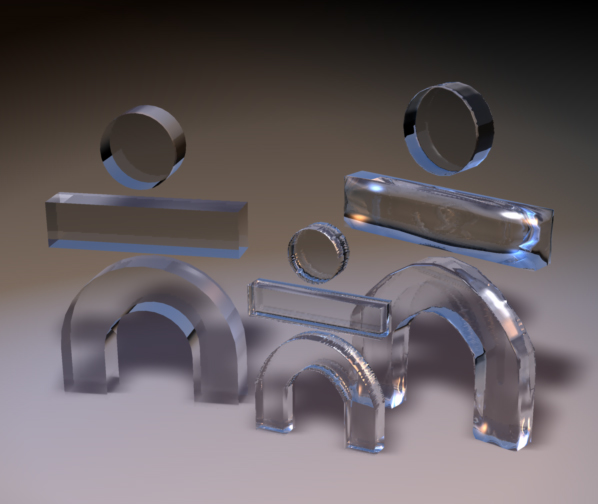
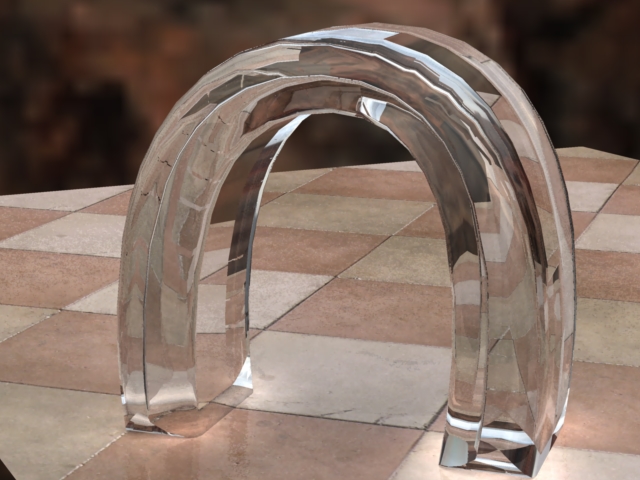
I only needed to convert to vertex to get the poly count to compare to yer previous counts. an unconverted spline object will work o.k., hence no need to convert, unless various vertex operations desired. note that unconverted spline object may be displayed in assembly room (wireframe preview) as vertex obj converted at 100%. in addition, if one hasn't got AI nor APS, the spline modeller (front view) allows similar functionality in drawing vector paths to those two apps, thus saving a bundle of cash if one's only need for those two adobe apps is drawing AI paths.

Also converting to verts will allow you to "domain" shade your object by selecting faces and assigning shaders to each polygon group. (cant do that in spline room)
One other thing is, from what I see of your models is try to attach verts across those n-gon faces (try to cut them into 3-4 sided polys) this will help eliminate much of the distorted ripples on your edges.
Carrara 7 Pro, Anime Studio Pro 8, Hexagon 2.5, Zbrush 4.6, trueSpace 7.6, and Corel Draw X3. Manga Studio 4EX, Open Canvas 5, WACOM Cintiq 12WX User
only ai (illustrator) files as cross-sections in spline modeller AFAIK. everything else should be greyed out (OS X version). it's not necessary to learn, use nor own a copy of adobe illustrator to draw vector paths in carrara's spline modeller. however, conversion of bmp files to vector shapes (filetype.ai) is problematic IMVHO without considerable experience. conversion of bmp files to eps files is elementary, but not very useful.

Carrara 7 Pro, Anime Studio Pro 8, Hexagon 2.5, Zbrush 4.6, trueSpace 7.6, and Corel Draw X3. Manga Studio 4EX, Open Canvas 5, WACOM Cintiq 12WX User
Corel X3 has an easier learning curve... PLUS you can edit your mov files with the included Corel paint (if you like using alphas and compositing several layers of movies together)
I also use a cintiq 12w and love using the Media brushes. They happen to be like using india ink (comic book inking). AND Corel has the ultimate in Comic book illustrators tools, the Powerclip and callout baloons.
Illustrator is a great tool, but X3 is very affordable and has a lot of bonus things that can enhance anyones work in vectors, Video editing and creating a Graphic novel or Comic book.
Carrara 7 Pro, Anime Studio Pro 8, Hexagon 2.5, Zbrush 4.6, trueSpace 7.6, and Corel Draw X3. Manga Studio 4EX, Open Canvas 5, WACOM Cintiq 12WX User

Hey Patrick is the Corel Paint in X4 better with mov files? X3 is a steal nowadays, I think you can pick up a boxed copy of X3 for under $100 now.
The 2 tools are the Bezier Tool (5th Icon down left side) where you just click...click trace over your project, and the Shape Tool (2nd Icon down left side) to manipulate your nodes or left-click on the curves to add or subtract nodes.


Very easy to use, (I save as Illustrator 6.0 files) and produces great results, the tricky part is after vert conversion and selecting faces for domain shading, and thats rather easy in Carrara.
I'm happy with the results.
Carrara 7 Pro, Anime Studio Pro 8, Hexagon 2.5, Zbrush 4.6, trueSpace 7.6, and Corel Draw X3. Manga Studio 4EX, Open Canvas 5, WACOM Cintiq 12WX User
lol... if you need to look at how things are done in Corel X3 or X4 Alex has a lot of video's on Youtube check out his powerclip video's and his tutorials on making copies of logos. His video's taught me a lot and got me rather good at using X3.
Carrara 7 Pro, Anime Studio Pro 8, Hexagon 2.5, Zbrush 4.6, trueSpace 7.6, and Corel Draw X3. Manga Studio 4EX, Open Canvas 5, WACOM Cintiq 12WX User

Privacy Notice
This site uses cookies to deliver the best experience. Our own cookies make user accounts and other features possible. Third-party cookies are used to display relevant ads and to analyze how Renderosity is used. By using our site, you acknowledge that you have read and understood our Terms of Service, including our Cookie Policy and our Privacy Policy.
I've been going through the Carrara 6 Manual and even did some keyword searches, and cant seem to see if there is a way to use a 2D Bitmap Image to model a 3d object.
Now I'm not talking about anything too complex.
Example: Lets say I draw a text or some geometric shapes on paper and scan them into a bitmap, is it possible to import into Carrara and some how trace into Vertex modeler and turn into 3D?