
Renderosity Forums / Carrara
Welcome to the Carrara Forum
Forum Coordinators: Kalypso, Anim8dtoon
Carrara F.A.Q (Last Updated: 2026 Sep 09 4:39 am)
Visit the Carrara Gallery here.

Subject: Terrains and Trees in C6


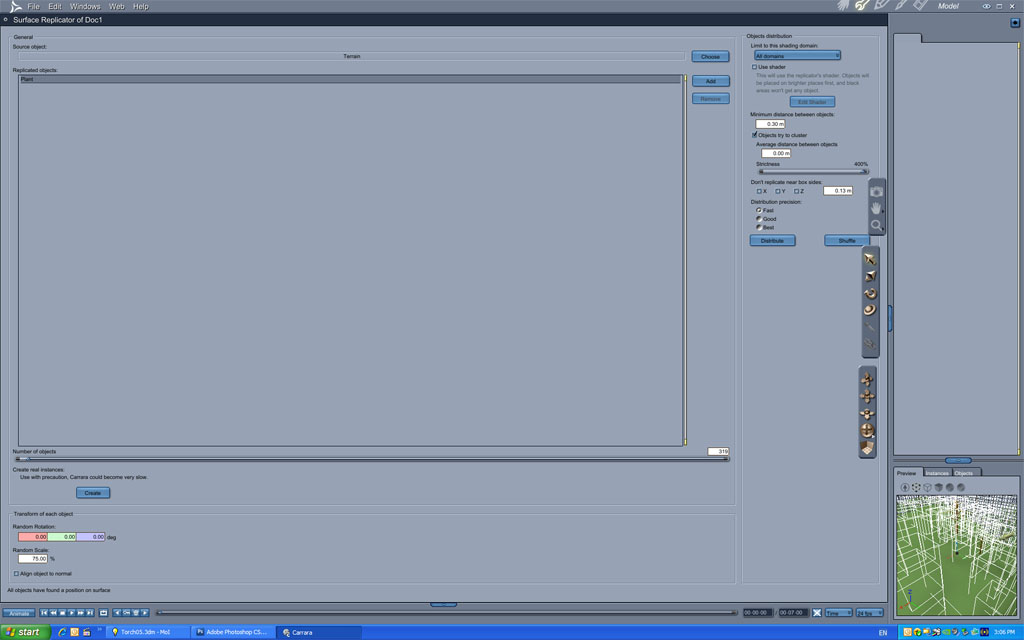
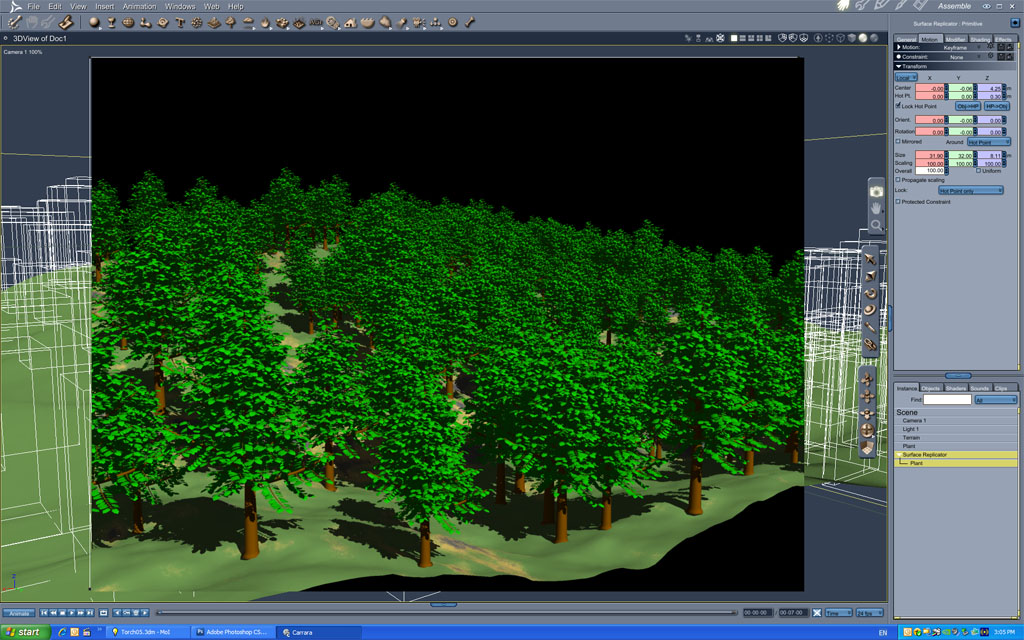

In my trials I add variability using the following settings for the surface replicator:
-
a 360 degree rotation around the Z axis (so plants instances are rotated in all possible directions)
-
a 100% scaling random setting to create trees with different sizes (unless it is an man planted forest, plants have random ages and therefore random sizes)
-
uncheck alignement to normal (plant grow roughly vertical in all cases, actually it would need a more sophisiticated control).
You should also use several different instances for each species of plants and have different kind of plants in the same replicator.
Things are much less automatic than Vue ecosystems but with a bit of work you can reach similar results.
Bye!!!
GIMP 2.7.4, Inkscape 0.48, Genetica 3.6 Basic, FilterForge 3 Professional, Blender 2.61, SketchUp 8, PoserPro 2012, Vue 10 Infinite, World Machine 2.3, GeoControl 2

A small addition: it is also interesting to use a procedural shader to distribute the trees
---------------------------------------
Holyforest,
Hundreds of shaders for
Carrara

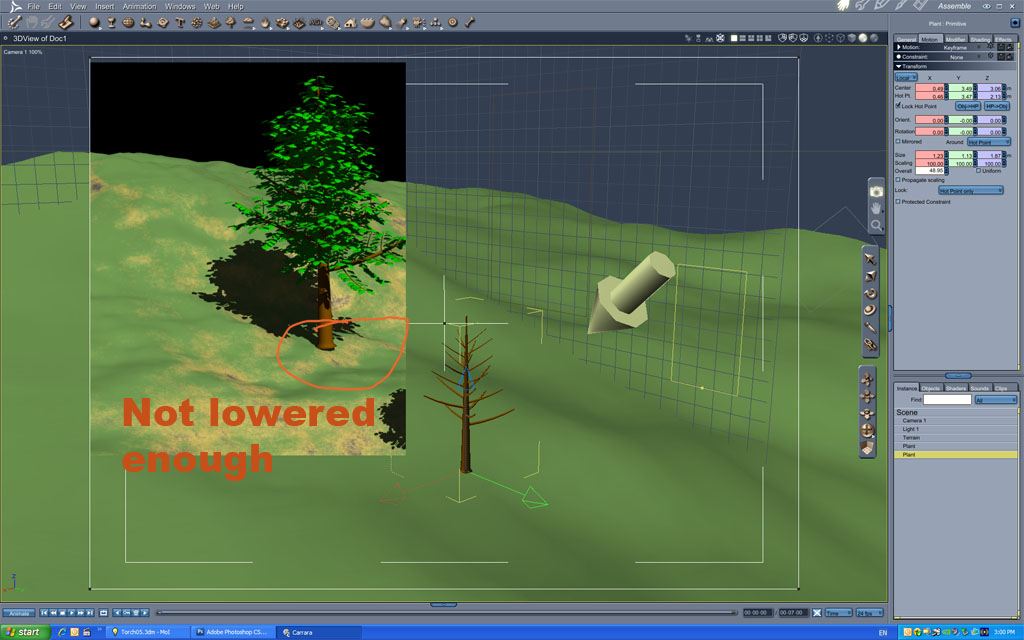
You should also make sure your "HOT POINT" for tree/plant/object to be replicated is in the object and not located outside of it. EXAMPLE: Some trees may have a Hot Point below the root line of the tree and you should move it to just above the very bottom of the tree trunk by depressing Caps Lock/ move it/ undo Caps Lock.
I would rather
be Politically Incorrect,
Then have Politically
Correct-Incorrectness!!!

Privacy Notice
This site uses cookies to deliver the best experience. Our own cookies make user accounts and other features possible. Third-party cookies are used to display relevant ads and to analyze how Renderosity is used. By using our site, you acknowledge that you have read and understood our Terms of Service, including our Cookie Policy and our Privacy Policy.
Hi all,
I am trying to place a few trees on my terrain, but almost without exception they do not appear in the final render.
I'm not sure what is going on, but I can perhaps guess that they are very small in comparison to the terrain. Either that, or they get positioned well under the ground ??
I want to get it so that I have a reasonable sized tree dropped on to the surface of the terrain.
Any help appreciated.
regards,
Andrew