
Renderosity Forums / Carrara
Welcome to the Carrara Forum
Forum Coordinators: Kalypso, Anim8dtoon
Carrara F.A.Q (Last Updated: 2026 Sep 09 4:39 am)
Visit the Carrara Gallery here.

Subject: Colored glass windows and light


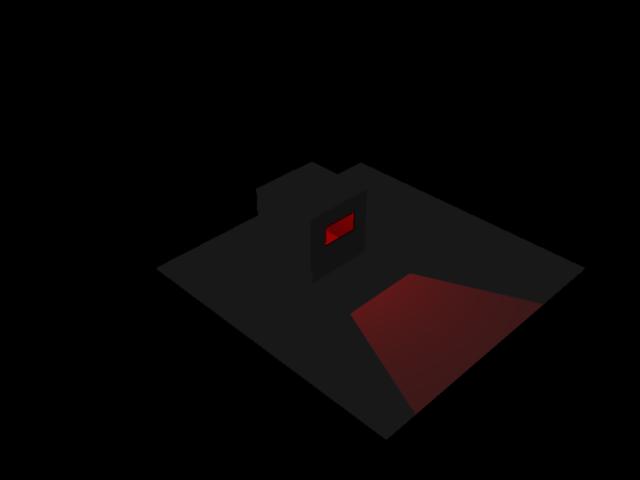
Where I ran into trouble was where the color was in the glass shader. When I gave the glass a red color, but a value for transparency, the light spilled through as white. When I gave the glass a color in the transparency value, the light spilled through as if it was shining trhough a red filter.
The only place I had to check "light through transparency" was in the render room.
Hope this is helpful.

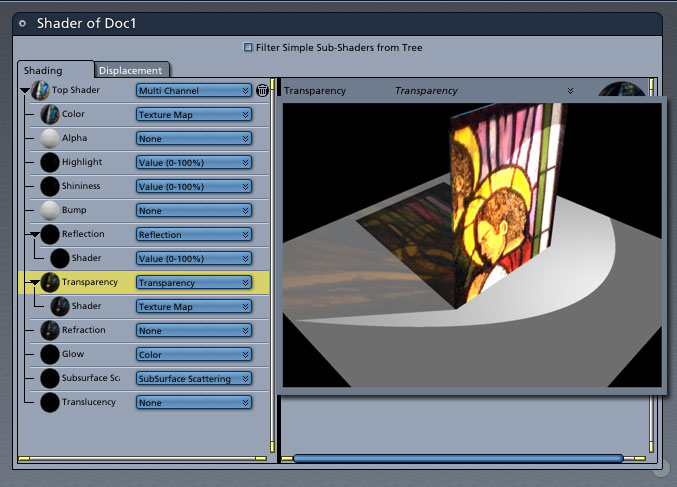
In the attached example, (render is overlayed teh texture options) I set the Color Map to a texture, the transparency to the same texture and the transparency's shader to the same texture.
hope that helps, I'm a stranger here myself.
---------
Phillip Drawbridge
Website
Facebook
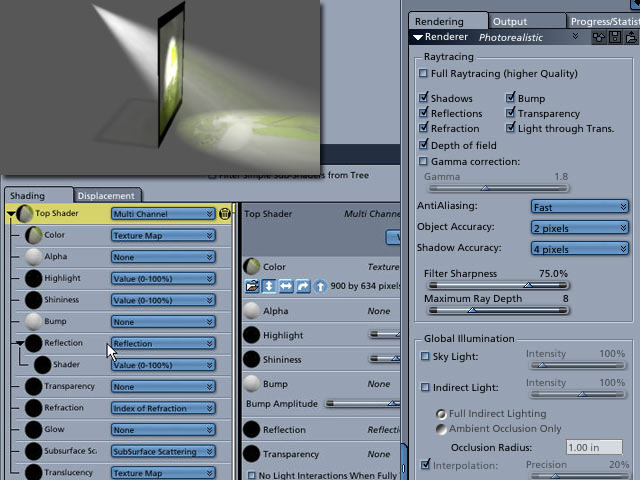

tkane is using the volumetric light option also. That was improved in 5.1 to pickup color better and c4 doesn't have the second light thru trans option anyway. The translucency option isn't going to work in c4 either. I think what has worked is copying the same settings from color channel to transparency and glow. I think the glow channel can work with this in c4. Kinda simulates translucency.
No need to think outside the box....
Just make it
invisible.

Privacy Notice
This site uses cookies to deliver the best experience. Our own cookies make user accounts and other features possible. Third-party cookies are used to display relevant ads and to analyze how Renderosity is used. By using our site, you acknowledge that you have read and understood our Terms of Service, including our Cookie Policy and our Privacy Policy.
I have Carrara 4.
I had an idea to experiment with makeing a stained glass window. To start, I made a hollow cube placed on a plane and put my only sourse of light in the cube. I cut a square window in one wall of the cube and placed a colored piece of glass in the hole. I render it and the window glows but does not cast light on the outside of the cube on the plain. How do you make that happen?
I had "Light through Trans" checked in the Render room.