
notefinger opened this issue on May 31, 2006 · 7 posts
notefinger posted Wed, 31 May 2006 at 10:45 AM
I have Carrara 4.
I had an idea to experiment with makeing a stained glass window. To start, I made a hollow cube placed on a plane and put my only sourse of light in the cube. I cut a square window in one wall of the cube and placed a colored piece of glass in the hole. I render it and the window glows but does not cast light on the outside of the cube on the plain. How do you make that happen?
I had "Light through Trans" checked in the Render room.

anxcon posted Wed, 31 May 2006 at 11:05 AM
2 places have "light through trans" and make sure transparent in texture room too
not 100% sure if C4 let light through, dont have C4 :) but C5 works fine
sfdex posted Thu, 01 June 2006 at 5:25 PM
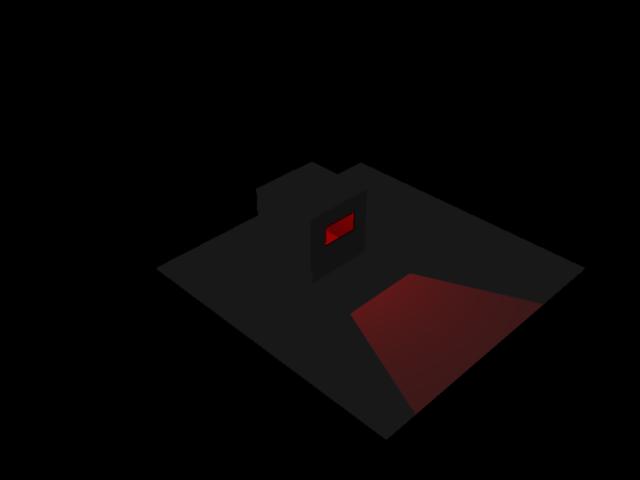
Where I ran into trouble was where the color was in the glass shader. When I gave the glass a red color, but a value for transparency, the light spilled through as white. When I gave the glass a color in the transparency value, the light spilled through as if it was shining trhough a red filter.
The only place I had to check "light through transparency" was in the render room.
Hope this is helpful.
sfdex posted Thu, 01 June 2006 at 5:27 PM
Oh, and my cube was built in the Vertex room with the polygon deleted to make the hole. The red glass is a cube primitive placed in the hole in the vertex cube. The bulb is completely inside the vertex cube but high enough in the cube to be sure the light is cast onto the plane.
- Dex

drawbridgep posted Thu, 01 June 2006 at 10:06 PM
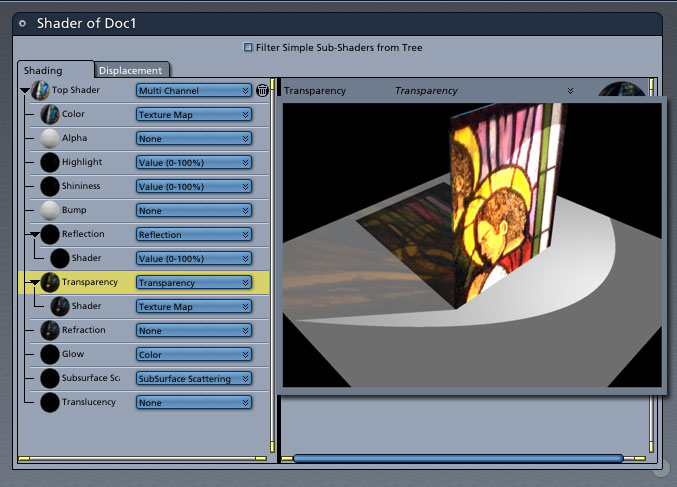
In the attached example, (render is overlayed teh texture options) I set the Color Map to a texture, the transparency to the same texture and the transparency's shader to the same texture.
hope that helps, I'm a stranger here myself.
tkane18 posted Fri, 02 June 2006 at 10:37 AM

ren_mem posted Tue, 06 June 2006 at 5:02 PM
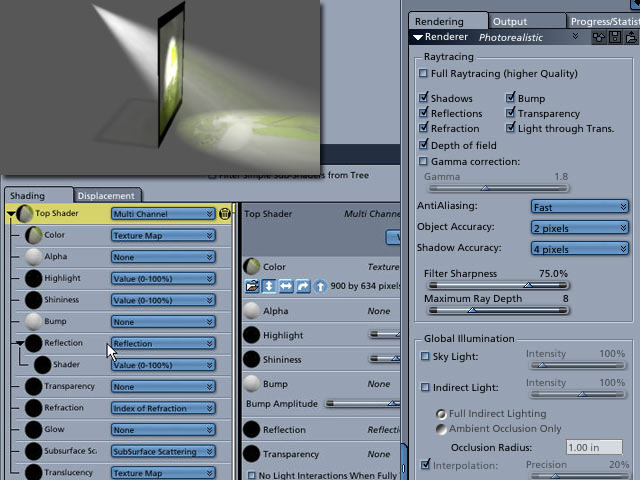
tkane is using the volumetric light option also. That was improved in 5.1 to pickup color better and c4 doesn't have the second light thru trans option anyway. The translucency option isn't going to work in c4 either. I think what has worked is copying the same settings from color channel to transparency and glow. I think the glow channel can work with this in c4. Kinda simulates translucency.
No need to think outside the box....
Just make it
invisible.