
-
Marketplace
-
Free Stuff
-
Galleries
-
Community
Forums General
- News
- Deals
- Poser
- Contact
Mon, Mar 30, 7:50 AM CDT
Renderosity Forums / Poser 14

Subject: import JPG

Report Post

Kalypso
( )
posted Thu, 12 February 2026 at 10:36 AM
·
edited Thu, 12 February 2026 at 10:36 AM
Site Admin


-
- Renderosity Page
- Renderosity Communities
- Blender 3D
- iClone
- Poser Users
- Poser Software
- Become an Affiliate
- Memorials
-
About
- About Us
- Contact Us
- Team
- Policies
- Terms of Service
- Copyright Policy
- Refund Policy
- Licenses
- Standard License
- Extended License

Privacy Notice
This site uses cookies to deliver the best experience. Our own cookies make user accounts and other features possible. Third-party cookies are used to display relevant ads and to analyze how Renderosity is used. By using our site, you acknowledge that you have read and understood our Terms of Service, including our Cookie Policy and our Privacy Policy.
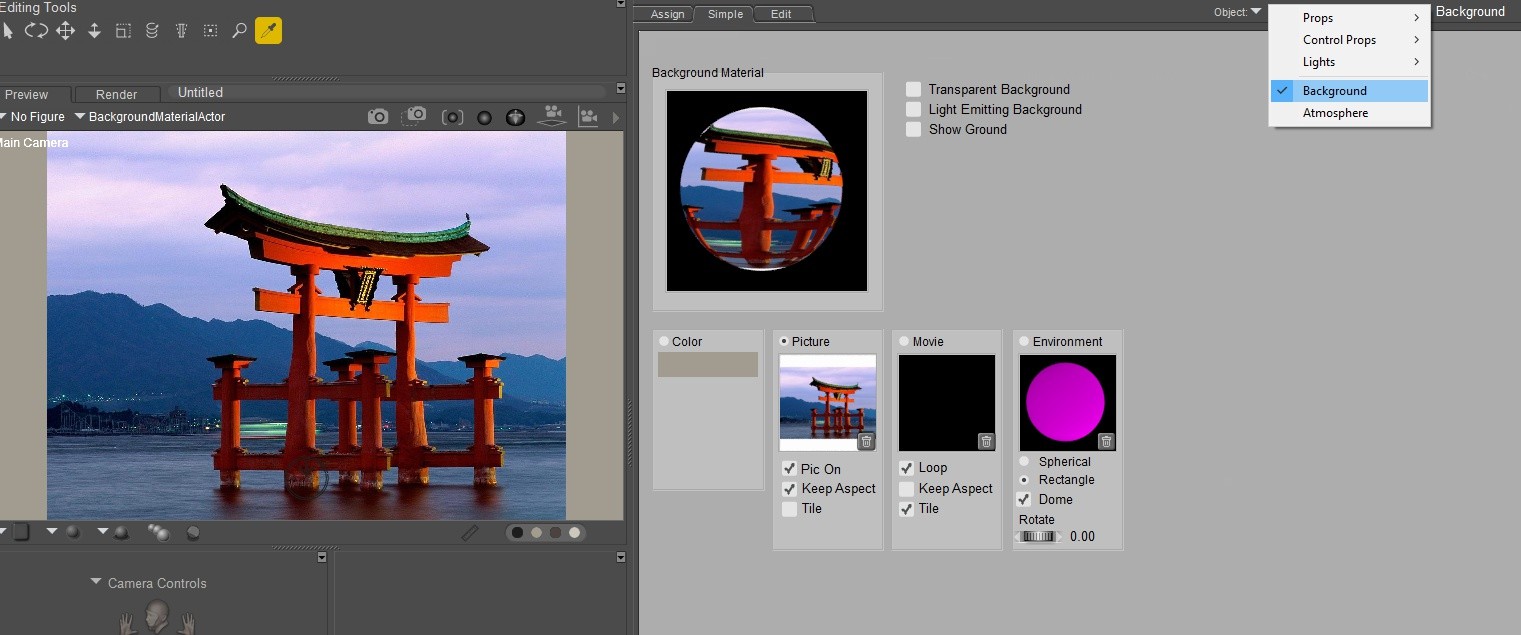
Would someone be able to explain how to bring a JPG image into Poser 14?