
-
Marketplace
-
Free Stuff
-
Galleries
-
Community
Forums General
- News
- Deals
- Poser
- Contact
Renderosity Forums / Blender
Welcome to the Blender Forum
Forum Moderators: Lobo3433 Forum Coordinators: bwsupport
Blender F.A.Q (Last Updated: 2026 Mar 23 6:01 pm)
Welcome to the Blender Forum!
Your place to learn about Blender, ask questions,
exchange ideas, and interact with the other Blender users!
Gallery | Freestuff | Tutorials
Visit the Renderosity MarketPlace. Your source for digital art content!


Subject: video card problem

Report Post

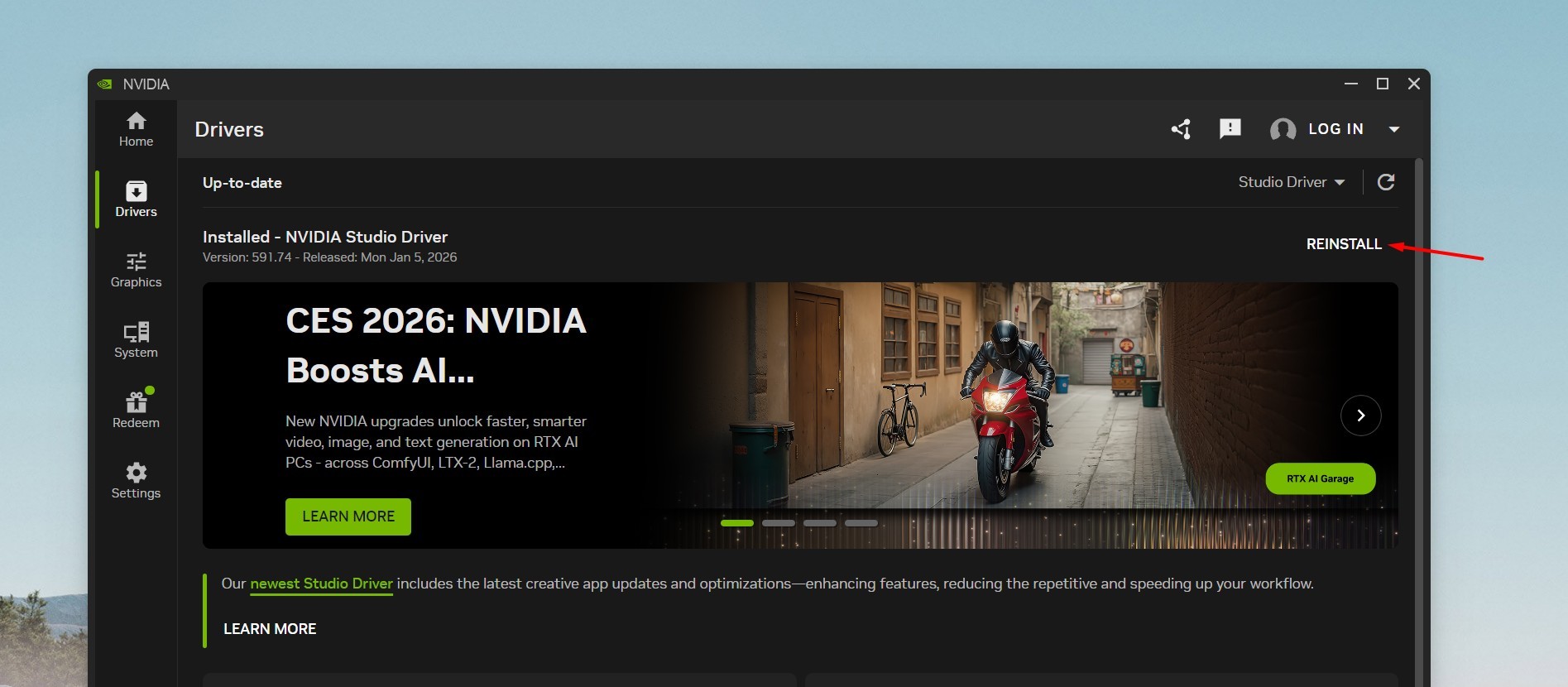
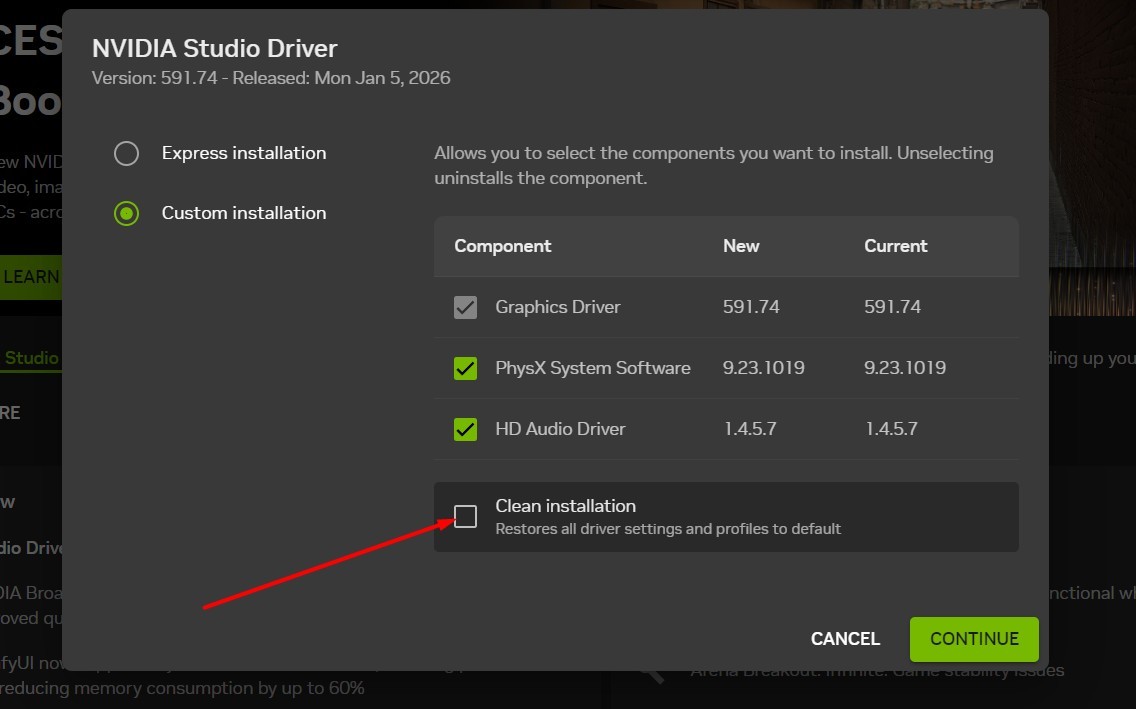
That is a common error most often the OpenGL version has become corrupt in your system reinstalling the graphic drivers and doing a clean install make sure there is a check mark in the Clean Installation option see screen shots below usually will resolve this if it repeats reinstalling Blender would be my next trouble shooting step hope this helps
Lobo3433
Lobo3433
Blender Maya & 3D Forum Moderator
goofygrape posted at 9:46 PM Sun, 8 February 2026 - #4503825
Hello goofygrapeLobo3433, yes, the problem was partly, and the problem was fixed by cleaning the card from over heating and other things. It now works fine, and thanks for your info
I am glad your issue is resolved I experienced the myself a couple of times in the past while using Blender so was familiar with the most common solution I am gla dyou are back up and running
Lobo3433
Blender Maya & 3D Forum Moderator
-
- Renderosity Page
- Renderosity Communities
- Blender 3D
- iClone
- Poser Users
- Poser Software
- Become an Affiliate
- Memorials
-
About
- About Us
- Contact Us
- Team
- Policies
- Terms of Service
- Copyright Policy
- Refund Policy
- Licenses
- Standard License
- Extended License

Privacy Notice
This site uses cookies to deliver the best experience. Our own cookies make user accounts and other features possible. Third-party cookies are used to display relevant ads and to analyze how Renderosity is used. By using our site, you acknowledge that you have read and understood our Terms of Service, including our Cookie Policy and our Privacy Policy.
Blender won't start, says video card drivers are outdated. RTX 3060 12 GB, the card was updated to the latest version, Blender 5.0, 5.1, and 4.5.
John