Renderosity Forums / Poser 11
Welcome to the Poser 11 Forum
Forum Moderators: nerd Forum Coordinators: Anim8dtoon, Digitell
Poser 11 F.A.Q (Last Updated: 2026 Jun 01 8:15 am)

Welcome to the Poser Forums! Need help with these versions, advice on upgrading? Etc...you've arrived at the right place!
Looking for Poser Tutorials? Find those HERE

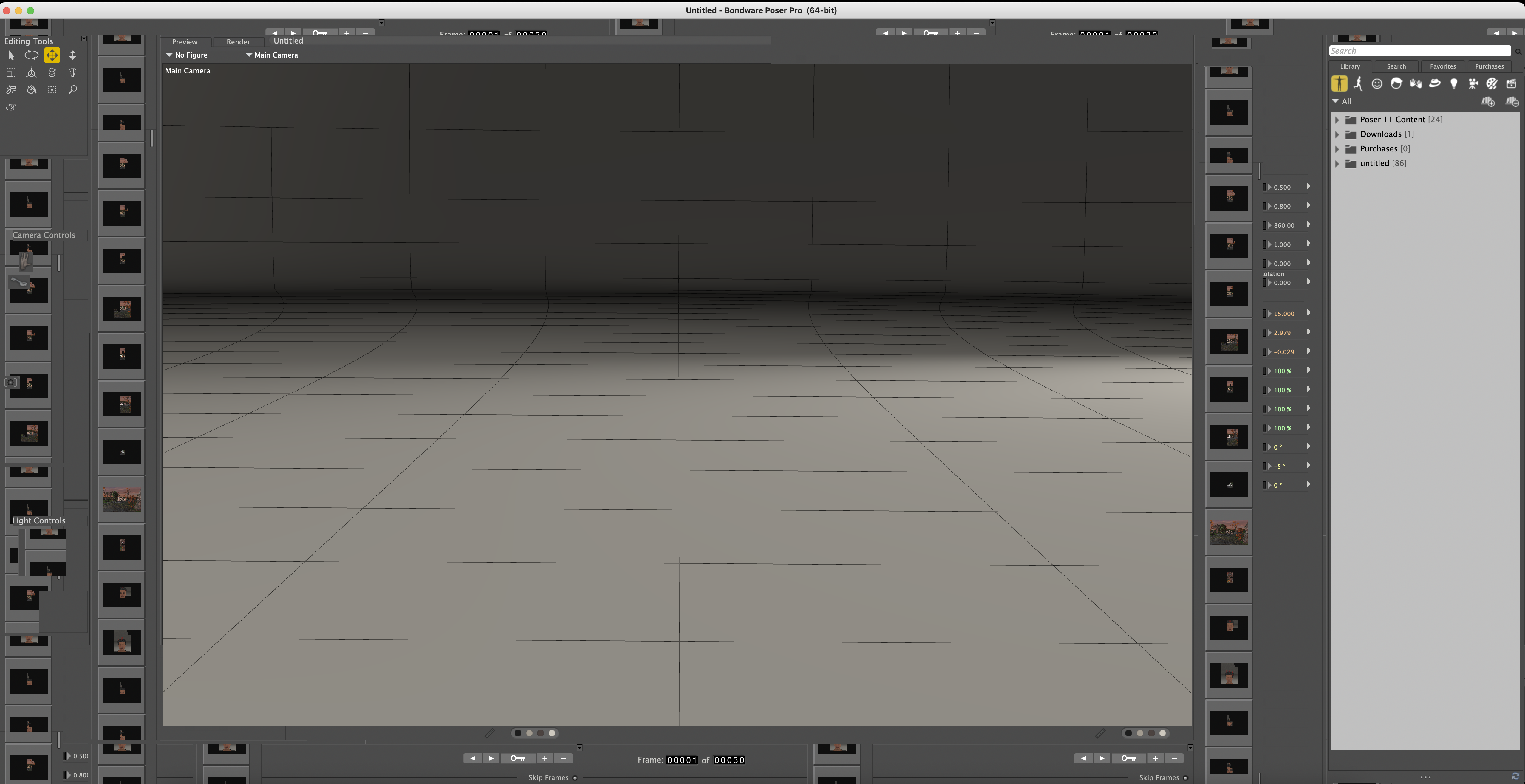
Subject: Poser 11.3 glitchy after updating Mac to Sequoia 15.4


Which is why I haven't "upgraded" my macOS in years. I thought that might be the reason Bondware dropped the Mac, not that Apple could care. BTW, it's "Mac," not MAC (Media Access Control). Just a pet peeve. :)There is another thread about how the latest MAC update is playing havoc with Poser. That is the reason why Bondware is no longer supporting MAC's. Apple keeps breaking something every time there is an update.

I work on an iMac with the old Mojave system (10.14. 5) with Poser 11 Pro.
It would be interesting to know if any Mac users are using Poser 13 with the new Mac systems.
..but what about Poser 13...? According to the users' testimonies, does it work on Ventura 13..?Bondware has suspended updating Poser for Macs due to consistent incompatibility issues with iOS upgrades. Don't expect Poser 14 to be available for Mac machines.
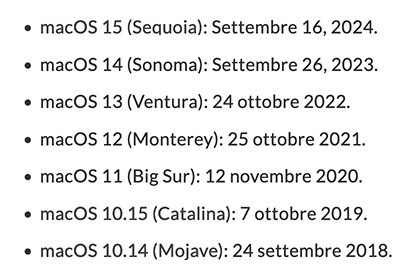
No more Mac support | Renderosity
There is another link from nerd3d within the post with further explanation.

Poser's last 13 version runs smoothly on Sequoia 15.5, on an M2.Does poser 13 run acceptably well on Sequoia?
𝒫𝒽𝓎𝓁
(っ◔◡◔)っ
👿 Win11 on i9-13900K@5GHz, 64GB, RoG Strix B760F Gaming, Asus Tuf Gaming RTX 4070 OC Edition, 1+2 TB SSD's, 6+4TB HD
👿 Mac Mini M2, Tahoe 26.5, 16GB, 500GB SSD
👿 Nas 10TB
👿 Poser 13 and 14 ❤️
I think there is an update to poser 11 that I never applied because it was working OK. I’m on a Macintosh. How do I apply an update?
Also, what about the new browser version of poser? If I can’t get poser working on a Macintosh, how well would the browser version serve? Can I use my characters on my hard drive and get a render?

The latest version of Poser 11 is 11.3.818. If you don't have a copy of the install file, you can contact https://support.posersoftware.com/ to get one. Have your serial number handy. I think you may need it. To install it, just run the program. It will ask if you want to uninstall the current version first. That's up to you.
For a newer version, there is a free trial of Poser 13 available. You can see if that works for you.
The link to Poserplay is here https://play.posersoftware.com/ and you can find the forum here https://www.renderosity.com/forums/12601/poserplay if you want to check that out.
Available on Amazon for the Kindle E-Reader Monster of the North and The Shimmering Mage
Today I break my own personal record for the number of days for being alive.
Check out my store here or my free stuff here
I use Poser 13 and win 10

I'm rehashing an old thread.
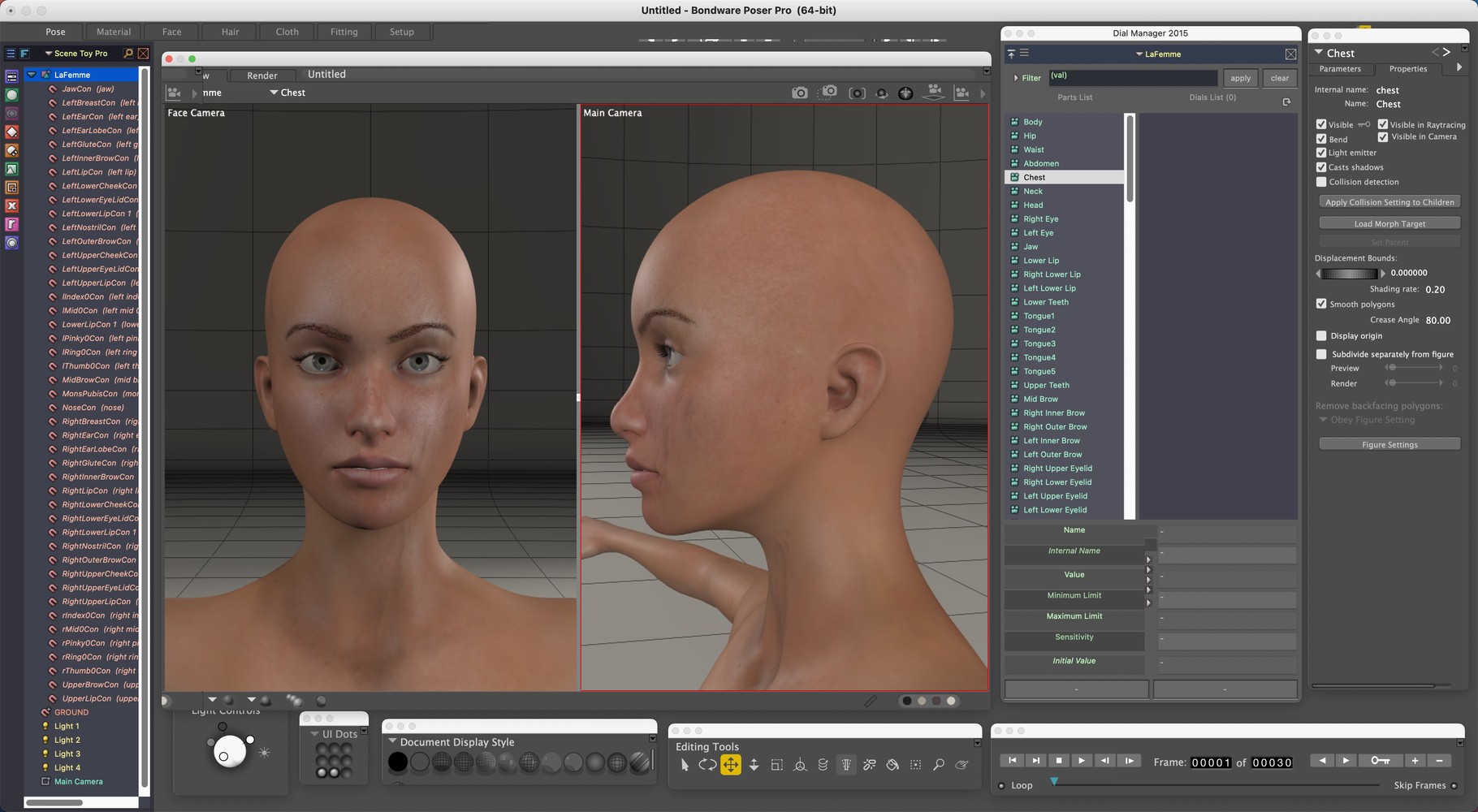
I have the same problem as the original poster. Poser 11 on M1 Mac running Sequoia. I noticed that my addons didn't have a display problem. I'm using Dial Manager, Scene Toy and Library Manager is on a second screen. I also noticed that each of the various tools displayed correctly when undocked. So I painstakingly pulled each from docked to floating with docking ability turned off, arranged them, and created a UI dot. The dot works but I still have to rearrange the tools and addons when I first open the program. Maybe this will help someone else.
I only use Poser for morphing and exporting older content that doesn't work in Daz. It ends up in Blender for layout. I don't believe I need the other rooms besides the Pose room. I might try the same trick with the Materials room but it gave me issues off the bat and I may not need it.
I'm glad I made the move to Blender years ago, seeing that Bondware is discontinuing Mac support. At least all the content I collected over the years can still be put to use. I considered buying the final Mac compatible Poser version but they'd have to lower the price quite a bit for me to consider it. Oh well, it's been fun, but everything must change.
________________________________

Privacy Notice
This site uses cookies to deliver the best experience. Our own cookies make user accounts and other features possible. Third-party cookies are used to display relevant ads and to analyze how Renderosity is used. By using our site, you acknowledge that you have read and understood our Terms of Service, including our Cookie Policy and our Privacy Policy.
Has anyone else had this glitch in Poser after updating to Sequoia 15.4? I haven't been updating my Mac for some time now and just recently updated to Sequoia 15.4 and now I have these floating areas in Poser that will sometimes go away if I hover over them, but usually don't. It covers up most of the controls and makes it very difficult to get anything done. Does anyone know how to fix this?