
Renderosity Forums / Community Center
Welcome to the Community Center Forum
Forum Moderators: Lobo3433 Forum Coordinators: Anim8dtoon
Community Center F.A.Q (Last Updated: 2026 Mar 10 10:53 am)

Subject: can someone fix the save posts layout?

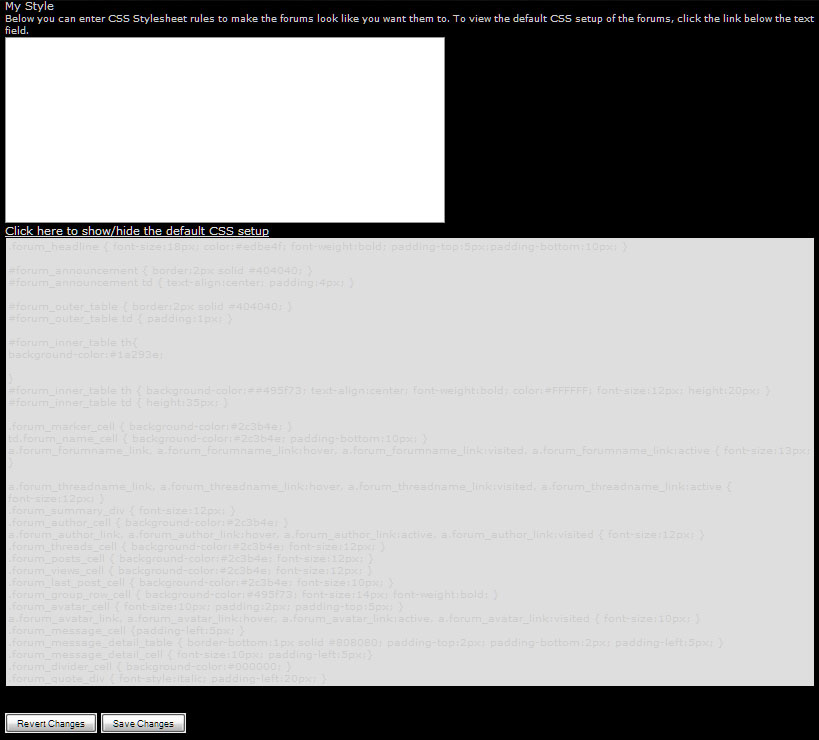

will that get rid of the blue backgrounds? thats the main issue I'm having with saving into Evernote... I can't get rid of the damn blue... tho the issue I do see is, 'greasemonkey' I'm not a programmer of any sort... I can't even make a simple webpage without getting lost. hence me using Evernote to save and database posts. or trying to... this is the only site I have problems with...
plus the preview on the CSS really is broken ;)
and save post...

Not sure what to do about the CSS..I haven't a clue about that...but I'll let the programmers know about it.
But as nruddock said, you can save the complete page in FireFox and all images and text will be saved as it shows on the thread. Just go to "File > Save As> Web Page Complete"
~Jani
Renderosity Community Admin
---------------------------------------
try saving the page for later use like that. then try and edit out the unwanted posts, adverts, menus, and the blue backgrounds.
once you work out how, can you let me know how? seriously. if I could do that I would just save the pages. but since it's not that easy to edit down to just whats needed....
Attached Link: https://addons.mozilla.org/en-US/firefox/addon/737
Like I said before, you use Platypus ot write a GreaseMonkey script to strip the stuff you don't want before saving the page via the browser.You can also do the same thing on a one time basis with Firebug.

Khai,
Tommy did clean up the "print" option where you might can try and use the print and then copy and paste into whatever program you want. Have you tried that?
Sorry I've been crazy sick and just went back to the office today and we just had the biggest tornado we've ever had and it hit at the end of our street. I've never beeen so scared so I might not be making much sense today between the meds for my illness and the shaking from the tornado:( We are all okay and our building is fine but the town of Murfreesboro is really really bad:(

Privacy Notice
This site uses cookies to deliver the best experience. Our own cookies make user accounts and other features possible. Third-party cookies are used to display relevant ads and to analyze how Renderosity is used. By using our site, you acknowledge that you have read and understood our Terms of Service, including our Cookie Policy and our Privacy Policy.
Content Advisory! This message contains profanity, violence
I've been trying to save posts from Rendo to a home database.. but I'm running into real problems with the ))#)@#@(#@ layout here.
first it was trying to change the CSS style to remove the alternating blue blocks and make the text black.
.......looks at page of code well thats fucked ain't it. us non-programmers don't stand a chance there do we?
then I saw the 'Save' function on a post. not as convient as hitting the Evernote save button, but it should be ok...
oh how wrong I was.
first it looses the pictures in the post. bye bye shadenode setup by Baggins.
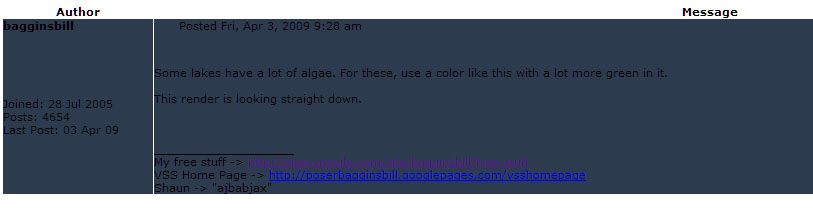
then it renders the post unreadable
an example
http://www.renderosity.com/mod/forumpro/friendly_message.php?save&message_id=3420391
black text on a dark blue background.
Nice.
welldone. completely useless.