
Renderosity Forums / Carrara
Welcome to the Carrara Forum
Forum Coordinators: Kalypso, Anim8dtoon
Carrara F.A.Q (Last Updated: 2026 Jul 11 2:50 am)
Visit the Carrara Gallery here.

Subject: Question about saving objects in browser...


Very strange behavior... as always the first question is about the lastest Carrara version... after this, theres something special with this shaders?
Follow me at euQfiz Digital
Nope, still on 5.1 Pro... (As in the really good bargain 3D World deal that was there to get people hooked.)
Is this a bug for that particular version?
Your friendly neighborhood Wings3D nut.
Also feel free to browse my freebies at ShareCG.
There might be something worth downloading.

Perhaps the missing shaders are on "global" rather than local coordinates? When the object is moved, then the shader changes (?) I am just grasping at a possibility, as I have never had a shader malfunction either.
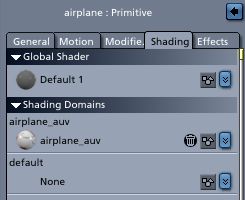
Do all the shaders have unique names? Do all the material zones CALL for unique names? If one of these is the culprit, then Carrara would open the shader, but apply a different one first. (Still grasping.)
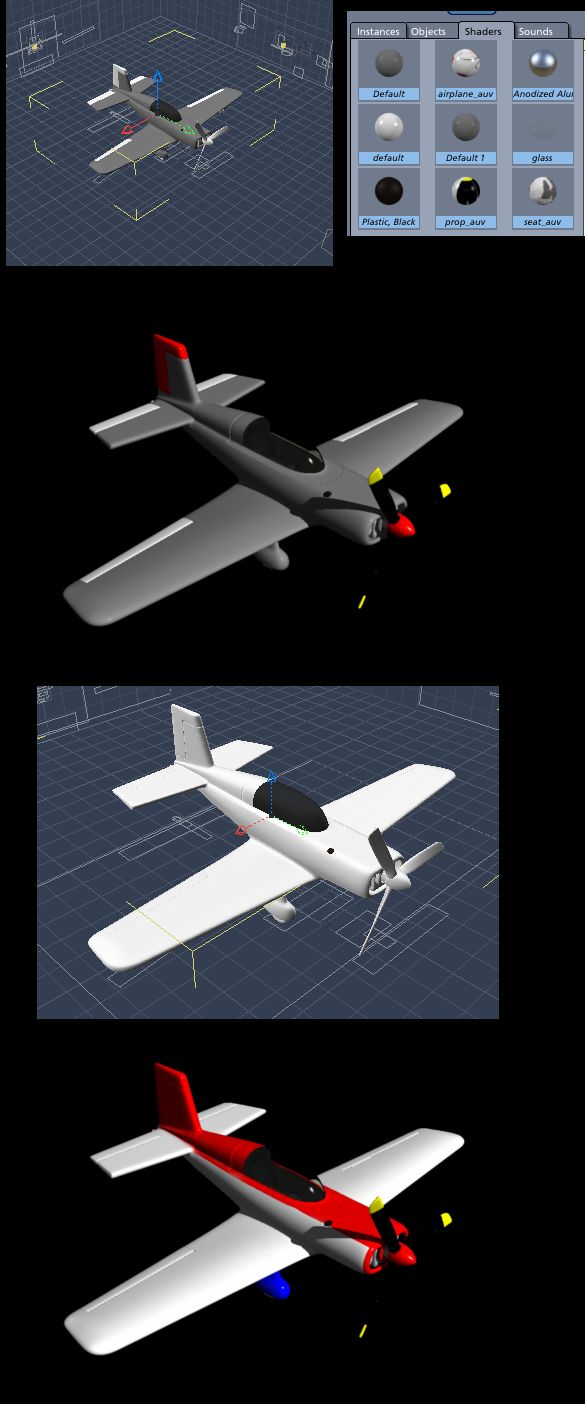
Does Carrara get confused if things have more than one material to a single piece? (I don't know offhand of other apps with this problem.) I'm just confused, because to my way of thinking - if a model is set up a particular way and dragged to the object browser, it should open up that way. Also when saving models as part of a scene (not through the browser, but through save menu) I don't have this kind of problem. :blink:
Your friendly neighborhood Wings3D nut.
Also feel free to browse my freebies at ShareCG.
There might be something worth downloading.
Your friendly neighborhood Wings3D nut.
Also feel free to browse my freebies at ShareCG.
There might be something worth downloading.
That didn't exactly work...
But I did figure something out, so perhaps there's a bug in the 5.1 drag and drop feature. Perhaps this info could be the basis for a mini-tut somewhere...
Also, I'm writing it down now in case I forget or someone else needs this info.
Here's how I fixed it:
- Import the model you want to have made ready for Carrara (5.1)
- Setup the model for everything but materials. (Because the shaders get lost if there's more than one material zone. And no, opening the .obj as vertex doesn't fix that.)
- Then drag and drop to the object browser.
- Close up that window.
- Now double click the object browser image of the model. This will open up the model as a scene.
- Now is the time to setup the materials for the model.
- When done with the materials, pick the whole entire model. Group that. (So you have Group>Model Name>All the parts of the model.)
- Set the scene ambient light to 45%, and the background to color, keep the default gray.
- Go to render settings, and check skylight.
- Now back in the staging mode, make sure just the group containing the model is selected.
- Then file and Export. It will want to save as "Group". Change that to your model name. Make the pre-render image and compress options checked. Add your model description too.
- Refresh the browser folder, and your model should show up provided it's saved where your "My objects" directory is. Should be drag-n-drop ready for later use!
How I figured this out? Not sure, I guess I'm friggin' persistent when I want something to just simply work. :glare:
Your friendly neighborhood Wings3D nut.
Also feel free to browse my freebies at ShareCG.
There might be something worth downloading.
I made my freebie model "Carrara ready". Could someone check it to see if it works on their computer? (Not sure if there's file dependencies or not.) Also the model should have constraints on the control surfaces and hatch, and a spin modifier applied to the prop-shaft. (Running animation should spin the propeller.)
http://www.sharecg.com/v/30101/3d-model/PJS-Sport-Flyer-(Carrara)
Your friendly neighborhood Wings3D nut.
Also feel free to browse my freebies at ShareCG.
There might be something worth downloading.
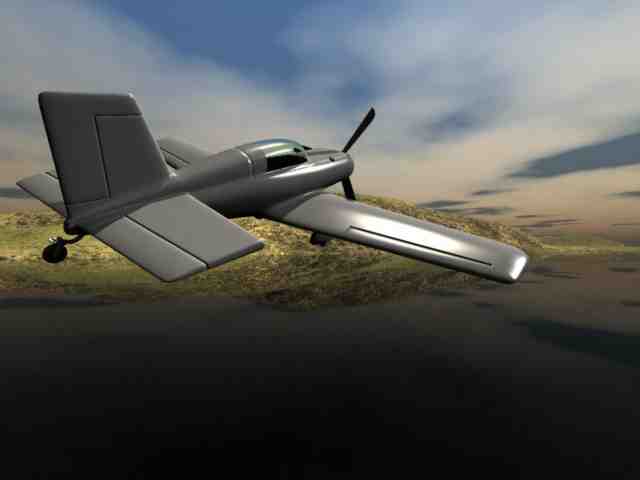
Ok, thanks...
Will try again and fiddle with some other settings... I'll post a follow up after I update the download.
Btw, are the propeller spin modifier and control surface constraints working?
Your friendly neighborhood Wings3D nut.
Also feel free to browse my freebies at ShareCG.
There might be something worth downloading.
Fiddled with it to make the textures internal, but now it somehow lost the preview pic. :blink:
Let me know if that works, or if different things end up broken. Updated the download link above, so give it another shot.
Your friendly neighborhood Wings3D nut.
Also feel free to browse my freebies at ShareCG.
There might be something worth downloading.
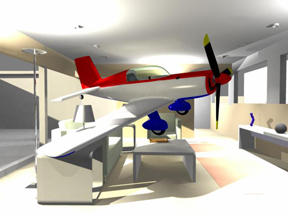
Ok, cool. It works! Of course if spin works a little differently in 5.1 vs 6.x versions of Carrara (I swore I had it going the other way), it should be easy to fix by changing the spin value.
Also I finally got to making a Carrara version of my Great Lakes Biplane at ShareCG. (Packaged in same .zip with .obj versions, but has separate folders.) Some instruments in the cockpit still need textures beyond the template, but the airplane is pretty nice if you're only using the outside view.
And how did you fit the plane in that room? Sheesh, looks pretty tight in there!
Your friendly neighborhood Wings3D nut.
Also feel free to browse my freebies at ShareCG.
There might be something worth downloading.

Privacy Notice
This site uses cookies to deliver the best experience. Our own cookies make user accounts and other features possible. Third-party cookies are used to display relevant ads and to analyze how Renderosity is used. By using our site, you acknowledge that you have read and understood our Terms of Service, including our Cookie Policy and our Privacy Policy.
Ok, here's the gist of what's going on:
Now it seems like everything works. I can start a new project, and drag the complete model from the browser. The rigging and all that stuff is there. But there is one problem. Some of the shaders seem to go to la-la land. And I can't figure out why. Strangely enough, the shaders do show in the list when the model is brought in that way, they just aren't applied.
The idea is to have "Carrara ready" models as freebies or marketplace items. It'd be great if I can have them ready to go in one step. Not by bringing in the model and fixing by dragging and dropping the shaders all over again.
Barbequed Pixels?
Your friendly neighborhood Wings3D nut.
Also feel free to browse my freebies at ShareCG.
There might be something worth downloading.