
Renderosity Forums / Modo
Welcome to the Modo Forum
Modo F.A.Q (Last Updated: 2024 Aug 27 11:07 am)
|
|
|
The basis
|
| -- Modo Gallery -- |
Checkout the Renderosity MarketPlace - Your source for digital art content!

Subject: First Modo model, Me!09


I saw your post in Luxlogy Forums. I love this model.
I like the details U put on it, very nice and well done, specially the mesh, clean and nice.
U are the reason I started my own airplane project too. I started one, but had to go back and finish up my Armor Cars Project. I was doing a F6F Hellcat. I wanted your opinion on something: If U dont mind me asking.
How did U start your plane? From a cylinder? Did U cut it up once U got the body going or u how U went about it? Just trying to find ways to model my future models.
Thankx

thanks!
Quote -
How did U start your plane? From a cylinder? Did U cut it up once U got the body going or u how U went about it? Just trying to find ways to model my future models.
Thankx
No.. I start with a single polygon (quad). In sub-d mode (or whatever the proper term is when you hit the tab key) I extend edges and make loop cuts until I have the basic shape. Then I mirror copy the object, join all points along the x-axis and freeze the mesh. Once frozen I delete all unnecessary edges and loops and start adding/cutting out details.
www.colacola.se
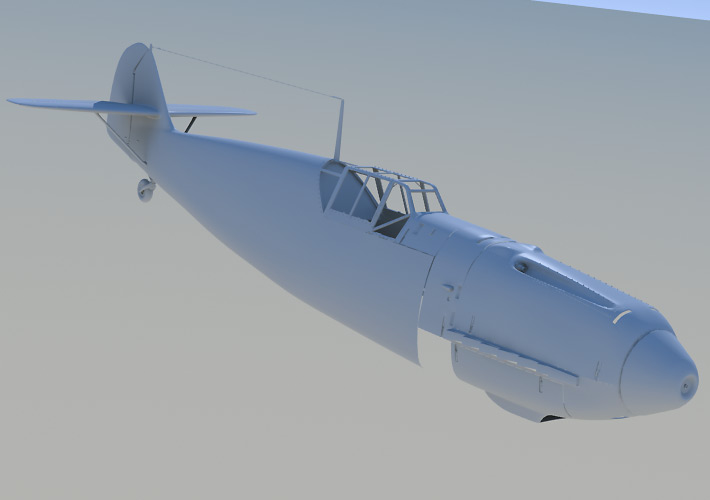

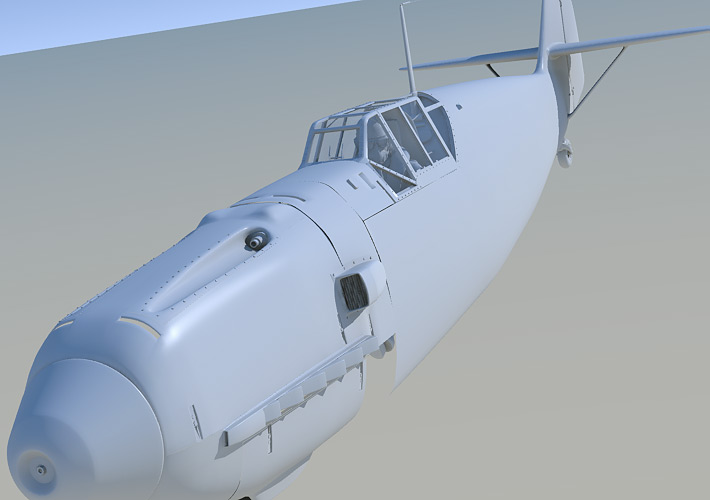

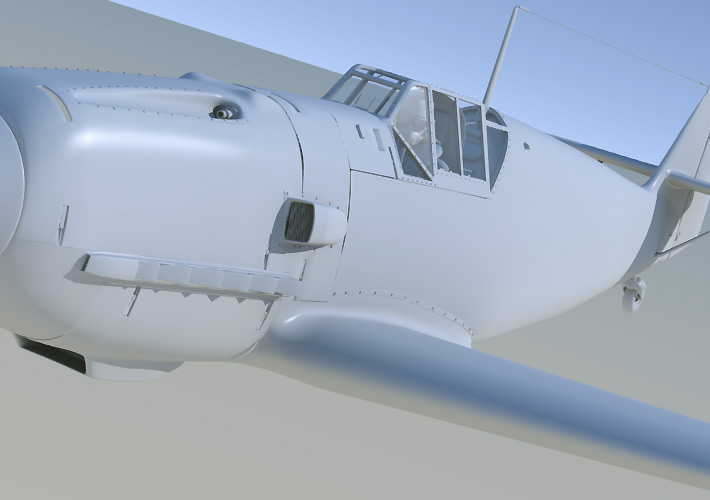
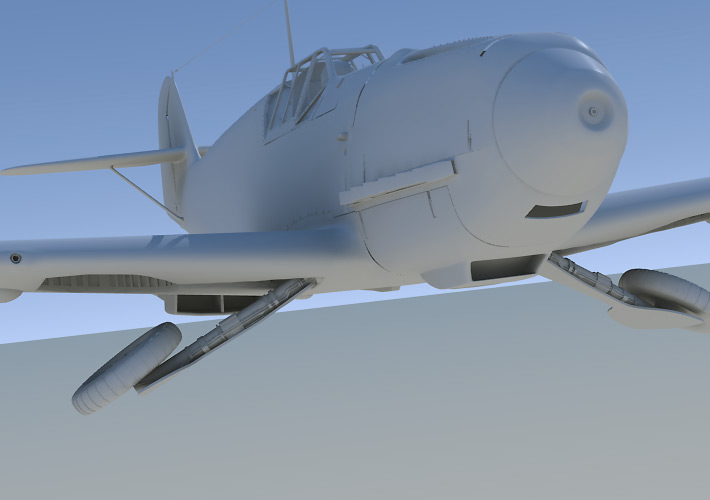

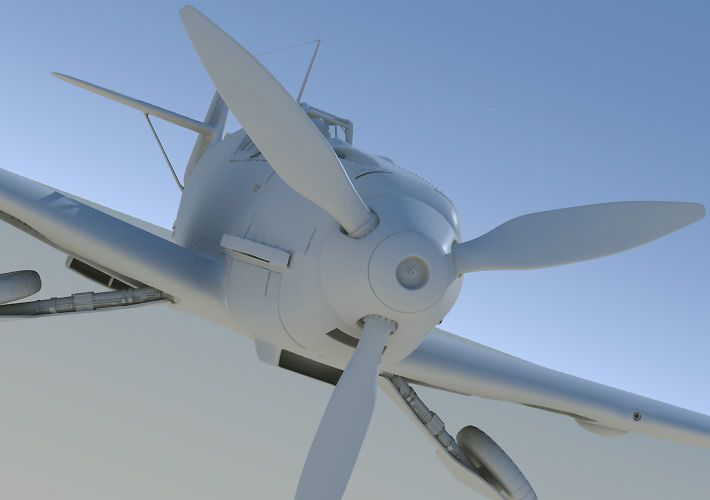
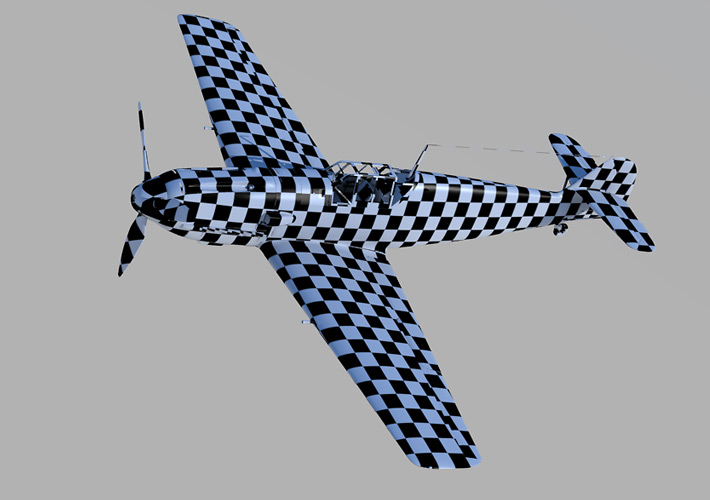

Hi,
I stumbled across this post and I am amazed by how neat and slick you doing this project. You're not limited by the tools you use, only by your imagination. That's a characteristic of a true artist.
Do you plan on rendering the plane in Modo? Are the materials relatively easy to set up?
After seeing these pictures I feel like redoing my old Focke Wulf :-)
/Patrick
www.patrickeischen.com
"Someday, you'll be
cool!"
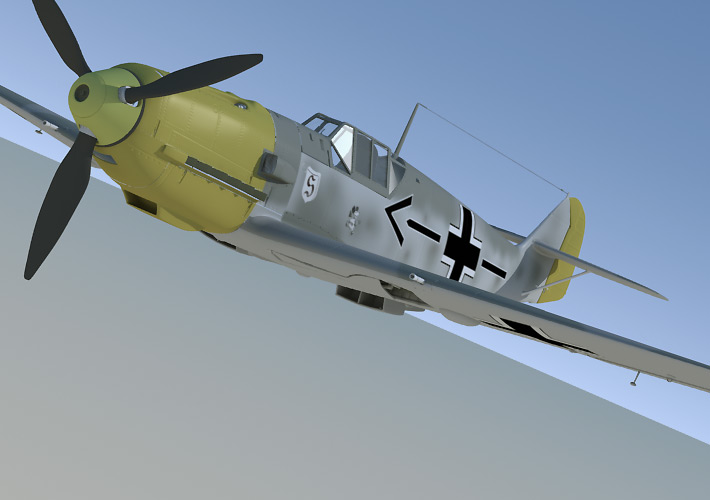
I've started painting the textures - a bump, specular and color map. The bump and color maps work as I intended but I'm having problems with the spec map.
I would like the higlights to be toned down in the dark areas od the spec map and bright in the white areas. I've put a layer mask set to specular ammount into the matieral where the specularity is defined but this doesn't appear to work. Modo also crashes frequently when moving layers around in the shader tree.
Any tips on how to apply a spec map?
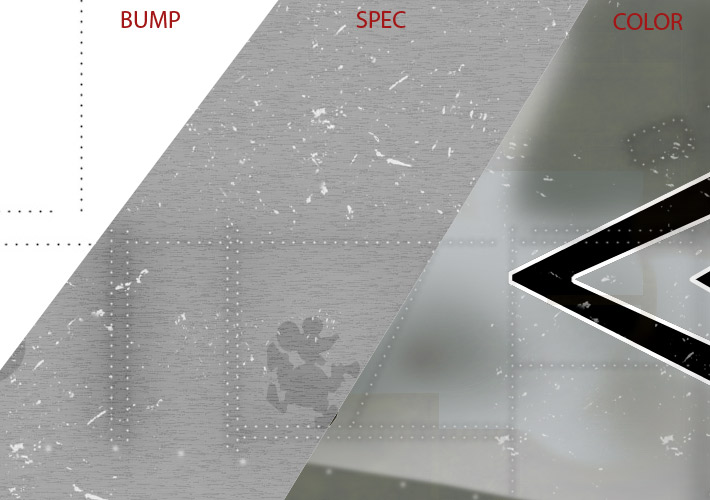
www.colacola.se
Here's a texturing update. I figured out how the shader tree works and have applied the spec map in this render. I'm now having problems with the propellers motion blur. I've created morph maps and morph objects and enabled motion blur but I can't figure out how to generate the motion blur in the render...

www.colacola.se

You need to have some motion to cause blur - otherwise it wouldn't know which direction to blur in. Make sure the prop is a separate part, make sure the pivot is in the right place (ie on the axis) and then apply a simple two step rotation, with the start angle in on frame and the end angle in another fame somewhat later. Then move to the middle of the range and render that - you should get blur.

Attached Link: http://www.renderosity.com/mod/gallery/index.php?image_id=1604970
Sure... now in the gallery!http://www.renderosity.com/mod/gallery/index.php?image_id=1604970
www.colacola.se
Really great work and it is clear you have a lot of experience on this. Your site is great as well with lots of very useful tutorials Just a question, on something very fundamental that I probably don't understand: How you get such a perfect combination of, on the one hand very straight lines that the define the cockpit and other 'hard edged' corners, and on the other hand perfect smooth surfaces that define the wings and fuselage Would be great if you could answer this one. Would also really welcome if you did an airplane tutorial on your site using modo, but that's maybe to ask for considering your new job and all Currently I am following your p 47 tutorial and it is moving along except for the issue described above. Derk
Quote - How you get such a perfect combination of, on the one hand very straight lines that the define the cockpit and other 'hard edged' corners, and on the other hand perfect smooth surfaces that define the wings and fuselage Would be great if you could answer this one. Would also really welcome if you did an airplane tutorial on your site using modo,
You can make an edge more or less sharp by tighteing or loosing up the surrounding loops. You can then fine tune the sharpness by selecting the edge and adjust its subdivision weight (select the subdivision weight map and play around with the weight tool).
The other way is not to used Sub-D at all. The cockpit is modelled without any subdivision. I just point-by point modelled it and then bevelled the edges to make them less sharp. Bevelling sometimes creates a lot of n-gons. These can be split up into quads using the different slice tools.
I'm not quite ready to write a Modo-tutorial bacause this was my first Modo model. I have to do a couple of more first :)
www.colacola.se

Privacy Notice
This site uses cookies to deliver the best experience. Our own cookies make user accounts and other features possible. Third-party cookies are used to display relevant ads and to analyze how Renderosity is used. By using our site, you acknowledge that you have read and understood our Terms of Service, including our Cookie Policy and our Privacy Policy.
Hi all,
I'm new to the Modo community but an old fart here at Rendo's Cinema4D community. I've used Modo for 3 weeks and have gone through some tutorials (the digital camera and radio car tutorials and decided to start a project of my own - a Messerschmitt 109:
www.colacola.se