
Renderosity Forums / Carrara
Welcome to the Carrara Forum
Forum Coordinators: Kalypso, Anim8dtoon
Carrara F.A.Q (Last Updated: 2026 Jul 11 2:50 am)
Visit the Carrara Gallery here.

Subject: Best LCD monitor for Carrara 6 pro


Samsung or LG. Both about the same. The Samsung, from what I have read in other forums, seems to have a slight edge in perfect color right out of the box. The LG needs a slight calculation to get the same thing. I never had to with mine. a 20" LG.
My LG has a 3000:1 contrast and a 2ms refresh rate. The Samsung was the same. The only reason I went the LG way was because the LG frame was thin and flat black, good if you want to set 2 monitors together. The samsung has a thick frame and was gloss black, more glare off of it.
So IMHO, Samsung or LG.


I find the Dell Ultrasharp HDTV/Monitor fantastic.
This is an HDTV as well as monitor; if you want that be sure what you purchase can resolve 1920x1080 or more, and has the correct connections for HDTV.
You can swivel it into portrait mode.
24" about $650 street. They also have a 27" and a 30" for more.
::::: Opera :::::
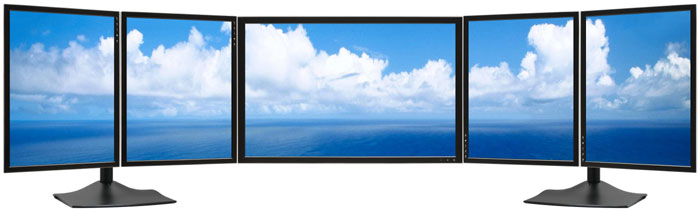
http://digitaltigers.com/zenview_us1-24inch1.shtml?gclid=COy35fSX4ZACFR5biAodhUduPQ
I am waiting myself for this one from Viewsonic (22 inches model) but i have read lots good review for Samsung 226Bw
Attention : following commercial description but seems interesting for trhe gamut and screen control
ViewSonic's new 19-inch VP950b and 22-inch VP2250wb take professional-grade LCDs to a whole new level with OptiColor™ NTSC color gamuts, enhanced PerfectSuite™ Plus screen control software and Dynamic Contrast Ratios as high as 3000:1 (typ). These displays are ideal for graphics production, film editing and CAD/CAM design in which precise color rendition and crisp images are vital. They are also excellent choices for financial planning, trading floors and other applications where sharp text, clear spreadsheets and crisp graphics are important.
Thanks folks, I have a 19" Samsung SyncMaster 915n that has served me well, but decided to step up to something bigger. I bought a Samsung 24" SyncMaster 245bw and it was so bright I almost fell out of my chair. It was a nice monitor, but appeared a bit too grainy.
Hey Operaguy, the multimonitor is good for my flight simming!
Lots of good info!!
Quote -
I am just being absurd...but we can dream, can't we?........http://digitaltigers.com/zenview_us1-24inch1.shtml?gclid=COy35fSX4ZACFR5biAodhUduPQ
Well... Actually that's how I decided on my current monitors. In the 3 monitor configuration they use the Samsung SyncMaster 215TW's so I bought two of them and they are extremely color accurate. I used a Spyder 3 Elite to calibrate them but they were really close to begin with.
~jr
Quote - In many ways purchasing 2 19" is smarter than, say, one 30" or even one 27"
Can you give us a short paragraph how calibrating with a Spyder 3 Elite takes place?
::::: Opera :::::
Sure, the Spyder 3 is a device that plugs into a USB port and gets attached to the front of your display so that it can read the pixels. There is software that comes with it and the software generates colors / luminance, etc that the Spyder 3 device optically reads. Since it knows the color that is being generated, it can determine how different the color is that it is seeing and creates a color profile that produces the correct colors. You then use this color profile with your display and you will get true colors. The Spyder 3 also has the ability to sense ambient room light and tell you if the lighing has changed enough to require re-calibration. It's a clever little device.
I assume other calibrators like the GretagMacbeth Eye-One and Pantone Huey, etc. work in a similar fashion. It really helps to make sure that your getting consistent colors in your art work.
~jr

Privacy Notice
This site uses cookies to deliver the best experience. Our own cookies make user accounts and other features possible. Third-party cookies are used to display relevant ads and to analyze how Renderosity is used. By using our site, you acknowledge that you have read and understood our Terms of Service, including our Cookie Policy and our Privacy Policy.
Ok, its choose a new monitor time, what would be the best LCD monitor between 19" to 24"?