
Renderosity Forums / Carrara
Welcome to the Carrara Forum
Forum Coordinators: Kalypso, Anim8dtoon
Carrara F.A.Q (Last Updated: 2026 Jul 30 8:26 pm)
Visit the Carrara Gallery here.

Subject: Texture Mapping Curiosity


dont make things harder than they need to be.
:)
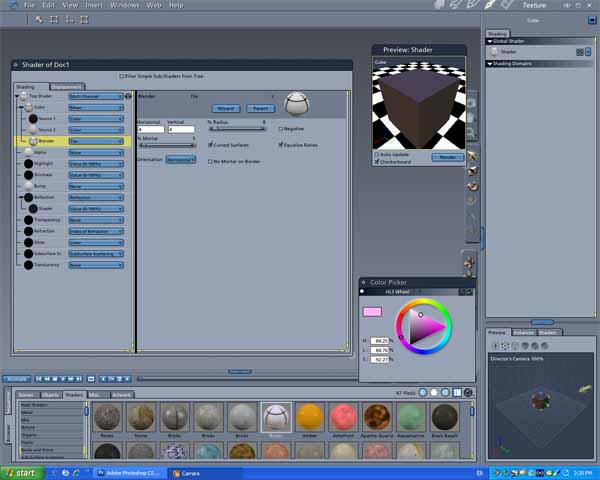
be sure the wall scale is equal to the scale of you picture..for instance, if your picture is 4 x 3...then your wall needs to have the same scale dimensions. So a 640 x 480 wall could have anysize image that of the same scale dimensions (like 640 x 480, 1280 x 960, etc)
now if you really want to be technical
assume your wall is 8 feet tall, then you can get 8 feet of bricks in there at one whack..and a larger resolution of the same scale image will help you get closer without pixelation. So a NTSC video shot of 720 by 480 could easily stand a texture of 1280 x 960 because this lets you get closer to the wall without losing detail.
at any rate, guestimate (or just measure your brick) and use the absolute measurement of brick bottom to brick bottom (including the mortar) for each brick and then divide the wall by that height.
anyhow, dont make it harder than it needs to be.
go grab a few picts, make a wall of the same scale and then go from there.
luck
BT


Privacy Notice
This site uses cookies to deliver the best experience. Our own cookies make user accounts and other features possible. Third-party cookies are used to display relevant ads and to analyze how Renderosity is used. By using our site, you acknowledge that you have read and understood our Terms of Service, including our Cookie Policy and our Privacy Policy.
Hi All,
Hope someone can help me out here if im not asking too much.
As an example ill use a brick wall to try & explain myself. In Carrara, lets say i want to create a simple scene with a virtual brick wall in it, and i've used the units in carrara to make it 6 feet square as in a brick wall im looking at in the real world ( ie, im creating objects in the scene to match the real life dimentions etc ), So here i am with my lovely scale brick wall, obviously, to make it look real im going to have to use a texture map of some kind to apply to it. Actually applying a texture is not a problem, but, to achieve my goal im going to have to take a photo with a trusty digital camera i assume, suck it in to my puter & load it up & apply it. So this is where i fall down, based on how close my carrara render camera is going to be to my wall at render time ( lets say 8 feet for the sake of argument ), how the hell do i work out what resolution / size the image needs to be ? will a 24 bit image of 1024 x 1024 do the job ? will it need to be 2048 x 2048, or bigger even to avoid all the pixels being stretched up to the size of small blocks, then theres the DPI, if i were to render an animation of my wall with intent to show it on a PAL tv screen, how many dots per inch would be required to make it look right ? Bit of a heavy subject i know, but i'd really like to learn the rules of creating photorealistic texture maps and im sure other PPL will be interested in this too.
Note: Im fully aware that realism can not just be had from a texture map & that lighting, surface texture, highlights and all the other parts need to me right too, but thats another challenge to play with once i understand the colour chanel texture requirements.
I suppose there must have been books written on this very subject as its not an easy thing to atchieve in a 3D application. Anyone seen / recommend one of these books ?
Any help would be greatfully appreciated
Take Care All
Paul