
Renderosity Forums / Carrara
Welcome to the Carrara Forum
Forum Coordinators: Kalypso, Anim8dtoon
Carrara F.A.Q (Last Updated: 2026 Jul 30 8:26 pm)
Visit the Carrara Gallery here.

Subject: Is there any way to use a dual monitor with Carraara?


Go to File|Preferences, switch to the General settings and down at the bottom you'll see the multiple monitor settings.
Regards,
Eric Winemiller
Digital Carvers Guild
Carrara and LightWave
plug-ins

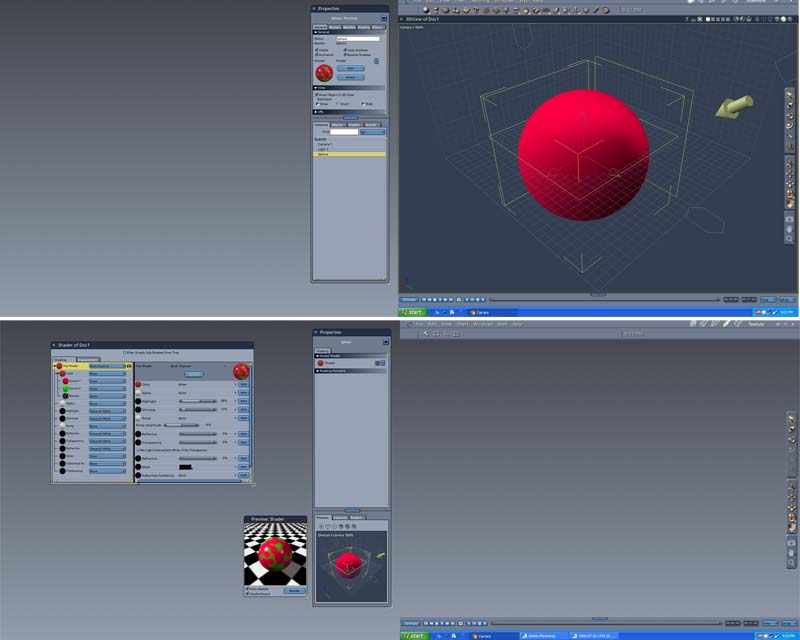
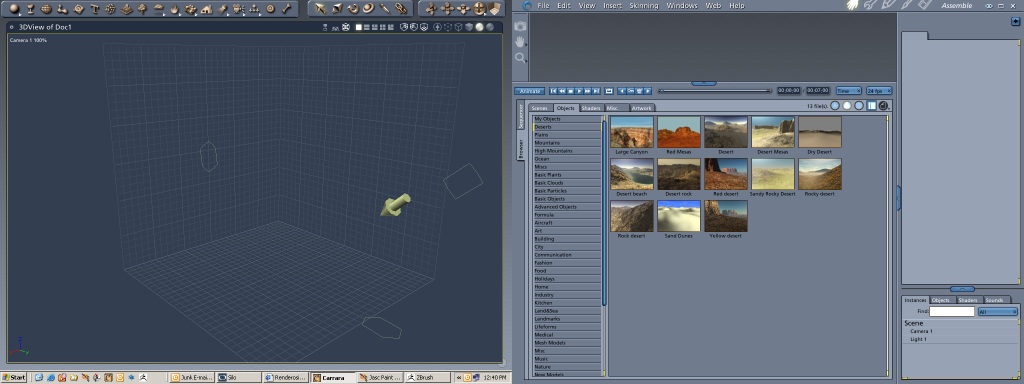


I use my two 19" screens as one big window to run Carrara in. The task bar goes across the bottom of both monitors. Often times, I drag Hex to one screen and Carrara to the other when working with both.
www.youtube.com/user/ShawnDriscollCG


Privacy Notice
This site uses cookies to deliver the best experience. Our own cookies make user accounts and other features possible. Third-party cookies are used to display relevant ads and to analyze how Renderosity is used. By using our site, you acknowledge that you have read and understood our Terms of Service, including our Cookie Policy and our Privacy Policy.
Is there any way to use a dual monitor with Carraara? It’s very handy being able to drag tool bars and such onto the other screen leaving the work area clear. I can’t find any mention of it in the manual.