
Rorsdors opened this issue on Jul 29, 2006 · 9 posts
Rorsdors posted Sat, 29 July 2006 at 4:05 AM
Is there any way to use a dual monitor with Carraara? It’s very handy being able to drag tool bars and such onto the other screen leaving the work area clear. I can’t find any mention of it in the manual.

ewinemiller posted Sat, 29 July 2006 at 5:43 AM
Go to File|Preferences, switch to the General settings and down at the bottom you'll see the multiple monitor settings.
Regards,
Eric Winemiller
Digital Carvers Guild
Carrara and LightWave
plug-ins

bwtr posted Sat, 29 July 2006 at 6:43 AM
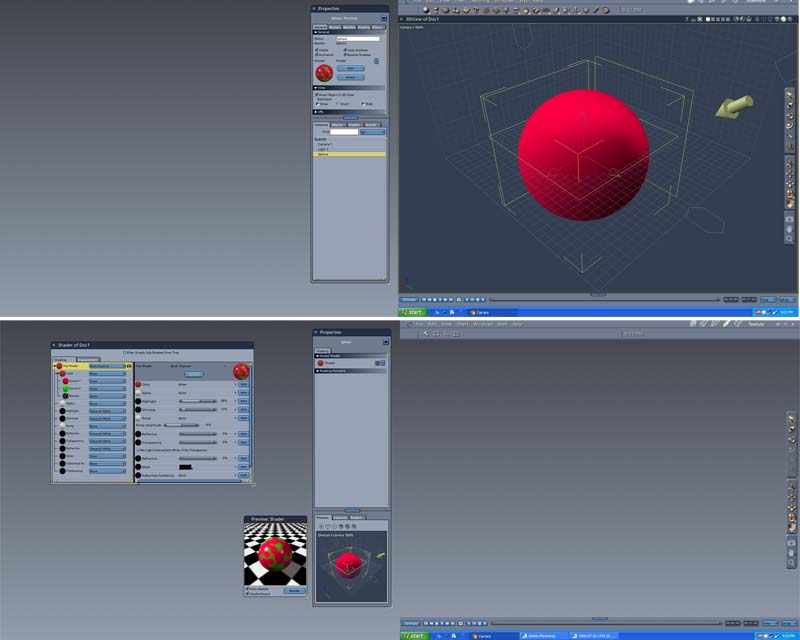
bwtr
bevans84 posted Sat, 29 July 2006 at 12:44 PM
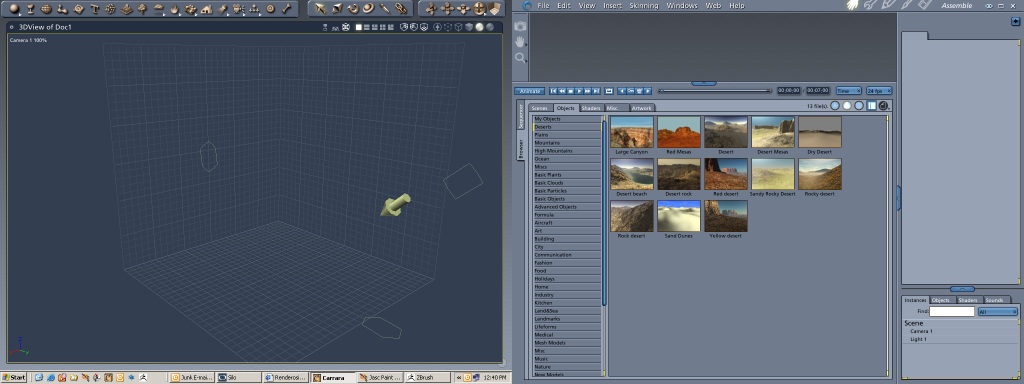

ialora posted Sat, 29 July 2006 at 1:48 PM
Yup! I've got mine setup the same as bevans84. Nothing like a nice roomy workspace on my 19" and the browser nice and big on the 17". :)
Irene-
Rorsdors posted Sun, 30 July 2006 at 2:52 AM
Thanks U, sometimes the simplest things are the hardest to find, especially in tech manuals.;)

ShawnDriscoll posted Sun, 30 July 2006 at 11:38 AM
I use my two 19" screens as one big window to run Carrara in. The task bar goes across the bottom of both monitors. Often times, I drag Hex to one screen and Carrara to the other when working with both.
ialora posted Sun, 30 July 2006 at 3:18 PM
Good idea about having a modeling app up on one of the screens SHONNER. I used to do that with Bryce and Organica. I'd completely forgotten. It's also a good way to do the tutorials. Carrara on one screen, tutorial going on the other. You can follow along.
Irene-

ren_mem posted Sun, 30 July 2006 at 3:45 PM
Just remember Rorsdors...lotta good stuff under prefs.
No need to think outside the box....
Just make it
invisible.