
Renderosity Forums / Carrara
Welcome to the Carrara Forum
Forum Coordinators: Kalypso, Anim8dtoon
Carrara F.A.Q (Last Updated: 2026 Jul 28 12:52 pm)
Visit the Carrara Gallery here.

Subject: A new plug-in from DCG, Enhance:C


Hi folks,
Please download again if you've already grabbed it. I uploaded the wrong package. The new one will fix a number of bugs and has the included sample shaders.
Thanks,
Eric Winemiller
Digital Carvers Guild
Plug-ins for Carrara
http://digitalcarversguild.com
Eric Winemiller
Digital Carvers Guild
Carrara and LightWave
plug-ins


Eric a packet of money is burning a hole in my pocket BUT!---
The trial shaders do not seem to be acting as required--all sorts of dropdowns etc saying no or naughty? (Trial renders don't emulate the shader!)
I know I am one of the dumb ones, but it seems that a lot of DETAILED information (Tutes?) is required to enable me to use each of the functions. How,where, why etc.
Any help and advice is welcome and sorry if it's just me having one of my "days"!
Brain
bwtr
bwtr,
I'm confused by your post. Are you getting errors?
The trial version should run for a short time and then after that, all functions will just start returning black. Restarting Carrara will reset the time.
More sample shaders and some tutorials are under construction.
Regards,
Eric Winemiller
Digital Carvers Guild
Carrara plug-ins
Eric Winemiller
Digital Carvers Guild
Carrara and LightWave
plug-ins
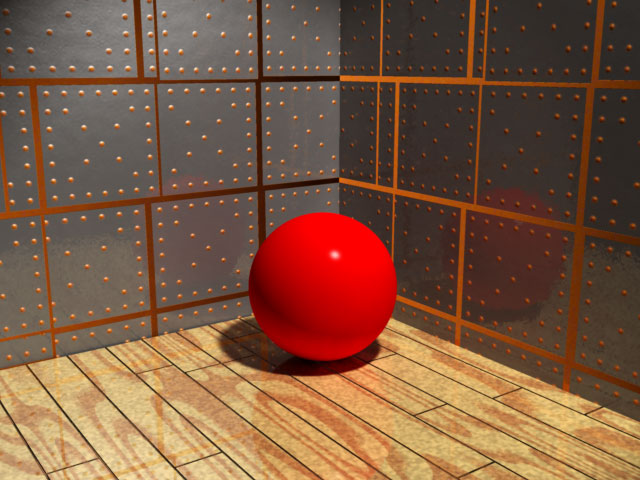
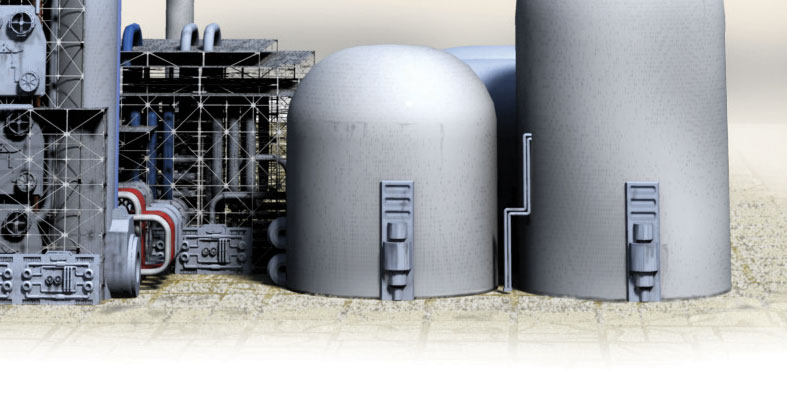
Attached Link: Additional Samples of Enhance:C shaders
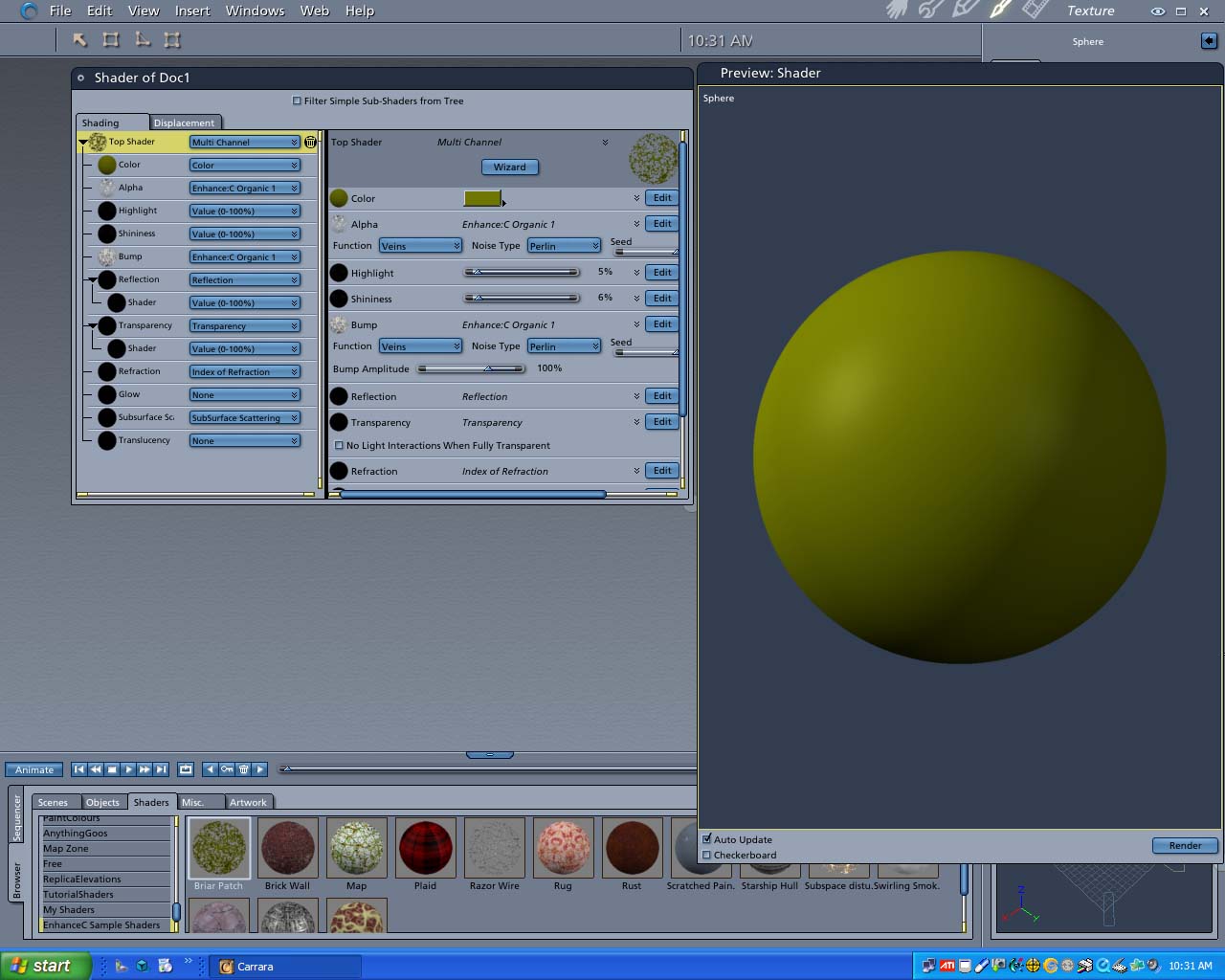
It looks like demo mode is running out of time and returning black, so for this one where the shader is in the alpha channel all you end up getting is the green of the color channel.
The time constraint is actually the number of times the plug-in will evaluate a shader. On a complicated shader with lots of Enhance:C's that might burn up pretty quick. The Briar Patch stops working about halfway through a typical preview window, map gets through about 3 refreshes. Quick suggestion is to size your preview window smaller and I'll try to get one out in the next few days that gives a little more time.
Thanks,
Eric Winemiller
Digital Carvers Guild
Carrara plug-ins
http://digitalcarversguild.com
Eric Winemiller
Digital Carvers Guild
Carrara and LightWave
plug-ins
I just posted an update that will expand the time on the evaluation mode a bit. You should be able to get through a preview of most of the presets (all but the starship hull in my tests), but depending on the size of your preview window, you might not get through a second.
Carrara 5
PC
http://www.digitalcarversguild.com/downloads/c5/enhancec.zip
OSX
http://www.digitalcarversguild.com/downloads/c5/enhancec.sit
Regards,
Eric Winemiller
Digital Carvers Guild
Plug-ins for Carrara
http://digitalcarversguild.com
Eric Winemiller
Digital Carvers Guild
Carrara and LightWave
plug-ins
Yeah looks like there is a bug in Carrara where it looks for just two shaders at the top of the tree. It even gives the same message when you have a built-in top level shader that isn't Layer List or Multichannel. I'll have to report that one to Charles and Co. Just hit OK on the force drop and it should work fine.
Thanks,
Eric Winemiller
Digital Carvers Guild
Plug-ins for Carrara
http://digitalcarversguild.com
Eric Winemiller
Digital Carvers Guild
Carrara and LightWave
plug-ins

I just downloaded Enhance:C (and AnythingGoos and AnythingGrooves) - but, oh my god, I can't find them!!!
I really did follow the instructions and can even find the files in the Extensions (Content > MACOS > Extensions) folder... I create an object in Carrera - go to the render room - create a new mutlitple master shader... and, well, nothing... its all the same as it always was!
I'm using Carrera4Pro on a MacG5 with OSX 10.3.9
Help!
Thanks (hopefully) in advance!!!
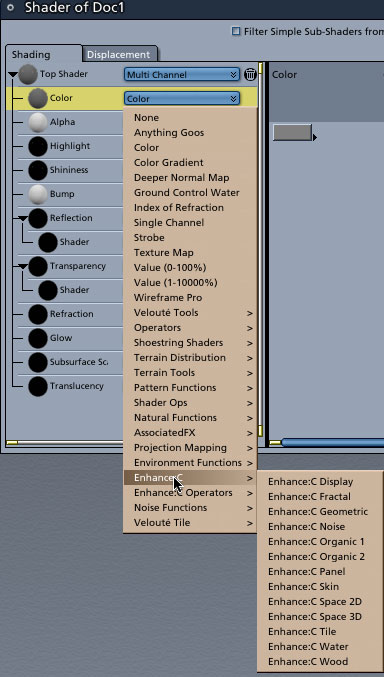
Hi Mark Bremmer
Sorry - Shader room not Render room...
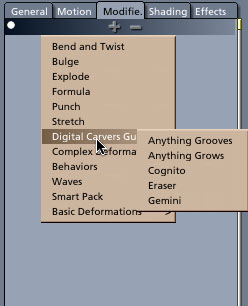
I made a stupid error in typing the message - my menu looks similar to the screen shot you've kindly provided - but it has only the default items... not 'Anything Goos', notr'EnhanceC'... How you show them is how I expected to find them... BUT alas...
I'm using Carrera 4 and haven't updated to 5 - is this view of the Carrera 5 Shading room palette? I don't recognise 'translucency' or 'subsurface...'.
Thanks for your quick reply - and sorry to have given the wrong information to the forum...
RogerRoger

Privacy Notice
This site uses cookies to deliver the best experience. Our own cookies make user accounts and other features possible. Third-party cookies are used to display relevant ads and to analyze how Renderosity is used. By using our site, you acknowledge that you have read and understood our Terms of Service, including our Cookie Policy and our Privacy Policy.
Hi folks,
Today we introduce our newest plug-in Enhance:C.
The Enhance:C plug-in puts hundreds of new shaders at your fingertips. Over 200 new shader functions for Carrara make Enhance:C a must have plug-in for the procedural shader fan.
You can check out Enhance:C at
http://www.digitalcarversguild.com/plugin.php?ProductId=18
or download and try out Enhance:C from the links below
Carrara 5
PC
http://www.digitalcarversguild.com/downloads/c5/enhancec.zip
OSX
http://www.digitalcarversguild.com/downloads/c5/enhancec.sit
Regards,
Eric Winemiller
Digital Carvers Guild
Plug-ins for Carrara
http://digitalcarversguild.com
Eric Winemiller
Digital Carvers Guild
Carrara and LightWave plug-ins