
Renderosity Forums / Carrara
Welcome to the Carrara Forum
Forum Coordinators: Kalypso, Anim8dtoon
Carrara F.A.Q (Last Updated: 2026 Jul 11 2:50 am)
Visit the Carrara Gallery here.

Subject: Fog Cancels Spotlight Angular Falloff


Which volumetric light option? Do you mean "Enable 3D shadows" in the Light Cone section?
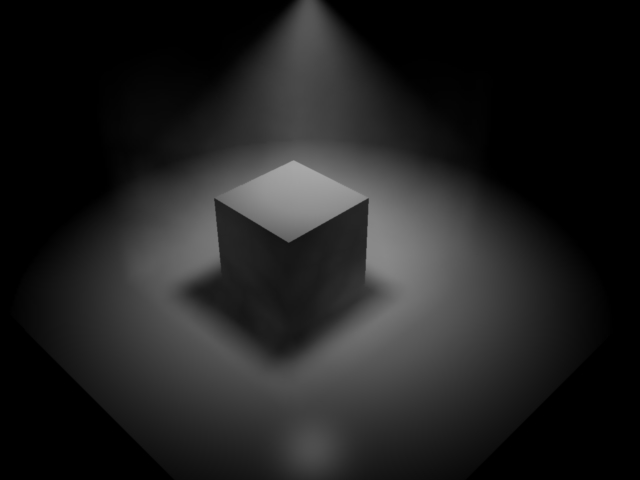
The above images were rendered using the light cone with 3D shadows enabled (if that's the same thing as volumetric shadows?) and a fairly high "shadow buffer" setting in case the volumetric fog required extra quality to retain the soft edges.
Thanks,
R
No need to think outside the box....
Just make it
invisible.
In the image I posted above, the right hand spotlight (with angular falloff) is shining through fog, and this produces a hard edged light.
The same spotlightcube was copied and pasted to the left hand side of the image, but with no fog, and the light cone creates a soft edge as it should.
I would have thought that the combination of fog, soft edged shadows, angular falloff etc would add to the softness of the outline and not make it harder.
Well, the one above is high falloff over a fog cube, there is also this setting (falloff) in the light cone area. Higher render setting and enabling soft shadows w/ light thru trans in both places if using GI also matter. You have to play with the settings. Not sure what might be wrong. If you think it is a bug report it.
No need to think outside the box....
Just make it
invisible.

Privacy Notice
This site uses cookies to deliver the best experience. Our own cookies make user accounts and other features possible. Third-party cookies are used to display relevant ads and to analyze how Renderosity is used. By using our site, you acknowledge that you have read and understood our Terms of Service, including our Cookie Policy and our Privacy Policy.
I am rendering a spot light through a fog object. The spotlight has a fairly high angular falloff to give a soft edge. However, within the fog object, the light has a hard edge.
In the image below, I have rendered two identical spotlights, one of which goes through a fog object. You can see the difference.
Is this intended behaviour or a bug?
Thanks
Richard