
craftycurate opened this issue on May 01, 2006 · 9 posts
craftycurate posted Mon, 01 May 2006 at 8:12 AM
I am rendering a spot light through a fog object. The spotlight has a fairly high angular falloff to give a soft edge. However, within the fog object, the light has a hard edge.
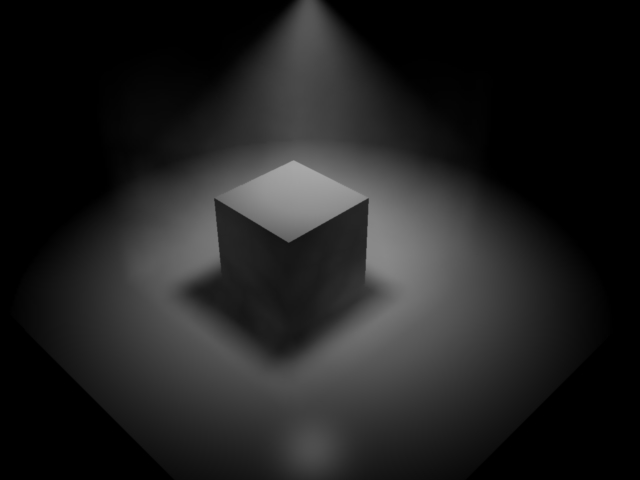
In the image below, I have rendered two identical spotlights, one of which goes through a fog object. You can see the difference.
Is this intended behaviour or a bug?
Thanks
Richard


ren_mem posted Mon, 01 May 2006 at 1:11 PM
Are you using the volumetric light option?
No need to think outside the box....
Just make it
invisible.

Patrick_210 posted Mon, 01 May 2006 at 5:14 PM
My guess would be that the fog mitigates the subtlety of the falloff. Have you tried using the light cone instead like ren_mem said?
craftycurate posted Mon, 01 May 2006 at 7:36 PM
Which volumetric light option? Do you mean "Enable 3D shadows" in the Light Cone section?
The above images were rendered using the light cone with 3D shadows enabled (if that's the same thing as volumetric shadows?) and a fairly high "shadow buffer" setting in case the volumetric fog required extra quality to retain the soft edges.
Thanks,
R
ren_mem posted Mon, 01 May 2006 at 8:51 PM
No need to think outside the box....
Just make it
invisible.
craftycurate posted Tue, 02 May 2006 at 10:57 AM
In the image I posted above, the right hand spotlight (with angular falloff) is shining through fog, and this produces a hard edged light.
The same spotlightcube was copied and pasted to the left hand side of the image, but with no fog, and the light cone creates a soft edge as it should.
I would have thought that the combination of fog, soft edged shadows, angular falloff etc would add to the softness of the outline and not make it harder.
ren_mem posted Tue, 02 May 2006 at 6:17 PM
Well, the one above is high falloff over a fog cube, there is also this setting (falloff) in the light cone area. Higher render setting and enabling soft shadows w/ light thru trans in both places if using GI also matter. You have to play with the settings. Not sure what might be wrong. If you think it is a bug report it.
No need to think outside the box....
Just make it
invisible.
craftycurate posted Tue, 02 May 2006 at 7:30 PM
Stranger and stranger ... have noticed that this hard edge effect does not happen with volumetric clouds in a similar setup!
Picture to follow - my web hosting is down.
ren_mem posted Tue, 02 May 2006 at 8:19 PM
Did you try altering fog density, the shape or the width? Not really all that strange. It could be the way the light edge is hitting the fog box shape.
No need to think outside the box....
Just make it
invisible.