
Renderosity Forums / Carrara
Welcome to the Carrara Forum
Forum Coordinators: Kalypso, Anim8dtoon
Carrara F.A.Q (Last Updated: 2026 Jun 30 12:55 pm)
Visit the Carrara Gallery here.

Subject: DIRTY Global Illumination - Where is soft photons?


Waldo,
I've had noise problems like that too. In my particular scene turning up the Lighting Quality fixed the problem.
Regards,
Eric Winemiller
Digital Carvers Guild
3D plug-ins for Carrara
http://digitalcarversguild.com
Eric Winemiller
Digital Carvers Guild
Carrara and LightWave
plug-ins
Attached Link: http://www.vizualds.com

I normally set lighting quality to BEST instead of GOOD and make sure the model I'm rendering is bigger than 1" in size. If you have 512MB RAM or more, turn on Interpolation and set it to 100% so Carrara isn't recalculating every pixel which slows things way down.
www.youtube.com/user/ShawnDriscollCG

Privacy Notice
This site uses cookies to deliver the best experience. Our own cookies make user accounts and other features possible. Third-party cookies are used to display relevant ads and to analyze how Renderosity is used. By using our site, you acknowledge that you have read and understood our Terms of Service, including our Cookie Policy and our Privacy Policy.
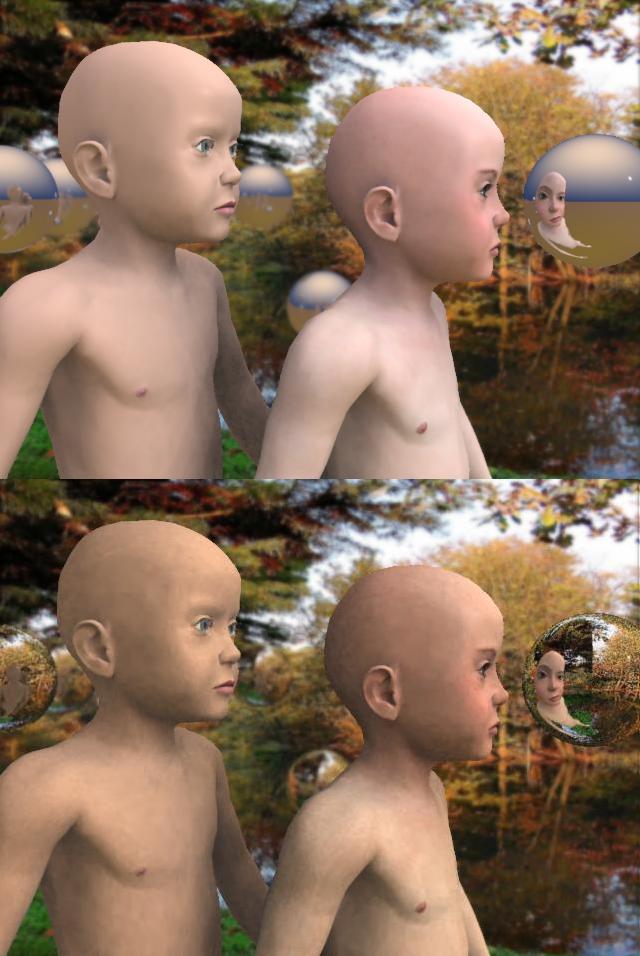
I want to start a thread to discuss about dirty and clean global illumination. In my opinion GI only worked good for reflector, nothing else. Because the photons that came fron background gives the object skin the dirty light. It is somewhat not honest global illumination. The real global illumination should be soft photons. I had to use bi-gradient to get the soft photons. I only can make two choices for the scene with GI is with Bi-Gradient for soft photons or Texture map for refector. I think it is really silly to have this choice. I need em both.