Renderosity Forums / DAZ|Studio
Welcome to the DAZ|Studio Forum
Forum Moderators: wheatpenny Forum Coordinators: Lobo3433
DAZ|Studio F.A.Q (Last Updated: 2026 Mar 01 4:05 am)


Subject: figure setup issue


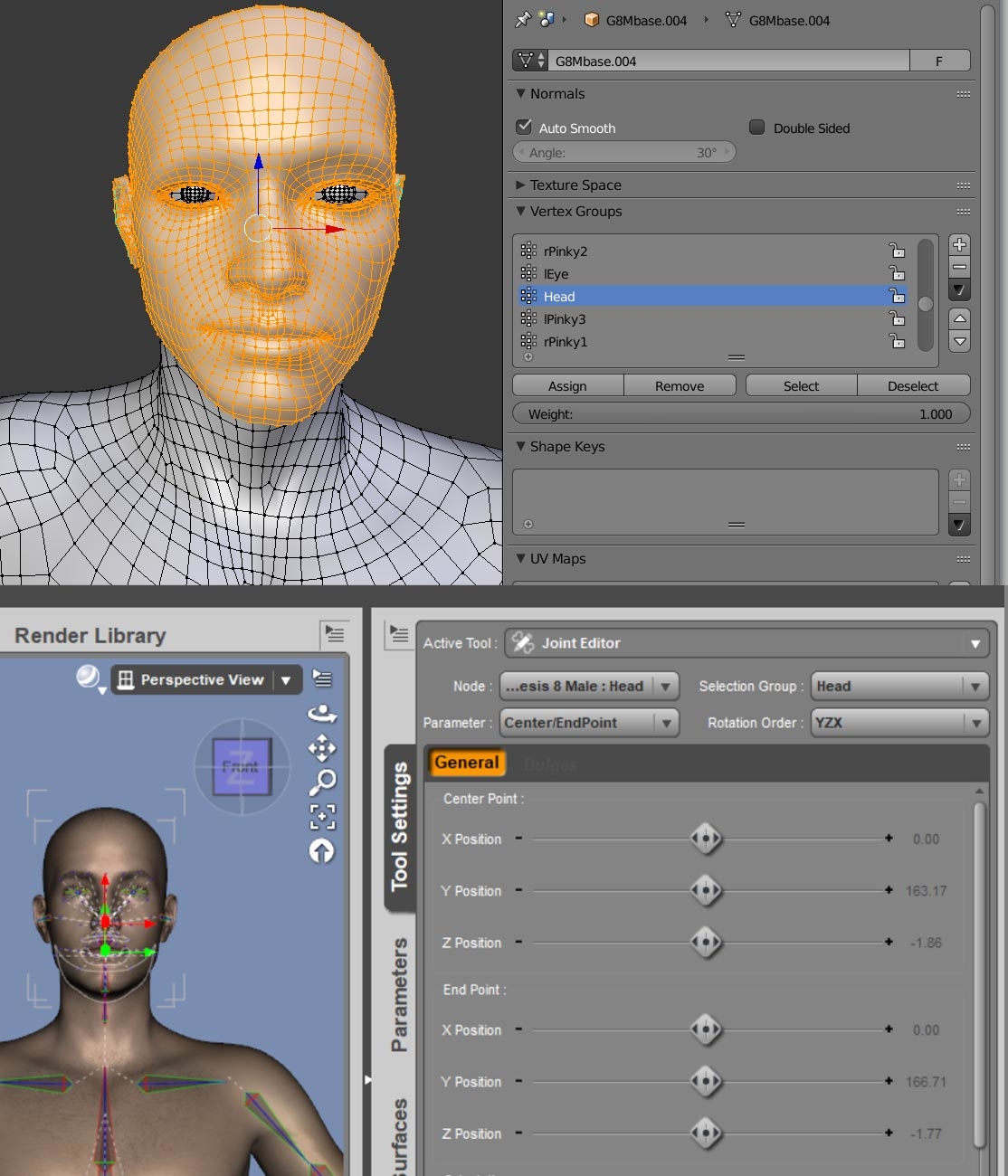
"Groups" in this case refers to the name of defined sections of geometry/faces in what you bind to the bones/skeleton created in DS. In DS I believe they are referred to as Face groups, a collection of faces that are grouped together to be assigned to a figure bone. For example the Face Group 'Head' is a collection of faces that are all assigned to the Head bone in the Genesis figure. You may also hear them referred to in other programs as Poly Groups or Vertex Groups, all of these are pretty much the same thing, a named section of geometry defined by either Faces, Polygons or Vertices.
In Blender if you import a Daz 3D figure model you may notice that the obj is split into Poly Groups, when default import settings are used these are imported as individual object pieces of mesh. But if you select to keep vertex order, when importing, you will notice the figure is a single object and if you go to the Vertex Groups section you will see the whole figure has been divided up into face groups/Vertex Groups that are a perfect match to each assigned bone of the rigged figure in Daz Studio.
To create the face groups ready to be assigned to a bone in Daz Studio, you will need to divide the polygons of your mesh into named Vertex grouped sections in Blender edit mode. You can also assign or edit face groups inside of DS with the Geometry editor, if you prefer.
The workflow in DS would go something like:
- Import mesh with face groups.
- Build skeleton and assign each bone to the matching Face group section.
- Add weight maps for each bone to define the bend (Some types of rigging it is suggested that weight mapping is done first.)
Have a look at this page it specifically refers to creating Ghost Bones but covers some good ground in relation to the basics of rigging an object and assigning bones to geometry: http://docs.daz3d.com/doku.php/public/software/dazstudio/4/userguide/creating_content/rigging/tutorials/polygon_group_editor/start
Or here is a video that covers some further basics of rigging:

Privacy Notice
This site uses cookies to deliver the best experience. Our own cookies make user accounts and other features possible. Third-party cookies are used to display relevant ads and to analyze how Renderosity is used. By using our site, you acknowledge that you have read and understood our Terms of Service, including our Cookie Policy and our Privacy Policy.
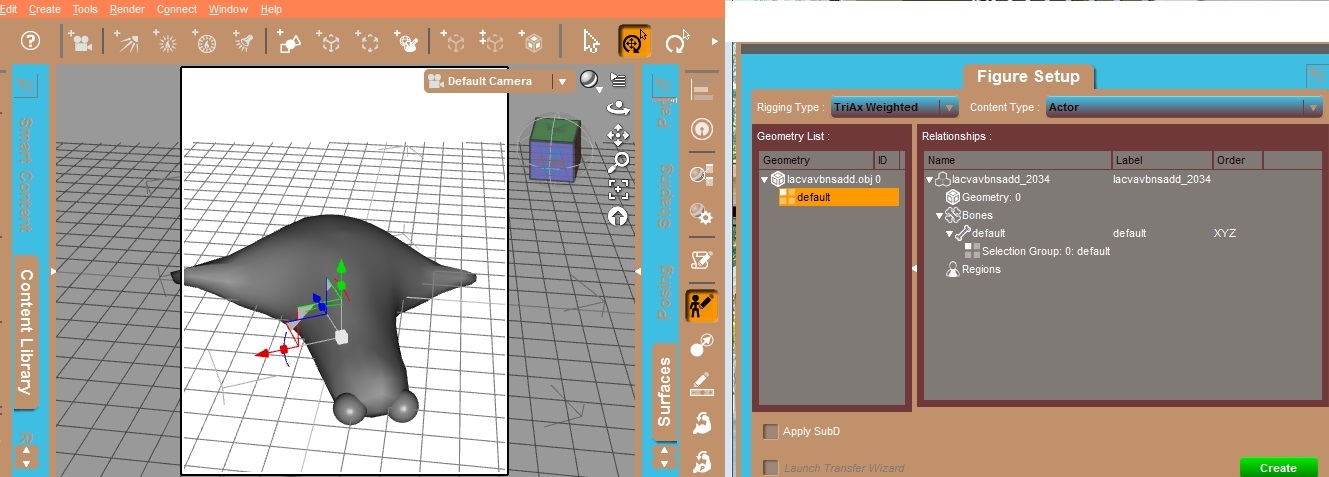
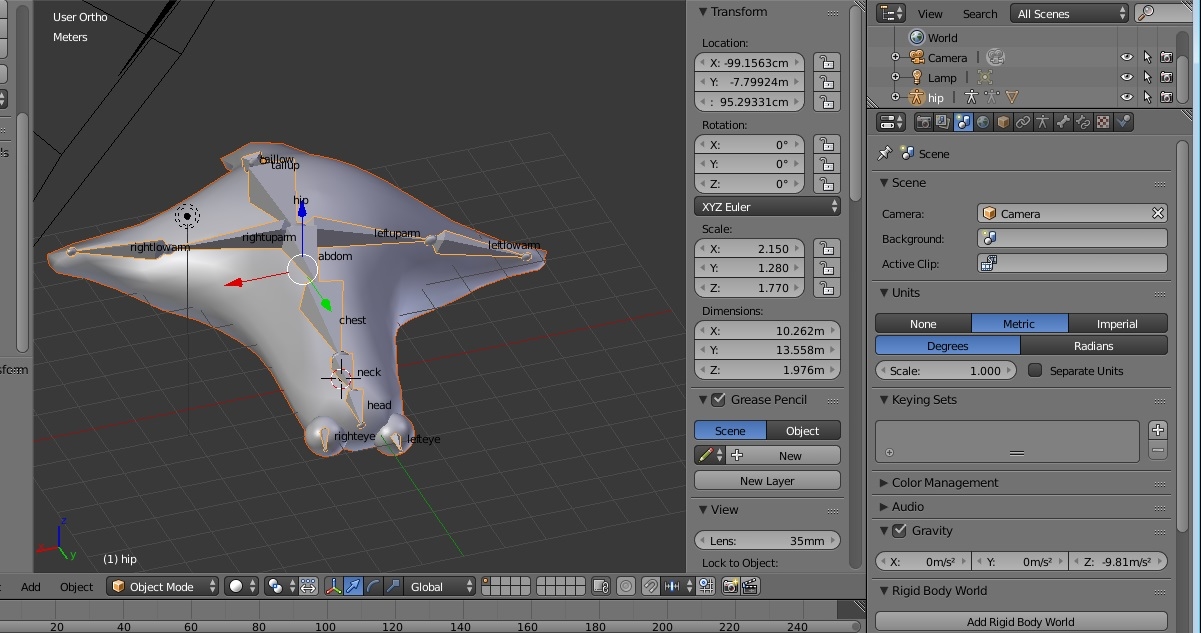
I did bone in blender,but no bone showed in figure setup. Thanks.