
atpo opened this issue on Sep 09, 2018 · 5 posts
atpo posted Sun, 09 September 2018 at 8:22 PM
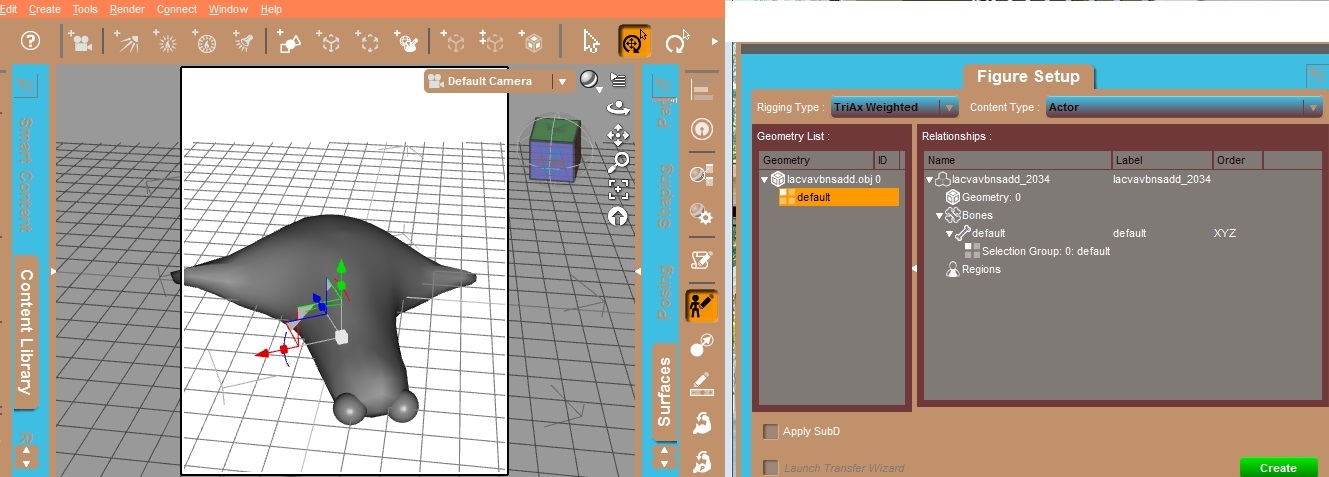
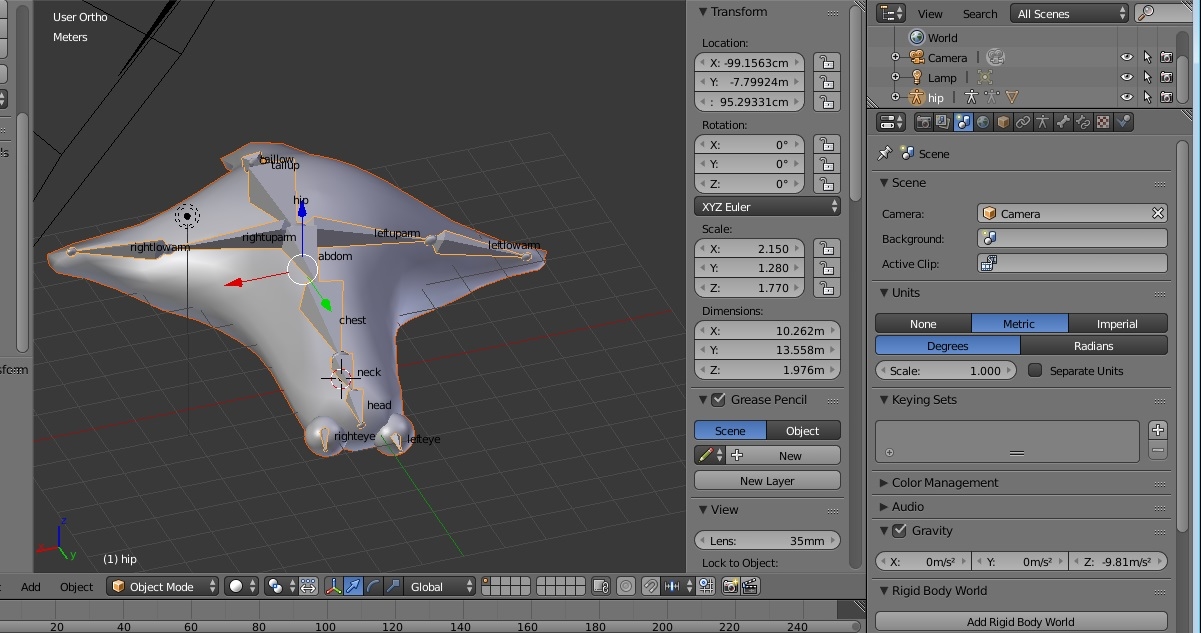
I did bone in blender,but no bone showed in figure setup.
Thanks.

RHaseltine posted Mon, 10 September 2018 at 8:40 AM
You need to add groups in Blender, not bones.
atpo posted Mon, 10 September 2018 at 6:47 PM
Thanks cat . But Could you please say clearly? " add groups in Blender" that means "bone bind model"?

Razor42 posted Mon, 10 September 2018 at 8:46 PM
"Groups" in this case refers to the name of defined sections of geometry/faces in what you bind to the bones/skeleton created in DS. In DS I believe they are referred to as Face groups, a collection of faces that are grouped together to be assigned to a figure bone. For example the Face Group 'Head' is a collection of faces that are all assigned to the Head bone in the Genesis figure. You may also hear them referred to in other programs as Poly Groups or Vertex Groups, all of these are pretty much the same thing, a named section of geometry defined by either Faces, Polygons or Vertices.
In Blender if you import a Daz 3D figure model you may notice that the obj is split into Poly Groups, when default import settings are used these are imported as individual object pieces of mesh. But if you select to keep vertex order, when importing, you will notice the figure is a single object and if you go to the Vertex Groups section you will see the whole figure has been divided up into face groups/Vertex Groups that are a perfect match to each assigned bone of the rigged figure in Daz Studio.
To create the face groups ready to be assigned to a bone in Daz Studio, you will need to divide the polygons of your mesh into named Vertex grouped sections in Blender edit mode. You can also assign or edit face groups inside of DS with the Geometry editor, if you prefer.
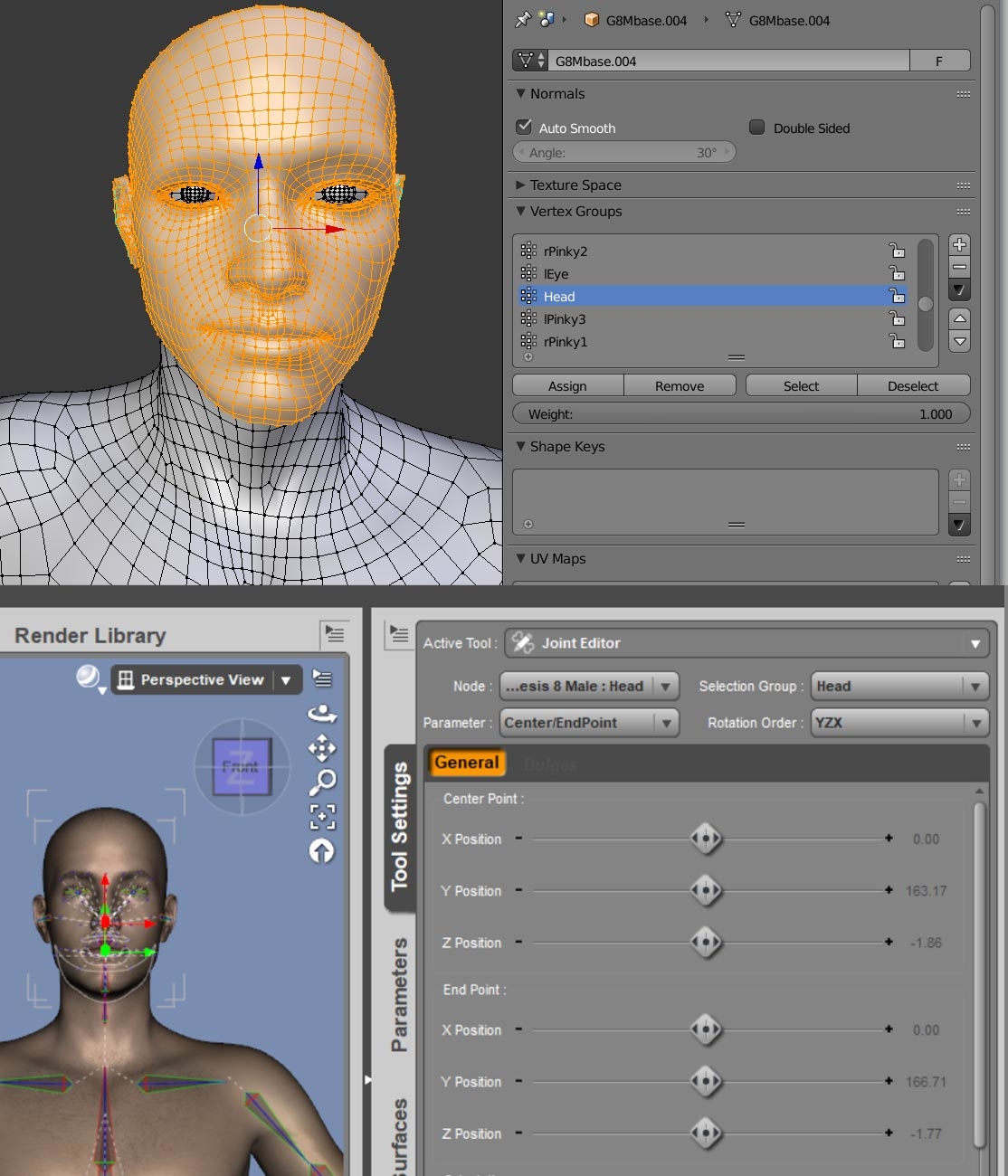
The workflow in DS would go something like:
Have a look at this page it specifically refers to creating Ghost Bones but covers some good ground in relation to the basics of rigging an object and assigning bones to geometry: http://docs.daz3d.com/doku.php/public/software/dazstudio/4/userguide/creating_content/rigging/tutorials/polygon_group_editor/start
Or here is a video that covers some further basics of rigging:
atpo posted Wed, 12 September 2018 at 6:04 PM
Thanks.