
Renderosity Forums / DAZ|Studio
Welcome to the DAZ|Studio Forum
Forum Moderators: wheatpenny Forum Coordinators: Lobo3433
DAZ|Studio F.A.Q (Last Updated: 2026 May 25 6:48 pm)


Subject: Renderosity Content not appearing


hborre posted at 11:19 AM Sat, 15 January 2022 - #4433315
Which assets did you purchase? If everything was installed exactly as the zip package was set up then it should appear in the proper category. Maybe take a screencap of your library set up in both your browser and DS. Maybe we're missing something obvious that wasn't explained in detail.
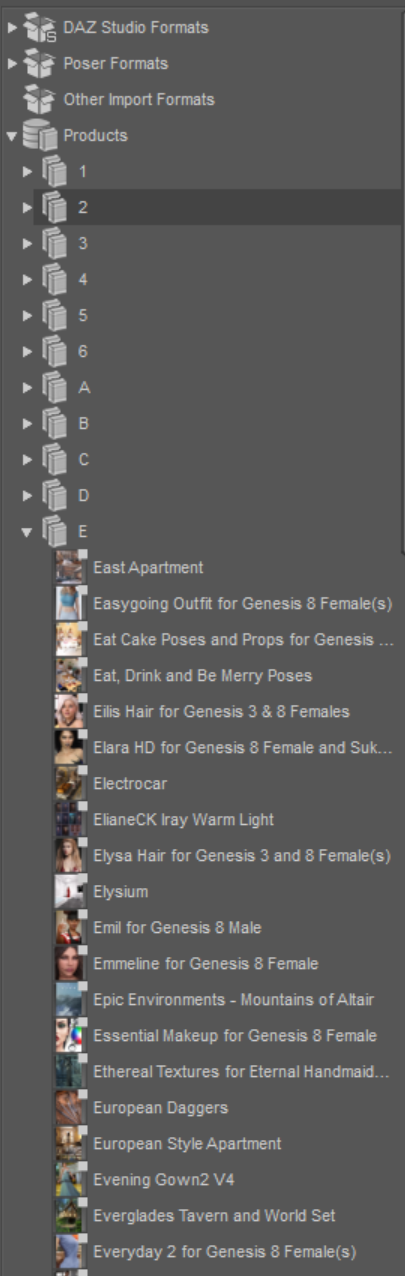
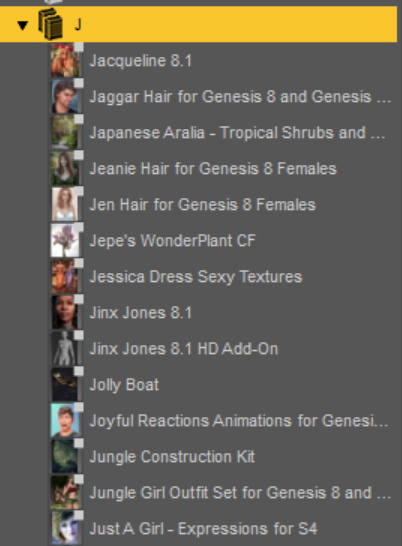
That's the zip folder: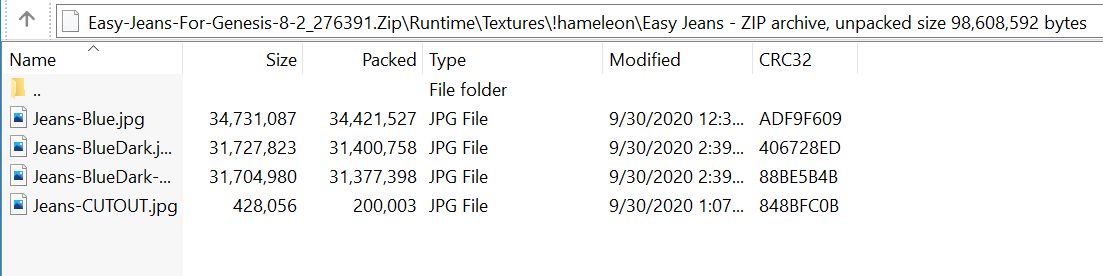

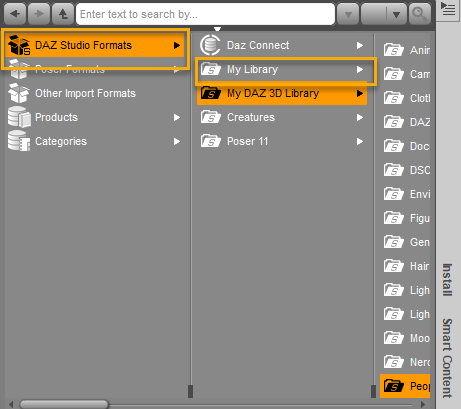
You're not going to find manually installed content from Renderosity in your Smart Content, just a fyi. Smart Content, by default, gets installed in My Daz 3D Library(typically found in C: > Users > Public > Public Documents on your system) and should show up in both your Smart Content tab within Daz Studio and in your Products folder that will have subfolders 0-1 & A-Z when you expand it. Renderosity content installed from the zip files need to be going in My Library, located by default in C: Users > MyUserName > Documents(or "My Documents") > Daz3D > Studio > .
To find this content in Daz Studio, you need to look for it in Daz Studio Formats > My Library.
Another thing to make sure is that you're downloading & installing ALL of the necessary zip files for the product. Some products have required multiple zip files while others have optional ones. I'm not sure about the OBJ -only zips, but the zip files labled "Templates" or that only contain templates are not necessary unless you plan on making your own custom texture sets for the given product.
Showing in Smart Content or not (or in Products or categories in the Content Library, or in the presets tabs in Property panes) has no connection with the file location or how they were installed. In order for files and/or products to show in one of those views they have to have database entries (created from the supplied metadata - manually isntalled content with metadata requires a manual import of the metadata) and, for Smart Content and the presets, that must include compatibility settings.

Privacy Notice
This site uses cookies to deliver the best experience. Our own cookies make user accounts and other features possible. Third-party cookies are used to display relevant ads and to analyze how Renderosity is used. By using our site, you acknowledge that you have read and understood our Terms of Service, including our Cookie Policy and our Privacy Policy.
Fellow renderosity community!
I have purchased several 3d assets from Renderosity. I tried installing them myself (by putting the .zip package into the My Library folder and unpacking it into it's folders (the folder paths inside the zip matched with my folder), but I couldn't find my assets.
Then I have bought Daz Auto Installer and had it install the asset zips, however I still can't find them. They neither appear in Smart Content nor in the Content Library pane (maybe I search in the wrong places of these panes?).
Restarting Daz Studio did not help either.
Can somebody help me?
Best regards