
Renderosity Forums / Poser - OFFICIAL
Welcome to the Poser - OFFICIAL Forum
Forum Moderators: RedPhantom Forum Coordinators: Anim8dtoon
Poser - OFFICIAL F.A.Q (Last Updated: 2026 May 07 11:24 am)

Subject: Why isn't morphs++ for V4 working??


You probably need to run the .bat file which, if I recall correctly, the V4 Morphs++ installer attempts to place on your operating system's desktop.
It's some type of initialisation which needs to be run before the PZ2 files know where to find the morphs - or something like that.
(I assume you have used the installers with default installation locations.)
Eternal Hobbyist

The desktop item is a shortcut - the file is RuntimeLibraries!DAZCreateExPFiles-v4, .bat for Windows or .command for Mac, in the folder you installed to. If you are using Windows Vista or later you should not install to the application folder, assuming that is in Program Files, but to an external content library - Poser 7 will be perfectly happy with this, as long as you have the service releases applied to Poser.
Thanks, I will look at the bat files tonite. I did activate the morphs when installing, and the first time I opened poser after installing they were there. I'm sure that things are installed correctly, I installed it to the poser 7 directory and let the installer do the heavy lifting. So, we'll see, thanks for your replies.

As a point, DAZ no longer offer installers which, in the past, was subject to looking for the application runtime, Everything is zipped now, so content installation is just decompressing the file(s) and moving them into a runtime folder.
There is the initialization which still needs to be performed, as outlined in the other posts, and the morph packs must be installed into the same runtime as your base figure. However, we do not know which OS you are using and where Poser is installed; this information will greatly help us to give you the best possible answer to solve the issue.
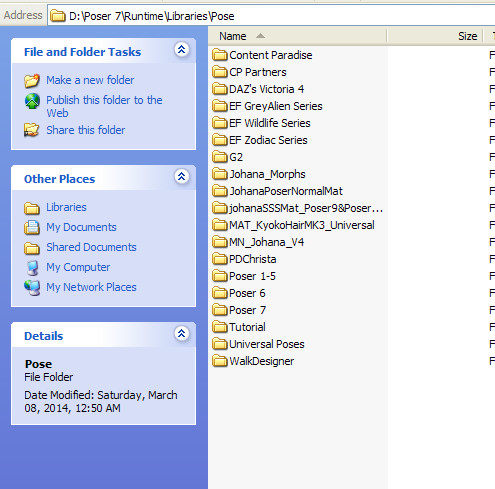
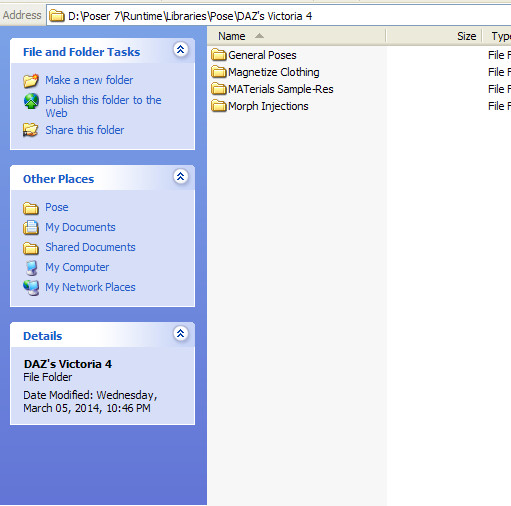
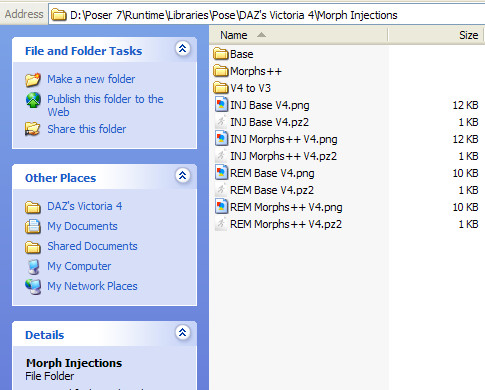
Be certain that the V4 figure is in the same P7 runtime, otherwise the initialization will not work correctly. The .bat file should be located in the following pathway:
Poser 7>Runtime>Libraries>!Daz
Afterwards, load a fresh V4 into the Poser scene and inject the morphs. The properties panel should become populated with new dials.

Privacy Notice
This site uses cookies to deliver the best experience. Our own cookies make user accounts and other features possible. Third-party cookies are used to display relevant ads and to analyze how Renderosity is used. By using our site, you acknowledge that you have read and understood our Terms of Service, including our Cookie Policy and our Privacy Policy.
Hi there. I've recently installed V4 and the morphs++ into poser 7. I can load V4 fine, no problem, I can change some of the default textures, no problem. I go to poses, morph injections and I can see the base morphs, and the morphs++. I clicked on them, the system seemed to be loading them.
However, when I try any of the morphs, I click on them, the system says "loading" and nothing happens to the figure. Right now I'm just testing it out to see if everything works. Is there anything else I should do to get the morphs++ to actually affect the V4 figure? Any info appreciated, thanks.