
Renderosity Forums / Carrara
Welcome to the Carrara Forum
Forum Coordinators: Kalypso, Anim8dtoon
Carrara F.A.Q (Last Updated: 2026 Sep 09 4:39 am)
Visit the Carrara Gallery here.

Subject: Caustics


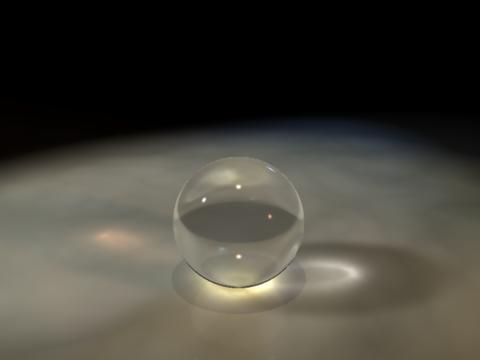
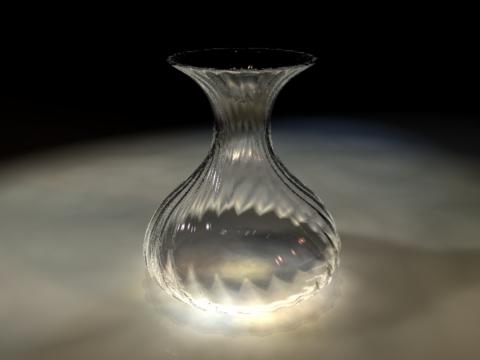

The caustic effect just are visible in some right camera angles and with correct light
Follow me at euQfiz Digital
Yes, the idea is the same as projecting a shadow, if the light is in a strange angle you will not see it. So think in a light rig that can project the light throught the object hitting a plane... Dont forget to turn Caustic on in the Render Room.
Follow me at euQfiz Digital

It's often beneficial to experiment with the intensity and photon count sliders in the Caustics box of the Rendering tab. The default settings aren't necessarily the best for verisimilitude.
I wish I could figure out how to completely eliminate flicker of caustics during animations. Perhaps it can't be done, but I suspect it's a matter of finding the proper settings (and enduring slower render times.)

Privacy Notice
This site uses cookies to deliver the best experience. Our own cookies make user accounts and other features possible. Third-party cookies are used to display relevant ads and to analyze how Renderosity is used. By using our site, you acknowledge that you have read and understood our Terms of Service, including our Cookie Policy and our Privacy Policy.
I have modeled some object Items, applied a glass shader and am unable to get caustics to show up when light passes through the objects. I am sure it is something simple, can someone point me in the right direction?
Thanks,
Thelby
I would rather be Politically Incorrect,
Then have Politically Correct-Incorrectness!!!