
Thelby opened this issue on Jun 17, 2008 · 7 posts
Thelby posted Tue, 17 June 2008 at 1:52 PM
I have modeled some object Items, applied a glass shader and am unable to get caustics to show up when light passes through the objects. I am sure it is something simple, can someone point me in the right direction?
Thanks,
Thelby
I would rather
be Politically Incorrect,
Then have Politically
Correct-Incorrectness!!!

tkane18 posted Tue, 17 June 2008 at 4:37 PM
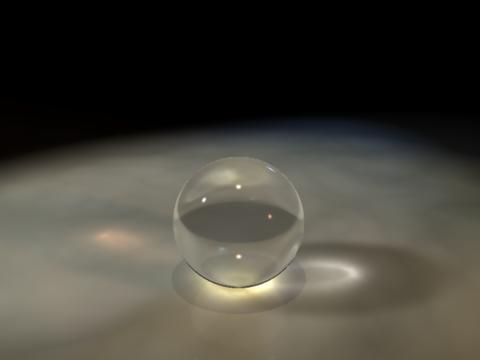
Caustics settings:
Intensity: 167%
Photon Count: 40000
Filter Size: 66
tkane18 posted Tue, 17 June 2008 at 4:43 PM

GKDantas posted Tue, 17 June 2008 at 5:10 PM
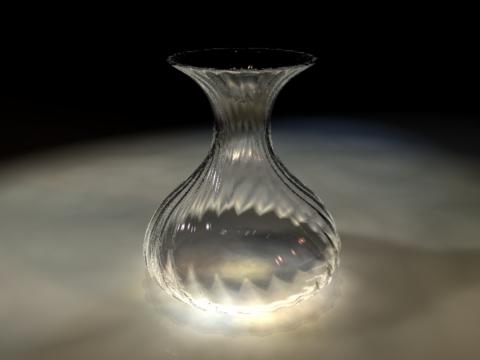
The caustic effect just are visible in some right camera angles and with correct light
Follow me at euQfiz Digital
Thelby posted Wed, 18 June 2008 at 12:23 AM
Ah, I see, Very Nice. So the caustic tick is in the render room that's why I could not find. I have looked everywhere else!!!! Thanks So Much!!!! I go and look now!!!
I would rather
be Politically Incorrect,
Then have Politically
Correct-Incorrectness!!!
GKDantas posted Wed, 18 June 2008 at 8:14 AM
Yes, the idea is the same as projecting a shadow, if the light is in a strange angle you will not see it. So think in a light rig that can project the light throught the object hitting a plane... Dont forget to turn Caustic on in the Render Room.
Follow me at euQfiz Digital

xoconostle posted Fri, 20 June 2008 at 3:51 PM
It's often beneficial to experiment with the intensity and photon count sliders in the Caustics box of the Rendering tab. The default settings aren't necessarily the best for verisimilitude.
I wish I could figure out how to completely eliminate flicker of caustics during animations. Perhaps it can't be done, but I suspect it's a matter of finding the proper settings (and enduring slower render times.)