
Renderosity Forums / Carrara
Welcome to the Carrara Forum
Forum Coordinators: Kalypso, Anim8dtoon
Carrara F.A.Q (Last Updated: 2026 Sep 09 4:39 am)
Visit the Carrara Gallery here.

Subject: Realistic Rain Splashes in Carrara 5.1


You can select an object (a small sphere say) as your particle. You should, also, be able to apply blur over in theeffects. In the Advanced Tab you can adjust bounce.
It seems that the partices want to go half way into your "floor" before they bounce. Adding a second floor just that half distance above, un tick the visable. and you may get more realist bounce.
Hope of some value.
bwtr
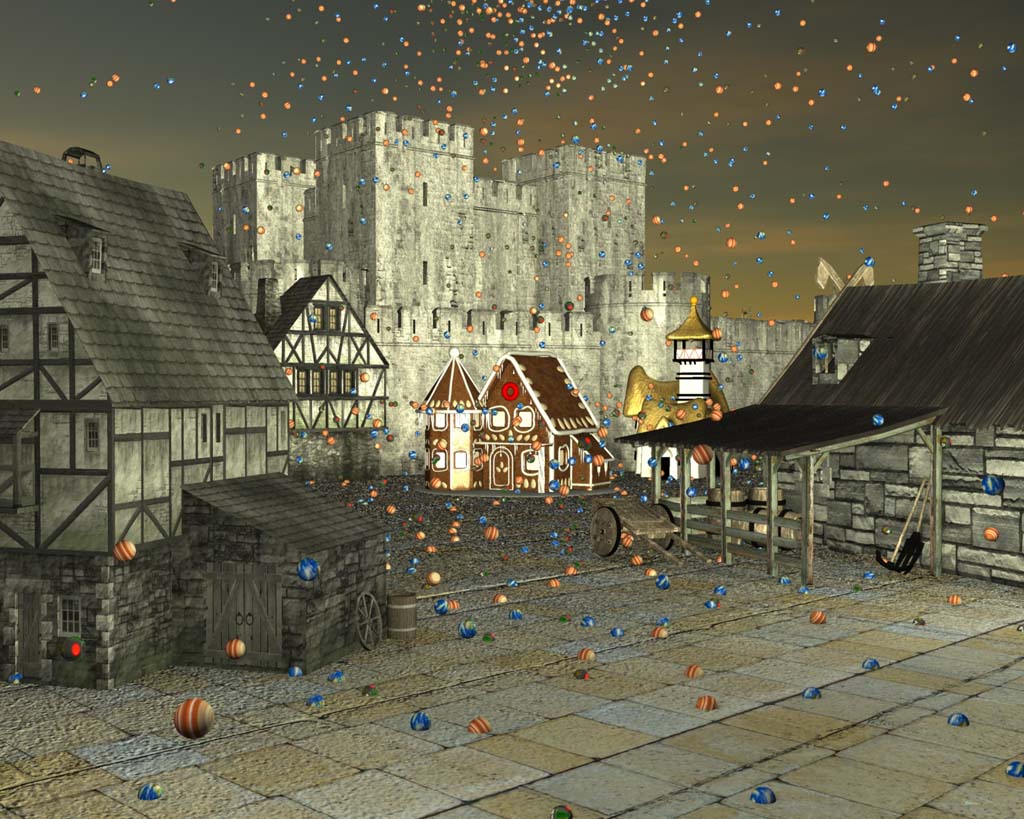

I played around with the objects sinking, and I came to the conclusion that it had to do with the object's hot point. I don't know if there is anything you can do about it. I like the idea to use invisible floor above the visible floor. Moving the hot point or what about putting an invisible force field (ball) around the visible one, and have...no, the point would still be in the center. Moving it out to the end would work until it rotated.
Never Give Up!
Your water object could have a complex surface, and you could animate it by pulling points up and down. Another way is to use a texture map, made in photoshop or paint program - gray scale, with rings - could take some work but you could make 5 - 10 frames and loop to make an AVI or QT movie, like white rings on a black background - make the rings grow and shrink or dissapear/ move. Loop it. You could also try potentilizer ( a plugin). Post what you come up with.
Never Give Up!


Privacy Notice
This site uses cookies to deliver the best experience. Our own cookies make user accounts and other features possible. Third-party cookies are used to display relevant ads and to analyze how Renderosity is used. By using our site, you acknowledge that you have read and understood our Terms of Service, including our Cookie Policy and our Privacy Policy.
Have been trying to work out a way to get realistic rain splashes in Carrara 5.1. The following scene uses a particle generator whose particles are stick-like objects to simulate the streaking effect. Image below doesn't have streaks yet.
How best to simulate the splashes? If the stick-shaped particles bounce it will look odd.
What about the "spawn" function with a sphere particle? Is that possible?
Any ideas appreciated!
Thanks, Richard