
Renderosity Forums / Poser - OFFICIAL
Welcome to the Poser - OFFICIAL Forum
Forum Moderators: RedPhantom Forum Coordinators: Anim8dtoon
Poser - OFFICIAL F.A.Q (Last Updated: 2026 Apr 25 12:23 pm)

Subject: curtains?


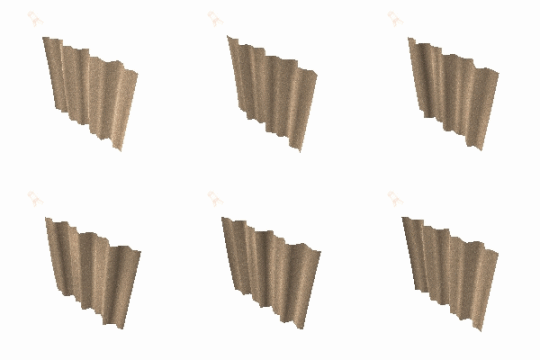

LOL & "HI" Doc! anxcon: Are you trying to create a still or an animation? Details will differ depending on which. But for a still: Start with the cloth (Hi-Res) square. Scale the cloth in Y til it's the right length. Then either: Use the Wave deformer (fiddle with the settings til you get something that looks right..). You can scale the cloth in X 1st if you wish.. For Dynamic, start at frame #1 with the cloth at full stretch. Add a box and scale it to match the cloth width. Position the box just behind the cloth. Ensure the box extends a little above the the cloth in Y. Go to a later frame (10+, I'd suggest) and scale the box (not the cloth) down in X to the width you want. Back at frame #1, enter cloth room and clothify the cloth. set it to collide with the box. Use the "constrain" group editor to pick every 3rd or 4th vertex from the very top of the cloth. Run the sim..... Hope that helps (Dr Geeps tuts explain it better, but I thought you might want a head start...) :biggrin: Cheers, Diolma


 ty
ty

Attached Link: http://mystic-nights.com/directory/index.php
Go to that link and search for "drapes" and "curtain". You will find some sites that have what you are looking for including some animated curtains."It is good to see ourselves as
others see us. Try as we may, we are never
able to know ourselves fully as we
are, especially the evil side of us.
This we can do only if we are not
angry with our critics but will take in good
heart whatever they might have to
say." - Ghandi

Privacy Notice
This site uses cookies to deliver the best experience. Our own cookies make user accounts and other features possible. Third-party cookies are used to display relevant ads and to analyze how Renderosity is used. By using our site, you acknowledge that you have read and understood our Terms of Service, including our Cookie Policy and our Privacy Policy.
i can model anything but those :glare: anyone know where i can find some curtains for a window? preferably something dynamic or easy to turn into it and hopefully UV mapped nicely