
Renderosity Forums / Carrara
Welcome to the Carrara Forum
Forum Coordinators: Kalypso, Anim8dtoon
Carrara F.A.Q (Last Updated: 2026 Sep 09 4:39 am)
Visit the Carrara Gallery here.

Subject: ADVICE ON LEARNING TO WALK...


Attached Link: http://www.littlemanproductions.com/AIRU/airu_walktest2.html
I did this walk test without bones, just parent/child linking between objects and keyframes - but with your model I'm guessing bones would be the way to go since it's all one object?Chuck

Attached Link: http://www.newtek.com/products/lightwave/tutorials/animation/walk/
Maybe this link could help you. noviski:thanks for the tip. At the moment, those animations don't want to load. [Got a "Cannot display this page" message]. I'll try again later. What I did do, was to follow the link on the table of joint rotation limits, that you posted. This table is from "Digital Character Animation", which I bought...which is a great book! A $55.00US book, but used copies available from amazon.com for $18.00. A lot of very good information.
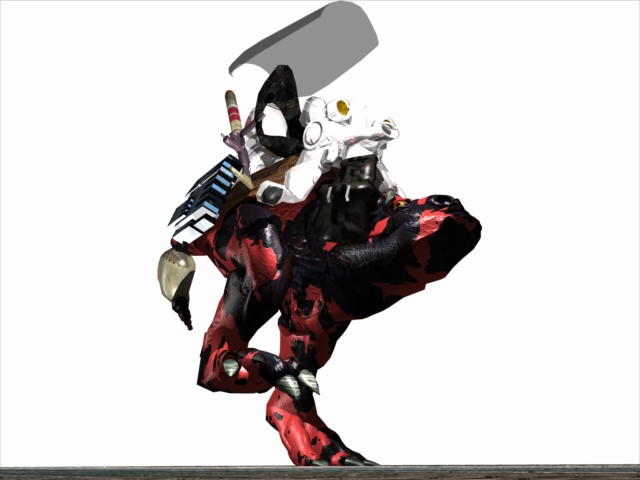
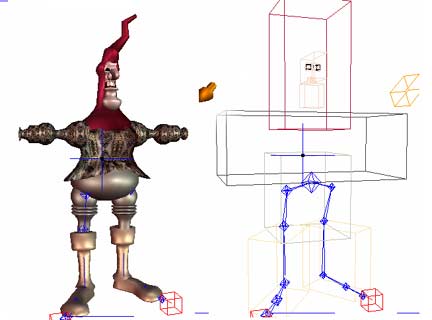
Now everything works without dragging any vertices around. Next step: Constraints and IK...and the baby takes his first step.

I just learned how to apply the IK yesterday. It took some time to figure out how, but then I read the PDF : ) The one thing that acts strange, and I'd like to change is how when you chose the chain IK tool, click the hip bone, then click the bottom most foot bone, it creates the helper cube... and gives the ankle bone a constraint... but I don't like the constraint it gives. I don't want the knee to be able to bend backwards. Also, IK should work with two bones on the foot. I played with hopper in the Carrara Scene Wizard. It has two helpers in the foot, looks helpful. Beast is looking ready for combat. Does his mouth open yet? I can imagine some shark-like teeth in there.
Never Give Up!
ominousplay: Thanks for checking in. Could you give me the page numbers in the .pdf that discuss IK? I find the .pdf to be tedious and difficult to read. It's hard to stay with it long enough to find anything because I have to sit with the C2 manual in the other hand and compare page-to-page in order to find what's changed. And it doesn't seem to be very much. The Eovia support people are vague in the extreme. [and where is the Hopper stored?]
I have been using the Carrara Studio 3 Handbook to supplement [supplant?] the 2.0 manual, and the 4.3 .pdf. Can you [after using the Chain IK tool] access the circular sliders and re-set the constraints? According to Mike de la Flor's procedure, the IK is selected first from the Skinning Menu, and the constraints are adjustible afterwards.
I do have a bone in Beast's lower jaw, though I don't think it will be used much. Beast is a large, dim, herbivore whose main interest in life is snuffling down 55gal. drums of Uni-Glop [MilSpec. Animal Chow].
Attached Link: http://www.grutadaonca.com.br/noviski/walk0001.html
Amazing model, kelley! Sorry if you couldt open the file with the walk animation tutorial from Lightwave. Thats why I put the animation (in Flash, 3.2 MB, no sound) at this link. Its take about 1 min to load. As I see so far, Carrara and Lightwave are very similar in the animation, modeling and bones system. Im trying to find some nice tutorials of Lightwave for help us. ;-) If you want to download the Flash .swf file: http://www.grutadaonca.com.br/noviski/walk0001.swf 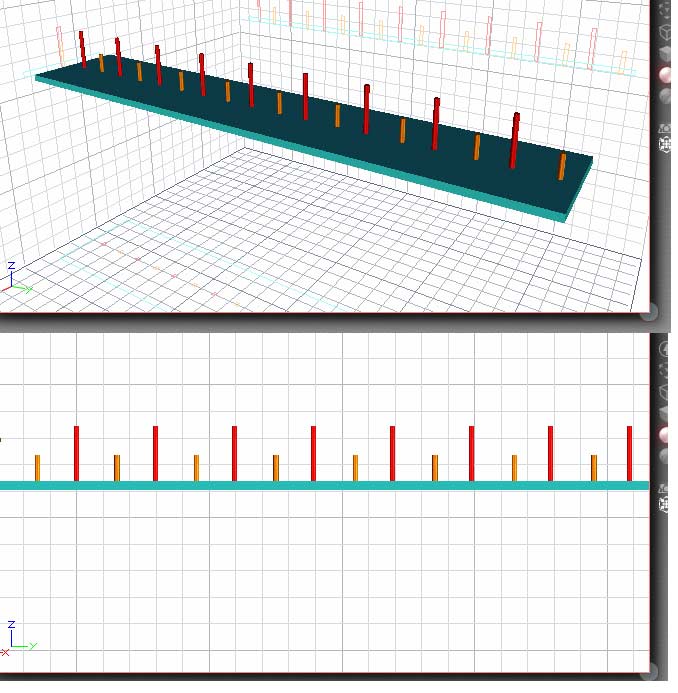
I've posted a re-make on a little technique that I've used on jointed figures...in the side view. The red posts are foot positions: the left foot toes at a back post, and the right front heel at the next post forward. The short yellow posts are midway positions and show the height of the pelvis at its lowest point. The red post also marks the pelvis at its highest. [These are not to scale in this pic.] Using this to set up the first couple steps ensures that the feet will not be sinking down into the floor, and the foot will not slide as long as it's centered on its post. Then you can duplicate/repeat keyframes and continue the walk as far as you want.
I found this URL on the Eovia site. It's a C4 tutorial [probably] and [probably] has sound, but I can't get the sound to play. I've asked Eovia [via e-mail] about the sound, but have gotten no reply. See if it will play for you.
http://www.eovia.com/demos/carrara/ik_walk.asp
Kelley, With the new IK you won't get slipping if you setup the IK properly. With the IK tool, click from the foot to the ankle bone. Then from the ankle to knee. Then from the knee to the hip. Remember you can go in and tweak the constraints to better work with your model. With this setup you can move the knee IK target to pull the leg up and position walks. The advantage of your guide is you get exact foot placement. A good guide by the way, something like that intergrated into Carrara would be a plus I think. The only issues that Carrara does have is with rotations of a bone structure. Like try having your skinned character do a spin on its toes. The best method I have seen for this, is to group all the bones and targets. And then rotate the structure as a whole, and ungroup and animate additional movements. Brian
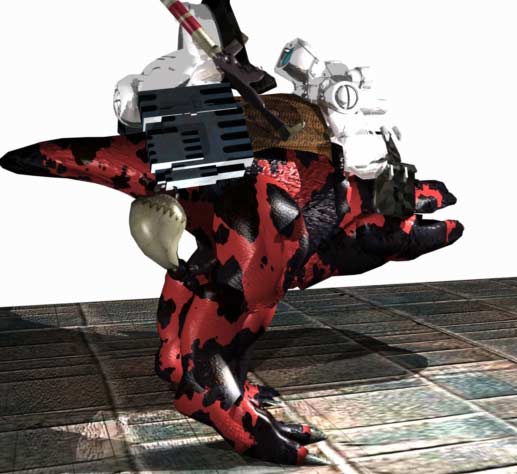
But, reaching back into memory, I seem to recall that once IK is applied, it cannot be taken off, or over-written, unless you detach the bones fron the mesh and start afresh. Is this correct? Anyway, the eyeballs seem to have sunk into the mesh, so I have to go in and get them back in place.
ominousplay: for you I articulated the lower jaw. I think Beast will have to vocalize a bit, tho' I don't think razor sharp teeth are in the cards for him.
Thanks for all the feedback so far.
Kelley, IK can be removed, but its a manual process. You have to go into each bone and remove the IK modifier from that bone. Remove all the modifiers from the bones, and delete the IK targets and start fresh. Now repeat my process. Don't do the knee IK target though. Just go toe to ankle, and ankle to hip. And before you move anything set up your constraints. For your model, I'd say an axis constraint on the hip joint would be better then the ball joint, also use axis constraints on the knees, and a modified ball joint for the ankles and toes. The default constraints are not good enough, and require modifications depending upon what you are rigging. After you have it setup, move the targets slowly and carefully to make sure things(constraints) are setup properly. What happened to the eyeballs? Did this happen when the model was skinned? It could be a weighting issue. I need to write up a tutorial on skinning. There is a good tutorial in one of the issues of 3dxtract that someone did rigging a dinosaur. Brian
Brian: Thanks for walking me through this. I've detached the skeleton already, so I'll practice deleting IK Targets another day...and it's early in the morning here, so I'll re-bone Beast tomorrow. As I understand your method, it's an IK Chain that simply by-passes the knee? And the Axis Joint/Ball Joints? Do I recall finding those in the Properties Tray?
When the skeleton was detached, the eyeballs re-appeared in their proper place. They had been dragged down a bit on the Z-axis, and slightly forward. Since I could see them in the Sequencer, I selected them, and could see the bounding boxes. Also two latches on one of the saddle bags [forward of the white console] had been floating in the air. They too returned to their place. I suspect that had I noticed them in time, I could have restored them by adjusting influences. I'm sure they were being dragged on by another bone. Maybe that lower jaw.
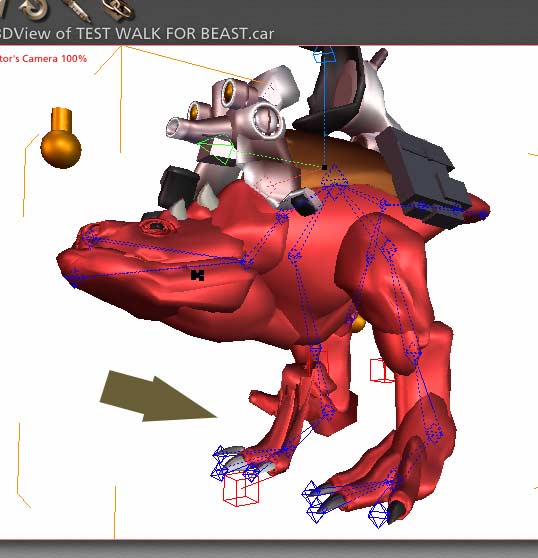
Two questions: (1)IK Targets appear in the Sequencer, but outside the hierarchy of bones. Is this where they are supposed to be? And (2) There is no target for the hip joint. Is this because it's at the end of the chain?
Kelley, I use the instructions of the EOVIAs walk tutorial in their site. The "Jumping Alien" has the following parameters for the leg: 1st Bone: The Hip (Allways!) Click on the Right Tigh bone. Click on the Chain IK and the ankle bone. Click on the ankle bone and the Foot bone (with the IK Chain) For the knee bone the constrain parameters on the tutorial are: Ball Joint: Axis: X= Limited 3,0 > 0,0 > -135,0 Y= Locked Z= Locked Repeat the parameters for the Left leg. As Brian say, you may have to change a few and adjust them. Good work, youre beast is very nice! ;-)
Thanks again, noviski, for looking over my shoulder and offering your help. Could you post the URL for "The Jumping Alien" on Eovia's site. I looked around [in the tutorial section] but couldn't find it tonight.
The problem is [partly] that everybody's advice seems to be different. Brian has it that one should start at the toe and build upward to the hip. Your info [from Eovia] has me building from the hip down. And when I got to Page 806 in the .pdf manual, Eovia says use the Select Tool, click on the hip bone, then use the IK Chain tool and click on the toe, and it's done.
Personally, I am having problems getting the IK Chain tool to do anything. I place it over the bone, click, often repeatedly...sometimes it gives me an IK Target. But most of the time it does not. Does anyone else have this problem?
Attached Link: http://www.eovia.com/demos/carrara/alien.asp
Yes, its a little confuse...! :-( I hope this link could help you. Good luck! ;-) 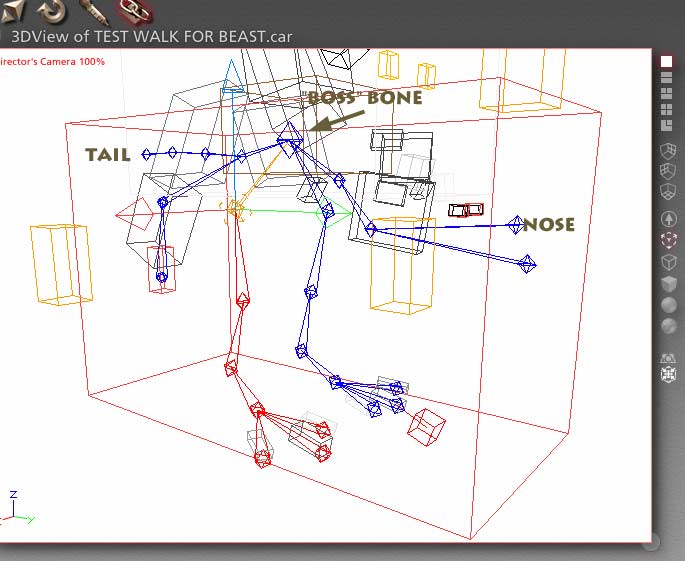
Shortly after I posted my last, I went back to work on Beast. On a different leg this time, the left. After many failures, at last it worked. [Select the hip, IK click on the toe]. You can see the IK Target in front of the left Big Toe. I am still trying to make it happen on the other leg. I have been able to make IK Chains from 'The BOSS Bone' in the center to the nose and to the tail. I've been able to make chains from the right hip to the knee, and from the hip to either of the outer toes...but not to the center toe...and the outer toes are children of the center toe.
I think I've had enough fun for one night. Time to 'save' and go to bed.

Privacy Notice
This site uses cookies to deliver the best experience. Our own cookies make user accounts and other features possible. Third-party cookies are used to display relevant ads and to analyze how Renderosity is used. By using our site, you acknowledge that you have read and understood our Terms of Service, including our Cookie Policy and our Privacy Policy.
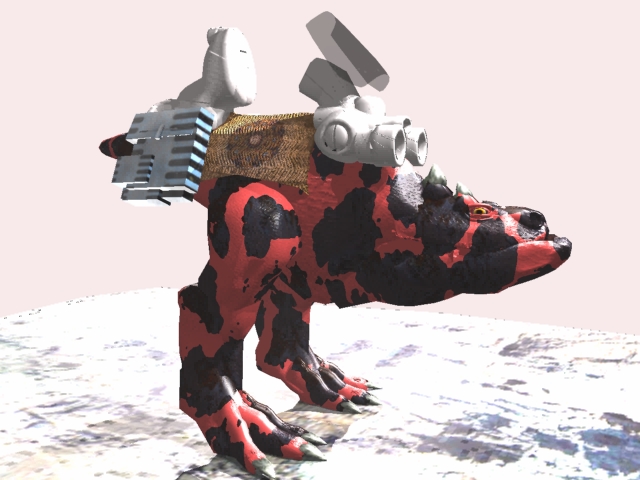
I'm far enough into "The Sentinel" to be ready to make the characters walk. 'BEAST" goes first. Built in C2, I want to continue this in C4...of which I know nothing at the moment.I've found an interesting 'bones walking' Quicktime on the Carrara site that obviously is about C4, but the sound with it won't play. I've looked through the tedious .pdf file that came with the Carrara upgrade, but all I see there is the same stupid "Spooky" tutorial.
Are there any good sources of 'bones' advice before I dive in on this one?