
Renderosity Forums / Poser 14

Subject: PoserCloth


That might be an idea for her top sellers and new items. It would be a lot of work for the whole store.
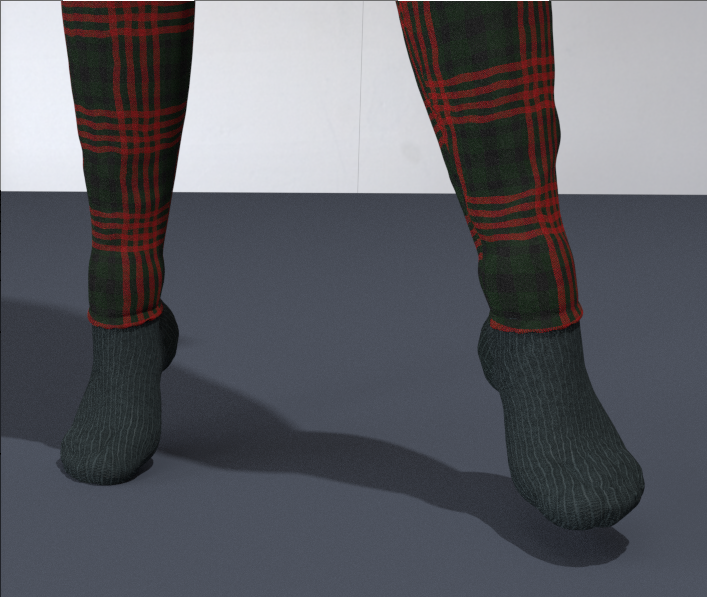
And if anyone is wondering, morphed clothing does work. These socks loaded inside the figure. I'm assuming they were supposed to grow to fit the feet. That didn't work with cloth draping. I used the morph brush to bring them just outside, and they now sim beautifully
Available on Amazon for the Kindle E-Reader Monster of the North and The Shimmering Mage
Today I break my own personal record for the number of days for being alive.
Check out my store here or my free stuff here
I use Poser 14 and Windows 11

Something a bit different: does the wind force generator have any effect on the new cloth? I haven't had time to play with it and am just starting to mess with P14 since the shaders I asked about have been fixed. It seems to me that the P13 cloth room allowed me to do things like apply wind force to capes and such. Will the new cloth respond to wind force?
Teh Mollz

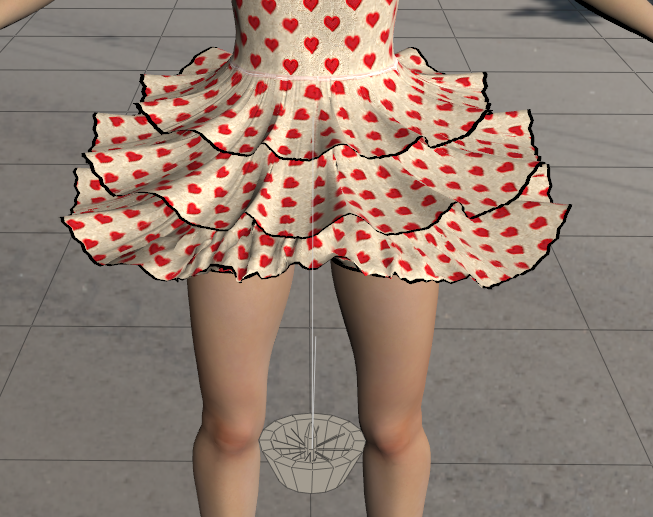
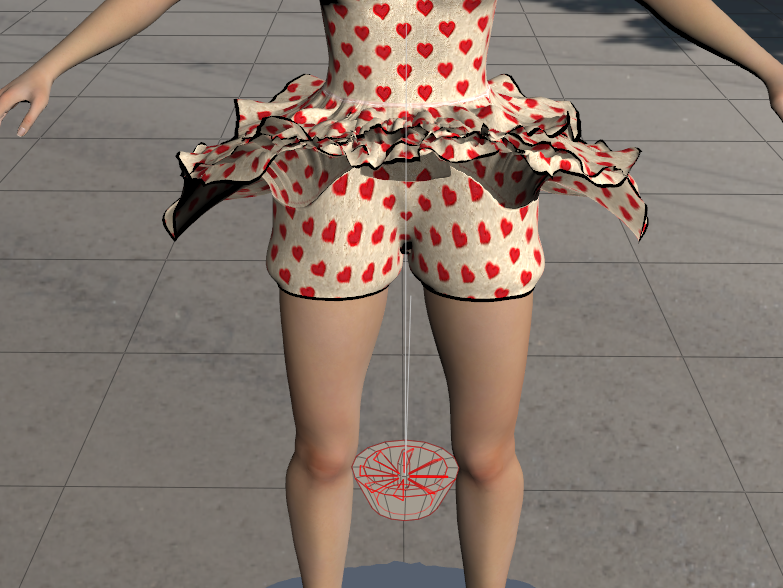

Richard60 posted at 11:38 AM Tue, 10 March 2026 - #4504536
molly-chubb-dress This dress is over 10 years old; LaFemme1 or 2 didn't exist then. Indeed, my creations are dependent on the cloth room to achieve the final result; that's the heart of the problem.@midinick I don't have the Molly Chubb Dress mostly because it was meant for V4 and I have never really liked the Daz figures. Mostly because V4 never really worked well with animations and I got more poke through with her then I did the standard Poser figures. I should pick it up because it looks like a fun challenge. But looking at the promo pictures it looks like it would need two layers of constraint mapping the top part of the petals being stiffer and the end parts drooping more. Although not having a picture of what the dress starts out as makes this a bit of a guessing game. Since Tipol designed things to let the cloth room do the final forming. And there is nothing wrong with that just the new system is not meant to work in the same fashion.
However, other models adapt without any additional adjustments; just remember to include the bra in the list of items that will be in contact with the fabric from the start. But this isn't the case with the pants, which have gaps at the feet and knees and whose fabric seems too thin.
https://www.renderosity.com/marketplace/products/167860/grunge-style-for-la-femme2
https://www.renderosity.com/marketplace/products/167680/grunge-set-for-la-femme2
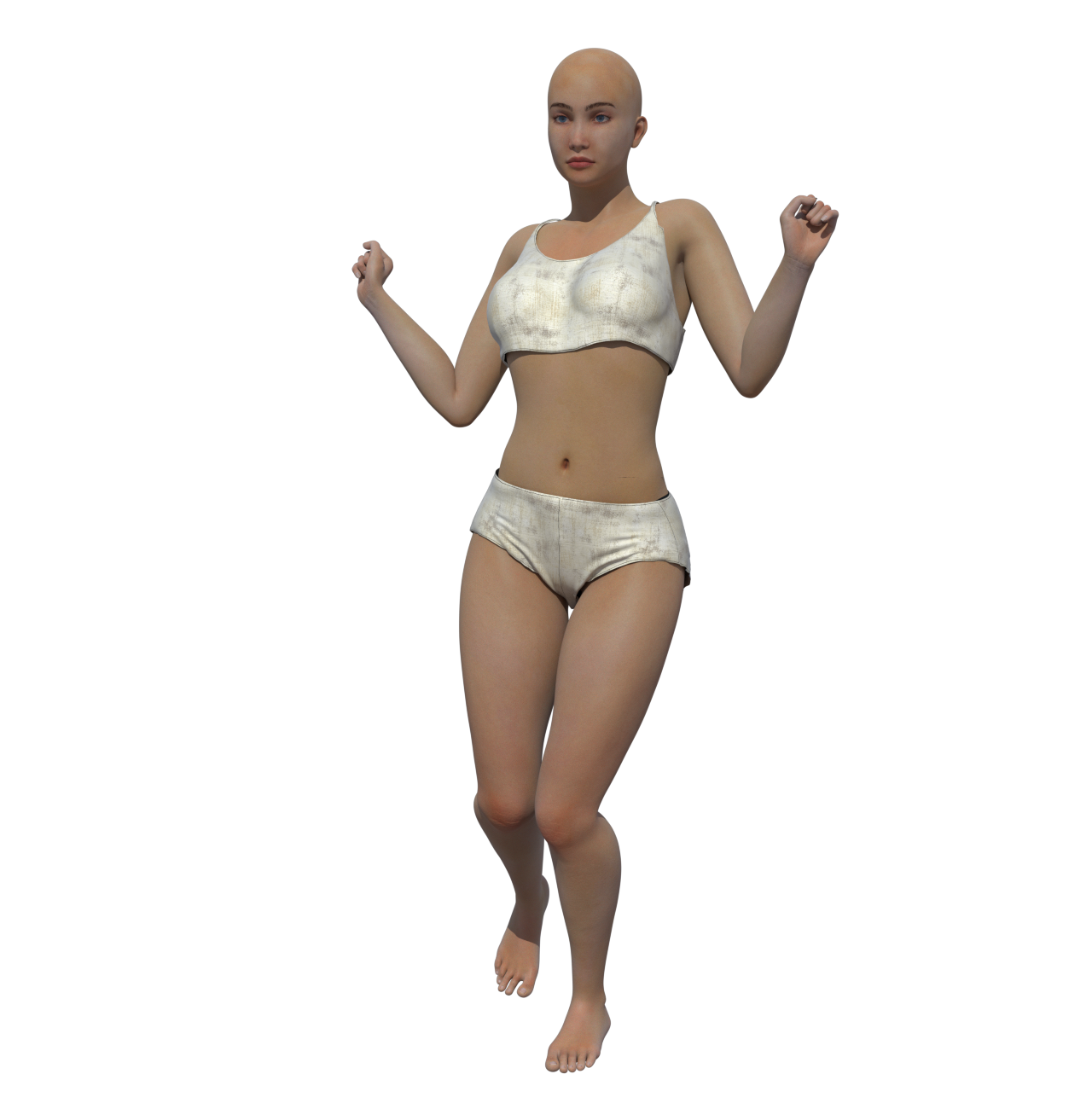
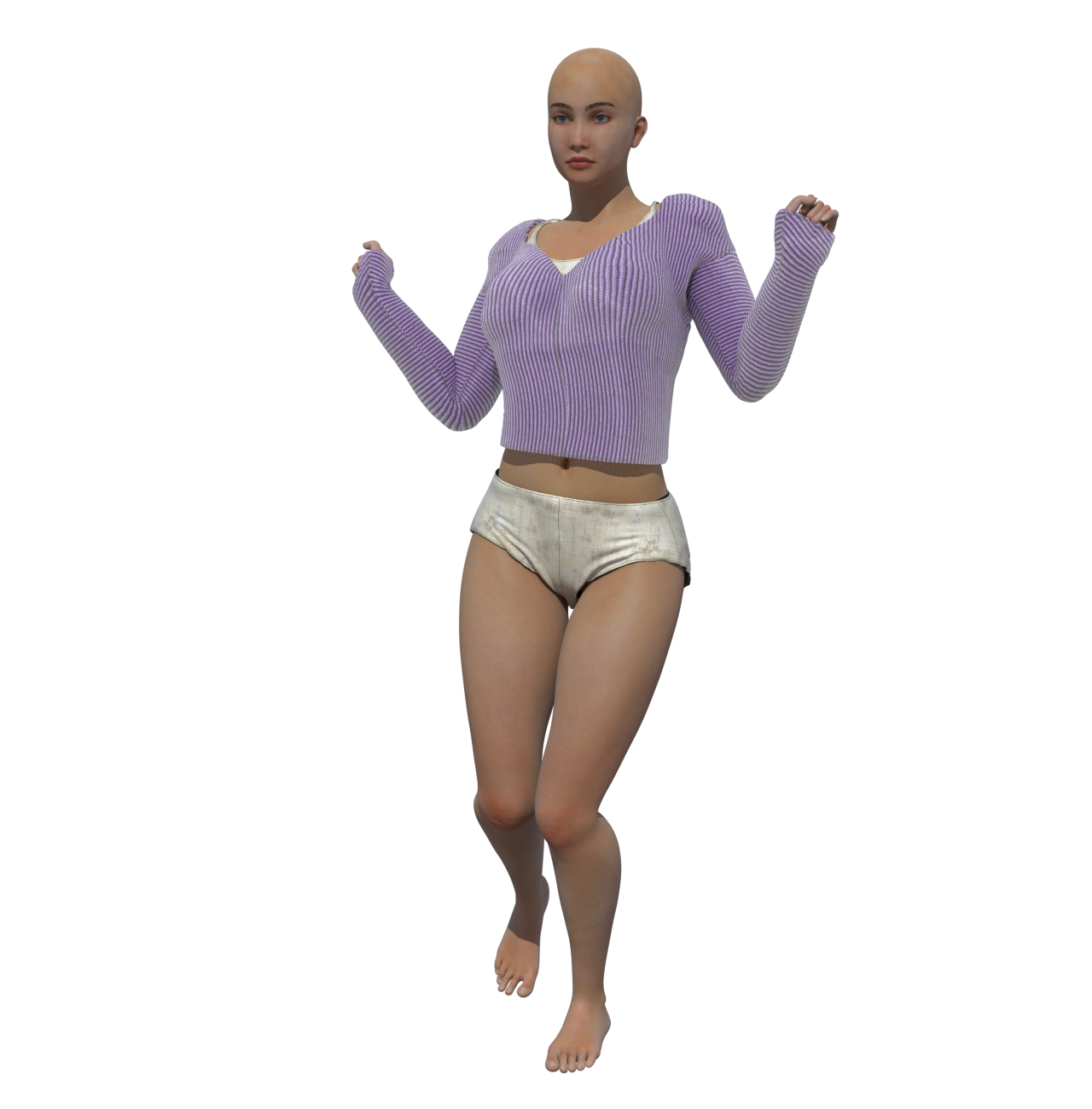
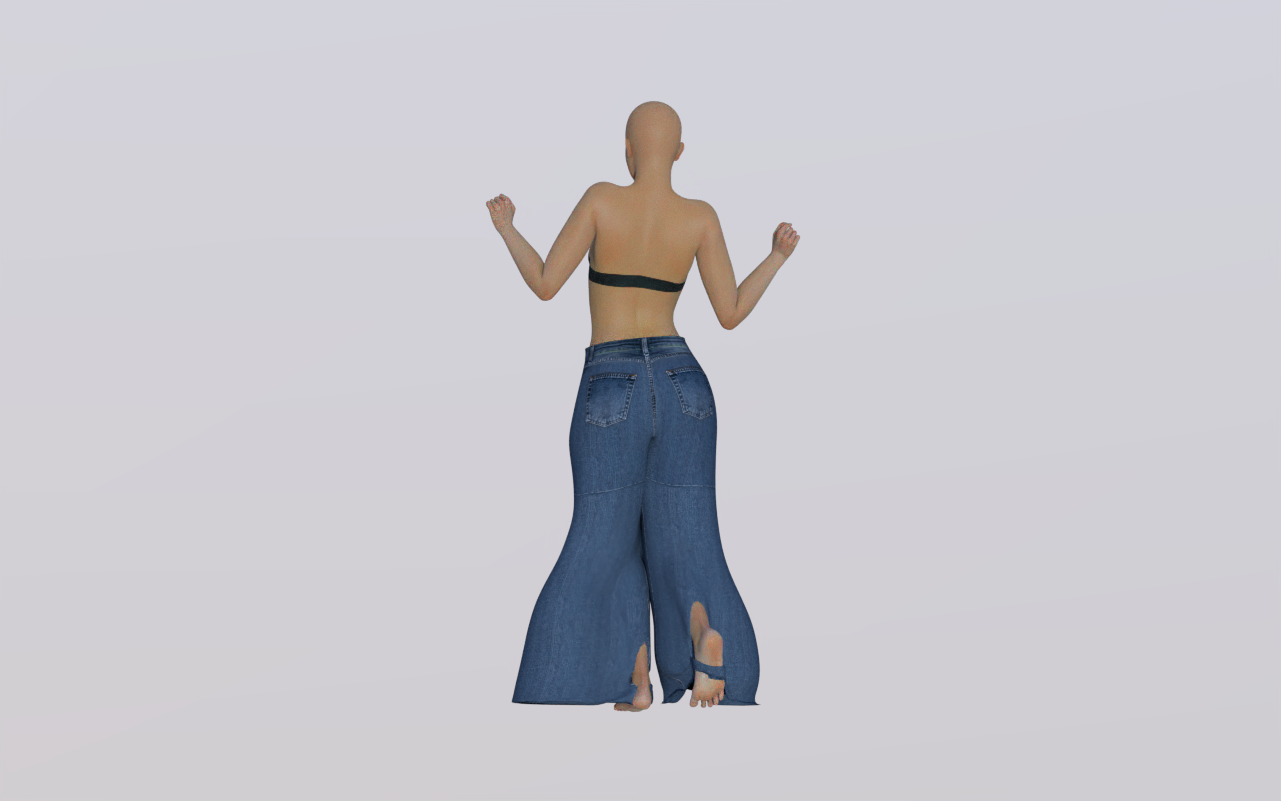
Here's a test with the pants. I'm experimenting, and I've noticed that in the constraint settings, I can see everything above the knee, but not the rest of the leg or the foot. Could this explain the strange behavior of the pant legs, which spread out oddly, leaving the knees and feet sticking out ? I've submitted a request to Poser support.
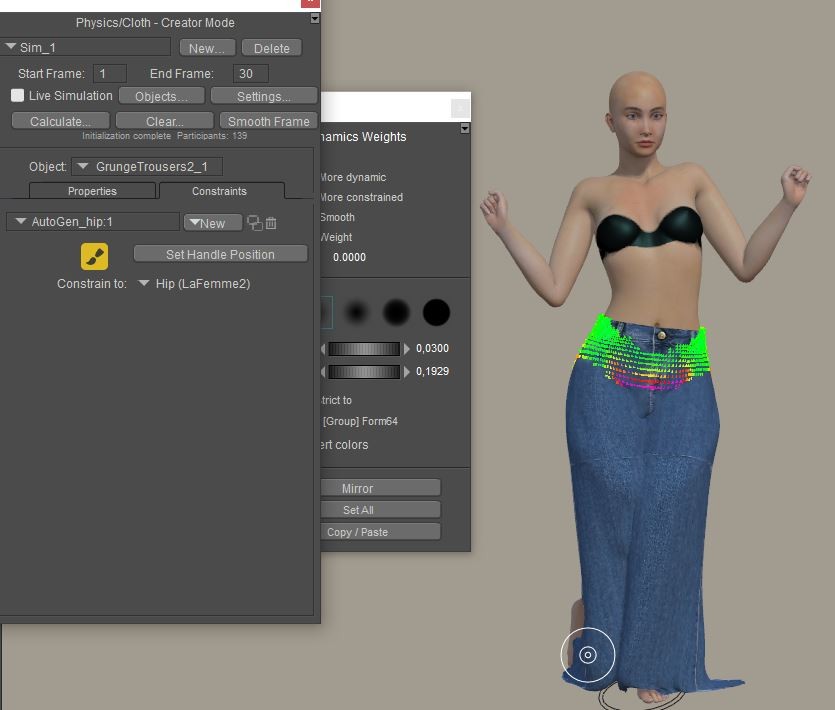
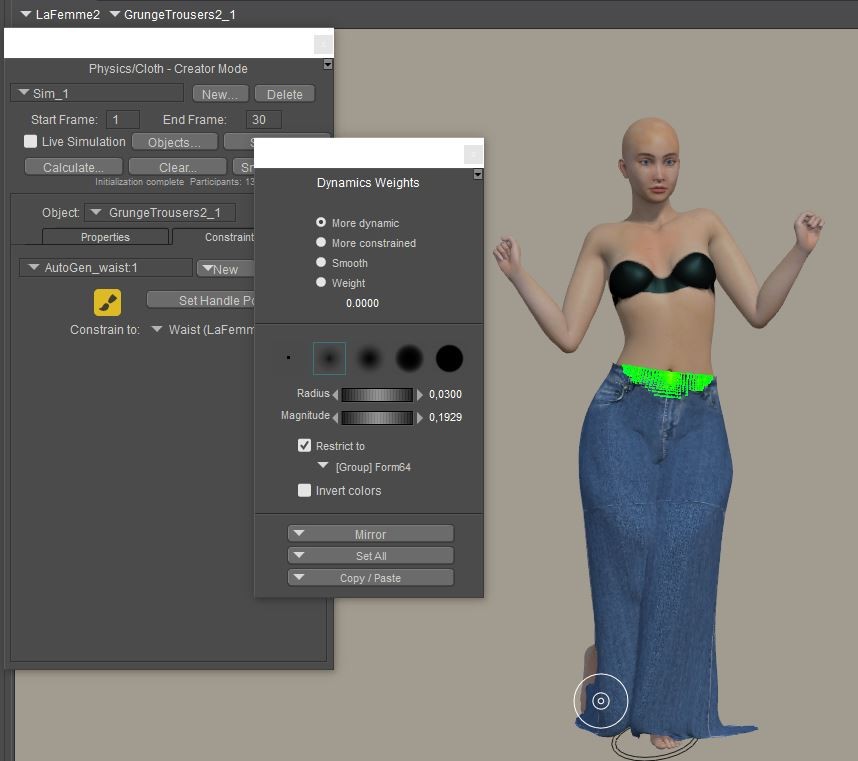
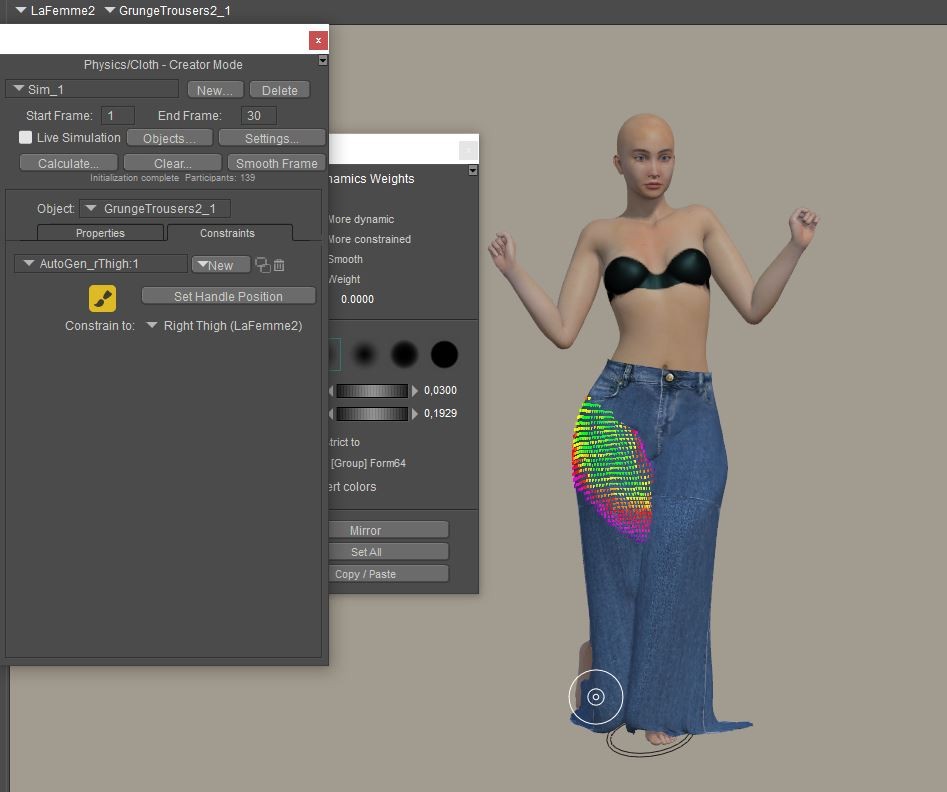
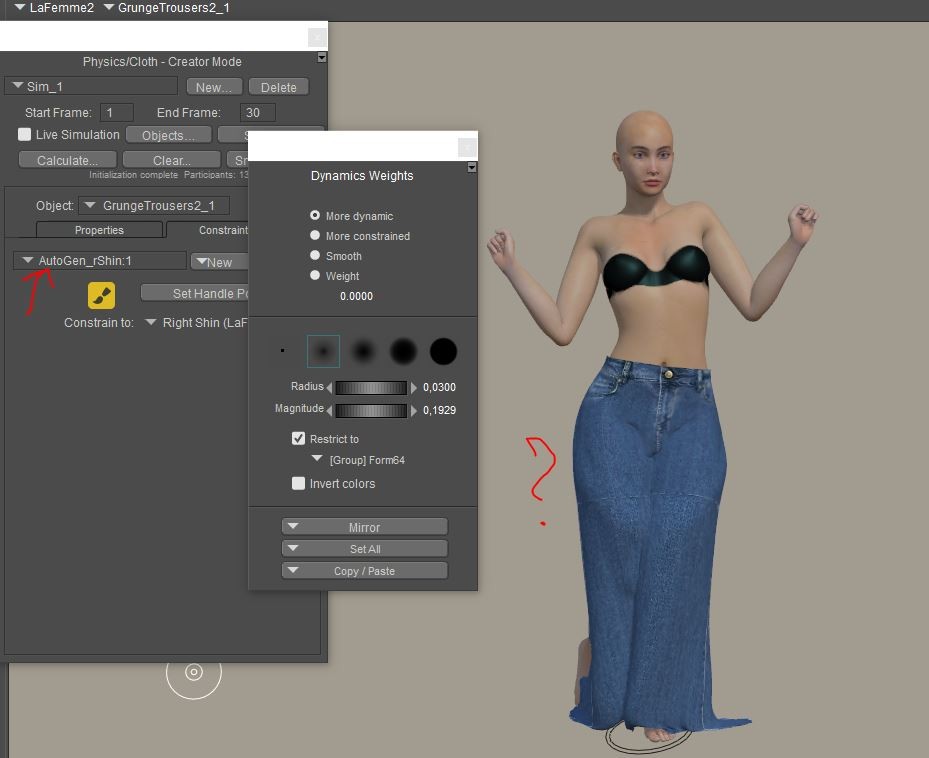
You have it restricted to the group form64. Does that group include the shins?
Available on Amazon for the Kindle E-Reader Monster of the North and The Shimmering Mage
Today I break my own personal record for the number of days for being alive.
Check out my store here or my free stuff here
I use Poser 14 and Windows 11
There's only one group in these pantsYou have it restricted to the group form64. Does that group include the shins?
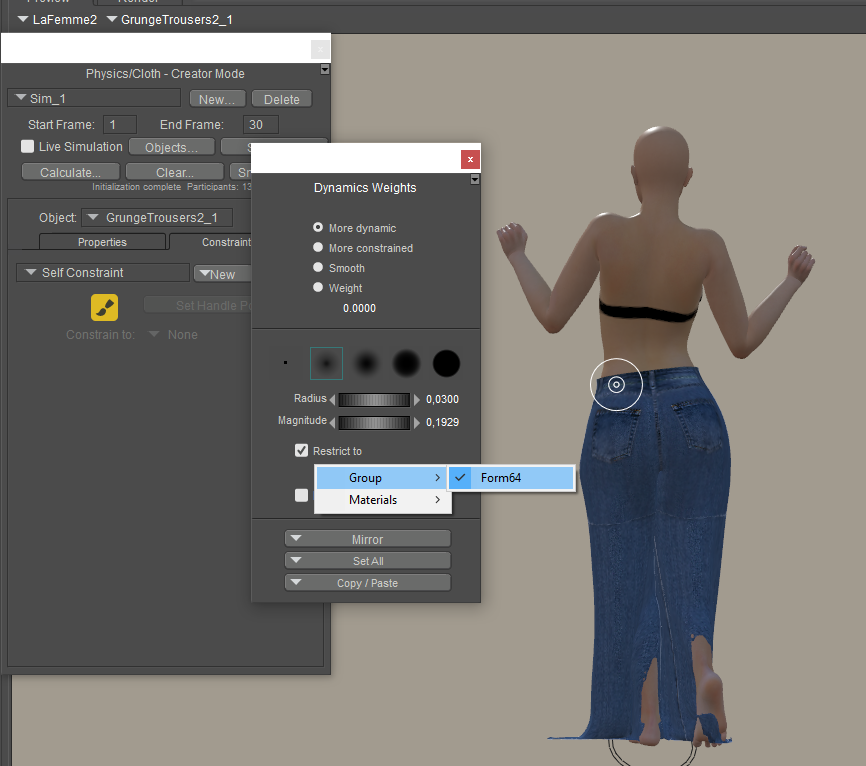
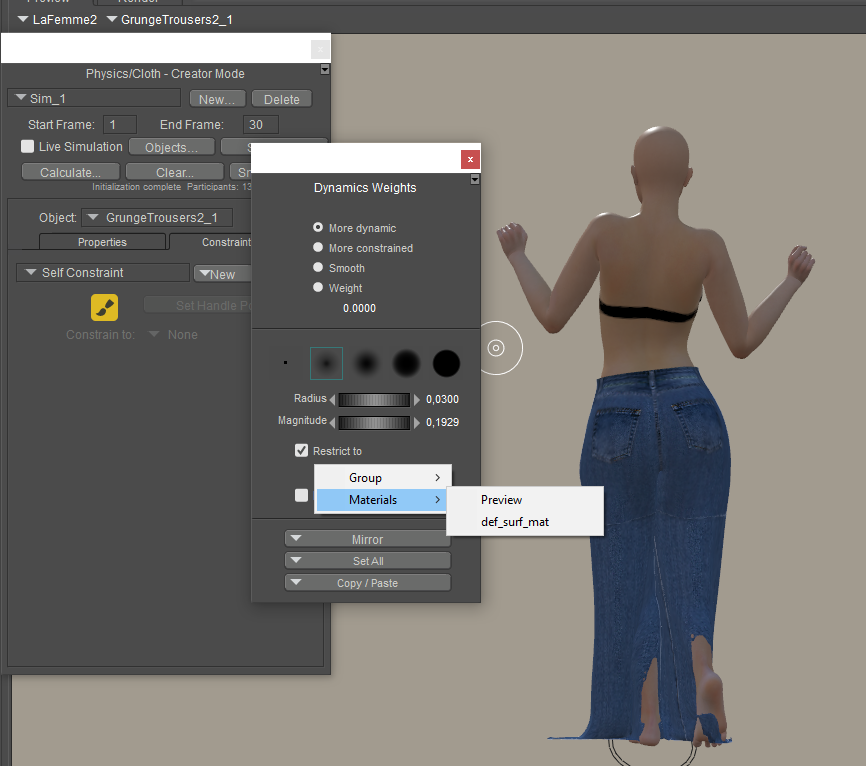
If it only has the one group I would make a new animated constraint and set all the vertexes to a value of .0001 or maybe 2 and constrain that to the hip. With a value that low and setting the dial to a low value under .020 that should stop the cloth from stretching to the floor as you can see on the left side picture just above this. Also being that low should not interfere with the normal movements in the rest of the pants. And it should help the poke through. But first try to get the stretching stopped.
Poser 5, 6, 7, 8, Poser Pro 9 (2012), 10 (2014), 11, 12, 13, 14
Anyone have any ideas what is happening here?
I have a skirt and a dress.
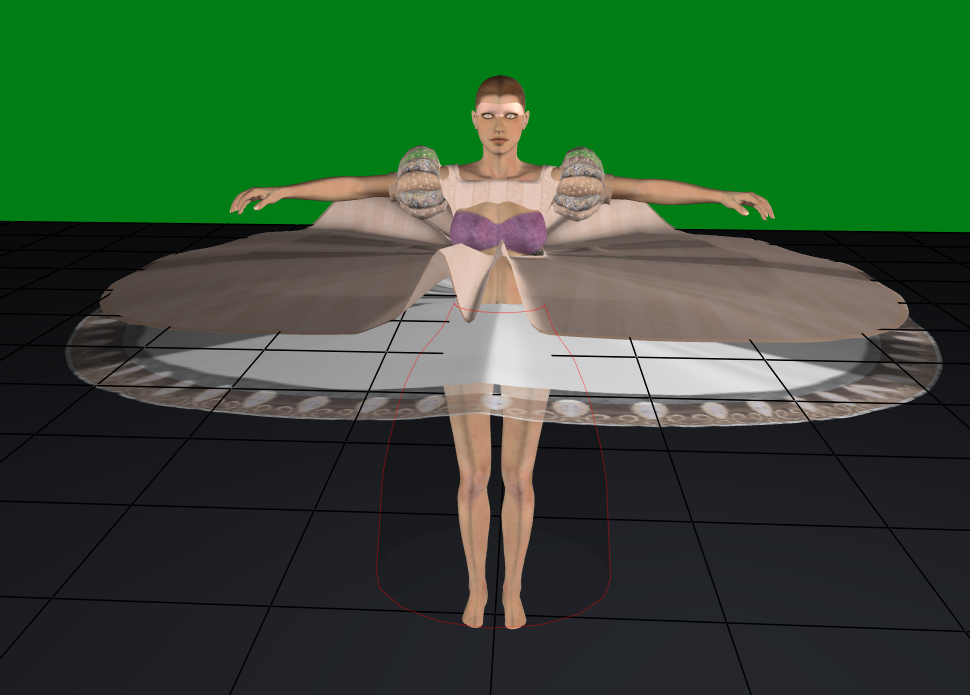
I drape the skirt first, and it drapes fine. But when I drape the dress. I get this
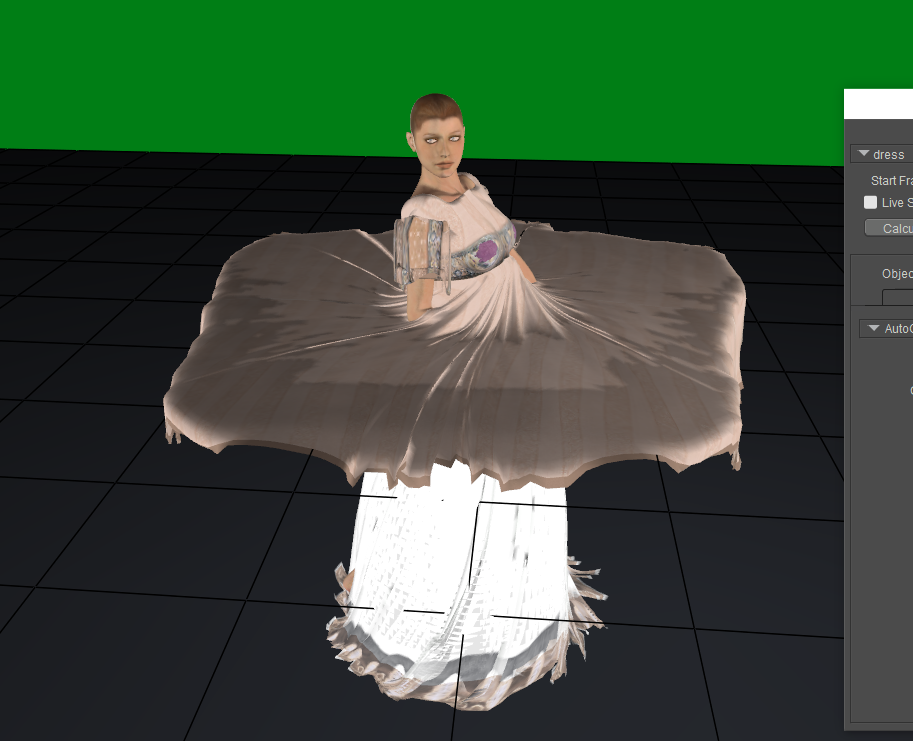
I haven't added any constraints. If I have it so that it does not collide with the skirt, it drapes fine. I've tried changing the skirt to rigid or soft dynamic in the dress simulation, but that messes up the skirt simulation. Any suggestions?
ps I know the sleeves and bust need work. I'll get to those later once I have this figured out.
Available on Amazon for the Kindle E-Reader Monster of the North and The Shimmering Mage
Today I break my own personal record for the number of days for being alive.
Check out my store here or my free stuff here
I use Poser 14 and Windows 11
I just noticed the Red outline in the first picture. I take it that is some type of prop to keep the skirt from falling too close to the figure. If so that has a distance offset and the skirt has a distance offset and finally the dress has a distance offset. When you add all of them up that can cause the cloth to not drop as it is approaching the area where it is supposed to stay away from. Once you have the Skirt draped turn it into a choreographed part and it will follow the body around as the simulation form that part has been done. And under properties for the skirt turn the soft cloth distance down to a very low number and then run the Dress Simulation. You may have to also turn down the distance on the Red Outlined objects properties.
Poser 5, 6, 7, 8, Poser Pro 9 (2012), 10 (2014), 11, 12, 13, 14




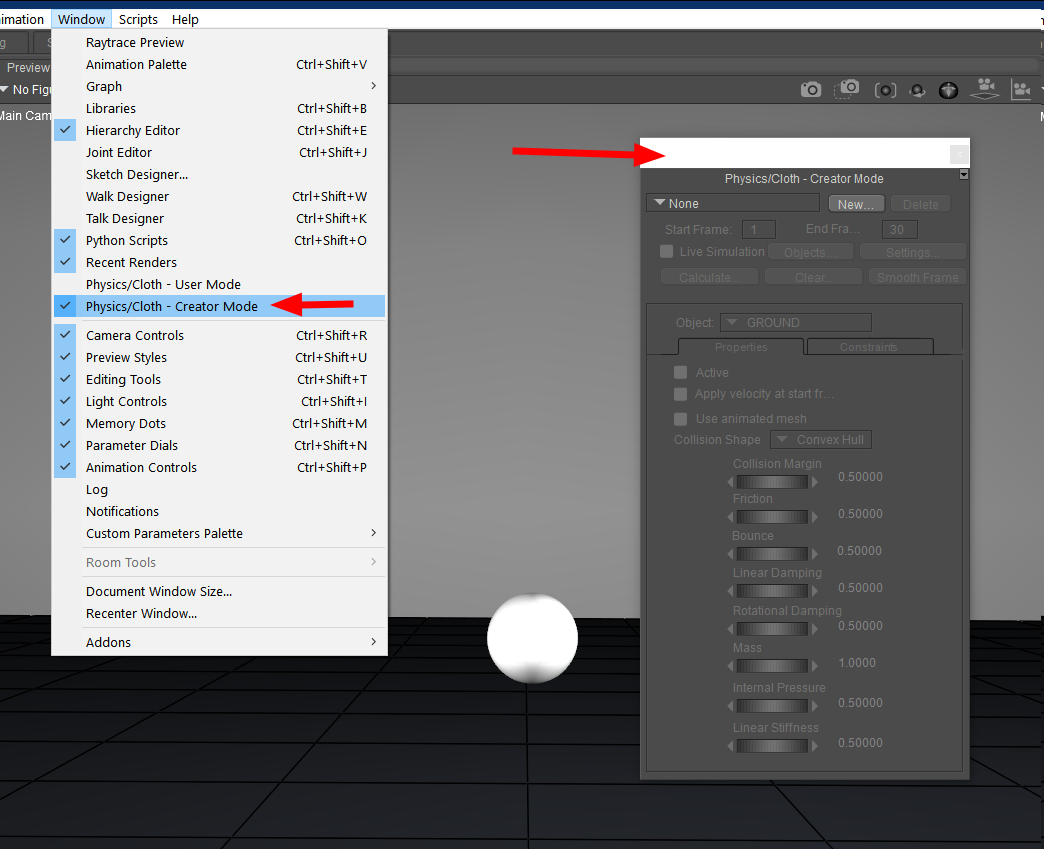
You can find it here
Available on Amazon for the Kindle E-Reader Monster of the North and The Shimmering Mage
Today I break my own personal record for the number of days for being alive.
Check out my store here or my free stuff here
I use Poser 14 and Windows 11
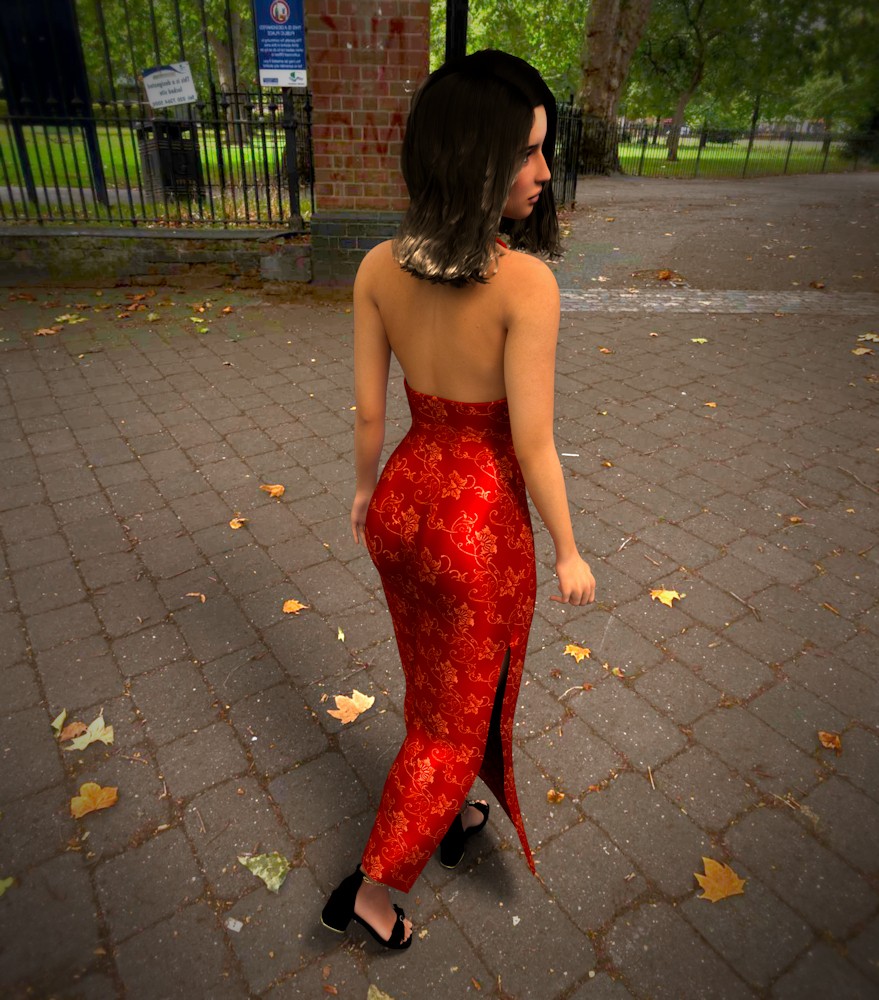
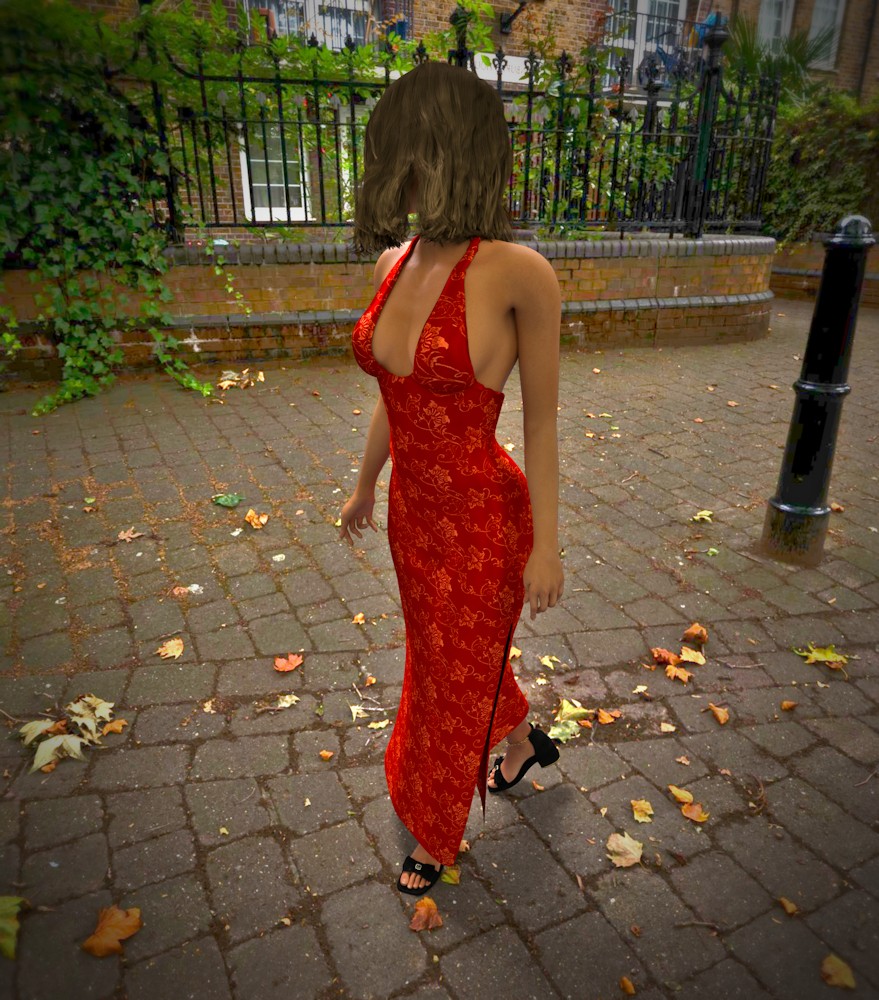
I'm still struggling with more complex clothing and poses, but I did manage to get this one done.
Available on Amazon for the Kindle E-Reader Monster of the North and The Shimmering Mage
Today I break my own personal record for the number of days for being alive.
Check out my store here or my free stuff here
I use Poser 14 and Windows 11
The above link is for the tutorial I said that was going to write. It deals with the unpainted areas that the Auto Glue feature does not address. A couple of points are the weights that can be painted range from 1.00 down to .0001. The larger the number value the more the cloth item will try to maintain the shape it starts with. Also, the constraint dial in the cloth works with the painted values to control the effect of the cloth. Good starting values for painting are in the .00xx range and the constraint dial will be around.200 to .400. One other point I said to normally constrain to the Hip that is true for body type cloths. If you are working with hanging sleeves then you would want the closest body part normally the forearm or wrist.
Poser 5, 6, 7, 8, Poser Pro 9 (2012), 10 (2014), 11, 12, 13, 14
Thanks. Looking forward to checking this out.
Available on Amazon for the Kindle E-Reader Monster of the North and The Shimmering Mage
Today I break my own personal record for the number of days for being alive.
Check out my store here or my free stuff here
I use Poser 14 and Windows 11

Works pretty well with legacy dynamic clothes and M4/V4 in our alpha & beta testing. Minor simulation setup for which body parts will have contact with clothing, tweak the Poser Cloth Glue settings and you're in business.This is awesome news! I am super stoked. I was sad to see the Cloth Room removed, but happy to see that it's getting a long needed upgrade!
~Wolfie~
Helping everyone is the most rewarding failure you'll ever experience.
- Ray Augé (~Wolfie~'s hubby)
Anything is more stable than Windows . . .
--- Even a relationship based purely on sex!
- Pam Augé (~Wolfie~)
No meat was harmed during the making of this TV dinner.
- Pam Augé (~Wolfie~)
After (too) many attempts and several exchanges with Poser's technical team, I've decided to abandon clothing simulation in Poser 14. I will continue to create clothing for Poser, but without guaranteed compatibility with Poser 14; some work, others don't, and my enjoyment comes from creating according to my imagination—I'm an artist, not a technician. Therefore, they will be marked as compatible with Poser versions 6 through 13.
I've given up on it, too. There's no point in frustrating myself.After (too) many attempts and several exchanges with Poser's technical team, I've decided to abandon clothing simulation in Poser 14. I will continue to create clothing for Poser, but without guaranteed compatibility with Poser 14; some work, others don't, and my enjoyment comes from creating according to my imagination—I'm an artist, not a technician. Therefore, they will be marked as compatible with Poser versions 6 through 13.
But I'm concerned that the same thing will happen now that happened when I decided to stick with M4 and V4 -- my rendering capabilities will get left behind. I really don't want to learn a new program at this point. It's a shame that P14 is such a disappointment.


I made a short animation and used cloth draping. If anyone wants to see how it did, you can look here. https://www.renderosity.com/gallery/items/3241994/my-sword
Available on Amazon for the Kindle E-Reader Monster of the North and The Shimmering Mage
Today I break my own personal record for the number of days for being alive.
Check out my store here or my free stuff here
I use Poser 14 and Windows 11

Does the simulation handle sleeves "riding up" on the arm? Like, if I have a character in a long-sleeved shirt move his arms to a T position, or put them overhead, can the new simulator alter the length of the sleeves or pull up the shirt to expose her belly? In other words, how "real" is this new simulator?
- - - - - - - - - -
System: Lenovo Legion Pro 7 16IRX9H Laptop | Windows 11 Professional | 32GB RAM | 14th Gen Intel® Core™ i9-14900HX | Nvidia RTX 4090 Laptop GPU 16GB 9728 CUDA Cores
mikemitchellonline.blogspot.com | Poser Noir Comics Tutorial | Illustrations Honored by Renderosity

Not an expert so I can't answer definitively, but...
I have a shirt for L'homme that opens up as the simulation runs and he gets posed in Poser 13, but in Poser 14, the shirt remains closed. Maybe there is some setting I need to change but I'm unaware of it. Having the shirt open up was one of things I liked about that shirt. I wonder if I could pose L'homme in Poser 13 and have it simulatie so the shirt opens, then save that to the library and then use that pose with the shirt open in Poser 14 as the starting point and then use a differ pose to end with. Maybe since the shirt is already open it may stay open. I'll have to try it.

So it has been what, four months and we still don't know how to simulate with this new method properly? It is still down to experiments (including weight mapping items which is not a skill most users possess), and there are literally no products released for this method, so everyone is using old items? Am I understanding this right?
Forgive me if I am rather disbelieving.
Yay, happy that you got it working! And don't get me wrong, I am still using Poser and will until P13 supported. But imo, this release was too early and as market support shows, well...um...how to put this delicately... there is very little evidence the vendor community or the users, even, took to it. And that makes or breaks a software like this.

Their lack of communication on the forums has kept me from purchasing tbh. It screams cash grab tactics.
Do they ever release a road map of what's to come? I really don't want to use Daz studio and was really hoping
these guys (and gals?) could turn the software around but it seems to slip into obscurity with every release.
When moving the arms, loose sleeves fall to the shoulders. I don't have any close-fitting sleeves to test that. As far as shirts lifting to show mid drift, will need more testing as the poses I have only raise the arm t the shoulder and you would need something that raised the collar and chest too.Does the simulation handle sleeves "riding up" on the arm? Like, if I have a character in a long-sleeved shirt move his arms to a T position, or put them overhead, can the new simulator alter the length of the sleeves or pull up the shirt to expose her belly? In other words, how "real" is this new simulator?
Available on Amazon for the Kindle E-Reader Monster of the North and The Shimmering Mage
Today I break my own personal record for the number of days for being alive.
Check out my store here or my free stuff here
I use Poser 14 and Windows 11
I have tried getting a loose-fitting sleeve to roll down an uplifted arm with no success. We are looking at mesh construction, subdivision, gravity, and outfit friction. If I can figure out the right combination and weight mapping, then it might be possible. But, ATM, no go.
Getting a shirt that shows the midriff while the arms rise appears to be doable. Again, weight mapping and dynamic/constraining controls need to be adjusted accordingly to get the desired effects. As I mentioned before, trial and error and documentation. Chances are, you will immediately forget your workflow as soon as Poser is shutdown.
Content Advisory! This message contains nudity
Just to test it, I converted some hair to a prop and draped that. Having hair hang stiffly at an angle has always been a peeve of mine. Most hair falls apart if you run it through the clothroom. This works with some hair. This is HR163. I tried it with Kayla hair, and it lost all the waviness. It might have worked better if I adjusted the constraints, but it's high enough poly that I didn't have the patience to fuss with it.
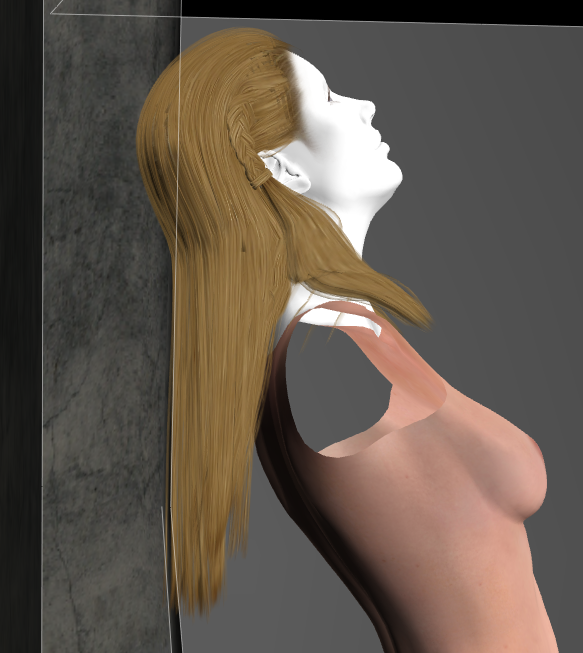
The arms and dress were hidden because they blocked the hair.
Available on Amazon for the Kindle E-Reader Monster of the North and The Shimmering Mage
Today I break my own personal record for the number of days for being alive.
Check out my store here or my free stuff here
I use Poser 14 and Windows 11
A lot of times I'll use magnets. But it can be tricky getting the zone positioned right. Not sure which would be easier. Just another way to try to get things done.
Available on Amazon for the Kindle E-Reader Monster of the North and The Shimmering Mage
Today I break my own personal record for the number of days for being alive.
Check out my store here or my free stuff here
I use Poser 14 and Windows 11
After struggling through PoserCloth setup, setting values, and rereading the available tutorials, I think I finally got the hang of it. My concern was the draping of skirts with extreme leg bends and how to overcome unusual bunching and poke throughs. I now think I have a better understanding of how to approach the problem. Below are 2 renders of AerySoul's Zoel outfit converted to props in the Fitting Room and used as PoserCloth. Initially, I couldn't overcome the unusual stretching and poke-throughs until I grasped the concept of the Automated Constrains. The images below are my final successful attempts.
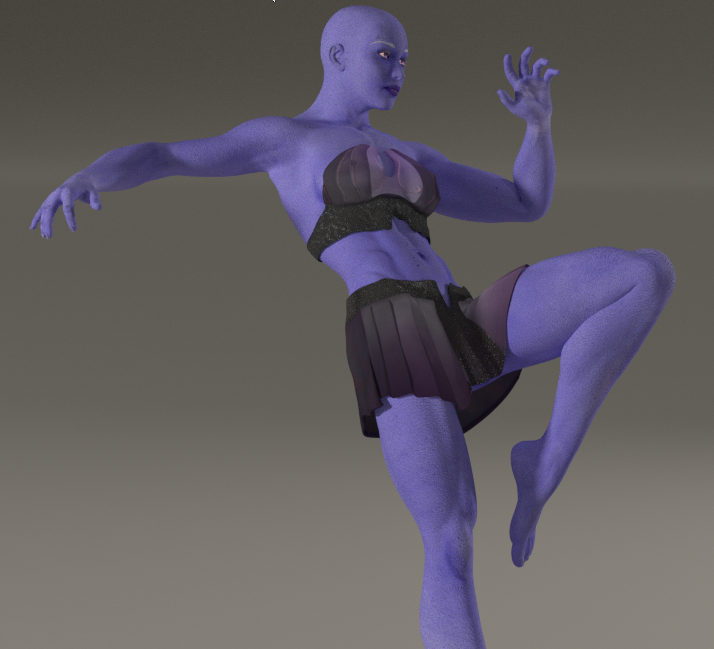
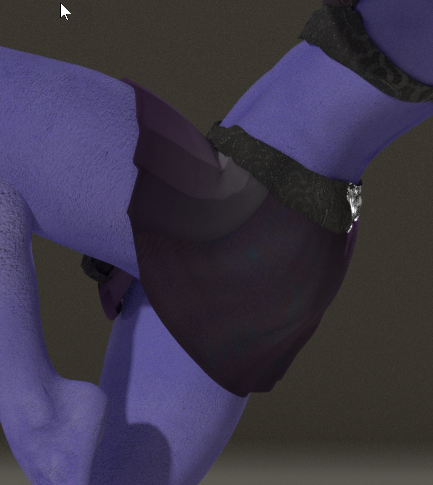
Soon, I will try applying what I learned to other converted clothing, as well as existing dynamic clothing in my Library.
One of my favorite outfits for fairies is AerySoul's Stily costume for V4, which I managed to successfully convert as a conforming suit for many models using a combination of the Fitting Room and the Cloth Room in earlier versions of Poser. In the render below, I converted the Stily outfit to a PoserCloth for La Femme. Initially, I manually fitted the outfit through scaling to La Femme and ran the transformation through the fitting room for an exact fit. Afterwards, I spawned a prop from the converted Stily, deleted the original, and then ran the Physics/Cloth. In my testing workflow, I ran several simulations by adding different poses and extending simulation frames while checking for clothing integrity through each motion. The settings for PoserCloth remained the same as generated by the simulation, basically because there were very few material zones created for the outfit. If it had several material zones, like the Zoel Skirt above, then I would have needed to add animated constraints to those zones, depending how the initial simulation would have created them. The render below is the final pose in the series.
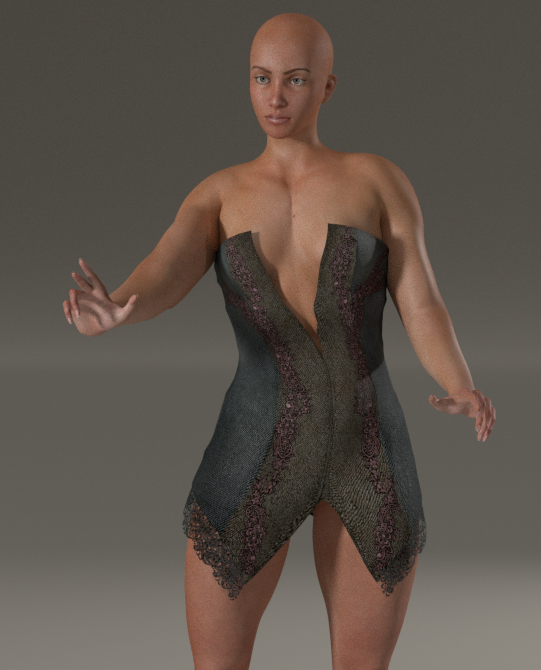
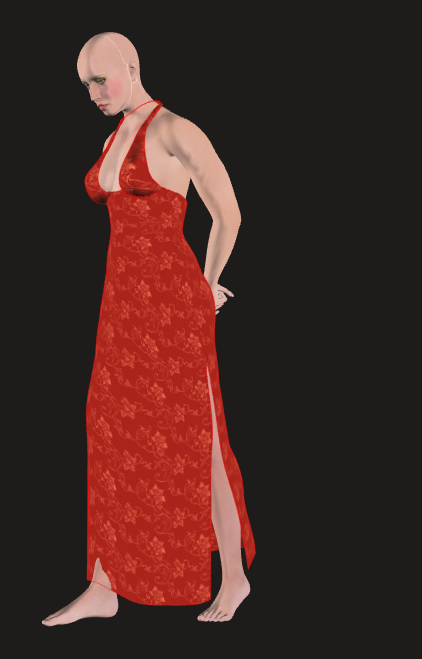
I had a nice surprise today. I loaded up a dynamic dress and found it already had the cloth draping set up. It was a few clicks, and it was done. There are a few minor fixes, but it worked quite well.
Available on Amazon for the Kindle E-Reader Monster of the North and The Shimmering Mage
Today I break my own personal record for the number of days for being alive.
Check out my store here or my free stuff here
I use Poser 14 and Windows 11

Privacy Notice
This site uses cookies to deliver the best experience. Our own cookies make user accounts and other features possible. Third-party cookies are used to display relevant ads and to analyze how Renderosity is used. By using our site, you acknowledge that you have read and understood our Terms of Service, including our Cookie Policy and our Privacy Policy.
@midinick I don't have the Molly Chubb Dress mostly because it was meant for V4 and I have never really liked the Daz figures. Mostly because V4 never really worked well with animations and I got more poke through with her then I did the standard Poser figures. I should pick it up because it looks like a fun challenge. But looking at the promo pictures it looks like it would need two layers of constraint mapping the top part of the petals being stiffer and the end parts drooping more. Although not having a picture of what the dress starts out as makes this a bit of a guessing game. Since Tipol designed things to let the cloth room do the final forming. And there is nothing wrong with that just the new system is not meant to work in the same fashion.
Poser 5, 6, 7, 8, Poser Pro 9 (2012), 10 (2014), 11, 12, 13, 14