anupaum opened this issue on Jan 30, 2026 · 198 posts
anupaum posted Fri, 30 January 2026 at 9:20 PM
Any of you who bought P14 have already received this announcement:
anupaum posted Fri, 30 January 2026 at 9:23 PM
Oh, and am I going to be able to use legacy dynamic clothes -- of which I have an extensive collection -- or is this going to be a money grab to force the purchase of new content? Will it work with "legacy" figures, like M4 and V4?
Time will tell.

MorphMonkeyX posted Sat, 31 January 2026 at 5:50 AM
I dont think you are going to like it:
You’ve been asking for this — loudly, consistently, and with excellent taste. Cloth simulation has been one of the most requested features for Bullet, and we’re thrilled to finally bring it to life in Poser 14.
This update is for the artists who love detail.
For the animators who love motion.
For the storytellers who love atmosphere.
And for everyone who’s ever said, “I wish this fabric would just move.”
With cloth simulation in Poser Physics, you’ll be able to:
Drape fabric naturally over characters, props, and environments
Simulate motion that reacts to gravity, wind, and collisions
Create dynamic outfits that move with your animations
Add realism to everything from curtains to capes to blankets.
PoserCloth isn’t just a new feature — it’s a new playground!

tim posted Sat, 31 January 2026 at 8:23 AM Site Admin
Works pretty well with legacy dynamic clothes and M4/V4 in our alpha & beta testing. Minor simulation setup for which body parts will have contact with clothing, tweak the Poser Cloth Glue settings and you're in business.Oh, and am I going to be able to use legacy dynamic clothes -- of which I have an extensive collection -- or is this going to be a money grab to force the purchase of new content? Will it work with "legacy" figures, like M4 and V4?
Time will tell.
anupaum posted Sat, 31 January 2026 at 9:41 AM
Works pretty well with legacy dynamic clothes and M4/V4 in our alpha & beta testing. Minor simulation setup for which body parts will have contact with clothing, tweak the Poser Cloth Glue settings and you're in business.
That's reassuring. Thank you!
Is this based on Bullet Physics? I could never make that work properly.

Rhia474 posted Sat, 31 January 2026 at 1:13 PM
If this comes out within a reasonable timeframe AND if it works with legacy dynamic props AND it's confirmed by some current customers AND if there are actual step by step tutorials for it, I may buy Poser 14. I'd like to support further but the dynamics removal was a dealbreaker and I'd love to be convinced this new room works and works with what we already have to justify the expense.
anupaum posted Sat, 31 January 2026 at 1:42 PM
If this comes out within a reasonable timeframe AND if it works with legacy dynamic props AND it's confirmed by some current customers AND if there are actual step by step tutorials for it, I may buy Poser 14. I'd like to support further but the dynamics removal was a dealbreaker and I'd love to be convinced this new room works and works with what we already have to justify the expense.
It's supposed to be out next week. I'll download the update, try it out, and post my results here.
Mind you, I'm not as technologically adaptable as someone who may be more technically inclined, and I certainly learn slower than I did many years ago, but if I can make it work, I'll find a way -- Bullet Physics notwithstanding.

ssgbryan posted Sat, 31 January 2026 at 1:59 PM
Looking forward to this.

Richard60 posted Sat, 31 January 2026 at 2:08 PM
It is based on Bullet Physics. Most existing cloth items should work. I won't say all because there probably is one or two items that won't work. The nice thing I like about this version vs. the old cloth room is that I can paint constraints on every part and control how it interacts. It will take a bit of time to get used to the new controls and how to paint, but it should be worth it. You should go look up Bullet Physics for Poser and watch the videos as it like that but taken to a higher level. Since I have never been able to get a figure to drop through the floor at least not on a version that has been released to the public that problem should be fixed.
Poser 5, 6, 7, 8, Poser Pro 9 (2012), 10 (2014), 11, 12, 13, 14
Richard60 posted Sat, 31 January 2026 at 2:17 PM
But do not expect to open a cloth object and have the settings from the old system applied to the new system as they are totally different.
Poser 5, 6, 7, 8, Poser Pro 9 (2012), 10 (2014), 11, 12, 13, 14
anupaum posted Sat, 31 January 2026 at 3:09 PM
If this is anything like Bullet Physics in previous versions, I'm going to despise it.
I don't mind learning something new, but I've never been able to get Bullet Physics to work as well as a jiggle script in previous versions of Poser. Painting by hand is a pain.

midinick posted Sat, 31 January 2026 at 4:33 PM
Ok I was looking for a tutorial for buttel physics, there are only very old ones from 9 years ago and up.. I tried to follow them but I am not able to cloth Andy XD I absolutely have no clue why the shirt is thinking it is made of rubber and is also going trough his body.
I really really hope the new tutorials are better explained or the engine is working better. but well, I was able to made a hammrock ... but as I wanted to let fall a ball into it the ball rushed trough the cloth plane like its a ghost.
Anyway, a nice expierence tho XD (P13 Bullet Physics)
I am excited anyway for the P14 version.
Richard60 posted Sat, 31 January 2026 at 7:46 PM
The Bullet Physics in prior versions of Poser weren't meant to cloth people. When you get the new version there will be a fourth tab for the cloth. The point to review the videos was to see how the weight map painting is done. That part remains mostly the same. One of the biggest differences between the old cloth room and Physics Cloth is that with the old system you put a cloth on a person and hoped that it would stay in place. With Physics Cloth you constrain a point on the cloth, and it stays where you place it. There are several types of constraints but for cloth you are going to want to use animated constraint. That way where you pin/attach the constraint to it will follow that body part.
In the videos they are using a cloth plane and painting the corners moving the 3D Jacks and the cloth follows the 3D Jack. That is very much what the process is for the new Physics Cloth.
Poser 5, 6, 7, 8, Poser Pro 9 (2012), 10 (2014), 11, 12, 13, 14
Richard60 posted Sun, 01 February 2026 at 10:44 AM
The reason the shirt thinks it is rubber is that prior versions of Poser Bullet Physics does not allow objects inside each other. There is a demonstration of Poser 14 where a bunch of balls fall into a bowl. In prior versions those balls would fall and stop at the top of the bowl like they were sitting on an invisible top. Poser 14 now allows objects insid each other which is what makes Poser Cloth possible.
Poser 5, 6, 7, 8, Poser Pro 9 (2012), 10 (2014), 11, 12, 13, 14
anupaum posted Sun, 01 February 2026 at 10:47 AM
That sounds encouraging. I'm still leery of "painting" anything in Poser.
Does this new Bullet Physics have better tools for body movement?
Rhia474 posted Sun, 01 February 2026 at 12:54 PM
Again, I BEG you guys to make WRITTEN tutorials with images, not video ones. They are hard to follow, need to be paused frequently and generally are a pain for most who aren't twenty. Please release this with easy to understand, descriptive,. small step tutorials, otherwise it will be a huge flop, because you are trying to teach a completely new thing to those who grew up on Poser 4 to 7.

VedaDalsette posted Mon, 02 February 2026 at 8:59 AM
I second this. Video tutorials are good to get the gist of a feature. Written tutorials are best to refer back to for details for execution.Again, I BEG you guys to make WRITTEN tutorials with images, not video ones. They are hard to follow, need to be paused frequently and generally are a pain for most who aren't twenty. Please release this with easy to understand, descriptive,. small step tutorials, otherwise it will be a huge flop, because you are trying to teach a completely new thing to those who grew up on Poser 4 to 7.
W11,Intel i9-14900KF @ 3.20GHz, 64.0 GB RAM, 64-bit, GeForce GTX 4070 Ti SUPER, 16GB.
Old lady hobbyist. All visual art or fiction is "playing with dolls."
VISIT MY ALBUMSFOR COMICS: https://www.renderosity.com/users/VedaDalsette/gallery/albums
You can also get to my comics from my book website: https://www.vdbooks.com.

Boni posted Mon, 02 February 2026 at 4:26 PM
I hate to stir the pot as I am a devoted fan of Poser, but with this change in dynamics where does dynamic hair fit in the new system?
Boni
"Be Hero to Yourself" -- Peter Tork

hborre posted Mon, 02 February 2026 at 4:40 PM
Dynamic hair is unaffected at the moment. It is still present in Poser 14.
Boni posted Mon, 02 February 2026 at 7:40 PM
Thank you hborre. When will this be released?
Boni
"Be Hero to Yourself" -- Peter Tork
hborre posted Mon, 02 February 2026 at 8:14 PM
Posercloth? Sometime this week.

Y-Phil posted Wed, 04 February 2026 at 10:13 AM
Rhia474 posted at 12:54 PM Sun, 1 February 2026 - #4503625
I second this, too. I speak French, I can read and write English but not always with the right words, especially given the differences between English from UK (which we learn here, in Switzerland) and US English.Again, I BEG you guys to make WRITTEN tutorials with images, not video ones. They are hard to follow, need to be paused frequently and generally are a pain for most who aren't twenty. Please release this with easy to understand, descriptive,. small step tutorials, otherwise it will be a huge flop, because you are trying to teach a completely new thing to those who grew up on Poser 4 to 7.


𝒫𝒽𝓎𝓁
(っ◔◡◔)っ
👿 Win11 on i9-13900K@5GHz, 64GB, RoG Strix B760F Gaming, Asus Tuf Gaming RTX 4070 OC Edition, 1+2 TB SSD's, 6+4TB HD
👿 Mac Mini M2, Tahoe 26.5, 16GB, 500GB SSD
👿 Nas 10TB
👿 Poser 13 and 14 ❤️

Nevertrumper posted Fri, 06 February 2026 at 3:13 AM
And yet again, is Poser using free open source tools and make you pay for it.
Who would have ever believed, Bondware invested in creating anything usefull on their own?
Poser announcement:
https://www.posersoftware.com/article/1094/announcing-poser-cloth-dynamics
about Bullet Physics:
https://www.google.com/search?client=firefox-b-d&q=Bullet+physics+free
Hurry up to read it, before admins will delete this or lock it.

AmbientShade posted Fri, 06 February 2026 at 9:13 AM
Nevertrumper posted at 3:13 AM Fri, 6 February 2026 - #4503737
It's open source, meaning they can modify it however they want to suit Poser, unlike the previous cloth room they couldn't do much with because it was licensed, which is why it didn't change much in nearly 20 years. They should have replaced that mess with bullet back when they first added it to Poser 10/2014. But better late than never.And yet again, is Poser using free open source tools and make you pay for it.
Who would have ever believed, Bondware invested in creating anything usefull on their own?
Poser announcement:
https://www.posersoftware.com/article/1094/announcing-poser-cloth-dynamics
about Bullet Physics:
https://www.google.com/search?client=firefox-b-d&q=Bullet+physics+free
Hurry up to read it, before admins will delete this or lock it.
anupaum posted Fri, 06 February 2026 at 3:57 PM
I haven't tried this yet, but the manual includes written instructions for Poser Cloth for the benefit of those among us who prefer instructions in words:
https://www.posersoftware.com/documentation/14/HTML/using-physicscloth.html

Deecey posted Fri, 06 February 2026 at 4:08 PM
And yet again, is Poser using free open source tools and make you pay for it.
Who would have ever believed, Bondware invested in creating anything usefull on their own?
Poser announcement:
https://www.posersoftware.com/article/1094/announcing-poser-cloth-dynamics
about Bullet Physics:
https://www.google.com/search?client=firefox-b-d&q=Bullet+physics+free
Hurry up to read it, before admins will delete this or lock it.
You do realize that they have to pay developers to pipe the plugin into Poser, right? It is hardly plug and play.
tim posted Fri, 06 February 2026 at 4:35 PM Site Admin
Usage tutorial for Poser Cloth added to Poser 14 User Manual. Feedback welcome.
https://www.posersoftware.com/documentation/14/HTML/poser-cloth-usage-tutorial.html
hborre posted Fri, 06 February 2026 at 4:52 PM
Just to let you know, the "calculation of all dynamics" under the animation tab is completely missing in P14.

Tipol posted Sat, 07 February 2026 at 10:41 AM
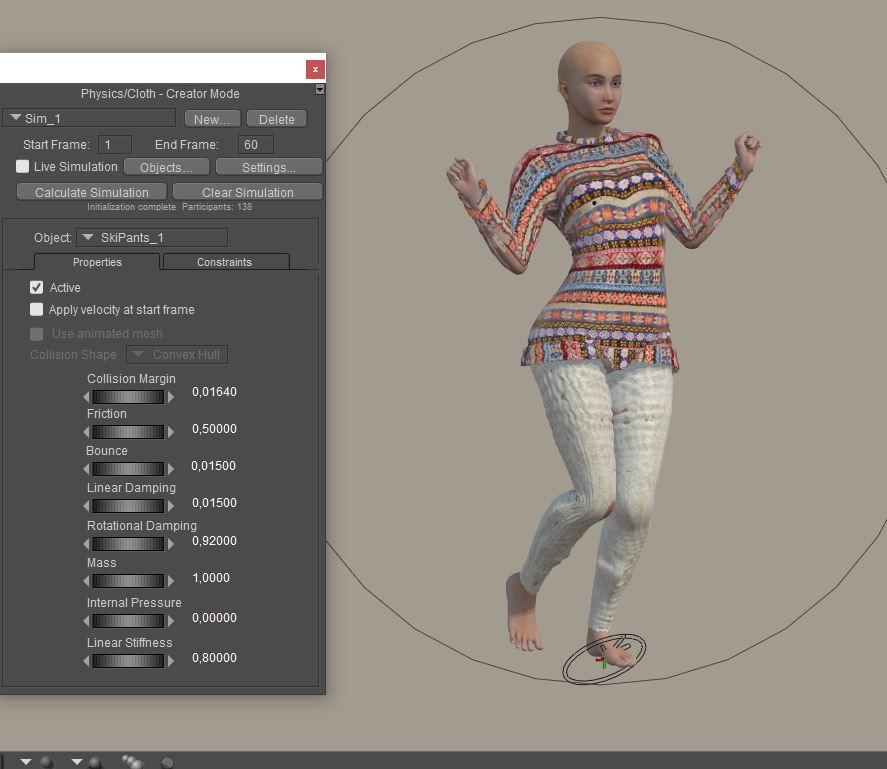
I'm trying things out and so far it's not conclusive, why are the pants blistering ?
https://www.renderosity.com/marketplace/products/170728/snow-clothing-set-for-la-femme2

Kalypso posted Sat, 07 February 2026 at 11:33 AM Site Admin
Try decreasing the value of the Collision Margin on those body parts affected a little at a time until the "blisters" or "bubbles" disappear.
anupaum posted Sat, 07 February 2026 at 12:41 PM
I would just use the morph brush and be done with it! ;)
Tipol posted Sat, 07 February 2026 at 12:54 PM
anupaum posted Sat, 07 February 2026 at 1:38 PM
Tipol posted at 12:54 PM Sat, 7 February 2026 - #4503776
I'll try what you suggest, but it bothers me that dynamic clothing created with previous Poser models doesn't work with Poser 14 without significant adjustments. This means that for buyers to use dynamic clothing in all Poser models, two versions will need to be created. And if we want dynamic clothing created with other Poser models to work in Poser 14, we'd have to create a new version for each product.
That's not going to work for me. At the moment, I'm still using P13 much more than P14 for reasons like that.
:(
Rhia474 posted Sat, 07 February 2026 at 3:22 PM
unfortunately this new cloth room seems to cause vendors to face the same issues as it was happening with DAZ and Poser versions of same items. Many, many vendors eventually left and decided to produce D versions only. This seems to be a similar turning point, I truly hope we don't use more vendors.
I think what would be great for Rendo to do is offer vendors specific tutorials and how-tos to show step by steps for the new Cloth Room. I perused the tutorial that is included on the site and it's specifically geared for a. existing clothroom meshes whish, well, I don't think even exist and b. without illustrated step by steps it's for advanced users (no, including one image for an entire process doesn't count as step-by-step, sorry.
Vendors need some love too, in order for them to stay (saying this as a pure end user).
Tipol posted Sat, 07 February 2026 at 4:22 PM
I think the problem is more serious than that. None of the dynamic clothing designed for previous versions of Poser work in the version 14 clothing room. This means that vendors have to rework all the clothing designed in previous versions of Poser to make it work in Poser 14 and then create dynamic clothing with two versions, one for Poser 14 and another for other versions of Poser. For me, the "user mode" part of this clothing room needs to make the dynamic clothing designed in the clothing rooms of previous versions of Poser work as they already do, without requiring any modifications. Otherwise, I imported a Poser 13 PZ3 with a simulation in Poser. 14 and it displays perfectly, we cannot modify the pose but the simulation is present as displayed in pose 13. We can therefore make renderings of simulations made in pose 13.
anupaum posted Sat, 07 February 2026 at 4:26 PM
The problem with using a P13 simulation in P14 is that saving will destroy the simulation. I've tried this twice. It's just easier to keep using P13.
hborre posted Sat, 07 February 2026 at 4:38 PM
There will be compromises and adjustments to be made on how to implement the new Poser Cloth feature. I haven't gone through the full gambit of different dynamic clothing and how they behave in Poser Cloth, but I surmise that we will become more dependent on the Fitting Room to fine-tune the final results. There will be situations where other methods may have to come into play.
anupaum posted Sat, 07 February 2026 at 5:12 PM
There will be compromises and adjustments to be made on how to implement the new Poser Cloth feature. I haven't gone through the full gambit of different dynamic clothing and how they behave in Poser Cloth, but I surmise that we will become more dependent on the Fitting Room to fine-tune the final results. There will be situations where other methods may have to come into play.
So, in essence, our workflow is more complex, requires more steps, and potentially will not be applicable to some older dynamic clothing props . . . .
Sorry, but that doesn't sound like progress.
Rhia474 posted Sat, 07 February 2026 at 6:28 PM
Again, I repeat myself. We need tutorials for this. If users AND vendors are faced with 'figure this out for yourself' Poser is dead with P14.
Richard60 posted Sat, 07 February 2026 at 8:49 PM
Can your cloth room curtsy? by Richard60 here is a link to a video that shows a small bit of what can be done with the new Poser Cloth. One of the things is that it is not like the old cloth room and will need a different approach. Now that it is finally released and we won't be getting new builds every other day, I will start to work on a step by step of how to use it from my point of view. What has been posted before is a good starting point, however in order to really get it going will take a bit of experimenting. One of the things to consider is that you can fix it in place with the Poser Glue and that works fairly well for tight fitting things that won't move much in REAL LIFE. someone who is wearing a Corset/Bodice won't be bending over to touch her toes. Anyone who has sewn real cloths especially Medieval customs or fancy ballroom hoop skirts know about Bum rolls and boning. One of the things is to paint a weight map that is very small section that helps to extend the cloth away from the figure. I will work on that to show how the maps are first generated and how to edit them. But it will take a couple of days as I have some work related isues to also take care of.
Poser 5, 6, 7, 8, Poser Pro 9 (2012), 10 (2014), 11, 12, 13, 14

corvas posted Sat, 07 February 2026 at 9:08 PM
I could be wrong but I don't think this is a compatibility issue between older dynamic clothing and the new Poser cloth. I think Poser cloth just doesn't work correctly.
Here's a basic test I made of a cloth draping over a ball and stairs :/ as you can see the cloth is basically ignoring the highres ball and slipping straight through.
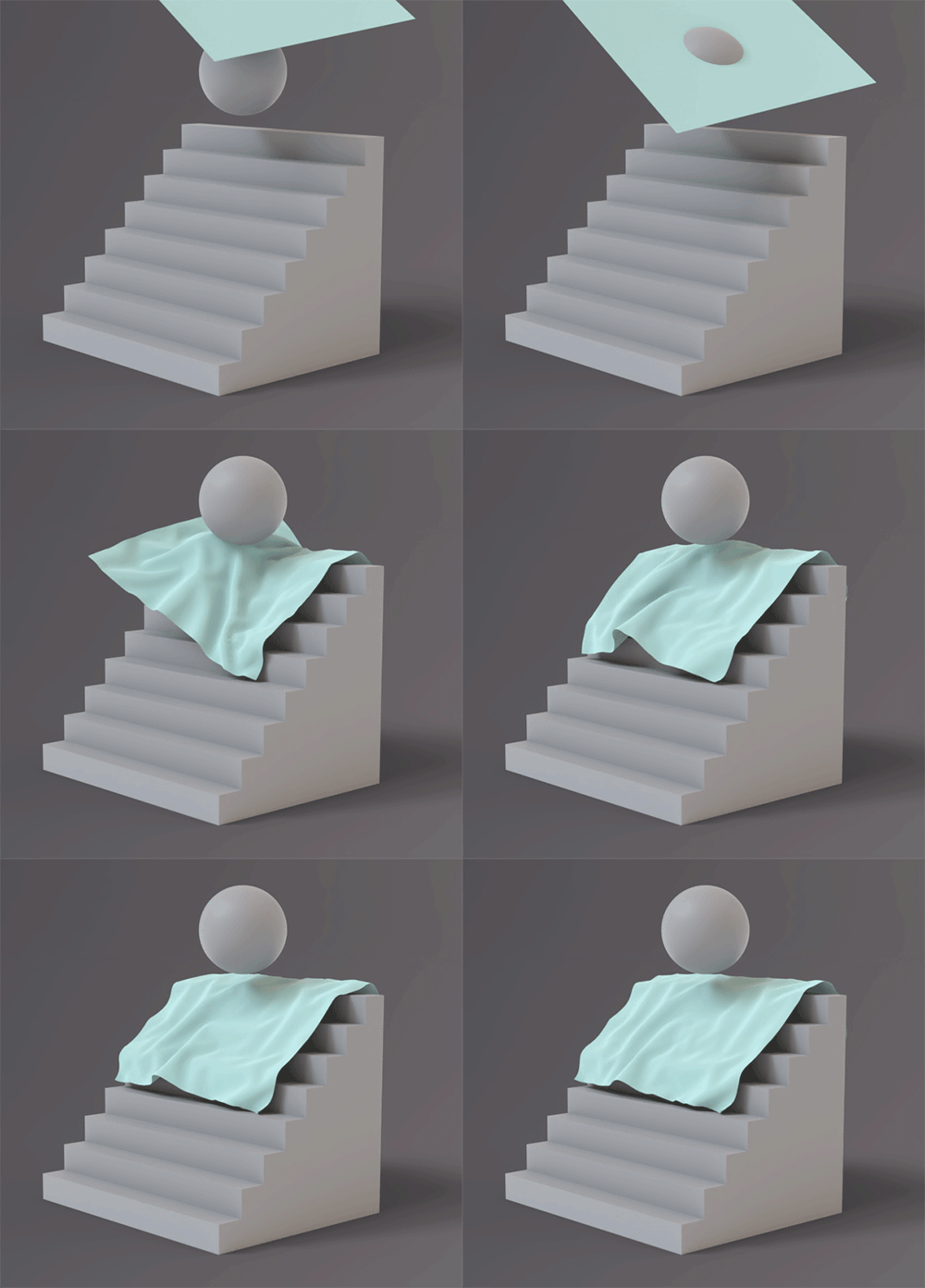
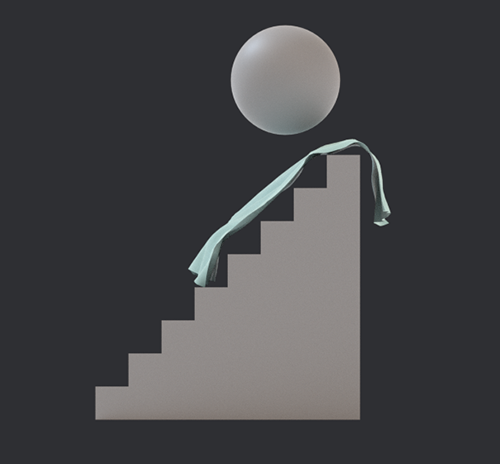
Even though the cloth is draping over the stairs its definitely not how it should look. It's as if the the bullet system spawns a collision object for the simulation but it's so low resolution that the cloth either passes the collision object or if it does "drape" its completely ignoring the original shape.
There doesn't seem to be any settings to change the resolution of the collision object?
Trying to use the glue function doesn't exactly fix it either.
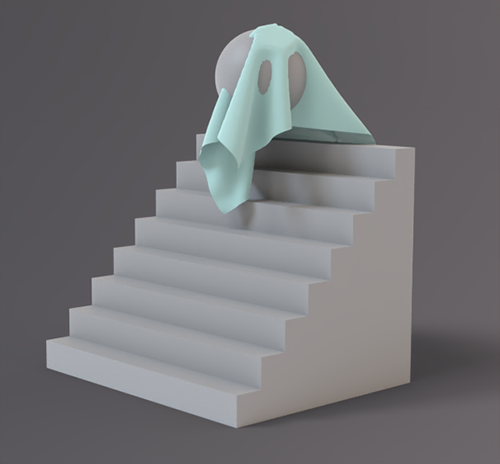
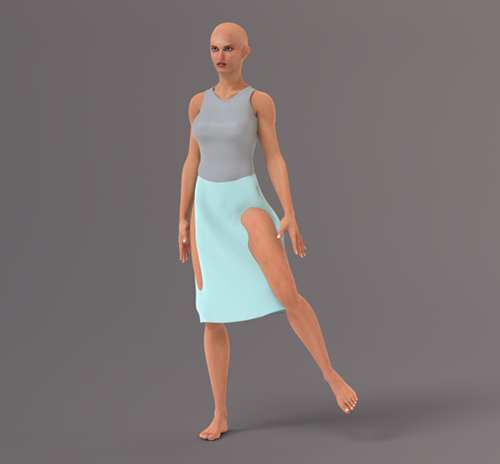
Collisions seem to be a problem which makes the cloth system reliant on the glue function.
Left image above is glue turned off on the left and right thigh with collisions on.
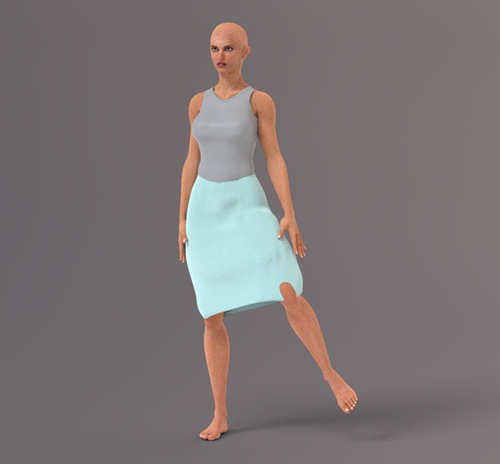
Right image above is with glue turned on on all parts with collisions on. It helps a bit with poke through but completely destroys the actual draping of the cloth which is the whole point.
I do appreciate Bondware trying to implement a new cloth system (I'm all for change for the better) but did anyone actually test this out? surely a cloth and ball simulation should work lol
hborre posted Sat, 07 February 2026 at 9:46 PM
The first example with the ball and stairs is best suited for soft objects rather than cloth.
My concern is the possible stretching of the clothing mesh under specific situations that makes it troublesome with poke-throughs. As Richard mentioned, it will take further trial-and-error testing to determine what is the most practical workflow.
Richard60 posted Sat, 07 February 2026 at 10:36 PM
Part of the problem you are running into is that the glue function is a first pass type of thing. In some cases it may work well and a lot of others it is the starting point to refine so that the cloth drapes as you like. When you first run the Auto Glue it will apply 100% constraint to the cloth for the parts that are closest to the body part of the figure. After you do the first run of the Glue you should turn off the auto glue to prevent it from applying a new set of glue points the next time you run a simulation. Ater you have the first run of Glue then select the cloth object and pick the constraint tab and find a constraint map to look at. To look just press the paint brush icon and the cloth object will light up with green dots that show the area of constraint. The skirt will most likely have a lot of Green which means the cloth is frozen in place so will not react to the leg moving into it. Removing most of the green will especially the lower portion of the skirt will allow it to free flow. Unlike conforming clothing Poser Cloth will not stretch 5000%. With a Conformer you can make a pencil skirt do the splits whereas in the REAL world you would be lucky to get your legs to spread 12-14 inches before the cloth of the skirt would lock your legs in place. So this is going to require people to learn to pose realist poses instead of what has been done in the past. If you watched the Curtsy video the point is that you have full control over any part of the cloth you want. And you can turn the control on and off when you need to.
Poser 5, 6, 7, 8, Poser Pro 9 (2012), 10 (2014), 11, 12, 13, 14
Richard60 posted Sat, 07 February 2026 at 10:42 PM
And some items you will find that if you take a page from the old cloth room and expend the figure it will make the cloth fit better. But unlike the old cloth room you don't start with the figure at a smaller size you start at 100% and expand the limbs in X,Z axis for legs and Y.Z for arms to say 110% over say 10-15 frames run the simulation and afterwards disable the expand of the figure so it stays at 100% and now the figure stays inside the cloth.
Poser 5, 6, 7, 8, Poser Pro 9 (2012), 10 (2014), 11, 12, 13, 14
Richard60 posted Sat, 07 February 2026 at 10:54 PM
Let's consider the old cloth room. We have had that for the last 23 years. How many cloth items were made in the first 10 years? How many experts picked up Poser 5 and made instant clothing items that were WOW? This has only been out in the wild for 3 or 4 days now. The Dev Team seems to be able to make it work fairy well, and I have picked up how it is supposed to work mostly because I realize it is not anything like the old cloth room. You can use the old cloth items but they are going to need to be given new parameters to work. And finding those parameters is going to take some experimenting.
Poser 5, 6, 7, 8, Poser Pro 9 (2012), 10 (2014), 11, 12, 13, 14
Rhia474 posted Sat, 07 February 2026 at 11:20 PM
But...but...forgive me, but shouldn't this be already tested out and presets that WORK built in?? Shouldn't there be example cloth items, settings, vendor helps? Am I naive to expect that there would be at least some items provided?
Tipol posted Sun, 08 February 2026 at 7:01 AM
poser 13
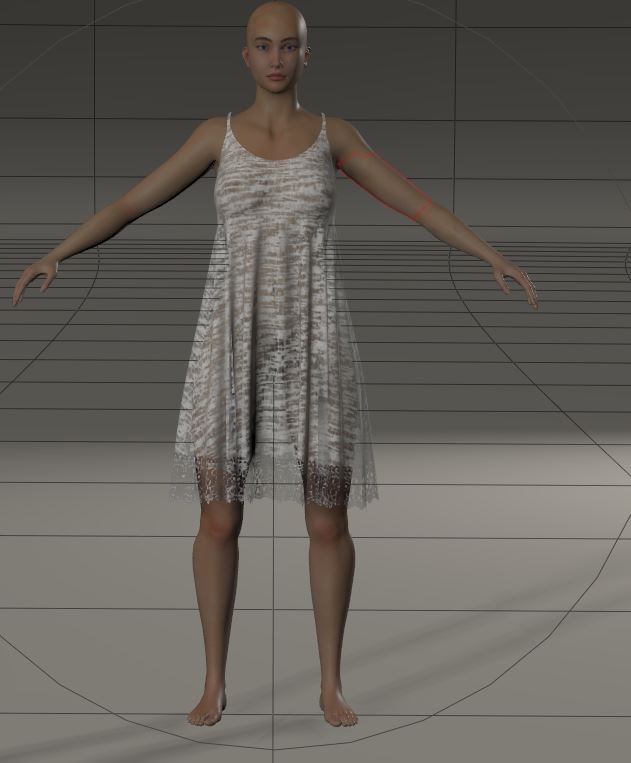
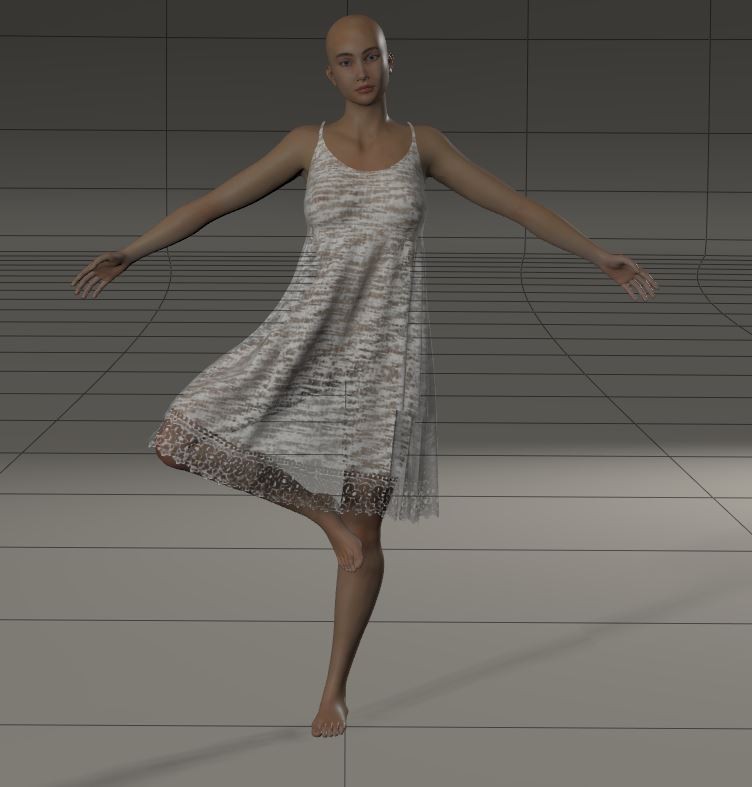
poser 14
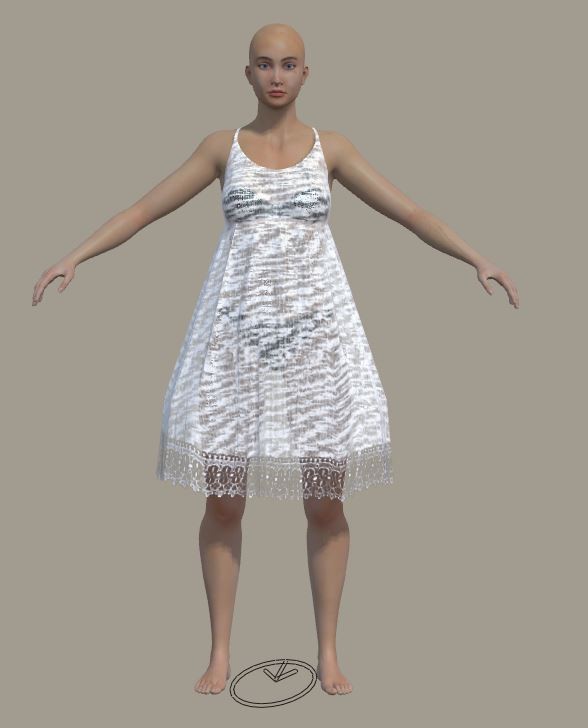
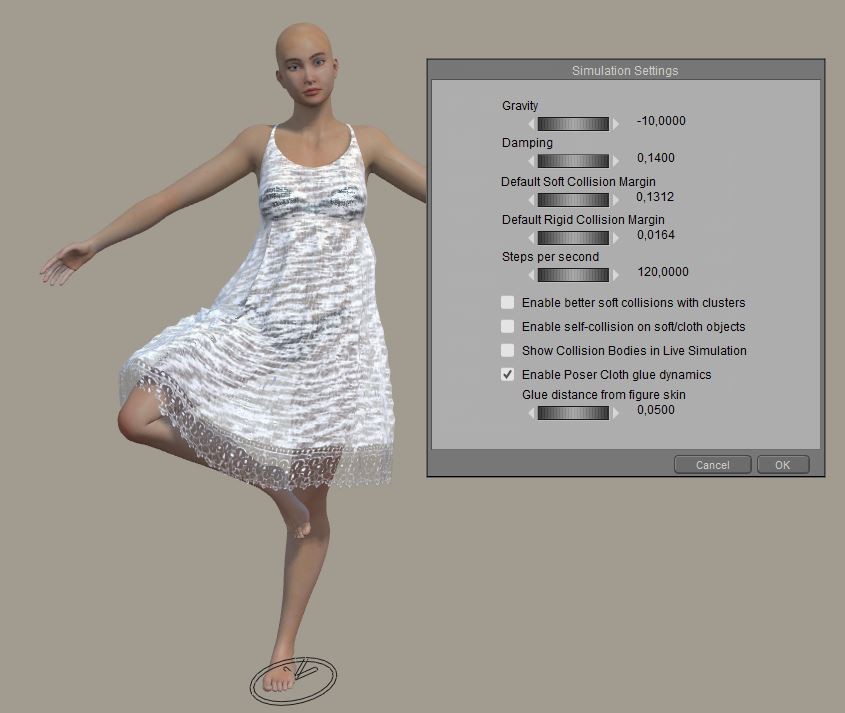
In Poser 14, the fabric doesn't react at all the way it should, as it was designed. As a seller of dynamic clothing since 2011, I have over 100 dynamic clothing items in my shop. They were designed to react in a certain way, and now they're completely unrealistic. I don't know if it's a settings issue, but to be sold on Renderosity and Poser, all dynamic clothing sold must be able to function without any adjustments from the buyer in normal use, including complex poses. This means (and I'll say it again) that dynamic clothing designed for versions prior to Poser 14 won't work in Poser 14, and dynamic clothing designed for Poser 14 won't work in earlier versions. And this problem of imperfect collision with the character is really annoying.

MeInOhio posted Sun, 08 February 2026 at 10:37 AM
I tired it out with the Tipol shirt for L'homme. I chose the open shirt. The shirt followed the figure pretty well, but the pose wasn't very extreme. However, the shirt didn't open. Not sure if I forgot to do something. Or maybe I shouldn't have chosen all the upper body parts. Maybe that caused the shirt to stick to him? Or maybe the pose just didn't move enough to cause the shirt to open. Any suggestions?
When I applied a material, I did see there was some poke through in the left shoulder and the right forearm. I fixed the shoulder by scaling up a little. But that didn't work for the arm.
lsauvage posted Sun, 08 February 2026 at 10:45 AM
It seams not working for me either. Take Andy make him choregraphed, drop a high res square on him, it's going through him until it reach ground and even it will partly get through the ground. Very fast compared to the old cloth room, but not working as it was previously.
Preivously, ignoring head, i was making him a poncho in 2 secs. Now if cannot figure out how to do it.
hborre posted Sun, 08 February 2026 at 11:34 AM
Stop trying to use a hi-res plane as clothing. That method is used for soft dynamics only. See link below for Bullet Cloth in Poser 2014:
https://www.youtube.com/watch?v=iN-G4yxPOXs&t=2s
Mind you, this is years old, but the principal remains the same.
lsauvage posted Sun, 08 February 2026 at 12:33 PM
ChromeStar posted Sun, 08 February 2026 at 2:53 PM
hborre posted at 4:38 PM Sat, 7 February 2026 - #4503784
The problem with cloth was that it was not easy enough to use. So a lot of people just didn't.There will be compromises and adjustments to be made on how to implement the new Poser Cloth feature. I haven't gone through the full gambit of different dynamic clothing and how they behave in Poser Cloth, but I surmise that we will become more dependent on the Fitting Room to fine-tune the final results. There will be situations where other methods may have to come into play.
Making it dependent on an entirely separate feature that also has the problem that it is too hard to use is clearly not the answer.
The new system needs to be easier than the old system. Part of that is UX and part of that is having the right settings to start with. It's one thing for the user to want to tweak things to improve the result, and an entirely different matter to require them to spend a lot of time experimenting to even get anywhere close. People who have that experience will abandon it.
Dynamic cloth has the potential to solve a lot of problems, e.g., it should in principle make it easier to apply resources for one figure to a different figure. That in turn makes it easier for people to adopt newer, better figures. But it has to be easy to get a good result.
anupaum posted Sun, 08 February 2026 at 3:30 PM
The problem with cloth was that it was not easy enough to use. So a lot of people just didn't.Making it dependent on an entirely separate feature that also has the problem that it is too hard to use is clearly not the answer.
The new system needs to be easier than the old system. Part of that is UX and part of that is having the right settings to start with. It's one thing for the user to want to tweak things to improve the result, and an entirely different matter to require them to spend a lot of time experimenting to even get anywhere close. People who have that experience will abandon it.
Dynamic cloth has the potential to solve a lot of problems, e.g., it should in principle make it easier to apply resources for one figure to a different figure. That in turn makes it easier for people to adopt newer, better figures. But it has to be easy to get a good result.
I fully agree with you. I've seen how draping and simulation work in programs like Marvelous Designer, and I don't get why Poser can't be as simple. Bullet physics requires way too much tweaking, and for body parts at least, it's really MUCH worse than simply using a python script. From what I'm hearing here, and what I've seen in the tutorials, this is not going to be a popular solution with most of us who use Poser.
It'll be easier to stick with P13 and the old cloth room, rather than using the new program. Someone earlier mentioned that this may be the death of Poser. I'm not very good at prognosticating, but that outcome seems likely.
Rhia474 posted Sun, 08 February 2026 at 3:37 PM
One of the reasons I liked to get dynamic cloth items like Tipol, Esha and Frequency's (examples only) was that they allowed us to achieve great results with their vendor-set settings and then you used, say Wolfnom's script for cloth draping for changing the type of fabric and tweaked to great results. I barely had to change anything. They also provided great step by step instructions. Now with this new system (and I repeat myself) we get no pointers, examples of helpers except : 'experiment and figure it out'? Honestly, with all due respect, how is that a help? At least give us a starting point, not to mention, help the vendors out?
anupaum posted Sun, 08 February 2026 at 5:38 PM
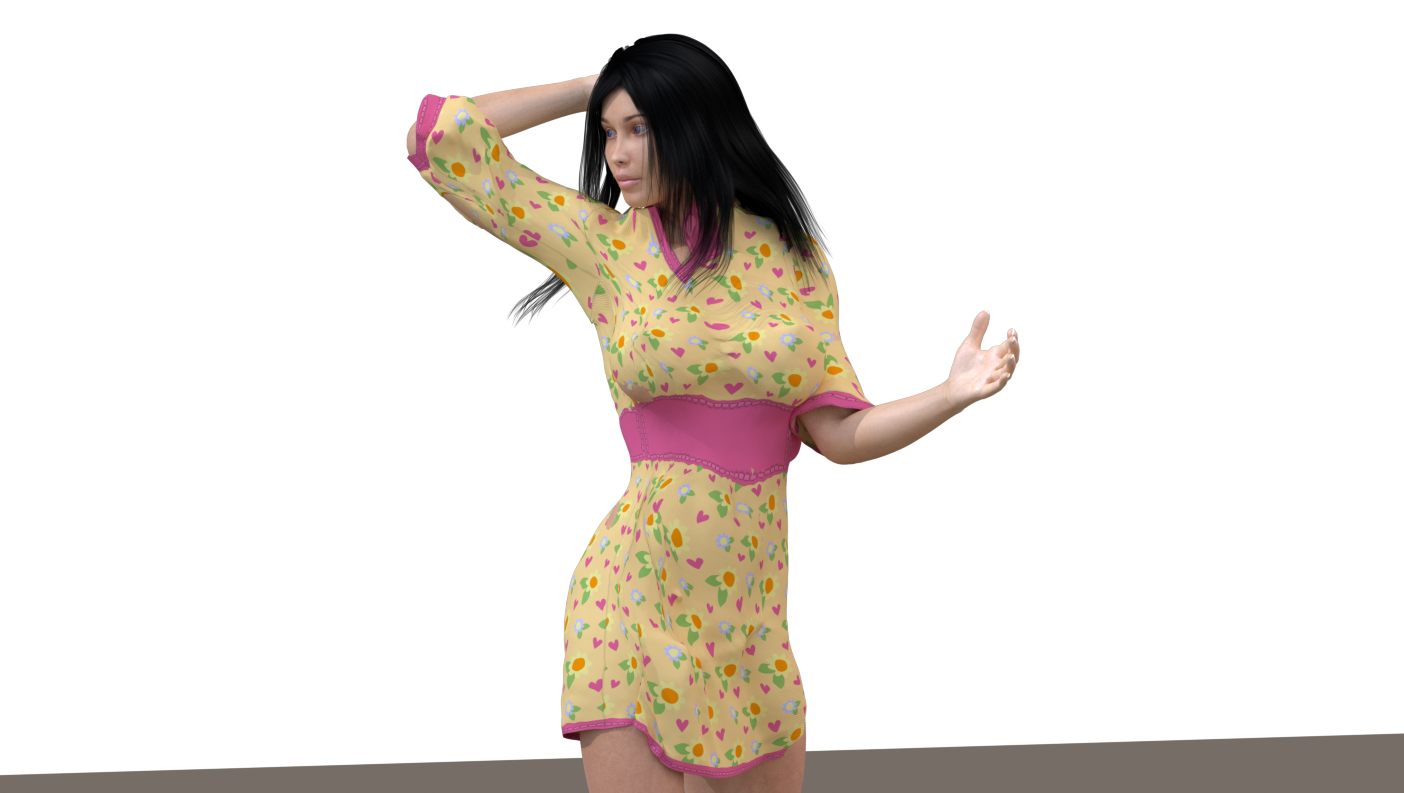
This is going to take some getting used to . . . .
The first render is my first effort.
In the second, I used the morph brush.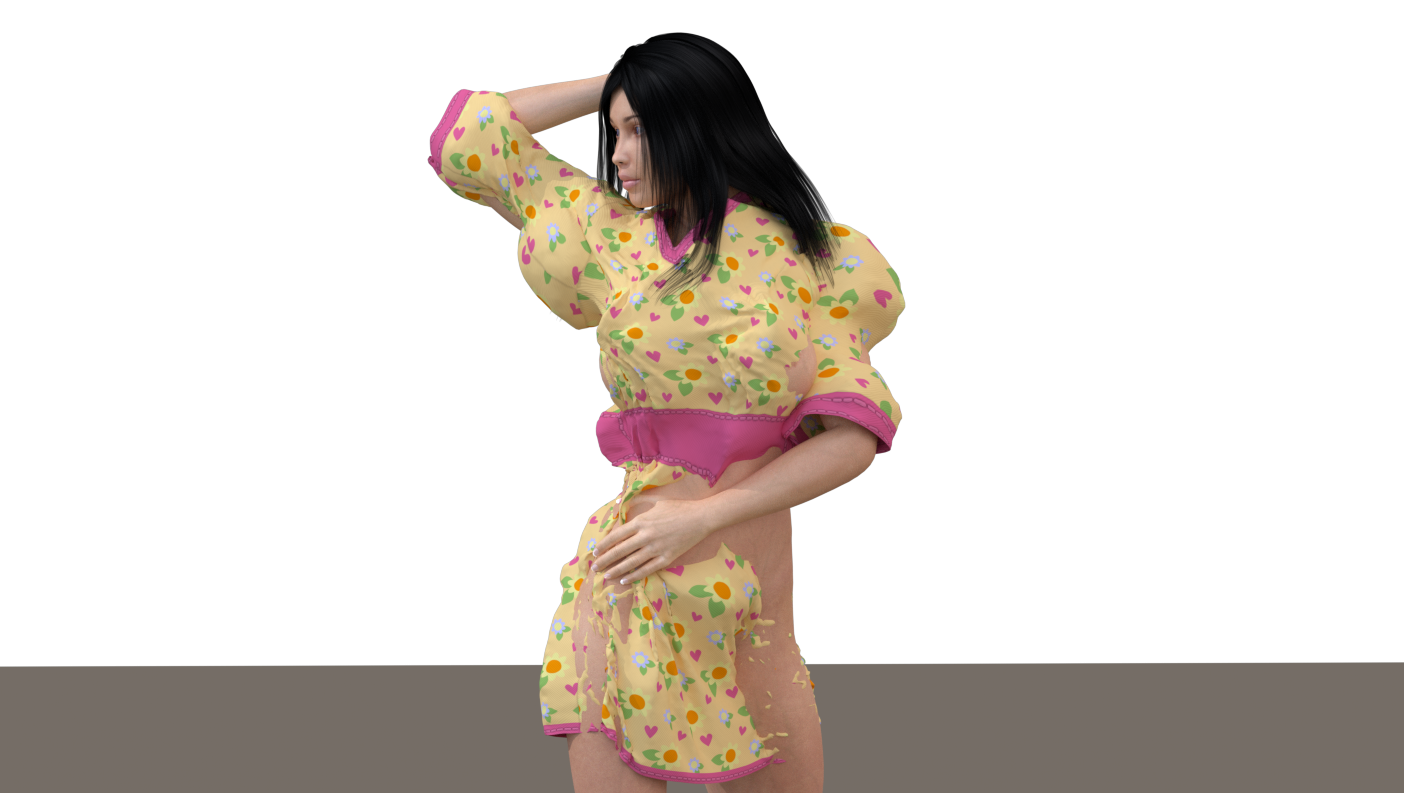
MeInOhio posted Sun, 08 February 2026 at 7:05 PM
Wow! You're really good with the morph brush. When I try to use it, sometimes it seems like nothing is happening.
anupaum posted Sun, 08 February 2026 at 7:12 PM
That's a kindly thing to say. In truth, I have a LOT of experience with the morph brush because NONE of my characters fit well into Poser clothes.
I think I'll have to wait until the tutorials come out, as this is just based on previous (very vexing) experience with Bullet Physics in P13.
headwax. posted Mon, 09 February 2026 at 12:27 AM
hmm, I have a few versions of poser and would have bought Poser 14 if PoserCloth worked like eg VWD. Usually I use Carrara and VWD.
You might be interested in these experiments with Bullet and cloth Animated Dynamic Clothing Technique (proof of concept) - Daz 3D Forums from 2014.
It's in Carrara but the posts here are starting to look eerily familiar, so could be of interest to someone here.
Admittedly I am sure the Poser 14 iteration is (hopefully) much more advanced than the old Carrara one.
Good luck.
Tipol posted Mon, 09 February 2026 at 3:06 AM
I've done a lot of testing, and none of it has been successful. The result is unnatural fabric distortions, similar to what you see with conforming clothing in certain extreme poses. I also don't understand why the fabric doesn't drape naturally over all parts of the character's body. The Poser 13 Cloth Room works so much better. For now, I'm going to stop experimenting with Poser 14 and stick to Poser 13 to continue creating clothing that won't be compatible with Poser 14. I'll wait and see if the Poser developers can improve the system so that it works correctly and easily for buyers.
midinick posted Mon, 09 February 2026 at 10:32 AM
Hi ^^
Finally I was able to test the P14 cloth physics.
To be honest, I’m still undecided.
You’ve already posted quite a few results, so I started experimenting as well. And I agree with you: it’s noticeably more complicated.
A very simple example.
AO Loose Shirt on La Femme 1.
Dynamic simulation in Poser 13:
load figure
dress figure
enter simulation settings (and I’ll be honest, I’m really lazy there – I usually just use the defaults and afterwards run Wolf’s script for fabric properties)
done
All of that in maybe 3 minutes max.
P13 default Cloth Simulation
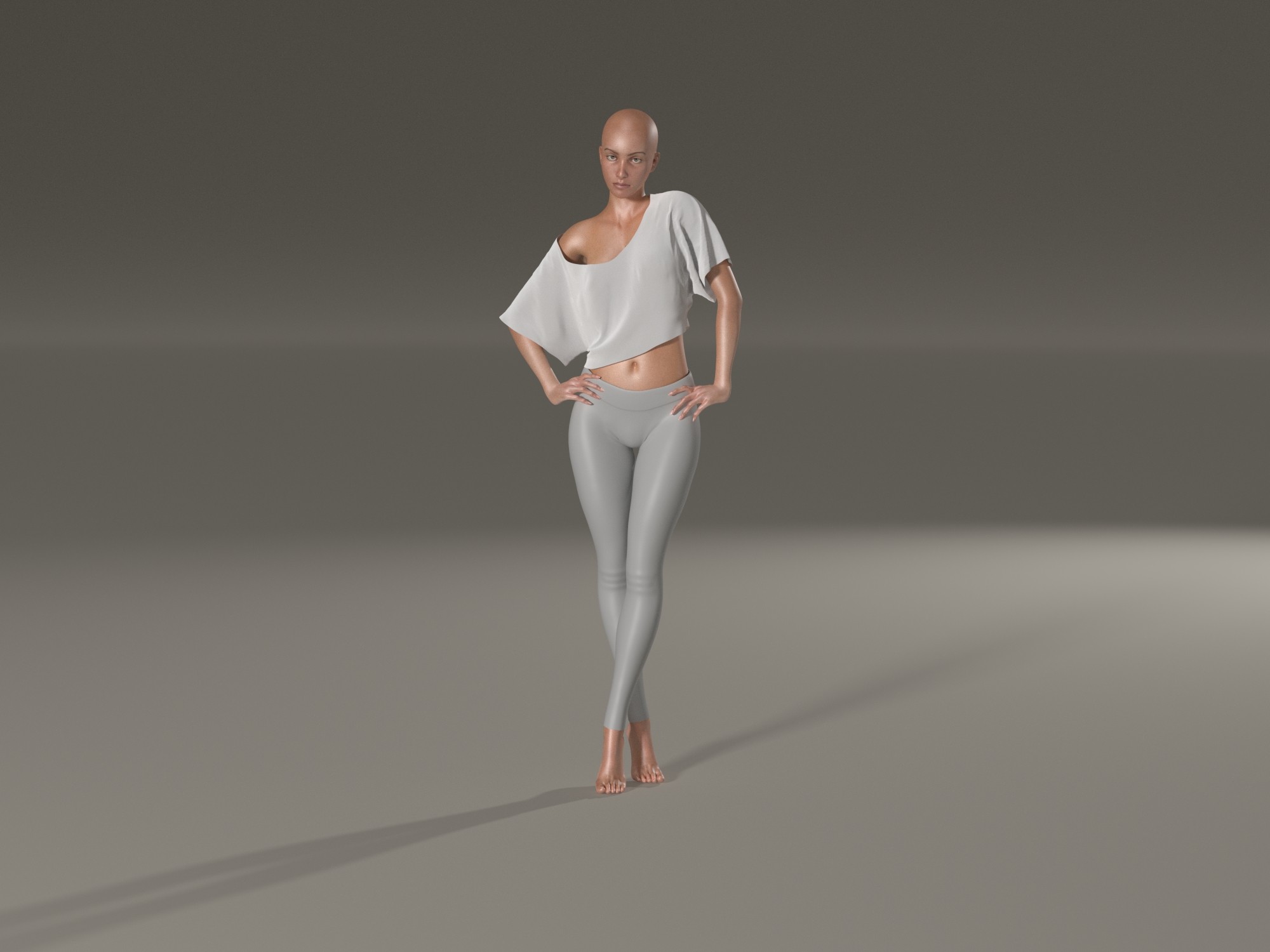
P14 Default Cloth Simulation (I forgot to unparent the shirt)
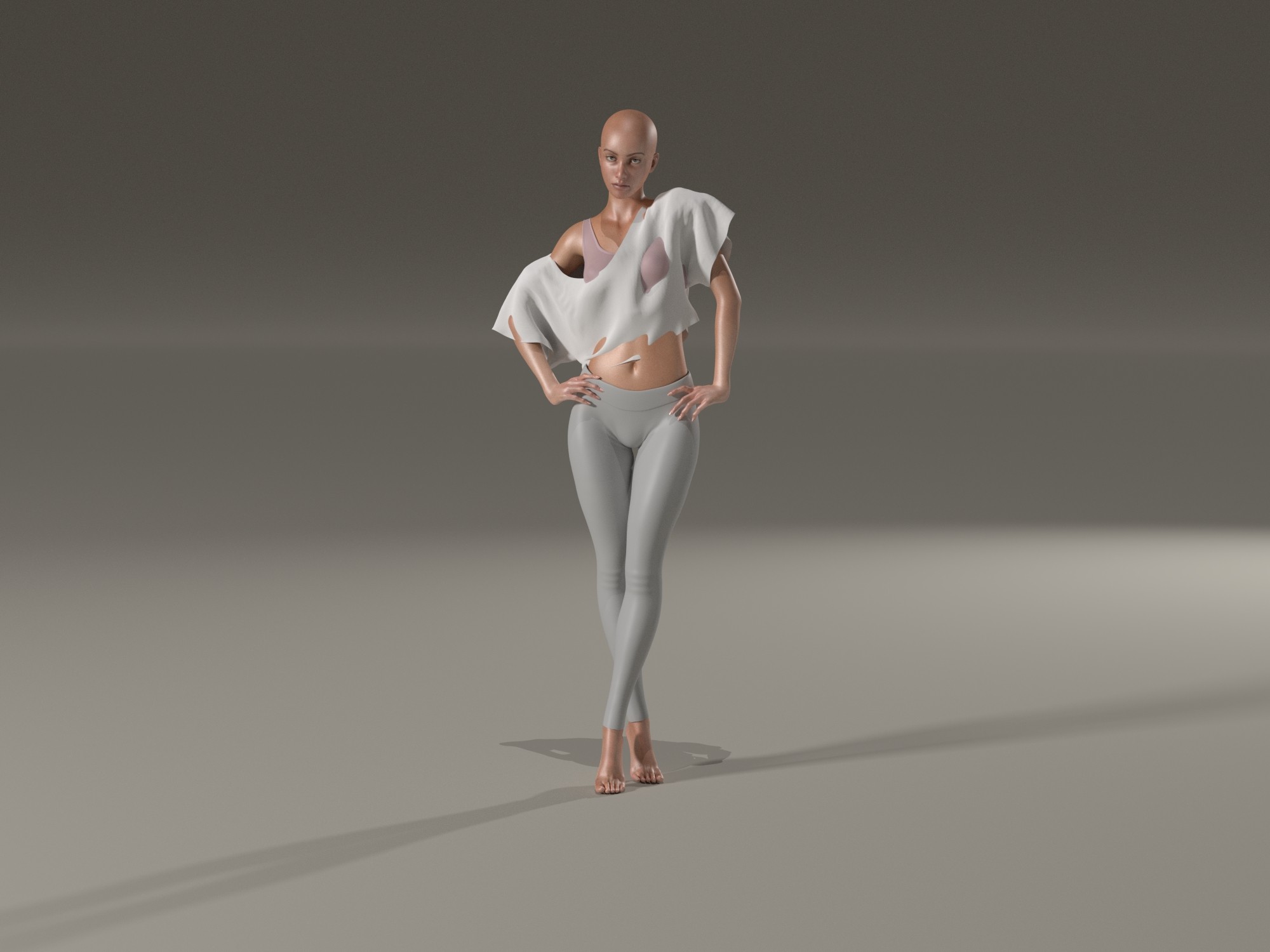
P14 default Cloth Simulation AFTER shirt parented to UNIVERSE
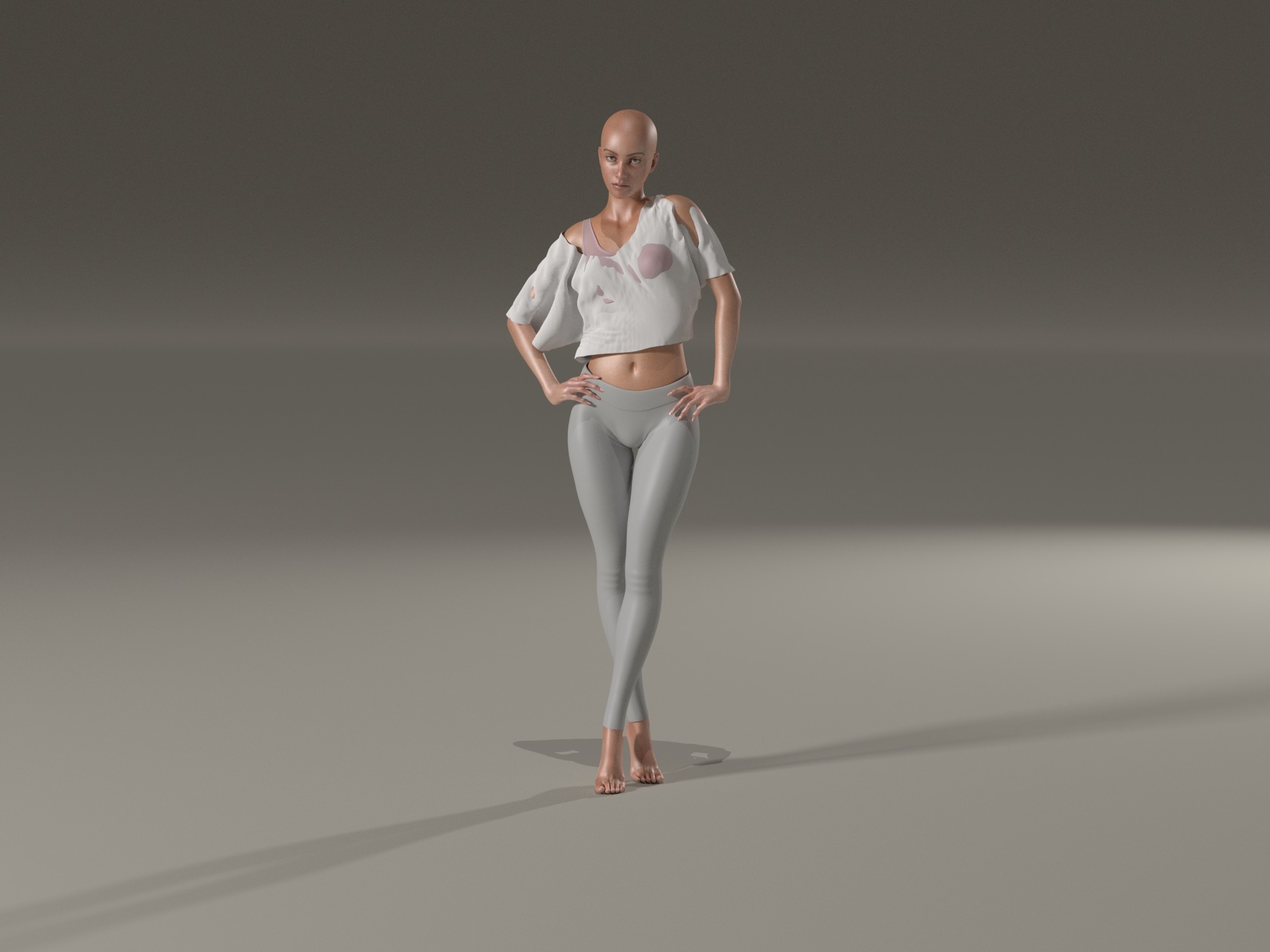
P14 Auto Glue - I think this is nice, but you can not change the settings, after every simulation they are default. So better copy them and disable Auto Glue + delete this glues
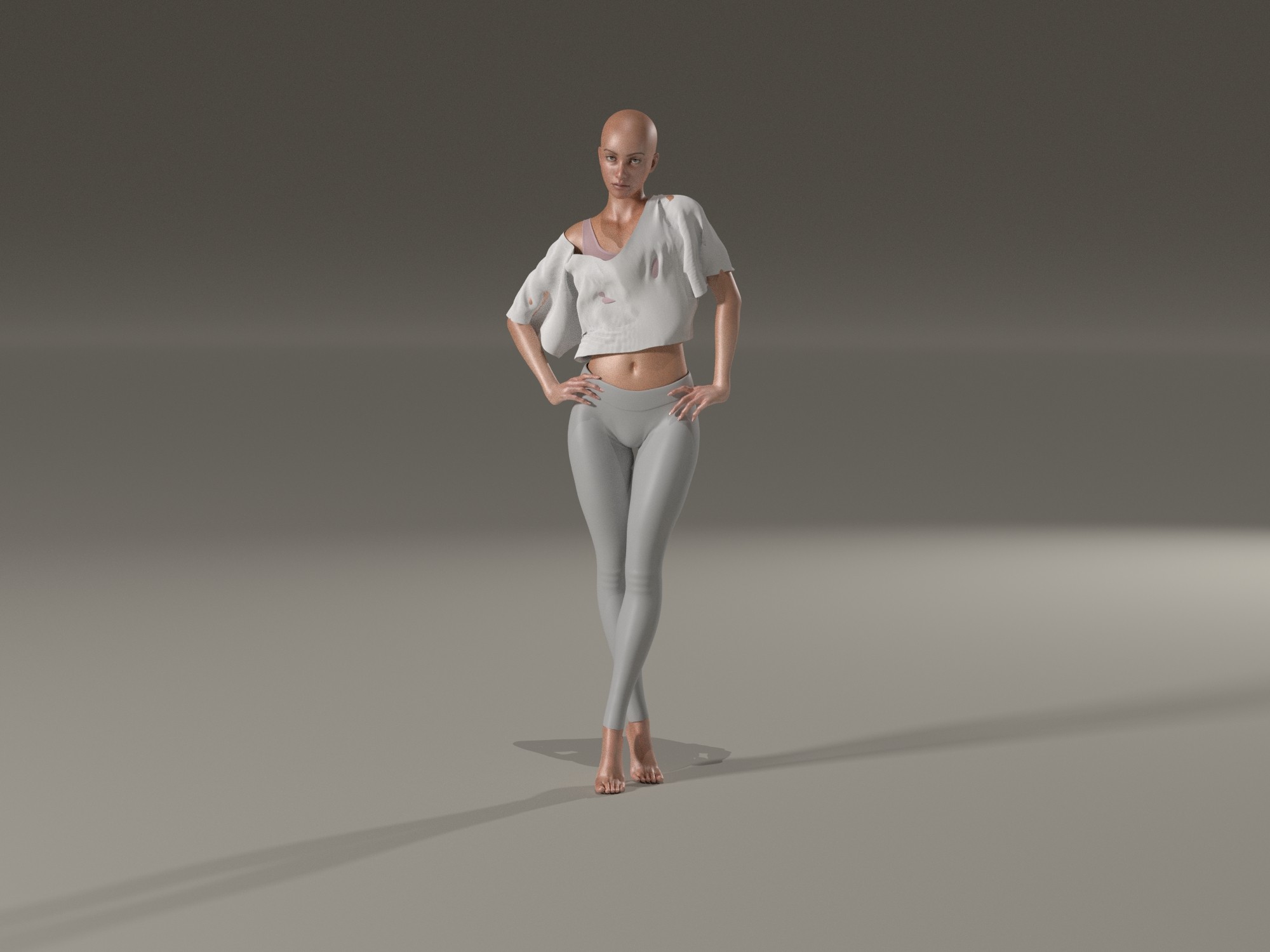
P14 Auto Glue by default - see how stiff the fabric behave at the hip? thats why I copied the Auto glues
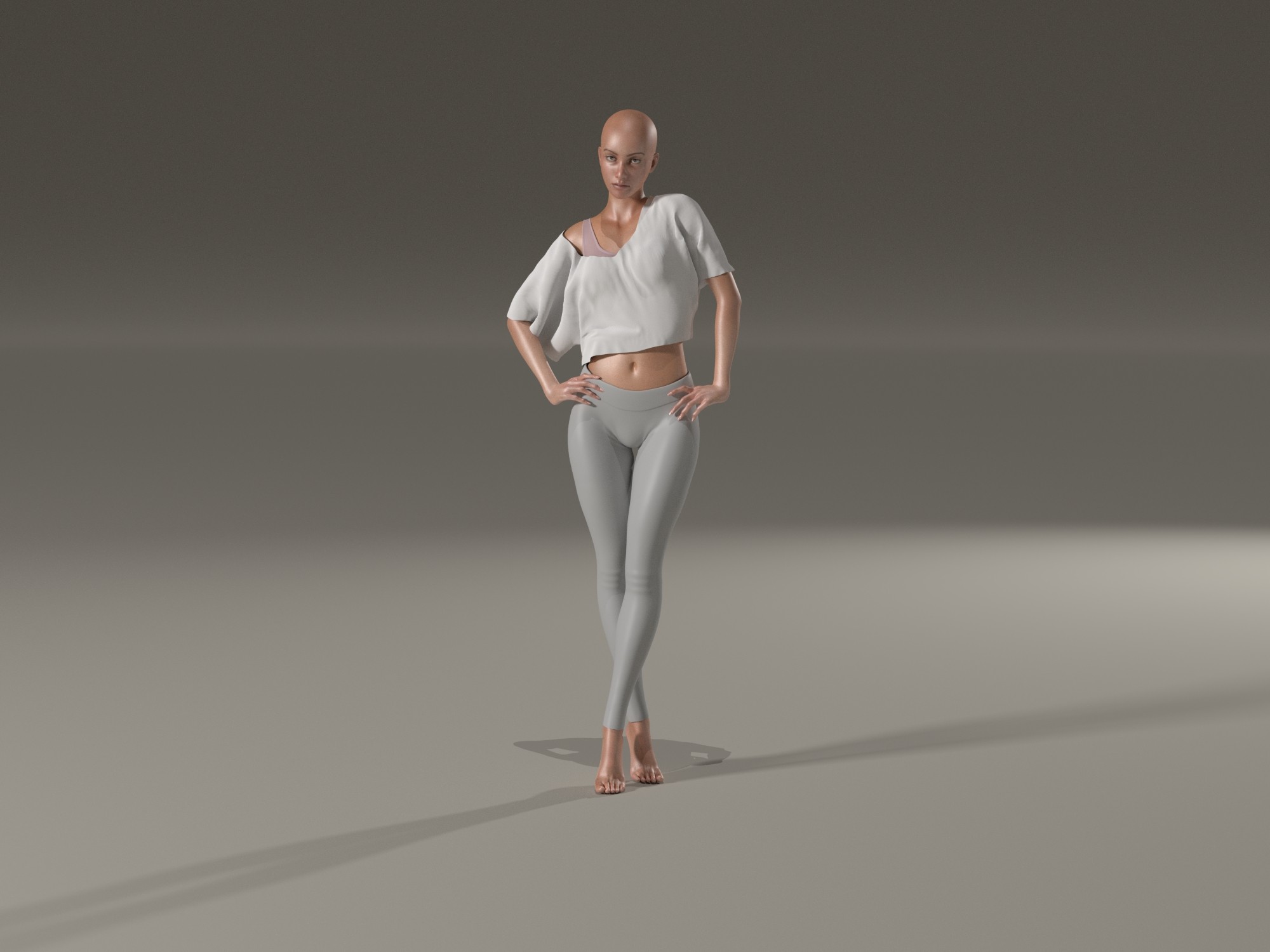
P14 final result after editing my copied Auto Glues + after workung with Morph Brush (loosen fit + soften)
Now P14 Cloth:
load figure
dress figure
enter simulation data for what should be simulated
start first simulation
adjust collision properties to fix holes
start second simulation
correct collision data
start third simulation
I probably did this at least 20 times and not a single result really satisfied me
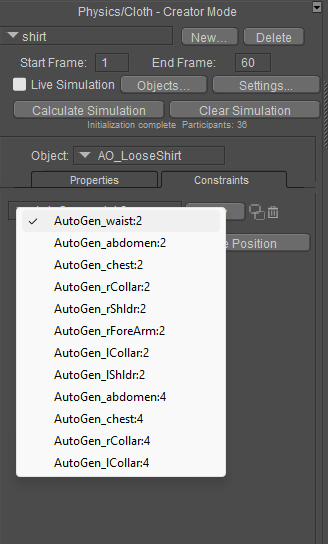
identified Poser cloth glue dynamics as the problem
the auto-glue settings in the shirt can’t be edited or deleted, so I copied every single one, then completely disabled Poser cloth glue dynamics and deleted the remaining auto-glue parameters (I still had my copies)
edited the copied auto-glues with weights and/or more or less dynamics
ran what felt like the 30th simulation
realized that the previously made collision settings no longer worked because La Femme now had bubbles on her back
reset those settings back to factory defaults (OMG, could we PLEASE get a button to reset these to default?)
simulated again
the result was okay, but without the morph brush it’s simply not doable
All in all, this probably took me almost an hour.
Okay, to be fair: it was my first simulation with a completely new feature.
But honestly? For those of us who grew up with the Cloth Room, this is a tool that can give you gray hair. And for absolute beginners it’s barely manageable at all.
What I would really like is having both options:
the old, familiar Cloth Room and the new physical functions.
Since other programs can handle this as well, I do believe it’s ultimately a matter of practice and patience, especially in the beginning.
Personally, I will still play around with it because I think there are great possibilities.
But quickly throwing together a scene and then running 17 dynamic simulations? Nope. Absolutely no longer doable. The parameters are far too complex, the result is basically achieved through trial and error, and you still have to work with the morph brush afterwards.
I’m really torn.
By the way, I followed this tutorial: https://www.posersoftware.com/documentation/14/HTML/poser-cloth-usage-tutorial.html
One big AHA moment for me was when I parented the clothing to the Universe as recommended. That alone made the result much more pleasant and natural after the simulation.
What I still don’t understand is:
why can’t a software simply be programmed so that clothing does NOT go through a SOLID body?
Where is the problem in something very simple like:
solid object / body
dynamic object
and then just a setting where gravity behaves as it should, and the fabric does NOT go through breasts, shoulders, belly, or back, and doesn’t float in the air like a piece of plastic?
One request:
Someone thought this tool was a perfect idea.
Could that person please post a video showing how they themselves set up such a simulation without having to morph it afterwards?
Does the person who decided this should be the tool actually work with Poser at all?
Because in my opinion, there’s often a huge difference between a project manager or programmer and someone who actually uses the software.
Anyway, despite all this, I’m still grateful that Poser is continuing to move forward.
anupaum posted Mon, 09 February 2026 at 11:11 AM
The biggest problem with using the morph brush is that the garment has to fit around the neck, arms, waist and legs first. Also, this makes fixing animations using Poser Physics nearly impossible.
Tipol posted Mon, 09 February 2026 at 12:23 PM
I'm looking at your test and I find that even the final result in Poser 14 is less natural than the result in Poser 13 and its cloth room. The fabric doesn't react as it should in a real-world situation. This cloth room lacks the fabric parameters related to weight and resistance to deformation. With my products, that's what I use to create a different look depending on the fabric (silk, cotton, wool, thickness, etc.).
anupaum posted Mon, 09 February 2026 at 12:32 PM
I have several of your cloth props. I know what you're saying. :(I'm looking at your test and I find that even the final result in Poser 14 is less natural than the result in Poser 13 and its cloth room. The fabric doesn't react as it should in a real-world situation. This cloth room lacks the fabric parameters related to weight and resistance to deformation. With my products, that's what I use to create a different look depending on the fabric (silk, cotton, wool, thickness, etc.).
midinick posted Mon, 09 February 2026 at 1:54 PM
And I have another comment... I can no longer simulate necklaces. There are some really nice dynamic necklaces in the freebie section, but Poser freezes when I try to use them. Not a single frame is displayed during the simulation. I find this very disappointing.
the first try was necklace as soft dynamic - Poser freezes
2nd try was necklace as cloth dynamic - necklace fell apart and all beads lay on the ground (ok looks kinda funny how the beads dropped to ground)
maybe I tend more to the old room where I also can simulate this necklaces: https://www.renderosity.com/freestuff/items/68565/dynamic-jewelry-blocksandbeads
midinick posted Mon, 09 February 2026 at 2:12 PM
edit:
Okay, now I tried Tipol's Lutine on V4... it's a disaster. I'm totally discouraged.
What on earth were they thinking, leaving us completely alone with this without any proper explanation? Come on, people... who had this brilliant idea and thought it would be nice if the things just fell right through the dolls and looked like stretched-out pieces of rubber?
Why cant cloth just act like cloth?
Rhia474 posted Mon, 09 February 2026 at 5:53 PM
I continue to be glad I didn't invest money in this and am appalled by how both customers and vendors are left alone with this mess with no guidance. P13 it remains.
hborre posted Mon, 09 February 2026 at 8:02 PM
I decided to start simple after rereading the manual tutorial several times to understand the workflow. I loaded Danw SR2 into my P14 scene and dressed her in an old PhilC dynamic Babydoll outfit. Nothing fancy, nothing complicated. After playing with settings and running several simulations, I managed to render the image below. Note: Dawn has a slight bodybuilder morph, and I kept the pose simple with tweaks to move her arms away from her body. Excuse the nudity.
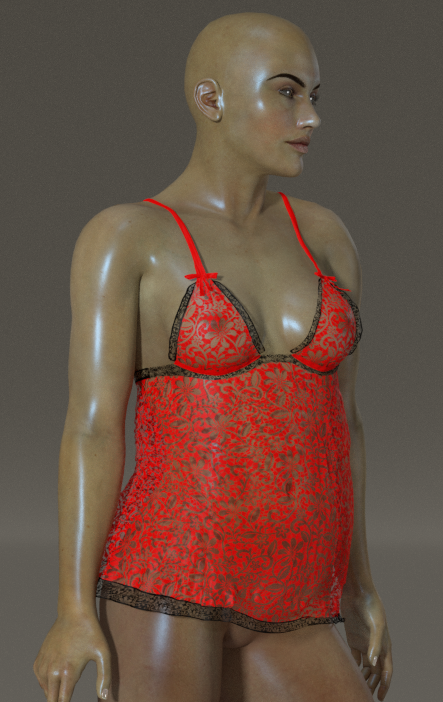
These are my settings below:
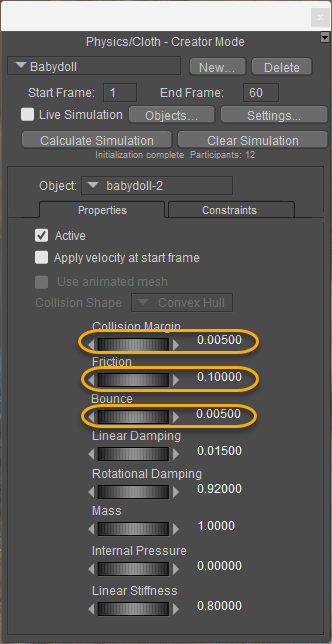
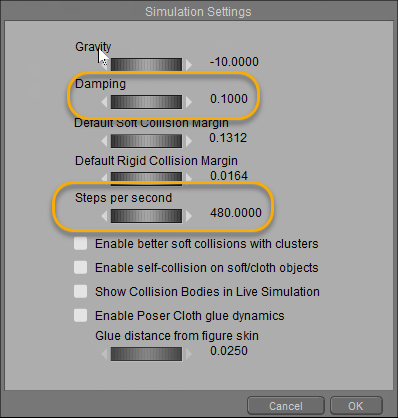
My observations:
First, increase the Steps per Second. This will allow the clothing to drape better; the default is 120 steps, and I increased mine by four. It takes a little longer, but it can make the clothing fit better.
Second, reduce the damping. You do not want the clothing sticking to the figure; the lower, the better.
Third, reduce the bounce. I'm not quite sure how relevant this setting is, but reduce it anyway.
Fourth, like the damping above, reduce the value. By default, it is set to 0.5. Try something lower that will make the clothing conform better.
Fifth, if you intend to save the prop back to the Library, turn off the 'Enable Poser Cloth glue dynamics' after doing an initial calculation simulation. Make adjustments to the auto-generated glue settings instead. Don't reset your simulation, or you will lose your manual settings.
Tweak whatever you have until you get something satisfactory with minor adjustments.
Richard60 posted Mon, 09 February 2026 at 8:09 PM
How you looked at PoserSoftware.com? They have a basic guide there. So it is not like they have not put out anything just that you are not looking. And for the record how many of you became experts in 4 days using the old cloth room? And how many of you can use the old room without all the helper scripts?
Poser 5, 6, 7, 8, Poser Pro 9 (2012), 10 (2014), 11, 12, 13, 14

RedPhantom posted Mon, 09 February 2026 at 9:21 PM Site Admin
@hborre, what are your units? The collision margin is based on that.
Available on Amazon for the Kindle E-Reader Monster of the North and The Shimmering Mage
Today I break my own personal record for the number of days for being alive.
Check out my store here or my free stuff here
I use Poser 14 and Windows 11
hborre posted Mon, 09 February 2026 at 9:29 PM
I forgot about that. Currently, my units are in feet. I should really change that to inches, or go metric next time I fiddle around with the PoserCloth.
Rhia474 posted Mon, 09 February 2026 at 9:38 PM
I think when a quite experienced vendor who has sold extensively here probably hundreds of dynamics items says they are not grokking this new system, we should listen. because that means the vendors who are supposed to create items for this system are in the dark. You don't have to agree or listen to me. but please listen to the vendors. Because that's why they leave, when they don't get support from the software creators.How you looked at PoserSoftware.com? They have a basic guide there. So it is not like they have not put out anything just that you are not looking. And for the record how many of you became experts in 4 days using the old cloth room? And how many of you can use the old room without all the helper scripts?
Tipol posted Tue, 10 February 2026 at 4:12 AM
I've tried many settings on a lot of dynamic clothing (I've created over 100) and poses. It sometimes works, depending on the clothing and pose, but often it doesn't work in extreme poses and requires a lot of adjustments from the user. The problem for sellers is that Renderosity requires a product to work perfectly in both simple and extreme poses without the buyer having to make any additional adjustments to accept it. In my opinion, it's missing fabric settings, as I mentioned earlier, particularly the concepts of weight and resistance to deformation.I decided to start simple after rereading the manual tutorial several times to understand the workflow. I loaded Danw SR2 into my P14 scene and dressed her in an old PhilC dynamic Babydoll outfit. Nothing fancy, nothing complicated. After playing with settings and running several simulations, I managed to render the image below. Note: Dawn has a slight bodybuilder morph, and I kept the pose simple with tweaks to move her arms away from her body. Excuse the nudity.
These are my settings below:
My observations:
First, increase the Steps per Second. This will allow the clothing to drape better; the default is 120 steps, and I increased mine by four. It takes a little longer, but it can make the clothing fit better.
Second, reduce the damping. You do not want the clothing sticking to the figure; the lower, the better.
Third, reduce the bounce. I'm not quite sure how relevant this setting is, but reduce it anyway.
Fourth, like the damping above, reduce the value. By default, it is set to 0.5. Try something lower that will make the clothing conform better.
Fifth, if you intend to save the prop back to the Library, turn off the 'Enable Poser Cloth glue dynamics' after doing an initial calculation simulation. Make adjustments to the auto-generated glue settings instead. Don't reset your simulation, or you will lose your manual settings.
Tweak whatever you have until you get something satisfactory with minor adjustments.
midinick posted Tue, 10 February 2026 at 5:07 AM
Richard60 posted at 8:09 PM Mon, 9 February 2026 - #4503868
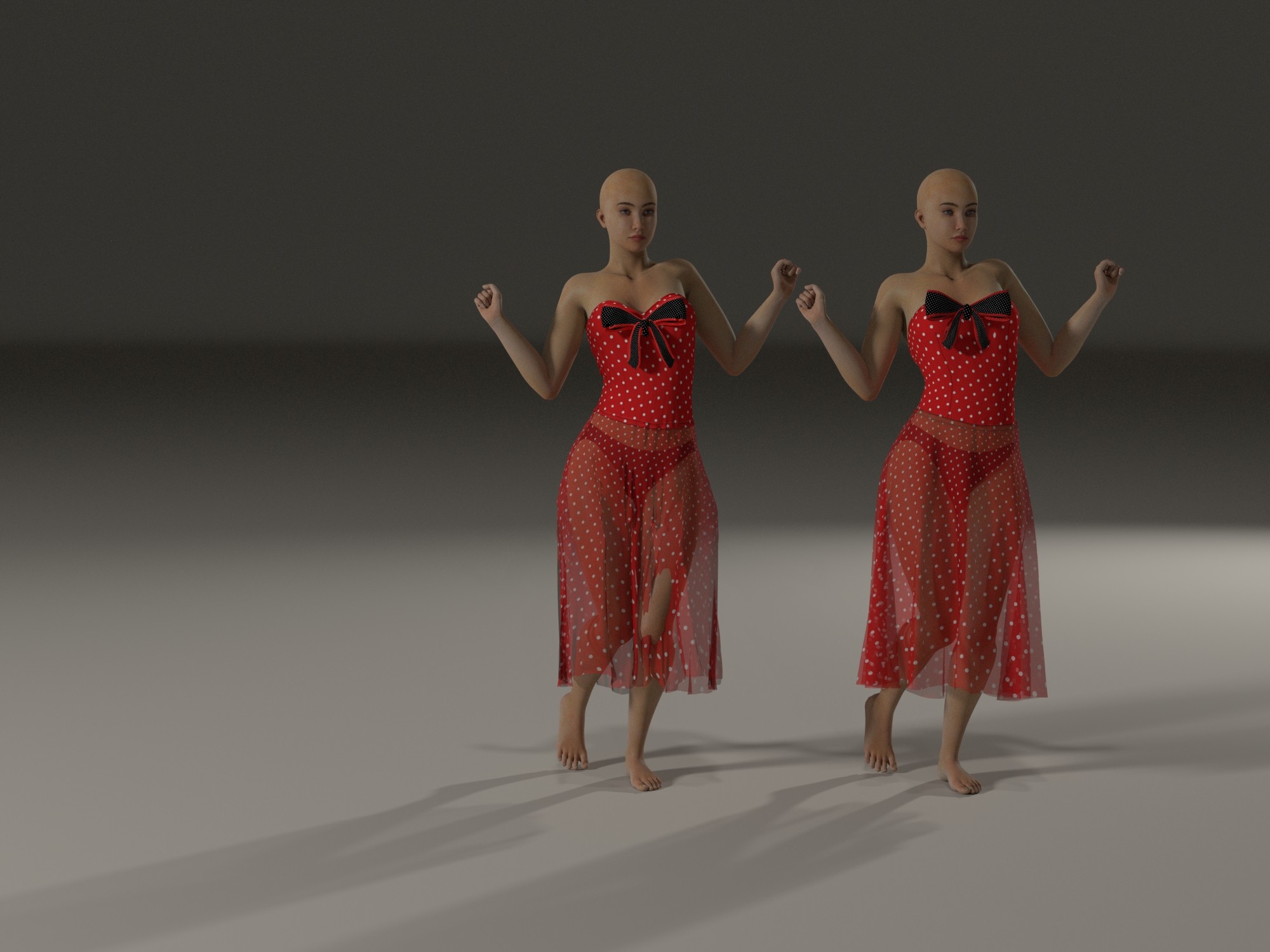
It’s not just about whether someone is able to master a new tool in four days. When I first started using Poser back then, I joined a “school” where I learned step by step how to use Poser. One of the tutorials was about the Cloth Room. It didn’t just explain what you do there, but also why you have to do it.How you looked at PoserSoftware.com? They have a basic guide there. So it is not like they have not put out anything just that you are not looking. And for the record how many of you became experts in 4 days using the old cloth room? And how many of you can use the old room without all the helper scripts?
left: P14 default simulation
right: P13 default simulation
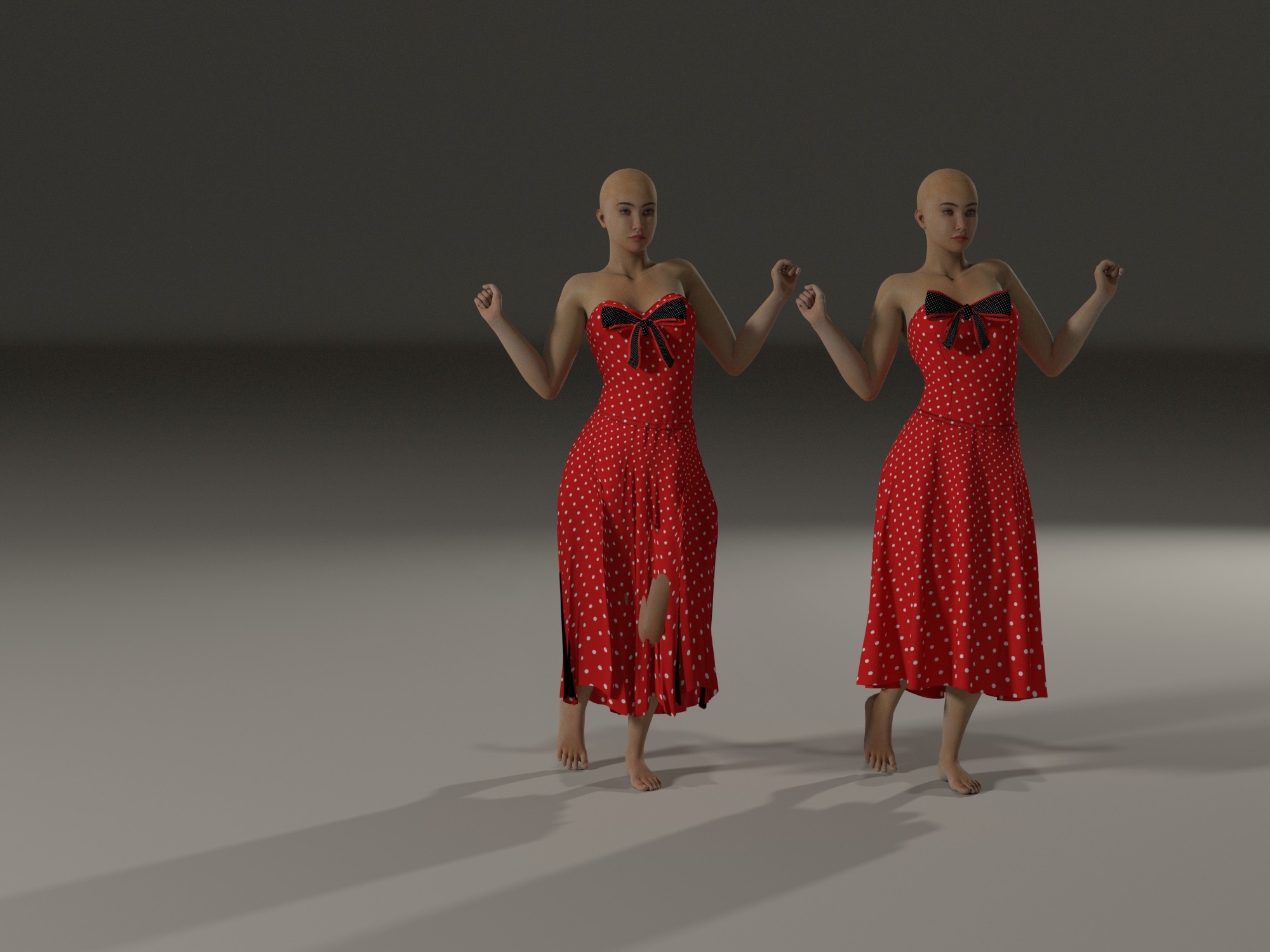
left: P14 default simulation
right: P13 default simulation
Tipol posted Tue, 10 February 2026 at 5:08 AM
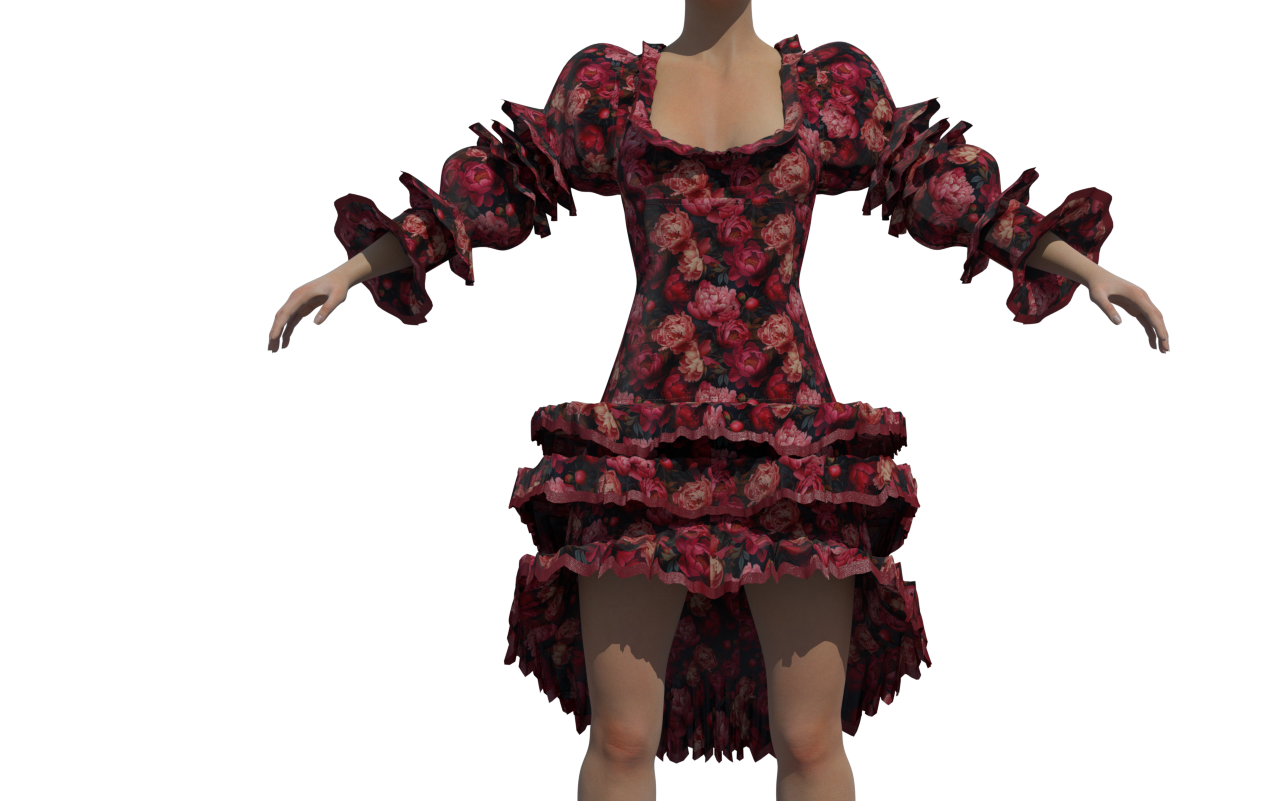
New attempt. The result looks much nicer in Poser 14, however, in terms of dynamic simulation I don't understand why the fabric doesn't drape naturally as it does in reality, creating flat surfaces at the dress's ruffles and showing no response at the sleeve ruffles.
Poser 13
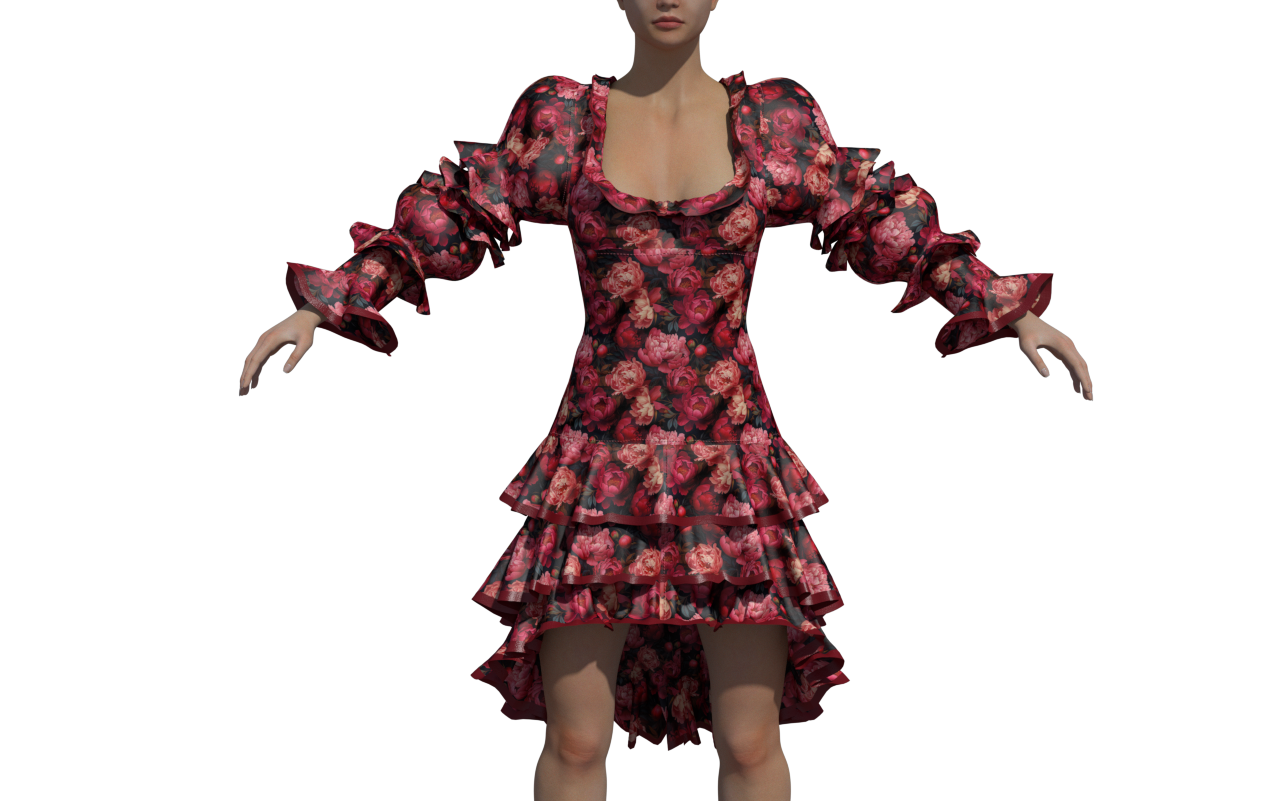
Poser 14
midinick posted Tue, 10 February 2026 at 9:52 AM
As a simple end user, I give up. I just don’t use the new cloth physics unless I want to simulate a piece of rubber on the ground.
I think I don’t need to say which one is Poser 13 and which one is Poser 14.
And to be honest, I simply feel unable to understand how to drape clothing naturally with the new tool, so I keep using the old Cloth Room. Sorry to everyone who put a lot of effort into this.
I don’t mean to dismiss the extensive work of the developers, but at the moment I simply don’t feel capable of understanding what I need to click and adjust to make fabric behave like fabric.
Maybe a future update will include a default fabric setting, something that knows it is fabric, drapes like simple cotton, and understands that fabric does not pass through bodies.
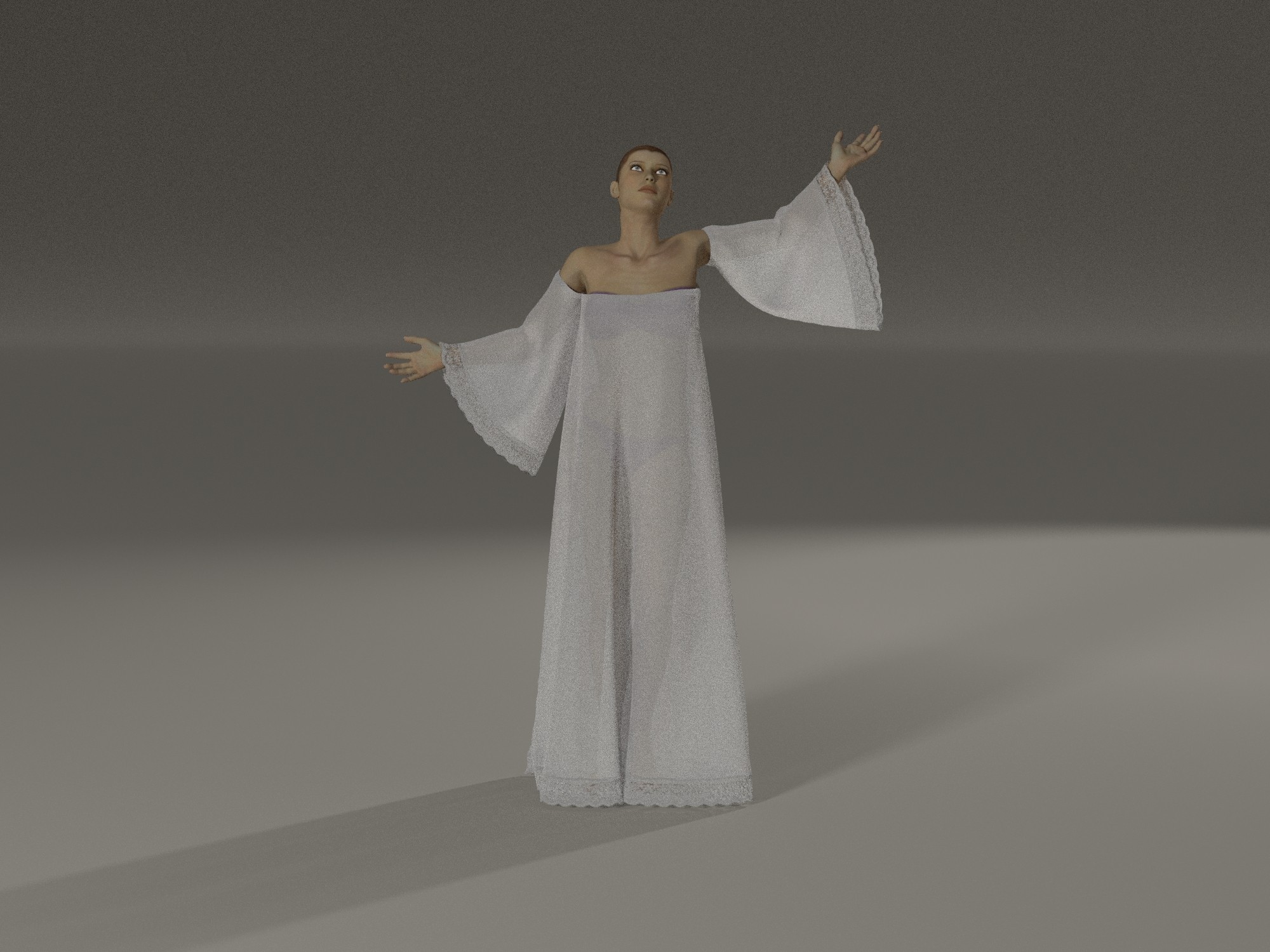
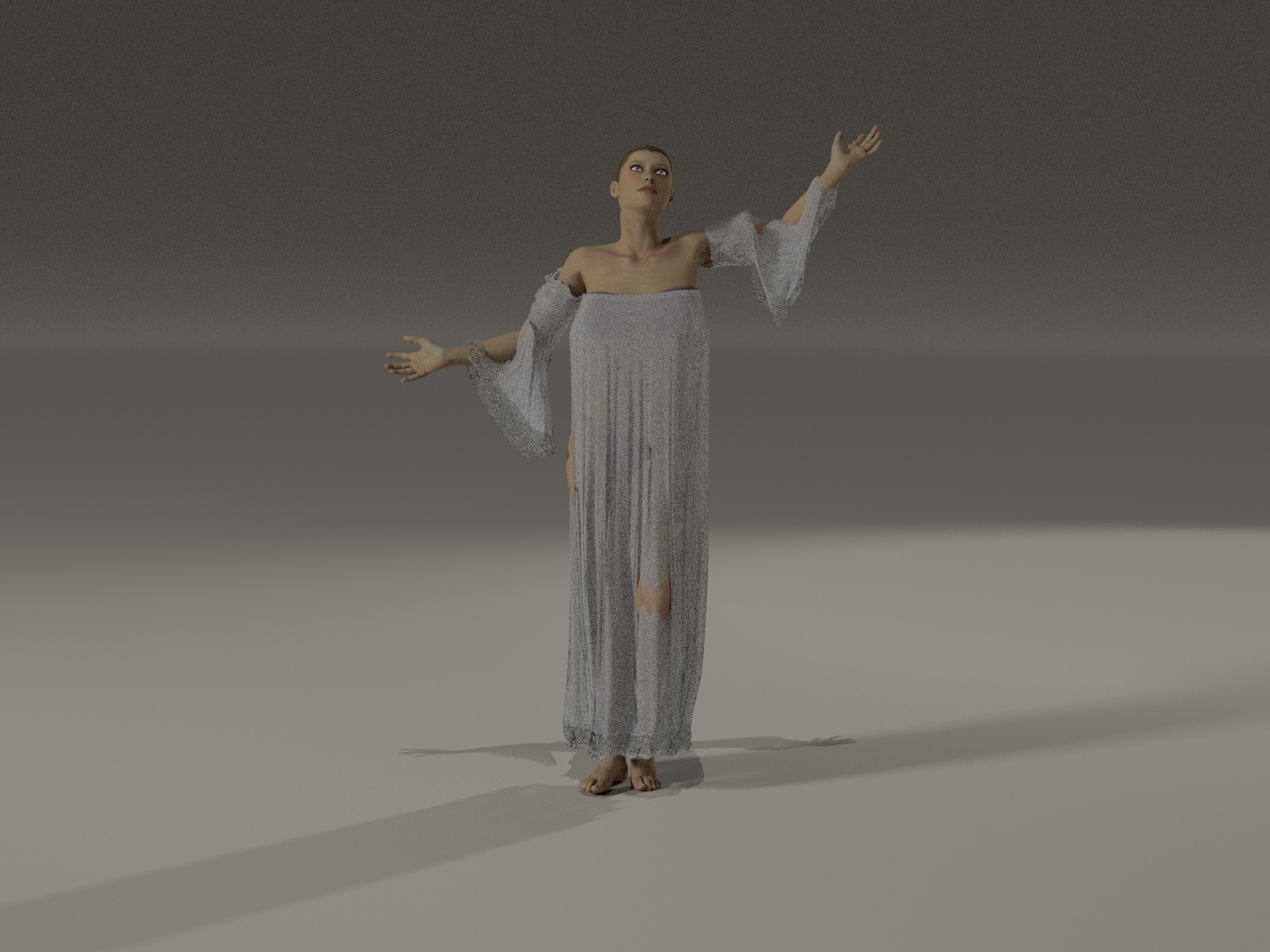
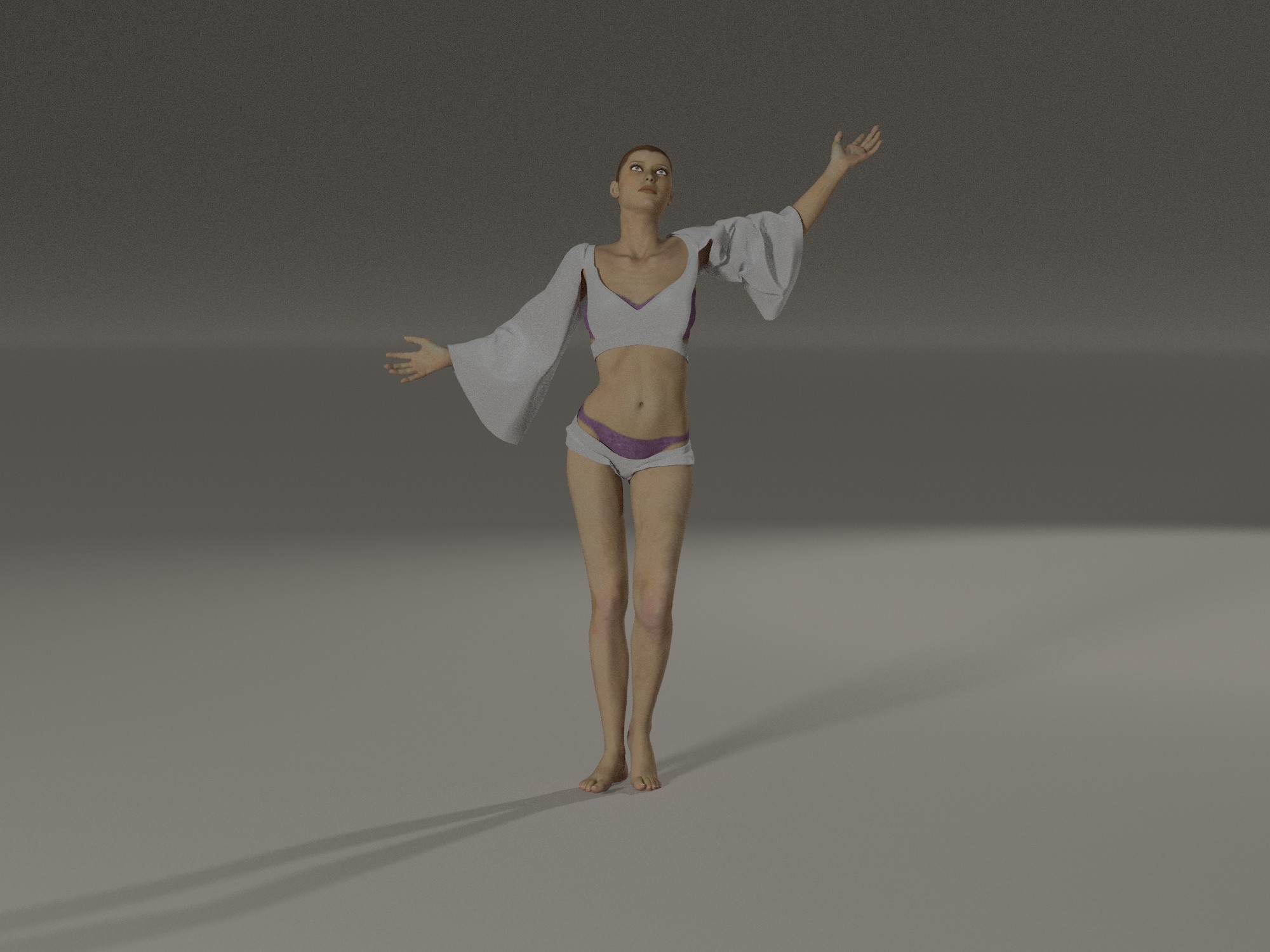
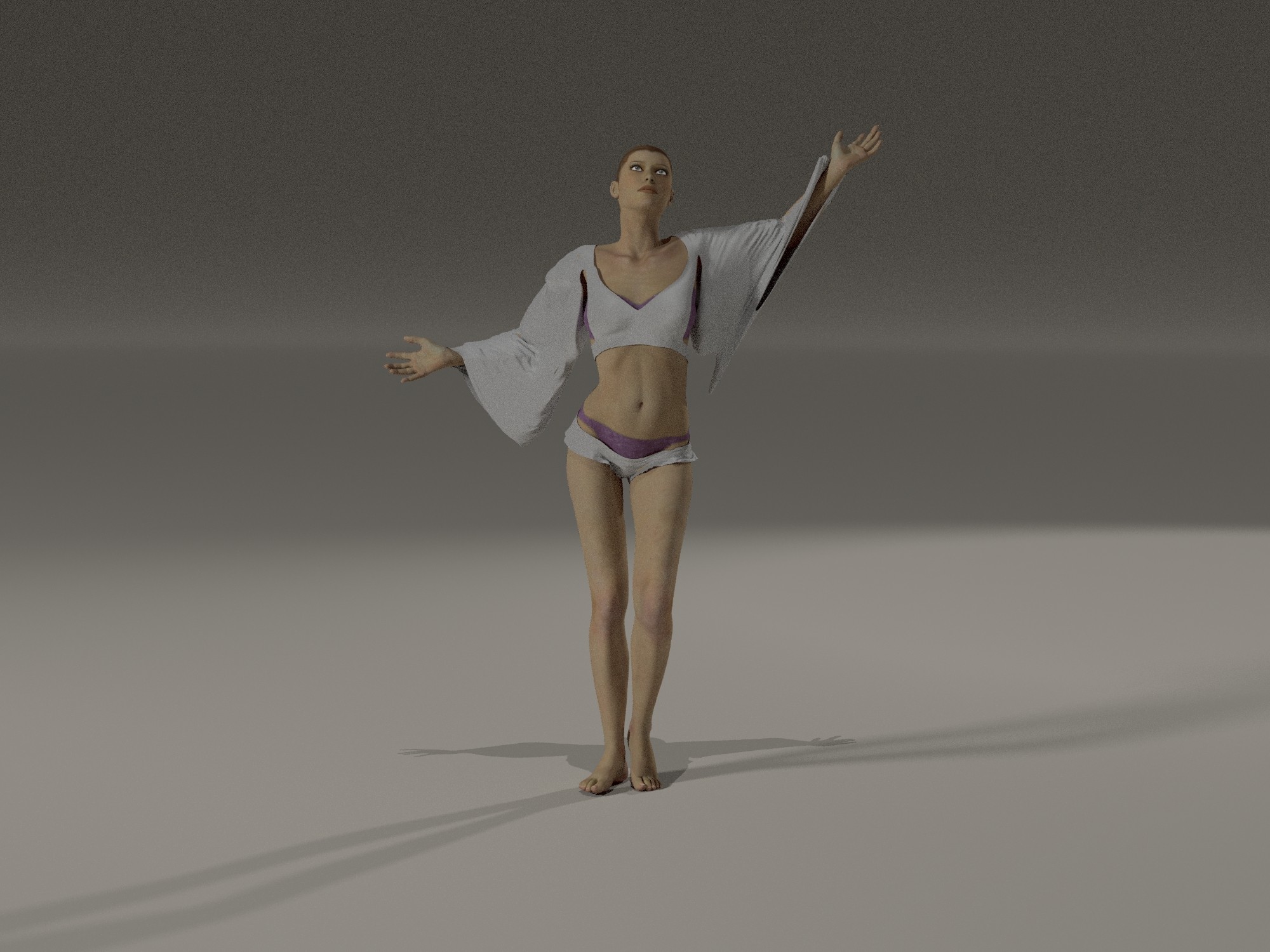
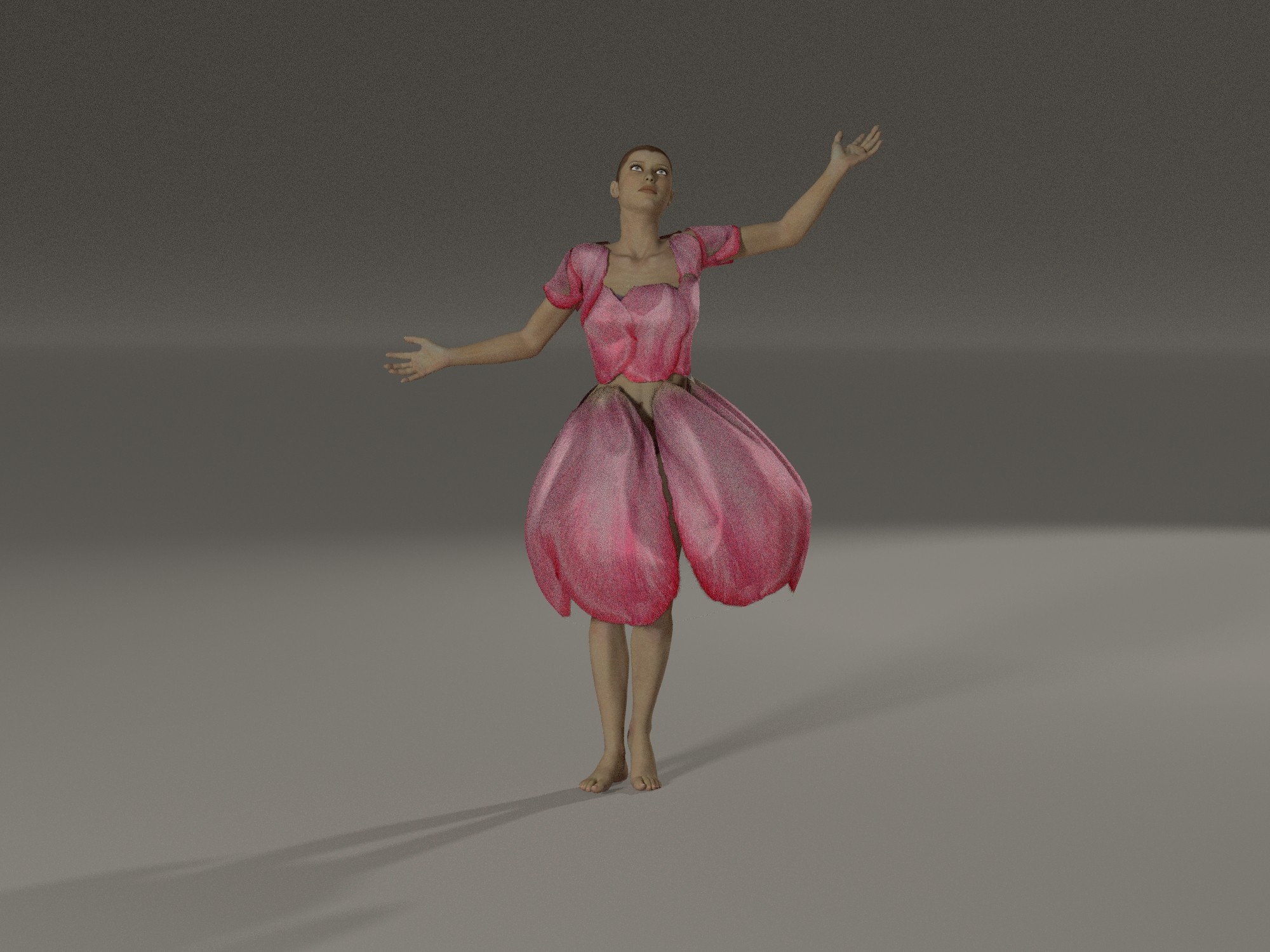
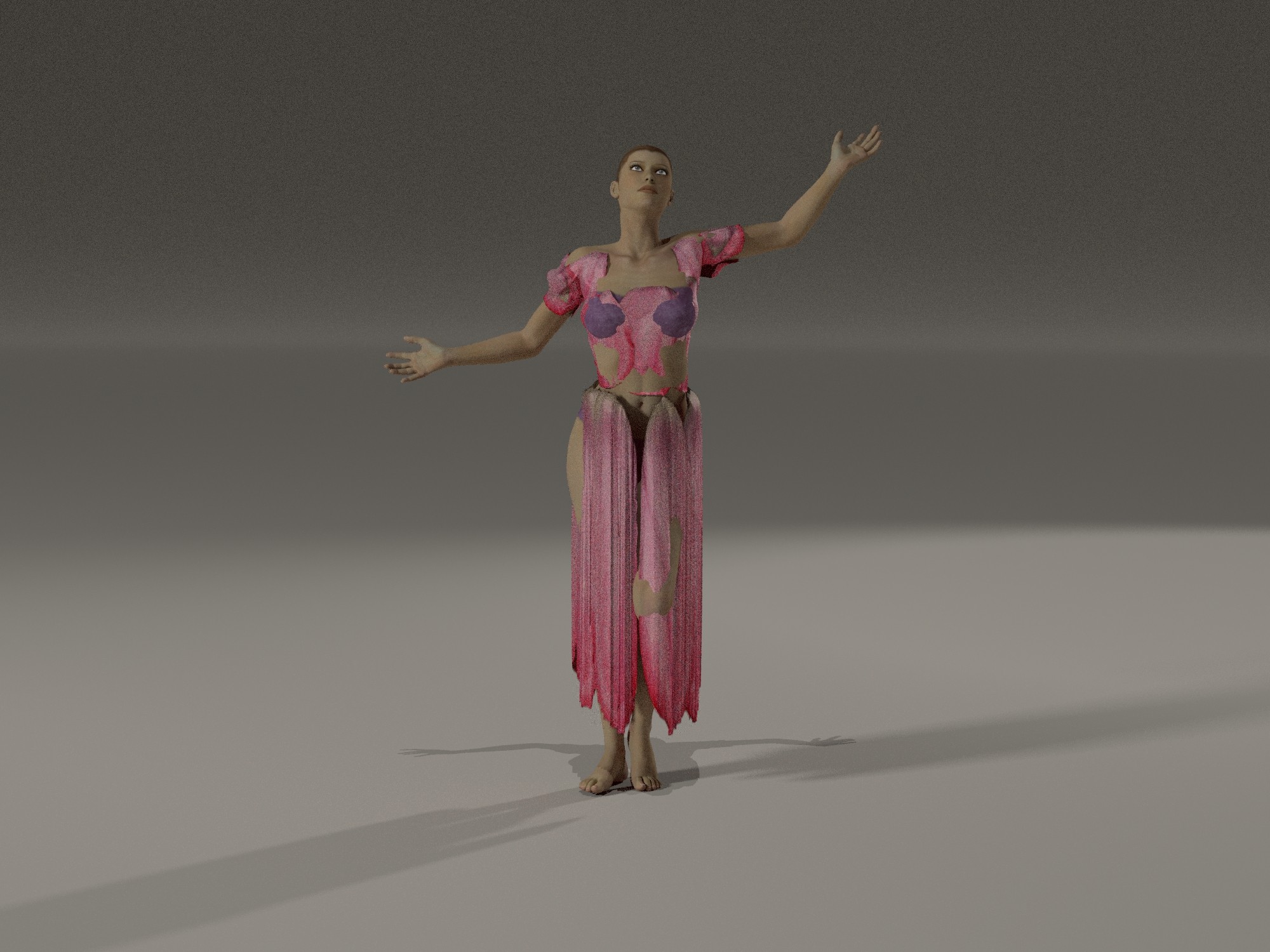
Set 1 - the arms, I do not get it, why are they going trough?
Set 2 - I checked the Auto Glues on the left and correct the tiny spot but the fabric still is glued on the hip.
Set 3 - I am simply speechless underwhelmed.
anupaum posted Tue, 10 February 2026 at 10:11 AM
I hope the developers are following this thread, as the degree of frustration most of us are experiencing with the new Poser Cloth reveals a reality that SHOULD give pause to the company. I used hborre's settings for this version, along with a bit of morph brush over Brenna's private parts so that I didn't need to include a nudity tag . . . .
This is completely unsuitable for animation of any kind, although I must say that it works better than Bullet Physics does on the figure's soft parts.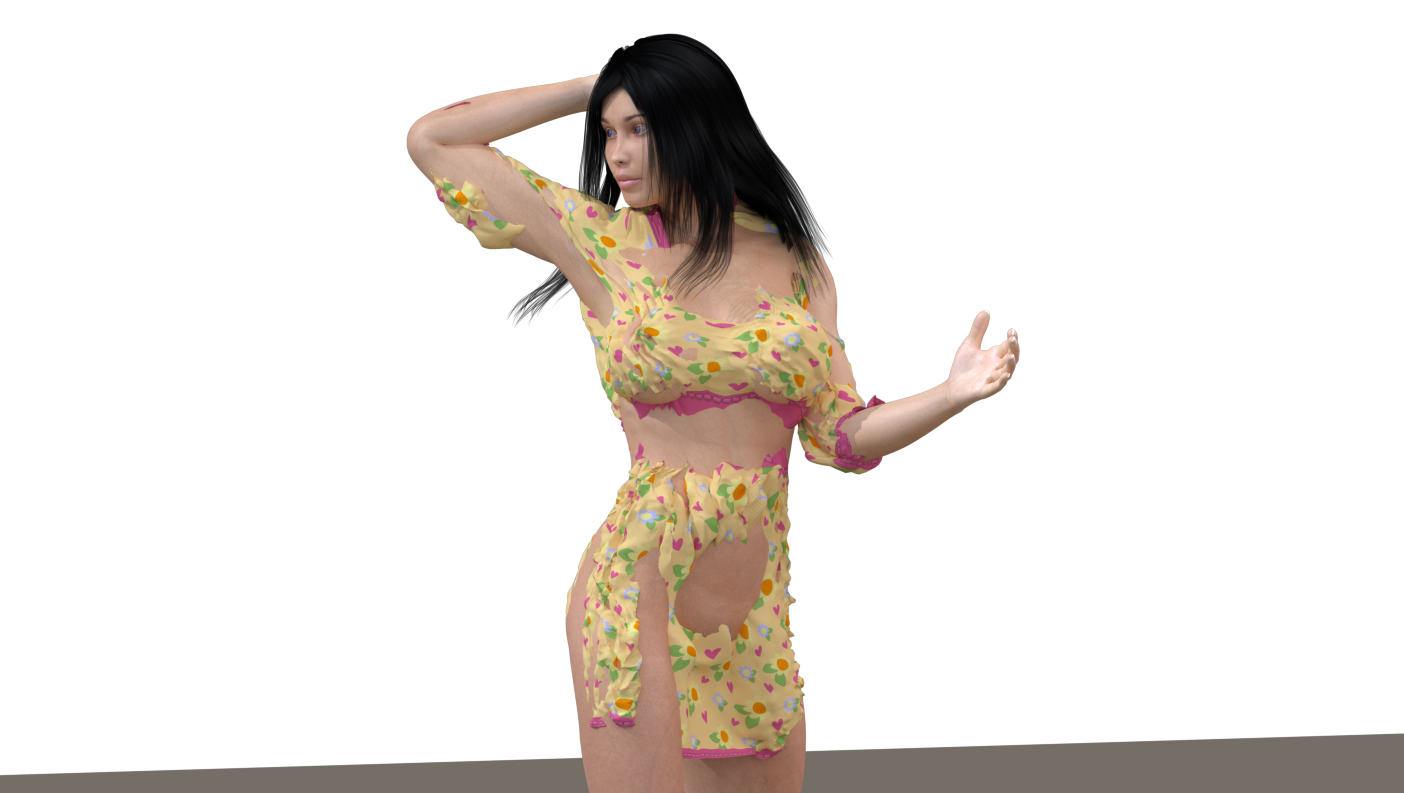
hborre posted Tue, 10 February 2026 at 10:27 AM
I do agree, animation will be problematic with this new system. ATM, we're jumping through hoops trying to make sense of the workflow and establishing basic, repeatable settings to make it behave like a cloth room. I think there are some features that are broken and haven't been reported yet.
noxiart posted Tue, 10 February 2026 at 10:32 AM
Hmm, let's compare this "latest, greatest" new tech with what we already had...
https://www.youtube.com/watch?v=Pz92Hi1Ktm4
(VWD Cloth and Hair is still sold here in the store, btw)
One would expect a "new and improved" cloth room to work better than a 10 years old plugin, wouldn't one?
;-)
anupaum posted Tue, 10 February 2026 at 10:59 AM
The problem with VWD is that it's complex, produces inconsistent results, and its features are optimized for DAZ Studio rather than Poser. Mind you, I use VWD frequently, and I know that Herve is working on a new update.
But you have a point. An old python script delivers better results than Poser Cloth.
Here is the same pose using the P13 cloth room. It's not perfect, but I could fiddle with the morph brush to fix the minor issues I'm seeing.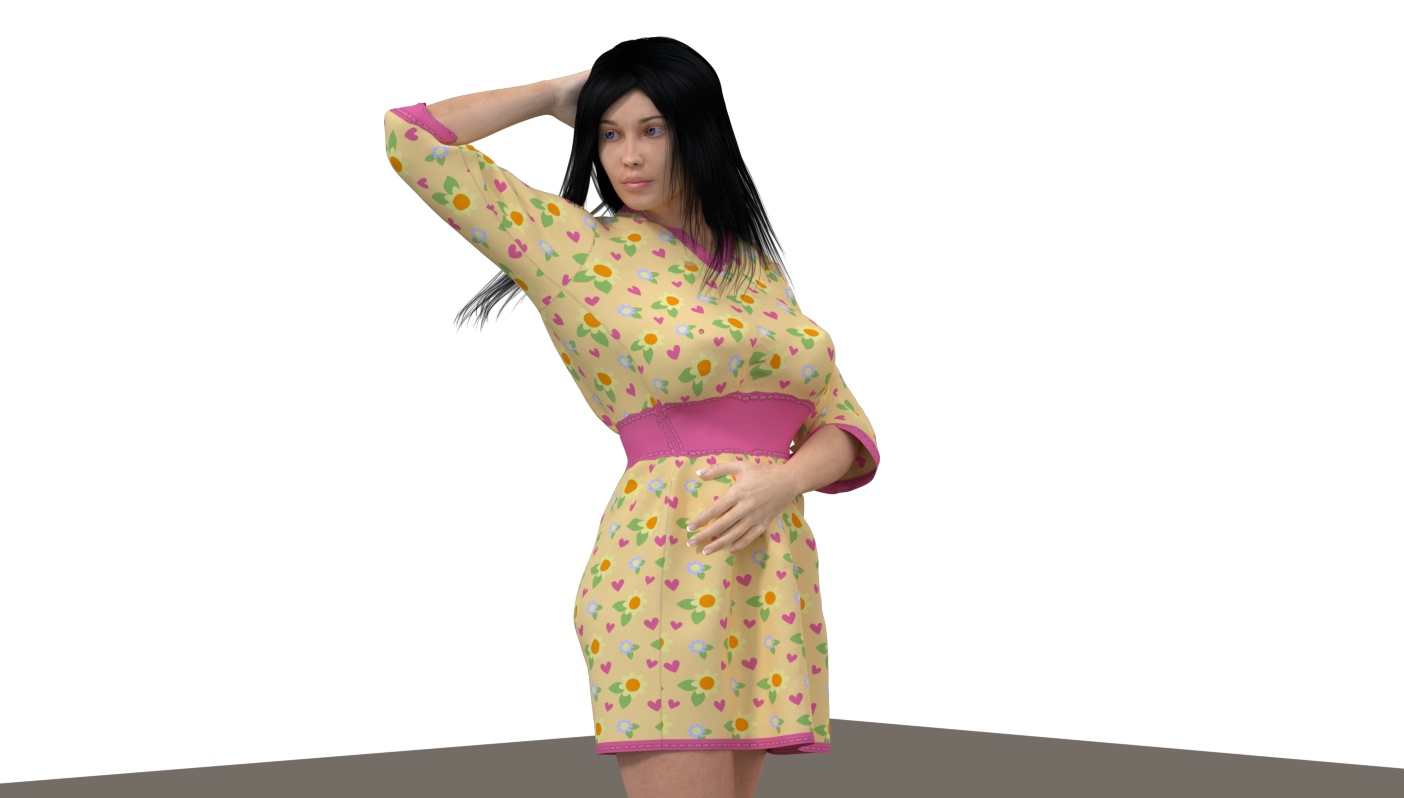

MollyFootman posted Tue, 10 February 2026 at 11:37 AM
I feel like the new Poser Cloth is not quite out of the alpha stage. I think it has been released prematurely because there was so much concern about the removal of the cloth room tab and legacy cloth simulation capability. In short, it's not ready for use by the average user. I am hopeful that as work continues it will become more useable. I'll mess with it when it improves to the beta stage (the stage when I am accustomed to new features being released).
I appreciate that other bugs have been swatted in P14 and I may use it for rendering and am glad to have supported development by purchasing it. In the meantime, I will be using P13 mostly and watching P14 developments with great interest.
Teh Mollz
midinick posted Tue, 10 February 2026 at 1:31 PM
I feel like the new Poser Cloth is not quite out of the alpha stage. I think it has been released prematurely because there was so much concern about the removal of the cloth room tab and legacy cloth simulation capability. In short, it's not ready for use by the average user. I am hopeful that as work continues it will become more useable. I'll mess with it when it improves to the beta stage (the stage when I am accustomed to new features being released).
I appreciate that other bugs have been swatted in P14 and I may use it for rendering and am glad to have supported development by purchasing it. In the meantime, I will be using P13 mostly and watching P14 developments with great interest.
Teh Mollz
I think you're right. Maybe no one among the developers thought that removing the Cloth Room would trigger such resistance. And of course, they probably wanted to quickly find a solution to help those who need it. I agree with you on all points; it feels exactly the same to me. So let's wait and see what’s still to come :)
anupaum posted Tue, 10 February 2026 at 3:12 PM
I've been advocating for an updated cloth room for a very long time, but I expected an IMPROVEMENT, not something that not only works worse, but is also MUCH more complex to use.
Rhia474 posted Tue, 10 February 2026 at 4:03 PM
Was there even an UAT for this? I feel for both devs and users, not to mention vendors.
skybluerob posted Tue, 10 February 2026 at 4:05 PM
I don't get why they didn't leave the old cloth room, and introduce this as a new feature should you wish to use it and/or while you get used to it.
RedPhantom posted Tue, 10 February 2026 at 8:14 PM Site Admin
skybluerob posted at 4:05 PM Tue, 10 February 2026 - #4503904
Tim explains it here https://www.renderosity.com/forums/comments/4503738/permalinkI don't get why they didn't leave the old cloth room, and introduce this as a new feature should you wish to use it and/or while you get used to it.
Available on Amazon for the Kindle E-Reader Monster of the North and The Shimmering Mage
Today I break my own personal record for the number of days for being alive.
Check out my store here or my free stuff here
I use Poser 14 and Windows 11
Tipol posted Wed, 11 February 2026 at 3:51 AM
skybluerob posted at 4:05 PM Tue, 10 February 2026 - #4503904
When I noticed that the Cloth Room was missing from Poser 14, I wrote to Poser support. Here is the exchange:I don't get why they didn't leave the old cloth room, and introduce this as a new feature should you wish to use it and/or while you get used to it.
"And you can't integrate the Poser 13 cloth room into Poser 14 ?"
"
The bad part of the joke is that Size 8 Software, the company that developed the plugin isn't developing the cloth plugin any more. We're actively looking for a replacement.
Happy Rendering
Charles Taylor (Nerd3D)"
Deecey posted Wed, 11 February 2026 at 6:16 PM
Well they did indeed find a replacement, but the results shown here seem to reflect that it was released prematurely. How unfortunate.

PendraiaFaeCreations posted Wed, 11 February 2026 at 11:42 PM
A couple of questions for people who have Poser 14.
1. Is there a setting which allows you to make the cloth stiffer or silkier? For example in dforce I can in the Surface tab right click on the simulation section and it will give me an option that allows me to simply make the fabric stiffer, stretchier, silkier.
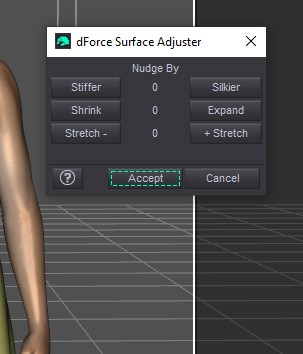
Nudging will adjust the settings in the surface tab. Which is my next question...does it contain ways to adjust the quality of the fabric?
Some of the images and comments I've seen relate to the type of fabric which will impact how it drapes. For example silk is much softer than leather and they drape quite differently.
So are there any settings like these?
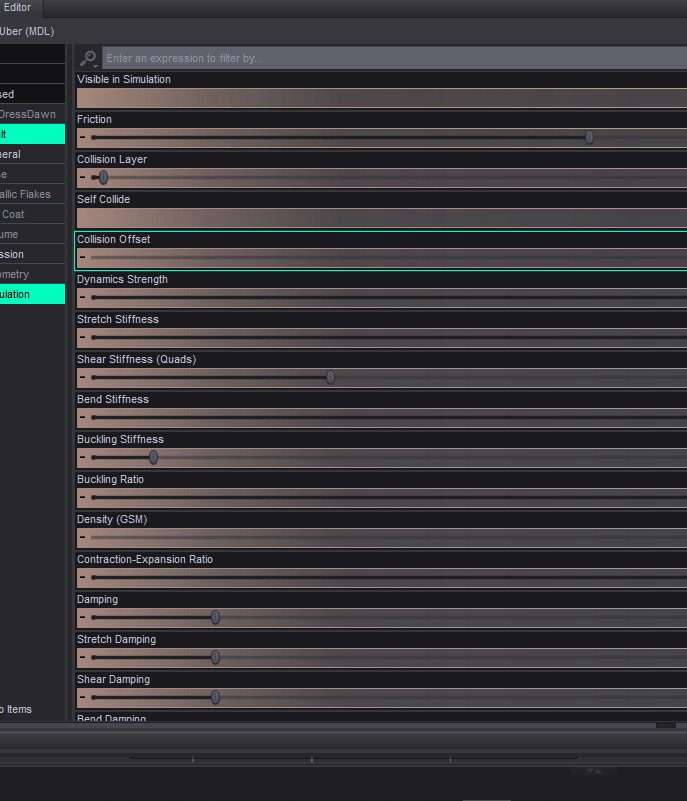
If there are the fabric can be adjusted to drape in different ways.
Another question that I've just thought of is can the setting be saved with the mesh or as a preset?
I really hope the answers to my questions are yes because if so I will upgrade from 11 to 14. I've always found the previous cloth room in Poser difficult. I'm hoping this will allow me to transfer dforce clothing that I make for Dawn and Dawn 2 to Poser and be easier to use.
Any new feature takes time to learn...at least from the sounds of it they have a manual already and plan on doing videos that's one step up from Daz when they released dforce.
Tipol posted Thu, 12 February 2026 at 7:05 AM
The problem is that Poser 14's "cloth room" doesn't have the settings you're showing, which I think are essential for realism. And the second problem is that the fabric simulation doesn't account for all the body parts it's supposed to cover, resulting in gaps.A couple of questions for people who have Poser 14.
1. Is there a setting which allows you to make the cloth stiffer or silkier? For example in dforce I can in the Surface tab right click on the simulation section and it will give me an option that allows me to simply make the fabric stiffer, stretchier, silkier.
Nudging will adjust the settings in the surface tab. Which is my next question...does it contain ways to adjust the quality of the fabric?
Some of the images and comments I've seen relate to the type of fabric which will impact how it drapes. For example silk is much softer than leather and they drape quite differently.
So are there any settings like these?
If there are the fabric can be adjusted to drape in different ways.
Another question that I've just thought of is can the setting be saved with the mesh or as a preset?
I really hope the answers to my questions are yes because if so I will upgrade from 11 to 14. I've always found the previous cloth room in Poser difficult. I'm hoping this will allow me to transfer dforce clothing that I make for Dawn and Dawn 2 to Poser and be easier to use.
Any new feature takes time to learn...at least from the sounds of it they have a manual already and plan on doing videos that's one step up from Daz when they released dforce.
hborre posted Thu, 12 February 2026 at 9:00 AM
Friction, damping, self-collision, and collision offset exist in one form or another, but I wouldn't quickly jump from Poser 11 to 14 until they resolve the overall problems. The techs haven't installed the calculate all dynamics feature yet into P14.
PendraiaFaeCreations posted Thu, 12 February 2026 at 4:00 PM
PendraiaFaeCreations posted at 11:42 PM Wed, 11 February 2026 - #4503927Thanks Tipol. Hopefully they will add to it in further updates. Without settings like those it will be really limited. I agree that they are essential.The problem is that Poser 14's "cloth room" doesn't have the settings you're showing, which I think are essential for realism. And the second problem is that the fabric simulation doesn't account for all the body parts it's supposed to cover, resulting in gaps.A couple of questions for people who have Poser 14.
1. Is there a setting which allows you to make the cloth stiffer or silkier? For example in dforce I can in the Surface tab right click on the simulation section and it will give me an option that allows me to simply make the fabric stiffer, stretchier, silkier.
Nudging will adjust the settings in the surface tab. Which is my next question...does it contain ways to adjust the quality of the fabric?
Some of the images and comments I've seen relate to the type of fabric which will impact how it drapes. For example silk is much softer than leather and they drape quite differently.
So are there any settings like these?
If there are the fabric can be adjusted to drape in different ways.
Another question that I've just thought of is can the setting be saved with the mesh or as a preset?
I really hope the answers to my questions are yes because if so I will upgrade from 11 to 14. I've always found the previous cloth room in Poser difficult. I'm hoping this will allow me to transfer dforce clothing that I make for Dawn and Dawn 2 to Poser and be easier to use.
Any new feature takes time to learn...at least from the sounds of it they have a manual already and plan on doing videos that's one step up from Daz when they released dforce.
PendraiaFaeCreations posted Thu, 12 February 2026 at 4:02 PM
Which is what I've decided after reading Tipol's post. Those are very limited options.Friction, damping, self-collision, and collision offset exist in one form or another, but I wouldn't quickly jump from Poser 11 to 14 until they resolve the overall problems. The techs haven't installed the calculate all dynamics feature yet into P14.
Tipol posted Fri, 13 February 2026 at 7:16 AM
I opened a support ticket and reported the difficulties I'm encountering with the new Poser 14 cloth room to the Poser technical team. I included a link to this discussion on the Poser 14 forum. Initially, they sent me the tutorials and documentation that have already been posted here. After my persistence, they agreed to my request to send them some of my dynamic clothing so they could test their cloth room with it. I sent them five items this morning (French time), and I'm now waiting for their response. I'll keep you updated, of course.
RedPhantom posted Fri, 13 February 2026 at 7:42 AM Site Admin
I hope they can find some solutions, whether it's an update or better instructions for us. I love dynamic cloth and would rather not bounce back and forth between versions.
Available on Amazon for the Kindle E-Reader Monster of the North and The Shimmering Mage
Today I break my own personal record for the number of days for being alive.
Check out my store here or my free stuff here
I use Poser 14 and Windows 11

jancory posted Fri, 13 February 2026 at 8:09 AM
thank you Tipol for all you're doing.
one of the good things SmithMicro did with their Poser development was Poser Ambassadors---community members who got early access in exchange for testing features, posting renders, finding bugs & suggesting improvements & generally cheerleading development. many bugs got squashed that way plus it built up a lot of enthusiasm in the community. plus it was fun.
wish Bondware would consider doing the same. people like Tipol with extensive clothroom experience would have been obvious choices & so much of this mess & badwill might have been avoided. as it now stands community participation seems to be kind of an afterthought.
i am an avid poser fan (& former Ambassador, so biased :>) ) & look forward to trying the latest version but only if they get the new cloth method usable.
still lost in the wilderness
Poser 13 Superfly pretty much only these days
skybluerob posted Fri, 20 February 2026 at 2:23 AM
I can't seem to make this work propoerly either.
There's potential there, but no matter what I do, the legs are always poking through.
And the more I change the other dials, the worse everything else becomes. I followed the tutorial in this link Usage Tutorial
I think the developers need to take another look at the legs, but at least some form of cloth room replacement is being offered, and it's not too dissimilar to what we had before.
(I'm using La Femme 1 and the Mona Dress, both of which come with Poser 13 (I'm currently using the trial for Poser 14).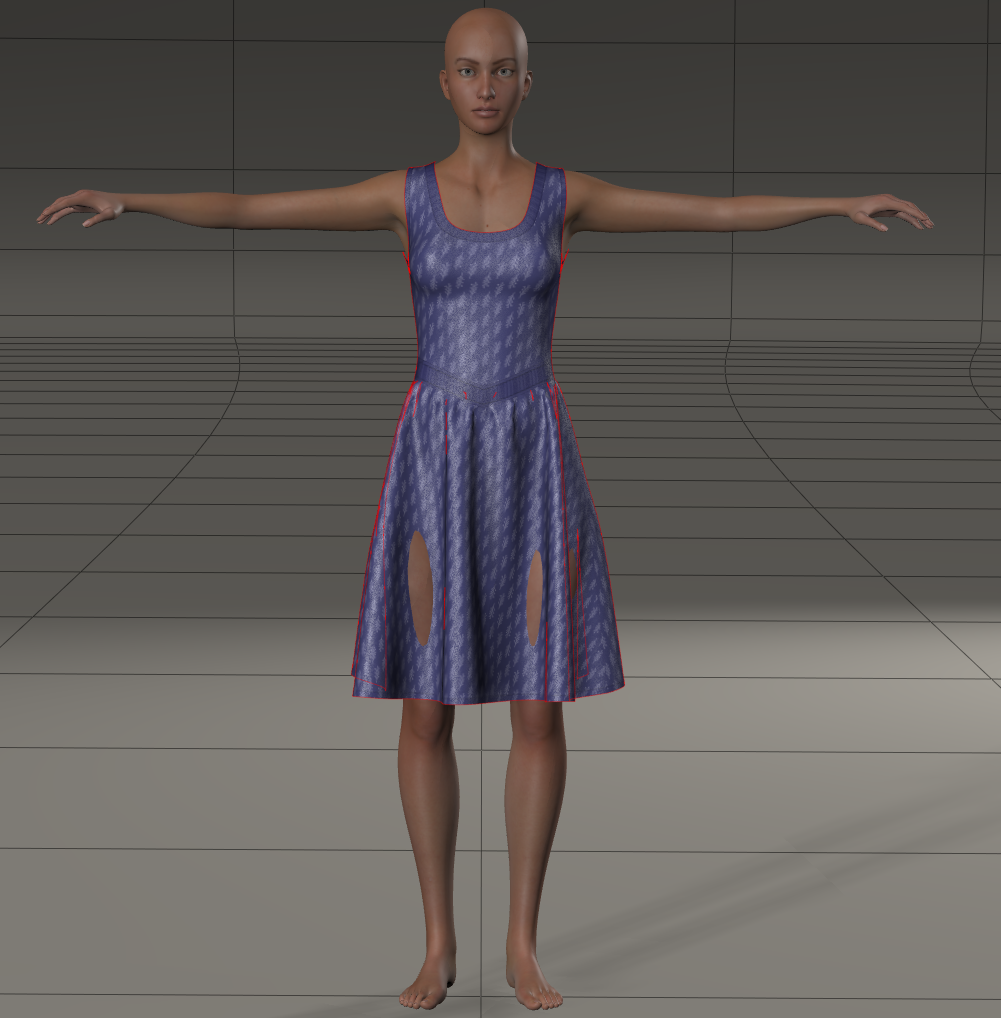
tim posted Fri, 20 February 2026 at 10:25 AM Site Admin
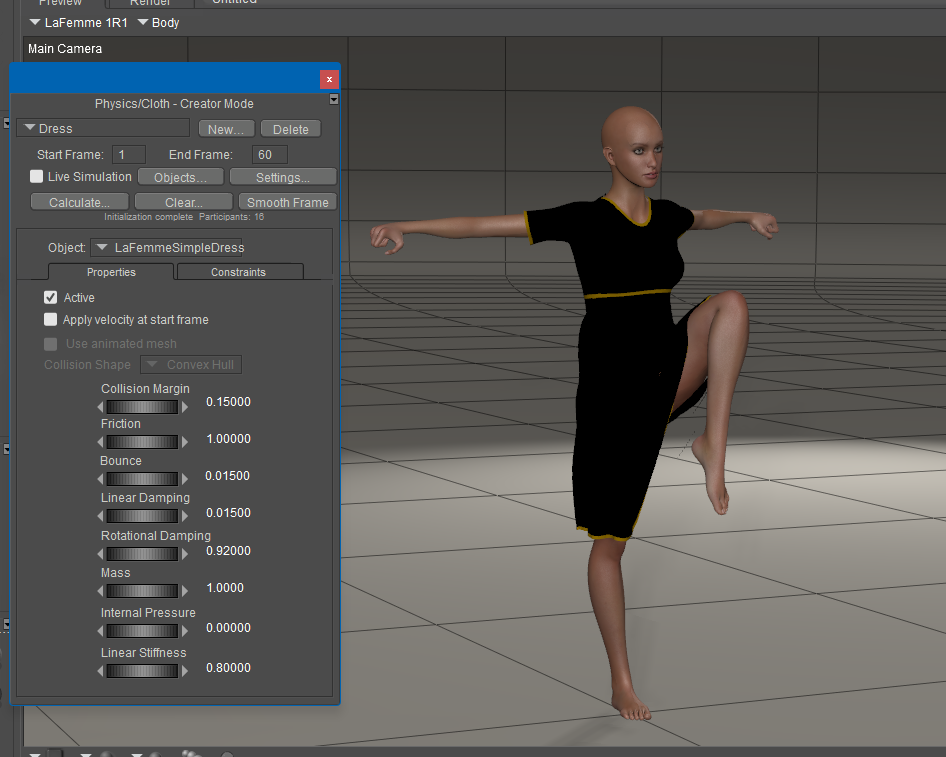
@skybluerob - be sure to include the Left & Right Thigh in the simulation under Objects... & increase their Collision Margin property to push dress off the thighs.
There should be a new free update out next week with improved simulation defaults & a Smooth Frame option to auto fix poke-thru, etc.
-Tim
skybluerob posted Fri, 20 February 2026 at 2:52 PM
tim posted at 10:25 AM Fri, 20 February 2026 - #4504119
Thanks Tim.@skybluerob - be sure to include the Left & Right Thigh in the simulation under Objects... & increase their Collision Margin property to push dress off the thighs.
There should be a new free update out next week with improved simulation defaults & a Smooth Frame option to auto fix poke-thru, etc.
-Tim
I tried doing that, and cranked it up a bit too high to see if it would resolve it, but the part where the leg is showing is still poking through. It's almost as if once the leg pokes through, it remains there no matter what. I've tried adjusting the glue too and that doesn't seem to help either.
Hopefully the update will help. As I say, it has potential and seems to be a fair bit quicker to calculate than the cloth room from what I can tell. If it can work on existing dynamic clothing then bingo.
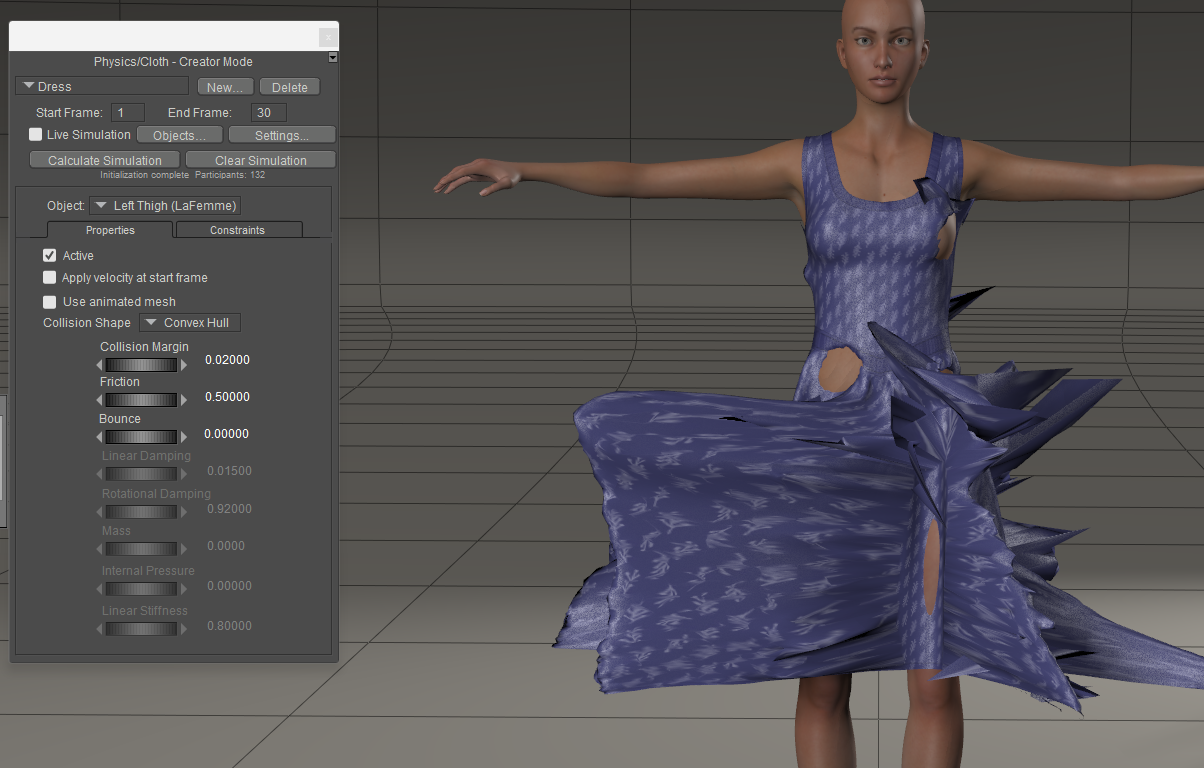
skybluerob posted Fri, 20 February 2026 at 2:56 PM
I just changed the Collision shape to TriangleMesh to see if that would help (just noticed it as an option) and while it's better further up the dress, the same issue overall, stuck to the leg.
Thanks.
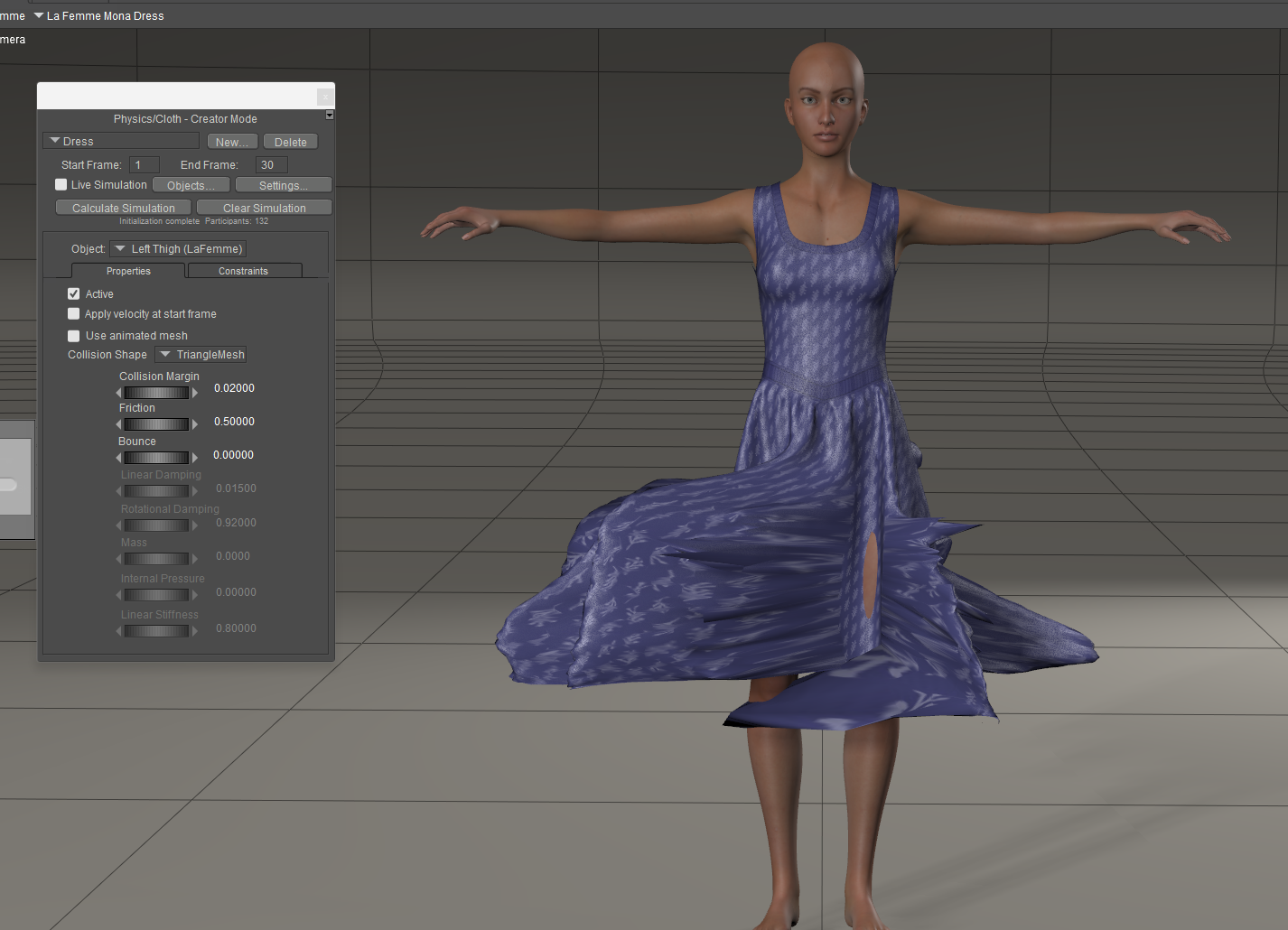

Karth posted Sun, 22 February 2026 at 6:00 AM
Hi,
i am not able to change settings.When i start to calculate the software freezes.
When i work after the tutorial and set the frames to 80 it starts calculating , but it counts itsself to death , so that i need to stop it.
That is really frustrating.
Will that cloth tool get an update ?
I miss a corner here, with more information from the Poser Team in relation to the cloth room.
greetings
karth
Tipol posted Tue, 24 February 2026 at 5:07 PM
While waiting for the update, there's a workaround: simulate the clothing and pose in Poser 13 and then import it as a PZ3 file into Poser 14. The imported character retains the clothing simulation and pose, and everything is parented. All that's left is to integrate the character into the environment and render. The only problem is that you can no longer modify the pose in Poser 14 without the clothing simulations failing.
anupaum posted Tue, 24 February 2026 at 6:26 PM
While waiting for the update, there's a workaround: simulate the clothing and pose in Poser 13 and then import it as a PZ3 file into Poser 14. The imported character retains the clothing simulation and pose, and everything is parented. All that's left is to integrate the character into the environment and render. The only problem is that you can no longer modify the pose in Poser 14 without the clothing simulations failing.
I have taken P13 renders into P14, and the cloth simulation gets stripped out. I never thought to import as a PZ3. The sad part is, I've not bothered with a P14 render since this cloth room debacle began, and I may not bother with it after the update.
:(
RedPhantom posted Tue, 24 February 2026 at 8:36 PM Site Admin
Another option would be to run the simulation in Poser 13 and then spawn a morph target. This will create a morph of the drape. You can then save the scene and switch to Poser 14 if it has other features you like. Or if you have a few poses you use often, you could create morphs of all of them and save the clothing back to the library.
Available on Amazon for the Kindle E-Reader Monster of the North and The Shimmering Mage
Today I break my own personal record for the number of days for being alive.
Check out my store here or my free stuff here
I use Poser 14 and Windows 11
anupaum posted Tue, 24 February 2026 at 10:34 PM
Why don't they just FIX what's broken?
midinick posted Wed, 25 February 2026 at 4:48 AM
Another option would be to run the simulation in Poser 13 and then spawn a morph target. This will create a morph of the drape. You can then save the scene and switch to Poser 14 if it has other features you like. Or if you have a few poses you use often, you could create morphs of all of them and save the clothing back to the library.
Nevertrumper posted Wed, 25 February 2026 at 9:08 AM
exactly.Why don't they just FIX what's broken?
Karth posted Wed, 25 February 2026 at 9:15 AM
Work Arounds may be good for Customer, but
I want to create and sell clothes for Poser 14 , but that can only be done when they say..this is the Final .
so i will wait for that before i spend Hours and Hours☺️
Tipol posted Wed, 25 February 2026 at 1:24 PM
That's right, as long as the clothing simulation doesn't work properly in Poser 14 we won't be able to create new dynamic clothing because I think Renderosity will require products that work in Poser 14 without requiring imports from Poser 13.Work Arounds may be good for Customer, but
I want to create and sell clothes for Poser 14 , but that can only be done when they say..this is the Final .
so i will wait for that before i spend Hours and Hours☺️
Rhia474 posted Wed, 25 February 2026 at 1:29 PM
Karth posted at 9:15 AM Wed, 25 February 2026 - #4504232This is so messed up all in all. I hope for an actual solution soon. Vendors will again leave Poser if solution isn't found soon, but maybe Renderosity doesn't care about retaining them? It's hard to understand.That's right, as long as the clothing simulation doesn't work properly in Poser 14 we won't be able to create new dynamic clothing because I think Renderosity will require products that work in Poser 14 without requiring imports from Poser 13.Work Arounds may be good for Customer, but
I want to create and sell clothes for Poser 14 , but that can only be done when they say..this is the Final .
so i will wait for that before i spend Hours and Hours☺️
RedPhantom posted Wed, 25 February 2026 at 3:02 PM Site Admin
The workaround was meant as something to do while we wait for a fix. No, it was not meant to be for stuff for the marketplace or the freestuff.
Available on Amazon for the Kindle E-Reader Monster of the North and The Shimmering Mage
Today I break my own personal record for the number of days for being alive.
Check out my store here or my free stuff here
I use Poser 14 and Windows 11
hborre posted Sat, 28 February 2026 at 12:46 PM
It will finally appear that the PoserCloth has been properly fixed. Poser 14 Version 14.0.265 has been released. See dress dynamic test result below on one simulation; no pokethroughs!
RedPhantom posted Sat, 28 February 2026 at 1:59 PM Site Admin
It looks like it's doing much better. Here's a compare of the same dress in Poser 13 and 14.
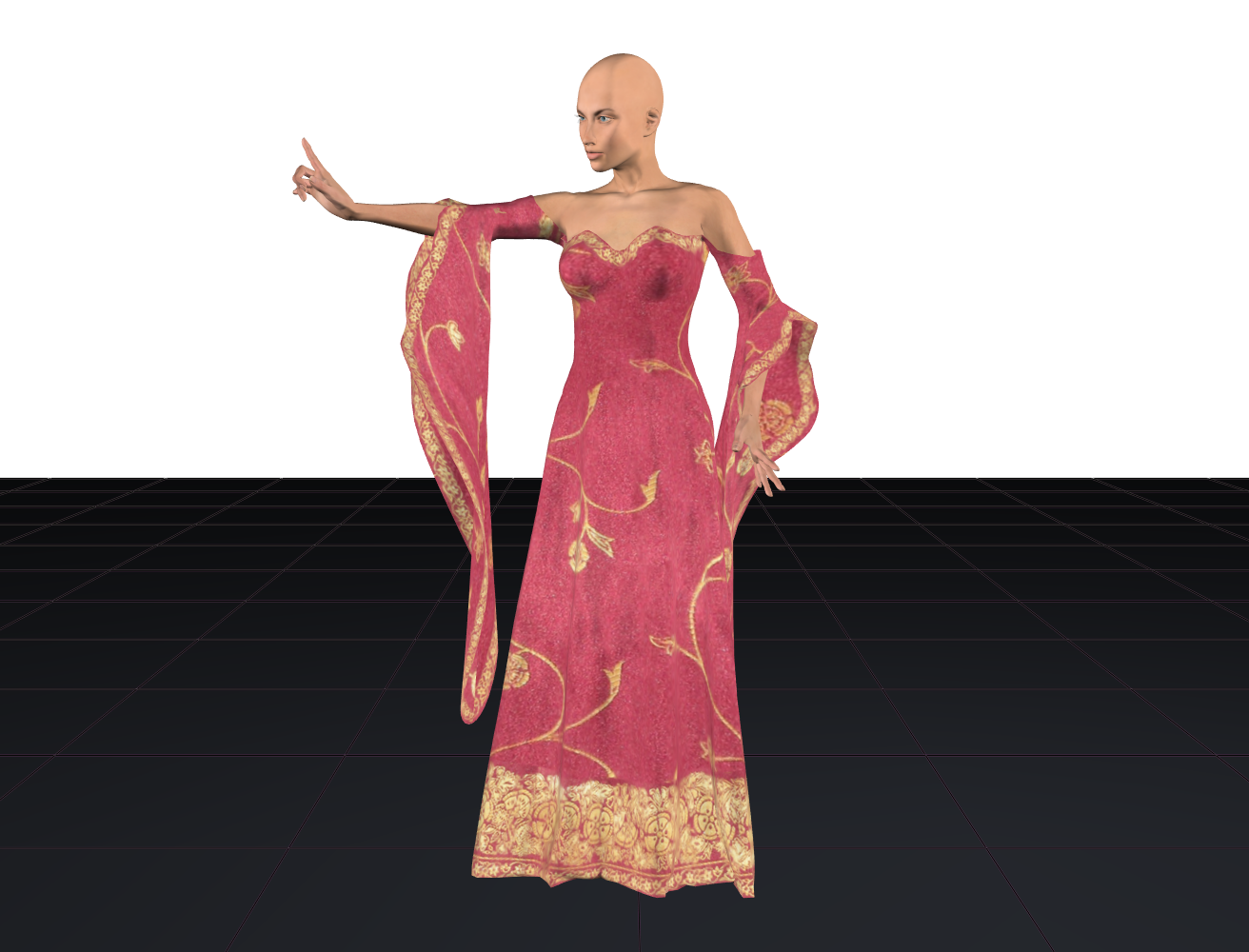
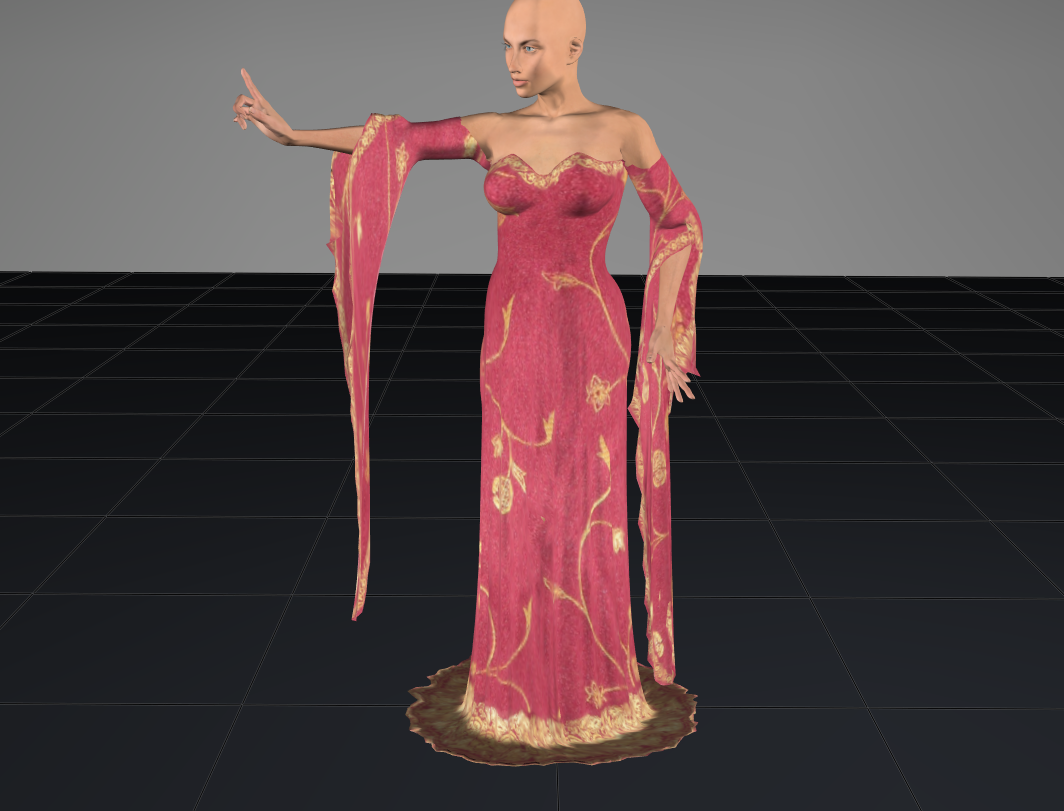
not exactly the same but it's something. These were the default settings. Will have to try other settings to see if I can get it to look like other fabrics
Available on Amazon for the Kindle E-Reader Monster of the North and The Shimmering Mage
Today I break my own personal record for the number of days for being alive.
Check out my store here or my free stuff here
I use Poser 14 and Windows 11
RedPhantom posted Sat, 28 February 2026 at 10:17 PM Site Admin
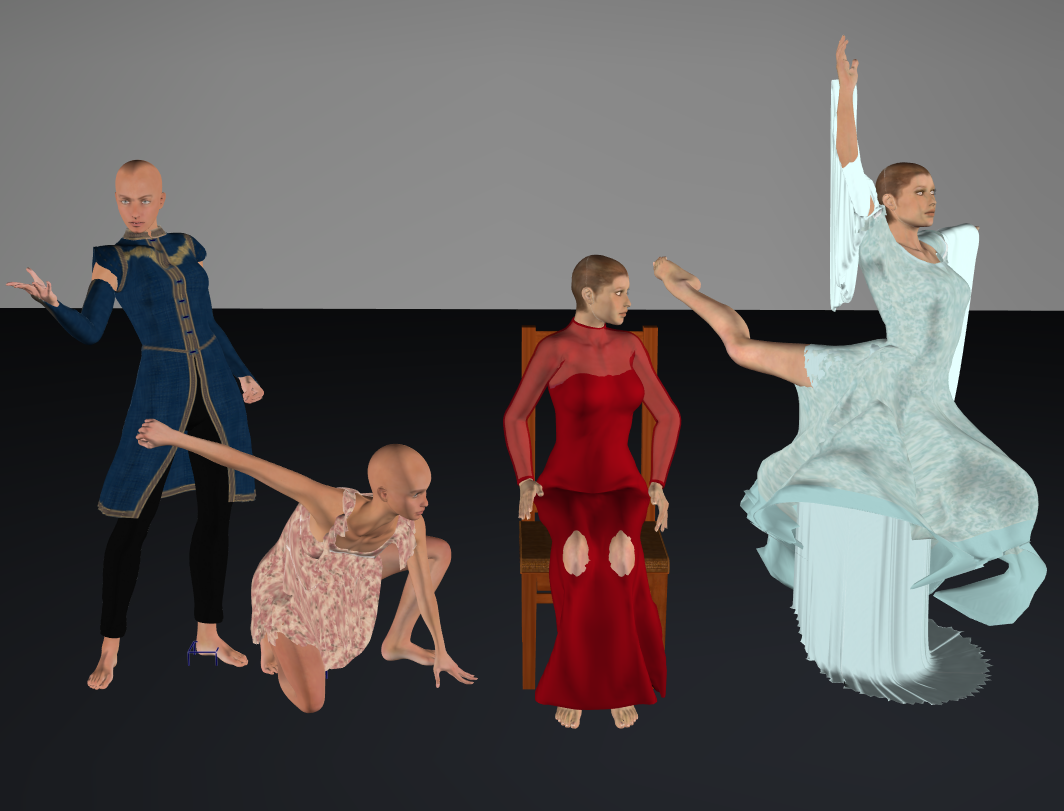
I decided to put it through its paces. I had varying results.
Available on Amazon for the Kindle E-Reader Monster of the North and The Shimmering Mage
Today I break my own personal record for the number of days for being alive.
Check out my store here or my free stuff here
I use Poser 14 and Windows 11
Rhia474 posted Sat, 28 February 2026 at 11:11 PM
So basically it's still broken, with every piece of clothing you put it through with. Okay.
Richard60 posted Sat, 28 February 2026 at 11:13 PM
One of the things to do in a new sim is to turn down the gravity value. -10 meters per second puts in way too much energy into the cloth. A better value is around -3 for cloth. For items banging into each other rigid dynamics -10 is a good value. The smaller the value of Gravity the less the cloth will compress. Of course this is all going to depend on what you are trying to do. Still shots and animations are going to have different requirements.
RedPhantom did you turn down the liner stiffness on the Right Blue dress? Having a high gravity and low stiffness will result in the polys stretching.
Poser 5, 6, 7, 8, Poser Pro 9 (2012), 10 (2014), 11, 12, 13, 14
hborre posted Sun, 01 March 2026 at 5:29 AM
There are improvements. The sims I ran did not result in poke-throughs with different poses. The draping is better. Finding the right setting combinations will be a challenge, but it is heading in the right direction.So basically it's still broken, with every piece of clothing you put it through with. Okay.
RedPhantom posted Sun, 01 March 2026 at 7:52 AM Site Admin
Rhia474 posted at 11:11 PM Sat, 28 February 2026 - #4504298
Actually, the left 2 didn't break. The arms on the blue one are separate pieces from the top. The pink one didn't have any poke through, but hangs too much in my opinion.So basically it's still broken, with every piece of clothing you put it through with. Okay.
The other 2 leave a lot to be desired. I think the chair collision is causing the issue with the red dress. The last one is just no good.
Available on Amazon for the Kindle E-Reader Monster of the North and The Shimmering Mage
Today I break my own personal record for the number of days for being alive.
Check out my store here or my free stuff here
I use Poser 14 and Windows 11
Tipol posted Sun, 01 March 2026 at 7:52 AM
Yes, it's not quite there yet, even though there's been an improvement. I tested some of my products; for the simpler ones, it seems to work fairly well, but for the more complex ones with ruffles and buttons, it doesn't work. In the previous versions of Poser, the Cloth Rooms allowed you to make certain parts rigid while still allowing them to move with the garment depending on the pose. This isn't possible in Poser 14, and the buttons get deformed. Similarly, in other Cloth Rooms, you can define more or less rigid parts of the garment by defining these parts during creation in the material fields. This allows for a more natural drape. In Poser 14, my garments with ruffles behave strangely, and the ruffles overlap each other.
RedPhantom posted Sun, 01 March 2026 at 7:54 AM Site Admin
Richard60 posted at 11:13 PM Sat, 28 February 2026 - #4504299
Both are using the default settings. I did mess around with some of the settings, but nothing I tried helped. I don't remember which settings I tried. I'll have to mess around more this afternoonOne of the things to do in a new sim is to turn down the gravity value. -10 meters per second puts in way too much energy into the cloth. A better value is around -3 for cloth. For items banging into each other rigid dynamics -10 is a good value. The smaller the value of Gravity the less the cloth will compress. Of course this is all going to depend on what you are trying to do. Still shots and animations are going to have different requirements.
RedPhantom did you turn down the liner stiffness on the Right Blue dress? Having a high gravity and low stiffness will result in the polys stretching.
Available on Amazon for the Kindle E-Reader Monster of the North and The Shimmering Mage
Today I break my own personal record for the number of days for being alive.
Check out my store here or my free stuff here
I use Poser 14 and Windows 11
Rhia474 posted Sun, 01 March 2026 at 12:19 PM
The left 2 didn't break just had pikethroughs all over and hang like pieces of plastic. Yup. Sorry to be a downer, but it seems to me the community is used as betatester for a product that was released in alpha stage.
Best of luck, really. I will hold out on spending on this until it works as intended.
Richard60 posted Sun, 01 March 2026 at 12:48 PM
Sorry last night I wasn't feeling well. The problem you are having with the right cloth item is there is no weight map applied and it is an open-ended tube. To fix this is really simple. 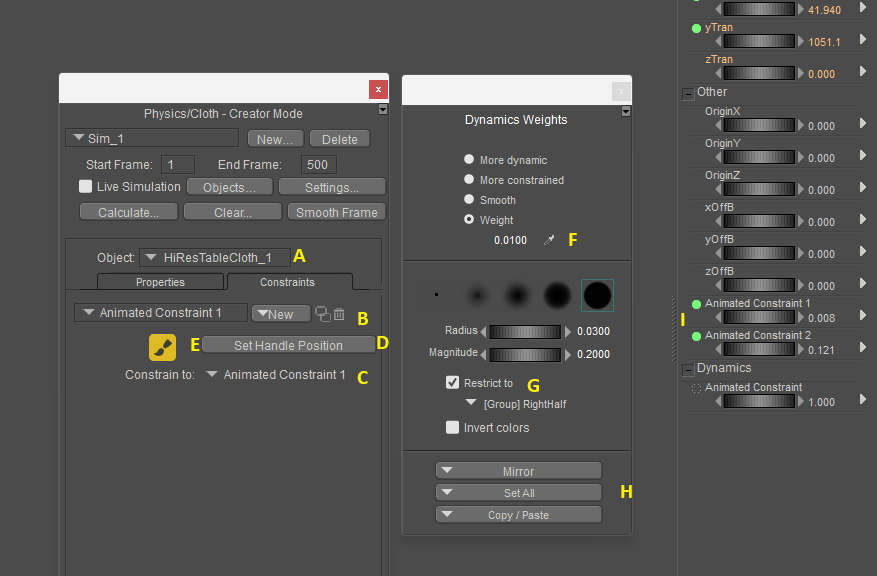
Step A make sure that the cloth item is selected in the object marked A
Step B Create a new Animated Constraint remember the name
Step C Here you need to select a body part to constrain the animated constraint to. If you don't when the figure moves the constraint will be left behind.
Step D press the Set handle position. If you don't then if you move the constraint handle it won't have an effect on the cloth. Not that you normally need to move the handle but you might.
Step E Press the paint weights button it will then open up the Dynamics weight dialog.
Step F select the Weight button and put in a value. I use small values most of the time. A value of 0.0100 should be a good starting point.
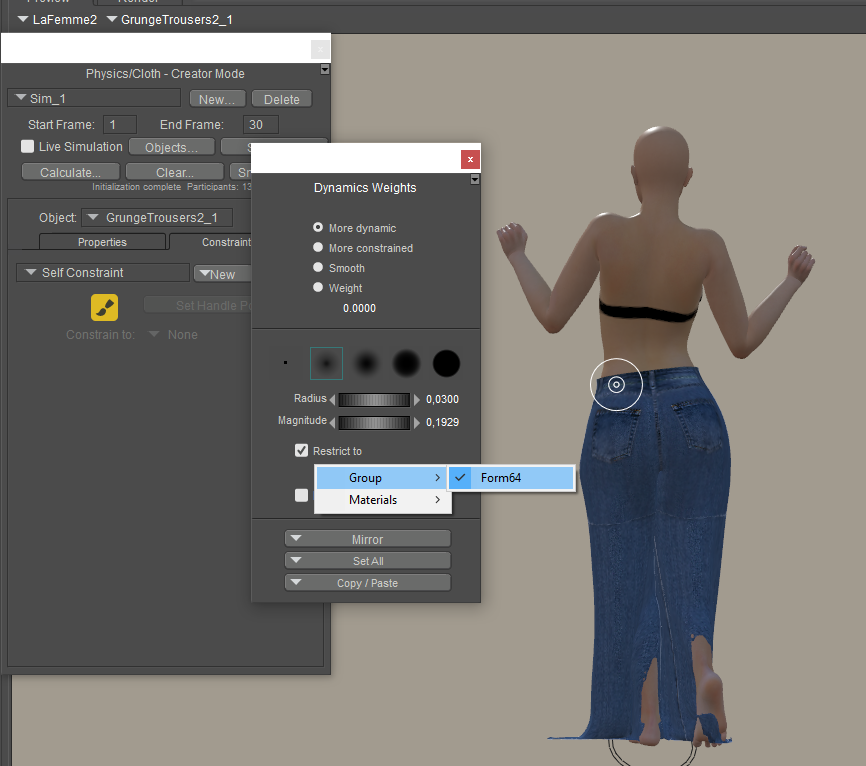
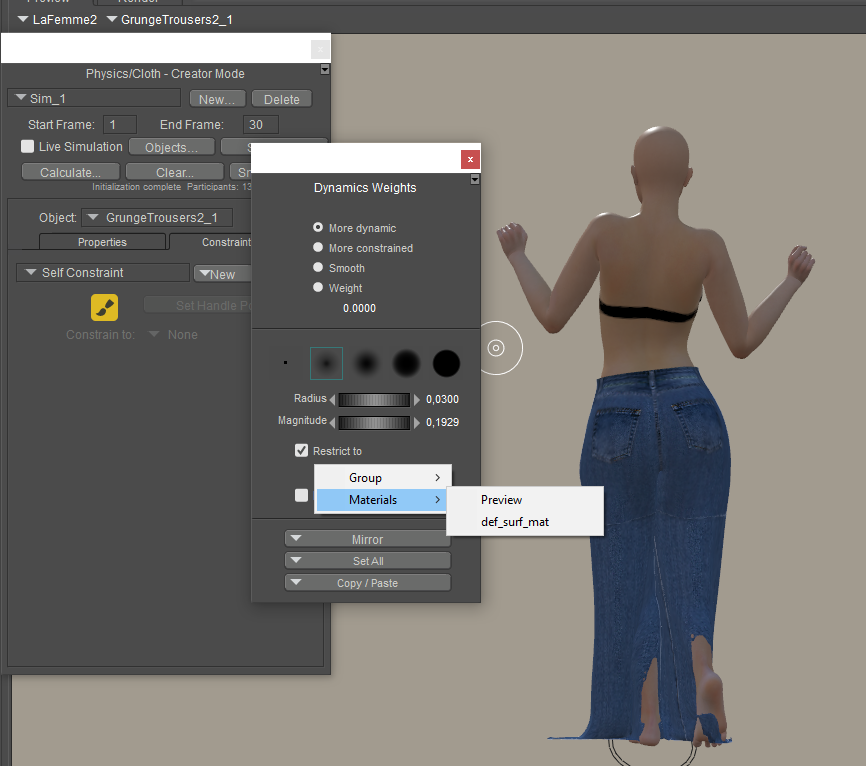
Step G Select the Restrict to and select the part of the cloth you want to paint. It could be either a Material or Group.
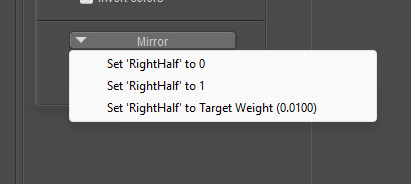
Step H press the Set All button and when the popup shows press the bottom one Set "Part" to Target Weight (x.x). This paints the part with the selected weight value. I whole lot faster then trying to paint with the brush.
Step I adjust the constraint dial to a low value. This will be trial and error process as between the weight you have on the cloth and the dial value will determine how much cloth will free float.
And the program is not broken it is just that this process is meant for creators to make NEW cloth items. Once the weights are applied and working then you save the prop back to the library and next time you load it the item it will come in with the values you have assigned. Since the cloth items you have shown are not close to a body part then the program leaves them un-weighted, otherwise you would have to go in and delete the assigned values and apply your own. As it is now the Auto assigned weights are fairly close and make a starting point.
The reason you have those long draping tubes is that the bottom is open that is not connected to another part. That along with the fact there is no weight map to restrict the movement the cloth will stretch. If you were to look at the Mesh you will find that the top polys are very long and each row down will be one set of polys shorter then the one above until you get to the last row and they will be unchanged. If the polys are perfect squares then the bottom will be a square the next row up will be 2x taller and third row will be 3x taller etc. This caused by the weight of each point pulling down on the cloth.
Poser 5, 6, 7, 8, Poser Pro 9 (2012), 10 (2014), 11, 12, 13, 14
Richard60 posted Sun, 01 March 2026 at 1:03 PM
Also a set of vertex's can be assigned to several groups. So a part that is weighted to a value of 1.0 or 100% will not be effected by other weighted constraints. However, if they overlap is set to lower values then they will have an effect on the other groups. Such as one part might want to be pulled down but another smaller part is weighted to go up the overlap may not go down as far as if they didn't have that slight upward pull.
Poser 5, 6, 7, 8, Poser Pro 9 (2012), 10 (2014), 11, 12, 13, 14
Richard60 posted Mon, 02 March 2026 at 10:12 PM
Here are some pictures of the effects of weight mapping and adjustment of the Animated Constraint dial. This the Valentine Day dress for La Femme 2 and I put in weight maps for the 3 tiers and an edge trim map for a total of 6 maps. I then added in a 7th map that follows the ridge of each of the curved tiers of the dress and the painted value is .0500. The pictures then have a value of .0000, .080 and .240 for the animated constraint.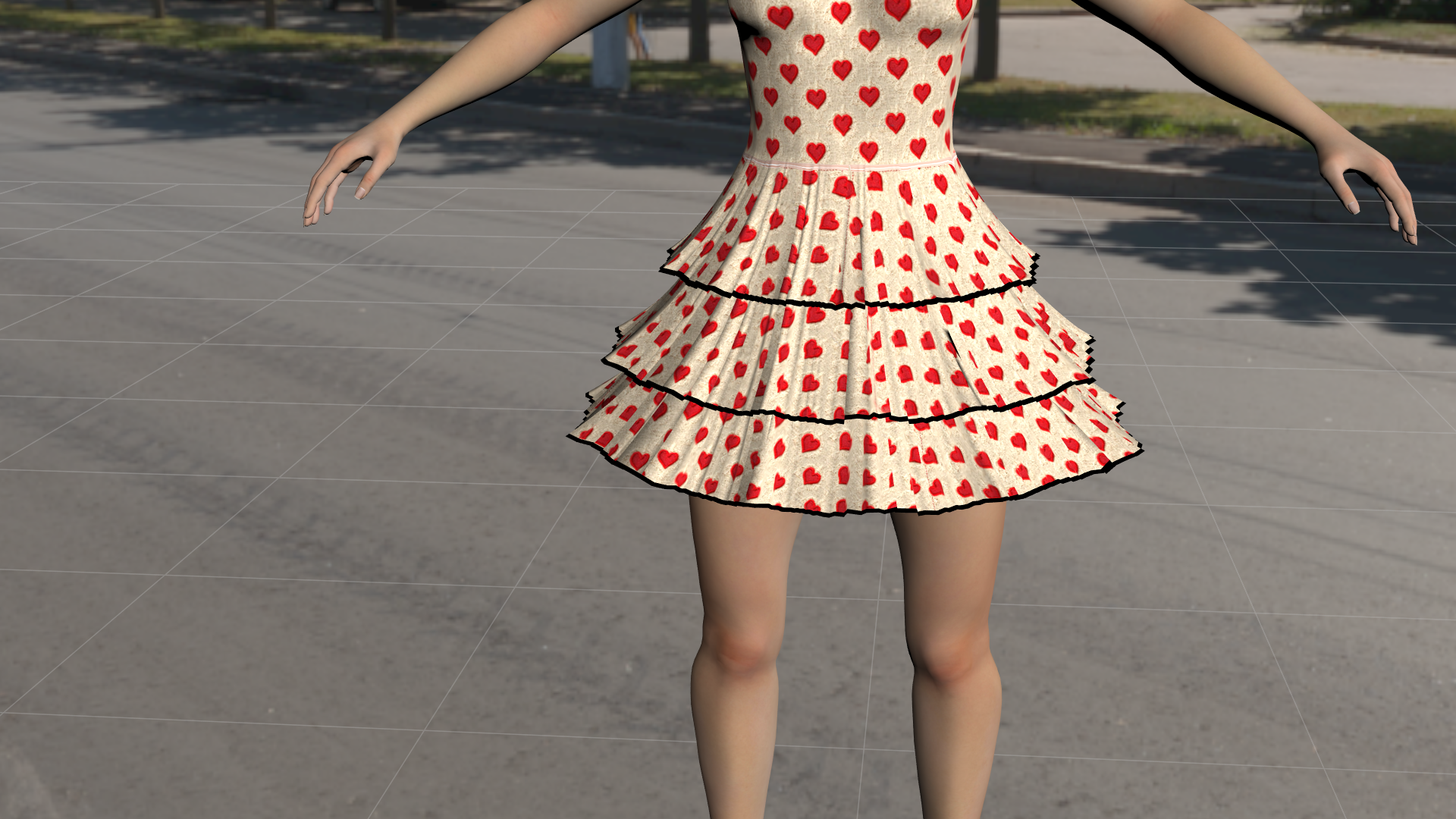
Above is at Animated Constraint of .000. It has some ripples.
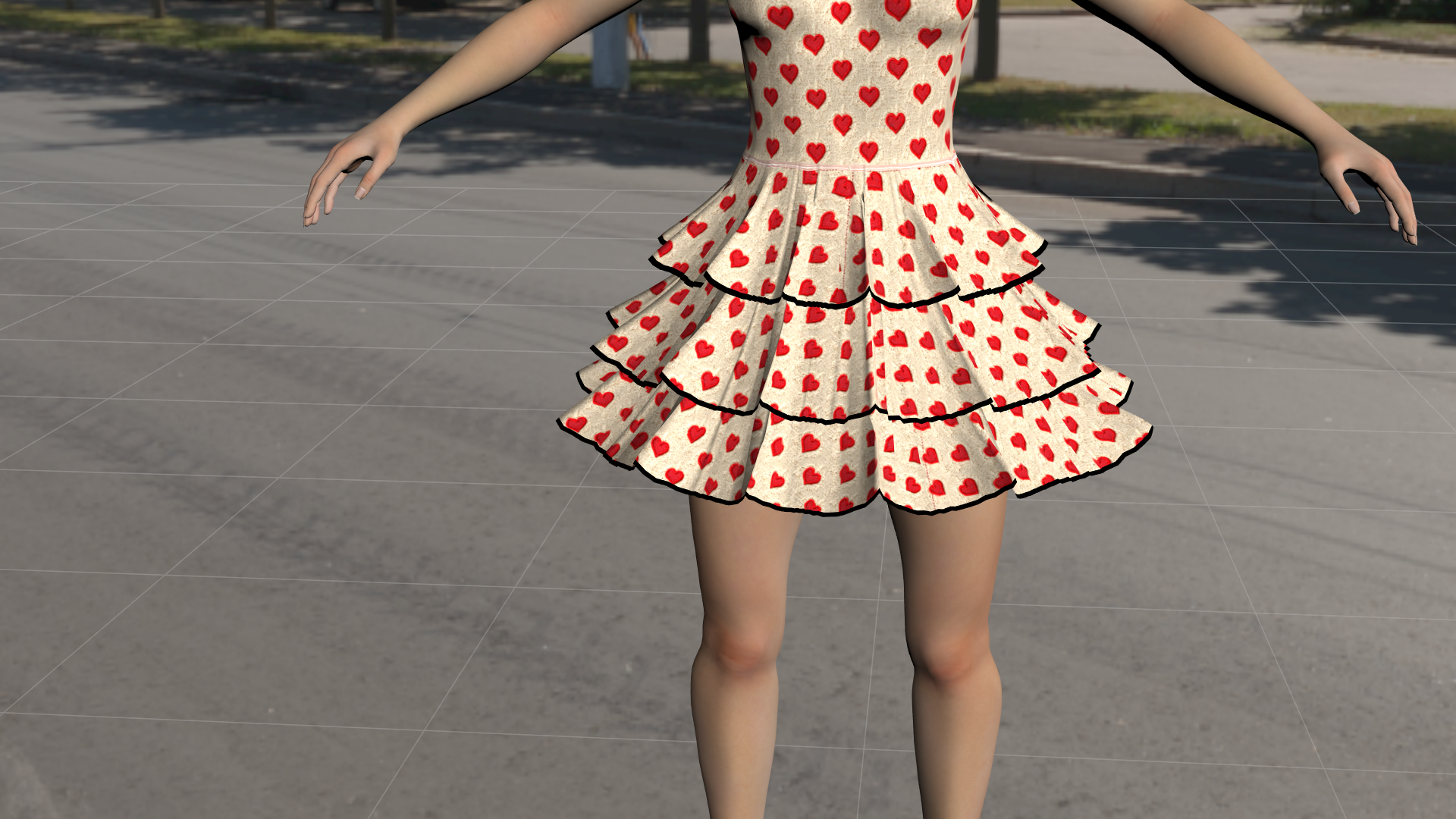
Above at .080 now has defined curves
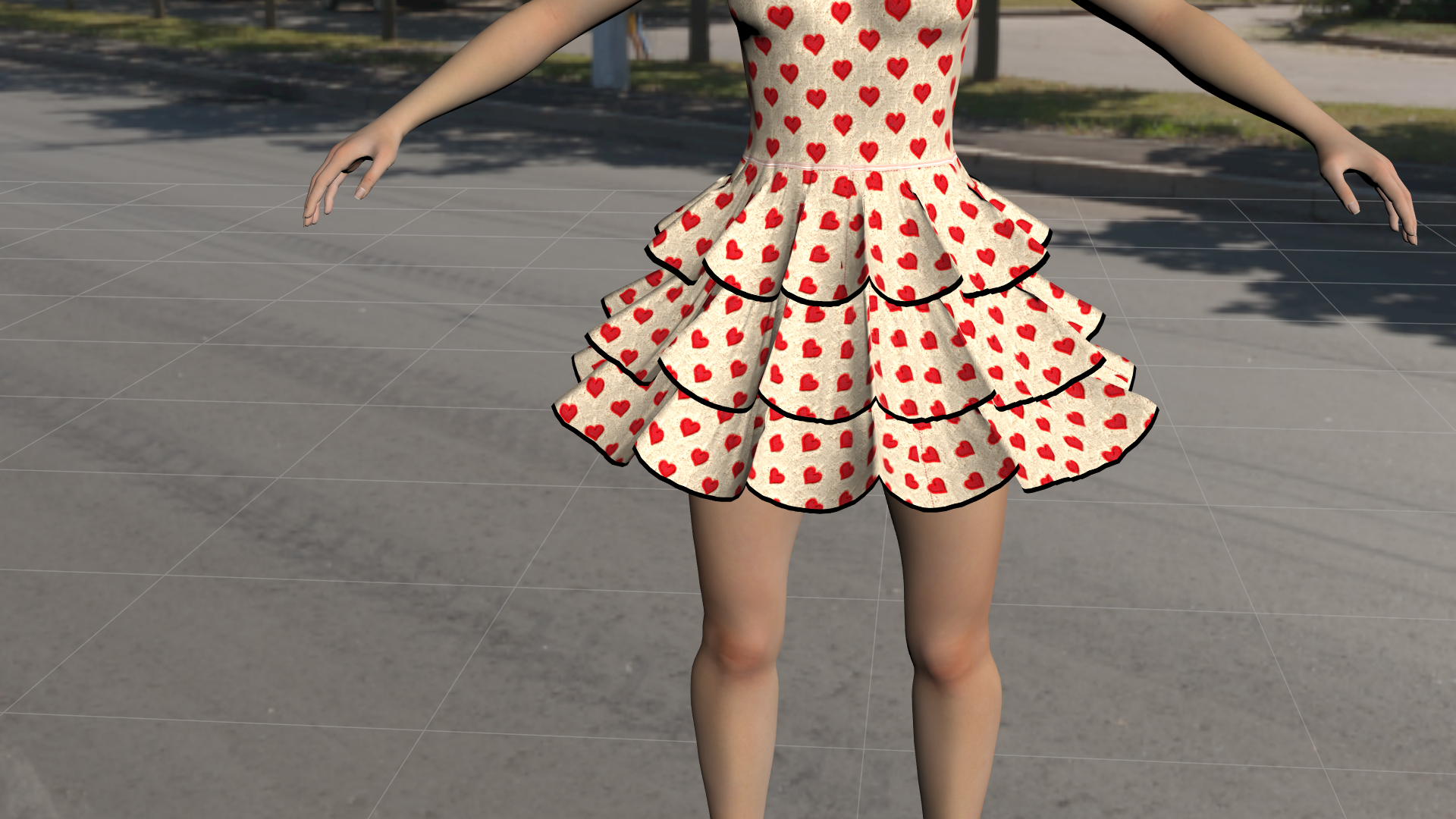
And finally animated constraint at .240. At this point you can really see the curves.
In my gallery I have the dress above being put to some stress tests and compare it to Poser 13. The Poser 14 versions simulate the 500 frames in 2 minutes and 6 seconds or close to. The Poser 13 version took 38 minutes. Just to be clear the above are a fast test and could use more work to improve them if that was required. And as I said the peek of the layers is a single line of vertexes painted with a value of .0500 and all three layers took about 30 minutes to complete.
Poser 5, 6, 7, 8, Poser Pro 9 (2012), 10 (2014), 11, 12, 13, 14
Pantherin75 posted Tue, 03 March 2026 at 10:51 AM
Considering that clothing for Dawn 2 and LaFemme 2 is primarily dynamic via Renderosity and elsewhere and a Crossdresser license is nowhere in sight, the whole Poser 14 fiasco is quite frankly bizarre in the extreme. I feel quite fortunate to be able to use older ShareCG Dynamic clothing and a few odds and sodds from Sshodan to keep the poor figures from being stuck in a Poser 14 nudist colony being questioned by inspector Clouseau.
We will see what happens and I will be curious to see the new Cloth functionality but so far, Poser 14 has come across as underwhelming.
Tipol posted Sat, 07 March 2026 at 7:59 AM
An interesting simulation demonstration of "La Valentine Day dress for La Femme 2" in Poser 14, but it doesn't give the look I originally intended for the model. I would have to go through all my models one by one and spend hours trying to get them to work correctly with the Poser 14 simulation to provide a Poser 14 version. I confess I'm discouraged at this point; I don't know if I'll continue creating dynamic clothing for Poser. Currently, I can't bring myself to create anything at all.
anupaum posted Sat, 07 March 2026 at 9:31 AM
An interesting simulation demonstration of "La Valentine Day dress for La Femme 2" in Poser 14, but it doesn't give the look I originally intended for the model. I would have to go through all my models one by one and spend hours trying to get them to work correctly with the Poser 14 simulation to provide a Poser 14 version. I confess I'm discouraged at this point; I don't know if I'll continue creating dynamic clothing for Poser. Currently, I can't bring myself to create anything at all.
I'm REALLY sorry to hear this from you. The people at Poser have seriously alienated many of us.
:(
Rhia474 posted Sat, 07 March 2026 at 12:34 PM
Tipol posted at 7:59 AM Sat, 7 March 2026 - #4504437
And this is exactly what I was afraid of. That this wasn't even discussed with a beta test creator group, that creators were left without help, explanation, tools, anything...this is inexcusable.An interesting simulation demonstration of "La Valentine Day dress for La Femme 2" in Poser 14, but it doesn't give the look I originally intended for the model. I would have to go through all my models one by one and spend hours trying to get them to work correctly with the Poser 14 simulation to provide a Poser 14 version. I confess I'm discouraged at this point; I don't know if I'll continue creating dynamic clothing for Poser. Currently, I can't bring myself to create anything at all.
I8m have been with Poser since P7, but I am now saddened by how I don't see a future for it the way this release went. Again, i understand that the Cloth Room was deprecated code etc. But not warning creators, not helping them to overcome it, and most of all not giving us a working replacement with an easy way of using it ... I really am disappointed and, frankly, angry.
Richard60 posted Sat, 07 March 2026 at 3:49 PM
The old cloth room was untenable and cost money for each copy sold. They are still working on improving the Poser Cloth feature but that will take a bit of time as itis not a simple off the shelf program that just slips in and auto-magically works. Back when Poser 14 came out there was the uproar over the fact it was presented with NO fanfare. Since there were bugs in other areas of the program such as shaders etc. and the fact that the Poser Cloth was being worked on and is now part of the program not easily removed, they sort had to release the current bug fixes along with what was currently working in the Poser Cloth. So, they did the big announcement and again a big uproar. There would have be just as big an uproar if they had released the fixes and not said anything about the Poser Cloth. Then they would have been accused of trying to sneak something in.
Which is why if you go back and look Poser 14 said right up front that it is not meant for those of you who depend on the OLD cloth room. So, let's say Poser has to keep adding on more and more things and never removing anything old, what feature would you say makes for a new release version? And bug fixes don't count as they are not new features just fixes to existing ones. Part of the problem Poser has is that it has added on things over the years and almost none of them work together. This is way before Bondware's times and to some degree even Smith Micros. For Poser to go forward it is going to have to reorganize what it has inside and make it work together across the platform and not just in one little part of the program. The problem with this is that it will break how someone uses Poser as they will have come to rely on the quirk and it won't be there anymore.
So you wanted the vendors to be warned? What would this warning have looked like? What options do you think they should have given? The fact is the OLD cloth was going to be removed to make it possible for Poser to have options in the future. What those options are I won't say.
Now as far as trainings given the fact the program is being changed all the time it makes it hard to write a specific set of instructions as some of it will have changed. They have given a basic set of guides as to how to start it will take a bit o playing to find out what works for you. Also, it is going to come down to what you find acceptable as a result. Obviously, Tipol is not happy with the Valentine Day dress, The fact is I have posted videos of that dress both in Poser 13 and Poser 14. Multiple of Poser 14 as It is super easy to make changes to how it drapes and it simulates about 19 times faster. Poser 13 took 38 minutes to run the test. Poser 14 will do it in 2 minutes 6 seconds. In Poser 14 a simple change to a single dial on the dress will result in what you see above. And if I really wanted to, I could go in and paint in weights to curve the droop, so it is smoother, as it is that is a Single line of vertex's painted to a value to make them stiffer. With the proper mapping it would have a solid center with fall off to the sides which would result in more curving. And if you look the Dress starts with several inverted V's in the tiers which disappear in Both versions but in Poser 14 If I really wanted, I could make those stay. One of the things this version can do that the old version can't is to keep in pleats. As far as the dresses look it is kind of hard to determine what the look was supposed to be as some promo pictures it looks like a Tu-Tu and others it appears to drape more like what I have shown above. But that come down to a matter of what you like.
Poser 5, 6, 7, 8, Poser Pro 9 (2012), 10 (2014), 11, 12, 13, 14
Richard60 posted Sat, 07 March 2026 at 4:02 PM
And I have talk to a vendor who is/was worried about having to go through and fix all their old stuff. And I pointed out that a lot vendors make a product and then sell add on textures to change the look of that product. So, the question is should be allowed to sell those extra textures? Or should they give them away for free since they already made the base product? So it is with the current Dynamic clothing, it was made for the old Cloth Room and works as intended there. If the user wants to they can redo the cloth in the newer version of Poser OR the vendor could sell an add-on that allows it to be used in the new room. That is much the same as the user could put in new materials to replace those that came with the product instead of buying new ones from the vendor. And as far as going forward you might want to charge a bit more for both dynamic options or stick to one or the other. There is nothing saying that a product has to work in ALL versions of Poser, just that it work in the versions that it says it will work in.
Poser 5, 6, 7, 8, Poser Pro 9 (2012), 10 (2014), 11, 12, 13, 14
Tipol posted Sun, 08 March 2026 at 7:42 AM
Richard60 posted at 3:49 PM Sat, 7 March 2026 - #4504442
The old cloth room was untenable and cost money for each copy sold. They are still working on improving the Poser Cloth feature but that will take a bit of time as itis not a simple off the shelf program that just slips in and auto-magically works. Back when Poser 14 came out there was the uproar over the fact it was presented with NO fanfare. Since there were bugs in other areas of the program such as shaders etc. and the fact that the Poser Cloth was being worked on and is now part of the program not easily removed, they sort had to release the current bug fixes along with what was currently working in the Poser Cloth. So, they did the big announcement and again a big uproar. There would have be just as big an uproar if they had released the fixes and not said anything about the Poser Cloth. Then they would have been accused of trying to sneak something in.
Which is why if you go back and look Poser 14 said right up front that it is not meant for those of you who depend on the OLD cloth room. So, let's say Poser has to keep adding on more and more things and never removing anything old, what feature would you say makes for a new release version? And bug fixes don't count as they are not new features just fixes to existing ones. Part of the problem Poser has is that it has added on things over the years and almost none of them work together. This is way before Bondware's times and to some degree even Smith Micros. For Poser to go forward it is going to have to reorganize what it has inside and make it work together across the platform and not just in one little part of the program. The problem with this is that it will break how someone uses Poser as they will have come to rely on the quirk and it won't be there anymore.
So you wanted the vendors to be warned? What would this warning have looked like? What options do you think they should have given? The fact is the OLD cloth was going to be removed to make it possible for Poser to have options in the future. What those options are I won't say.
Now as far as trainings given the fact the program is being changed all the time it makes it hard to write a specific set of instructions as some of it will have changed. They have given a basic set of guides as to how to start it will take a bit o playing to find out what works for you. Also, it is going to come down to what you find acceptable as a result. Obviously, Tipol is not happy with the Valentine Day dress, The fact is I have posted videos of that dress both in Poser 13 and Poser 14. Multiple of Poser 14 as It is super easy to make changes to how it drapes and it simulates about 19 times faster. Poser 13 took 38 minutes to run the test. Poser 14 will do it in 2 minutes 6 seconds. In Poser 14 a simple change to a single dial on the dress will result in what you see above. And if I really wanted to, I could go in and paint in weights to curve the droop, so it is smoother, as it is that is a Single line of vertex's painted to a value to make them stiffer. With the proper mapping it would have a solid center with fall off to the sides which would result in more curving. And if you look the Dress starts with several inverted V's in the tiers which disappear in Both versions but in Poser 14 If I really wanted, I could make those stay. One of the things this version can do that the old version can't is to keep in pleats. As far as the dresses look it is kind of hard to determine what the look was supposed to be as some promo pictures it looks like a Tu-Tu and others it appears to drape more like what I have shown above. But that come down to a matter of what you like.
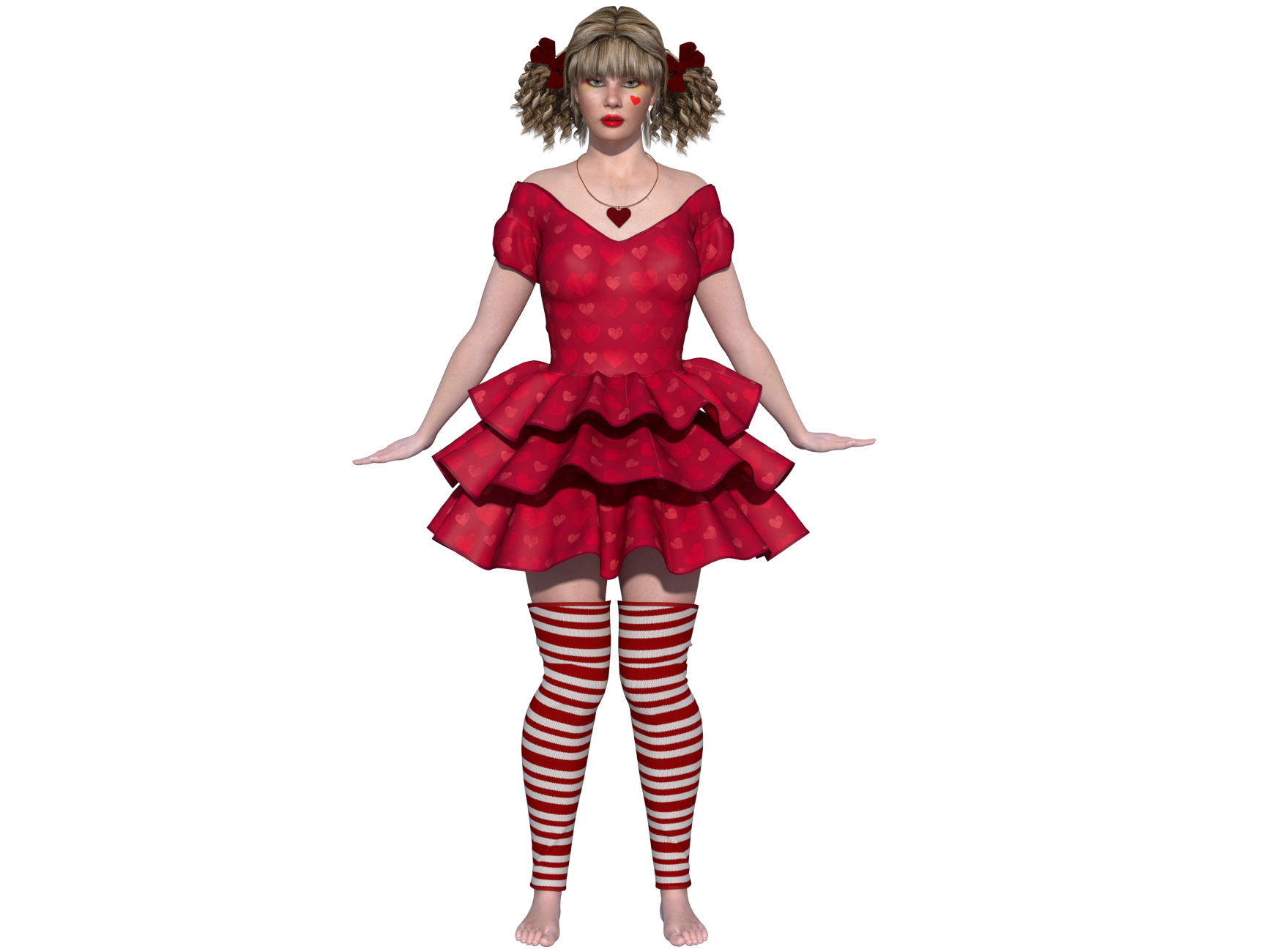
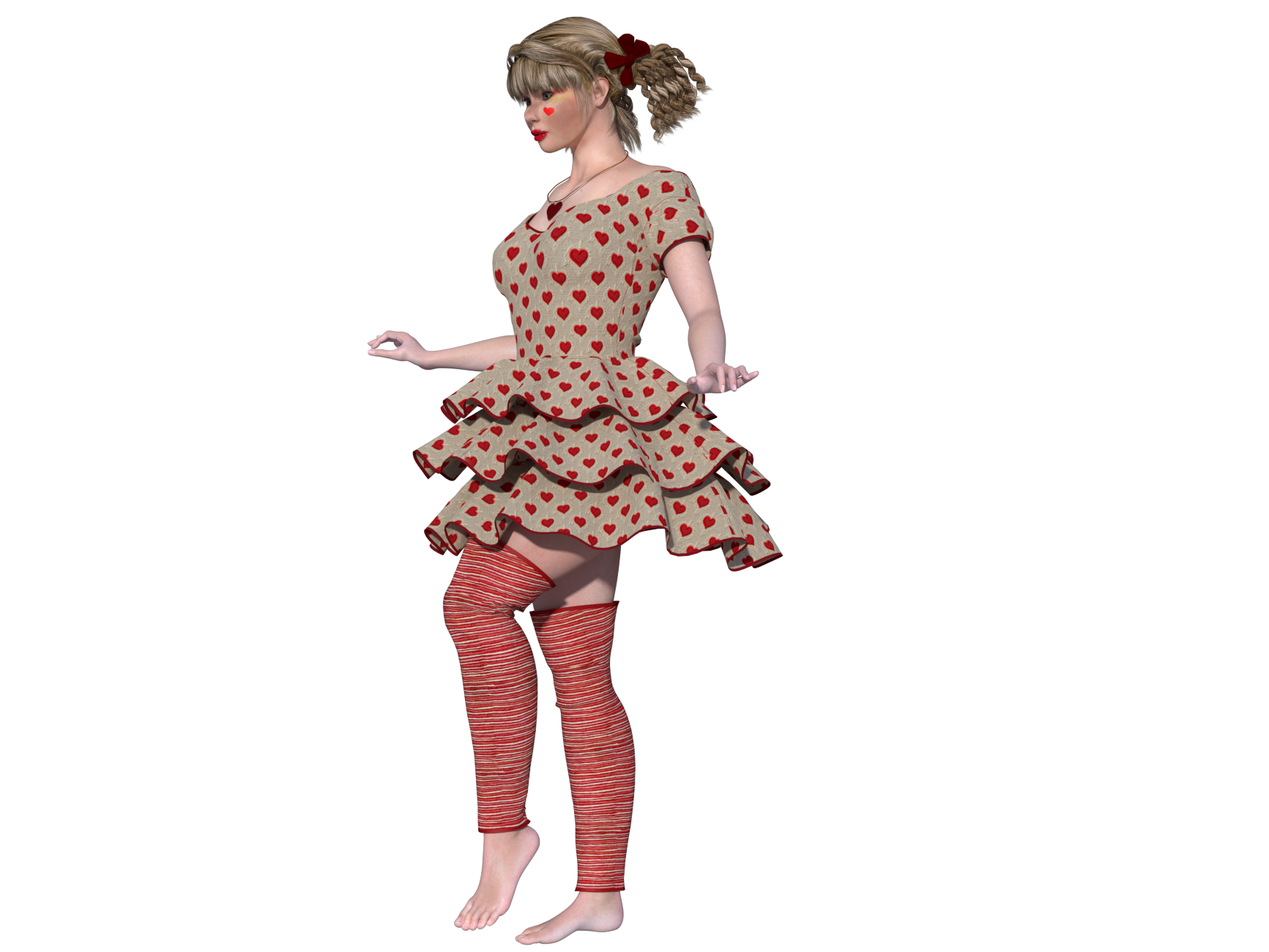
This is how the Valentine's Day dress is supposed to fall and what it should look like as I designed it. In Poser 14 it becomes something other than what I intended to create.
Tipol posted Sun, 08 March 2026 at 9:17 AM
38 minutes for the simulation, I am very surprised, for the examples I show the simulation lasted 7 minutes with Poser 13. After that it depends on the collision parameters, but 38 minutes is enormous.
Richard60 posted Sun, 08 March 2026 at 12:09 PM
That is for the 500 frames in the test animation. During the setup first 60 frames it was about 3-4 seconds per frame. But when it got to moving that jumped to 10-12 seconds and I saw a couple that clocked in at 18 seconds. But the set-up part is easy as nothing was moving except the dress. how many frames did you use? Standard 30? If so a 7-minute simulation works out to about 14 seconds per frame.
And as I have said above My work on the tiers was only a single set of vertexes painted to a specific weight as part of a larger testing experiment. There are two weight maps on each tier along with the single vertex line. Since weight maps can be added together I have the whole tier weighted at a value of .0200 and that is super simple to do as you restrict the weight painting to a material group as in this case Flying X. Then you set the constraint dial to a value that gives the droop you want. For the 3 tiers that ranges between .38 and .45 depending on how heavy the tier is. And each tier does have its own set of maps, not necessary as you can put that all in the same group, but I like to have control over how it looks. Then I put in the single line of weights on each tier and their value was .05 and they tied into a single constraint dial. When a constraint dial is set to Zero then that weight map has no effect and you get the look of the first picture I posted above. Then I just changed the value of the single dial and you can see the effect as the dress parts with that weight start to rise. And as I said if I went in and painted the single line with a wider brush that has fall off instead of the solid Black brush with a fixed value assigned then the dress parts would rise the most in the center and curve off on the sides. Which would look a lot more like what you posted. My point of the pictures was to show how much control you can have or the end user as the dials are part of the dress dials, and you don't need to be in the creator mode of the Poser Cloth room to make those changes.
Poser 5, 6, 7, 8, Poser Pro 9 (2012), 10 (2014), 11, 12, 13, 14
Richard60 posted Sun, 08 March 2026 at 12:38 PM
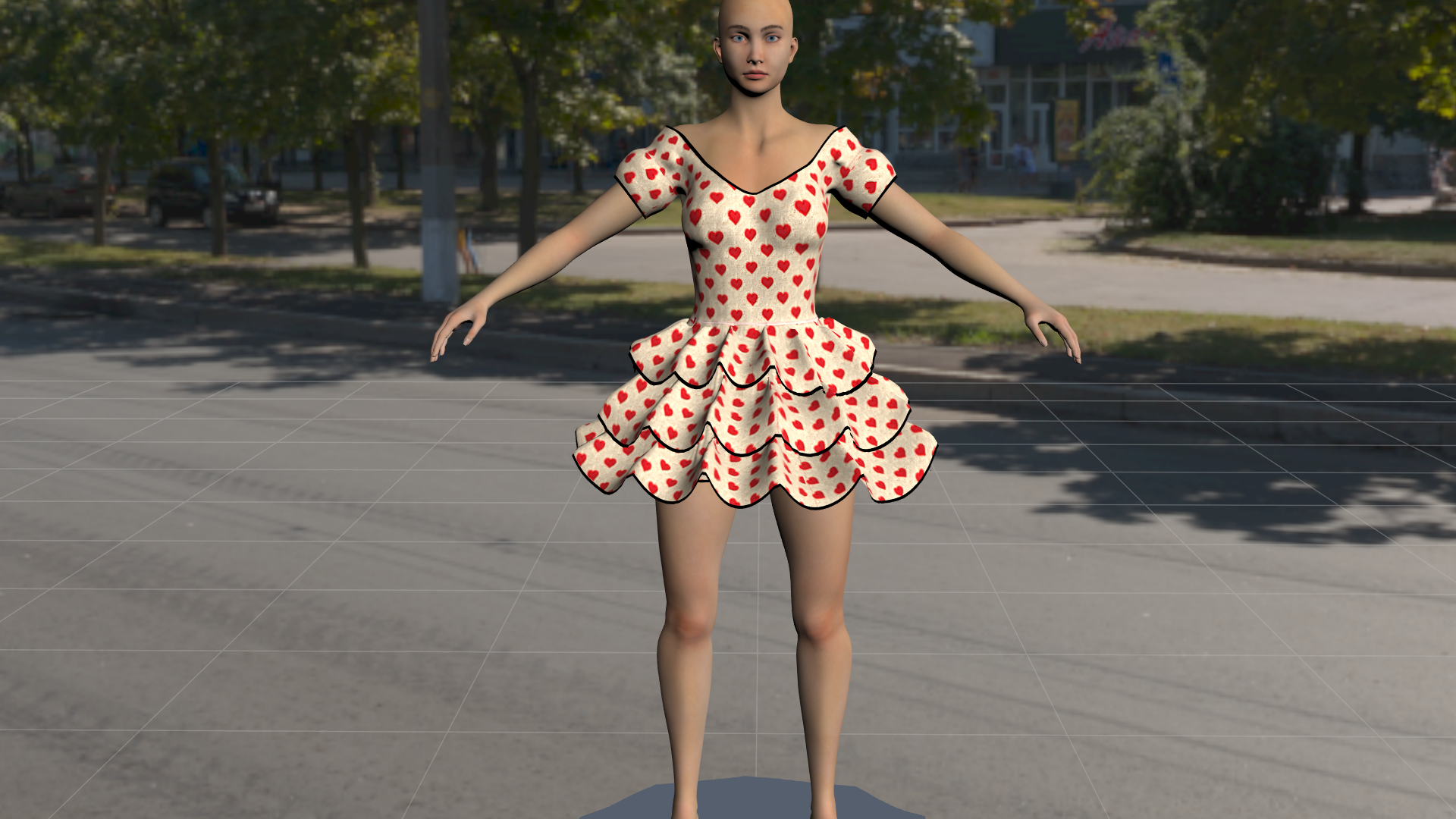
Thiws is another pass with the extra weight maps. This time I just did a simple pass with the brush with fall off a taking in a couple of the side vertexes. Again this is not perfect but it was done in about 15 minutes. Whit more skill and time I could get to be like your curvy tiers. Again this is a demo piece of what can be done. And I did not change the constraint values to fine tune.
Poser 5, 6, 7, 8, Poser Pro 9 (2012), 10 (2014), 11, 12, 13, 14
RedPhantom posted Sun, 08 March 2026 at 12:39 PM Site Admin
Can you post more of a step by step on how to do all this? I've been trying and failing, so I think I'm missing something.
Available on Amazon for the Kindle E-Reader Monster of the North and The Shimmering Mage
Today I break my own personal record for the number of days for being alive.
Check out my store here or my free stuff here
I use Poser 14 and Windows 11
Tipol posted Sun, 08 March 2026 at 2:07 PM
I'm sorry but that's not the spirit of the dress, it's not how it should fall, to me it's distorted.
Richard60 posted Sun, 08 March 2026 at 3:26 PM
I will work on putting together a how to based on what I do. One of the biggest things to remember this is not like the old cloth room. The concept here is that the shape of the cloth is the starting point. The dress above has built in peaks that are harder to flatten in Poser 14 then in Poser 13. So you need to put in some constraint in order for the cloth to keep its basic shape but not so much as to make it rigid.Can you post more of a step by step on how to do all this? I've been trying and failing, so I think I'm missing something.
Poser 5, 6, 7, 8, Poser Pro 9 (2012), 10 (2014), 11, 12, 13, 14
Shadow^Mist posted Sun, 08 March 2026 at 4:54 PM
As someone who bought MetaCreation's Poser 3.0 and every upgrade since, and someone in the group of users (perhaps only me) who actually got dynamic clothing to work 0.5% of the time, I want to emphasize what Rhia cautioned in various posts. This 'new and (presumably) improved' function must be user-friendly. By that, I mean it has to be as easy to use as conforming clothes for those of us who want to merely create art and not explore the intricate aspects of quantum computing (as interesting as those are in another context). Admittedly, I don't understand the Poser 13 dynamic clothing parameters. But from what I've read here, this next best thing seems even more complicated. If well respected vendors and well-established users can't figure it out, where does that leave the rest of us and the vendors who hope to sell product to us?
Tipol posted Sun, 08 March 2026 at 5:02 PM
These aren't pleats but ruffles; they were created to be rounded but rigid. The transition to Poser 14 makes them right-angled but too flexible. What I'm trying to explain is that the dress is a creation created to react in a certain way, which is what makes it unique. The transition to Poser 14 transforms it into a different dress altogether. It's interesting for a user to manipulate it and do something else with it, but for the seller who imagined and created it, it cannot be sold as a version for Poser 14 because they are 2 different dresses and not a version to find the same dress in Poser 14. I don't know if my explanation is very clear.
anupaum posted Sun, 08 March 2026 at 8:34 PM
If well respected vendors and well-established users can't figure it out, where does that leave the rest of us and the vendors who hope to sell product to us?
That's a very good point!
RedPhantom posted Sun, 08 March 2026 at 9:00 PM Site Admin
I don't understand why a vendor, even a veteran who's been selling since Poser 3, should have any more insight on a new feature than anyone else.
Available on Amazon for the Kindle E-Reader Monster of the North and The Shimmering Mage
Today I break my own personal record for the number of days for being alive.
Check out my store here or my free stuff here
I use Poser 14 and Windows 11
Rhia474 posted Sun, 08 March 2026 at 9:52 PM
Perhaps because a software that wants people to create art may use content that vendors create? And if the vendors who a website like this depends on to create the content that their software would use can't create said content because they don't know how to...perhaps they'll stop creating for said software and said software's current version will be released without any new content...like Poser 14? Just a guess.I don't understand why a vendor, even a veteran who's been selling since Poser 3, should have any more insight on a new feature than anyone else.
Richard60 posted Sun, 08 March 2026 at 11:11 PM
I would like to point out that Poser has had the tools for Poser Cloth since Poser 9 and 10. Poser 9/2012 added the constraint system and Poser 10/2014 added the Bullet Physics. About the only thing new in Poser 14 is the version of Bullet that allows bodies to be inside of cloth objects. Since I have been playing with those features all the time I have a really good idea as to how they work. Here is a fun problem see if you can figure it out. I hope everyone knows what a baseball diamond looks like. Using 3 constraints make an object travel around all four bases starting at home plate at the bottom going to first on the right to second at the top, to third on the left and finally back to home plate.
Of course very few people are going to know the answer as there has been almost no content made that takes advantage of either of those two systems. Which kind of leads back to a question I had earlier about what new features would be needed to make Poser better? Since almost nothing they have added in over the years has ever made it in the market place.
Poser 5, 6, 7, 8, Poser Pro 9 (2012), 10 (2014), 11, 12, 13, 14
Tipol posted Mon, 09 March 2026 at 1:54 AM
I'm sorry, I live in France, where almost no one plays baseball and there are no baseball fields ;D. Regarding the clothing I create, to achieve the desired look, I primarily use the "dynamic group," "stretch resistance", and "cloth density". And I can't find these options in Poser 14's solution for dynamic clothing.I would like to point out that Poser has had the tools for Poser Cloth since Poser 9 and 10. Poser 9/2012 added the constraint system and Poser 10/2014 added the Bullet Physics. About the only thing new in Poser 14 is the version of Bullet that allows bodies to be inside of cloth objects. Since I have been playing with those features all the time I have a really good idea as to how they work. Here is a fun problem see if you can figure it out. I hope everyone knows what a baseball diamond looks like. Using 3 constraints make an object travel around all four bases starting at home plate at the bottom going to first on the right to second at the top, to third on the left and finally back to home plate.
Of course very few people are going to know the answer as there has been almost no content made that takes advantage of either of those two systems. Which kind of leads back to a question I had earlier about what new features would be needed to make Poser better? Since almost nothing they have added in over the years has ever made it in the market place.
Richard60 posted Mon, 09 March 2026 at 10:13 AM
OK so try this. You do know what a compass and the compass points are? North-South, East-West? So, place an object on the South point move it to the East point in a straight line. Next from East to North, from North to West and Finally from West to South. That is the same movements as done on a Baseball Diamond. But the point is this is a test of your knowledge of the Poser constraint system. So, the test is to make the object travel to the 4 points using only 3 constraints. And yes, this is related to the Poser Cloth as one of the parts of it is the constraint system. The other part is the Bullet physics part and how it relates to mesh handling. So, the cloth will either fall to the ground (as best it can) if it has no constraints on it or the other extreme is that it will be rigid and none moving. In between those two points is where you want to be with your stiffness. Since a mesh that is painted and has a constraint if allowed to would return to it starting point at least in the Physics Cloth tab.
Poser 5, 6, 7, 8, Poser Pro 9 (2012), 10 (2014), 11, 12, 13, 14
Tipol posted Mon, 09 March 2026 at 1:04 PM
I'll try it, thank you. But there's another problem with this dress. It was designed to behave a certain way in the cloth room, but it doesn't behave the same way in the Poser 14 simulation. The sharp creases you see are supposed to widen to create soft, flowing ruffles, which they don't do in Poser 14. This might be due to my workflow. I model a garment and test how it behaves in the cloth room. Then I modify the model and adjust the parameters until I get the desired effect. I go back and forth between the modeling software and the cloth room as many times as necessary until I get a satisfactory result. So I've come to think that these garments I create can only work in the cloth room, not in the Poser 14 simulator.
Richard60 posted Mon, 09 March 2026 at 8:54 PM
And that is probably true since the two systems are totally different but trying to get the same basic result. Looking at your store and years ago you would model a skirt as dynamic and then do the same thing except conforming. I looked at them and the dynamic has NO creases or sharp edges, which is what the old cloth room does. It flows the cloth and while it mostly flows it is uncontrollable and loses any built-in folded details. Poser Cloth will be able to keep those details and also free flow to an extent. And as I hinted above a Poser Cloth item will try to keep its shape and return to the starting point. So whatever final design you have in mind the closer the model is to the desired shape the easier it will be to make it move with that shape.
Poser 5, 6, 7, 8, Poser Pro 9 (2012), 10 (2014), 11, 12, 13, 14
Tipol posted Tue, 10 March 2026 at 3:35 AM
Yes, that's it. It's a completely different way of working. The model has to already have the desired shape from the start, whereas my creations are modeled based on the results obtained in the Cloth Room. And the more older models have been reworked based on the Cloth Room, the less they adapt to the Pose 14 simulation. What's terrible for buyers is that a large part of their dynamic content won't work in Pose 14 as things stand. I had considered making an adaptation for each one, but that seems extremely difficult, if not impossible.
Tipol posted Tue, 10 March 2026 at 4:39 AM
This also means that creations modeled for Pose 14 will not work correctly in earlier Poser versions.
midinick posted Tue, 10 March 2026 at 8:28 AM
I am not sure what to think about the new cloth feature. For me it does not feel very comfortable to use. Maybe I am just too stupid, but I do not even understand the compass metaphor.
For me the old Cloth Room was very intuitive. I only had to tell Poser what the fabric was, what the body was, and start the simulation. Even with the default settings the clothing usually draped well. Even clothes loaded from object files or exported from DAZ draped nicely unless the polygon count was too high.
With the new Poser Cloth system I have to draw weights. First I have to learn what that even means. Without reading the manual or asking ChatGPT I would assume it means the part that is affected by gravity and moves downward. And what does “constrain” mean? I only know this because I have used Poser for a very long time. A constraint is the part that keeps the fabric stiff like an object so it does not move.
So with the new Poser Cloth system I have to draw all of this onto my clothing. Ok, I understand that part. But now I have a question from a simple adult user who grew up with the old Cloth Room, where an object simply wrapped around a figure like clothing does in the real world. Why can Poser Cloth not just do this automatically?
I think simple clothing like a dress or a shirt might work fine with the new system. But let us take Tipol as an example. For example the Molly Chubb Dress. How exactly am I supposed to draw the weights and constraints for something like that?
Richard, I really appreciate your effort and your knowledge in explaining how to set up the new Poser Cloth system. But how would you draw this dress? The full outfit? I would be happy to gift it to you if you do not already have it.
Because if even Tipol struggles to show us her well draped dress, how can normal users figure out how to draw the weights and constraints correctly?
Let us imagine this is not an old dress. Let us pretend it is a completely new item that just came fresh from Tipol’s imagination. She already knows how the dress should fall and how it is supposed to look. If she does not have Poser 13, she cannot show us simple users how it should look. Without that reference, how are we supposed to imagine where we need to draw all the lines to achieve the correct result?
Yes, we can be creative. But honestly, most of the dresses I bought from Tipol were not for creative draping. I bought them because they already looked beautiful, and because I knew that every single piece from Tipol drapes well and produces results like the promo images.
Yes, I understand why this change was made for Poser 14. And by the way, thank you very much for explaining the reasons behind it. This is exactly how I imagine good communication, so thank you for that.
You asked what kind of change I would have liked to see in Poser 14. For me personally, it would be great if Blender material tutorials could be used in Poser, or even better if the materials themselves could be used with some level of compatibility. From what I have read, it seems that you have already made progress in that direction with the new material room, although I have not tested it yet.
I never had any problems with the old Cloth Room. It always worked perfectly as long as the polygon count was not too high. But if you asked me what a replacement for it should look like, I would honestly say to look at dForce in DAZ and simply copy that idea. I do not know anything about the programming behind it, but in DAZ you put the clothing on the figure, press simulate, and it fits. It is that simple.
For me, every version of Poser has always been great. The only thing I ever really wished for was more compatibility with DAZ. It would be wonderful if DUF files, whether props or figures, could simply be imported and used without needing a script.
Another really great feature for Poser 14 would have been something that could make old scripts usable again. I do not even know if something like that could be done automatically, but a tool or script that helps restore compatibility would be amazing.
In general I always like to be surprised by new software versions. I originally did not want to switch to Poser 13 either, because I thought I would have to redo many materials. But it rendered so incredibly fast in SuperFly that the upgrade was absolutely worth it.
What would make Poser 14 worth upgrading to for me? I am not really sure. Maybe more compatibility with materials. Right now, since the Cloth Room is missing, Poser 14 is just decoration on my hard drive. Poser 13 is perfect for me and already offers everything I need.
But the point about creativity is true. With this system I can play with the clothing much more, and that is probably the reason why I would use Poser 14. It is fun to experiment with the sliders and see what happens.
However, to really understand Poser Cloth I think a person needs a good imagination and the ability to picture physically how fabric behaves. And that is exactly the point that will make it difficult for many users to draw constraints and weights on a piece of clothing.
It would be nice if the cloth simply started by falling naturally downward and wrapping around the body underneath. No exaggerated gravity, no extreme stretch settings, just a natural drape around the figure without passing through the body.
For those of us who are not native English speakers it might also help if some of the parameter names were changed. Personally I do not find some of the terms very easy to understand, and the German translation is not very self explanatory either.
But as I said before, I already struggle to understand the compass metaphor.
Richard60 posted Tue, 10 March 2026 at 9:48 AM
First off I am just a Beta tester and not part of the Dev team so what insight I have to the program is limited in that respect. But I have been playing with Poser for a long time, since Poser 5 came out. Currently I have finished the pictures for a tutorial on how to map the weights, at least the ones not close to the body. Now I have to write the text to explain the pictures. And no I am not going to make a video, even though a lot of this looks neat while moving.
The one advantage I find in this version is the fact that I can turn on Live Simulation and adjust the dials and see the results in almost real time. Another is that the simulation time is vastly faster. Not to pick on anyone but the Valentine Day dress is modeled way different then the final desired result. A lot of the sharp folds that it starts with blend out in the old cloth room. And that is something that is not easy to try to map to get the same results. I can come up with several dozen different effects that sort of look like the Poser 13 version but not that exact look. That with the fact that what took Tipol 7 minutes to get the simulation done takes about 20 seconds in Poser 14 so gives a lot of time to tweak to tune it right. And by right that is in my opinion and does not detract from the creators vision. And who knows maybe once they get a beter understanding they may make something that while not the exact same as the original might be good enough to make an update for.
The auto gen parts are not a bad starting place and they will probably get better as the new system is better understood. There are still a couple of improvements they need to make in that area. And they may add more to the auto constraints to include those parts that are not close to the body. However, that is much harder since a lot of the skirts were made to be high up at the start and fall down to hang well below where they started.
Adn as the tutorial will explain you don't really need to DRAW weights, just apply a set value to an area to give it a map. Blanket fill is fast. Drawing is meant for the fine tuning.
Poser 5, 6, 7, 8, Poser Pro 9 (2012), 10 (2014), 11, 12, 13, 14
Richard60 posted Tue, 10 March 2026 at 11:25 AM
I just had a thought. Tipol likes the way the tiers flow in the old cloth room. One of the cool features I have used in the past was to simulate an action and had the cloth flow to the desired position, such as sitting down. In order not to have to re-simulate the actions leading to the sitting position I would make a morph of the cloth in the final position and a pose for the figure at that same position. Later I could start a new scene where they start seated and go from there. Tipol could simulate the Valentine Dress in Poser 13 with everything at the default positions and let the cloth room drape the dress to get the curvy wave they like and make a morph of that. Go into Poser 14 set up the dress on the figure and then apply the P13 morph which just moves the vertexes into the proper location and then P14 can run the cloth sim on that. Since the morph position is the starting spots for all the vertexes they will just flow from that spot onwards and not know the difference. Of course you have to leave the morph in place, but that is no different then what I use to do anyway.
Poser 5, 6, 7, 8, Poser Pro 9 (2012), 10 (2014), 11, 12, 13, 14
Richard60 posted Tue, 10 March 2026 at 11:38 AM
@midinick I don't have the Molly Chubb Dress mostly because it was meant for V4 and I have never really liked the Daz figures. Mostly because V4 never really worked well with animations and I got more poke through with her then I did the standard Poser figures. I should pick it up because it looks like a fun challenge. But looking at the promo pictures it looks like it would need two layers of constraint mapping the top part of the petals being stiffer and the end parts drooping more. Although not having a picture of what the dress starts out as makes this a bit of a guessing game. Since Tipol designed things to let the cloth room do the final forming. And there is nothing wrong with that just the new system is not meant to work in the same fashion.
Poser 5, 6, 7, 8, Poser Pro 9 (2012), 10 (2014), 11, 12, 13, 14
RedPhantom posted Tue, 10 March 2026 at 12:36 PM Site Admin
That might be an idea for her top sellers and new items. It would be a lot of work for the whole store.
And if anyone is wondering, morphed clothing does work. These socks loaded inside the figure. I'm assuming they were supposed to grow to fit the feet. That didn't work with cloth draping. I used the morph brush to bring them just outside, and they now sim beautifully
Available on Amazon for the Kindle E-Reader Monster of the North and The Shimmering Mage
Today I break my own personal record for the number of days for being alive.
Check out my store here or my free stuff here
I use Poser 14 and Windows 11
MollyFootman posted Tue, 10 March 2026 at 4:27 PM
Something a bit different: does the wind force generator have any effect on the new cloth? I haven't had time to play with it and am just starting to mess with P14 since the shaders I asked about have been fixed. It seems to me that the P13 cloth room allowed me to do things like apply wind force to capes and such. Will the new cloth respond to wind force?
Teh Mollz
Richard60 posted Tue, 10 March 2026 at 9:48 PM
Yes it does.
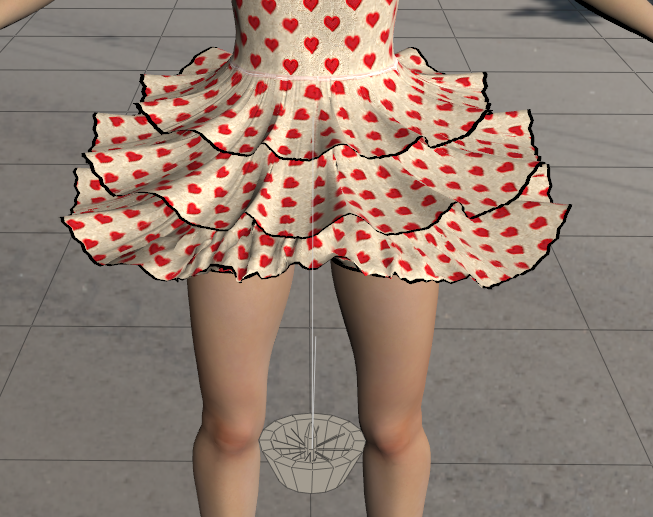
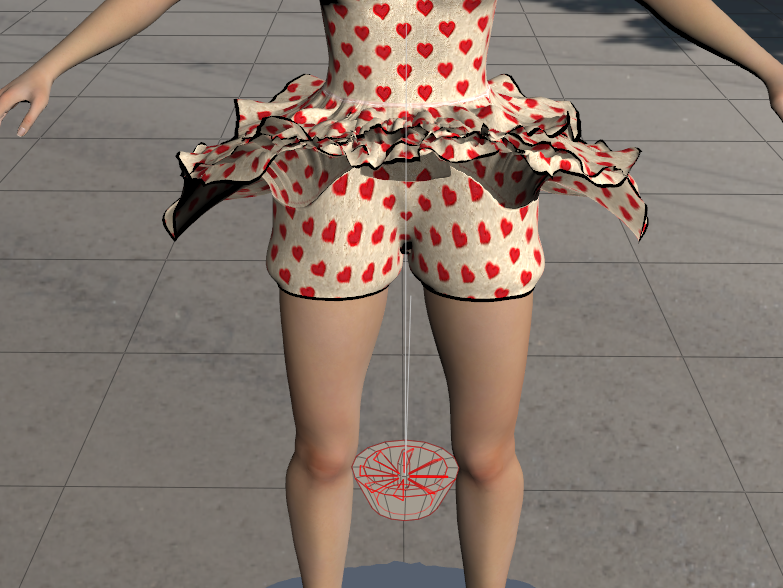
While the stills show something it is much better to see it live.
Poser 5, 6, 7, 8, Poser Pro 9 (2012), 10 (2014), 11, 12, 13, 14
Tipol posted Wed, 11 March 2026 at 6:07 AM
Richard60 posted at 11:38 AM Tue, 10 March 2026 - #4504536
molly-chubb-dress This dress is over 10 years old; LaFemme1 or 2 didn't exist then. Indeed, my creations are dependent on the cloth room to achieve the final result; that's the heart of the problem.@midinick I don't have the Molly Chubb Dress mostly because it was meant for V4 and I have never really liked the Daz figures. Mostly because V4 never really worked well with animations and I got more poke through with her then I did the standard Poser figures. I should pick it up because it looks like a fun challenge. But looking at the promo pictures it looks like it would need two layers of constraint mapping the top part of the petals being stiffer and the end parts drooping more. Although not having a picture of what the dress starts out as makes this a bit of a guessing game. Since Tipol designed things to let the cloth room do the final forming. And there is nothing wrong with that just the new system is not meant to work in the same fashion.
Tipol posted Wed, 11 March 2026 at 6:24 AM
However, other models adapt without any additional adjustments; just remember to include the bra in the list of items that will be in contact with the fabric from the start. But this isn't the case with the pants, which have gaps at the feet and knees and whose fabric seems too thin.
https://www.renderosity.com/marketplace/products/167860/grunge-style-for-la-femme2
https://www.renderosity.com/marketplace/products/167680/grunge-set-for-la-femme2
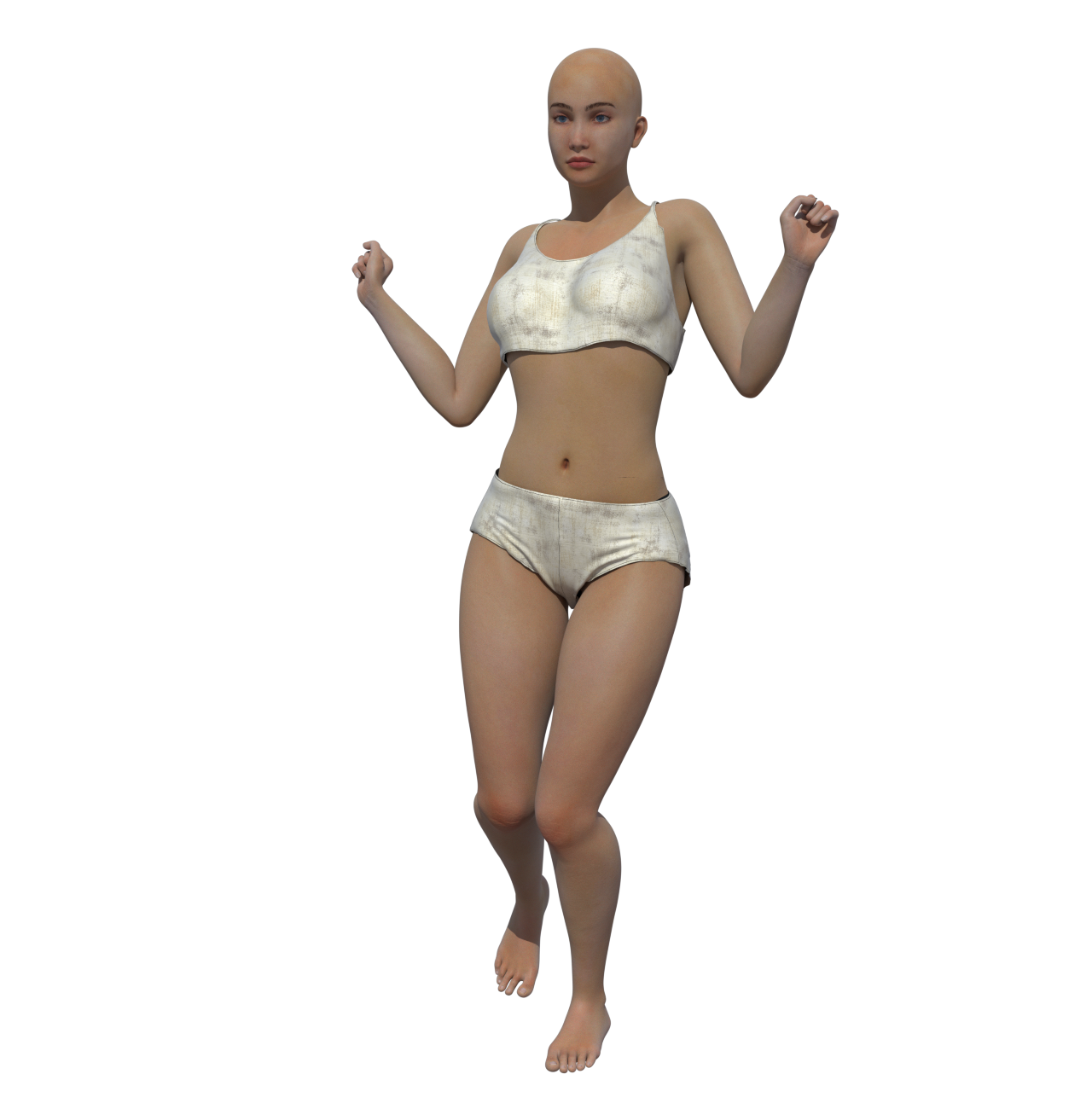
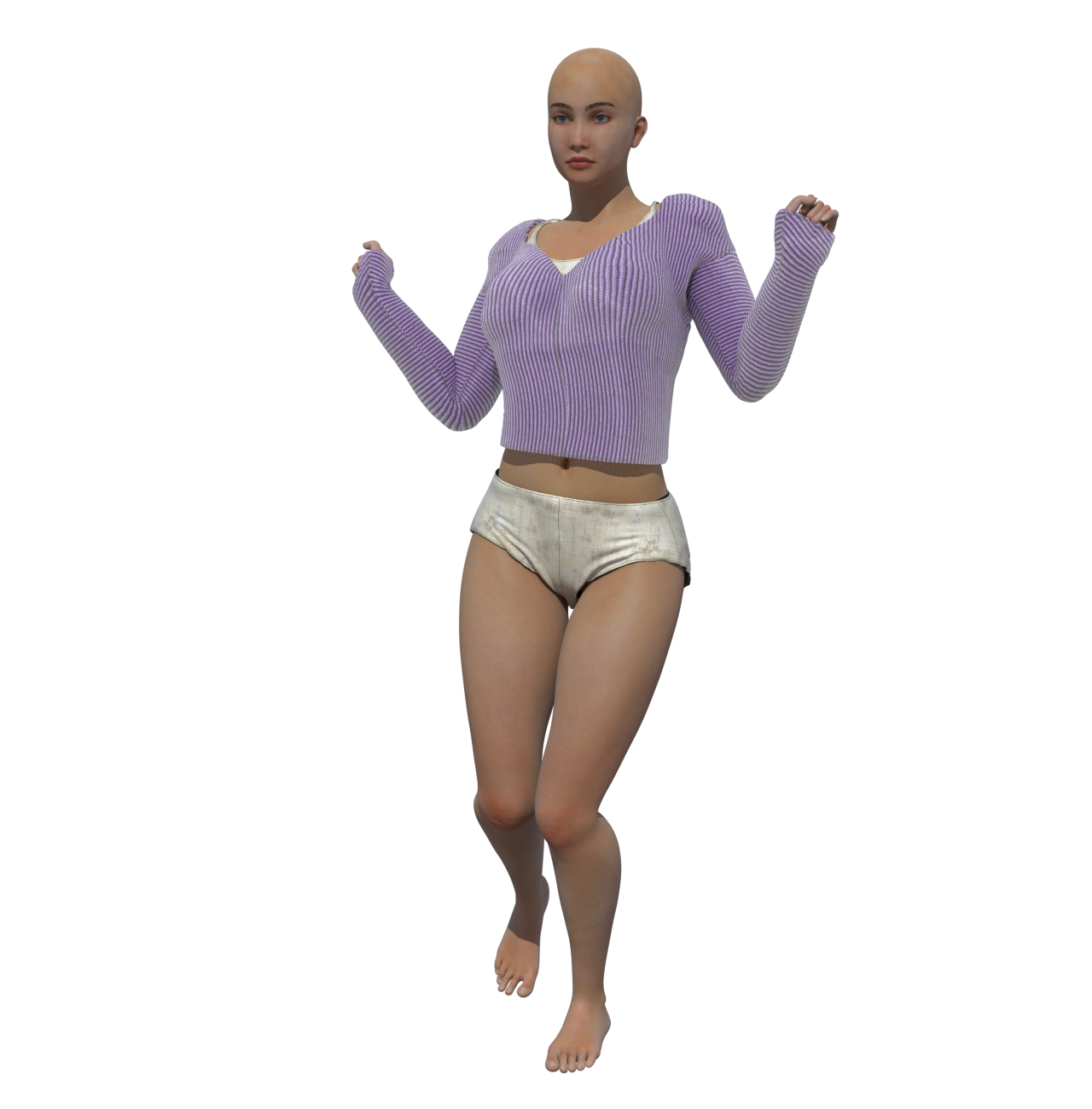
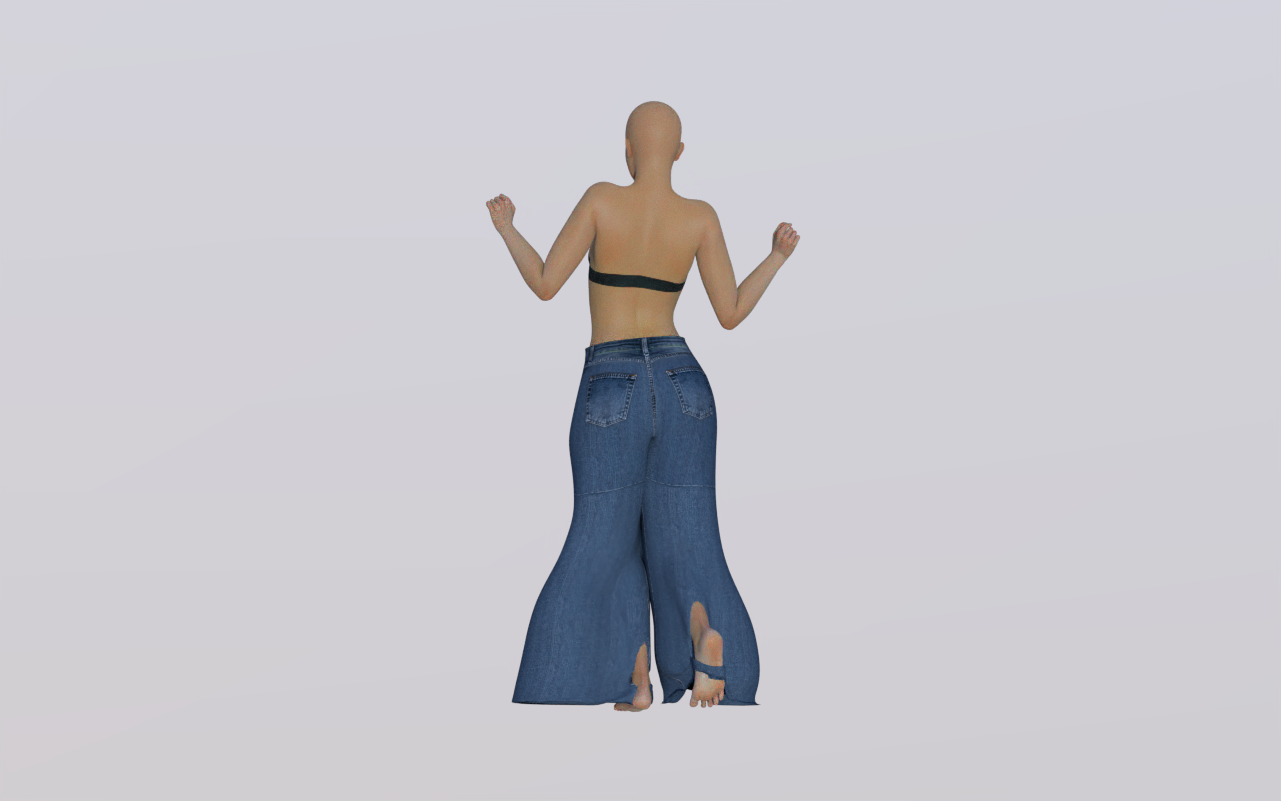
Tipol posted Wed, 11 March 2026 at 10:49 AM
Here's a test with the pants. I'm experimenting, and I've noticed that in the constraint settings, I can see everything above the knee, but not the rest of the leg or the foot. Could this explain the strange behavior of the pant legs, which spread out oddly, leaving the knees and feet sticking out ? I've submitted a request to Poser support.
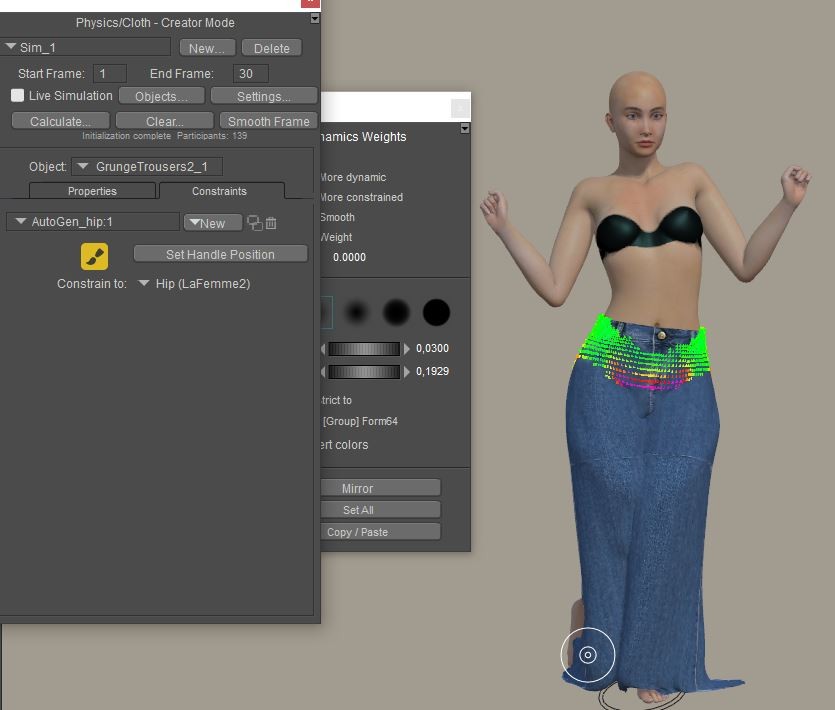
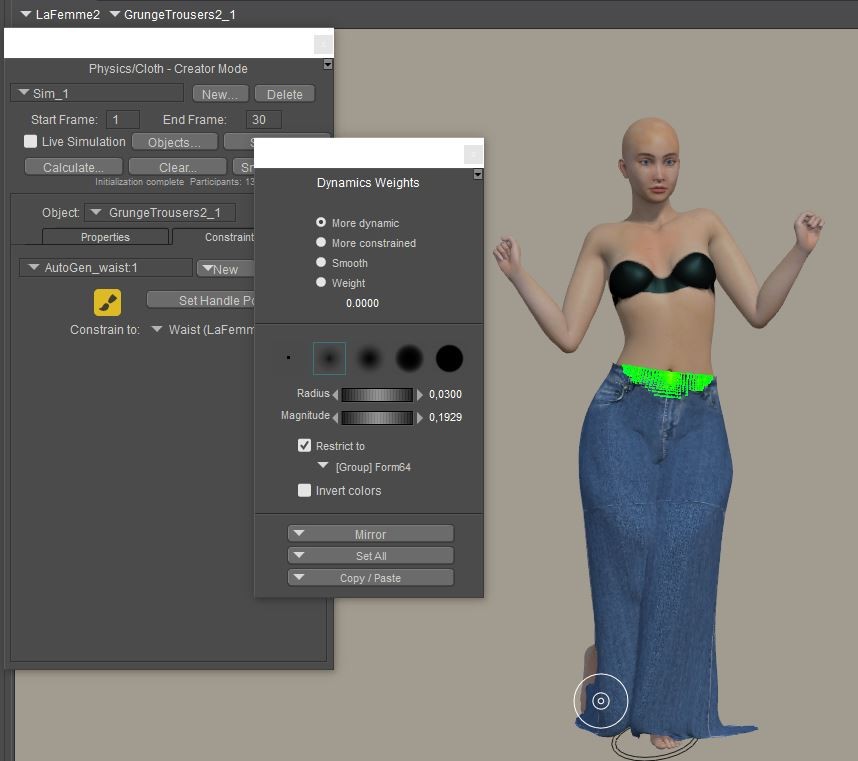
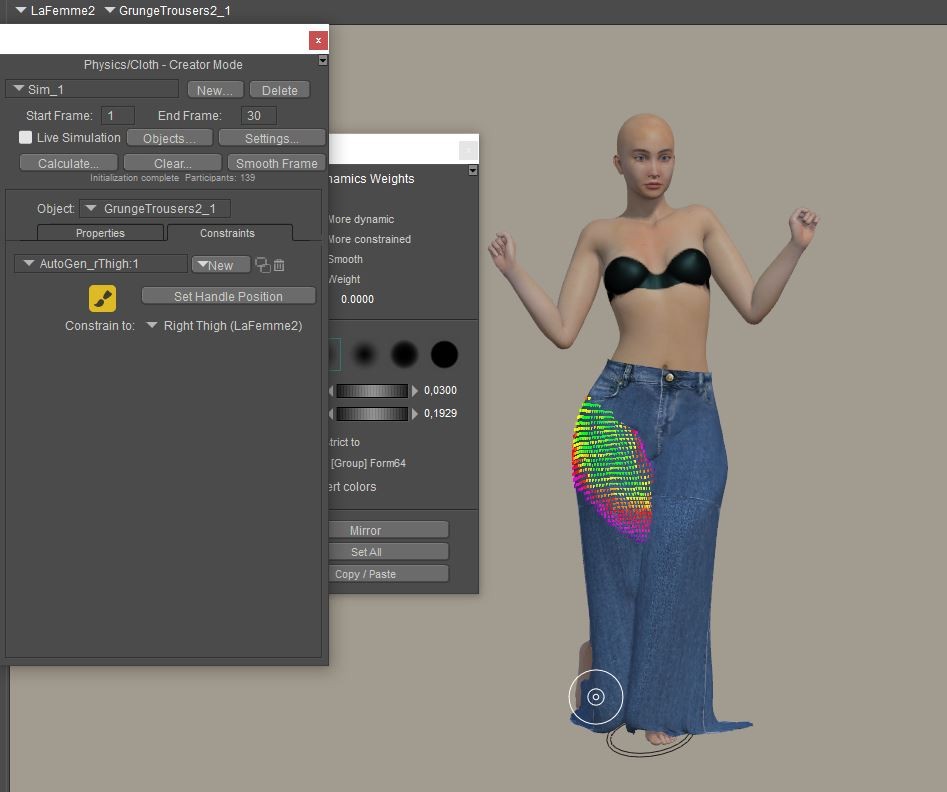
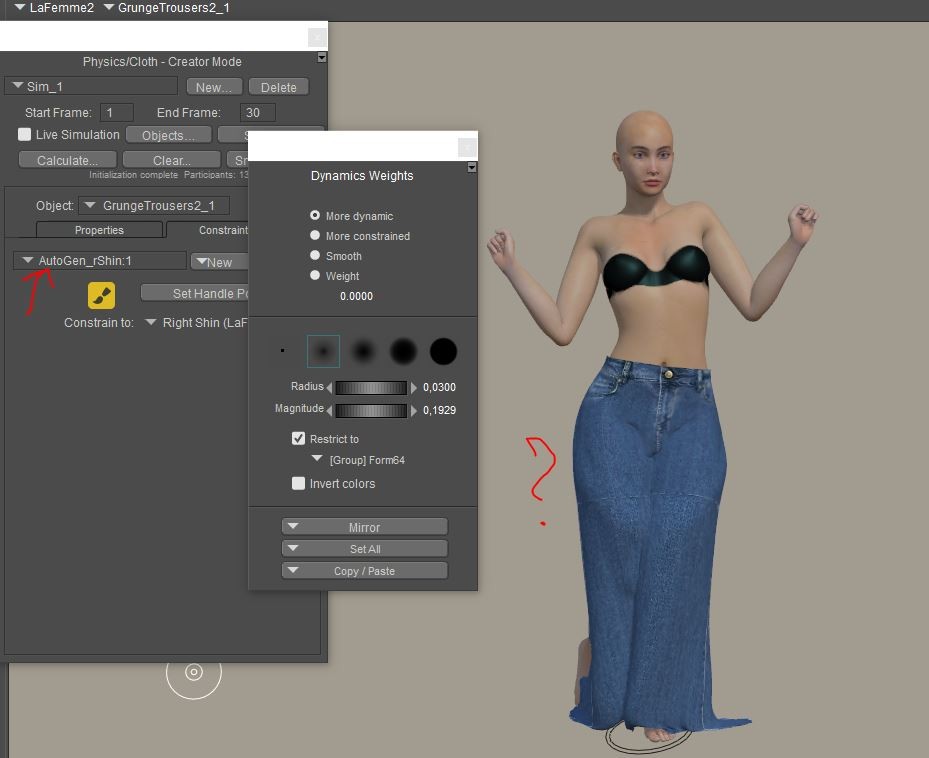
RedPhantom posted Wed, 11 March 2026 at 4:06 PM Site Admin
You have it restricted to the group form64. Does that group include the shins?
Available on Amazon for the Kindle E-Reader Monster of the North and The Shimmering Mage
Today I break my own personal record for the number of days for being alive.
Check out my store here or my free stuff here
I use Poser 14 and Windows 11
Tipol posted Wed, 11 March 2026 at 4:45 PM
There's only one group in these pantsYou have it restricted to the group form64. Does that group include the shins?
Richard60 posted Wed, 11 March 2026 at 9:11 PM
If it only has the one group I would make a new animated constraint and set all the vertexes to a value of .0001 or maybe 2 and constrain that to the hip. With a value that low and setting the dial to a low value under .020 that should stop the cloth from stretching to the floor as you can see on the left side picture just above this. Also being that low should not interfere with the normal movements in the rest of the pants. And it should help the poke through. But first try to get the stretching stopped.
Poser 5, 6, 7, 8, Poser Pro 9 (2012), 10 (2014), 11, 12, 13, 14
RedPhantom posted Thu, 12 March 2026 at 8:16 AM Site Admin
Anyone have any ideas what is happening here?
I have a skirt and a dress.
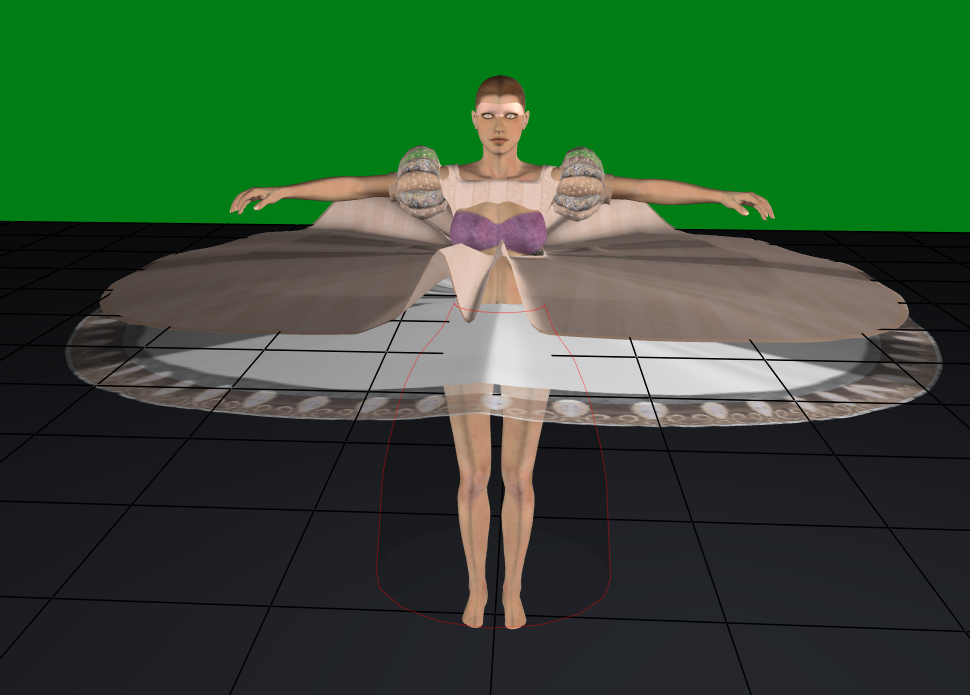
I drape the skirt first, and it drapes fine. But when I drape the dress. I get this
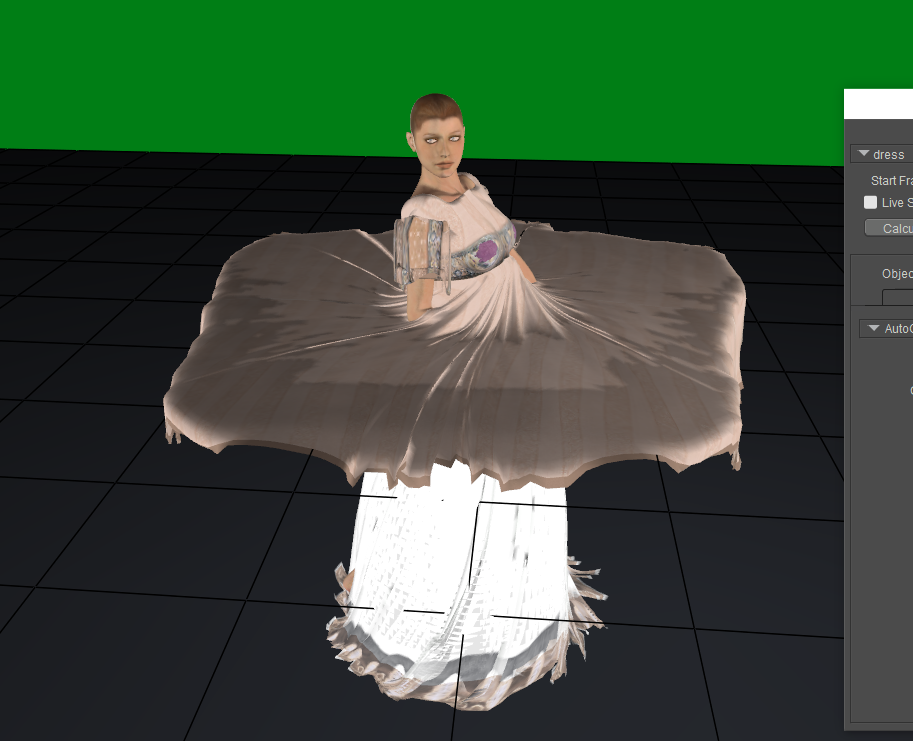
I haven't added any constraints. If I have it so that it does not collide with the skirt, it drapes fine. I've tried changing the skirt to rigid or soft dynamic in the dress simulation, but that messes up the skirt simulation. Any suggestions?
ps I know the sleeves and bust need work. I'll get to those later once I have this figured out.
Available on Amazon for the Kindle E-Reader Monster of the North and The Shimmering Mage
Today I break my own personal record for the number of days for being alive.
Check out my store here or my free stuff here
I use Poser 14 and Windows 11
Richard60 posted Thu, 12 March 2026 at 10:06 AM
Try running the skirt and dress in two different simulations. The skirt should be choreographed in the Dress simulation. Also reduce the standoff distances.
Poser 5, 6, 7, 8, Poser Pro 9 (2012), 10 (2014), 11, 12, 13, 14
Richard60 posted Thu, 12 March 2026 at 3:04 PM
I just noticed the Red outline in the first picture. I take it that is some type of prop to keep the skirt from falling too close to the figure. If so that has a distance offset and the skirt has a distance offset and finally the dress has a distance offset. When you add all of them up that can cause the cloth to not drop as it is approaching the area where it is supposed to stay away from. Once you have the Skirt draped turn it into a choreographed part and it will follow the body around as the simulation form that part has been done. And under properties for the skirt turn the soft cloth distance down to a very low number and then run the Dress Simulation. You may have to also turn down the distance on the Red Outlined objects properties.
Poser 5, 6, 7, 8, Poser Pro 9 (2012), 10 (2014), 11, 12, 13, 14

Versum posted Thu, 12 March 2026 at 5:24 PM
I normally never use the cloth room but I now wanted to have a look at it in the New P14, it is still not there ! or is there another feature to call it up
P11

P13

P14 No Cloth Room

Not that I really Plan using it in the Near future rather out of curiosity where you enter the Room !?
Richard60 posted Thu, 12 March 2026 at 6:29 PM
It is under Window Bullet Physics Creator Mode, or something close to that I am not at my computer so don't remember the name
Poser 5, 6, 7, 8, Poser Pro 9 (2012), 10 (2014), 11, 12, 13, 14
RedPhantom posted Thu, 12 March 2026 at 9:01 PM Site Admin
You can find it here
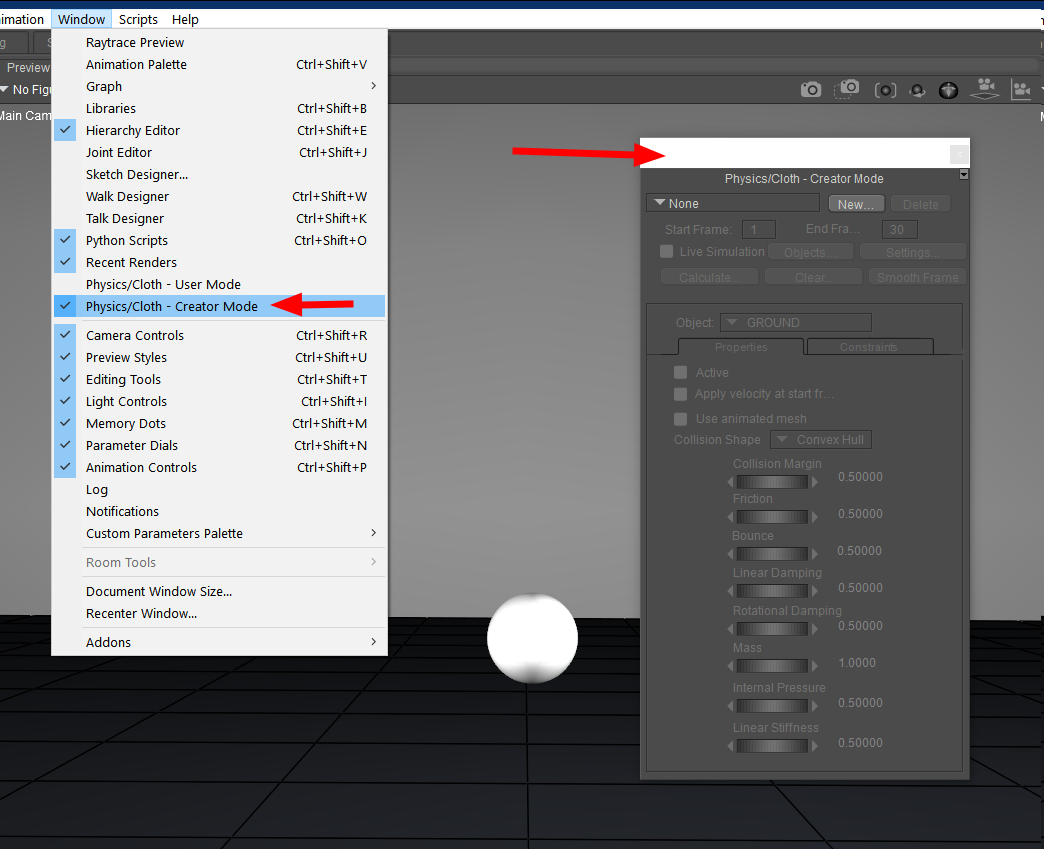
Available on Amazon for the Kindle E-Reader Monster of the North and The Shimmering Mage
Today I break my own personal record for the number of days for being alive.
Check out my store here or my free stuff here
I use Poser 14 and Windows 11
Versum posted Fri, 13 March 2026 at 3:27 AM
Thank you :) I first thought I had a error in the installation, so before reinstalling thought to ask, that just resolved this issue ! So practically where the Bullet Physics was found before.
RedPhantom posted Sat, 14 March 2026 at 8:52 PM Site Admin
I'm still struggling with more complex clothing and poses, but I did manage to get this one done.
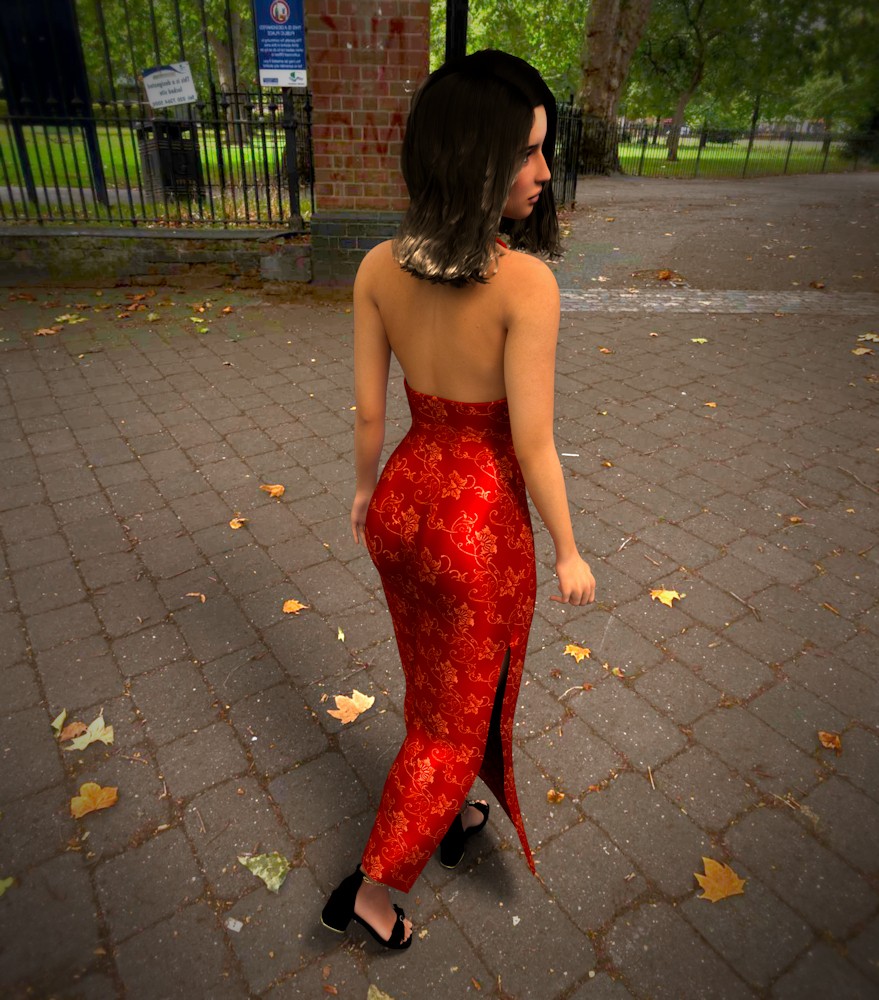
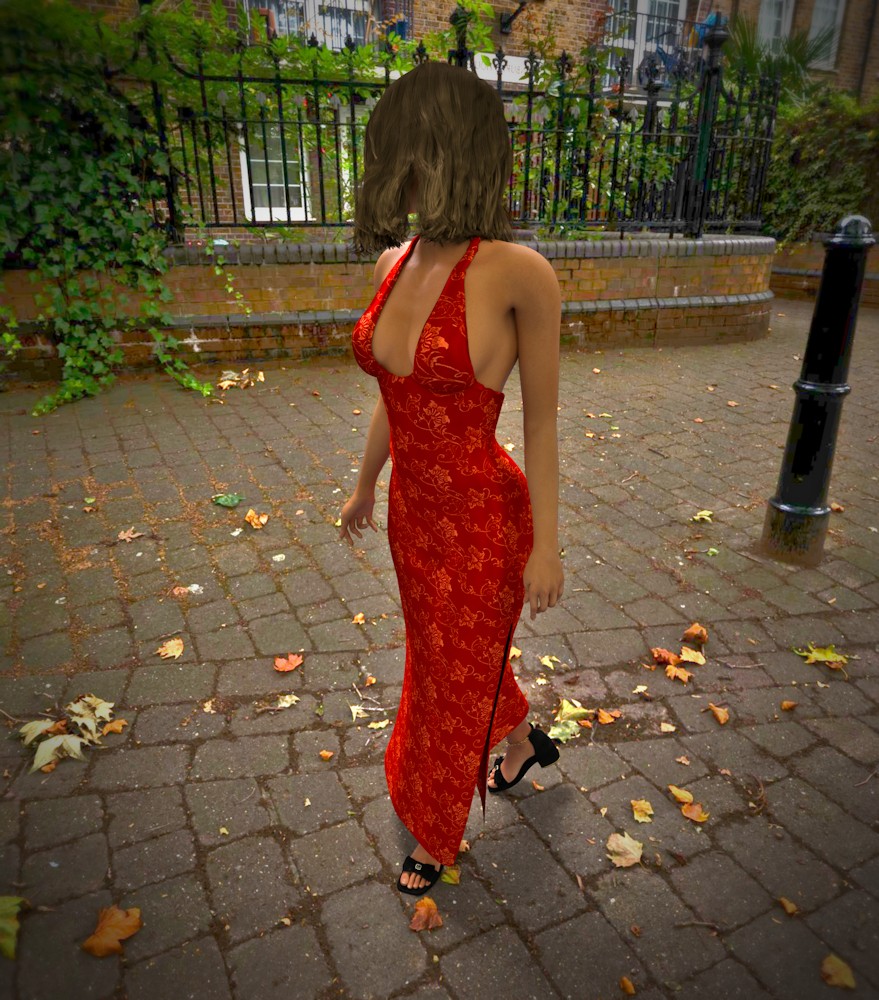
Available on Amazon for the Kindle E-Reader Monster of the North and The Shimmering Mage
Today I break my own personal record for the number of days for being alive.
Check out my store here or my free stuff here
I use Poser 14 and Windows 11
Richard60 posted Mon, 16 March 2026 at 10:28 PM
The above link is for the tutorial I said that was going to write. It deals with the unpainted areas that the Auto Glue feature does not address. A couple of points are the weights that can be painted range from 1.00 down to .0001. The larger the number value the more the cloth item will try to maintain the shape it starts with. Also, the constraint dial in the cloth works with the painted values to control the effect of the cloth. Good starting values for painting are in the .00xx range and the constraint dial will be around.200 to .400. One other point I said to normally constrain to the Hip that is true for body type cloths. If you are working with hanging sleeves then you would want the closest body part normally the forearm or wrist.
Poser 5, 6, 7, 8, Poser Pro 9 (2012), 10 (2014), 11, 12, 13, 14
RedPhantom posted Tue, 17 March 2026 at 7:51 AM Site Admin
Thanks. Looking forward to checking this out.
Available on Amazon for the Kindle E-Reader Monster of the North and The Shimmering Mage
Today I break my own personal record for the number of days for being alive.
Check out my store here or my free stuff here
I use Poser 14 and Windows 11

-Wolfie- posted Thu, 19 March 2026 at 2:48 PM
Works pretty well with legacy dynamic clothes and M4/V4 in our alpha & beta testing. Minor simulation setup for which body parts will have contact with clothing, tweak the Poser Cloth Glue settings and you're in business.This is awesome news! I am super stoked. I was sad to see the Cloth Room removed, but happy to see that it's getting a long needed upgrade!
Helping everyone is the most rewarding failure you'll ever experience.
- Ray Augé (~Wolfie~'s hubby)
Anything is more stable than Windows . . .
--- Even a relationship based purely on sex!
- Pam Augé (~Wolfie~)
No meat was harmed during the making of this TV dinner.
- Pam Augé (~Wolfie~)
Tipol posted Sun, 29 March 2026 at 3:30 AM
After (too) many attempts and several exchanges with Poser's technical team, I've decided to abandon clothing simulation in Poser 14. I will continue to create clothing for Poser, but without guaranteed compatibility with Poser 14; some work, others don't, and my enjoyment comes from creating according to my imagination—I'm an artist, not a technician. Therefore, they will be marked as compatible with Poser versions 6 through 13.
Tipol posted Sun, 29 March 2026 at 3:47 AM
I have always sought to make easy-to-use products, dynamic clothing that does not require complicated manipulations to function, and that is what I will continue to do until version 13. We will see later if things evolve.
anupaum posted Sun, 29 March 2026 at 9:53 AM
I've given up on it, too. There's no point in frustrating myself.After (too) many attempts and several exchanges with Poser's technical team, I've decided to abandon clothing simulation in Poser 14. I will continue to create clothing for Poser, but without guaranteed compatibility with Poser 14; some work, others don't, and my enjoyment comes from creating according to my imagination—I'm an artist, not a technician. Therefore, they will be marked as compatible with Poser versions 6 through 13.
Rhia474 posted Sun, 29 March 2026 at 12:25 PM
This is very saddening. I do want to support Poser but without something that actually works and vendors generating quality content... I stay either P13 for longer than I thought, then.
MollyFootman posted Sun, 29 March 2026 at 2:48 PM
I'm glad you will continue to make content, Tipol. I love your stuff and I'm fine with P13. I've continued to mess with P14 but have to admit that the bullet physics cloth has me somewhat baffled. XD
Teh Mollz
P.S. Superfly rendering is maybe a bit faster in P14. =\
Karth posted Mon, 30 March 2026 at 12:08 AM
Yes,superfly Seems to work much faster.
I Hope the Cloth Simulation will be better .
Looking forward😁

Anim8dtoon posted Wed, 08 April 2026 at 11:50 AM Forum Moderator
Wow, I had absolutely NO idea how difficult using the Cloth Room in P14 would be. I can't honestly support it for that reason as well as the fact that it's now Windows-only, which is a huge blow to us Mac users, so P13 is as far as I will go.
--Anim8dtoon
RedPhantom posted Sun, 03 May 2026 at 9:17 PM Site Admin
I made a short animation and used cloth draping. If anyone wants to see how it did, you can look here. https://www.renderosity.com/gallery/items/3241994/my-sword
Available on Amazon for the Kindle E-Reader Monster of the North and The Shimmering Mage
Today I break my own personal record for the number of days for being alive.
Check out my store here or my free stuff here
I use Poser 14 and Windows 11

mmitchell_houston posted Thu, 07 May 2026 at 8:57 PM
Does the simulation handle sleeves "riding up" on the arm? Like, if I have a character in a long-sleeved shirt move his arms to a T position, or put them overhead, can the new simulator alter the length of the sleeves or pull up the shirt to expose her belly? In other words, how "real" is this new simulator?
- - - - - - - - - -
System: Lenovo Legion Pro 7 16IRX9H Laptop | Windows 11 Professional | 32GB RAM | 14th Gen Intel® Core™ i9-14900HX | Nvidia RTX 4090 Laptop GPU 16GB 9728 CUDA Cores
mikemitchellonline.blogspot.com | Poser Noir Comics Tutorial | Illustrations Honored by Renderosity
MeInOhio posted Thu, 07 May 2026 at 9:10 PM
Not an expert so I can't answer definitively, but...
I have a shirt for L'homme that opens up as the simulation runs and he gets posed in Poser 13, but in Poser 14, the shirt remains closed. Maybe there is some setting I need to change but I'm unaware of it. Having the shirt open up was one of things I liked about that shirt. I wonder if I could pose L'homme in Poser 13 and have it simulatie so the shirt opens, then save that to the library and then use that pose with the shirt open in Poser 14 as the starting point and then use a differ pose to end with. Maybe since the shirt is already open it may stay open. I'll have to try it.
hborre posted Thu, 07 May 2026 at 9:25 PM
It may seem practical to load the shirt already open for the simulation. You will need to experiment with weight mapping to guarantee that it remains open. Maybe reducing the scale during simulation can achieve that.
Rhia474 posted Thu, 07 May 2026 at 9:40 PM
So it has been what, four months and we still don't know how to simulate with this new method properly? It is still down to experiments (including weight mapping items which is not a skill most users possess), and there are literally no products released for this method, so everyone is using old items? Am I understanding this right?
Forgive me if I am rather disbelieving.
hborre posted Thu, 07 May 2026 at 9:50 PM
I don't blame you, Rhia. It took me several sessions to make a sash cooperate with a dynamic dress, which was converted to a separate prop from the same outfit. Countless trials and errors, but I got it.
Rhia474 posted Fri, 08 May 2026 at 7:32 AM
Yay, happy that you got it working! And don't get me wrong, I am still using Poser and will until P13 supported. But imo, this release was too early and as market support shows, well...um...how to put this delicately... there is very little evidence the vendor community or the users, even, took to it. And that makes or breaks a software like this.
hborre posted Fri, 08 May 2026 at 9:25 AM
I agree. There is so little documentation and in-depth tutorials demonstrating its usage and setup, especially this far after its development. So far, it's been hit-or-miss.
Lotharen posted Fri, 08 May 2026 at 9:27 AM
Their lack of communication on the forums has kept me from purchasing tbh. It screams cash grab tactics.
Do they ever release a road map of what's to come? I really don't want to use Daz studio and was really hoping
these guys (and gals?) could turn the software around but it seems to slip into obscurity with every release.
Rhia474 posted Fri, 08 May 2026 at 2:27 PM
I find P13 stable and meeting my needs. I just wish there were more tutorials available on converting clothing from Daz to Poser that are relevant to new iterations of Poser.
RedPhantom posted Fri, 08 May 2026 at 4:00 PM Site Admin
When moving the arms, loose sleeves fall to the shoulders. I don't have any close-fitting sleeves to test that. As far as shirts lifting to show mid drift, will need more testing as the poses I have only raise the arm t the shoulder and you would need something that raised the collar and chest too.Does the simulation handle sleeves "riding up" on the arm? Like, if I have a character in a long-sleeved shirt move his arms to a T position, or put them overhead, can the new simulator alter the length of the sleeves or pull up the shirt to expose her belly? In other words, how "real" is this new simulator?
Available on Amazon for the Kindle E-Reader Monster of the North and The Shimmering Mage
Today I break my own personal record for the number of days for being alive.
Check out my store here or my free stuff here
I use Poser 14 and Windows 11
hborre posted Fri, 08 May 2026 at 4:33 PM
I have tried getting a loose-fitting sleeve to roll down an uplifted arm with no success. We are looking at mesh construction, subdivision, gravity, and outfit friction. If I can figure out the right combination and weight mapping, then it might be possible. But, ATM, no go.
Getting a shirt that shows the midriff while the arms rise appears to be doable. Again, weight mapping and dynamic/constraining controls need to be adjusted accordingly to get the desired effects. As I mentioned before, trial and error and documentation. Chances are, you will immediately forget your workflow as soon as Poser is shutdown.
RedPhantom posted Mon, 18 May 2026 at 6:23 PM Site Admin
Just to test it, I converted some hair to a prop and draped that. Having hair hang stiffly at an angle has always been a peeve of mine. Most hair falls apart if you run it through the clothroom. This works with some hair. This is HR163. I tried it with Kayla hair, and it lost all the waviness. It might have worked better if I adjusted the constraints, but it's high enough poly that I didn't have the patience to fuss with it.
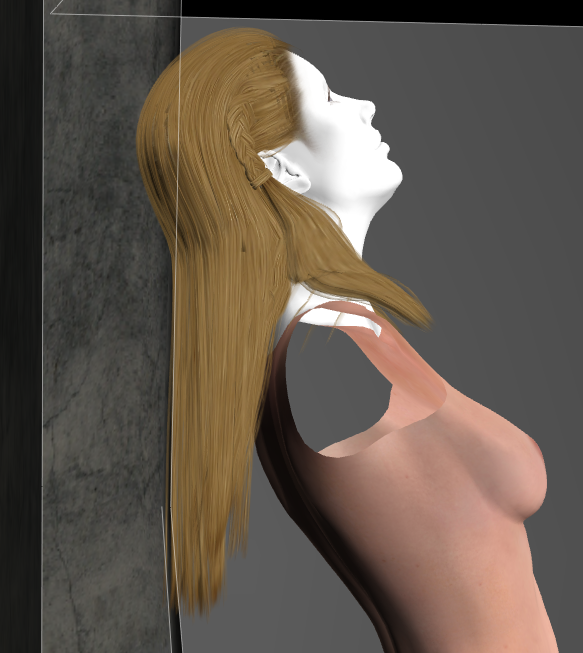
The arms and dress were hidden because they blocked the hair.
Available on Amazon for the Kindle E-Reader Monster of the North and The Shimmering Mage
Today I break my own personal record for the number of days for being alive.
Check out my store here or my free stuff here
I use Poser 14 and Windows 11
MollyFootman posted Mon, 18 May 2026 at 9:56 PM
I use the morph brush a lot on hair that's not hanging in a way that makes sense for wind and/or gravity. This looks like it could be quite useful. It's yet more reason I've got to bite the bullet and start messing with the new cloth simulation. Thanks for sharing. =)
Teh Mollz
RedPhantom posted Tue, 19 May 2026 at 6:32 AM Site Admin
A lot of times I'll use magnets. But it can be tricky getting the zone positioned right. Not sure which would be easier. Just another way to try to get things done.
Available on Amazon for the Kindle E-Reader Monster of the North and The Shimmering Mage
Today I break my own personal record for the number of days for being alive.
Check out my store here or my free stuff here
I use Poser 14 and Windows 11
hborre posted Thu, 21 May 2026 at 11:40 AM
After struggling through PoserCloth setup, setting values, and rereading the available tutorials, I think I finally got the hang of it. My concern was the draping of skirts with extreme leg bends and how to overcome unusual bunching and poke throughs. I now think I have a better understanding of how to approach the problem. Below are 2 renders of AerySoul's Zoel outfit converted to props in the Fitting Room and used as PoserCloth. Initially, I couldn't overcome the unusual stretching and poke-throughs until I grasped the concept of the Automated Constrains. The images below are my final successful attempts.
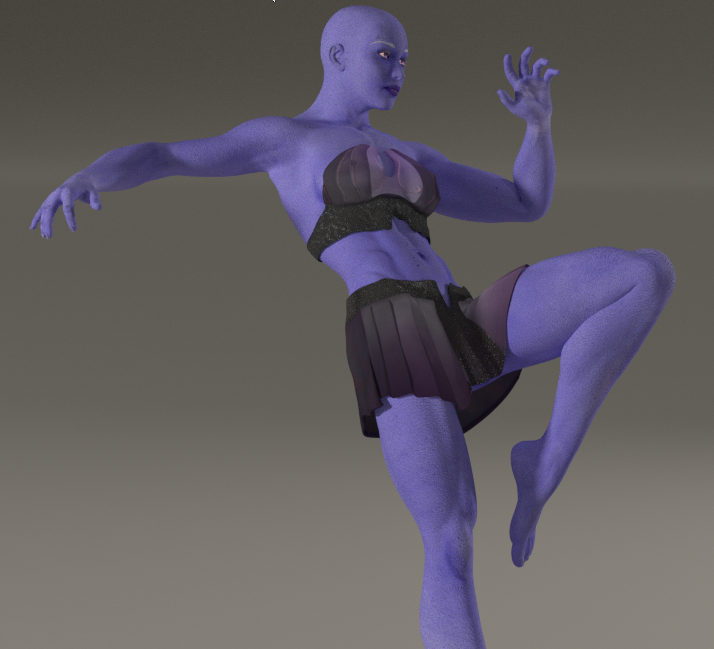
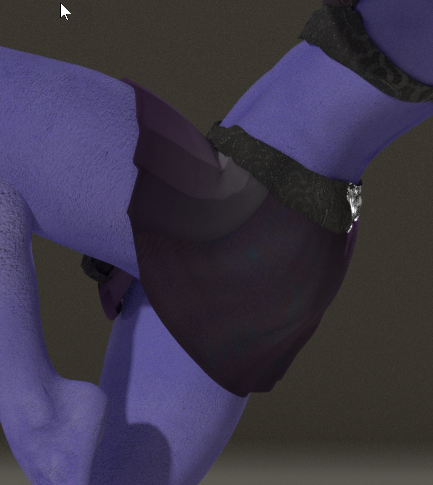
Soon, I will try applying what I learned to other converted clothing, as well as existing dynamic clothing in my Library.
Lotharen posted Fri, 22 May 2026 at 8:18 AM
hborre posted Sat, 23 May 2026 at 7:25 PM
One of my favorite outfits for fairies is AerySoul's Stily costume for V4, which I managed to successfully convert as a conforming suit for many models using a combination of the Fitting Room and the Cloth Room in earlier versions of Poser. In the render below, I converted the Stily outfit to a PoserCloth for La Femme. Initially, I manually fitted the outfit through scaling to La Femme and ran the transformation through the fitting room for an exact fit. Afterwards, I spawned a prop from the converted Stily, deleted the original, and then ran the Physics/Cloth. In my testing workflow, I ran several simulations by adding different poses and extending simulation frames while checking for clothing integrity through each motion. The settings for PoserCloth remained the same as generated by the simulation, basically because there were very few material zones created for the outfit. If it had several material zones, like the Zoel Skirt above, then I would have needed to add animated constraints to those zones, depending how the initial simulation would have created them. The render below is the final pose in the series.
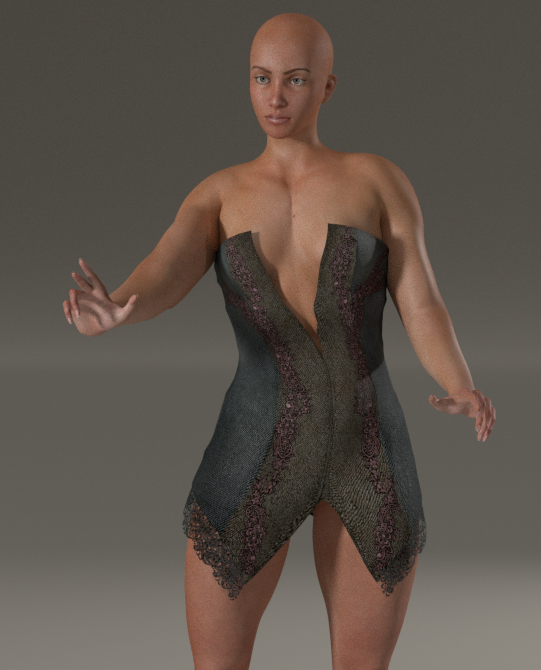
RedPhantom posted Sat, 13 June 2026 at 5:53 PM Site Admin
I had a nice surprise today. I loaded up a dynamic dress and found it already had the cloth draping set up. It was a few clicks, and it was done. There are a few minor fixes, but it worked quite well.
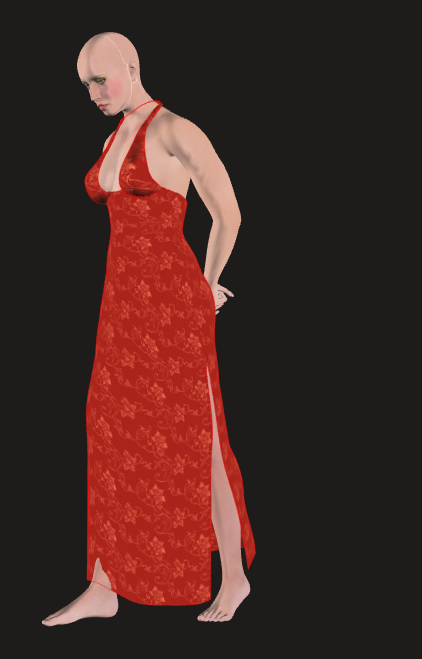
Available on Amazon for the Kindle E-Reader Monster of the North and The Shimmering Mage
Today I break my own personal record for the number of days for being alive.
Check out my store here or my free stuff here
I use Poser 14 and Windows 11