
Renderosity Forums / Marvelous Designer
Welcome to the Marvelous Designer Forum
Forum Moderators: Deenamic, CHMedia Forum Coordinators: FVerbaas
Marvelous Designer F.A.Q (Last Updated: 2024 Aug 27 11:03 am)

Subject: Fun with Jinny and Antonia

Another go, this time with some simple garments from MD2 times (two from 'FS Basic Items' ) . Jinny does not load MD2 format directly so I needed to make this part of my cache up-to-date in MD. (I made a copy of the old style avatar (V1), in MD, loaded a fitting suit onl it, and then loaded the corresponding items, hit sim shortly, and saved)
Again made-do with MD to convert garment file into .obj and textures. Loaded into Poser, fitting room, conform, pose, render.
The lower hems of the wide pants need work. Not surprising, and some pokes at the crotch. Also not surprising. 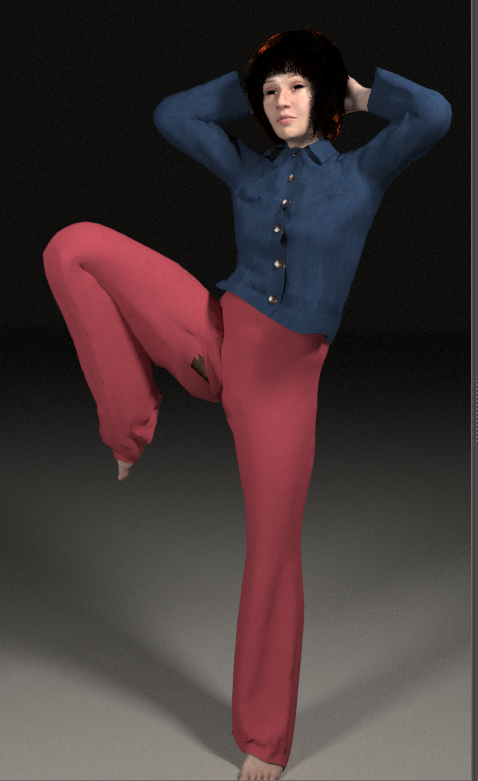
Above I wrote, in January, based on personal communication at the time with some key Jinny staff, the .obj export from Connect was expected in Q2, 2022. Later I heard they changed priorities, and no eta given anymore.
In the mean time a smartass who has an MD license, who is versed in Python, and who knows how to set up e-commerce can offer .zpac to .fbx /.obj conversion as a service and earn some bucks out of that.

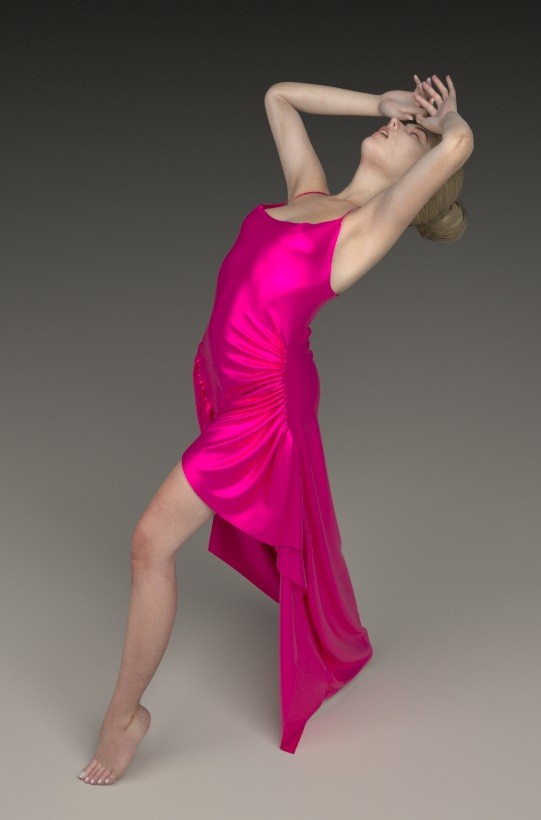
I'm liking the Re-targeting the Drape feature in MD 10, that some clothes just fit the Antonia figure with just a hint of some polishing.
____________________________________________________________________________________________________________________________
Asus N50-600 - Intel Core i5-8400 CPU @ 2.80GHz · Windows 10 Home/11 upgrade 64-bit · 16GB DDR4 RAM · 1TB SSD and 1TB HDD; Graphics: NVIDIA Geforce GTX 1060 - 6GB GDDR5 VRAM; Software: Poser Pro 11x
FVerbaas posted at 5:59 AM Fri, 16 September 2022 - #4444578
Heads Up: The latest version (2.0.315) of Jinny offers export as .fbx. The feature is not under the main menu but you can find it in the 'studio mode' (the camera icon to right of the Jinny screen) and it can be activated by checking the 'export FBX' checkbox.Above I wrote, in January, based on personal communication at the time with some key Jinny staff, the .obj export from Connect was expected in Q2, 2022. Later I heard they changed priorities, and no eta given anymore.
In the mean time a smartass who has an MD license, who is versed in Python, and who knows how to set up e-commerce can offer .zpac to .fbx /.obj conversion as a service and earn some bucks out of that.
Make sure you hide the avatar before exporting or it will be in the .fbx and bloat the file. As a side effect the garment is uploaded into the 'sandbox' area of the CLO marketplace. You can choose to proceed to publication there or to delete the upload.

Privacy Notice
This site uses cookies to deliver the best experience. Our own cookies make user accounts and other features possible. Third-party cookies are used to display relevant ads and to analyze how Renderosity is used. By using our site, you acknowledge that you have read and understood our Terms of Service, including our Cookie Policy and our Privacy Policy.
Below a '5 minutes' clothing project for Antonia, done as it will be once Jinny provides .obj export.
I used Antonia here for the exceptional arm pose. I was curious whether Jinny's automatic fitting suit generation would accept that. (Spoiler: it did}
pretty plain workflow:
- I loaded the .obj file on Antonia, zero pose, into Jinny. I used feet units and scale 800%. Jinny made the fitting suit.
- I pulled on the default hoodie and the leggings from stock. The autodrape process put them onto Antonia perfectly. I was out to test the process flow and did not alter the garments other than adding some color to the fabrics.
- I saved the garment file. Then i needed to improvise for the .obj export and do that in MD because Jinny's .obj export is not yet ready. (expected Q2 2022)
- imported .obj into Poser and paired with Antonia 1.2 WM in the fitting room. again rough, just let Fitting Room do the morph copy and grouping.
- conformed garment to Antonia, struck a pose and rendered.
I would classify this as 'promising'.
The garment models used never saw Antonia before and i did not make any manual adjustment.