
Renderosity Forums / Freestuff
Welcome to the Freestuff Forum
Forum Moderators: wheatpenny, RedPhantom Forum Coordinators: Anim8dtoon
Freestuff F.A.Q (Last Updated: 2026 Apr 27 12:34 am)
Welcome to the Freestuff Forum. The Freestuff Forum is intended for all freestuff related postings within our community. This is a highlight area where our membership is invited to review, announce and give feedback in greater detail on various freestuff items offered. Members can also post wishes of freestuff items they would like to see.
Notice: Links to offsite 'For Sale' items will be removed
Renderosity Free Stuff Area
Free Stuff Gallery


Subject: Free 3D Model: Black Cat Earrings

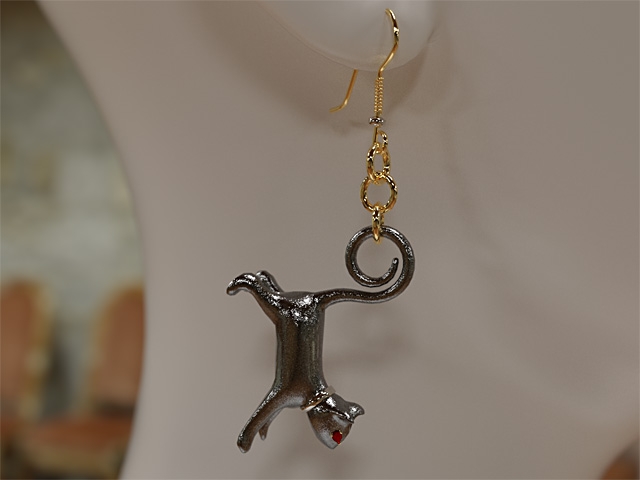
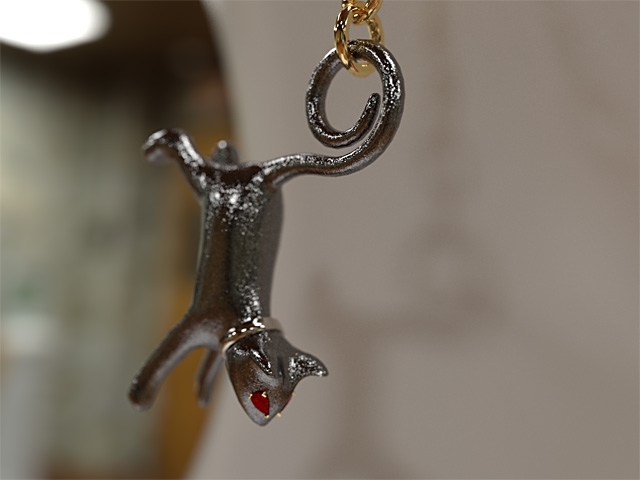
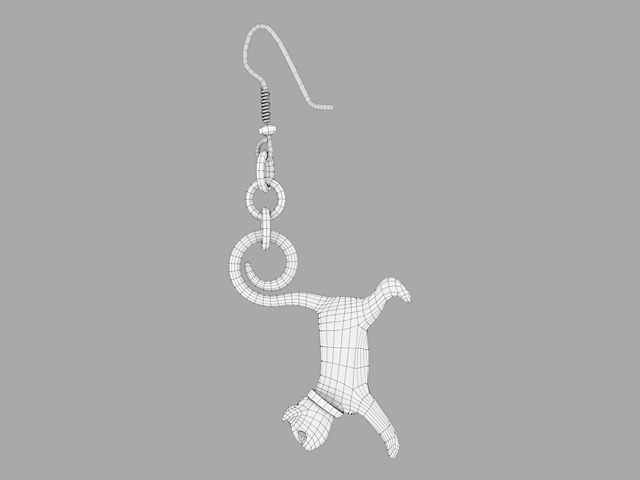
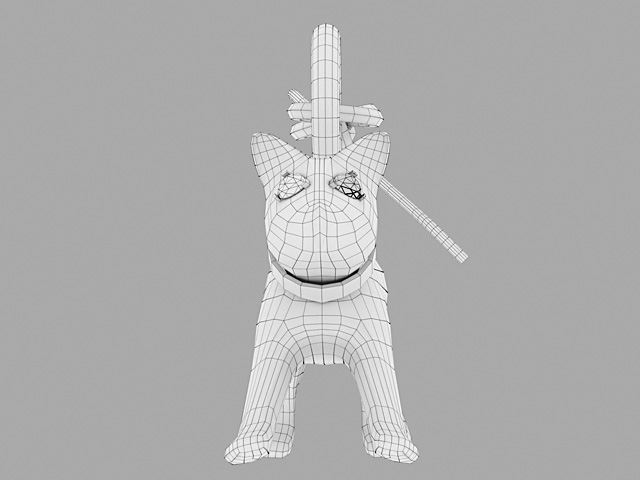
Here's a few close-up renders, and wireframes. The materials used here are all standard/stock Iray materials that came with the free Daz software download.
______________________________________
My Store
My Free Models
My Video Tutorials
My CG Animations
Instagram: @luxxeon3d
Facebook: https://www.facebook.com/luxxeon


Thanks, everyone! I appreciate the support. I need to make just one minor correction regarding this freebie. It's been brought to my attention that the information contained in the README.TXT with this model has some incorrect wording, and in fact, I actually copied it above, to this thread too. It appears that in the Daz Studio import information of the readme file, I accidentally left the same wording that was associated with the last earrings freebie, the "Cyclide Ritual" earrings. It's a minor oversight, but I don't want to confuse anyone. I have since corrected, and re-uploaded the correct README into the files wherever I could, but I cannot edit the text in this thread, so here is how that part "should" actually read:
"DAZ STUDIO USERS: The OBJ with (POSER) suffix was exported with a scale conversion that will allow the object to load with appropriate scaling into Poser 9 and above, or Daz Studio 4 and above, with Poser import preset settings. To import this file into Daz Studio, select File > Import, and find the "earrings_blackcat(POSER).OBJ". In the OBJImportOptions dialogue box, select the Poser (1 Unit = 8 Ft) preset option in the "From:" dropdown menu. Scale should be set to 24384% automatically. If not, then please enter that value into the Scale field. Keep the Axis Conversion X=X, Y=Y, and Z=Z, with NO checkboxes in the Invert Direction options. Be sure Read Groups, UV Coordinates, Surfaces, and Material Library (.mtl) are all checked. The objects are designed to import in place on a default Genesis 2 Female character, in the default T-Pose position in the scene. Simply parent the earrings to the character's "head" node, once they are in position."
As indicated in the corrected text, this particular model release consists of just a one import, as a single object. Both the right and left earrings are actually imported as a pair; They are not separate left and right imports, as the previous earrings were. I did it this way because I felt that it would be faster, and less painful, for users to import just one OBJ object, rather than two, but it seems that some people would prefer to have the earrings separated. So, if and when I make another earring set, I'll probably go back to including separate left and right selections. I may release an update, or "addon" to this freebie, which contains the models as separate objects as well, but not sure yet.
Thanks for all the feedback and support once again.
______________________________________
My Store
My Free Models
My Video Tutorials
My CG Animations
Instagram: @luxxeon3d
Facebook: https://www.facebook.com/luxxeon
Hi, everyone. I just wanted to let you know that I've received a request from a Daz Studio user who asked if I could create a version of the Black Cat Earrings which were separated into a left and right OBJ, to allow for individual manipulation (rotation, etc) of each earring. This made perfect sense to me, of course. In all my previous earring models, I created a left and right OBJ for separate import. In this freebie, i decided to offer the earrings as one model; assuming it would be easier for users to import just one object, instead of two. In hindsight, I can see why this could create certain issues in regard to posing the objects in a asymmetric way, and especially in packages like Daz Studio, where selecting sub-objects, and breaking objects into separate parts, might not be an option.
Here is the link to the updated ZIP file, containing the Black Cat Earrings as a left and right OBJ, for import into Daz Studio or Poser. This file contains ONLY the Poser-scaled OBJ files, and a material definition file. Import instructions for Daz Studio remain the same as before, so just follow the README from the original file. Hope this helps people who may have wanted to translate or rotate the earrings asymmetrically.
If you have any questions, or further requests, please let me know. Thanks again!
______________________________________
My Store
My Free Models
My Video Tutorials
My CG Animations
Instagram: @luxxeon3d
Facebook: https://www.facebook.com/luxxeon

Privacy Notice
This site uses cookies to deliver the best experience. Our own cookies make user accounts and other features possible. Third-party cookies are used to display relevant ads and to analyze how Renderosity is used. By using our site, you acknowledge that you have read and understood our Terms of Service, including our Cookie Policy and our Privacy Policy.
Click Here To Download From Freestuff
Elegant pair of Black Cat Earrings, including a left and right object selection. The pair together contains a combined total of 7,228 polygons, and 7,284 vertices (3,614 quads per earring). The models have been carefully UV Unwrapped, without overlapping edges, to prevent texture distortion. There are no texture maps provided with this set, but each earring has 8 distinct material zones, and can easily accept any seamless, metallic procedural material, in any software render engine.
*The (POSER).obj files have been scaled to import perfectly to the fit the "Genesis 2 Base Female" character in Daz|Studio 4.x., and should import in an approximate location in Poser. See the import instructions below for detailed information on how to import the appropriate models to the software.
All example renders were done with the Iray render engine, in Daz Studio, after importing the models with the recommended settings.
You are free to use or modify this model as you see fit, for your own rendering projects or scenes. As with all my freebies, the object can be used for both commercial and non-commercial renders. You may NOT, however, resell or redistribute the model or textures, or any derivative of them; individually, or as part of a package/set.
Alternatively, you can download this model from the following resource websites, which includes additional promo renders:
ShareCG.com
CGTrader.com
DAZ STUDIO USERS: The OBJ with (POSER) suffix was exported with a scale conversion that will allow the object to load with appropriate scaling into Poser 9 and above, or Daz Studio 4 and above, with Poser import preset settings. To import this file into Daz Studio, select File > Import, and find the "cyclideritual-earring_(POSER).OBJ". There is one model for the left side, and one for the right. In the OBJImportOptions dialogue box, select the Poser (1 Unit = 8 Ft) preset option in the "From:" dropdown menu. Scale should be set to 24384% automatically. If not, then please enter that value into the Scale field. Keep the Axis Conversion X=X, Y=Y, and Z=Z, with NO checkboxes in the Invert Direction options. Be sure Read Groups, UV Coordinates, Surfaces, and Material Library (.mtl) are all checked. The objects are designed to import in place on a default Genesis 2 Female character, in the default T-Pose position in the scene. Simply parent the earrings to the character's "head" node, once they are in position.
As with all my products, I stand behind my work. If you find any problems, or have a hard time using these models, please let me know.
______________________________________
My Store
My Free Models
My Video Tutorials
My CG Animations
Instagram: @luxxeon3d
Facebook: https://www.facebook.com/luxxeon