
Renderosity Forums / Poser - OFFICIAL
Welcome to the Poser - OFFICIAL Forum
Forum Moderators: RedPhantom Forum Coordinators: Anim8dtoon
Poser - OFFICIAL F.A.Q (Last Updated: 2026 Jul 18 11:23 pm)

Subject: Stripped geometry and morphs???


#2 and #3; The .pmd files are created when you use External Binary Morphs and contain the morph data, so, yes, you do need them. :) However, I believe they still aren't supported in DAZ Studio 4.x, although Studio will happily write them when exporting Poser files (there is a script to load them for Studio 2.x and 3.x), so you may want to turn it off before you save if your prop is intended to be used in Studio.
Poser imbeds the geometry each time a prop is saved, so you would need to strip it out after your morphs are added.
I'd love to know #4, too, as I have a few items with modes about a half-mile up in space... :)
----------------------------------------------------------------------------------------
The Wisdom of bagginsbill:
"Oh - the manual says that? I have never read the manual - this must be why."“I could buy better software, but then I'd have to be an artist and what's the point of that?"
"The [R'osity Forum Search] 'Default' label should actually say 'Don't Find What I'm Looking For'".
bagginsbill's Free Stuff... https://web.archive.org/web/20201010171535/https://sites.google.com/site/bagginsbill/Home

"Poser imbeds the geometry each time a prop is saved, so you would need to strip it out after your morphs are added."
I tried that before and if I strip the props AFTER I add the morphs then the morphs themselves get stripped as well, unfortunately. The point is that I CANNOT have PMD or XMP files according to product guidelines (or that's what the reviewer said for my product).
Oh, and my product isn't meant for Daz Studio. Poser Only.

I hate to bump this but I have a product in the review queue and I urgently need to resolve this soon.
So, could someone PLEASE provide answers if you can?
Again, sorry for pushing but I need to resolve this soon.
Thanks in advance.
Paul
(mix_mash)
Hi Paul, I'm afraid I'm not going to be much help, but let's break this down a little.
The point is that I CANNOT have PMD or XMP files according to product guidelines (or that's what the reviewer said for my product).
One of you is misunderstanding. Let's ignore the reference to xmp files. Unless you fill in the data for them, they are useless and should be removed.
However, pmd files are necessary if you want to provide morphs in Poser props.
The PP2 actually contains the morph data you need, so stripping out (or properly placing the object file in the geometries folder) should be nothing more than an appropriate reference in the file. You NEED PMD files to share morphs with Poser customers.
You need to more clearly understand the reviewer, or the reviewer needs to more clearly understand POSER file structure.
Perhaps the reviewer means that the pmd files need the proper file structure?
PMDs can be saved anywhere inside the Poser Runtime structure. Some folks save their PMD files in the object folder with the object itself. Some, create a Runtime:libraries:morphs:(artistname) folder and distribute that way. I don't think there is a set rule, but RO may have one, you'll have to ask.
The only thing you have to do is ensure the PP2 calls the proper file structure to load the object and the PMD files.

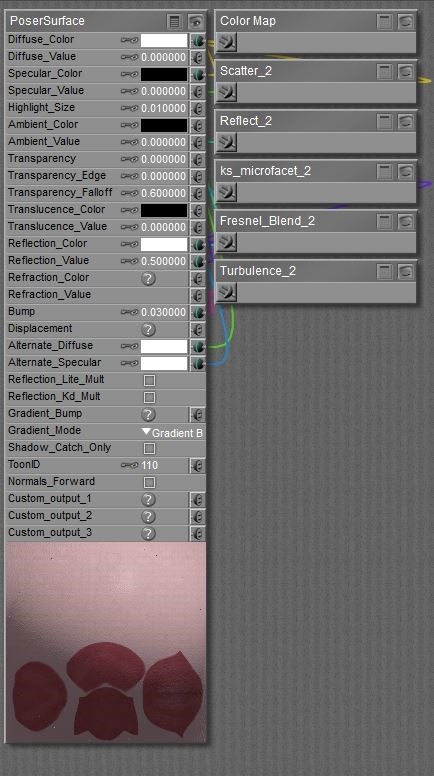
- When I save the materials in the mat room, how can I ensure that when I click the material again to load it up that the nodes are not all 'offscreen', making the material workspace look empty?
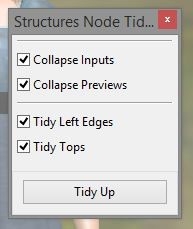
there are some node tidy scripts about that will do that job for you. You may have to reopen and position nodes after wards, but they will be set in the viewport.
Locked Out
Thanks, Glitterati3D. I will take your info and use it wisely.
I think I may have a product reviewer that has an issue with me or something because he's made some shortsighted comments in the past and it turns me off. I wanna keep making good products for Renderosity but it can really be frustrating when you get shot down for some minor things or some things that they may have an 'opinion' on. The guy had the nerve to suggest that I rename my product even though I had sold a product in the past with a similar name and the name was not offensive or anything.
Thanks, Structure. I'll have a look at the script. I've set up my nodes so that there are nodes on bother the left and right of the main settings panel but I would like the screen to open with only the main settings panel and the left hand side nodes showing. If that's what can be achieved then that would be great.
**I very much appreciate your feedback and help in this issue, everyone. I hope I can sort these things out.
**
**Much obliged!
**
**Cheers,
Paul
(mix_mash)
**

Privacy Notice
This site uses cookies to deliver the best experience. Our own cookies make user accounts and other features possible. Third-party cookies are used to display relevant ads and to analyze how Renderosity is used. By using our site, you acknowledge that you have read and understood our Terms of Service, including our Cookie Policy and our Privacy Policy.
Hi,
I have a number of important questions regarding non-embedded props and morph targets. This is only my second product without embedded geometries and the first time with Morphs.
I imported my OBJs into Poser and then used "GeomStripper" to strip the geometry. I then fixed the file path names so that the pp2 file pointed to the correct OBJ file in the correct geometries folder.
Now here's where I am unsure - I'm adding morph targets to the stripped geometry and saving the prop. I don't know if, by doing this, that the geometry gets re-embedded, if you know what I mean.
Once I have stripped the intial geometry, what am I supposed to do when adding morph targets to make sure that when I save the prop that it fits to Renderosity product rules?
Does the option "Use External Binary Morph Targets" in the preferences have anything to do with this?
With stripped geometry, do I need the PMD or XMP files?
OK and one final question, off topic:
Someone gave me a link to this issue but it was a dead link.
Thanks for your time.
Regards,
Paul
(mix_mash)